Moffat County Quitclaim Deed Form
Last validated August 29, 2026 by our Forms Development TeamFormatted for recording in Moffat County, for property anywhere in the county: rural and unincorporated areas as well as Craig, Dinosaur, Hamilton, Maybell, Slater.
- 3 documents included
- Immediate PDF download
- Formatting guarantee
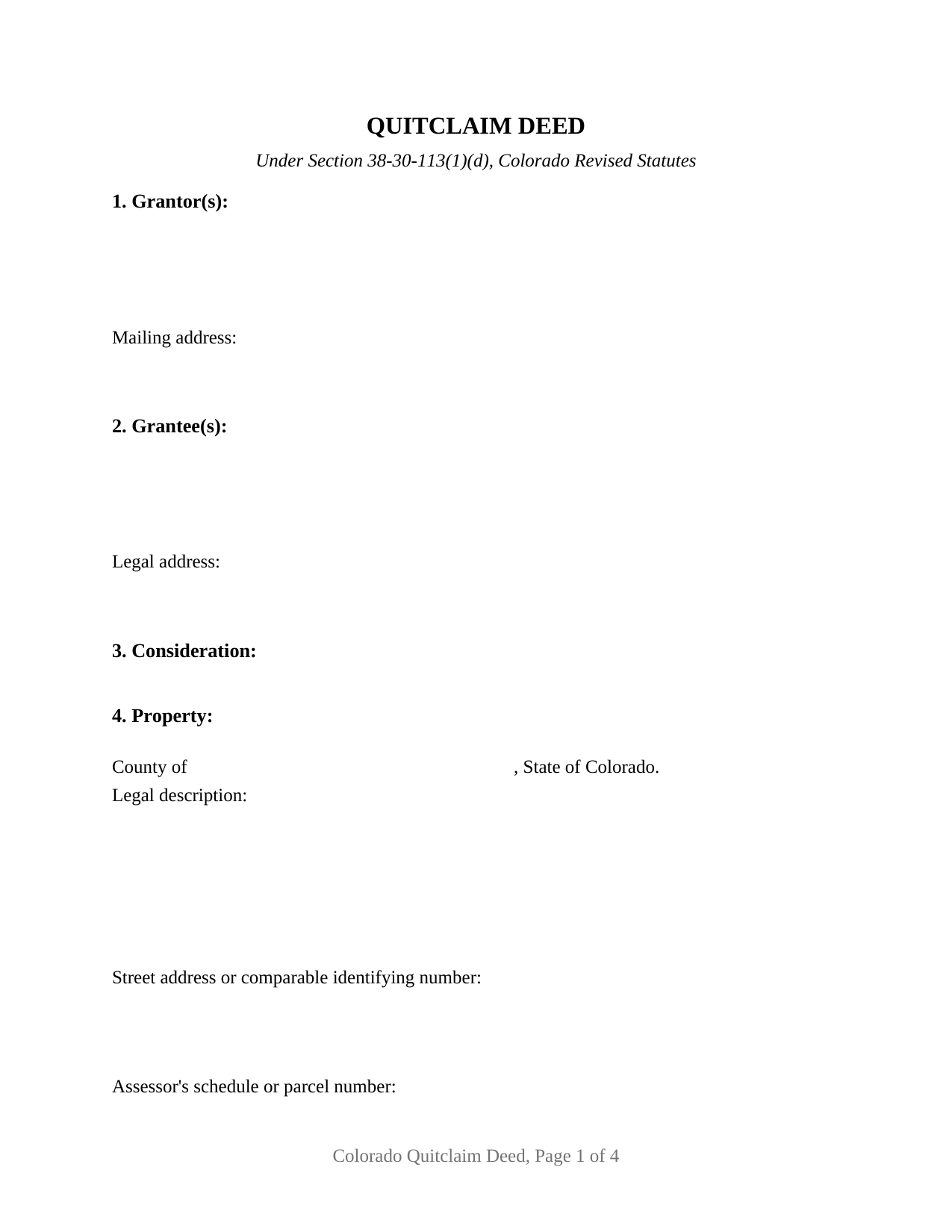
Moffat County Quitclaim Deed Form
Fill in the blank Quitclaim Deed form formatted to comply with all Colorado recording and content requirements.
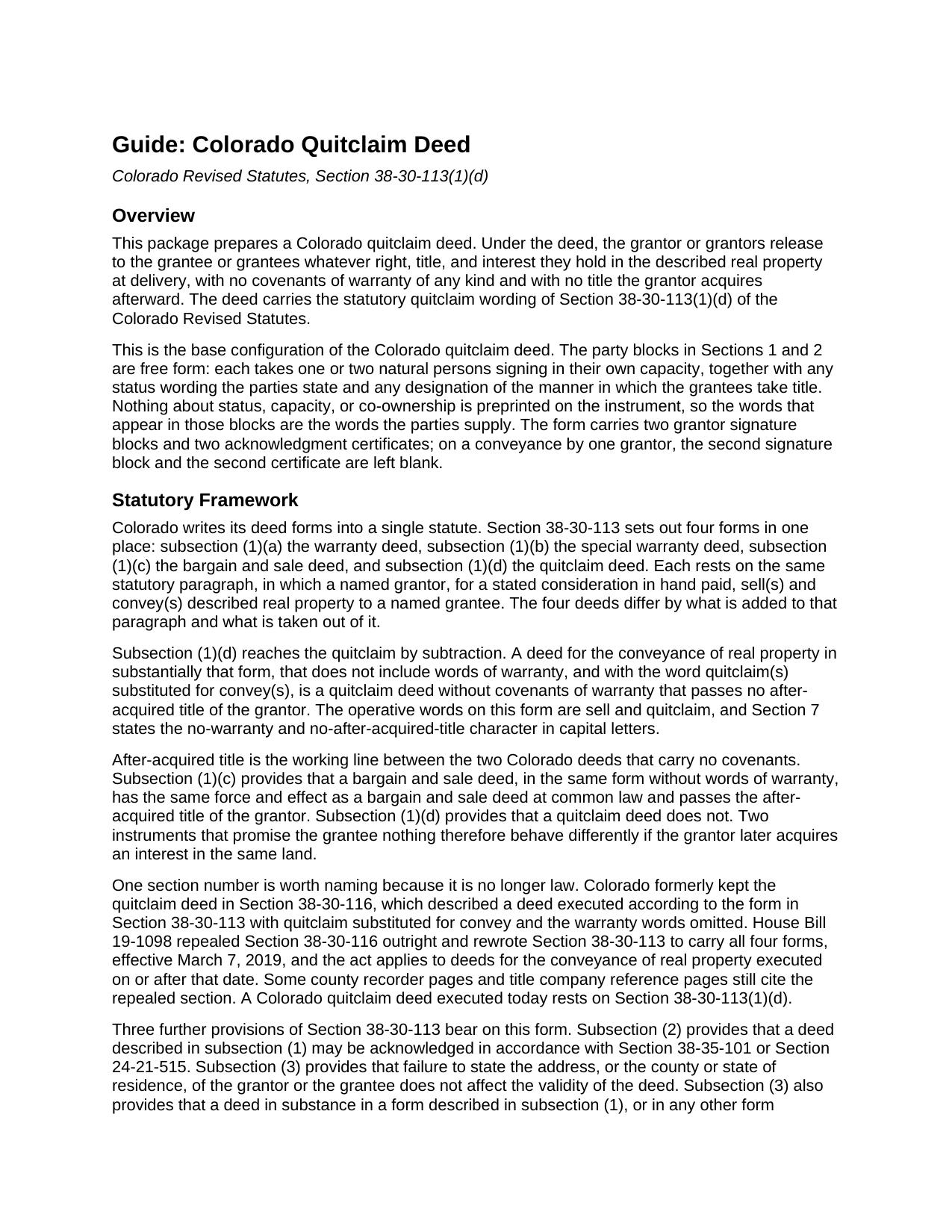
Moffat County Quitclaim Deed Guide
Line by line guide explaining every blank on the Quitclaim Deed form.
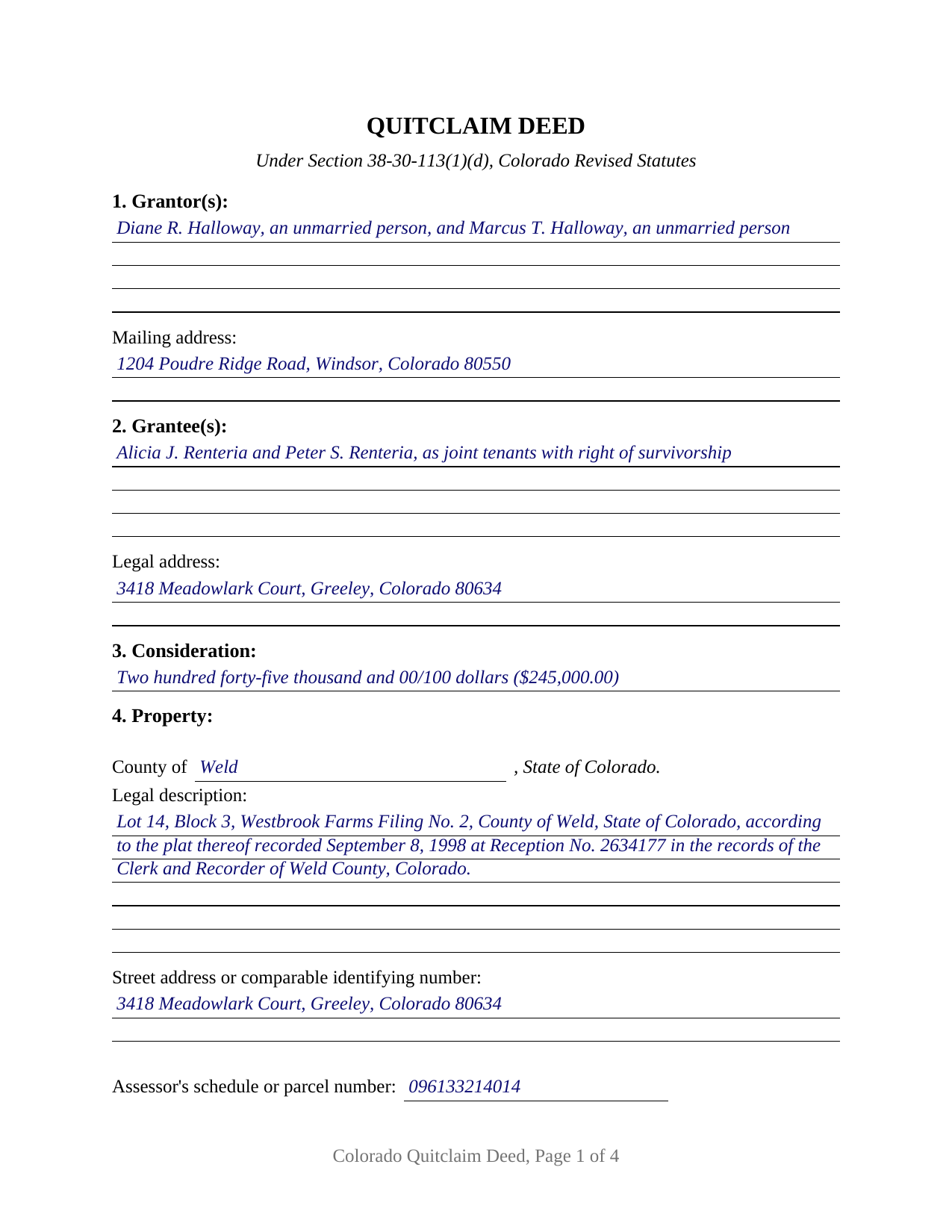
Moffat County Completed Example of the Quitclaim Deed Document
Example of a properly completed Colorado Quitclaim Deed document for reference.
All 3 documents above included • One-time purchase • No recurring fees
Immediate Download • Secure Checkout
Additional Colorado and Moffat County documents included at no extra charge:
Where to Record Your Documents
Moffat County Clerk and Recorder
Craig , Colorado 81625
Hours: Monday - Friday 8am-1pm & 2pm-4:30pm
Phone: (970) 824-9104
Recording Tips for Moffat County:
- Bring your driver's license or state-issued photo ID
- Ensure all signatures are in blue or black ink
- Ask for certified copies if you need them for other transactions
- Ask if they accept credit cards - many offices are cash/check only
- Check that your notary's commission hasn't expired
Cities and Jurisdictions in Moffat County
Properties in any of these areas use Moffat County forms:
- Craig
- Dinosaur
- Hamilton
- Maybell
- Slater
Hours, fees, requirements, and more for Moffat County
How do I get my forms?
Forms are available for immediate download after payment. The Moffat County forms will be in your account ready to download to your computer. An account is created for you during checkout if you don't have one. Forms are NOT emailed.
Are these forms guaranteed to be recordable in Moffat County?
Yes. Our form blanks are guaranteed to meet or exceed the applicable formatting requirements used for recording in Moffat County, including margin requirements, font requirements, and other layout standards. This guarantee applies to formatting, not to the legal sufficiency of information entered by the user or the suitability of a form for a particular transaction.
Can I reuse these forms?
Yes. You can reuse the forms for your personal use. For example, if you have multiple properties in Moffat County you only need to order once.
What do I need to use these forms?
The forms are PDFs that you fill out on your computer. The free Adobe Acrobat Reader is recommended, and most PDF apps also work. You do NOT enter your property information online - you download the blank forms and complete them privately on your own computer.
Are there any recurring fees?
No. This is a one-time purchase. Nothing to cancel, no memberships, no recurring fees.
How much does it cost to record in Moffat County?
Recording fees in Moffat County vary. Contact the recorder's office at (970) 824-9104 for current fees.
Questions answered? Let's get started!
Colorado keeps its deed forms in a single statute, and since 2019 that one statute has carried all four. Section 38-30-113 of the Colorado Revised Statutes prints one conveyancing paragraph, and which deed results depends on what is added to it and what is struck out. Remove the words of warranty, put quitclaim where convey stands, and what is left is the instrument this fillable form prepares.
One paragraph, four deeds, one substituted word
The paragraph reads the same whichever deed is being made: a named grantor, for a consideration in hand paid, sell(s) and convey(s) described real property to a named grantee. Subsection (1)(a) adds warranty words. Subsection (1)(b) narrows them to persons claiming under the grantor. Subsection (1)(c) leaves them out, yielding a bargain and sale deed. Subsection (1)(d) leaves them out and changes one word, quitclaim(s) for convey(s). The result warrants nothing and leaves behind any interest its grantor later acquires, which is the whole distance between a quit claim deed and the bargain and sale form one subsection above.
The section number that left the books in 2019
Until March of that year the quitclaim had a section of its own. Section 38-30-116 described a deed executed on the Section 38-30-113 form with quitclaim put in for convey and the warranty phrase dropped. House Bill 19-1098 repealed it outright and rewrote Section 38-30-113 to hold every form in one place, reaching deeds executed on or after March 7, 2019. County recorder pages and title company reference sheets still point readers at the repealed number, describing the mechanics accurately while citing law that no longer exists. This deed cites the subsection in force.
Blanks that carry the parties' own words
This is the base configuration of the Colorado quitclaim deed, and what defines it is what the instrument declines to print. The party entries in Sections 1 and 2 are free form, four lines apiece, and each takes one natural person or two, signing in their own capacity. No status, capacity, or co-ownership wording appears anywhere on the printed deed, so a grantor stating a marital status, or grantees taking as joint tenants with right of survivorship rather than as tenants in common, write those words into the block holding their names. Section 7 provides that a designation of the manner in which the grantees take title, stated in Section 2, is part of the deed, which is what carries into the operative text the joint tenancy declaration C.R.S. 38-31-101 asks for. Two grantor signature blocks and two acknowledgment certificates follow, on the individual capacity short form at C.R.S. 24-21-516(1)(a); where a single grantor conveys, the second block and certificate stay empty. One person releasing an undivided share, two people conveying a parcel they hold together, and two grantors passing title to two grantees taking with survivorship all present count patterns this deed recites. The form is not set up for a corporation, limited liability company, partnership, or trustee on the giving side, for a signature given through an attorney-in-fact, or for three or more people on either side.
Two addresses, and what the counter costs
Colorado polices one entry on the face of a deed and forgives another. C.R.S. 38-35-109(2) has a deed dated after January 1, 1977 that omits the grantee's legal address returned instead of recorded, so the grantee entry collects a complete one, while C.R.S. 38-30-113(3), inside the deed forms statute itself, provides that failure to state the address of the grantor or the grantee does not affect the deed's validity. Recordability and validity answer different questions. Beside the legal description sits the street address entry C.R.S. 38-35-122 asks for, with a line for the assessor's schedule number. The per-document recording charge has been a flat statutory figure since July 1, 2025, quoted at 43 dollars on county fee pages with surcharges. The statewide charge on the conveyance is the documentary fee, not a transfer tax: a cent per 100 dollars, owed only above 500 dollars of consideration, or 24 dollars and 50 cents against the example's 245,000 dollar transfer.
Three files arrive with the purchase: the quitclaim deed as a fillable PDF, a completed example set in Weld County where two grantors pass a platted lot to two grantees taking with survivorship, and a guide walking the numbered sections, the ways Colorado lets grantees hold title, the notarization, and the recording steps. The materials are informational and are not legal advice.
Important: Your property must be located in Moffat County to use these forms. Documents should be recorded at the county recording office listed above.
This Quitclaim Deed meets all recording requirements specific to Moffat County.
Our Promise
The documents you receive here are guaranteed to meet or exceed the applicable Moffat County recording format requirements. If there is a rejection caused by our formatting, we will correct the issue or refund your payment. This guarantee applies to document formatting only and does not extend to information entered by the user, the selection of the form, or the legal effect of the completed document.
Save Time and Money
Get your Moffat County Quitclaim Deed form done right the first time with Deeds.com Uniform Conveyancing Blanks. At Deeds.com, we understand that your time and money are valuable resources, and we don't want you to face a penalty fee or rejection imposed by a county recorder for submitting nonstandard documents. We constantly review and update our forms to meet rapidly changing state and county recording requirements for roughly 3,500 counties and local jurisdictions.
4.8 out of 5 - ( 4,830 Reviews )
Joseph S. 5 out of 5 stars
The website was very easy to use. I rate it a five star
Thank you for your feedback. We really appreciate it. Have a great day!
Kathie C. 5 out of 5 stars
This was the first time I have used Deeds.com and I must say that I am extremely impressed. The person that handled my packages was amazing and extremely helpful. I am recommending that our firm starts using Deeds.com and we do a lot of e-recordings. Thank you so much for making this a great experience and for all of your efforts in making it so great!!!
Your feedback is greatly appreciated. Thank you for taking the time to share your experience!
Theadore L. 5 out of 5 stars
Bought a transfer on death deed form and it worked great. Easy to fill out and record with the County. Got some helpful information from the county recorders office before filling out the form. I found out that I could use one deed for 2 properties. Saved me money not having to pay fees for 2 deeds.
We are delighted to have been of service. Thank you for the positive review!
richard E. 5 out of 5 stars
First time I used service. It was simple to use. The response time was excellent. I look forward to using them in the future.
That's awesome Richard, glad we could help!
Jodi W. 1 out of 5 stars
Absolutely horrible service and experience. Would not recommend to anyone. If there was an option to select a zero star rating I would have. I am sure this review will not be posted.
Thank you for your feedback Jodi.
Claude F. 5 out of 5 stars
quick and easy to use, thank you
Thank you!
Catherine M. 5 out of 5 stars
Easy to use, loved the format, will use again
Thank you, Catherine! We’re so glad you found the process easy and liked the format. We appreciate your support and look forward to helping you again soon!
Pamela P. 5 out of 5 stars
Access to all the necessary forms was easy. The detailed guide very helpful for ensuring a customer can fill out the documents accurately.
We appreciate your business and value your feedback. Thank you. Have a wonderful day!
Anthony G. 5 out of 5 stars
I have only used the service on one occasion but so far it has been great. Extremely simple to use.
We appreciate your business and value your feedback. Thank you. Have a wonderful day!
Alice L. 5 out of 5 stars
County accepted Quit Claim Deed without any issues! Saved money using Deeds.com - thank you!!!!
Thank you for your feedback. We really appreciate it. Have a great day!
James S. 5 out of 5 stars
easy to use
Thank you James.
Peter F. 5 out of 5 stars
It was outstanding, seriously, I had 3 e mail correspondences asking for information and providing feedback within 2 hours and was ready for submission at that point. I paid the invoice online and by the end of the day I had electronic verification that Registry of Deeds had processed my documents. That work is good stuff ! Pete
Glad we could be of assistance Peter, thank you for the kinds words. Have an amazing day!
Christine P. 5 out of 5 stars
I was hoping to find information of a property belonging to my grandparents. Your site says it can go back 10-20 years I will just have to go to the courthouse and research. But very good site if your looking for recent information.
Thank you for your feedback. We really appreciate it. Have a great day!
Hilary C. 5 out of 5 stars
Within 10 minutes I had my Deed!!! Fantastic!!!!
Thank you for your feedback. We really appreciate it. Have a great day!
Wayne T. 5 out of 5 stars
I found that it was easy-to-use and complete.
Thank you!