Douglas County Certificate of Trust Form
Last validated November 17, 2026 by our Forms Development TeamFormatted for recording in Douglas County, for property anywhere in the county: rural and unincorporated areas as well as Castle Rock, Franktown, Larkspur, Littleton, Louviers, Parker, Sedalia.
- 3 documents included
- Immediate PDF download
- Formatting guarantee
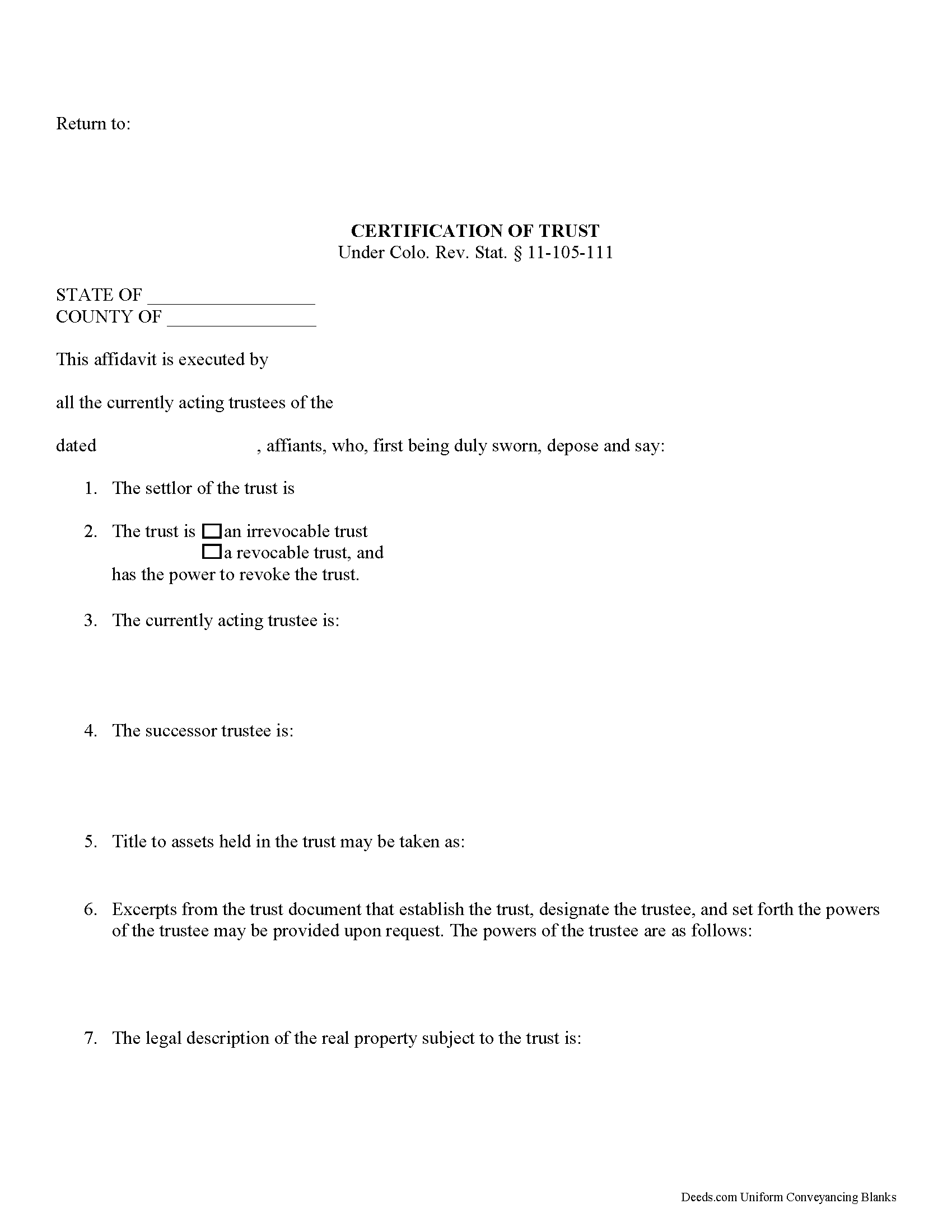
Douglas County Certificate of Trust Form
Fill in the blank form formatted to comply with all recording and content requirements.
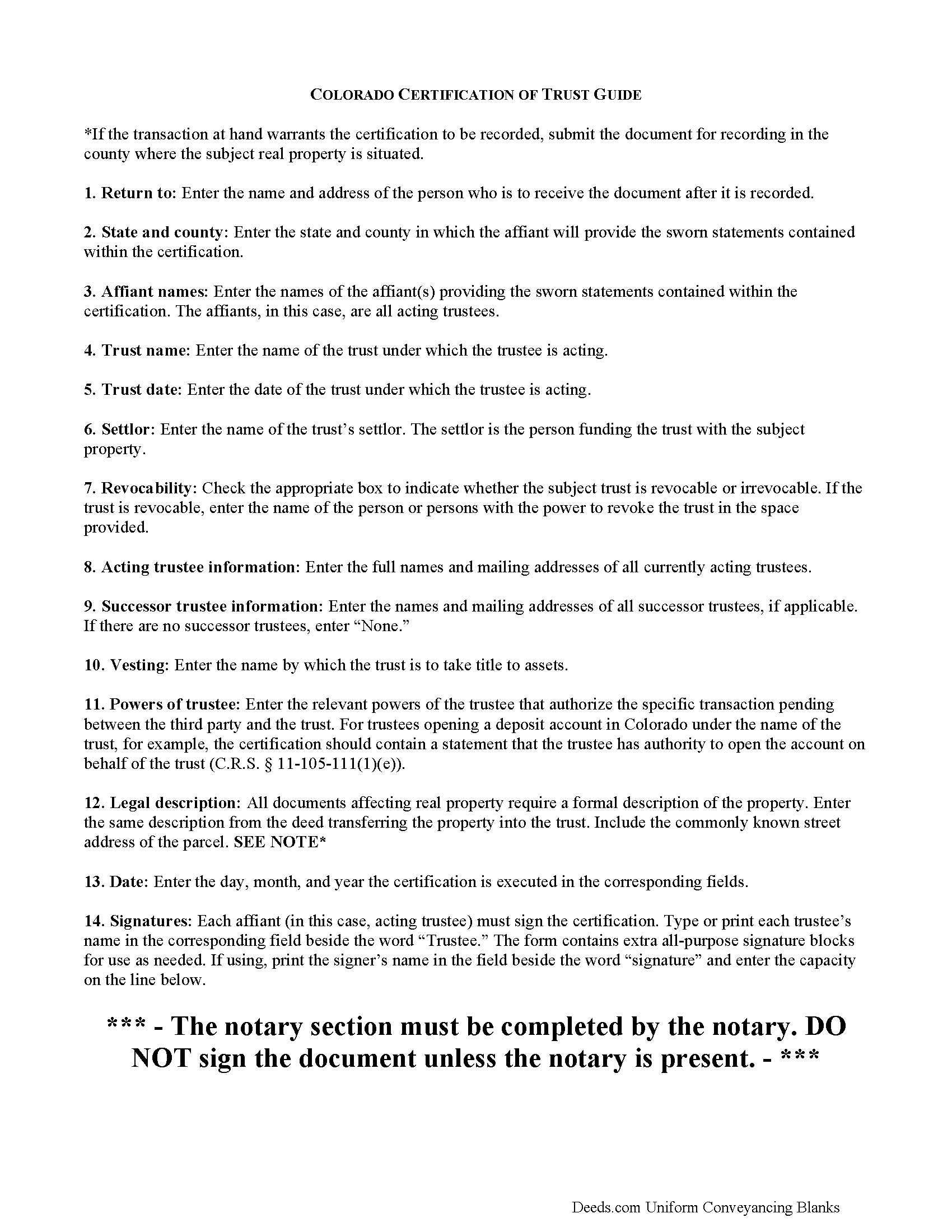
Douglas County Certificate of Trust Guide
Line by line guide explaining every blank on the form.
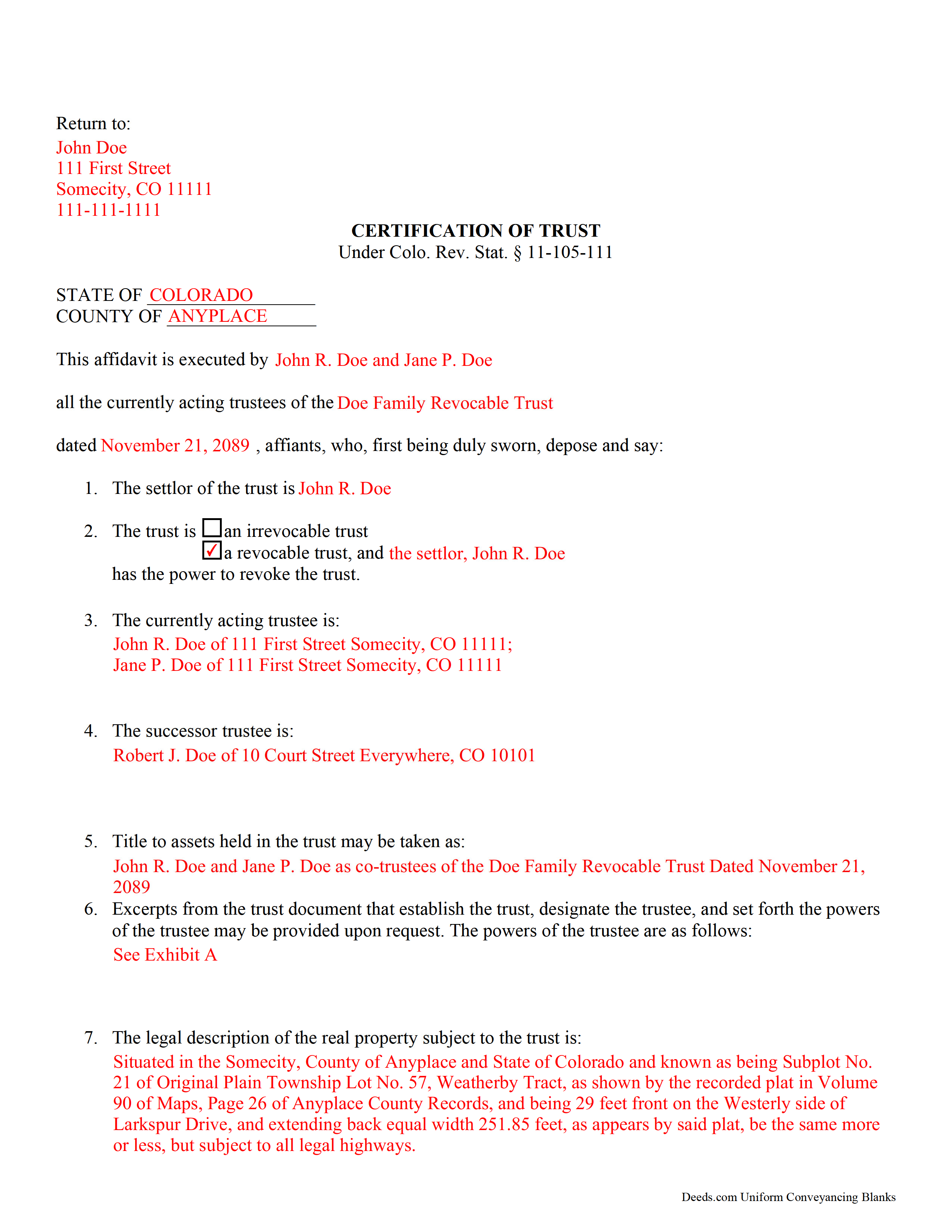
Douglas County Completed Example of the Certificate of Trust Document
Example of a properly completed form for reference.
All 3 documents above included • One-time purchase • No recurring fees
Immediate Download • Secure Checkout
Additional Colorado and Douglas County documents included at no extra charge:
Where to Record Your Documents
Douglas County Clerk and Recorder
Castle Rock, Colorado 80104
Hours: 8:00am to 5:00pm Monday through Friday
Phone: (303) 660-7446
Recording Tips for Douglas County:
- Bring your driver's license or state-issued photo ID
- Ensure all signatures are in blue or black ink
- Ask about accepted payment methods when you call ahead
- Ask for certified copies if you need them for other transactions
- Ask if they accept credit cards - many offices are cash/check only
Cities and Jurisdictions in Douglas County
Properties in any of these areas use Douglas County forms:
- Castle Rock
- Franktown
- Larkspur
- Littleton
- Louviers
- Parker
- Sedalia
Hours, fees, requirements, and more for Douglas County
How do I get my forms?
Forms are available for immediate download after payment. The Douglas County forms will be in your account ready to download to your computer. An account is created for you during checkout if you don't have one. Forms are NOT emailed.
Are these forms guaranteed to be recordable in Douglas County?
Yes. Our form blanks are guaranteed to meet or exceed the applicable formatting requirements used for recording in Douglas County, including margin requirements, font requirements, and other layout standards. This guarantee applies to formatting, not to the legal sufficiency of information entered by the user or the suitability of a form for a particular transaction.
Can I reuse these forms?
Yes. You can reuse the forms for your personal use. For example, if you have multiple properties in Douglas County you only need to order once.
What do I need to use these forms?
The forms are PDFs that you fill out on your computer. The free Adobe Acrobat Reader is recommended, and most PDF apps also work. You do NOT enter your property information online - you download the blank forms and complete them privately on your own computer.
Are there any recurring fees?
No. This is a one-time purchase. Nothing to cancel, no memberships, no recurring fees.
How much does it cost to record in Douglas County?
Recording fees in Douglas County vary. Contact the recorder's office at (303) 660-7446 for current fees.
Questions answered? Let's get started!
Certification of a Trust in Colorado
When a trustee wishes to conduct business with a bank in the name of a trust, he/she needs to prove his/her authority to do so by producing a certification of trust, governed by C.R.S. 11-105-111 (2017). The certification of trust stands as prima facie evidence of the facts presented within.
Similar to a statement of authority, which identifies a trust and its trustee, and is recorded alongside a conveyance of real property into a trust, the certificate of trust verifies the existence of a trust and a trustee's authority to act on behalf of the trust. However, the certificate of trust is not necessarily recorded, and it provides more information about the trust.
The certificate functions as "evidence of the trust relationship" by presenting essential information about the trust (C.R.S. 11-105-111(1)). It is a summary of the trust agreement conferring administrative powers to the trustee, and sometimes contains excerpts of the relevant information directly from the trust agreement. The certificate does not disclose nonessential provisions of the trust agreement, such as the identity of those having a beneficial interest in the trust, which some may prefer to keep confidential.
A valid certificate contains the trust's name and date, the identities of the settlor and the acting trustee, and the powers of the acting trustee regarding the transaction at hand. In addition, it identifies the trust as either irrevocable or revocable, and confirms who holds a power to revoke the trust, as well as the name by which the trust will hold title to assets. As with other documents affecting real property, the certificate should contain a legal description, including the commonly known street address of the property.
Trust law can quickly become complicated, and each situation is unique, and some lending institutions may require further information to supplement a certificate of trust.
(Colorado Certificate of Trust Package includes form, guidelines, and completed example)
Important: Your property must be located in Douglas County to use these forms. Documents should be recorded at the county recording office listed above.
This Certificate of Trust meets all recording requirements specific to Douglas County.
Our Promise
The documents you receive here are guaranteed to meet or exceed the applicable Douglas County recording format requirements. If there is a rejection caused by our formatting, we will correct the issue or refund your payment. This guarantee applies to document formatting only and does not extend to information entered by the user, the selection of the form, or the legal effect of the completed document.
Save Time and Money
Get your Douglas County Certificate of Trust form done right the first time with Deeds.com Uniform Conveyancing Blanks. At Deeds.com, we understand that your time and money are valuable resources, and we don't want you to face a penalty fee or rejection imposed by a county recorder for submitting nonstandard documents. We constantly review and update our forms to meet rapidly changing state and county recording requirements for roughly 3,500 counties and local jurisdictions.
4.8 out of 5 - ( 4,862 Reviews )
NATALIE A. 5 out of 5 stars
The form was very easy to use and the sample tool you had was very helpful. the only problem i had was saving the document and then trying to find it later. I finally was able to figure out how to save it. but i still cannot find the saved document on my computer. Luckily i printed it before i closed it and did not need to make any changes.
Thank you for your feedback. We really appreciate it. Have a great day!
Nancy B. 5 out of 5 stars
This was the easiest, quickest, most understandable way I've seen yet to retrieve deeds from various counties. The government websites are "clunky" and each one seems different than the other. I like this service and will use them again in the future. NANCY
Thank you for your feedback. We really appreciate it. Have a great day!
Susan C. 5 out of 5 stars
easy to use to get copy of documents. given your website by recorder in the country offices.
Thank you Susan, we appreciate your feedback.
Samuel M. 4 out of 5 stars
it was convenient to have a starting place, however, though the property is in Colorado, the probate is in Iowa, so I had to create my own document because you locked my capacity to edit the form I paid for. If I pay for it, I should be able to edit everything including non fill in text. I could not open it in word, as I normally could.
Thank you for your feedback. We really appreciate it. Have a great day!
Roy W. 5 out of 5 stars
It's fine
Thank you!
Lisa H. 5 out of 5 stars
My recent experience with Deeds.com has been outstanding. I especially appreciated the sample filled-out deed but even more the explanation of the questions. i recommend to download both. It was very easy and fast. Thanks.
We appreciate your business and value your feedback. Thank you. Have a wonderful day!
Nancy D. 5 out of 5 stars
Program works well. Saves a lot of time trying to find out what you need to do.
Thank you!
Jane H. 5 out of 5 stars
So far, so good!
Thank you Jane. Have a great day!
Jonathon K. 5 out of 5 stars
Recording deeds from the comfort of my office has never been simpler thanks to Deeds.com. The service is affordable, fast, and extremely user friendly. I highly recommend anyone who needs a deed recorded in the state of Florida to look into this website, it has made my job much easier.
We appreciate your business and value your feedback. Thank you. Have a wonderful day!
Frank R. 5 out of 5 stars
Our notary. Marie was prompt, courteous and professional. Would definitely use again and reccomend
Thank you for your feedback. We really appreciate it. Have a great day!
Scott P. 5 out of 5 stars
So far so good
Thank you!
CHARLES H. 5 out of 5 stars
Easy to fill-in forms, easy instructions, worth purchasing
Thank you!
Gloria R. 5 out of 5 stars
The website was easy.
Thank you!
Renasha P. 5 out of 5 stars
I was searching information about my boyfriend family home and received the results in a timely manner. I now have the information that we were seeking.
Thank you for your feedback. We really appreciate it. Have a great day!
Julie K. 4 out of 5 stars
The process for obtaining document itself was easy, and the included guide and example are great! I do have an issue with the format itself, though. The form has pre-defined text boxes, which cannot be altered without partially rebuilding the entire document. For the 'property description' field on the Mineral Deed form, the text box is not large enough for the rather lengthy legal description entered on my original plat. Fortunately, I have a copy of Adobe Pro, so I have been able to re-build the doc to accommodate this short-coming.
Thank you for taking the time to provide feedback on our legal form. We're pleased to hear that you found the process for obtaining the document and the included guide beneficial.
We understand and appreciate your concern regarding the formatting and size limitations of certain fields, especially the 'property description' field. Our forms are designed to adhere to specific formatting requirements that are often mandated for legal compliance. Making direct alterations to the document can result in them becoming non-conforming, which is why we advise customers to use an exhibit page when their legal description is extensive or does not fit.