Otero County Quitclaim Deed Form
Last validated August 29, 2026 by our Forms Development TeamFormatted for recording in Otero County, for property anywhere in the county: rural and unincorporated areas as well as Cheraw, Fowler, La Junta, Manzanola, Rocky Ford, Swink.
- 3 documents included
- Immediate PDF download
- Formatting guarantee
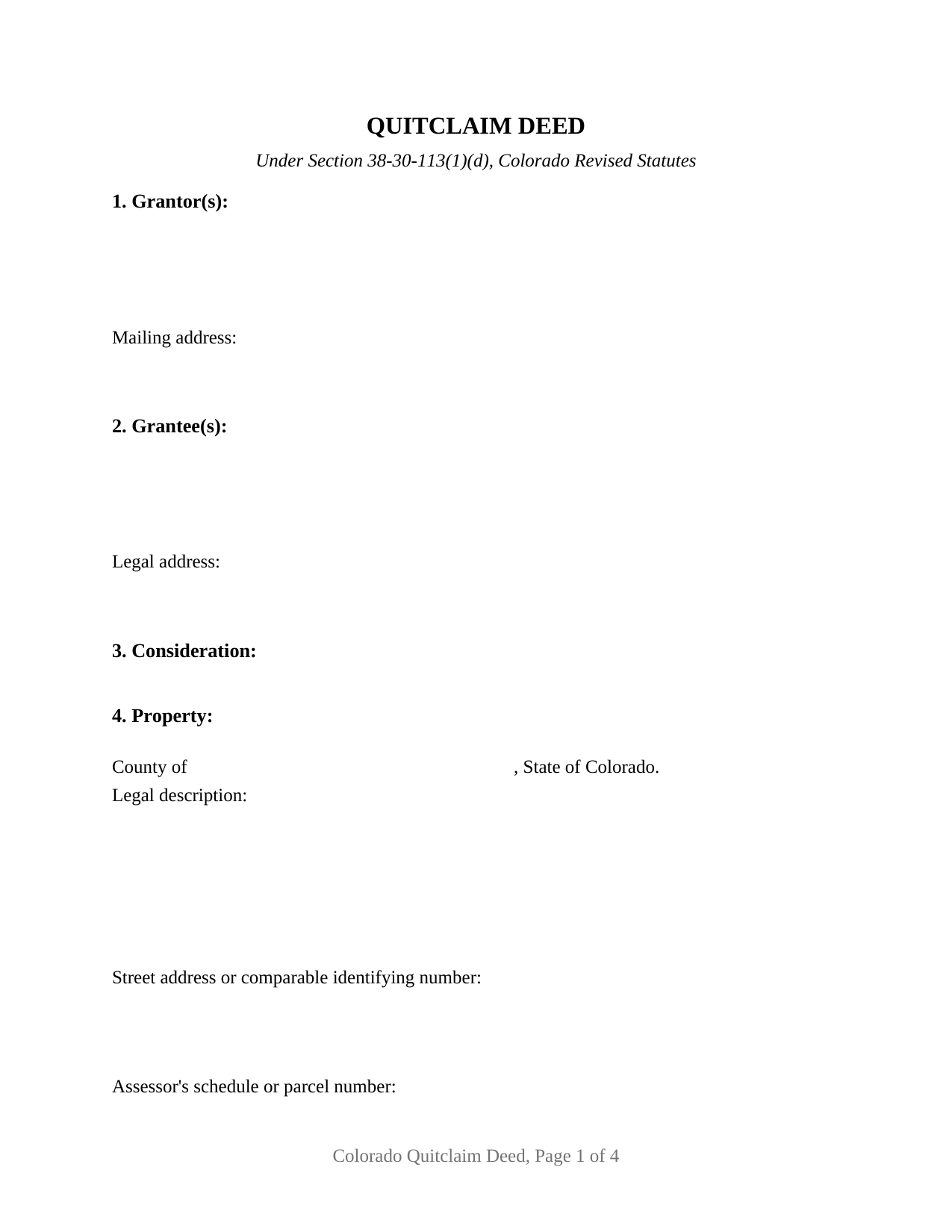
Otero County Quitclaim Deed Form
Fill in the blank Quitclaim Deed form formatted to comply with all Colorado recording and content requirements.
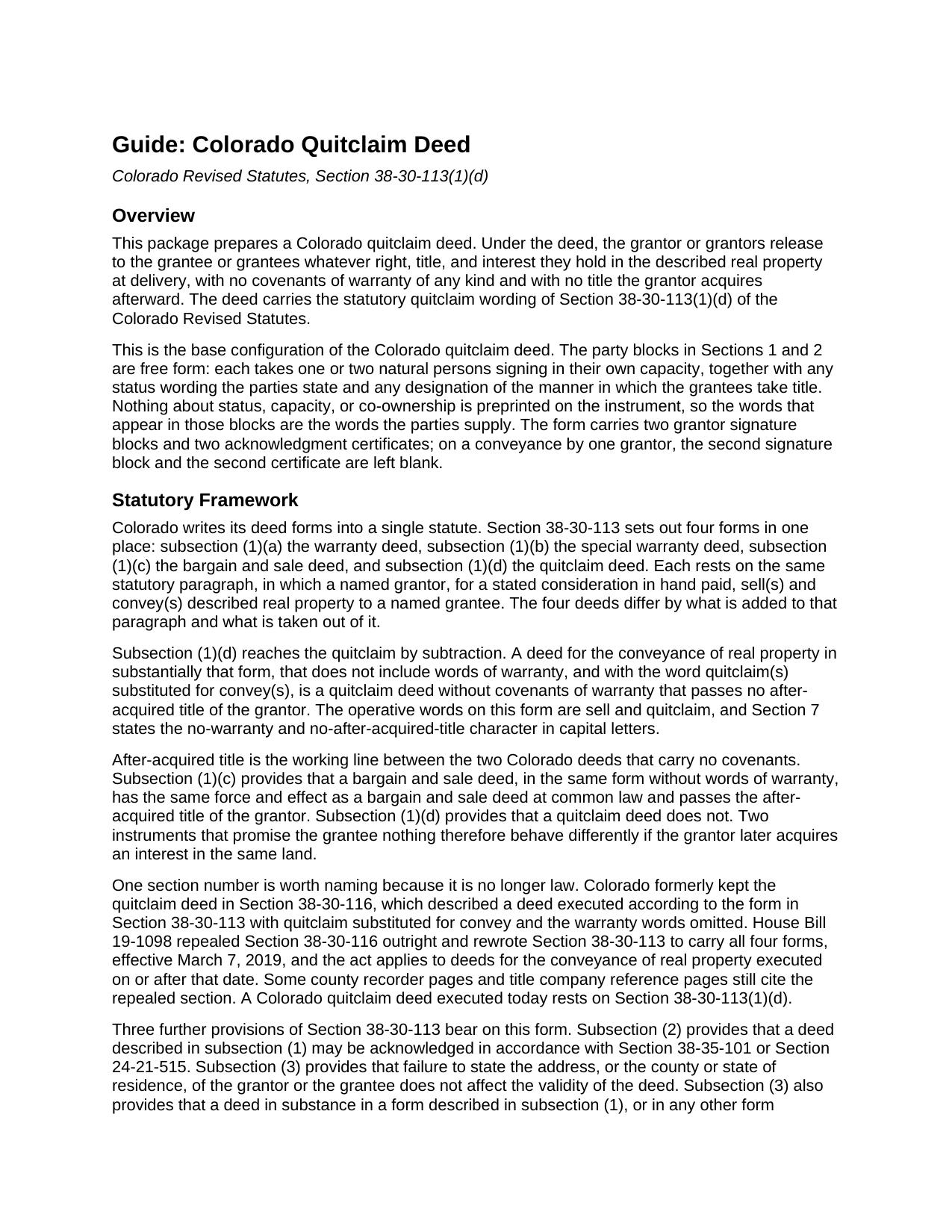
Otero County Quitclaim Deed Guide
Line by line guide explaining every blank on the Quitclaim Deed form.
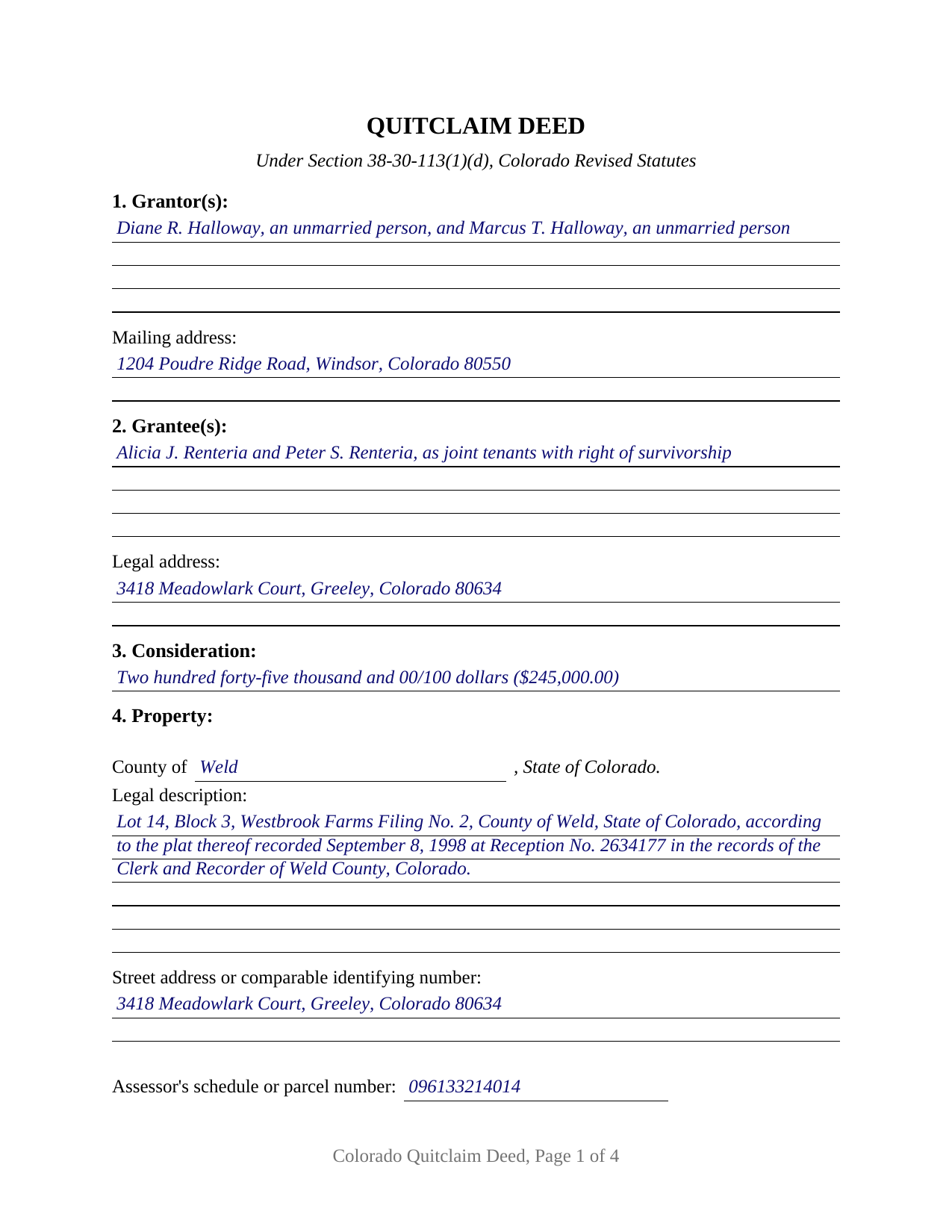
Otero County Completed Example of the Quitclaim Deed Document
Example of a properly completed Colorado Quitclaim Deed document for reference.
All 3 documents above included • One-time purchase • No recurring fees
Immediate Download • Secure Checkout
Additional Colorado and Otero County documents included at no extra charge:
Where to Record Your Documents
Otero County Clerk and Recorder
La Junta, Colorado 81050
Hours: 8:00 to 5:00 Monday through Friday
Phone: (719) 383-3020
Recording Tips for Otero County:
- Bring your driver's license or state-issued photo ID
- Ensure all signatures are in blue or black ink
- Recorded documents become public record - avoid including SSNs
- Recording fees may differ from what's posted online - verify current rates
- Request a receipt showing your recording numbers
Cities and Jurisdictions in Otero County
Properties in any of these areas use Otero County forms:
- Cheraw
- Fowler
- La Junta
- Manzanola
- Rocky Ford
- Swink
Hours, fees, requirements, and more for Otero County
How do I get my forms?
Forms are available for immediate download after payment. The Otero County forms will be in your account ready to download to your computer. An account is created for you during checkout if you don't have one. Forms are NOT emailed.
Are these forms guaranteed to be recordable in Otero County?
Yes. Our form blanks are guaranteed to meet or exceed the applicable formatting requirements used for recording in Otero County, including margin requirements, font requirements, and other layout standards. This guarantee applies to formatting, not to the legal sufficiency of information entered by the user or the suitability of a form for a particular transaction.
Can I reuse these forms?
Yes. You can reuse the forms for your personal use. For example, if you have multiple properties in Otero County you only need to order once.
What do I need to use these forms?
The forms are PDFs that you fill out on your computer. The free Adobe Acrobat Reader is recommended, and most PDF apps also work. You do NOT enter your property information online - you download the blank forms and complete them privately on your own computer.
Are there any recurring fees?
No. This is a one-time purchase. Nothing to cancel, no memberships, no recurring fees.
How much does it cost to record in Otero County?
Recording fees in Otero County vary. Contact the recorder's office at (719) 383-3020 for current fees.
Questions answered? Let's get started!
Colorado keeps its deed forms in a single statute, and since 2019 that one statute has carried all four. Section 38-30-113 of the Colorado Revised Statutes prints one conveyancing paragraph, and which deed results depends on what is added to it and what is struck out. Remove the words of warranty, put quitclaim where convey stands, and what is left is the instrument this fillable form prepares.
One paragraph, four deeds, one substituted word
The paragraph reads the same whichever deed is being made: a named grantor, for a consideration in hand paid, sell(s) and convey(s) described real property to a named grantee. Subsection (1)(a) adds warranty words. Subsection (1)(b) narrows them to persons claiming under the grantor. Subsection (1)(c) leaves them out, yielding a bargain and sale deed. Subsection (1)(d) leaves them out and changes one word, quitclaim(s) for convey(s). The result warrants nothing and leaves behind any interest its grantor later acquires, which is the whole distance between a quit claim deed and the bargain and sale form one subsection above.
The section number that left the books in 2019
Until March of that year the quitclaim had a section of its own. Section 38-30-116 described a deed executed on the Section 38-30-113 form with quitclaim put in for convey and the warranty phrase dropped. House Bill 19-1098 repealed it outright and rewrote Section 38-30-113 to hold every form in one place, reaching deeds executed on or after March 7, 2019. County recorder pages and title company reference sheets still point readers at the repealed number, describing the mechanics accurately while citing law that no longer exists. This deed cites the subsection in force.
Blanks that carry the parties' own words
This is the base configuration of the Colorado quitclaim deed, and what defines it is what the instrument declines to print. The party entries in Sections 1 and 2 are free form, four lines apiece, and each takes one natural person or two, signing in their own capacity. No status, capacity, or co-ownership wording appears anywhere on the printed deed, so a grantor stating a marital status, or grantees taking as joint tenants with right of survivorship rather than as tenants in common, write those words into the block holding their names. Section 7 provides that a designation of the manner in which the grantees take title, stated in Section 2, is part of the deed, which is what carries into the operative text the joint tenancy declaration C.R.S. 38-31-101 asks for. Two grantor signature blocks and two acknowledgment certificates follow, on the individual capacity short form at C.R.S. 24-21-516(1)(a); where a single grantor conveys, the second block and certificate stay empty. One person releasing an undivided share, two people conveying a parcel they hold together, and two grantors passing title to two grantees taking with survivorship all present count patterns this deed recites. The form is not set up for a corporation, limited liability company, partnership, or trustee on the giving side, for a signature given through an attorney-in-fact, or for three or more people on either side.
Two addresses, and what the counter costs
Colorado polices one entry on the face of a deed and forgives another. C.R.S. 38-35-109(2) has a deed dated after January 1, 1977 that omits the grantee's legal address returned instead of recorded, so the grantee entry collects a complete one, while C.R.S. 38-30-113(3), inside the deed forms statute itself, provides that failure to state the address of the grantor or the grantee does not affect the deed's validity. Recordability and validity answer different questions. Beside the legal description sits the street address entry C.R.S. 38-35-122 asks for, with a line for the assessor's schedule number. The per-document recording charge has been a flat statutory figure since July 1, 2025, quoted at 43 dollars on county fee pages with surcharges. The statewide charge on the conveyance is the documentary fee, not a transfer tax: a cent per 100 dollars, owed only above 500 dollars of consideration, or 24 dollars and 50 cents against the example's 245,000 dollar transfer.
Three files arrive with the purchase: the quitclaim deed as a fillable PDF, a completed example set in Weld County where two grantors pass a platted lot to two grantees taking with survivorship, and a guide walking the numbered sections, the ways Colorado lets grantees hold title, the notarization, and the recording steps. The materials are informational and are not legal advice.
Important: Your property must be located in Otero County to use these forms. Documents should be recorded at the county recording office listed above.
This Quitclaim Deed meets all recording requirements specific to Otero County.
Our Promise
The documents you receive here are guaranteed to meet or exceed the applicable Otero County recording format requirements. If there is a rejection caused by our formatting, we will correct the issue or refund your payment. This guarantee applies to document formatting only and does not extend to information entered by the user, the selection of the form, or the legal effect of the completed document.
Save Time and Money
Get your Otero County Quitclaim Deed form done right the first time with Deeds.com Uniform Conveyancing Blanks. At Deeds.com, we understand that your time and money are valuable resources, and we don't want you to face a penalty fee or rejection imposed by a county recorder for submitting nonstandard documents. We constantly review and update our forms to meet rapidly changing state and county recording requirements for roughly 3,500 counties and local jurisdictions.
4.8 out of 5 - ( 4,828 Reviews )
Scott M. 4 out of 5 stars
Very straightforward. Only issue was it took a few times for the mineral deed form to show up. The first few times it instead showed a mineral rights transfer between operators.
Your feedback is valuable to us and helps us improve. Thank you for sharing your thoughts!
Daisy R. 5 out of 5 stars
I did my Lady Bird Deed in a way the instruction indicated to do. The example you provided make it easy to understand. Thank you
Happy we could assist. Thank you for sharing your experience.
Michael F. 5 out of 5 stars
Very helpful and easy to use.
We deeply appreciate the trust you have placed in our services. Thank you for your valuable feedback and for choosing us.
Hanna M. 5 out of 5 stars
Very helpful information! Thank you for your service!
Thank you!
Sheryl B. 5 out of 5 stars
Great forms. Just what I needed.
We appreciate your business and value your feedback. Thank you. Have a wonderful day!
brian d. 5 out of 5 stars
I am a Loan Officer and this website saves me a bunch of time. Love it!
We appreciate your business and value your feedback. Thank you. Have a wonderful day!
Gabriel R. 4 out of 5 stars
So far the service seems good, simple to use. One criticism, the password change feature should require the user to re-enter their old password, new password, and re-enter the new password to make sure there is no typos. Thanks.
Thank you for your feedback. We really appreciate it. Have a great day!
MARY LACEY M. 5 out of 5 stars
The service provided by the staff at Deeds.com is consistently excellent with prompt replies and smooth recording transactions. I am grateful to have their service available as driving to downtown Phoenix to record documents is always a daunting prospect. Their assistance in recording our firm's documents has been 100% accurate and a pleasure.
Thank you for your positive words! We’re thrilled to hear about your experience.
Cherene K. 4 out of 5 stars
The process was easy and reasonable. My only problem was that, when I filled out my form on the computer, the writing I did overlapped with the pre-written words on the form, so that I had to end up doing it by hand. I've used DEEDS before and have not had that problem.
Thank you for your feedback Cherene. We've emailed you for some followup regarding the issue you reported.
Nancy A. 5 out of 5 stars
First time user and I was pleasantly surprised how quick and easy it was to get my Deed recorded. And the fee was not outrageous.
We appreciate your business and value your feedback. Thank you. Have a wonderful day!
Julie C. 5 out of 5 stars
The process worked great! It's a great solution for recording documents at the county during the pandemic and in the future if you don't want to leave home!!
Thank you!
Fedila A. 5 out of 5 stars
Thank you! I got the forms and saved them. Fast download and the price is given before ordering which is great. The only thing missing is the sample of the Cover Page. Thanks a lot!
We appreciate your business and value your feedback. Thank you. Have a wonderful day!
John C. 5 out of 5 stars
Ease and speed of recording are remarkable. This is especially true of deeds with problems: I often get feedback within minutes and can correct problems immediately and still complete the filing in the same day. I wish more counties accepted electronic filing! It would be helpful to list counties that do/do not accept electronic filing so I would not have to upload documents to find out my effort was fruitless.
We are grateful for your feedback and looking forward to serving you again. Thank you!
Sam A. 5 out of 5 stars
The form is just what I needed! Super easy access and user friendly. Exactly what I needed. Worth every dollar!!
Thank you for your feedback. We really appreciate it. Have a great day!
SUSAN R. 5 out of 5 stars
So easy to download and print. Also the examples are very helpful.
Thank you for your feedback. We really appreciate it. Have a great day!