Litchfield County Executor Deed Form
Last validated October 2, 2026 by our Forms Development TeamFormatted for recording in Litchfield County, for property anywhere in the county: rural and unincorporated areas as well as Bantam, Barkhamsted, Bethlehem, Bridgewater, Canaan, Colebrook, Cornwall, Cornwall Bridge and 35 more.
- 3 documents included
- Immediate PDF download
- Formatting guarantee
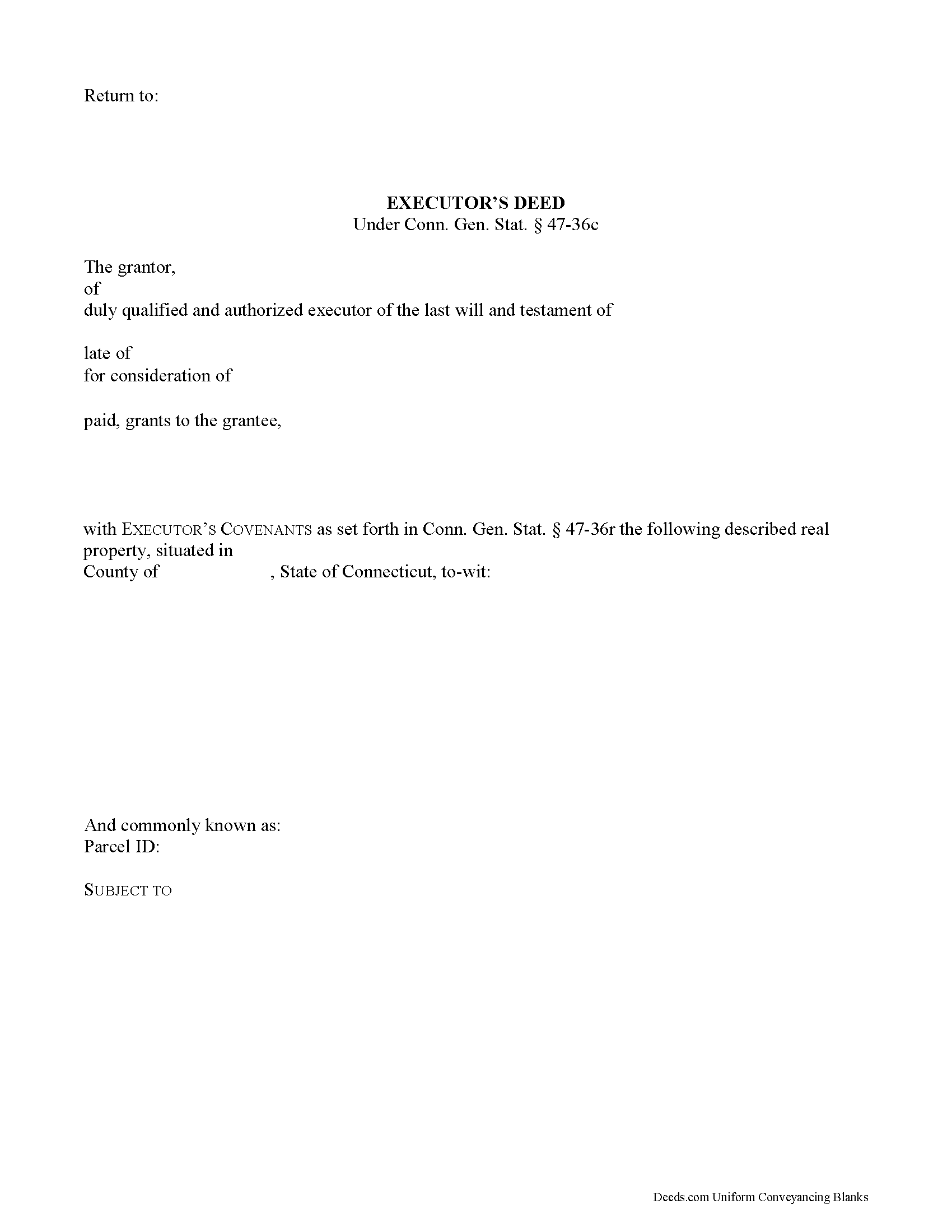
Litchfield County Executor Deed Form
Fill in the blank form formatted to comply with all recording and content requirements.
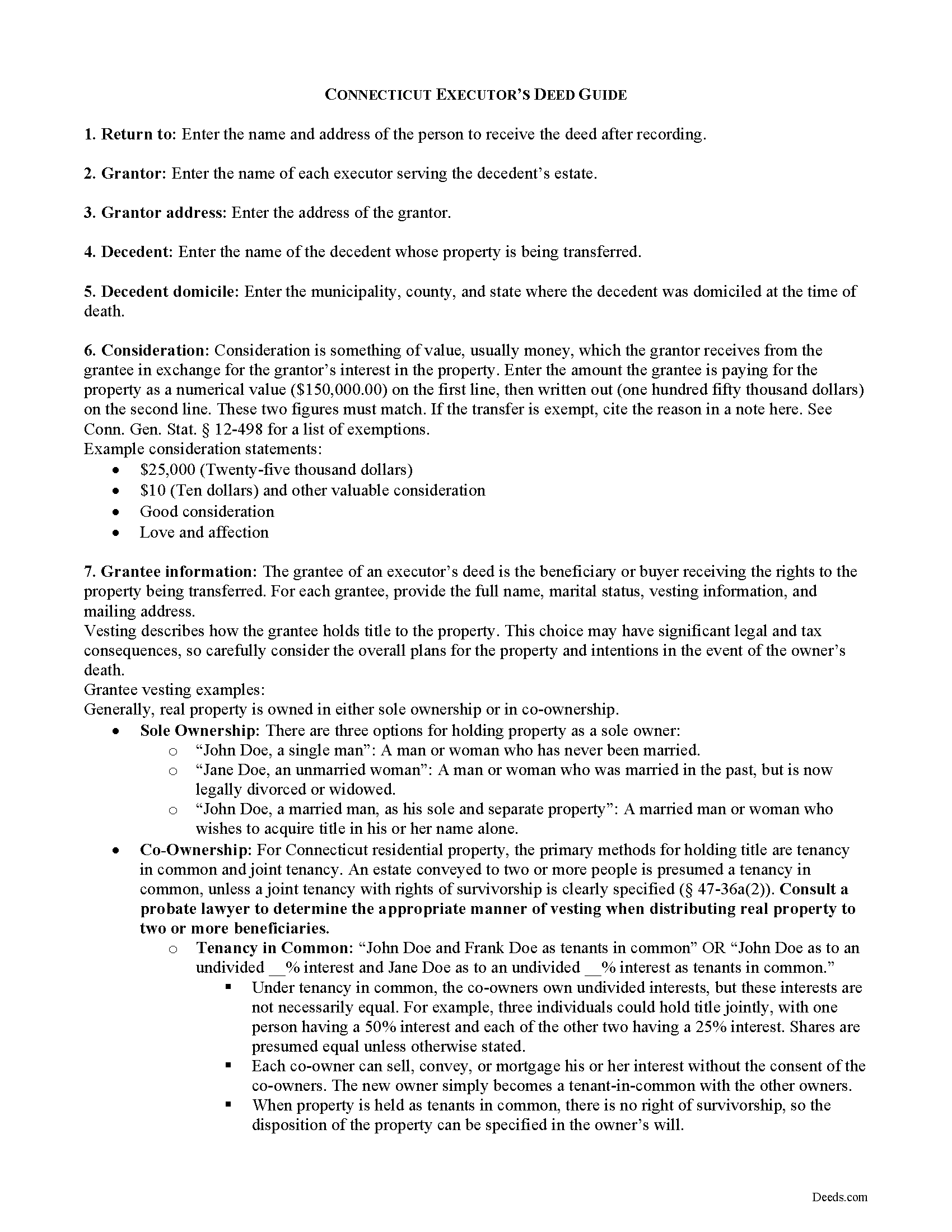
Litchfield County Executor Deed Guide
Line by line guide explaining every blank on the form.
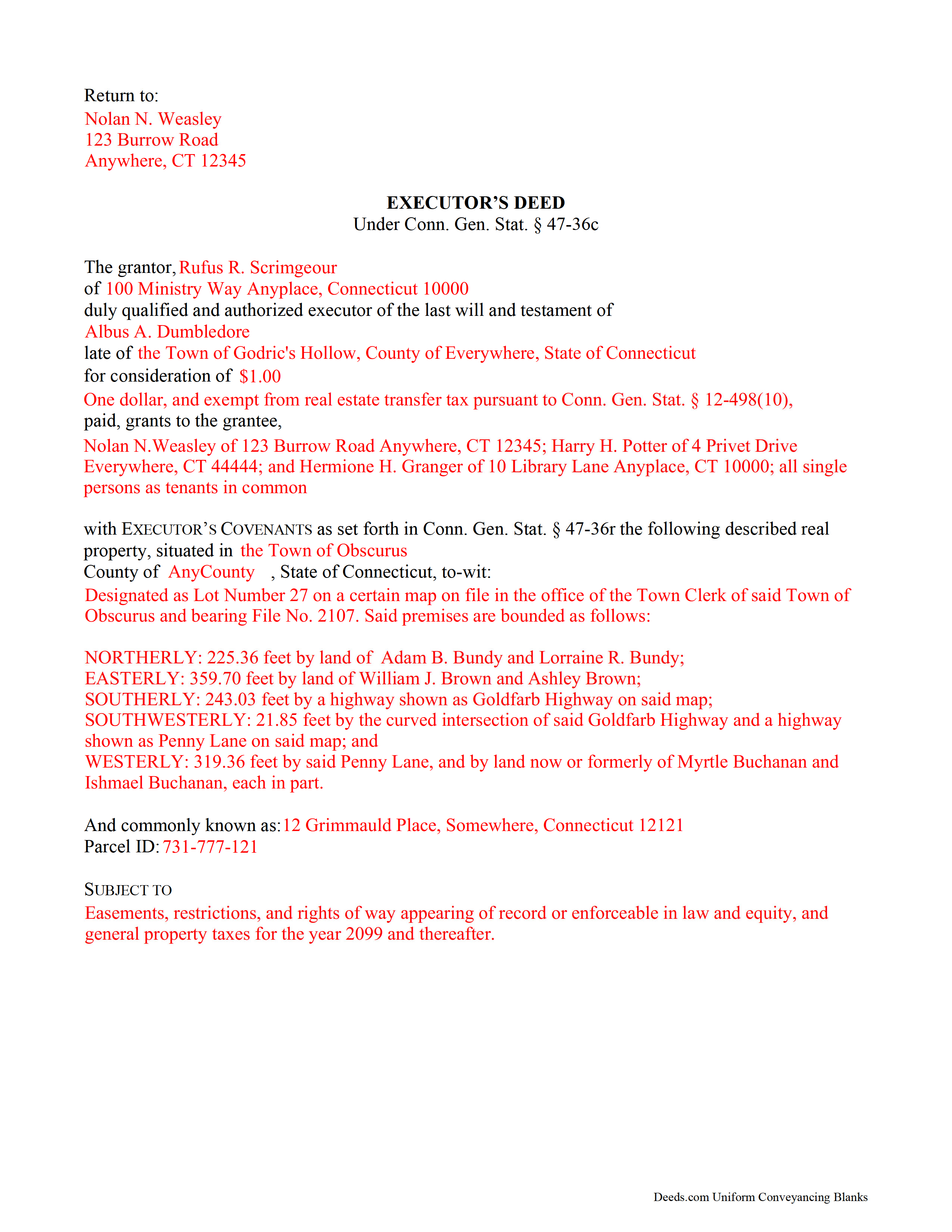
Litchfield County Completed Example of the Executor Deed Document
Example of a properly completed form for reference.
All 3 documents above included • One-time purchase • No recurring fees
Immediate Download • Secure Checkout
Additional Connecticut and Litchfield County documents included at no extra charge:
Where to Record Your Documents
Barkhamsted Town Clerk
Barkhamsted, Connecticut 06063-3340
Hours: Mon, Tue, Thu 9:00 to 4:00; Wed 9:00 to 5:00; Fri 9:00 to 12:00
Phone: (860) 379-8665
Bethlehem Town Clerk
Bethlehem, Connecticut 06751
Hours: Mon closed; Tue-Fri 9:00 to 12:00; Tue 5:00 to 7:00; 1st & 3rd Sat 9:00 to 12:00 (exc July & Aug)
Phone: (203) 266-7510 Ext 207
Bridgewater Town Clerk
Bridgewater, Connecticut 06752
Hours: Mon, Wed-Fri 8:00 to 12:30; Tue 8:00 to 3:30
Phone: (860) 354-5102
Canaan Town Clerk
Falls Village, Connecticut 06031-0047
Hours: Mon-Thu 9:00 to 3:00
Phone: (860) 824-0707 Ext 10
Colebrook Town Clerk
Colebrook, Connecticut 06021
Hours: Mon-Thu 9:00 to 12:00 & 1:00 to 4:30; Fri 9:00 to 12:00
Phone: (860) 379-3359 Ext 213
Cornwall Town Clerk
Cornwall, Connecticut 06753
Hours: Mon-Thu 9:00 to 12:00 & 1:00 to 4:00
Phone: (860) 672-2709
Goshen Town Clerk
Goshen, Connecticut 06756
Hours: Mon-Thu 9:00 to 12:00 & 1:00 to 4:00; Fri 9:00 to 1:00 and by appt
Phone: (860) 491-3647
Harwinton Town Clerk
Harwinton, Connecticut 06791
Hours: Mon, Tue, Thu 8:30 to 4:00; Wed 8:30 to 6:00; Fri 8:30 to 12:30
Phone: (860) 485-9613
Kent Town Clerk
Kent, Connecticut 06757
Hours: Mon-Thu 9:00 to 4:00; Fri 9:00 to 12:00
Phone: (860) 927-3433
Litchfield Town Clerk
Litchfield, Connecticut 06759
Hours: Mon-Fri 9:00 to 4:30
Phone: (860) 567-7561
Morris Town Clerk
Morris, Connecticut 06763
Hours: Mon-Wed 8:30 to 4:00; Thu 8:30 to 6:00; Fri & 1st Sat 8:30 to 12:00
Phone: (860) 567-7433
New Hartford Town Clerk
New Hartford, Connecticut 06057
Hours: Call for hours
Phone: (860) 379-5037
New Milford Town Clerk
New Milford, Connecticut 06776
Hours: Mon-Fri 8:00 to 4:00
Phone: (860) 355-6020
Norfolk Town Clerk
Norfolk, Connecticut 06058
Hours: Mon-Thu 8:30 to 12:00 & 1:00 to 4:00; Fri 8:30 to 12:00
Phone: (860) 542-5679
North Canaan Town Clerk
North Canaan, Connecticut 06018
Hours: Mon-Fri 9:30 to 12:00 & 1:00 to 4:00
Phone: (860) 824-7313 Ext 106
Plymouth Town Clerk
Terryville, Connecticut 06786
Hours: Mon-Fri 8:30 to 4:30
Phone: (860) 585-4039
Roxbury Town Clerk
Roxbury, Connecticut 06783
Hours: Tue,Thu 9:00 to 12:00 & 1:00 to 4:00; Wed, Fri 9:00 to 12:00
Phone: (860) 354-3328
Salisbury Town Clerk
Salisbury, Connecticut 06068
Hours: Mon-Fri 9:00 to 3:30
Phone: (860) 435-5182
Sharon Town Clerk
Sharon, Connecticut 06069
Hours: Mon-Thu 8:30 to 12:00 & 1:00 to 4:00; Fri 8:30 to 12:00
Phone: (860) 364-5224
Thomaston Town Clerk
Thomaston, Connecticut 06787
Hours: Mon, Tue, Wed 8:00 to 4:00; Thu 8:30 to 6:00; Fri 8:30 to 12:00
Phone: (860) 283-4141
Torrington City Clerk
Torrington, Connecticut 06790
Hours: Mon-Wed 8:30-4:00; Thu 8:30-6:30; Fri 8:30-12:30
Phone: (860) 489-2236
Warren Town Clerk/Registrar
Warren , Connecticut 06754
Hours: Mon, Thu 9:00 to 1:00; Tue, Wed 9:00 to 4:00; Fri closed
Phone: (860) 868-7881 Ext 101
Washington Town Clerk
Washington Depot, Connecticut 06794
Hours: Mon-Fri 9:00 to 12:00 & 1:00 to 4:45
Phone: (860) 868-2786
Watertown Town Clerk
Watertown, Connecticut 06795
Hours: Mon-Fri 9:00 to 5:00
Phone: (860) 945-5230
Winchester Town Clerk
Winsted, Connecticut 06098-1697
Hours: Mon-Wed 8:00 to 4:00; Thu 8:00 to 7:00; Fri 8:00 to 12:00
Phone: (860) 738-6963
Woodbury Town Clerk
Woodbury, Connecticut 06798
Hours: Mon-Fri 8:00 to 4:00
Phone: (203) 263-2144
Recording Tips for Litchfield County:
- Bring your driver's license or state-issued photo ID
- Ensure all signatures are in blue or black ink
- Ask about their eRecording option for future transactions
- Avoid the last business day of the month when possible
- Both spouses typically need to sign if property is jointly owned
Cities and Jurisdictions in Litchfield County
Properties in any of these areas use Litchfield County forms:
- Bantam
- Barkhamsted
- Bethlehem
- Bridgewater
- Canaan
- Colebrook
- Cornwall
- Cornwall Bridge
- East Canaan
- Falls Village
- Gaylordsville
- Goshen
- Harwinton
- Kent
- Lakeside
- Lakeville
- Litchfield
- Morris
- New Hartford
- New Milford
- New Preston Marble Dale
- Norfolk
- Northfield
- Oakville
- Pequabuck
- Pine Meadow
- Plymouth
- Riverton
- Roxbury
- Salisbury
- Sharon
- South Kent
- Taconic
- Terryville
- Thomaston
- Torrington
- Washington
- Washington Depot
- Watertown
- West Cornwall
- Winchester Center
- Winsted
- Woodbury
Hours, fees, requirements, and more for Litchfield County
How do I get my forms?
Forms are available for immediate download after payment. The Litchfield County forms will be in your account ready to download to your computer. An account is created for you during checkout if you don't have one. Forms are NOT emailed.
Are these forms guaranteed to be recordable in Litchfield County?
Yes. Our form blanks are guaranteed to meet or exceed the applicable formatting requirements used for recording in Litchfield County, including margin requirements, font requirements, and other layout standards. This guarantee applies to formatting, not to the legal sufficiency of information entered by the user or the suitability of a form for a particular transaction.
Can I reuse these forms?
Yes. You can reuse the forms for your personal use. For example, if you have multiple properties in Litchfield County you only need to order once.
What do I need to use these forms?
The forms are PDFs that you fill out on your computer. The free Adobe Acrobat Reader is recommended, and most PDF apps also work. You do NOT enter your property information online - you download the blank forms and complete them privately on your own computer.
Are there any recurring fees?
No. This is a one-time purchase. Nothing to cancel, no memberships, no recurring fees.
How much does it cost to record in Litchfield County?
Recording fees in Litchfield County vary. Contact the recorder's office at (860) 379-8665 for current fees.
Questions answered? Let's get started!
As part of the probate process, a personal representative's duties include transferring a decedent's real property to those entitled to receive it. A personal representative may also sell real property in order to pay the estate's debts.
An executor is a personal representative designated by a decedent's will to settle the decedent's estate. Use an executor's deed to convey fee simple title to a grantee, who is either a beneficiary, heir, or buyer.
The deed contains covenants that the grantor is qualified to act as executor of the decedent's estate; is authorized to bargain and sell the property pursuant to the terms of the decedent's will or by order of the probate court; and will warrant and defend the grantee's title against the claims of persons by, from, or under the grantor.
Contact an attorney with questions about executor's deeds or any other issue related to probate in Connecticut.
Important: Your property must be located in Litchfield County to use these forms. Documents should be recorded at the county recording office listed above.
This Executor Deed meets all recording requirements specific to Litchfield County.
Our Promise
The documents you receive here are guaranteed to meet or exceed the applicable Litchfield County recording format requirements. If there is a rejection caused by our formatting, we will correct the issue or refund your payment. This guarantee applies to document formatting only and does not extend to information entered by the user, the selection of the form, or the legal effect of the completed document.
Save Time and Money
Get your Litchfield County Executor Deed form done right the first time with Deeds.com Uniform Conveyancing Blanks. At Deeds.com, we understand that your time and money are valuable resources, and we don't want you to face a penalty fee or rejection imposed by a county recorder for submitting nonstandard documents. We constantly review and update our forms to meet rapidly changing state and county recording requirements for roughly 3,500 counties and local jurisdictions.
4.8 out of 5 - ( 4,829 Reviews )
Patricia S. 5 out of 5 stars
The forms was easy to use and the guides was helpful
We appreciate your business and value your feedback. Thank you. Have a wonderful day!
Tiffany J. 5 out of 5 stars
Easy steps to create an account, will recommend to anyone.
Thank you for your feedback. We really appreciate it. Have a great day!
Edwardo O. 5 out of 5 stars
The form provided was a perfect fill in form. Was able to complete with no problems. The instructions and the sample were a big help. Thank you
Thanks so much, Edwardo! We’re happy everything went smoothly.
Michael W. 5 out of 5 stars
Easy to use and fast
Thank you!
Carol H. 5 out of 5 stars
Easy to understand, quick access, inexpensive, and I took it to my registrar's office and he said the warranty deed was good to go. Thanks for saving me a bundle in lawyer's fees.
We appreciate your business and value your feedback. Thank you. Have a wonderful day!
Marc T. 5 out of 5 stars
Walked the document through our county offices today. the directions to fill out the document were awesome and we had no issues, We now have a TOD property. Beats paying an attorney $200.00
Thank you for your feedback. We really appreciate it. Have a great day!
Brandon C. 5 out of 5 stars
Great site and staff. I made a mistake and they helped me out when I probably didn't deserve it.
Thanks, Brandon. We were glad to cancel the order and refund your payment. Some property matters need more hands-on guidance than a self-prepared form can offer, and in your situation we’d recommend working with a local real estate attorney or title company going forward. We wish you the best with it.
Viola J. 5 out of 5 stars
You made this so easy to process the Executor Deed. THANK YOU a thousand times. Appreciate that all forms are in one place and I did not have to search all over the internet to get what I needed.
We appreciate your business and value your feedback. Thank you. Have a wonderful day!
Kevin V. 5 out of 5 stars
This is an option for recording that worked flawlessly with my county government. Given Covid19 has closed county offices to the public as well as the personal kiosks options to record shrunk dramatically. I recommend Deeds.Com for your recording needs.
Thank you for your feedback. We really appreciate it. Have a great day!
Michael L. G. 5 out of 5 stars
Thank you, Deed.com provided the needed forms to change county and state information after the passing of my father, saved me a trip to law office, especially after the lawyers would not return my calls, so I would recommend you check Deed.com for information, saved my family money for lawyer fees, would use Deed.com again. Mike
Thank you for your feedback. We really appreciate it. Have a great day!
Reitman R. 5 out of 5 stars
Ordering, payment, and downloads went without a hitch. I appreciated the guide and examples. Than k you for hosting a good, working site.
Thank you for your feedback. We really appreciate it. Have a great day!
Robert S. 5 out of 5 stars
Thank you! You are so awesome. Its amazing to be able to get everything together in a download packet. You make it so easy for the user.
We appreciate your business and value your feedback. Thank you. Have a wonderful day!
Matthew G. 5 out of 5 stars
Second time using Deeds.com. Easy and professional
Thank you Matthew. Have a great day!
Charles C. 5 out of 5 stars
Easy to use, fast!
Thank you!
Thomas D. 2 out of 5 stars
The documents themselves are fine and the information provided with them is helpful. I find the actual processing of the documents, however, to be difficult particularly once the document has been saved. First, I note that the box for the date only allows entry of the last 2 digits of the year. Unfortunately, my download only allows me to enter one of the 2 digits required. When I delete it repeatedly, it eventually allows both digits to be entered but puts them in extremely small text and in superscrypt. I have not found a solution to this problem and am not sure the deed can even be recorded with this problem. Another problem is that if you try to revise the document after you have saved it the curser goes to the end of the line after each key entry. This means that there basically is no way to efficiently save the document for reworking later since you will have to delete everything you have entered in the text box unless you only need to make a single keystroke change or are willing to replace the curser after each entry. Try that with a long property description! Please note that I am using a Mac to prepare my documents and perhaps this is part of an "incompatibility problem". However, I didn't see a disclaimer regarding Mac use and so would expect the documents to perform correctly. Overall, I give the program a "2 star" rating because I am experiencing significant difficulties in entering dates in the documents even before saving them and because saving your work for later revision appears to be basically unworkable.
Thank you for your feedback Thomas, we appreciate you being specific about the issues you encountered. Adobe and Mac have a fairly long history of issues working together.