Palm Beach County Affidavit of Death Certificate Form
Last validated October 22, 2026 by our Forms Development TeamFormatted for recording in Palm Beach County, for property anywhere in the county: rural and unincorporated areas as well as Belle Glade, Boca Raton, Boynton Beach, Bryant, Canal Point, Delray Beach, Jupiter, Lake Harbor and 9 more.
- 3 documents included
- Immediate PDF download
- Formatting guarantee
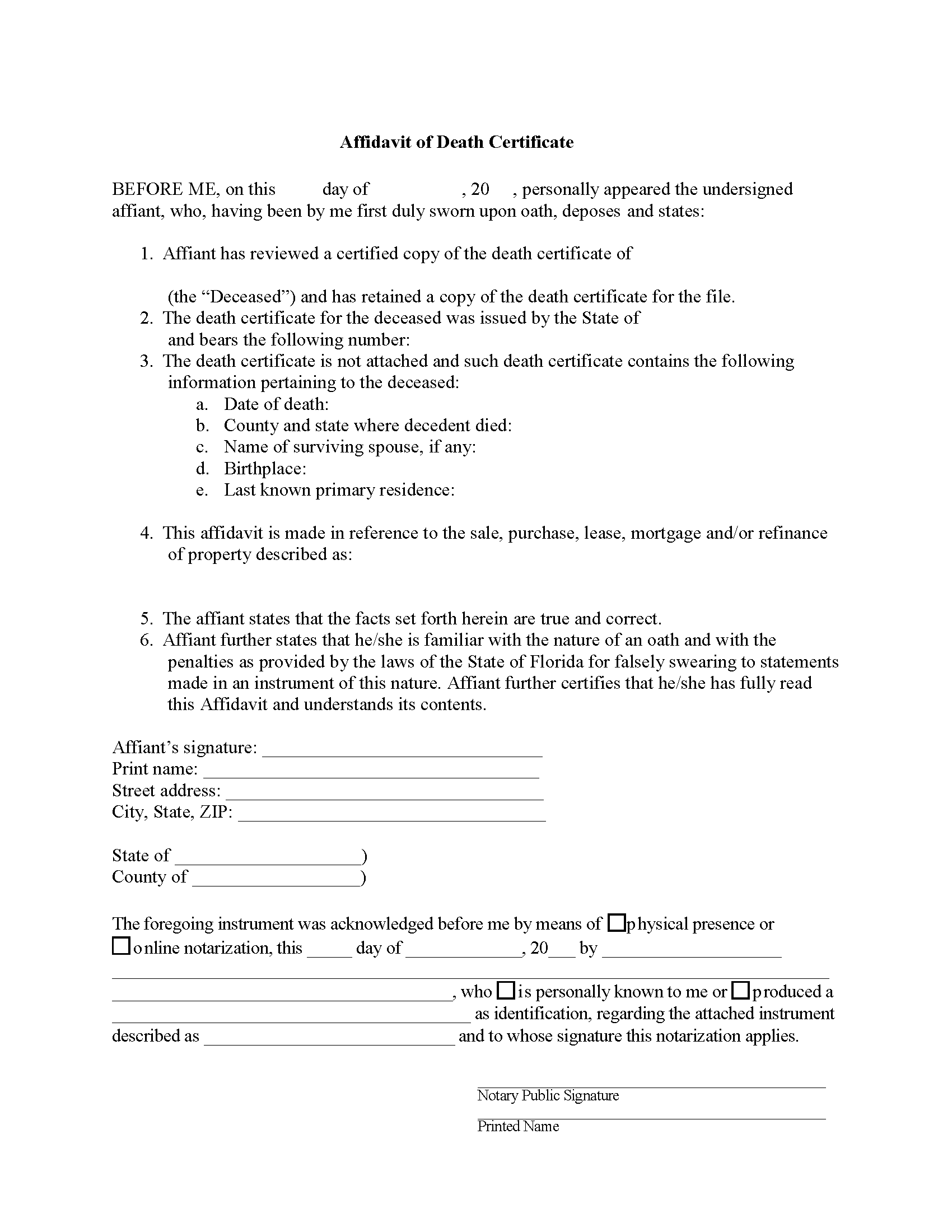
Palm Beach County Affidavit of Death Certificate Form
Fill in the blank form formatted to comply with all recording and content requirements.
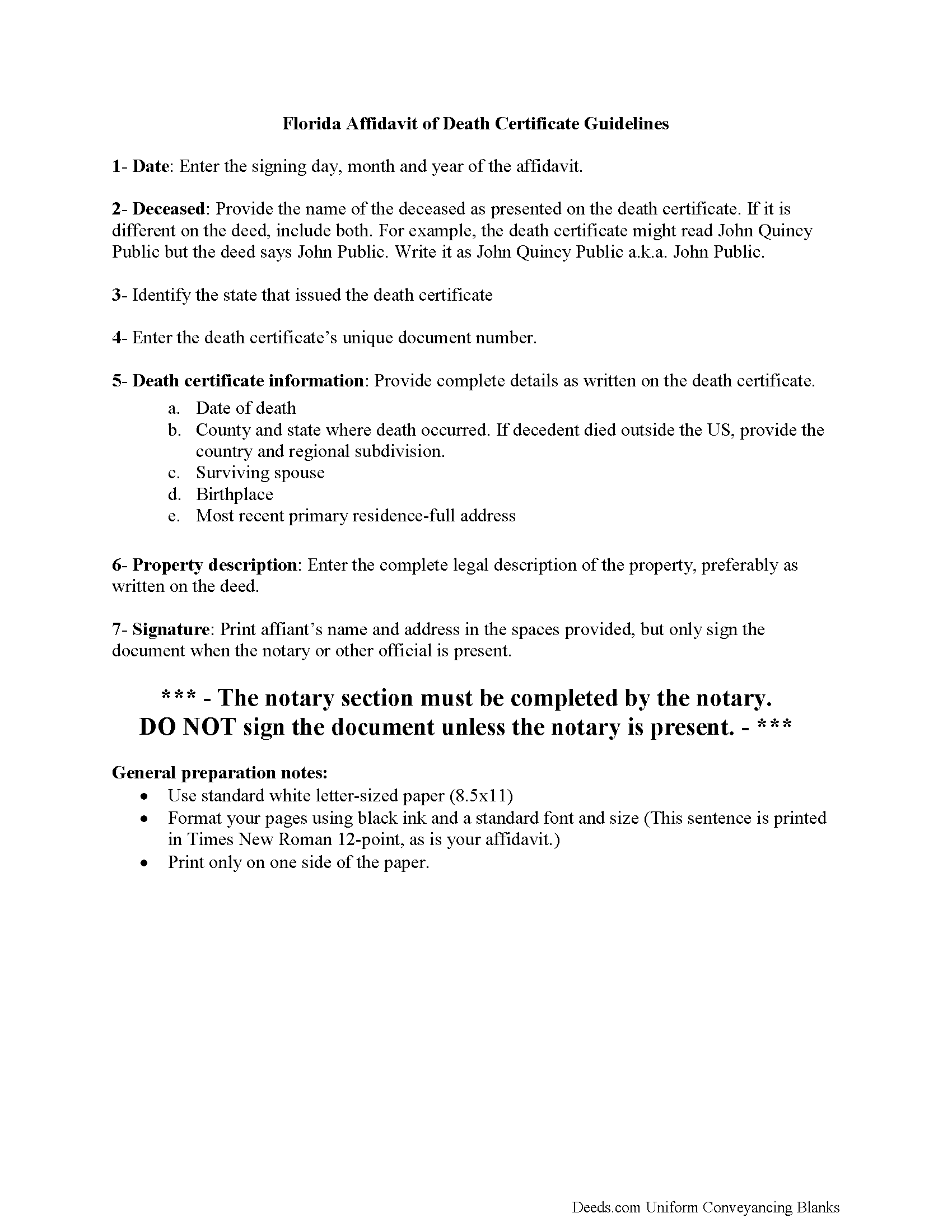
Palm Beach County Affidavit of Death Certificate Guide
Line by line guide explaining every blank on the form.
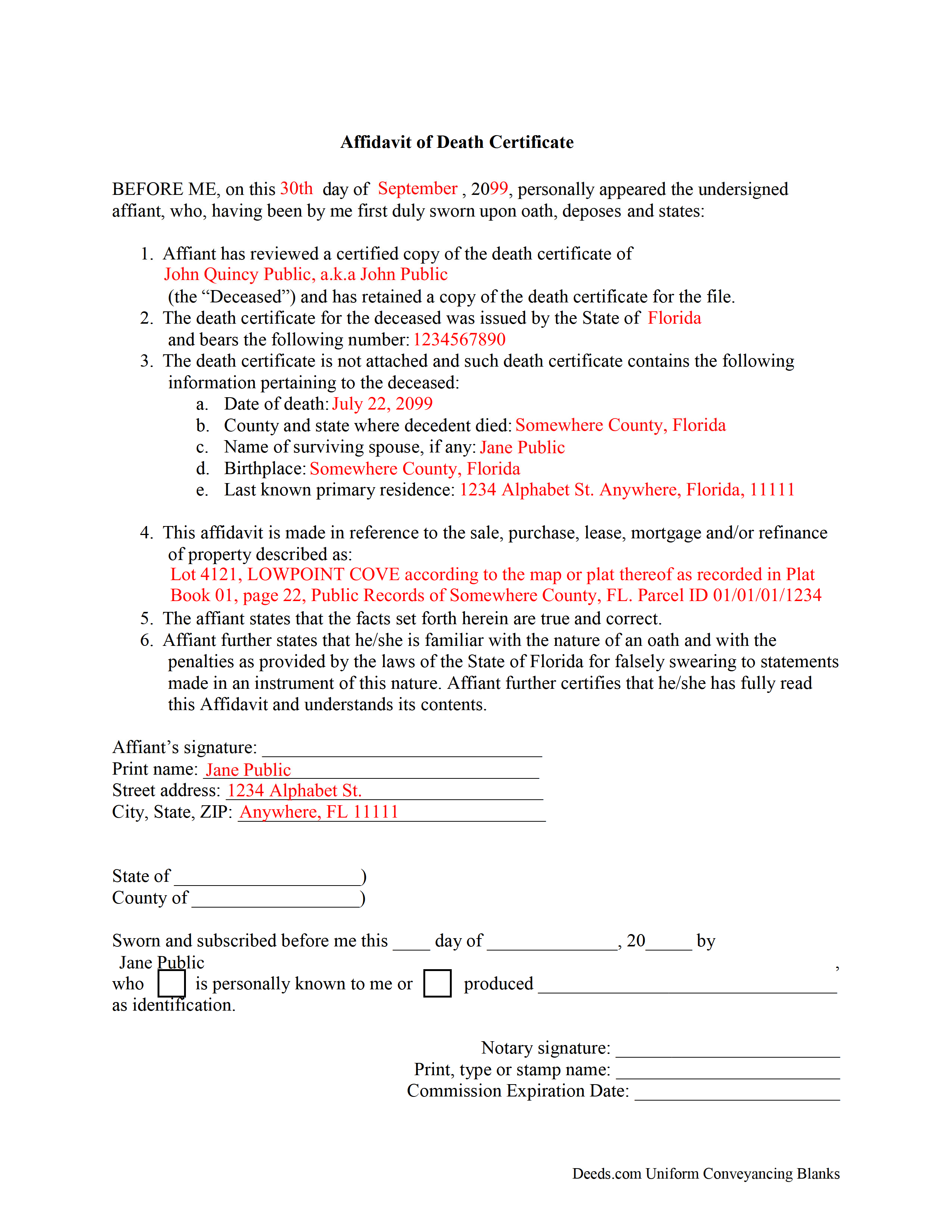
Palm Beach County Completed Example of the Affidavit of Death Certificate Document
Example of a properly completed form for reference.
All 3 documents above included • One-time purchase • No recurring fees
Immediate Download • Secure Checkout
Additional Florida and Palm Beach County documents included at no extra charge:
Where to Record Your Documents
County Clerk/Comptroller: Recording Dept - Main Courthouse
West Palm Beach, Florida 33401 / 33402-4177
Hours: 8:00am - 4:00pm M-F
Phone: (561) 355-2991
North County Courthouse
Palm Beach Gardens, Florida 33410
Hours: 8:00 to 4:00 M-F
Phone: Document drop-off only
South County Courthouse
Delray Beach, Florida 33444
Hours: 8:00 to 4:00 M-F
Phone: Document drop-off only
West County Courthouse
Belle Glade, Florida 33430
Hours: 8:00 to 4:00 M-F
Phone: Document drop-off only
Midwestern Community Service Center
Royal Palm Beach, Florida 33411
Hours: 8:00 to 4:00 M-F
Phone: Document drop-off only
Recording Tips for Palm Beach County:
- Bring your driver's license or state-issued photo ID
- Ensure all signatures are in blue or black ink
- Ask if they accept credit cards - many offices are cash/check only
- Check that your notary's commission hasn't expired
- Documents must be on 8.5 x 11 inch white paper
Cities and Jurisdictions in Palm Beach County
Properties in any of these areas use Palm Beach County forms:
- Belle Glade
- Boca Raton
- Boynton Beach
- Bryant
- Canal Point
- Delray Beach
- Jupiter
- Lake Harbor
- Lake Worth
- Loxahatchee
- North Palm Beach
- Pahokee
- Palm Beach
- Palm Beach Gardens
- Royal Palm Beach
- South Bay
- West Palm Beach
Hours, fees, requirements, and more for Palm Beach County
How do I get my forms?
Forms are available for immediate download after payment. The Palm Beach County forms will be in your account ready to download to your computer. An account is created for you during checkout if you don't have one. Forms are NOT emailed.
Are these forms guaranteed to be recordable in Palm Beach County?
Yes. Our form blanks are guaranteed to meet or exceed the applicable formatting requirements used for recording in Palm Beach County, including margin requirements, font requirements, and other layout standards. This guarantee applies to formatting, not to the legal sufficiency of information entered by the user or the suitability of a form for a particular transaction.
Can I reuse these forms?
Yes. You can reuse the forms for your personal use. For example, if you have multiple properties in Palm Beach County you only need to order once.
What do I need to use these forms?
The forms are PDFs that you fill out on your computer. The free Adobe Acrobat Reader is recommended, and most PDF apps also work. You do NOT enter your property information online - you download the blank forms and complete them privately on your own computer.
Are there any recurring fees?
No. This is a one-time purchase. Nothing to cancel, no memberships, no recurring fees.
How much does it cost to record in Palm Beach County?
Recording fees in Palm Beach County vary. Contact the recorder's office at (561) 355-2991 for current fees.
Questions answered? Let's get started!
Florida death certificates carry confidentiality restrictions that other states do not impose. Under F.S. 382.025, the cause of death portion of a Florida death certificate is removed from publicly issued copies and is released only to a defined group — the decedent's spouse, parent, child, grandchild, sibling, or a legal representative — for 50 years after the death. When a real estate transaction touches a deceased Florida property owner, the title company or recording party often needs confirmation that a death certificate exists and what it says, but cannot attach the document to a public file without raising privacy issues. The Florida Affidavit of Death Certificate is a sworn statement from someone who has personally reviewed the certified original. It captures the date of death, certificate number, issuing state, and other identifying details so the file is complete without the certificate itself going on the record.
How the Florida Affidavit of Death Certificate is used
This affidavit is used when a Florida title company, lender, recorder, or other party in a real estate transaction needs verification that a death certificate exists for a deceased grantor, joint tenant, or other party of interest, but does not need — or cannot accept — the certificate itself. Common situations include closings on property previously held by joint tenants with right of survivorship, transactions involving an enhanced life estate (Lady Bird) deed where the life tenant has died, and underwriting files where the title insurer needs proof of death without including the full vital record. The affiant — typically a family member, executor, or someone with custody of the original — swears under oath that they have seen the certified document and recites its key contents.
Florida death certificate access rules
Under F.S. 382.025(1), the Florida Department of Health issues two kinds of death certificate copies. The "without cause of death" version is available to any applicant who can identify the decedent. The full version, including cause of death, is restricted for 50 years from the date of death and is released only to specific family members and legal representatives listed in the statute. This split creates the everyday problem this affidavit solves: a recorder or title file may need confirmation of the death without ingesting the cause-of-death information into a public document. The affiant verifies what the certificate says without the document itself becoming part of the record.
What this affidavit is and is not
This is a verification document, not a title instrument. It does not transfer Florida real property, remove a deceased owner from title, vest survivorship in a surviving joint tenant, or open or close a probate estate. It does not function as an affidavit of heirs, an order of summary administration under F.S. 735.201, or a recorded death certificate used to clear a tenancy by the entirety or joint tenancy with right of survivorship under F.S. 689.15. It is narrower than that — a sworn recital of what the affiant saw on a death certificate.
Execution requirements in Florida
Because this is an affidavit rather than a deed, Florida's two-witness requirement for deeds under F.S. 689.01 does not apply. The affiant signs in the presence of a notary public, and the notarial certificate must be a jurat — the form used when the signer takes an oath or affirmation — not the acknowledgment block used on deeds. F.S. 117.05 governs the form of notarial certificates and the information the notary must include. Florida also recognizes online notarization under F.S. 117.201 through 117.305, so the affidavit may be executed remotely before a Florida-commissioned online notary. Under F.S. 92.525, a written declaration signed under penalty of perjury can substitute for a notarized affidavit in some contexts; whether that substitute is acceptable depends on what the recipient — title company, recorder, or court — will accept.
Recording the affidavit in Florida
Whether this affidavit is recorded depends on the requesting party. Some title companies retain it in the underwriting file only; others require it recorded alongside a deed or other instrument. If recorded, it must comply with F.S. 695.26: the name of each signer must be typed or printed beneath the signature, the preparer's name and address must appear on the first page, and the first page must have a 3-inch top margin with 1-inch margins elsewhere to accommodate the recorder's stamp. Florida county recorders charge by the page under F.S. 28.24, so removing extra blank pages before recording reduces cost.
Florida-specific traps
- Wrong notarial certificate. Affidavits require a jurat. A Florida acknowledgment block — common on deeds — does not satisfy the oath requirement and may cause the recipient to reject the document.
- Confusing this with an Affidavit of Heirs. A Florida Affidavit of Heirs identifies who inherits when there is no probate. This affidavit only verifies a death certificate. They are different documents serving different purposes and are not interchangeable.
- Homestead complications. Florida homestead under Article X, Section 4 of the Florida Constitution descends to a surviving spouse and minor children outside of probate, and clearing title to homestead property usually requires more than a death verification. This affidavit alone will not resolve a homestead descent issue.
- Mismatched details. Title companies compare the affidavit's recital of the certificate number, date of death, and place of death against their other file evidence. Transcription errors — a wrong middle initial, a transposed digit in the certificate number — are a common reason the affidavit is sent back.
- Recording margin and preparer block omissions. If the affidavit is being recorded, F.S. 695.26 violations cause Florida recorders to reject the document or charge a non-standard recording fee.
- Cause-of-death disclosure. Reciting the cause of death in the affidavit puts that confidential information into a public record if the affidavit is recorded. Most uses of this form do not require the cause of death; the affiant should include only the details the recipient actually needs.
What is included in the download package
The Florida Affidavit of Death Certificate package contains the fillable form, a guidelines document explaining how to complete and execute it under Florida law, and a completed example for reference. Files are delivered as immediate downloads after purchase and can be reused.
Important: Your property must be located in Palm Beach County to use these forms. Documents should be recorded at the county recording office listed above.
This Affidavit of Death Certificate meets all recording requirements specific to Palm Beach County.
Our Promise
The documents you receive here are guaranteed to meet or exceed the applicable Palm Beach County recording format requirements. If there is a rejection caused by our formatting, we will correct the issue or refund your payment. This guarantee applies to document formatting only and does not extend to information entered by the user, the selection of the form, or the legal effect of the completed document.
Save Time and Money
Get your Palm Beach County Affidavit of Death Certificate form done right the first time with Deeds.com Uniform Conveyancing Blanks. At Deeds.com, we understand that your time and money are valuable resources, and we don't want you to face a penalty fee or rejection imposed by a county recorder for submitting nonstandard documents. We constantly review and update our forms to meet rapidly changing state and county recording requirements for roughly 3,500 counties and local jurisdictions.
4.8 out of 5 - ( 4,839 Reviews )
John M. 5 out of 5 stars
Just finished downloading all of the forms; so far so good
Thank you for your feedback. We really appreciate it. Have a great day!
William V. 5 out of 5 stars
I finally got it. Thanks, William Vickery
Thank you!
Tim H. 5 out of 5 stars
Found the service useful and straightforward. The only recommendation would be to send an e-mail notification to the request or when their package is ready for download. Mine, apparently, was ready within and hour or so after placing the request but did not go back onto the site until a day later to find it was ready.
Thank you for your feedback. We really appreciate it. Have a great day!
steven L. 5 out of 5 stars
download was fast and easy. if no problems with county recorder i will give 5 stars
We appreciate your business and value your feedback. Thank you. Have a wonderful day!
ALFRED B. 5 out of 5 stars
I was counting on deeds.com to help me with a closing I was working on. I stumbled with the instructions but when I recovered there were no problems. The instructions were helpful and the deeds etc. were just what I needed. I give deeds five stars. I am 76 years old and when the application asks for the user's name I always think they want my name. WRONG. I am trying to learn computer speak.
Thank you Alfred, have an amazing day!
Gertrude H. 5 out of 5 stars
I used this form and guide a couple years ago and found it helpful and easy to fill out. Had good results at the Recorder's Office. Would recommend Deeds.com.
Thank you for your feedback. We really appreciate it. Have a great day!
JAN F. 5 out of 5 stars
One day start to finish and so easy to complete.
Happy we could assist. Thank you for sharing your experience.
Linda W. 3 out of 5 stars
The Quitclaim deed form was fine. Unfortunately, all I wanted to accomplish was to transfer property held in my name into my trust, but I could not any wording on the information you provided on how to accomplish this. It was not a sale, just a transfer from me to me as trustee.
Thank you for your feedback. We really appreciate it. Have a great day!
Ellen d. 5 out of 5 stars
Wonderful tool to have available on line!
We appreciate your business and value your feedback. Thank you. Have a wonderful day!
BILL G. 5 out of 5 stars
Slick
Thank you!
Dan M. 5 out of 5 stars
Quick ... Easy ... Great Instructions ... Easy Peasy ...
We are grateful for your feedback and looking forward to serving you again. Thank you!
Margaret S. 5 out of 5 stars
Very nice. easy to use and not too expensive.
Thank you!
ronnie y. 5 out of 5 stars
well worth the money thank you
Thank you!
Dianna B. 5 out of 5 stars
Amazingly easy! I absolutely love it because it is so efficient and I only have to pay for when I use it. I use to have to drive to the recorders office or to a Kiosk station. The turn-around time was really quick as well.
Thank you!
Maribeth M. 5 out of 5 stars
Usually I have trouble registering things online, even though people tell me it's easy. This time, it WAS easy and fast, and I'm grateful I didn't have to drive somewhere and stand in line. Thank you!
We appreciate your business and value your feedback. Thank you. Have a wonderful day!