Gulf County Quitclaim Deed (Married Couple as Grantors) Form
Last validated October 9, 2026 by our Forms Development TeamFormatted for recording in Gulf County, for property anywhere in the county: rural and unincorporated areas as well as Port Saint Joe, Wewahitchka.
- 3 documents included
- Immediate PDF download
- Formatting guarantee
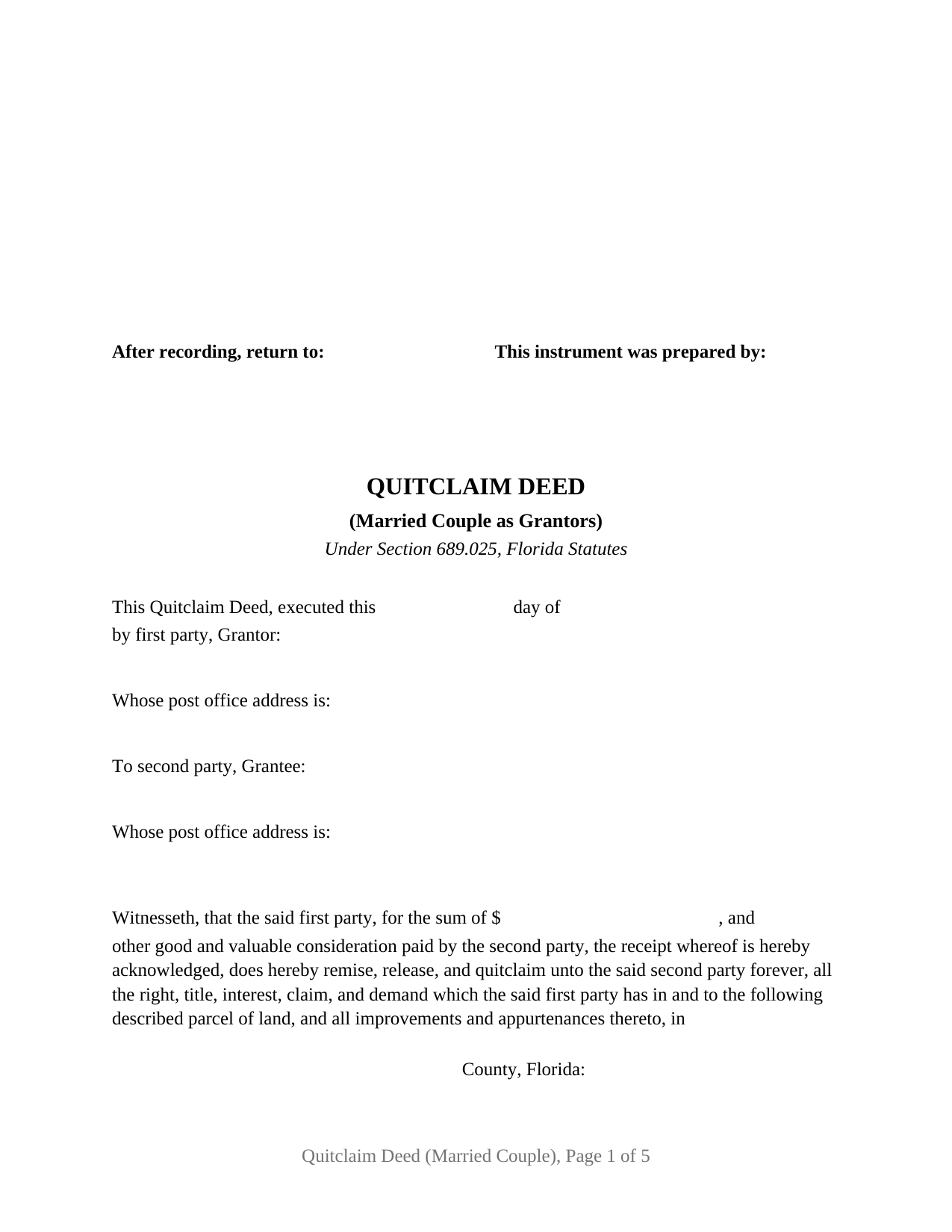
Gulf County Quitclaim Deed (Married Couple as Grantors) Form
Fill in the blank Quitclaim Deed (Married Couple as Grantors) form formatted to comply with all Florida recording and content requirements.
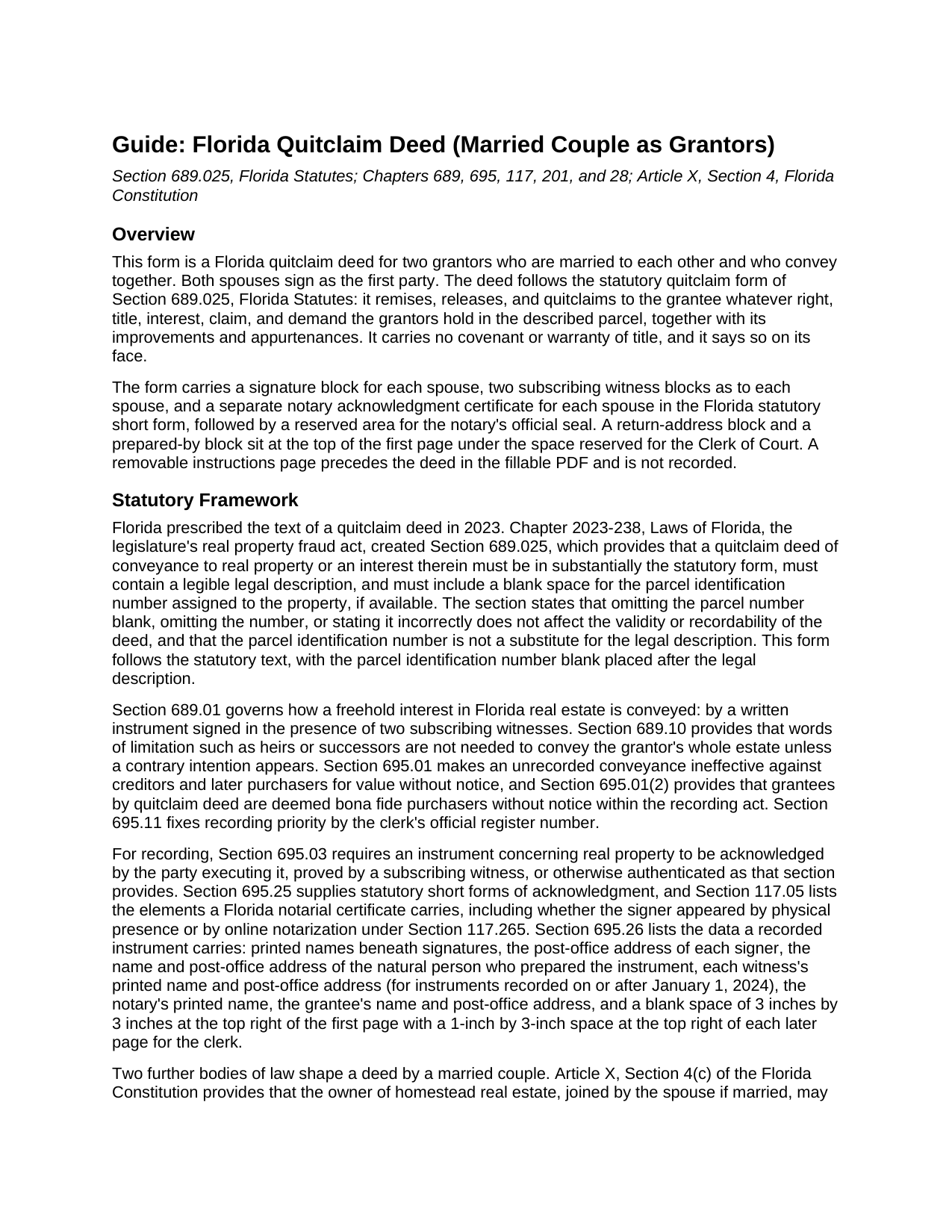
Gulf County Quitclaim Deed (Married Couple as Grantors) Guide
Line by line guide explaining every blank on the Quitclaim Deed (Married Couple as Grantors) form.
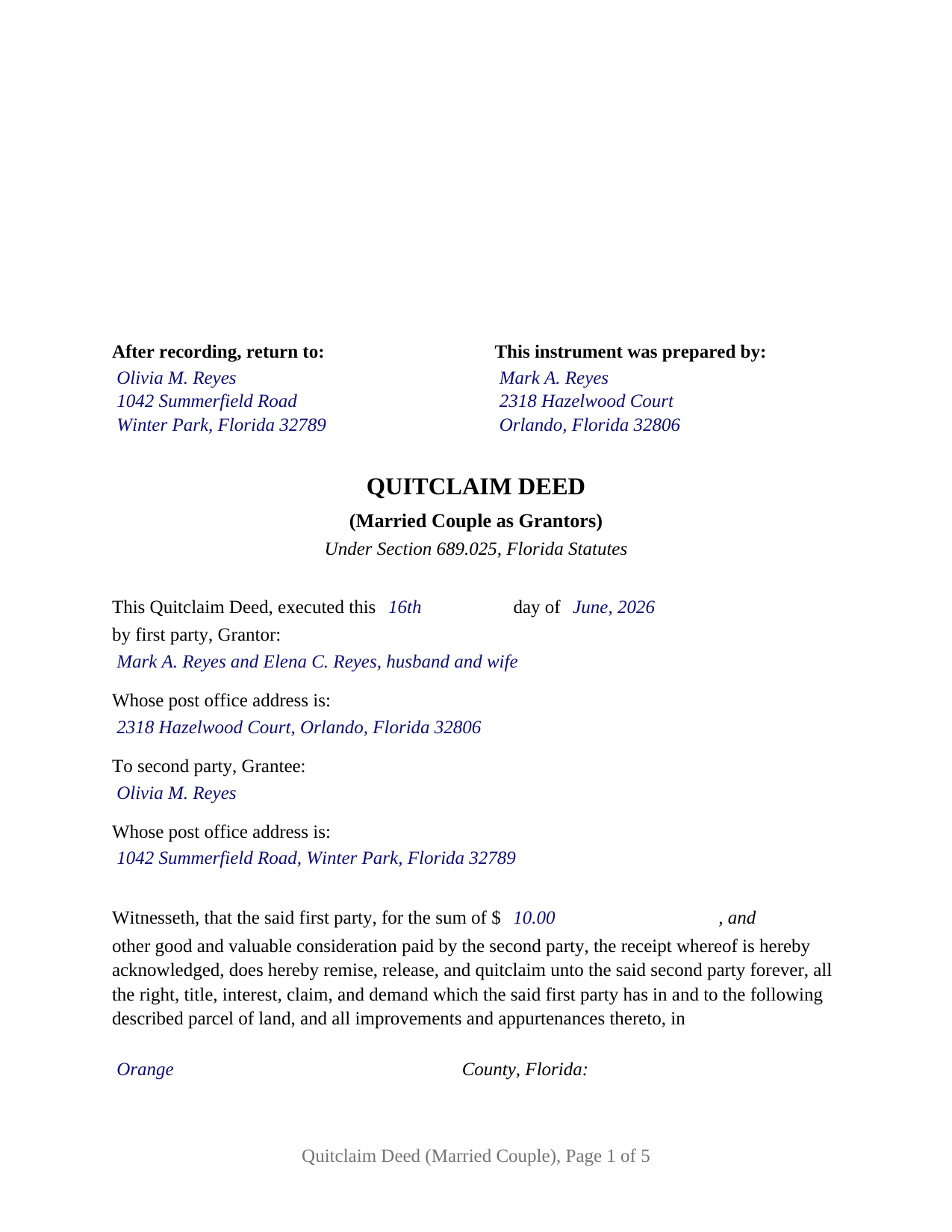
Gulf County Completed Example of the Quitclaim Deed (Married Couple as Grantors) Document
Example of a properly completed Florida Quitclaim Deed (Married Couple as Grantors) document for reference.
All 3 documents above included • One-time purchase • No recurring fees
Immediate Download • Secure Checkout
Additional Florida and Gulf County documents included at no extra charge:
Where to Record Your Documents
Gulf County Clerk of Court - Courthouse
Port St. Joe, Florida 32456
Hours: 9:00am to 5:00pm M-F
Phone: (850) 229-6112 Ext. 1105 and 1117
Clerk's Annex Office
Wewahitchka, Florida 32465
Hours: 8:00am to 11:30 & 12:30 to 4:00pm M-F CS time
Phone: 850-639-2175
Recording Tips for Gulf County:
- Bring your driver's license or state-issued photo ID
- Ensure all signatures are in blue or black ink
- Make copies of your documents before recording - keep originals safe
- Recorded documents become public record - avoid including SSNs
- Recording fees may differ from what's posted online - verify current rates
Cities and Jurisdictions in Gulf County
Properties in any of these areas use Gulf County forms:
- Port Saint Joe
- Wewahitchka
Hours, fees, requirements, and more for Gulf County
How do I get my forms?
Forms are available for immediate download after payment. The Gulf County forms will be in your account ready to download to your computer. An account is created for you during checkout if you don't have one. Forms are NOT emailed.
Are these forms guaranteed to be recordable in Gulf County?
Yes. Our form blanks are guaranteed to meet or exceed the applicable formatting requirements used for recording in Gulf County, including margin requirements, font requirements, and other layout standards. This guarantee applies to formatting, not to the legal sufficiency of information entered by the user or the suitability of a form for a particular transaction.
Can I reuse these forms?
Yes. You can reuse the forms for your personal use. For example, if you have multiple properties in Gulf County you only need to order once.
What do I need to use these forms?
The forms are PDFs that you fill out on your computer. The free Adobe Acrobat Reader is recommended, and most PDF apps also work. You do NOT enter your property information online - you download the blank forms and complete them privately on your own computer.
Are there any recurring fees?
No. This is a one-time purchase. Nothing to cancel, no memberships, no recurring fees.
How much does it cost to record in Gulf County?
Recording fees in Gulf County vary. Contact the recorder's office at (850) 229-6112 Ext. 1105 and 1117 for current fees.
Questions answered? Let's get started!
Two signatures, two pairs of witnesses, two acknowledgment certificates, one conveyance. This Florida quitclaim deed is configured for a married couple conveying together: both spouses sign as the first party, and the deed recites on its face that the two grantors are married to each other and that both join in its execution. It follows the statutory quitclaim form of Section 689.025, Florida Statutes, operative words included, and it carries the blank for the county parcel identification number that section calls for.
What two spousal signatures accomplish
Florida presumes that real property titled in both spouses' names is held as a tenancy by the entirety, a form of ownership the spouses convey together rather than in halves. And where the property is the couple's constitutional homestead, Article X, Section 4(c) of the Florida Constitution permits a married owner to alienate it by sale, gift, or mortgage only with the spouse joined in the instrument. A quitclaim executed by both spouses conveys the entireties title as a whole and carries the homestead joinder on its face, and this form recites the marriage so the record shows both signatures doing that work.
The married-couple configuration
The form recites exactly two grantors, married to each other, each signing in his or her own right. The first-party entry takes both names with the couple's status words, the way a vesting deed to spouses reads them; the second-party entry takes the grantee's name and post office address. Each spouse has a separate signature block, two subscribing witness blocks of his or her own, and a separate acknowledgment certificate, so the two may sign on different days or before different notaries. Parents deeding a jointly titled house to an adult child, spouses conveying entireties property to a purchaser who has bargained for a quitclaim, and a couple releasing their shared record interest in a family parcel present the pattern this deed recites. The form is not set up as a conveyance from one spouse to the other, as a deed by one titled spouse with the other spouse joining only for homestead purposes, as a deed between former spouses, or as a conveyance by an entity, a trustee, or an agent under a power of attorney.
Remise, release, and quitclaim
The statutory form's operative words, "does hereby remise, release, and quitclaim," pass the grantors' right, title, interest, claim, and demand in the described land, together with improvements and appurtenances, and nothing more. Florida courts describe the quitclaim as conveying only the interest the grantor actually has, which may be an entire fee, a fractional share, or nothing at all. No covenant of title travels with it: the grantee takes subject to mortgages, taxes, easements, and restrictions, whether or not the deed mentions them. That bare-bones character is why the form appears so often in transfers between relatives and in title cleanups, where the work is moving an interest rather than guaranteeing one. An unusual Florida wrinkle sits in the recording act itself: Section 695.01(2) deems grantees by quitclaim deed bona fide purchasers without notice, so a recorded Florida quitclaim carries recording-act protection that some states withhold from the form.
Witnesses, the notary, and the clerk's window
Florida deeds are signed in the presence of two subscribing witnesses, and for instruments executed since January 1, 2024, each witness's printed name and post-office address belong on the instrument as recording requirements. The form provides labeled witness blocks as to each grantor, a separate statutory acknowledgment certificate for each spouse in the Section 695.25 short form with the physical-presence or online-notarization boxes current law calls for and a reserved area for the notary's seal, a preparer block naming a natural person, and a first page that keeps the statutory 3-inch square at the top right blank for the Clerk of the Circuit Court. Documentary stamp tax is collected at recording: 70 cents per $100 of consideration in every county but Miami-Dade, with a minimum of 70 cents on a no-consideration transfer of unencumbered property, and with any outstanding mortgage counted as consideration even in a gift between relatives.
Inside the download
The package includes the blank deed as a fillable PDF with a removable instructions page, a plain-language guide keyed to every entry on the form, and a completed example showing a married couple's transfer from start to finish, witness and notary blocks included. The materials describe the statutes and the form; they are informational and are not legal advice.
Important: Your property must be located in Gulf County to use these forms. Documents should be recorded at the county recording office listed above.
This Quitclaim Deed (Married Couple as Grantors) meets all recording requirements specific to Gulf County.
Our Promise
The documents you receive here are guaranteed to meet or exceed the applicable Gulf County recording format requirements. If there is a rejection caused by our formatting, we will correct the issue or refund your payment. This guarantee applies to document formatting only and does not extend to information entered by the user, the selection of the form, or the legal effect of the completed document.
Save Time and Money
Get your Gulf County Quitclaim Deed (Married Couple as Grantors) form done right the first time with Deeds.com Uniform Conveyancing Blanks. At Deeds.com, we understand that your time and money are valuable resources, and we don't want you to face a penalty fee or rejection imposed by a county recorder for submitting nonstandard documents. We constantly review and update our forms to meet rapidly changing state and county recording requirements for roughly 3,500 counties and local jurisdictions.
4.8 out of 5 - ( 4,828 Reviews )
Johnnie R. 5 out of 5 stars
quick and easy to use
We appreciate your business and value your feedback. Thank you. Have a wonderful day!
Carol W. 2 out of 5 stars
The only reason for the low review was I could not find the form that I needed.
Sorry to hear that we did not have what you needed. We hope you found it somewhere. Have a wonderful day.
Warren R. 4 out of 5 stars
Nice service at a fair price. Website is not very user oriented. Messages accumulate in the messages area but are not emailed to the client. If you used the service regularly, it would be more understandable but for a first time or occasional user, the site can be time consuming.
Thank you!
Dee S. 5 out of 5 stars
This was easy and much cheaper than getting a lawyer. Thanks! - From alabama
We appreciate your business and value your feedback. Thank you. Have a wonderful day!
Denise B. 5 out of 5 stars
Quick, easy and the most resonably priced!
We appreciate your review and your business. Thank you.
Ismael T. 5 out of 5 stars
I was surprised and how quickly you guys process documents and helped on a mistake I had. Thank so much. I will definitely keep using Deeds.com
Thank you!
pete k. 5 out of 5 stars
Excellent service and quick turnaround time.I ordered a copy of my property deed and I received a downloadable digital copy in about 10 to 15 minutes. Very impressed. Thank You
Thank you for your feedback. We really appreciate it. Have a great day!
Diane W. 5 out of 5 stars
Easy to download and print. Came with good instructions. Would use deeds.com again.
We appreciate your business and value your feedback. Thank you. Have a wonderful day!
Sandra B. 5 out of 5 stars
Easy to navigate through. Documents were in orderly fashion. Highly recommend. Step by step instructions
We appreciate your business and value your feedback. Thank you. Have a wonderful day!
Daniel A. 5 out of 5 stars
First time using Deeds.com. Downloaded the PDF forms for creating an Illinois Mortgage and Promissory Note. Filled them out, saved them, and printed them out. Going to send them to my Title Company for closing on a property. Save a bunch of money on not have to pay lawyer fees for creating the same legal documents that Deeds.com provided.
We appreciate your business and value your feedback. Thank you. Have a wonderful day!
Peter M. 5 out of 5 stars
Quick and complete. Thanks!
Thank you!
Kyle K. 5 out of 5 stars
Deeds is extremely helpful and cost effective for small and large businesses. Saves me time to do more valuable tasks.
Thank you for your feedback. We really appreciate it. Have a great day!
Forrest D. 1 out of 5 stars
Requires you work in Adobe Acrobat. Too difficult to edit, add and erase for an attorney.
Sorry to hear of your struggle. We do hope that you find something more suitable to your needs elsewhere. Have a wonderful day.
Laura L. 5 out of 5 stars
Used a form from this service. Best part about these forms is that they don't let you get in trouble by removing or changing things that should not be changed. It's easy to look at something and think why is this margin so big, why is this field so small and want to change it only to find out it is incredibly important. That's why they are the deed document pros.
Thank you for the thoughtful review! We're so glad to hear you found our forms reliable and well-structured. It’s true—what might look like an odd margin or a small field is often there for a very specific legal or recording reason. We’ve seen how small changes can lead to big headaches, which is why we design our documents to be both user-friendly and compliant with strict recording standards. We really appreciate you recognizing the care that goes into each one. Thanks again for choosing us!
Valerie I. 5 out of 5 stars
Quick and easy! Had my document submitted to the county and back in one day. Good rates as well!
Thank you!