Colquitt County Claim of Mechanics Lien Form
Last validated October 7, 2026 by our Forms Development TeamFormatted for recording in Colquitt County, for property anywhere in the county: rural and unincorporated areas as well as Berlin, Doerun, Ellenton, Funston, Hartsfield, Moultrie, Norman Park.
- 3 documents included
- Immediate PDF download
- Formatting guarantee
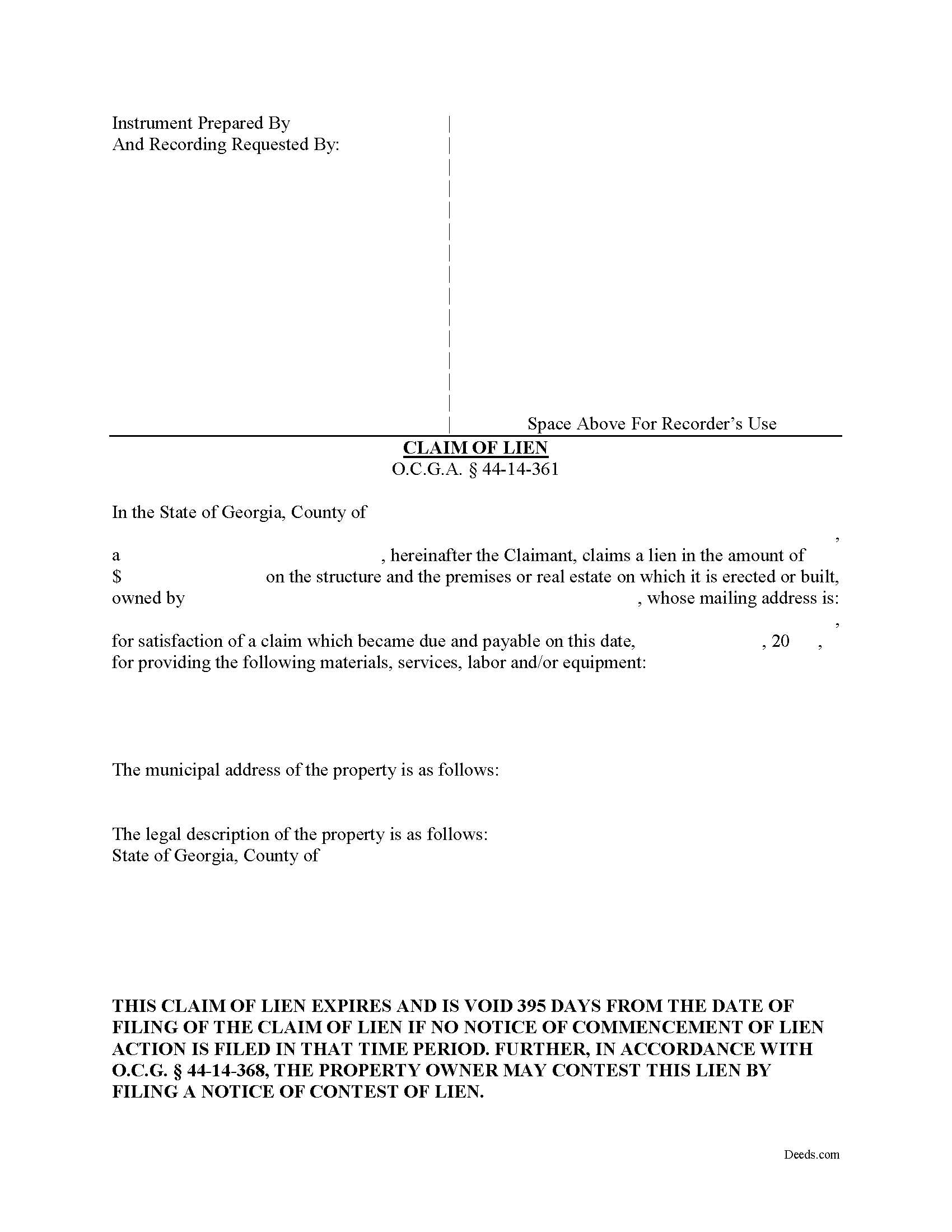
Colquitt County Claim of Mechanics Lien Form
Fill in the blank Claim of Mechanics Lien form formatted to comply with all Georgia recording and content requirements.
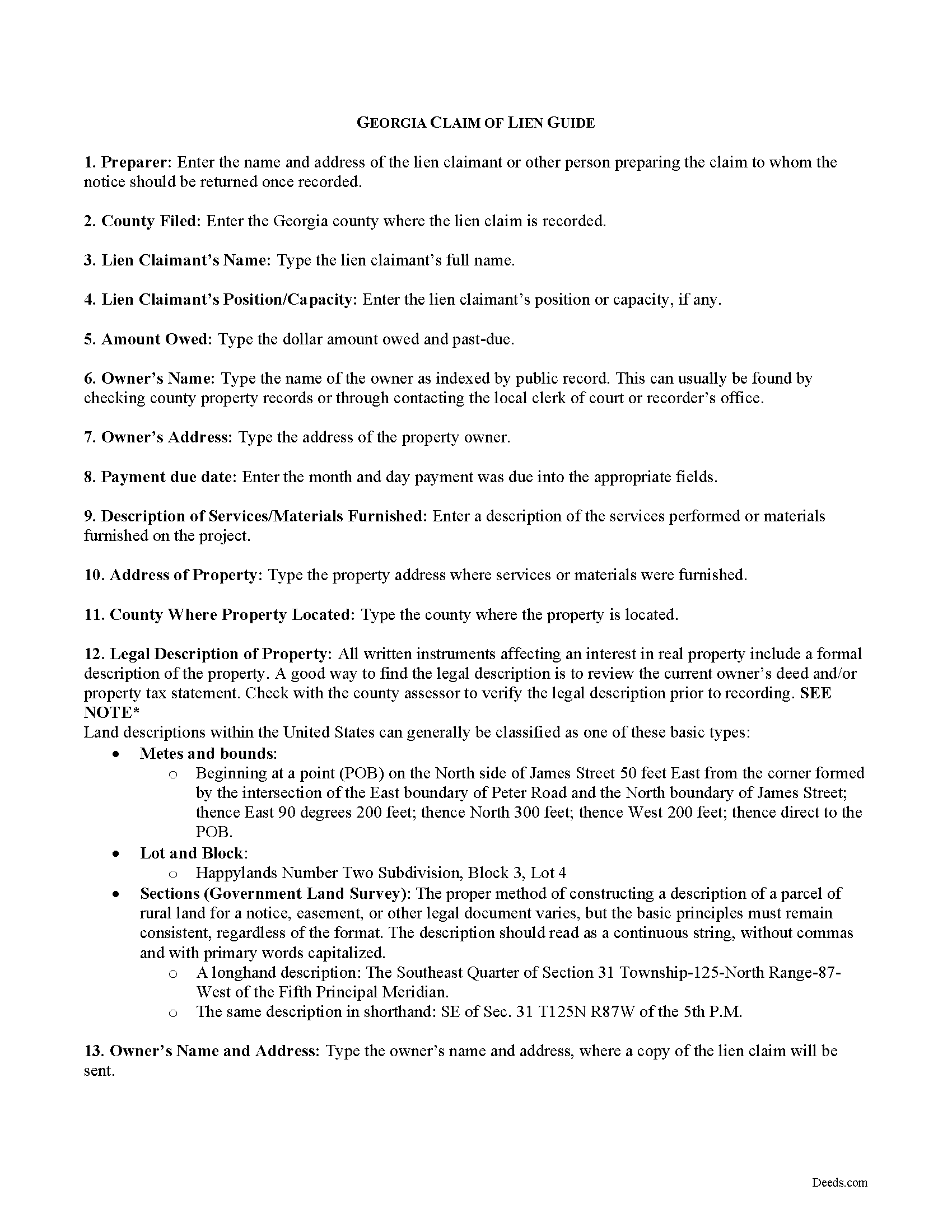
Colquitt County Claim of Mechanics Lien Guide
Line by line guide explaining every blank on the form.
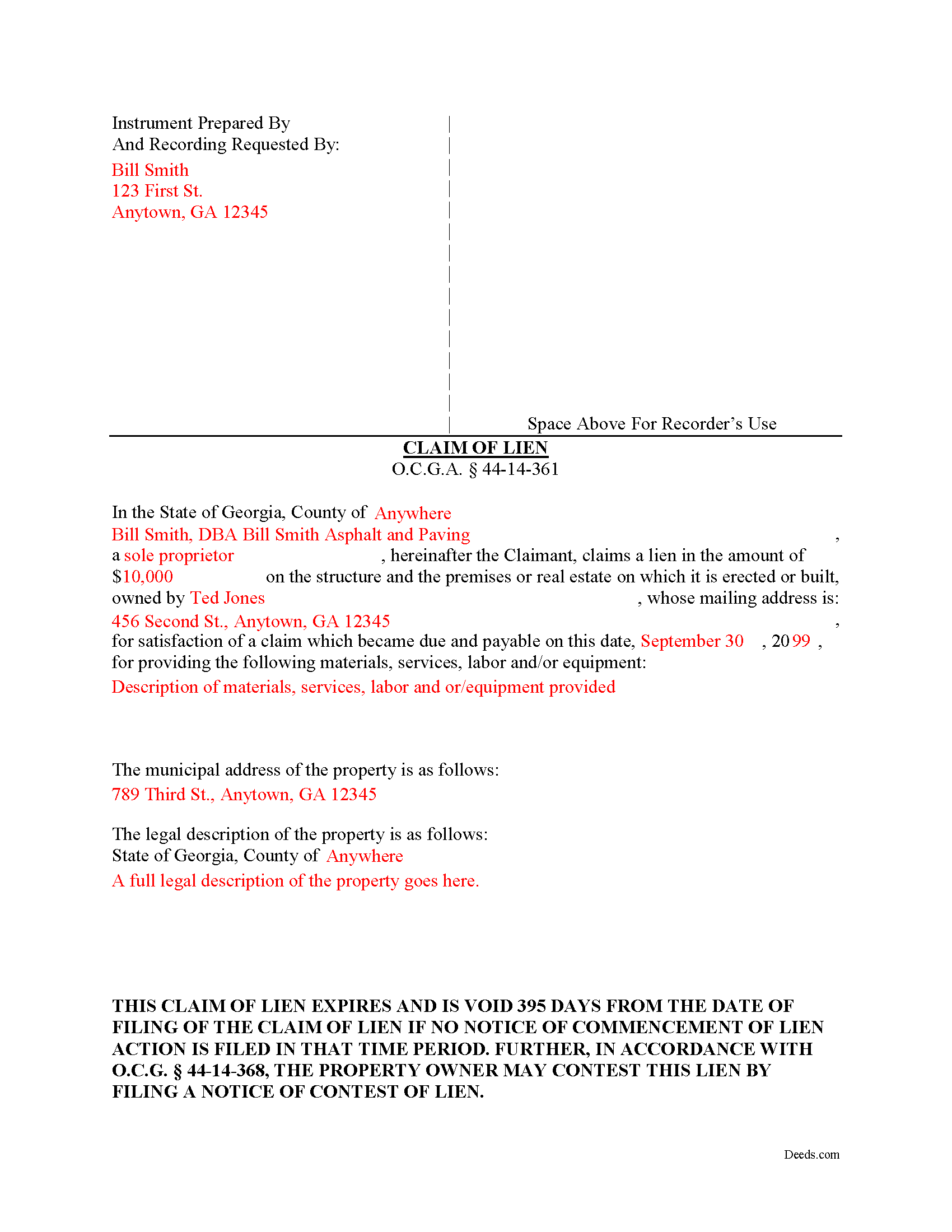
Colquitt County Completed Example of the Notice and Claim of Mechanics Lien Document
Example of a properly completed form for reference.
All 3 documents above included • One-time purchase • No recurring fees
Immediate Download • Secure Checkout
Additional Georgia and Colquitt County documents included at no extra charge:
Where to Record Your Documents
Colquitt Clerk Of Court - County Courthouse
Moultrie, Georgia 31768
Hours: 8:00am-5:00pm M-F
Phone: (229) 616-7420
Recording Tips for Colquitt County:
- Bring your driver's license or state-issued photo ID
- Ensure all signatures are in blue or black ink
- Ask about their eRecording option for future transactions
- Avoid the last business day of the month when possible
- Both spouses typically need to sign if property is jointly owned
Cities and Jurisdictions in Colquitt County
Properties in any of these areas use Colquitt County forms:
- Berlin
- Doerun
- Ellenton
- Funston
- Hartsfield
- Moultrie
- Norman Park
Hours, fees, requirements, and more for Colquitt County
How do I get my forms?
Forms are available for immediate download after payment. The Colquitt County forms will be in your account ready to download to your computer. An account is created for you during checkout if you don't have one. Forms are NOT emailed.
Are these forms guaranteed to be recordable in Colquitt County?
Yes. Our form blanks are guaranteed to meet or exceed the applicable formatting requirements used for recording in Colquitt County, including margin requirements, font requirements, and other layout standards. This guarantee applies to formatting, not to the legal sufficiency of information entered by the user or the suitability of a form for a particular transaction.
Can I reuse these forms?
Yes. You can reuse the forms for your personal use. For example, if you have multiple properties in Colquitt County you only need to order once.
What do I need to use these forms?
The forms are PDFs that you fill out on your computer. The free Adobe Acrobat Reader is recommended, and most PDF apps also work. You do NOT enter your property information online - you download the blank forms and complete them privately on your own computer.
Are there any recurring fees?
No. This is a one-time purchase. Nothing to cancel, no memberships, no recurring fees.
How much does it cost to record in Colquitt County?
Recording fees in Colquitt County vary. Contact the recorder's office at (229) 616-7420 for current fees.
Questions answered? Let's get started!
Claiming a Mechanic's Lien in Georgia
Mechanic's liens provide security of payment to builders, contractors, and other parties on a construction job. Suppliers of materials, subcontractors and persons delivering materials can also claim a lien. Liens cover building repairs as well. A mechanic's lien works by making it harder for the owner to sell or refinance the property without first paying off the underlying lien. It also gives the person holding the lien the right to foreclose, or force a sale of the property to recover the money owed.
A mechanic's lien is available in Georgia for contractors, subcontractors, materials suppliers, and laborers to recover on past-due accounts for work or materials furnished. O.G.C.A. 44-14-361.1(a)(1). Use caution when filing a mechanic's lien, as the law contains many traps for the unwary. Carefully compute dates and make sure to file all the required preliminary notices, follow all requirements for content and format, and pay the proper recording fees. The form must be notarized as well.
The lien claim should include the following information: 1) the lien claimant's name and address; 2) the claimed lien amount; 3) property owner's name and mailing address; 4) date on which claim became due; 5) description of materials or services provided; 6) address of property where materials or services were provided; and 7) a full legal description of the property. The amount claimed cannot be greater than the overall contract amount. O.G.C.A. 44-14-361.1(e).
The lien must be claimed within 90 days after the final day of furnishing. O.G.C.A. 44-14-361.1(a)(2). The lien claimant must serve the claim of lien within two business days after filing it. Id. Serve the claim by sending a true and accurate copy of the claim of lien by registered or certified mail or statutory overnight delivery to the owner of the property or, if the owner's address cannot be found, it can be sent to the contractor as the agent of the owner. Id. If a Notice of Commencement has been filed pursuant to O.G.C.A. 44-14-361.5, the lien claimant must also serve every contractor listed in it. Id.
Once the lien is filed, be aware it has a limited shelf life. If the amount due still remains unpaid, the claimant must file suit within 365 days of the filing date. O.G.C.A. 44-14-361.1(a)(3). In addition, within 30 days after commencing such lien action, the party suing to foreclose the lien must file a notice with the clerk of the superior court of the county where the subject lien was filed. Id. Finally, if the lien is paid (and after the check clears), release the lien by filing and recording the proper notices.
This article is provided for informational purposes only and should not be relied upon as a substitute for the advice of an attorney. Please contact an attorney with any questions about filing a claim for a mechanic's lien in Georgia.
Important: Your property must be located in Colquitt County to use these forms. Documents should be recorded at the county recording office listed above.
This Claim of Mechanics Lien meets all recording requirements specific to Colquitt County.
Our Promise
The documents you receive here are guaranteed to meet or exceed the applicable Colquitt County recording format requirements. If there is a rejection caused by our formatting, we will correct the issue or refund your payment. This guarantee applies to document formatting only and does not extend to information entered by the user, the selection of the form, or the legal effect of the completed document.
Save Time and Money
Get your Colquitt County Claim of Mechanics Lien form done right the first time with Deeds.com Uniform Conveyancing Blanks. At Deeds.com, we understand that your time and money are valuable resources, and we don't want you to face a penalty fee or rejection imposed by a county recorder for submitting nonstandard documents. We constantly review and update our forms to meet rapidly changing state and county recording requirements for roughly 3,500 counties and local jurisdictions.
4.8 out of 5 - ( 4,829 Reviews )
Justin F. 5 out of 5 stars
Provided the template and guide I was looking for. Reasonable pricing,
Thank you!
Philippe B. 1 out of 5 stars
I purchased a Quit Claim Deed package a couple weeks ago. The included guide unfortunately didn't answer all the questions about my specific case of how to fill it out, so I sent them a couple questions on Sept 8. It's now the 23rd, and still no reply. The form is a useless waste of money if I don't know how to fill it out in a legally-accurate way.
We certainly do not want you to waste your money Philippe, to that end your order and payment has been canceled. We do hope that you seek the advice of a legal professional familiar with your specific situation. It should go without saying but just to be clear, our do it yourself forms do not include legal representation for $19. Have a wonderful day.
Cherene K. 4 out of 5 stars
The process was easy and reasonable. My only problem was that, when I filled out my form on the computer, the writing I did overlapped with the pre-written words on the form, so that I had to end up doing it by hand. I've used DEEDS before and have not had that problem.
Thank you for your feedback Cherene. We've emailed you for some followup regarding the issue you reported.
jonathan f. 5 out of 5 stars
I had a one time event. The website instructions were straightforward; the job was completed quickly; the cost was modest. I am completely satisfied and will not hesitate to use again.
We appreciate your business and value your feedback. Thank you. Have a wonderful day!
rita t. 5 out of 5 stars
Thanks for asking, everything was fine. Forms worked as expected, no problems.
We appreciate your business and value your feedback. Thank you. Have a wonderful day!
Elizabeth R. 5 out of 5 stars
It was easy to download and save the Revocation of Beneficiary of Deed form. The example and instructions helped a lot. When I went to file with the county clerk's office, she read through it carefully and said "perfect" when she was through. Thank you for making it so easy!
Thank you!
Robert F. 5 out of 5 stars
Great, quick and easy to use
Thank you for your feedback. We really appreciate it. Have a great day!
Boyd B. 5 out of 5 stars
I had an issue because of what I was doing, thanks to these guys. I received an email and lickety-split done no more problems.
We appreciate your business and value your feedback. Thank you. Have a wonderful day!
Melvin M. 4 out of 5 stars
loads of forms and instructions....for a good buy...it would help to know where to send the forms after completing them...
We appreciate your business and value your feedback. Thank you. Have a wonderful day!
Rebecca G. 5 out of 5 stars
Very user friendly. Forms professional and acceptable to state applicable to. Appreciate the sample & instructions.
Thank you for your feedback. We really appreciate it. Have a great day!
David J. 5 out of 5 stars
Excellent documents, downloaded quick, completed and printed with no problems. Thank you
Thank you!
Monica D. N. 5 out of 5 stars
The Web site is very intuitive, organized well and forms are easily found. The instructions provided are very helpful. Value in terms of price is very good.
We appreciate your business and value your feedback. Thank you. Have a wonderful day!
Gary K. 4 out of 5 stars
Straightforward and pretty easy to use. The only downside is that there is no way to contact them directly. The number on the website is answered only by a voicemail with no return calls. Pricing seems fair compared to other services and much more efficient that filing "over the counter."
Thank you for your feedback. We really appreciate it. Have a great day!
Sara M. 5 out of 5 stars
Efficient, well written documents
Thank you for your feedback. We really appreciate it. Have a great day!
Mark G. 5 out of 5 stars
I was very impressed on what I needed to get the Deed I requested. Everything was there and I got it all printed out with no problems.
Glad to hear everything came together smoothly. We appreciate you taking the time to share this.