Bingham County Quitclaim Deed (Trustee Grantor) Form
Last validated October 9, 2026 by our Forms Development TeamFormatted for recording in Bingham County, for property anywhere in the county: rural and unincorporated areas as well as Aberdeen, Atomic City, Basalt, Blackfoot, Firth, Fort Hall, Moreland, Pingree and 2 more.
- 3 documents included
- Immediate PDF download
- Formatting guarantee
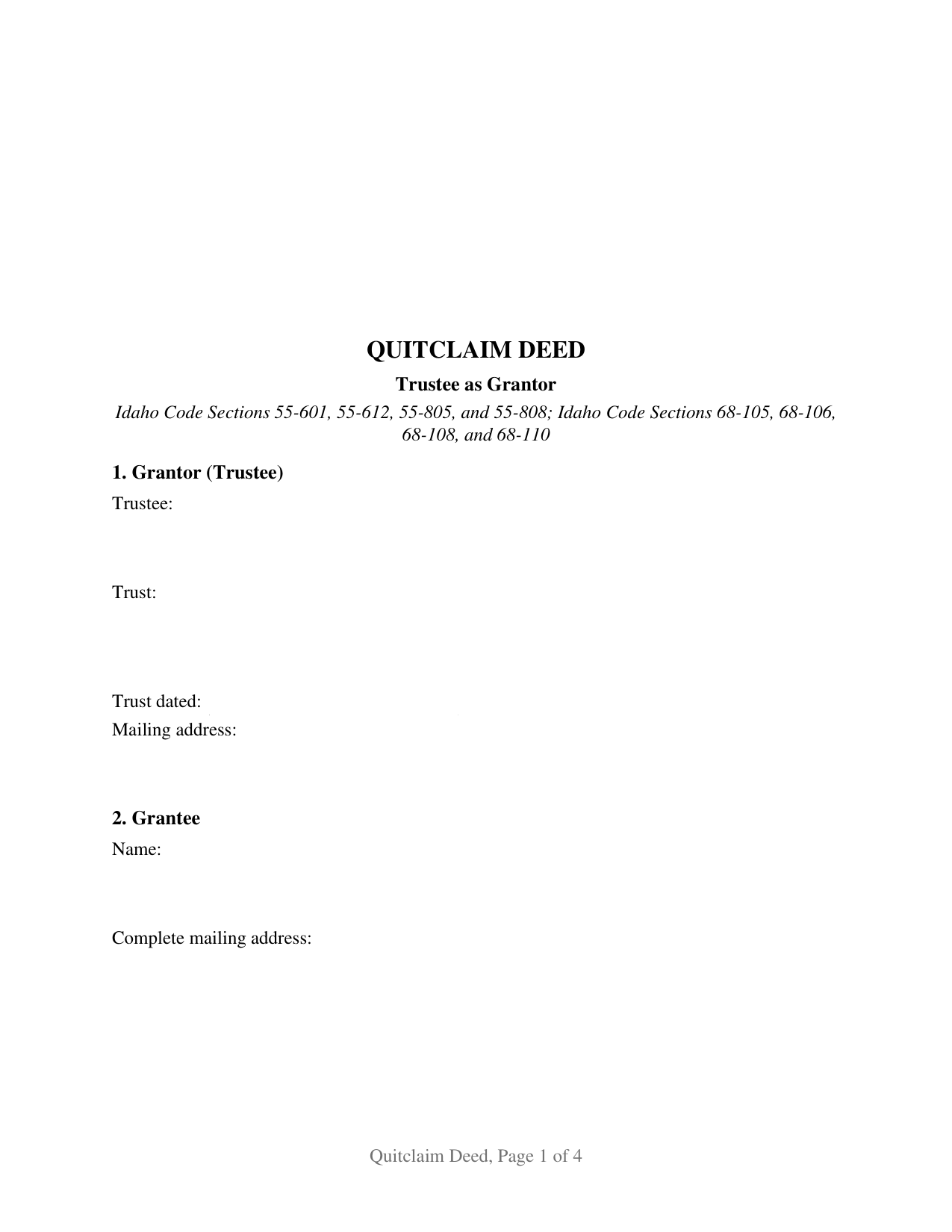
Bingham County Quitclaim Deed (Trustee Grantor) Form
Fill in the blank Quitclaim Deed (Trustee Grantor) form formatted to comply with all Idaho recording and content requirements.
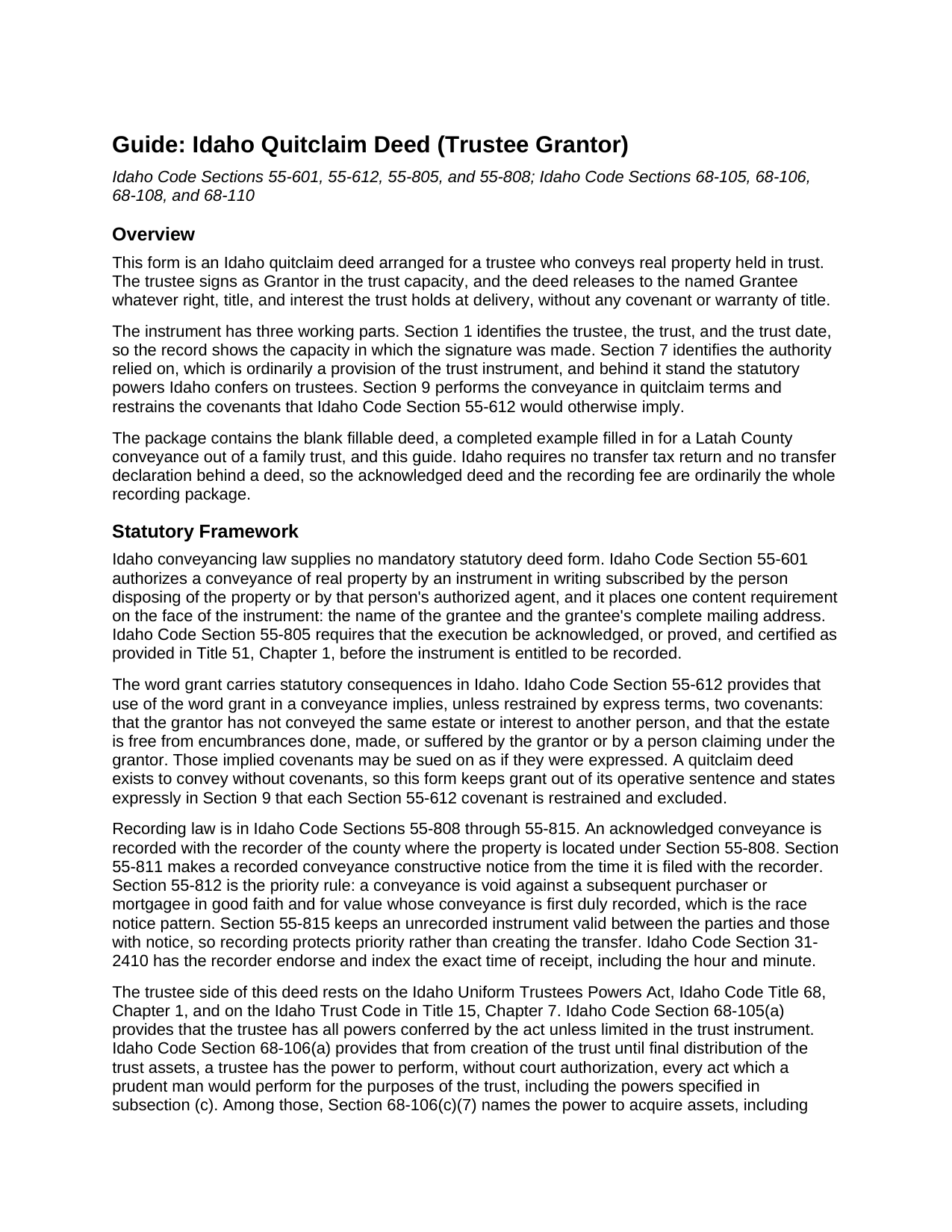
Bingham County Quitclaim Deed (Trustee Grantor) Guide
Line by line guide explaining every blank on the Quitclaim Deed (Trustee Grantor) form.
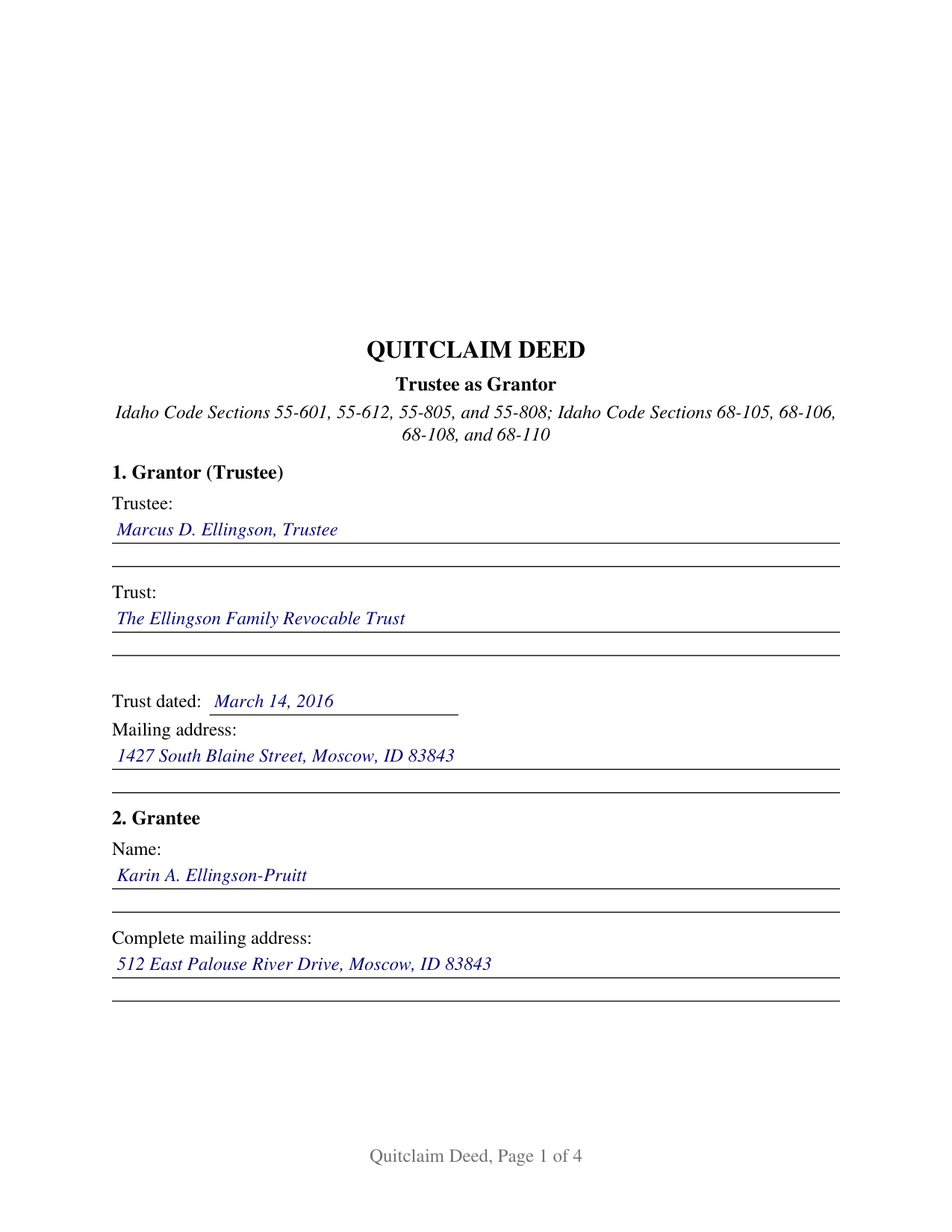
Bingham County Completed Example of the Quitclaim Deed (Trustee Grantor) Document
Example of a properly completed Idaho Quitclaim Deed (Trustee Grantor) document for reference.
All 3 documents above included • One-time purchase • No recurring fees
Immediate Download • Secure Checkout
Additional Idaho and Bingham County documents included at no extra charge:
Where to Record Your Documents
Bingham County Clerk and Recorder
Blackfoot, Idaho 83221
Hours: 8:00am-5:00pm M-F / Recording until 4:00pm
Phone: (208) 782-3163
Recording Tips for Bingham County:
- Bring your driver's license or state-issued photo ID
- Ensure all signatures are in blue or black ink
- Leave recording info boxes blank - the office fills these
- Make copies of your documents before recording - keep originals safe
- Recorded documents become public record - avoid including SSNs
Cities and Jurisdictions in Bingham County
Properties in any of these areas use Bingham County forms:
- Aberdeen
- Atomic City
- Basalt
- Blackfoot
- Firth
- Fort Hall
- Moreland
- Pingree
- Shelley
- Springfield
Hours, fees, requirements, and more for Bingham County
How do I get my forms?
Forms are available for immediate download after payment. The Bingham County forms will be in your account ready to download to your computer. An account is created for you during checkout if you don't have one. Forms are NOT emailed.
Are these forms guaranteed to be recordable in Bingham County?
Yes. Our form blanks are guaranteed to meet or exceed the applicable formatting requirements used for recording in Bingham County, including margin requirements, font requirements, and other layout standards. This guarantee applies to formatting, not to the legal sufficiency of information entered by the user or the suitability of a form for a particular transaction.
Can I reuse these forms?
Yes. You can reuse the forms for your personal use. For example, if you have multiple properties in Bingham County you only need to order once.
What do I need to use these forms?
The forms are PDFs that you fill out on your computer. The free Adobe Acrobat Reader is recommended, and most PDF apps also work. You do NOT enter your property information online - you download the blank forms and complete them privately on your own computer.
Are there any recurring fees?
No. This is a one-time purchase. Nothing to cancel, no memberships, no recurring fees.
How much does it cost to record in Bingham County?
Recording fees in Bingham County vary. Contact the recorder's office at (208) 782-3163 for current fees.
Questions answered? Let's get started!
A trustee signs this Idaho quitclaim deed, and the instrument records two things an ordinary deed never has to: the capacity the signature is made in, and the authority behind it. The form recites one Grantor, trustee of one identified trust, and releases to the named Grantee whatever interest the trust holds at delivery, without covenant or warranty of title.
The power to convey travels with the office
Idaho gives a trustee broad conveyancing power without a trip to court. Idaho Code Section 68-105(a) gives the trustee all powers conferred by the Uniform Trustees Powers Act unless the trust instrument limits them, and Section 68-106(a) allows the trustee to perform, without court authorization, every act a prudent man would perform for the purposes of the trust. Section 68-106(c)(7) names the power to sell, convey, or dispose of an asset at public or private sale, and Section 68-106(b) states the duty to exercise it with due regard to the fiduciary obligation. Section 7 of the form is where the trust provision, statute, or court order relied on is written down.
The transaction a trustee cannot close alone
One boundary earns its own entry. Idaho Code Section 68-108(b) provides that where the trustee's duty and the trustee's individual interest, or the trustee's interest as trustee of another trust, conflict in the exercise of a trust power, the power may be exercised only by court authorization, subject to the exceptions the section names. A deed running from the trust to the same person individually, or between two trusts sharing a trustee, is the shape that statute reaches, and Section 7 identifies the authorizing order by court, case number, and date.
A certificate that names the capacity, not only the signer
Idaho Code Section 51-116 supplies two short form certificates, and a fiduciary signature calls for the second. Subsection (1) covers an acknowledgment in an individual capacity; subsection (2) covers a representative capacity and adds, after the signer's name, the type of authority, such as officer or trustee, and the name of the party on behalf of whom the record was executed. Idaho Code Section 51-102 folds the declaration of proper authority into the acknowledgment itself and lists a trustee among the recognized capacities. The certificate here is completed with the name, the trustee capacity, and the trust. Certification of that kind is what Idaho Code Section 55-805 makes the condition of recording, and no witness signs an Idaho deed.
What the trustee grantor configuration carries
Section 1 gathers the acting trustee's name, the trust's name, the trust date, and a mailing address; Section 2 holds the grantee name and the complete mailing address Idaho Code Section 55-601 requires. The conveyance section states that record title stands in the name of the Grantor as trustee, and that the deed passes the interest held in that trust capacity and no interest the same person holds individually. Because Idaho Code Section 55-612 reads two covenants into a conveyance using the word grant unless express terms restrain them, the operative sentence instead remises, releases, and forever quitclaims, with the restraint stated by name, so this quitclaim deed, also searched as a quit claim deed, promises nothing about the chain of title. A successor trustee conveying after taking office, a trustee selling trust land to an outside buyer, and a trustee distributing a parcel to a beneficiary present the single signature pattern this deed recites. A conveyance executed by co-trustees under Idaho Code Section 68-109, and the deed a foreclosure trustee delivers under Idaho Code Title 45, Chapter 15, follow different patterns; the form is not set up as either.
Fee, format, and the county recorder
Idaho Code Section 55-808 places the acknowledged deed with the recorder of the county holding the land, and Idaho Code Section 31-3205 prices a conveyance of thirty pages or fewer at fifteen dollars, with no transfer tax behind it. Priority follows recording under Idaho Code Section 55-812, while Section 55-815 leaves an unrecorded deed good between the parties. Page one reserves three inches for the stamp or label.
The download carries three files: the fillable deed, a completed example running a Latah County distribution out of a family trust through every entry, and a guide to the sections, the certificate, and recording. The certification of trust in Idaho Code Sections 68-114 and 68-115 is prepared separately and not included. These materials describe Idaho law generally and are informational, not legal advice; an Idaho attorney can address a specific trust or parcel.
Important: Your property must be located in Bingham County to use these forms. Documents should be recorded at the county recording office listed above.
This Quitclaim Deed (Trustee Grantor) meets all recording requirements specific to Bingham County.
Our Promise
The documents you receive here are guaranteed to meet or exceed the applicable Bingham County recording format requirements. If there is a rejection caused by our formatting, we will correct the issue or refund your payment. This guarantee applies to document formatting only and does not extend to information entered by the user, the selection of the form, or the legal effect of the completed document.
Save Time and Money
Get your Bingham County Quitclaim Deed (Trustee Grantor) form done right the first time with Deeds.com Uniform Conveyancing Blanks. At Deeds.com, we understand that your time and money are valuable resources, and we don't want you to face a penalty fee or rejection imposed by a county recorder for submitting nonstandard documents. We constantly review and update our forms to meet rapidly changing state and county recording requirements for roughly 3,500 counties and local jurisdictions.
4.8 out of 5 - ( 4,829 Reviews )
Neil W. 5 out of 5 stars
This looks easy enough. Thanks. Very simple and efficient navigating the site.
Thank you for your feedback. We really appreciate it. Have a great day!
Robert D. 5 out of 5 stars
I was trying to register a financial statement (non real estate document). There was no link or statement on the home page to indicate that this could be done. All I had to do was to create an account, name and then upload the document. It took me over a day and several phone calls to the local deed recording office to try to figure this out. A simple link or statement to this effect would have saved me a lot of time
Thank you for your feedback. We really appreciate it. Have a great day!
eduardo r. 5 out of 5 stars
Very easy to fill out forms thank you very much
Thank you!
Robert K. 5 out of 5 stars
This document was exactly what I needed and with the corresponding sample I was easily able to complete it. This saved me a lot of money by not having to hire an attorney to fill out a form. Thank you!
Thank you for your feedback. We really appreciate it. Have a great day!
Jana H. 5 out of 5 stars
I love this recording service! They are so fast and let me know in advance if they think something is wrong and will be rejected! They are reasonably priced too!
We appreciate your business and value your feedback. Thank you. Have a wonderful day!
Nancy B. 5 out of 5 stars
Very user-friendly. Looks like everything I needed in one place. Great job.
We appreciate your business and value your feedback. Thank you. Have a wonderful day!
Susan N. 5 out of 5 stars
Hope to get form printed out Ok.
Thank you!
Nancy J. 5 out of 5 stars
This is a great service recommended by CSC. I only had one document to e-file. I would recommend to anyone.
Thank you for your feedback. We really appreciate it. Have a great day!
Philip C. 5 out of 5 stars
The product I purchased looks great and I added Adobe to be able to copy it, but for some reason I can't,so I will delete Adobe and then try again to copy what i paid for. I have all the PDFS' and my computer and printer are fairly new (windows 10),I should have tried to copy it first, I'll get it! Thanks
Thank you for your feedback. We really appreciate it. Have a great day!
John Q. 5 out of 5 stars
I downloaded the forms, which was very easy, and filled them out with the help of the very helpful instructions! I was able to go down to my court house and file the forms within 24 hours of downloading! I am at peace knowing my son's will avoid a lot of headaches when I pass because my property deed will transfer to them without probate court TOD !!!!
We appreciate your business and value your feedback. Thank you. Have a wonderful day!
James S. 2 out of 5 stars
Order Process: 5 Stars - very easy Material Received: 2 Stars Issues: 1. Printing- Document would not print in format displayed. Format would continually shrink to approx 2/3 size thus not useable for formal doc submission to County Records office. 2. Document Format- Data insertion fields (addresses) were not of correct size for data input. I needed a 4 line input space but was limited to only 3 lines. Also, Date field (year) was mis-oriented in-so-much that the 3rd digit (inputted) overlapped on 2nd digit (pre-printed) and also was of noticeably different font. 3. Useability- Hand-written input space provided (for Notary) was deficient in space and spacing. It was a challenge to utilize the space available to complete fully and maintain legibility. Overall - the document worked marginally as advertised, I did need to re-write the entire document myself. It is a good concept but I'd recommend that Deeds company improve the downloaded forms for actual useability, readability, functionability. regards, Jim S
Thank you for your feedback. We really appreciate it. Have a great day!
Roman F. 5 out of 5 stars
You form was good the only thing that did not work was the download to fill it out !!! I use a Mac system and maybe that's what the issue was. I filled it out by hand and it worked for the purpose .
Thanks for the kind words, Roman. Glad the form worked for you. For the fillable fields, the PDF opens best in a dedicated reader like Preview or Adobe Acrobat rather than inside a browser window, which can sometimes flatten them out. We appreciate your business.
Barb S. 5 out of 5 stars
if i could give this site ten stars i would
Thank you!
Alfred M. 5 out of 5 stars
It was a simple process and easily understood the process was seamless and I would highly recommend this to anyone looking to do this.
Thank you for your feedback. We really appreciate it. Have a great day!
Kimberly E. 2 out of 5 stars
It was very easy to order,download, and print. The only issue I have is that the guide that came with my form really did not help me filling it out. I feel the explanations could have been better and suited more for the standard person. I was still confused when filling it out and will probably have to get a lawyer to make sure it's filled out correctly
Thank you for your feedback. We really appreciate it. Have a great day!