Tazewell County Quitclaim Deed (Divorce) Form
Last validated October 14, 2026 by our Forms Development TeamFormatted for recording in Tazewell County, for property anywhere in the county: rural and unincorporated areas as well as Armington, Creve Coeur, Deer Creek, Delavan, East Peoria, Green Valley, Groveland, Hopedale and 7 more.
- 3 documents included
- Immediate PDF download
- Formatting guarantee
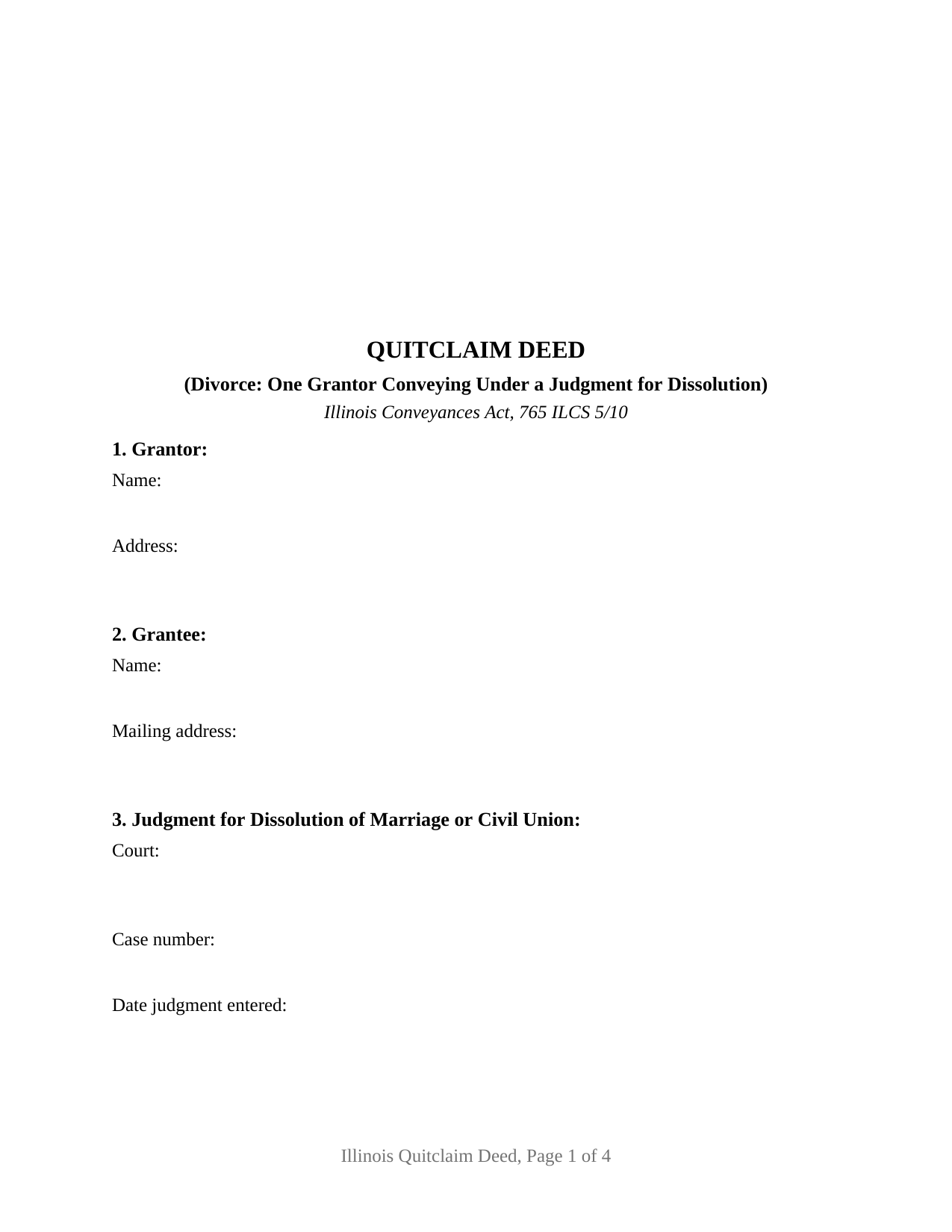
Tazewell County Quitclaim Deed (Divorce) Form
Fill in the blank Quitclaim Deed (Divorce) form formatted to comply with all Illinois recording and content requirements.
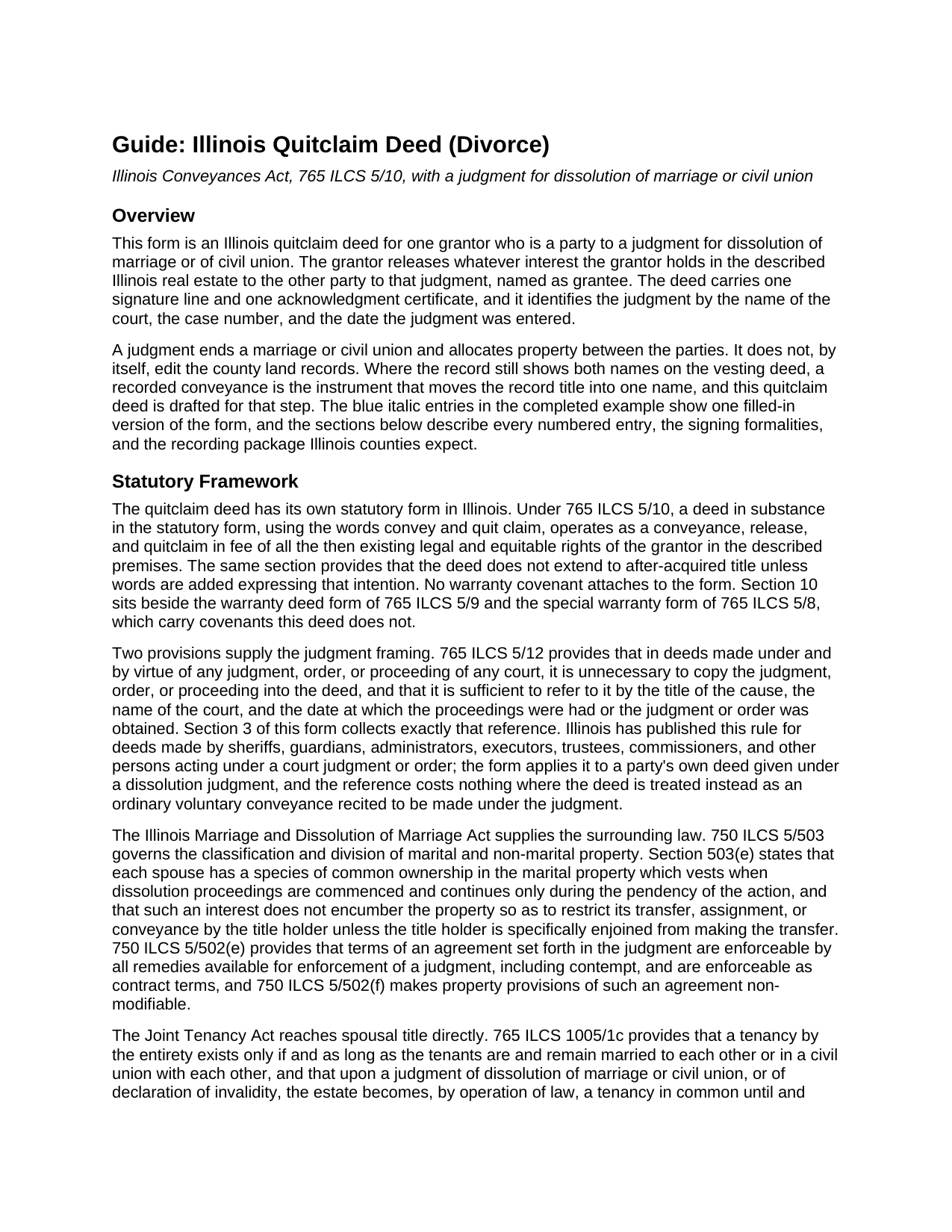
Tazewell County Quitclaim Deed (Divorce) Guide
Line by line guide explaining every blank on the Quitclaim Deed (Divorce) form.
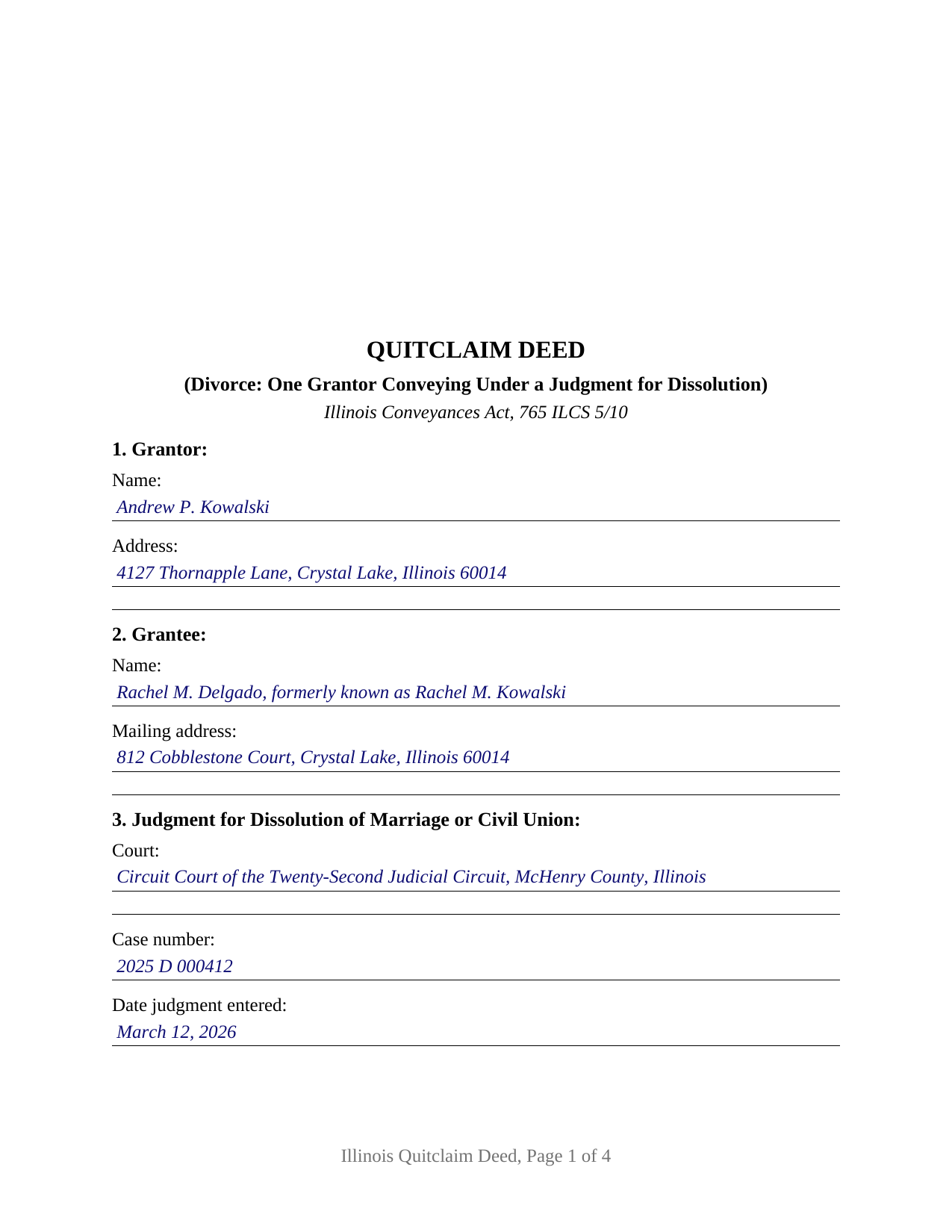
Tazewell County Completed Example of the Quitclaim Deed (Divorce) Document
Example of a properly completed Illinois Quitclaim Deed (Divorce) document for reference.
All 3 documents above included • One-time purchase • No recurring fees
Immediate Download • Secure Checkout
Additional Illinois and Tazewell County documents included at no extra charge:
Where to Record Your Documents
Tazewell County Clerk/Recorder
Pekin, Illinois 61554
Hours: 8:30 to 5:00 M-F
Phone: (309) 477-2210
Recording Tips for Tazewell County:
- Bring your driver's license or state-issued photo ID
- Ensure all signatures are in blue or black ink
- White-out or correction fluid may cause rejection
- Ask about their eRecording option for future transactions
- Avoid the last business day of the month when possible
Cities and Jurisdictions in Tazewell County
Properties in any of these areas use Tazewell County forms:
- Armington
- Creve Coeur
- Deer Creek
- Delavan
- East Peoria
- Green Valley
- Groveland
- Hopedale
- Mackinaw
- Minier
- Morton
- Pekin
- South Pekin
- Tremont
- Washington
Hours, fees, requirements, and more for Tazewell County
How do I get my forms?
Forms are available for immediate download after payment. The Tazewell County forms will be in your account ready to download to your computer. An account is created for you during checkout if you don't have one. Forms are NOT emailed.
Are these forms guaranteed to be recordable in Tazewell County?
Yes. Our form blanks are guaranteed to meet or exceed the applicable formatting requirements used for recording in Tazewell County, including margin requirements, font requirements, and other layout standards. This guarantee applies to formatting, not to the legal sufficiency of information entered by the user or the suitability of a form for a particular transaction.
Can I reuse these forms?
Yes. You can reuse the forms for your personal use. For example, if you have multiple properties in Tazewell County you only need to order once.
What do I need to use these forms?
The forms are PDFs that you fill out on your computer. The free Adobe Acrobat Reader is recommended, and most PDF apps also work. You do NOT enter your property information online - you download the blank forms and complete them privately on your own computer.
Are there any recurring fees?
No. This is a one-time purchase. Nothing to cancel, no memberships, no recurring fees.
How much does it cost to record in Tazewell County?
Recording fees in Tazewell County vary. Contact the recorder's office at (309) 477-2210 for current fees.
Questions answered? Let's get started!
A judgment for dissolution of marriage settles which party keeps the house. County land records do not read judgments, so until an instrument is recorded the departing party's name still stands in the chain of title. This Illinois quitclaim deed is arranged for that step: one party to the judgment signs as Grantor, the other party is named as Grantee, and Section 3 fixes the judgment by court, case number, and date entered.
What the judgment moves on its own
One estate changes shape the moment the judgment is entered. Under 765 ILCS 1005/1c a tenancy by the entirety exists only while the tenants remain married to each other or in a civil union with each other, and on a judgment of dissolution the estate becomes, by operation of law, a tenancy in common until and unless the court directs otherwise. Survivorship between the parties ends there; both names stay on the record. Under 750 ILCS 5/503(e) the species of common ownership each spouse holds in marital property continues only during the pendency of the action, and it does not restrict a transfer by the title holder unless that holder has been specifically enjoined. Closing the gap between an allocation on paper and a clean record takes a recorded deed.
Naming the judgment rather than attaching it
Illinois settles how a deed made under a court judgment refers to it. 765 ILCS 5/12 provides that such a deed need not copy the judgment into itself, and that a reference by the title of the cause, the name of the court, and the date the judgment was obtained is sufficient. Section 3 collects those identifiers, and the operative section recites that the conveyance is made under and by virtue of the judgment they describe.
What the divorce configuration carries
The form recites one individual Grantor, a party to the judgment, and one Grantee, the other party to it. The operative sentence applies the statutory convey and quit claim words of 765 ILCS 5/10 to the whole of the Grantor's interest, prints the express homestead release clause that 765 ILCS 5/27 requires an instrument to state rather than imply, and recites the parties' relationship to the judgment. One signature line and one acknowledgment certificate follow, with the printed name line 765 ILCS 5/35c contemplates. Title patterns presenting this configuration include a residence the parties held by the entirety before the judgment, a jointly held parcel where the same deed also ends the survivorship between them, and a parcel standing in one party's name alone that the judgment awards to the other. Two record owners signing together sit outside this layout, as does a joining spouse's release: where the grantor is married when the conveyance is made and the parcel is an occupied homestead, 735 ILCS 5/12-904 makes a release of that estate good only in a writing both the owner and the owner's spouse have signed.
Consideration, and the entry it drives
A divorce quitclaim deed usually recites a nominal figure, and that recital decides the transfer tax route. 35 ILCS 200/31-45(e) exempts deeds where the actual consideration is less than $100, and an exempt transfer records on the signed and dated notation Section 11 prints. A payment for the other party's equity is consideration, and the deed then travels with the PTAX-203 declaration or its MyDec equivalent and the stamps. A divorcing party commonly takes the house with the loan still on it, and 35 ILCS 200/31-10 leaves the amount of an existing mortgage to which the transfer is subject out of the taxable base.
What it leaves in place
No covenant of title rides on this instrument. Liens, easements, and plat restrictions of record continue against the parcel in the Grantee's hands, and a Grantor who signed the note is still on it after record title moves. Nor does a deed rewrite what the court entered: under 750 ILCS 5/502(f) the property provisions of an agreement set forth in the judgment are not modifiable.
Three files come with the purchase: the fillable deed, a McHenry County example completed from the judgment entries down to the notary's commission date, and a guide that takes the numbered sections in turn and covers signing, homestead, notarization, and recording at the county. Nothing here is legal advice; these pages describe the statutes in general terms, and a specific judgment, mortgage, or chain of title is a matter for an Illinois attorney or title company.
Important: Your property must be located in Tazewell County to use these forms. Documents should be recorded at the county recording office listed above.
This Quitclaim Deed (Divorce) meets all recording requirements specific to Tazewell County.
Our Promise
The documents you receive here are guaranteed to meet or exceed the applicable Tazewell County recording format requirements. If there is a rejection caused by our formatting, we will correct the issue or refund your payment. This guarantee applies to document formatting only and does not extend to information entered by the user, the selection of the form, or the legal effect of the completed document.
Save Time and Money
Get your Tazewell County Quitclaim Deed (Divorce) form done right the first time with Deeds.com Uniform Conveyancing Blanks. At Deeds.com, we understand that your time and money are valuable resources, and we don't want you to face a penalty fee or rejection imposed by a county recorder for submitting nonstandard documents. We constantly review and update our forms to meet rapidly changing state and county recording requirements for roughly 3,500 counties and local jurisdictions.
4.8 out of 5 - ( 4,845 Reviews )
Judith G. 5 out of 5 stars
Thank you, it was easy and fast. The clerks office filed without question.
Thank you Judith, have a fantastic day!
Robson A. 5 out of 5 stars
Very easy & efficient to use! I would have had to drive an hour to the county office. So glad this worked instead! You should advertise more....if I hadn't done research I would never have known about your service.
Thank you!
Marion B. 5 out of 5 stars
As far as I know all is in order as far as my transfer on death instrument for Illinois. Thank you so much!
Thank you for your feedback. We really appreciate it. Have a great day!
Robert H. 5 out of 5 stars
I found the site to be easy to use and the information very helpful.
Thank you for your feedback. We really appreciate it. Have a great day!
Christine L. 5 out of 5 stars
I was very pleased with your service. You got me the information I required within one day. Thank you!
Thank you!
Alfred J. H. 5 out of 5 stars
Excellent resource for legal forms. Very satisfied. Instructions and caveats explained clearly. Thank You!
Thank you!
Robert S. 4 out of 5 stars
Process was easy to follow and worked as advertised. Thought the price was a little high.
Thank you!
William S. 5 out of 5 stars
The forms worked well for entering information. I have finished without much trouble. Since the forms are Adobe PDF files you need the free app to use them but you can't edit unless you have the paid Adobe program. And, it was a reasonable price.
Thank you for your feedback. We really appreciate it. Have a great day!
Peter L. 3 out of 5 stars
Waiting for response to questions about TOD deed. Language doesn't accommodate more than one Grantor and user cannot edit language.
Peter, thank you for your feedback. We're sorry our form didn't meet your needs. We've issued a full refund for your order. Please note that our forms are designed for common transfer scenarios, and we're unable to provide legal advice or guidance on how to complete them. If your situation involves multiple grantors or other complexities, we'd recommend consulting with a local real estate attorney who can ensure your deed is properly drafted for your specific circumstances. We wish you the best.
Jenny E. 5 out of 5 stars
I thought the website was good. But once I paid the money and downloaded the papers I needed for Grays Harbor. I had to end up calling a escrow company that we had worked with only to find out that they work with a slightly different version. The escrow company was kind enough to email me the version Grays Harbor recommends and uses. There is a chance I could use theses in the future.
Thank you for your feedback. We really appreciate it. Have a great day!
Sheryl B. 5 out of 5 stars
I was a little nervous about doing this, but it was very simple. I was thrilled that I could use the sheet that helped me fill out the form. That made it easy. I did like that you knew what the charge was going to be in the beginning, not like the other websites.
Thank you, Sheryl. We know deed paperwork can feel intimidating at first, so we’re glad the guide helped make everything simple and clear. We truly appreciate you sharing your experience.
Robert H. 5 out of 5 stars
Excellent service and site. Easy to use. Finding the required forms was easy.
We appreciate your business and value your feedback. Thank you. Have a wonderful day!
James R. 5 out of 5 stars
Useful and quick.
Thank you!
Audrey T. 4 out of 5 stars
The info was good for the money, but not all that I needed.
Thank you for your feedback. We really appreciate it. Have a great day!
Gretchen R. 5 out of 5 stars
I can't think of any suggestions for improvement. The documents I needed were readily available. Thank you
We appreciate your business and value your feedback. Thank you. Have a wonderful day!