Christian County Quitclaim Deed (LLC Grantor) Form
Last validated October 15, 2026 by our Forms Development TeamFormatted for recording in Christian County, for property anywhere in the county: rural and unincorporated areas as well as Assumption, Bulpitt, Edinburg, Kincaid, Morrisonville, Mount Auburn, Moweaqua, Owaneco and 6 more.
- 3 documents included
- Immediate PDF download
- Formatting guarantee
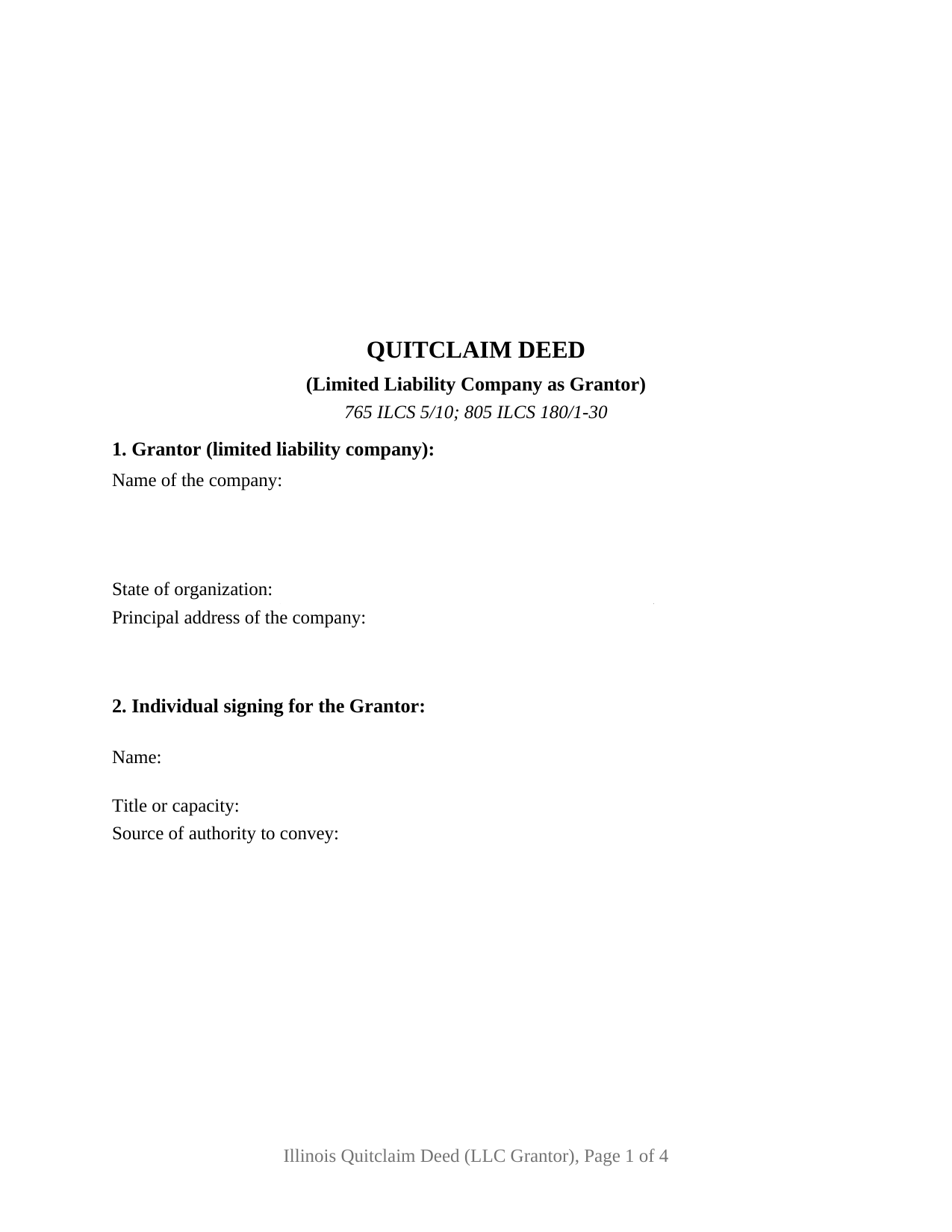
Christian County Quitclaim Deed (LLC Grantor) Form
Fill in the blank Quitclaim Deed (LLC Grantor) form formatted to comply with all Illinois recording and content requirements.
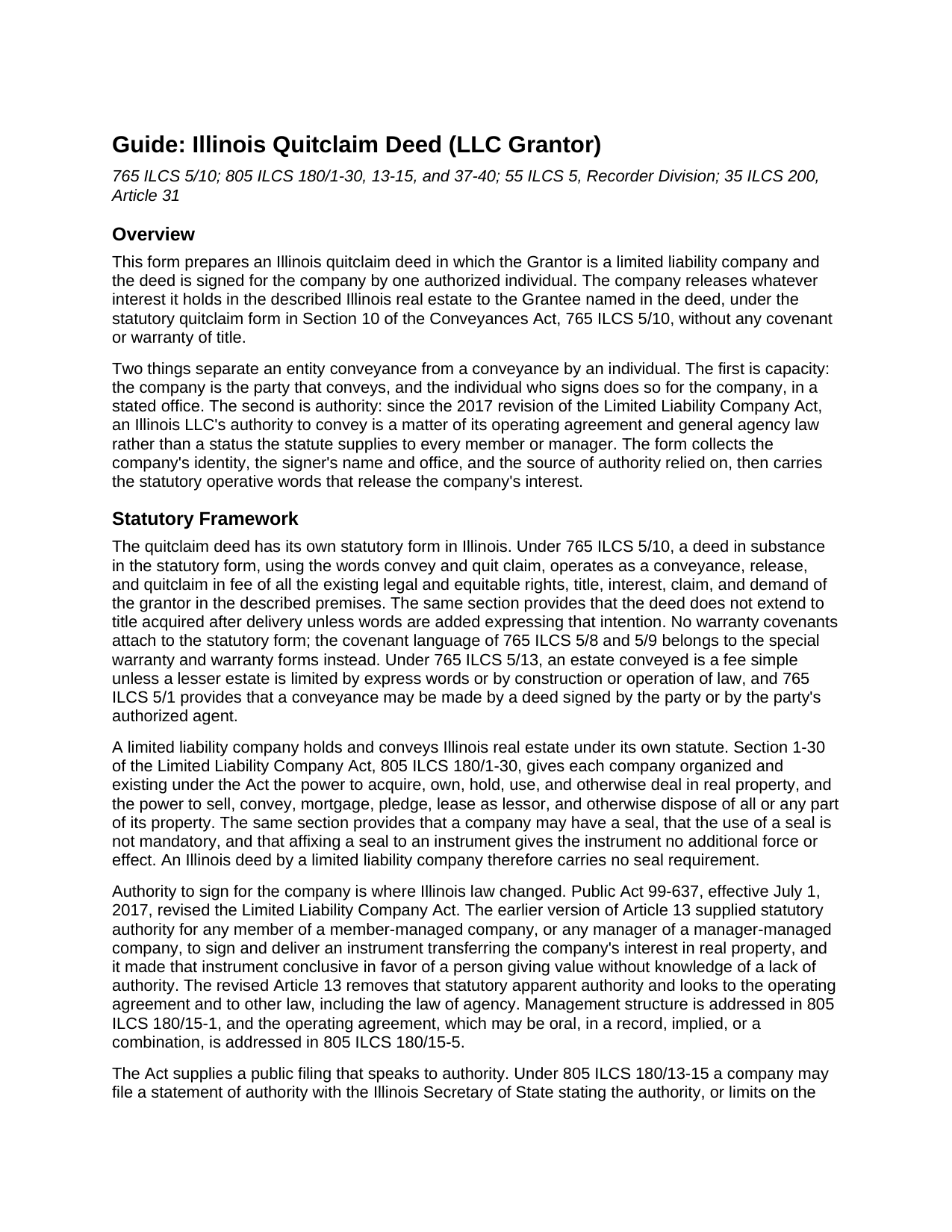
Christian County Quitclaim Deed (LLC Grantor) Guide
Line by line guide explaining every blank on the Quitclaim Deed (LLC Grantor) form.
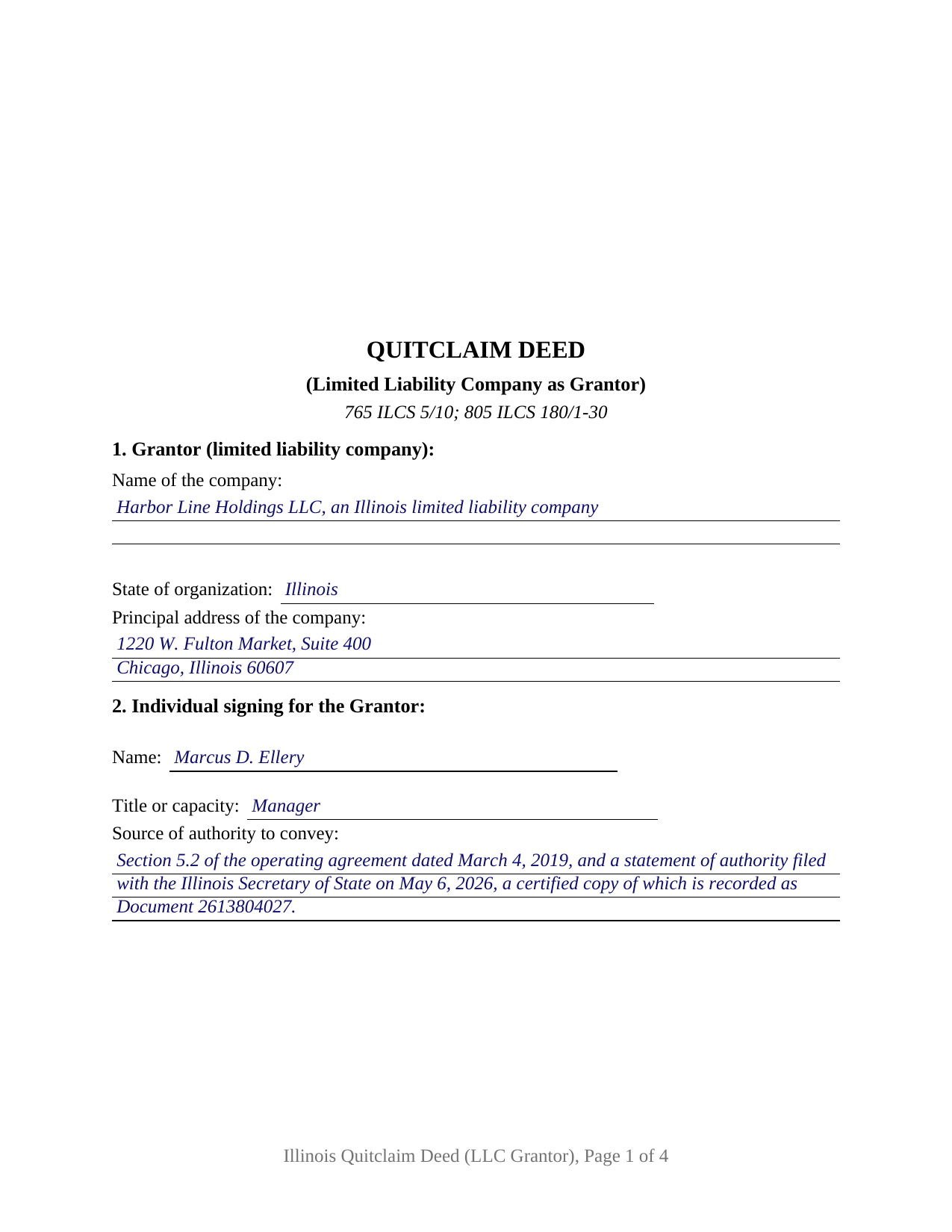
Christian County Completed Example of the Quitclaim Deed (LLC Grantor) Document
Example of a properly completed Illinois Quitclaim Deed (LLC Grantor) document for reference.
All 3 documents above included • One-time purchase • No recurring fees
Immediate Download • Secure Checkout
Additional Illinois and Christian County documents included at no extra charge:
Where to Record Your Documents
Christian County Recorder's Office
Taylorville, Illinois 62568
Hours: 8:00 to 4:00 Monday through Friday
Phone: (217) 824-4960
Recording Tips for Christian County:
- Bring your driver's license or state-issued photo ID
- Ensure all signatures are in blue or black ink
- Bring extra funds - fees can vary by document type and page count
- Check margin requirements - usually 1-2 inches at top
- Leave recording info boxes blank - the office fills these
Cities and Jurisdictions in Christian County
Properties in any of these areas use Christian County forms:
- Assumption
- Bulpitt
- Edinburg
- Kincaid
- Morrisonville
- Mount Auburn
- Moweaqua
- Owaneco
- Palmer
- Pana
- Rosamond
- Stonington
- Taylorville
- Tovey
Hours, fees, requirements, and more for Christian County
How do I get my forms?
Forms are available for immediate download after payment. The Christian County forms will be in your account ready to download to your computer. An account is created for you during checkout if you don't have one. Forms are NOT emailed.
Are these forms guaranteed to be recordable in Christian County?
Yes. Our form blanks are guaranteed to meet or exceed the applicable formatting requirements used for recording in Christian County, including margin requirements, font requirements, and other layout standards. This guarantee applies to formatting, not to the legal sufficiency of information entered by the user or the suitability of a form for a particular transaction.
Can I reuse these forms?
Yes. You can reuse the forms for your personal use. For example, if you have multiple properties in Christian County you only need to order once.
What do I need to use these forms?
The forms are PDFs that you fill out on your computer. The free Adobe Acrobat Reader is recommended, and most PDF apps also work. You do NOT enter your property information online - you download the blank forms and complete them privately on your own computer.
Are there any recurring fees?
No. This is a one-time purchase. Nothing to cancel, no memberships, no recurring fees.
How much does it cost to record in Christian County?
Recording fees in Christian County vary. Contact the recorder's office at (217) 824-4960 for current fees.
Questions answered? Let's get started!
Since July 1, 2017, an Illinois limited liability company's power to convey its own real estate has not been something the statute hands every member or manager. This Illinois quitclaim deed is arranged for that conveyance: the company is the sole Grantor, one authorized individual signs for it, and the deed names the office and the document the authority rests on.
Where an LLC's signing authority comes from now
Public Act 99-637 rewrote Article 13 of the Limited Liability Company Act. Its earlier version handed any member of a member-managed company, and any manager of a manager-managed one, statutory power to sign an instrument transferring the company's real property. That grant is gone. Authority now rests on the operating agreement, on a members' or managers' authorization, and on general agency law; management structure sits in 805 ILCS 180/15-1 and the operating agreement, oral ones included, in 805 ILCS 180/15-5. Section 2 collects the signer's name, office, and source of authority, which a title examiner otherwise digs out of company records.
The statement of authority, and the certified copy that gets recorded
805 ILCS 180/13-15 gives a company a public way to speak to authority: a statement filed with the Illinois Secretary of State describing what a member, manager, or other person may do, transferring the company's real property included. For a real property transfer that filing is half the mechanism. A certified copy recorded in the county where the land sits carries the statement's conclusive effect for a non-member giving value in reliance on it without knowledge to the contrary. The example fills that entry both ways, by agreement section and by recorded document number.
What the LLC grantor configuration carries
One Grantor block recites the company, its state of organization, and its principal address; a second names the signing individual and that person's office; then come one signature line, one printed name carrying name and office, and one acknowledgment certificate in representative capacity following 765 ILCS 5/26. Patterns presenting this configuration include a property-holding company moving a parcel to another company under common ownership, a company releasing what it holds to a buyer taking title on a policy rather than on covenants, and a company from an old conveyance releasing a stray interest so a later title examination closes. Two signers sit outside the layout, and no homestead waiver clause prints, the estate of homestead under 735 ILCS 5/12-901 belonging to an individual occupying a residence.
Statutory words, and the seal Illinois does not require
The operative sentence uses the words of 765 ILCS 5/10: a deed in statutory quitclaim form releases in fee the rights the grantor holds at delivery, with no warranty covenants and no reach to after-acquired title unless words are added for it. On the entity side, 805 ILCS 180/1-30 carries the power to hold and convey real property and states that a company seal is not mandatory and adds no force to an instrument, so no seal block prints here.
Series title and the name that goes in the deed
Illinois goes further than most states on series companies: under 805 ILCS 180/37-40 a series with limited liability is treated as a separate entity to the extent the articles of organization set out, and each such series may, in its own name, hold title to assets and exercise a company's powers. Record title can stand in a series name, which is why the name entry on this quit claim deed follows the name in which title is held, series designation included.
Transfer tax when a company sells
A company conveyance is usually a business transfer, not a gift, so the taxable path is the common one. 35 ILCS 200/31-10 taxes the privilege of transferring title at 50 cents per $500 of value, a county may add 25 cents under 55 ILCS 5/5-1031, and a municipality with a certified home rule ordinance blocks recording until its tax is proved paid. Section 11 takes either the taxable entry or an exempt notation citing its paragraph of 35 ILCS 200/31-45, and the example runs the taxable route for a Cook County parcel.
The purchase brings three files: the fillable deed, a completed example filled in from the company entries through the notary's commission date, and a guide covering each numbered section along with authority, signing, notarization, and recording. These materials describe Illinois law in general terms and are not legal advice; a question about one company's authority or a particular title belongs with an Illinois attorney.
Important: Your property must be located in Christian County to use these forms. Documents should be recorded at the county recording office listed above.
This Quitclaim Deed (LLC Grantor) meets all recording requirements specific to Christian County.
Our Promise
The documents you receive here are guaranteed to meet or exceed the applicable Christian County recording format requirements. If there is a rejection caused by our formatting, we will correct the issue or refund your payment. This guarantee applies to document formatting only and does not extend to information entered by the user, the selection of the form, or the legal effect of the completed document.
Save Time and Money
Get your Christian County Quitclaim Deed (LLC Grantor) form done right the first time with Deeds.com Uniform Conveyancing Blanks. At Deeds.com, we understand that your time and money are valuable resources, and we don't want you to face a penalty fee or rejection imposed by a county recorder for submitting nonstandard documents. We constantly review and update our forms to meet rapidly changing state and county recording requirements for roughly 3,500 counties and local jurisdictions.
4.8 out of 5 - ( 4,849 Reviews )
Amie S. 5 out of 5 stars
The forms that I downloaded from Deeds were perfect for what I needed. I even checked with a lawyer to see if the papers would work and she said yes.
Thanks Amie, have a great day!
David L. 3 out of 5 stars
You did refund my payment, but were unable to provide the deed i needed.
Thank you!
Scott S. 5 out of 5 stars
Awesome service. I'm impressed.
We appreciate your business and value your feedback. Thank you. Have a wonderful day!
Vallerie M. 5 out of 5 stars
Amazing! Great prompt service and follow up. I couldn’t be happier
We are grateful for your engagement and feedback, which help us to serve you better. Thank you for being an integral part of our community.
Deborah A. 5 out of 5 stars
Excellent,
Thank you!
Kerrin S. 5 out of 5 stars
Wow, this was so easy & helpful. I didn't get it finished in time for recording, so I'm still waiting on that part, but the rest was simple and straight-forward. Thanks!
Thank you!
Chris O. 5 out of 5 stars
Very user friendly website. Had a variety of forms. Reasonable price
We appreciate your business and value your feedback. Thank you. Have a wonderful day!
Jonelle R. 5 out of 5 stars
Paperwork very easy to retrieve. Hope going to get it recorded will be this easy.
We appreciate your business and value your feedback. Thank you. Have a wonderful day!
Pierre M. 5 out of 5 stars
The form was very easy to fill out. The instructions were clear. Overall, a very user friendly product that made my job easier. Thanks you.
Thank you!
Cecelia S. 5 out of 5 stars
I was looking for a copy of my deed and was able to complete the request and get copy fast.
Thank you!
Ann W. 5 out of 5 stars
GREAT forms, easy to use and most importantly... compliant. Worth it and then some!
Thank you!
Stephen M. 5 out of 5 stars
Using the service is very quick and easy. The staff was very attentive, knowledgeable, professional and followed up promptly, and kept me informed regarding the status of my package.
Thank you, Stephen! We appreciate your feedback and are glad our team made the process smooth and efficient for you.
Patricia S. 5 out of 5 stars
The forms was easy to use and the guides was helpful
We appreciate your business and value your feedback. Thank you. Have a wonderful day!
Thomas D. 2 out of 5 stars
The documents themselves are fine and the information provided with them is helpful. I find the actual processing of the documents, however, to be difficult particularly once the document has been saved. First, I note that the box for the date only allows entry of the last 2 digits of the year. Unfortunately, my download only allows me to enter one of the 2 digits required. When I delete it repeatedly, it eventually allows both digits to be entered but puts them in extremely small text and in superscrypt. I have not found a solution to this problem and am not sure the deed can even be recorded with this problem. Another problem is that if you try to revise the document after you have saved it the curser goes to the end of the line after each key entry. This means that there basically is no way to efficiently save the document for reworking later since you will have to delete everything you have entered in the text box unless you only need to make a single keystroke change or are willing to replace the curser after each entry. Try that with a long property description! Please note that I am using a Mac to prepare my documents and perhaps this is part of an "incompatibility problem". However, I didn't see a disclaimer regarding Mac use and so would expect the documents to perform correctly. Overall, I give the program a "2 star" rating because I am experiencing significant difficulties in entering dates in the documents even before saving them and because saving your work for later revision appears to be basically unworkable.
Thank you for your feedback Thomas, we appreciate you being specific about the issues you encountered. Adobe and Mac have a fairly long history of issues working together.
Jane E. 5 out of 5 stars
The form was incompatible with my son's new computer. I do not have a printer. We did use your form to type a copy into "word" so he could print it.
Thank you!