Christian County Quitclaim Deed (Interspousal) Form
Last validated October 2, 2026 by our Forms Development TeamFormatted for recording in Christian County, for property anywhere in the county: rural and unincorporated areas as well as Assumption, Bulpitt, Edinburg, Kincaid, Morrisonville, Mount Auburn, Moweaqua, Owaneco and 6 more.
- 3 documents included
- Immediate PDF download
- Formatting guarantee
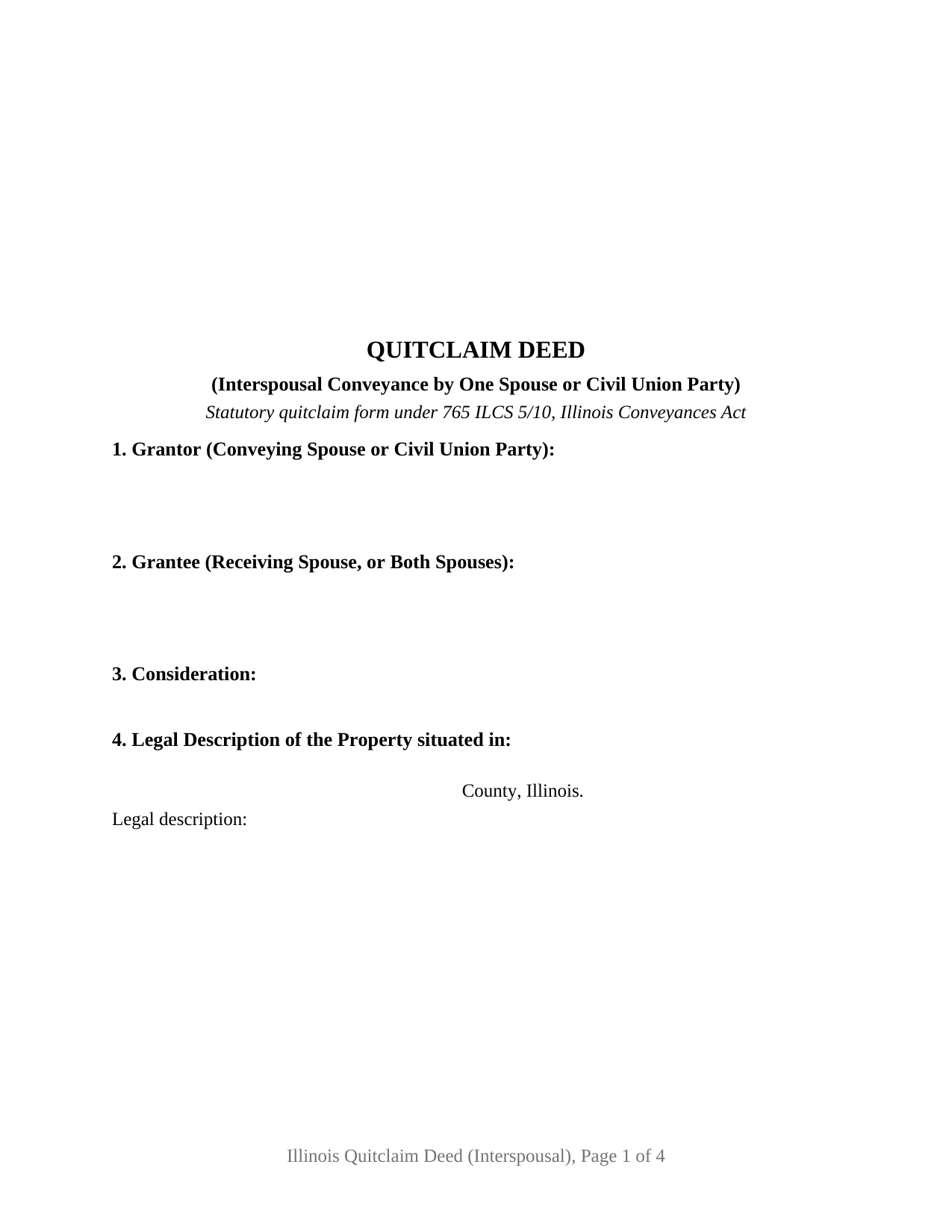
Christian County Quitclaim Deed (Interspousal) Form
Fill in the blank Quitclaim Deed (Interspousal) form formatted to comply with all Illinois recording and content requirements.
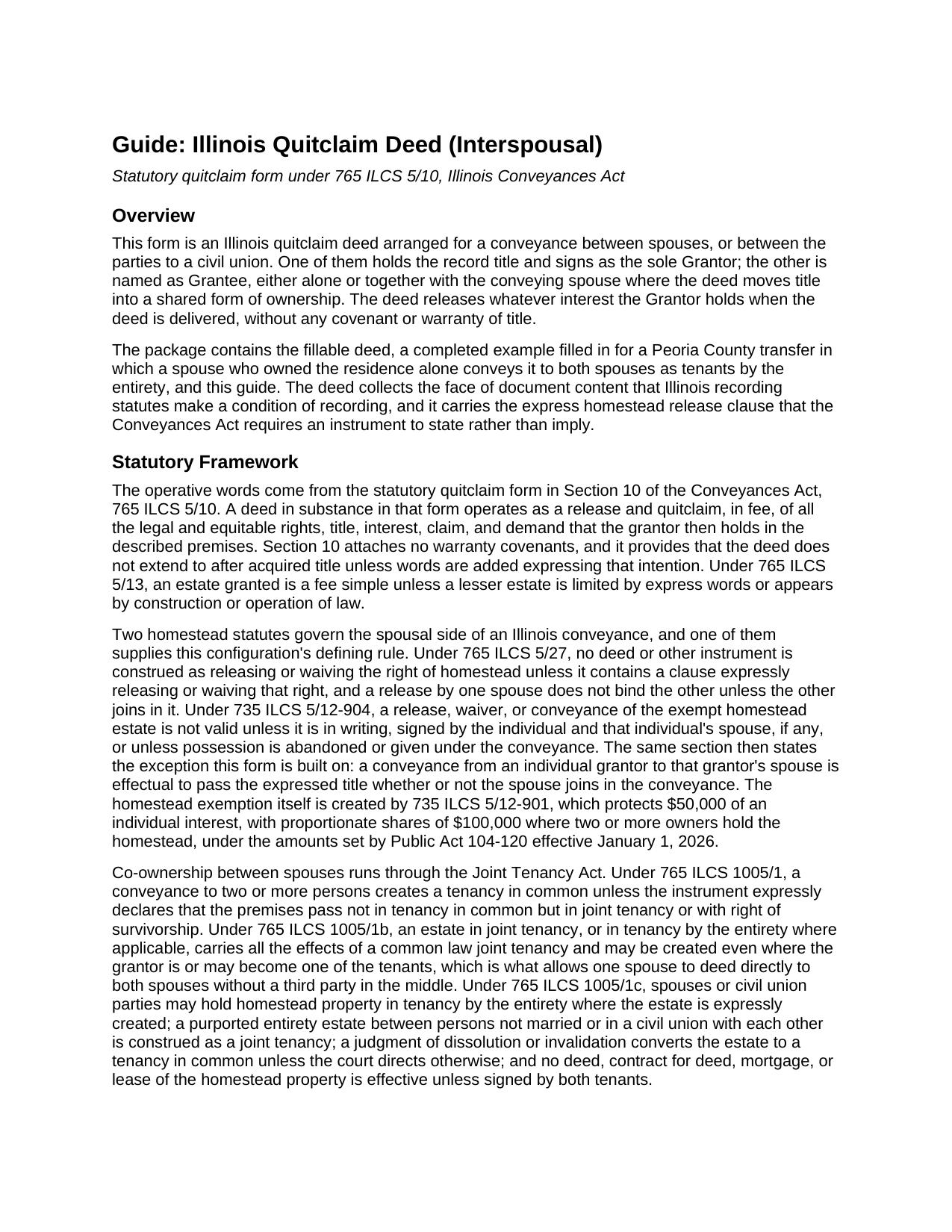
Christian County Quitclaim Deed (Interspousal) Guide
Line by line guide explaining every blank on the Quitclaim Deed (Interspousal) form.
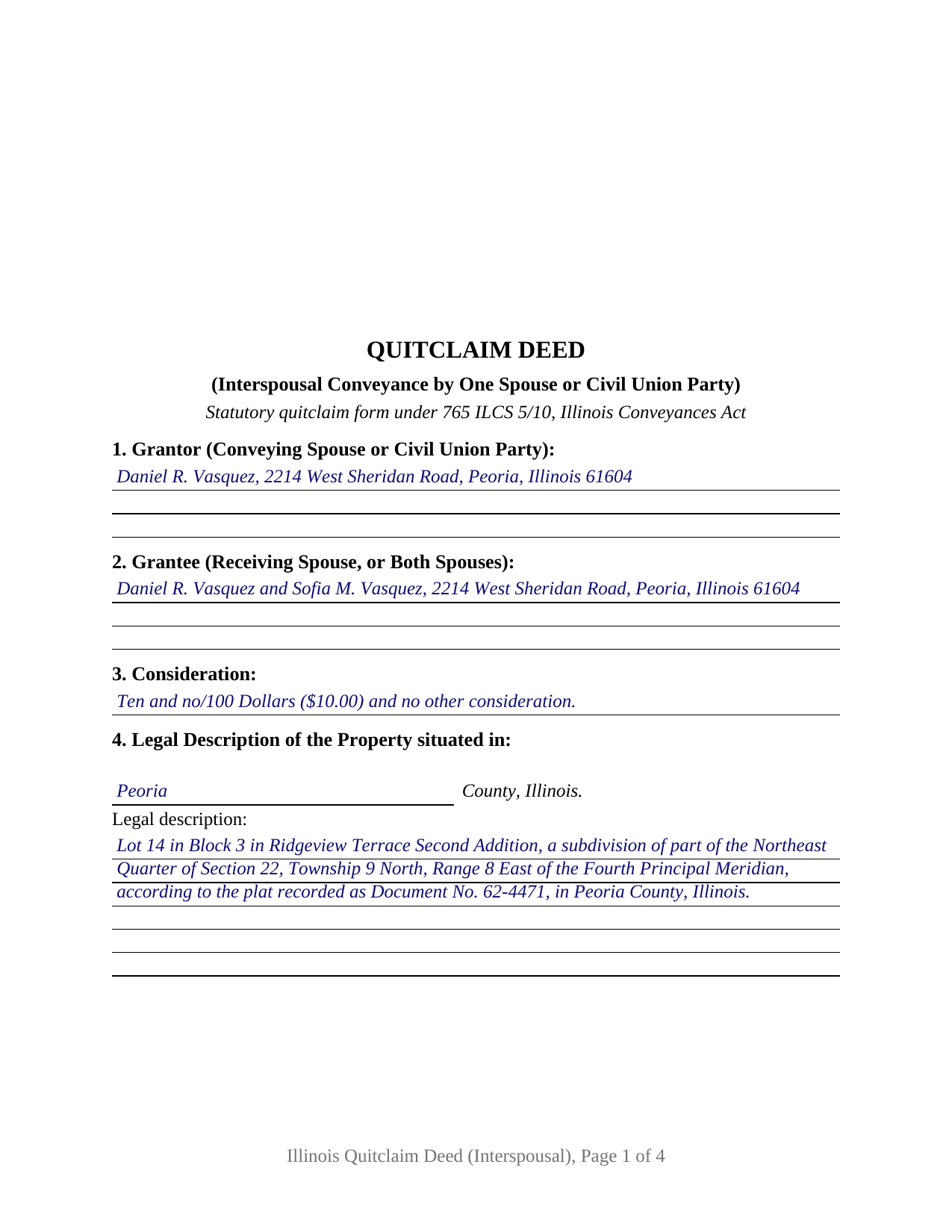
Christian County Completed Example of the Quitclaim Deed (Interspousal) Document
Example of a properly completed Illinois Quitclaim Deed (Interspousal) document for reference.
All 3 documents above included • One-time purchase • No recurring fees
Immediate Download • Secure Checkout
Additional Illinois and Christian County documents included at no extra charge:
Where to Record Your Documents
Christian County Recorder's Office
Taylorville, Illinois 62568
Hours: 8:00 to 4:00 Monday through Friday
Phone: (217) 824-4960
Recording Tips for Christian County:
- Bring your driver's license or state-issued photo ID
- Ensure all signatures are in blue or black ink
- Leave recording info boxes blank - the office fills these
- Make copies of your documents before recording - keep originals safe
- Recorded documents become public record - avoid including SSNs
Cities and Jurisdictions in Christian County
Properties in any of these areas use Christian County forms:
- Assumption
- Bulpitt
- Edinburg
- Kincaid
- Morrisonville
- Mount Auburn
- Moweaqua
- Owaneco
- Palmer
- Pana
- Rosamond
- Stonington
- Taylorville
- Tovey
Hours, fees, requirements, and more for Christian County
How do I get my forms?
Forms are available for immediate download after payment. The Christian County forms will be in your account ready to download to your computer. An account is created for you during checkout if you don't have one. Forms are NOT emailed.
Are these forms guaranteed to be recordable in Christian County?
Yes. Our form blanks are guaranteed to meet or exceed the applicable formatting requirements used for recording in Christian County, including margin requirements, font requirements, and other layout standards. This guarantee applies to formatting, not to the legal sufficiency of information entered by the user or the suitability of a form for a particular transaction.
Can I reuse these forms?
Yes. You can reuse the forms for your personal use. For example, if you have multiple properties in Christian County you only need to order once.
What do I need to use these forms?
The forms are PDFs that you fill out on your computer. The free Adobe Acrobat Reader is recommended, and most PDF apps also work. You do NOT enter your property information online - you download the blank forms and complete them privately on your own computer.
Are there any recurring fees?
No. This is a one-time purchase. Nothing to cancel, no memberships, no recurring fees.
How much does it cost to record in Christian County?
Recording fees in Christian County vary. Contact the recorder's office at (217) 824-4960 for current fees.
Questions answered? Let's get started!
Illinois homestead law wants two signatures on a deed of an occupied residence, and then names one exception: a conveyance running from an individual grantor to that grantor's own spouse. This interspousal quitclaim deed is arranged for exactly that transfer. One spouse, or one party to a civil union, holds the record title and signs as the only Grantor, and the other spouse is named as Grantee, either alone or beside the conveying spouse.
The exception the homestead statute names
Section 12-904 of the Code of Civil Procedure guards the homestead estate jointly: neither a waiver of it nor a conveyance of it holds up unless the owner and the owner's spouse have both signed. That same section then carves out the movement this form performs, providing that a conveyance from an individual grantor to that grantor's spouse is effectual to pass the expressed title whether or not the spouse joins. The clause itself still prints on the deed, because 765 ILCS 5/27 gives homestead language no effect unless an instrument states it expressly. What the exception takes away is the second signature line, never the clause.
Who signs, and what the deed recites
The form opens with one Grantor block and one Grantee block, applies the statutory words conveys and quit claims to the whole of the Grantor's interest, and finishes with a single signature line under one acknowledgment certificate whose text follows the substance of 765 ILCS 5/26, homestead clause included. Section 11 carries the relationship recital, stating that the Grantor and the Grantee are married to each other or are parties to a civil union with each other; 750 ILCS 75/20 puts civil union parties on the same statutory footing. Patterns that present this configuration include a residence acquired by one spouse before the wedding and afterward shared with the other, and a parcel moved to the spouse whose name goes on a new loan. The form is not set up for two record owners signing together, and it does not reach a homestead the couple already holds by the entirety, where 765 ILCS 1005/1c makes a deed effective only on both tenants' signatures.
Adding a spouse to the title
A spouse to spouse deed is also how an Illinois residence leaves sole ownership for a shared form, and two provisions of the Joint Tenancy Act let that happen in one recording. 765 ILCS 1005/1b permits the estate to be created even where the grantor is or may become one of the tenants, so no straw party holds title in the middle. 765 ILCS 1005/1c supplies the entirety estate for homestead property, open to spouses and civil union parties where the instrument identifies them as such and declares that the conveyance is made not as joint tenants or tenants in common but as tenants by the entirety. Section 9 is where that declaration goes; left empty on a deed to two people, the rule in 765 ILCS 1005/1 leaves them holding as tenants in common. The completed example fills it in for a Peoria County transfer and completes the notation under paragraph (e) of 35 ILCS 200/31-45, the entry for a deed whose actual consideration is under $100.
What a quit claim deed between spouses leaves in place
No covenant of title rides on this instrument, so every mortgage, judgment, lien, easement, and plat restriction already of record survives the transfer, and a Grantor who signed the note stays liable on the debt. Federal law softens one worry that follows a spousal transfer: 12 U.S.C. 1701j-3(d)(6) bars a lender from calling a residential loan secured by fewer than five dwelling units because the borrower's spouse became an owner. Classification is separate again, since 750 ILCS 5/503(b)(1) presumes property acquired during a marriage to be marital property for distribution purposes and reaches non marital property moved into co-ownership between the spouses, whatever form of title the deed used.
Three files arrive with the download: the interspousal quitclaim deed as a fillable PDF, the Peoria County example completed from the first blank through the notary's commission date, and a guide covering each numbered section along with the homestead, signing, and county recording rules. These materials describe Illinois law in general terms and are not legal advice; an Illinois attorney or title company can speak to a particular chain of title.
Important: Your property must be located in Christian County to use these forms. Documents should be recorded at the county recording office listed above.
This Quitclaim Deed (Interspousal) meets all recording requirements specific to Christian County.
Our Promise
The documents you receive here are guaranteed to meet or exceed the applicable Christian County recording format requirements. If there is a rejection caused by our formatting, we will correct the issue or refund your payment. This guarantee applies to document formatting only and does not extend to information entered by the user, the selection of the form, or the legal effect of the completed document.
Save Time and Money
Get your Christian County Quitclaim Deed (Interspousal) form done right the first time with Deeds.com Uniform Conveyancing Blanks. At Deeds.com, we understand that your time and money are valuable resources, and we don't want you to face a penalty fee or rejection imposed by a county recorder for submitting nonstandard documents. We constantly review and update our forms to meet rapidly changing state and county recording requirements for roughly 3,500 counties and local jurisdictions.
4.8 out of 5 - ( 4,830 Reviews )
Jason P. 5 out of 5 stars
Price is fair and system is so user friendly. Highly recommend
We appreciate your business and value your feedback. Thank you. Have a wonderful day!
J Samuel B. 4 out of 5 stars
Good, but make your PDFs convertible to Word or RTF.
Thank you for your feedback. It helps us continue improving.
Margaret F. 3 out of 5 stars
They were very responsive although not able to find the document I was requesting. Will be checking to make sure they refunded the fee on my credit card
Thank you for your feedback. We really appreciate it. Have a great day!
Margaret A. 5 out of 5 stars
Thank for the help. Needed that disclaimer to avoid filing a full ITR tax return to get an L-9
We appreciate your business and value your feedback. Thank you. Have a wonderful day!
Kristy T. 5 out of 5 stars
Using your site made gifting personal property (land) so quick and easy. The forms were presented ready to complete and included detailed instructions. The "completed form" example was helpful. I definitely recommend your site to anyone who does not wish to pay expensive lawyer fees.
Thank you Kristy, we appreciate your feedback
Edith W. 5 out of 5 stars
I was very pleased to be able to get all the legal forms, with instructions, I need to file a beneficiary deed specific to my county in one place. The downloads went smoothly. Deeds.com has saved me time and money by offering this service.
We appreciate your business and value your feedback. Thank you. Have a wonderful day!
Howard N. 5 out of 5 stars
I tried several other online sites for lady bird deed. The county said they didn't contain the correct information. The form from Deeds.com was the right one. Thank you Howard Nielsen
Thank you for your positive words! We’re thrilled to hear about your experience.
Robert C. 5 out of 5 stars
Great service! Easy to navigate and the instructions were perfectly understandable.
We appreciate your business and value your feedback. Thank you. Have a wonderful day!
Melody M. 5 out of 5 stars
Thank you Deeds.com for making our Quit Deed process easy and efficient. The instructions and example forms are a must! Excellent value for the price.
Thank you for your feedback. We really appreciate it. Have a great day!
Cathleen H. 5 out of 5 stars
The pdf form is good; however, the input boxes merge into the line above so the text is hard to read when complete. I added a return before entering my data and this solved the problem.
Thank you for your feedback Cathleen. We will have staff take a look at the document for issues with the text fields. Have a great day!
Kevin V. 5 out of 5 stars
This is an option for recording that worked flawlessly with my county government. Given Covid19 has closed county offices to the public as well as the personal kiosks options to record shrunk dramatically. I recommend Deeds.Com for your recording needs.
Thank you for your feedback. We really appreciate it. Have a great day!
Terry W. 5 out of 5 stars
Loved it no recurring fees easy to use your app
Thank you!
DEBORAH H. 5 out of 5 stars
I found everything I needed
Your feedback is valuable to us and helps us improve. Thank you for sharing your thoughts!
Clarence R. 5 out of 5 stars
service from your team was quick and very accurate. My experience was excellent.
Thank you!
Armando B. 5 out of 5 stars
This was so simple to get around your web site. Guide was easy to follow. Great experience. Would use again.
Thank you for your feedback. We really appreciate it. Have a great day!