Will County Renunciation of Transfer on Death Instrument (Surviving Spouse) Form
Last validated October 24, 2026 by our Forms Development TeamFormatted for recording in Will County, for property anywhere in the county: rural and unincorporated areas as well as Beecher, Bolingbrook, Braidwood, Channahon, Crest Hill, Crete, Elwood, Frankfort and 13 more.
- 3 documents included
- Immediate PDF download
- Formatting guarantee
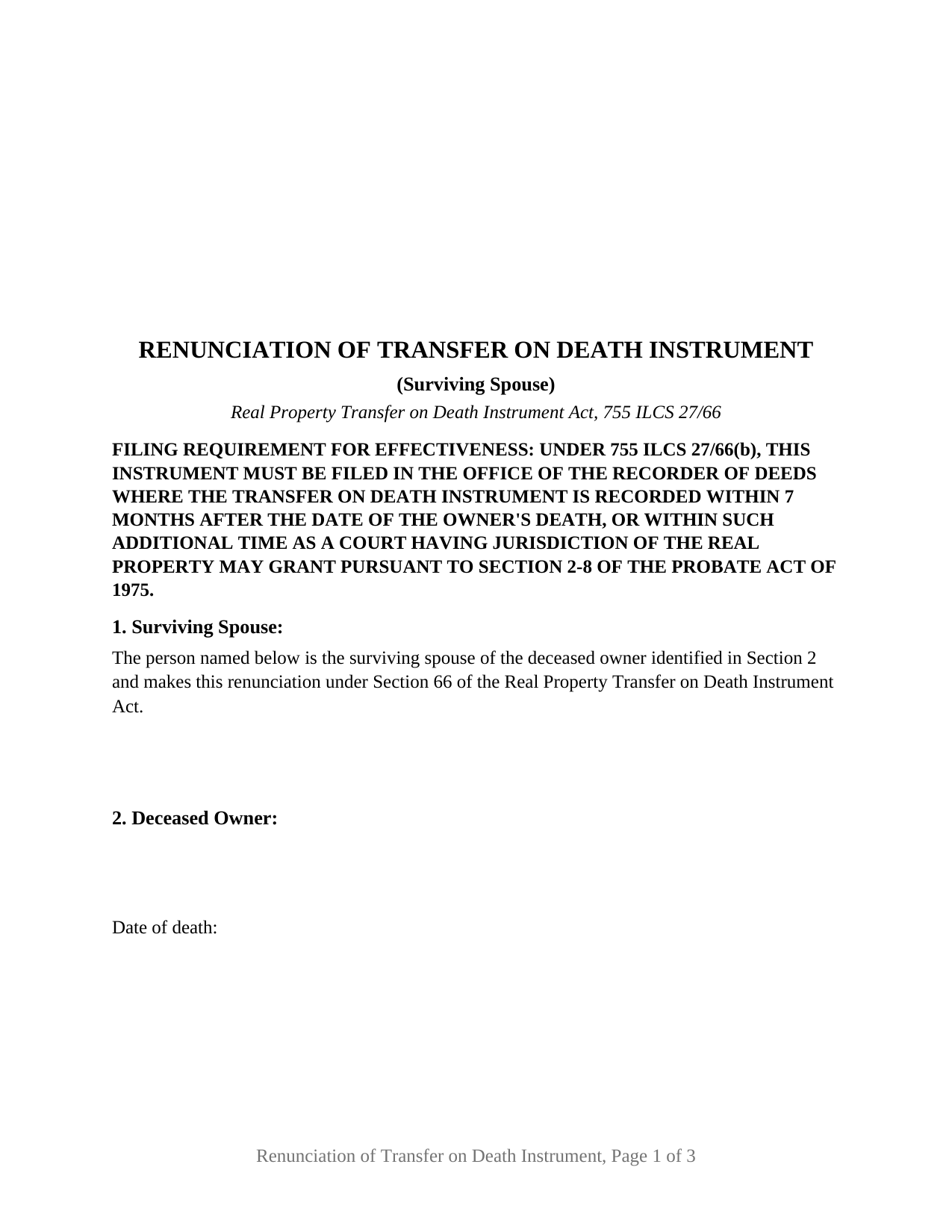
Will County Renunciation of Transfer on Death Instrument (Surviving Spouse) Form
Fill in the blank Renunciation of Transfer on Death Instrument (Surviving Spouse) form formatted to comply with all Illinois recording and content requirements.
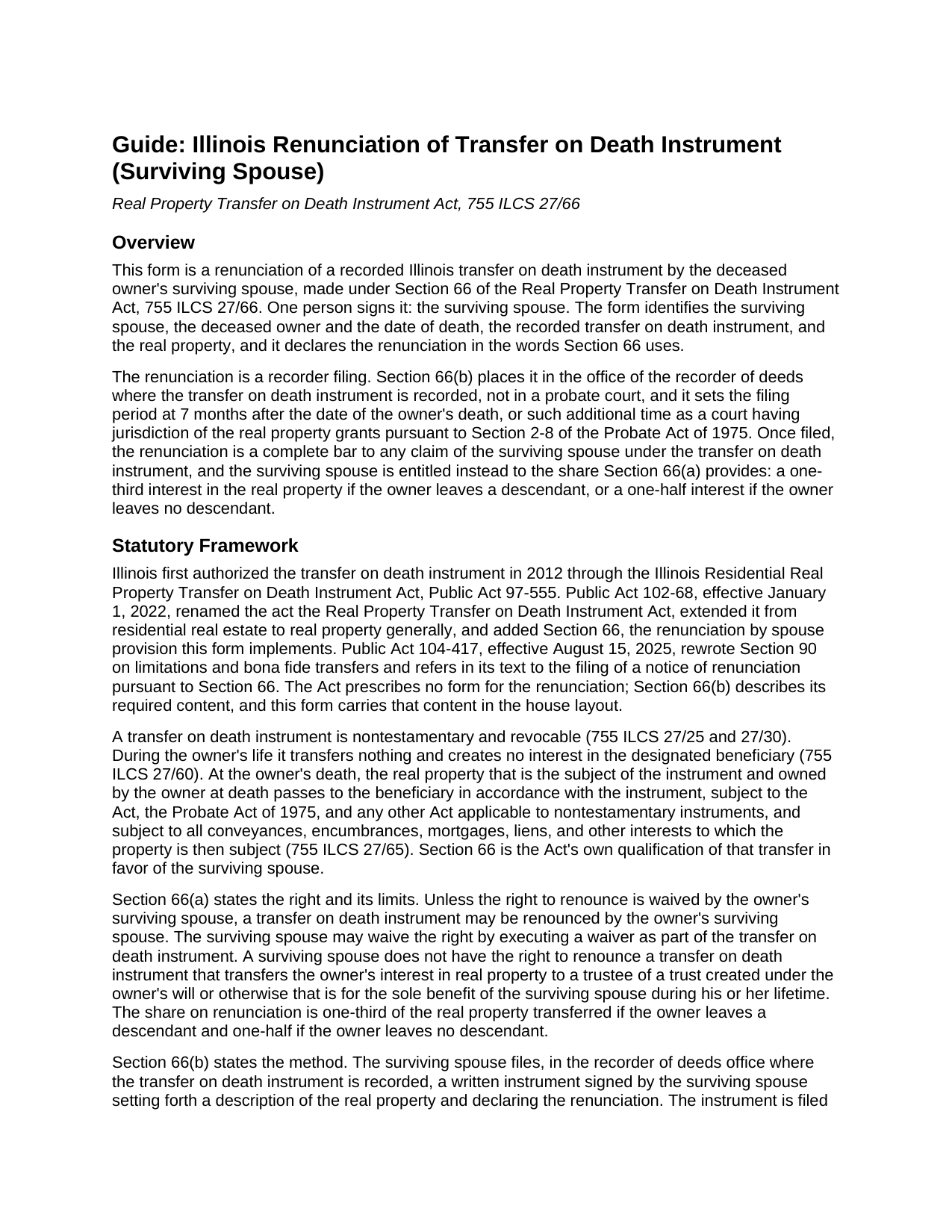
Will County Renunciation of Transfer on Death Instrument (Surviving Spouse) Guide
Line by line guide explaining every blank on the Renunciation of Transfer on Death Instrument (Surviving Spouse) form.
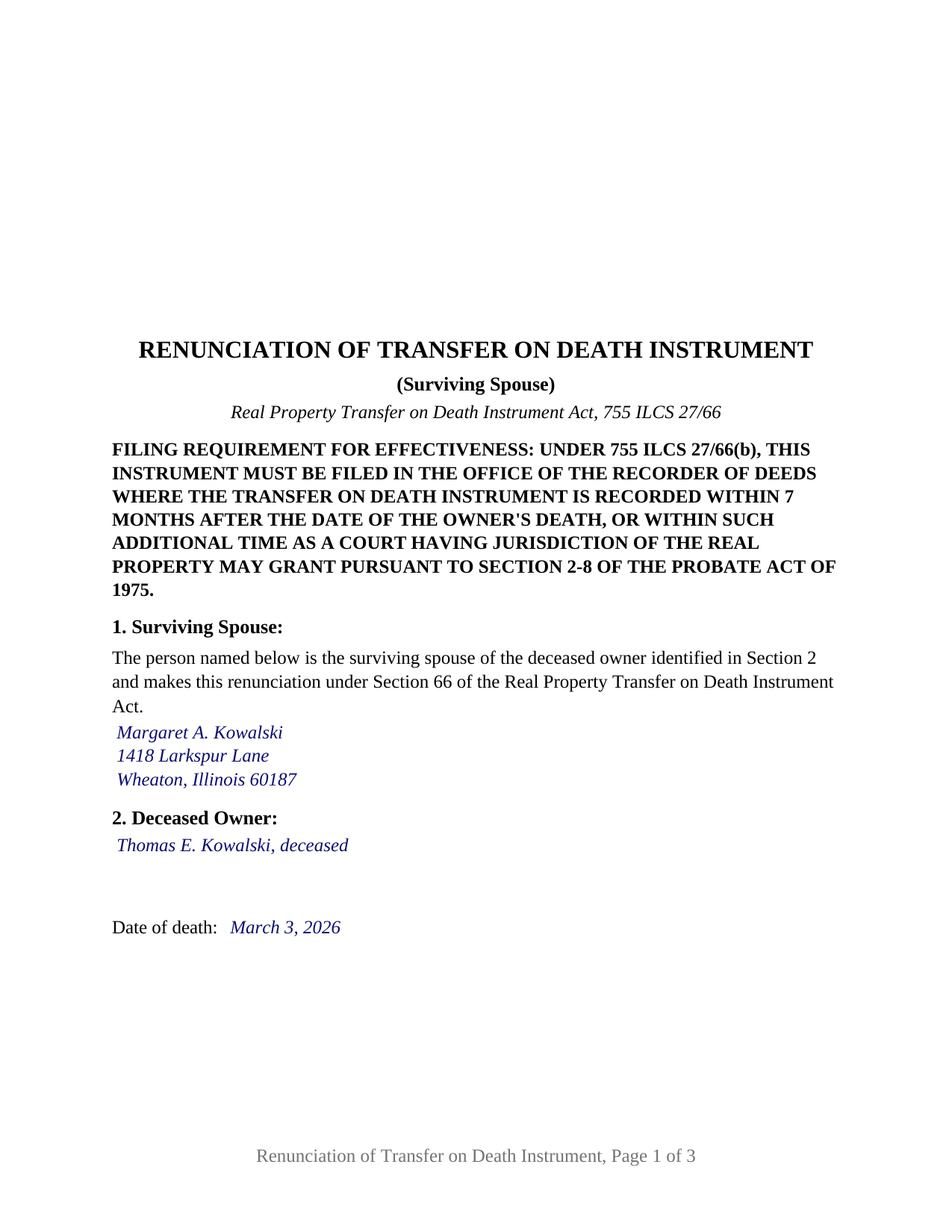
Will County Completed Example of the Renunciation of Transfer on Death Instrument (Surviving Spouse) Document
Example of a properly completed Illinois Renunciation of Transfer on Death Instrument (Surviving Spouse) document for reference.
All 3 documents above included • One-time purchase • No recurring fees
Immediate Download • Secure Checkout
Additional Illinois and Will County documents included at no extra charge:
Where to Record Your Documents
Will County Recorder - Joliet Office
Joliet, Illinois 60432-4143
Hours: 8:30 to 4:30 Monday through Friday
Phone: (815) 740-4637
Bolingbrook Office
Bolingbrook, Illinois 60440
Hours: Mon, Tue, Thu, Fri 8:30 to 1:00 & 2:00 to 4:30
Phone: (630) 759-5780
Recording Tips for Will County:
- Bring your driver's license or state-issued photo ID
- Ensure all signatures are in blue or black ink
- Check margin requirements - usually 1-2 inches at top
- Leave recording info boxes blank - the office fills these
- Make copies of your documents before recording - keep originals safe
Cities and Jurisdictions in Will County
Properties in any of these areas use Will County forms:
- Beecher
- Bolingbrook
- Braidwood
- Channahon
- Crest Hill
- Crete
- Elwood
- Frankfort
- Homer Glen
- Joliet
- Lockport
- Manhattan
- Mokena
- Monee
- Naperville
- New Lenox
- Peotone
- Plainfield
- Romeoville
- Shorewood
- Wilmington
Hours, fees, requirements, and more for Will County
How do I get my forms?
Forms are available for immediate download after payment. The Will County forms will be in your account ready to download to your computer. An account is created for you during checkout if you don't have one. Forms are NOT emailed.
Are these forms guaranteed to be recordable in Will County?
Yes. Our form blanks are guaranteed to meet or exceed the applicable formatting requirements used for recording in Will County, including margin requirements, font requirements, and other layout standards. This guarantee applies to formatting, not to the legal sufficiency of information entered by the user or the suitability of a form for a particular transaction.
Can I reuse these forms?
Yes. You can reuse the forms for your personal use. For example, if you have multiple properties in Will County you only need to order once.
What do I need to use these forms?
The forms are PDFs that you fill out on your computer. The free Adobe Acrobat Reader is recommended, and most PDF apps also work. You do NOT enter your property information online - you download the blank forms and complete them privately on your own computer.
Are there any recurring fees?
No. This is a one-time purchase. Nothing to cancel, no memberships, no recurring fees.
How much does it cost to record in Will County?
Recording fees in Will County vary. Contact the recorder's office at (815) 740-4637 for current fees.
Questions answered? Let's get started!
An Illinois transfer on death instrument moves real estate to a named beneficiary at the owner's death without probate, but it does not move it past the owner's surviving spouse. Section 66 of the Real Property Transfer on Death Instrument Act, 755 ILCS 27/66, lets the surviving spouse renounce the instrument and take a statutory share of the property instead. This form is that renunciation, signed by one person, the deceased owner's surviving spouse, and filed with the recorder of deeds where the transfer on death instrument was recorded.
A statutory share carved out of a TOD instrument
Under Section 66(a), unless the surviving spouse waived the right as part of the transfer on death instrument, the spouse may renounce it and is then entitled to a one-third interest in the real property the instrument transferred if the owner leaves a descendant, or a one-half interest if the owner leaves no descendant. One exception is built in: no right to renounce exists where the instrument transfers the property to a trustee of a trust for the sole benefit of the surviving spouse during the spouse's lifetime.
The right arrived with Public Act 102-68 in 2022, which also expanded transfer on death instruments, sometimes called TOD deeds or beneficiary deeds, from residential real estate to Illinois real property generally. A 2025 amendment to Section 90 ties purchaser and lender protection to the same filing.
Filed with the recorder, not the probate court
A will renunciation goes to the probate court; a transfer on death renunciation goes to the recorder. Section 66(b) requires a written instrument signed by the surviving spouse, setting forth a description of the real property and declaring the renunciation, filed in the recorder of deeds office where the transfer on death instrument is recorded. The filing is the act: once of record, it is a complete bar to any claim of the surviving spouse under the instrument, and the statutory share takes its place.
Because the document is recorded, it carries what Illinois recorders look for on an instrument affecting title: the preparer statement, the return address, the document number of the instrument it relates to, a legal description and permanent index number, a typed name beside the signature, and an acknowledgment certificate in the Illinois statutory short form, with the top of the first page left open for the recorder's stamp.
Seven months, measured from the date of death
The filing period runs 7 months from the date of the owner's death, or such additional time as a court having jurisdiction of the real property grants under Section 2-8 of the Probate Act of 1975. The form records the date of death on its own line, so the period the statute measures is stated on the face of the instrument. The guide covers the extension mechanism and the Section 66(c) and 66(d) rules on accelerated future interests and apportionment among the other beneficiaries.
What the surviving spouse form recites
The form recites exactly one signer: the surviving spouse of the deceased owner, identified by name and mailing address in Section 1 beneath fixed text stating that status. It carries one signature block and one acknowledgment certificate, completed by the notary where the spouse actually appears. Sections 2 through 4 name the deceased owner and the date of death, identify the transfer on death instrument by date, recording date, document number, and county, and set out the legal description, street address, and permanent index number of the real property. Section 5 is the operative renunciation in the words of Section 66, claiming the interest a renouncing spouse is entitled to under Section 66(a) and stating the complete-bar effect of Section 66(b). The form states no fraction, because Section 66(a) fixes one-third or one-half by whether the owner leaves a descendant, and that determination belongs to the statute rather than to a blank. A beneficiary's disclaimer, a notice of death affidavit, and a petition for additional filing time are different instruments, prepared separately and not included in this package. Where the transfer on death instrument carried a waiver of the right to renounce, or named a trust for the spouse's sole lifetime benefit, Section 66 supplies no right for this form to declare.
The package includes the fillable renunciation form, a completed example filled in for a DuPage County fact pattern, and the guide that walks through every numbered section, the signing formalities, and the recorder filing. The description and the guide describe the form and the governing Illinois statutes in general terms; they are not legal advice.
Important: Your property must be located in Will County to use these forms. Documents should be recorded at the county recording office listed above.
This Renunciation of Transfer on Death Instrument (Surviving Spouse) meets all recording requirements specific to Will County.
Our Promise
The documents you receive here are guaranteed to meet or exceed the applicable Will County recording format requirements. If there is a rejection caused by our formatting, we will correct the issue or refund your payment. This guarantee applies to document formatting only and does not extend to information entered by the user, the selection of the form, or the legal effect of the completed document.
Save Time and Money
Get your Will County Renunciation of Transfer on Death Instrument (Surviving Spouse) form done right the first time with Deeds.com Uniform Conveyancing Blanks. At Deeds.com, we understand that your time and money are valuable resources, and we don't want you to face a penalty fee or rejection imposed by a county recorder for submitting nonstandard documents. We constantly review and update our forms to meet rapidly changing state and county recording requirements for roughly 3,500 counties and local jurisdictions.
4.8 out of 5 - ( 4,832 Reviews )
Brenda K R. 5 out of 5 stars
Hello, I like how easy the form is to follow. I'm unsure however of how to proceed as what I am trying to do is have my name added to the deed so in event of death I have ownership.
Thank you for your feedback. We really appreciate it. Have a great day!
Scotty A. 5 out of 5 stars
A great time and money saver that also has a money back guarantee. I received all the pertinent forms and instructions for less than a family eating a fast food dinner.
Thank you!
charles b. 5 out of 5 stars
The product I needed was available, easy to download, access and complete. The instructions were very helpful. I had previously purchased another product which was terrible. I highly recommend Deeds.com
We appreciate your business and value your feedback. Thank you. Have a wonderful day!
Melanie W. 5 out of 5 stars
I used deeds.com to complete a gift deed for transferring a house to our son. Finding the correct form and completing it correctly was extremely easy due to wonderful explanations and examples provided with the purchase of the form. The registrar filing the deed told me she was impressed with the work we did. An attorney would have charged $150 so the $28.00 was well worth the money.
Thank you for your feedback. We really appreciate it. Have a great day!
Richelle B. 5 out of 5 stars
Thanks!
Thank you!
Jay F. 5 out of 5 stars
Had what I needed
Great to hear — thank you for taking the time to write a review.
Katherine D. 5 out of 5 stars
Once I found your site it was very easy to understand, order and copy the forms. It is very helpful that you included an example of a completed form. Thank you. This form helps hundreds of seniors avoid lawyers, probate and the fear of losing their homes.
We appreciate your business and value your feedback. Thank you. Have a wonderful day!
Ardys A. 5 out of 5 stars
Very pleased with all the info I received and not just a blank form.
We appreciate your business and value your feedback. Thank you. Have a wonderful day!
Brandon O. 5 out of 5 stars
Simple and quick recording.
We appreciate your review and your business. Thank you.
Joni S. 5 out of 5 stars
Excellent service, no hassle, easy to use, affordable, best service -- hands down. I thought it would be difficult for me to record a deed in Florida while residing in California but you made it so easy. I will tell everyone about your service. Thank you.
Your feedback is greatly appreciated. Thank you for taking the time to share your experience!
Tawnya B. 5 out of 5 stars
The document I needed and easy instructions!
Thank you!
TERRY E. 5 out of 5 stars
Quick and eazy. Thankyou
Thank you for your kind words and for choosing us.
Brian O. 5 out of 5 stars
It's an instant download. I was very pleased that it included instructions and any necessary additional forms. Much easier than spending 3 hours on a county assessor's website searching for every single form. A good deal and I don't know how Deeds.com keeps up with thousands of counties. The fillable .pdf capability is a great enhancement.
Thank you for your feedback. We really appreciate it. Have a great day!
Lisa P. 5 out of 5 stars
Wonderful forms. It's nice that they were formatted perfectly for my county, it's real easy to miss a requirement (margines, font size, and so on) and end up with a rejection or higher recording fee. Good job folks!
Thank you!
Richard S. 2 out of 5 stars
Not user friendly, and not an Adobe fan. The first page of Quitclaim Deed form cuts off the Parcel Identification line on the bottom. Also quite a few forms showed up to be downloaded , after I paid, so I was unsure if all the forms were part of the quitclaim package. I have adobe but was unable to locate the forms in adobe on my computer after I downloaded them. Just wanted to print out one quitclaim deed form, which would have taken less that 3 minutes. instead it took 97 minutes. Thank you, though, for having the form there.
Thank you for your feedback. We really appreciate it. Have a great day!