Christian County Transfer on Death Instrument (Entity Beneficiary) Form
Last validated October 24, 2026 by our Forms Development TeamFormatted for recording in Christian County, for property anywhere in the county: rural and unincorporated areas as well as Assumption, Bulpitt, Edinburg, Kincaid, Morrisonville, Mount Auburn, Moweaqua, Owaneco and 6 more.
- 3 documents included
- Immediate PDF download
- Formatting guarantee
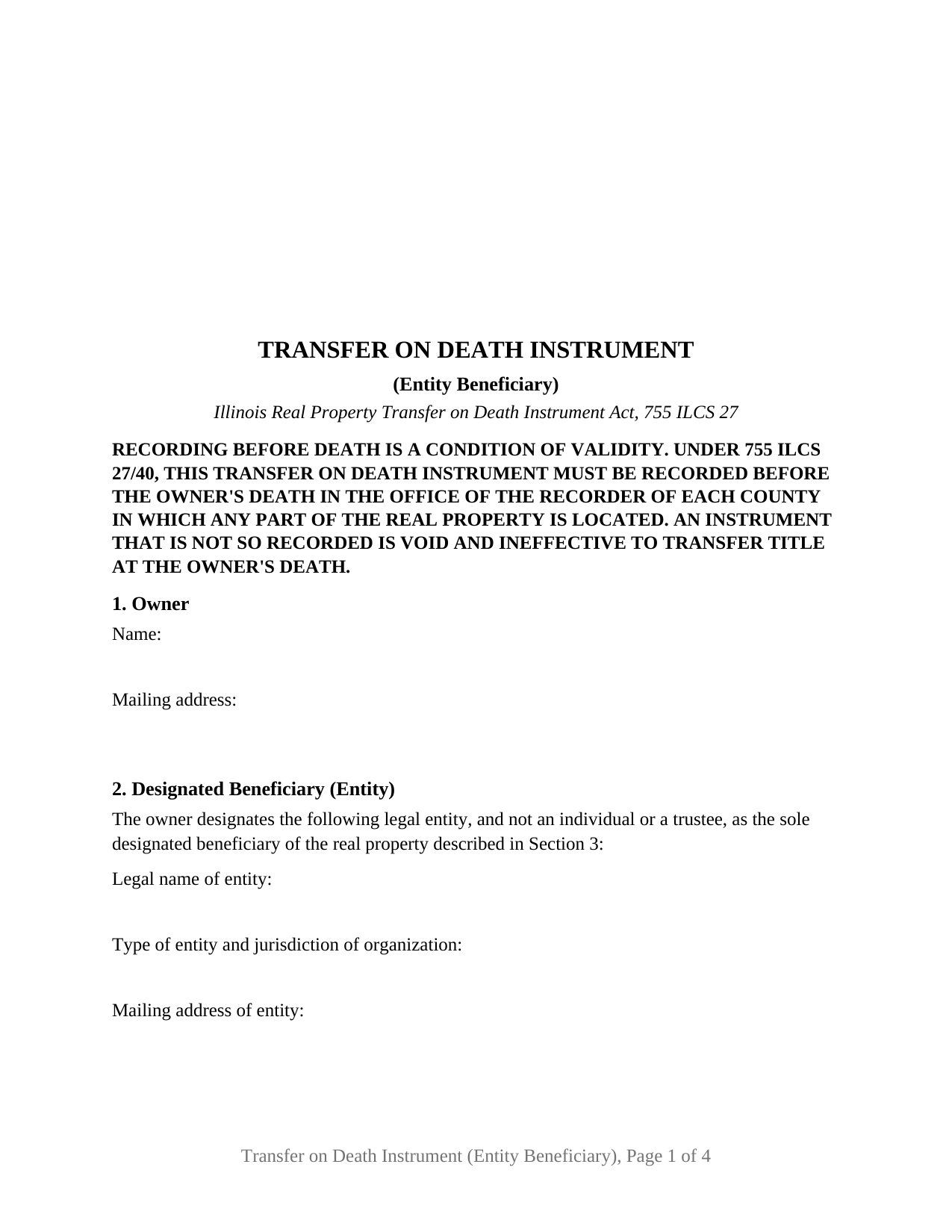
Christian County Transfer on Death Instrument (Entity Beneficiary) Form
Fill in the blank Transfer on Death Instrument (Entity Beneficiary) form formatted to comply with all Illinois recording and content requirements.
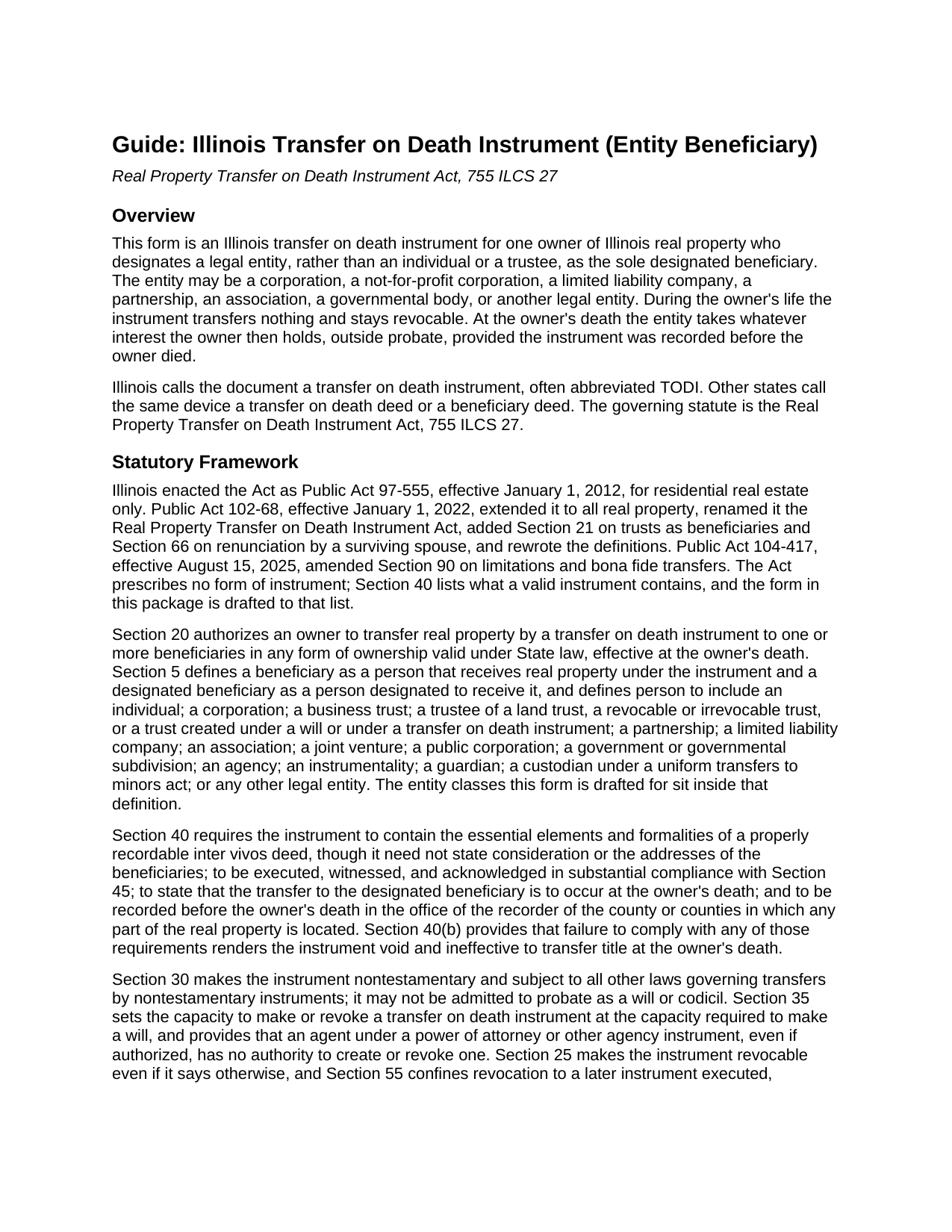
Christian County Transfer on Death Instrument (Entity Beneficiary) Guide
Line by line guide explaining every blank on the Transfer on Death Instrument (Entity Beneficiary) form.
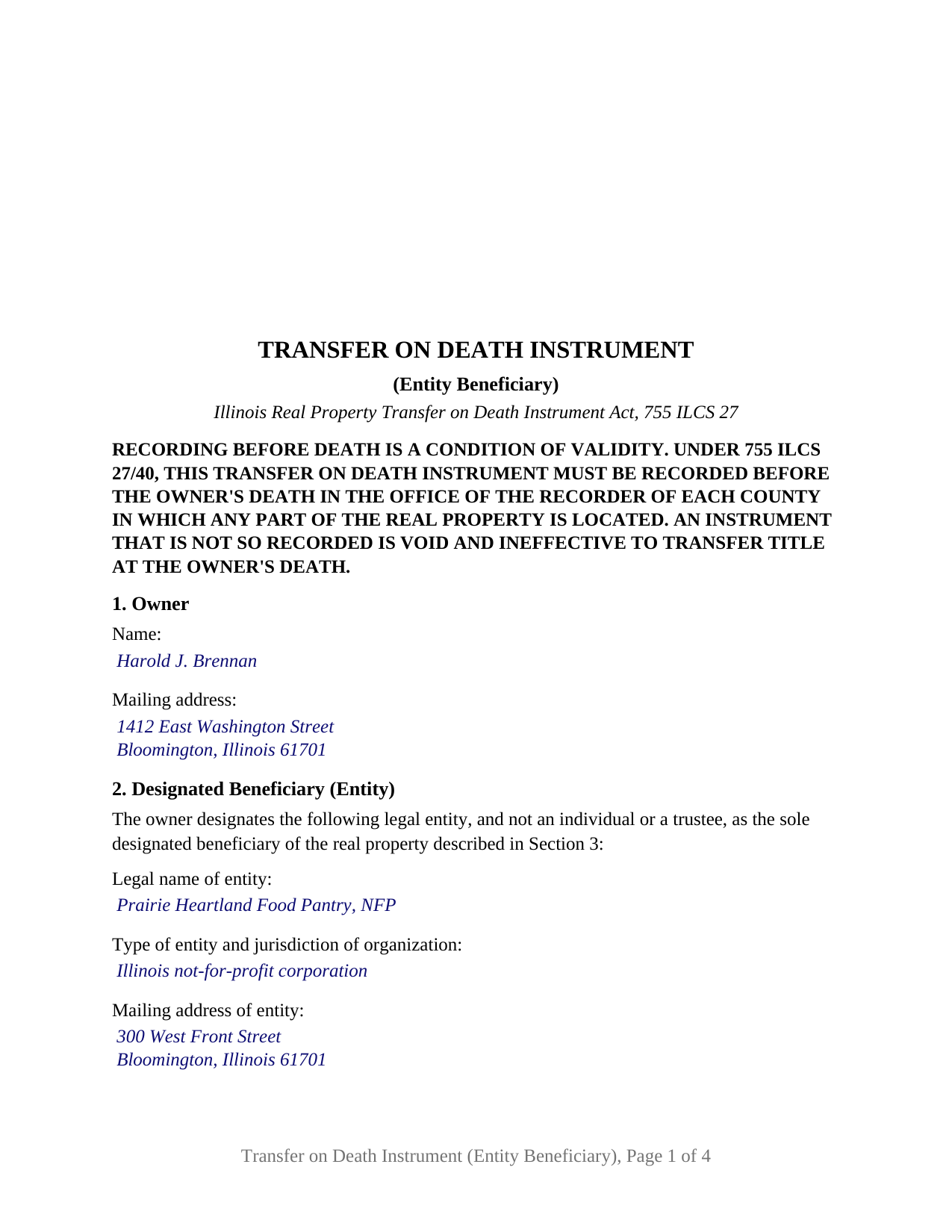
Christian County Completed Example of the Transfer on Death Instrument (Entity Beneficiary) Document
Example of a properly completed Illinois Transfer on Death Instrument (Entity Beneficiary) document for reference.
All 3 documents above included • One-time purchase • No recurring fees
Immediate Download • Secure Checkout
Additional Illinois and Christian County documents included at no extra charge:
Where to Record Your Documents
Christian County Recorder's Office
Taylorville, Illinois 62568
Hours: 8:00 to 4:00 Monday through Friday
Phone: (217) 824-4960
Recording Tips for Christian County:
- Bring your driver's license or state-issued photo ID
- Ensure all signatures are in blue or black ink
- Leave recording info boxes blank - the office fills these
- Make copies of your documents before recording - keep originals safe
- Recorded documents become public record - avoid including SSNs
Cities and Jurisdictions in Christian County
Properties in any of these areas use Christian County forms:
- Assumption
- Bulpitt
- Edinburg
- Kincaid
- Morrisonville
- Mount Auburn
- Moweaqua
- Owaneco
- Palmer
- Pana
- Rosamond
- Stonington
- Taylorville
- Tovey
Hours, fees, requirements, and more for Christian County
How do I get my forms?
Forms are available for immediate download after payment. The Christian County forms will be in your account ready to download to your computer. An account is created for you during checkout if you don't have one. Forms are NOT emailed.
Are these forms guaranteed to be recordable in Christian County?
Yes. Our form blanks are guaranteed to meet or exceed the applicable formatting requirements used for recording in Christian County, including margin requirements, font requirements, and other layout standards. This guarantee applies to formatting, not to the legal sufficiency of information entered by the user or the suitability of a form for a particular transaction.
Can I reuse these forms?
Yes. You can reuse the forms for your personal use. For example, if you have multiple properties in Christian County you only need to order once.
What do I need to use these forms?
The forms are PDFs that you fill out on your computer. The free Adobe Acrobat Reader is recommended, and most PDF apps also work. You do NOT enter your property information online - you download the blank forms and complete them privately on your own computer.
Are there any recurring fees?
No. This is a one-time purchase. Nothing to cancel, no memberships, no recurring fees.
How much does it cost to record in Christian County?
Recording fees in Christian County vary. Contact the recorder's office at (217) 824-4960 for current fees.
Questions answered? Let's get started!
An Illinois owner can leave real estate to an organization the same way a transfer on death instrument leaves it to a person: by naming the organization as the designated beneficiary and recording the instrument during life. This form prepares that configuration under 755 ILCS 27, the Illinois Real Property Transfer on Death Instrument Act. A single owner names one legal entity, a corporation, not-for-profit corporation, limited liability company, partnership, association, or unit of government, to take Illinois real property at the owner's death without probate.
An organization as the beneficiary
Section 5 of the Act defines the person who may be a beneficiary to include a corporation, a partnership, a limited liability company, an association, a governmental subdivision, or any other legal entity. A house left to a church, a farm left to a conservation foundation, a rental building left to the family limited liability company that manages it: each is a transfer on death deed, as other states call it, with an entity on the receiving end. The form identifies the entity by exact legal name, type and jurisdiction of organization, and mailing address; its fixed recital states that the beneficiary is a legal entity and not an individual or a trustee.
If the entity no longer exists
An entity does not die, but it can dissolve, and the Act answers that case where it answers a predeceased individual. Section 65(a)(3) provides that where the owner has identified a single designated beneficiary and that beneficiary fails to survive the owner or is not in existence on the date of the owner's death, the real property passes to the owner's estate. The form names one entity and carries no alternate, so that rule applies as written; the Act is silent on a later merger or name change, and the instrument identifies the entity as named and organized on the day it is signed.
No transfer declaration for a gift to a charity
An Illinois recorder may not accept a deed without transfer tax stamps and a PTAX-203 declaration unless an exemption in 35 ILCS 200/31-45 applies. A transfer on death instrument is given for no consideration, which places it under paragraph (e), the exemption for a deed where the actual consideration is less than $100, and under 86 Ill. Adm. Code 120.5 a paragraph (e) transfer is noted on the face of the document with no declaration. Paragraph (b)(3) separately exempts property acquired by a charitable, religious, or educational organization, and the Department of Revenue's PTAX-203 instructions direct that paragraph (e) be selected where both apply. The form prints the paragraph (e) notation in its own numbered section.
Signed before two witnesses, acknowledged once
Under Section 45 of the Act the owner signs, two or more credible witnesses attest in writing to the signing, the owner's free and voluntary act, and the owner's sound mind and memory, and the signatures of the owner and the witnesses are acknowledged before a notary public; fewer than two credible witnesses leaves the instrument void. The form prints the attestation above two witness blocks and carries one acknowledgment certificate naming the owner and both witnesses, a layout rather than a rule of Illinois law. Section 40 makes recording before the owner's death, with the recorder of each county where the property lies, a condition of validity, stated in capitals under the form's title.
What this configuration recites
The form recites exactly one owner, an individual who signs personally, with no marital status recited, and exactly one designated beneficiary, a legal entity, with no second beneficiary, shares, or successor clause. A sole owner leaving a residence to a not-for-profit corporation, a widowed owner leaving farmland to a park district, and an owner leaving a rental property to a limited liability company present the pattern this instrument recites. An individual or trustee beneficiary, two or more beneficiaries, two owners on one instrument, and a spouse's waiver of the Section 66 renunciation right present configurations this form is not set up as. Under Section 60 the owner may still sell, mortgage, or lease the property during life, and the entity holds no interest until death.
The package contains the fillable instrument, a completed example built on a McLean County fact pattern in which the owner names an Illinois not-for-profit corporation, and the guide covering each section, the witness and notary formalities, and recording. The guide and this description describe the form and the statutes it rests on in general terms; neither is legal advice.
Important: Your property must be located in Christian County to use these forms. Documents should be recorded at the county recording office listed above.
This Transfer on Death Instrument (Entity Beneficiary) meets all recording requirements specific to Christian County.
Our Promise
The documents you receive here are guaranteed to meet or exceed the applicable Christian County recording format requirements. If there is a rejection caused by our formatting, we will correct the issue or refund your payment. This guarantee applies to document formatting only and does not extend to information entered by the user, the selection of the form, or the legal effect of the completed document.
Save Time and Money
Get your Christian County Transfer on Death Instrument (Entity Beneficiary) form done right the first time with Deeds.com Uniform Conveyancing Blanks. At Deeds.com, we understand that your time and money are valuable resources, and we don't want you to face a penalty fee or rejection imposed by a county recorder for submitting nonstandard documents. We constantly review and update our forms to meet rapidly changing state and county recording requirements for roughly 3,500 counties and local jurisdictions.
4.8 out of 5 - ( 4,831 Reviews )
Brian W. 5 out of 5 stars
Quick, Simple and a Ton of Time Saved...
We are grateful for your engagement and feedback, which help us to serve you better. Thank you for being an integral part of our community.
Helen H. 5 out of 5 stars
I had a notary to read over my quitclaim deed and she said it looked good. So I am pleased.
Thank you!
Sam A. 5 out of 5 stars
The form is just what I needed! Super easy access and user friendly. Exactly what I needed. Worth every dollar!!
Thank you for your feedback. We really appreciate it. Have a great day!
Robert W. 5 out of 5 stars
Easier than I thought. No problem Nice service
Thank you!
Gary S. 5 out of 5 stars
Easy to use. Very helpful
Thank you!
Edward M. 5 out of 5 stars
Professional and courteous and responsive service by KVH for my problem. He or she should receive a pat on the back but not on the back side. Ed Mattingly
Thank you for your feedback. We really appreciate it. Have a great day!
Evelia G. 5 out of 5 stars
I love this guide. Thank you for having this available.
Thanks so much for your feedback Evelia, have a fantastic day!
Sarjit K. 5 out of 5 stars
excellent
Thank you!
DENNIS K. 5 out of 5 stars
I am a civil engineer, not an attorney. I deal with easements on a regular basis but not so much on the "recording" side of things. I normally prepare the graphic exhibits that accompany the dedication language but I am not the one who provides that language. Your forms solved that issue for me. Thanks.
Thank you!
Pat A. 5 out of 5 stars
I was impressed that the forms were easy to read and the directions were helpful. Thank you for providing this.
Thank you!
Corey G. 5 out of 5 stars
Very informative and helpful Thank you so much
Thank you for the kinds words Corey, glad we could help.
Patricia P. 5 out of 5 stars
Easy to use and super convenient.
Thank you for your feedback. We really appreciate it. Have a great day!
Denise L. 5 out of 5 stars
Using the Gift Deed form from Deeds.com, along with the example and instructions thy provided, saved me at least $200 in legal fees and saved me time as well!
We appreciate your business and value your feedback. Thank you. Have a wonderful day!
Daniel S. 5 out of 5 stars
Easy to access documents.
Thank you for your feedback. We really appreciate it. Have a great day!
Katherine M. 5 out of 5 stars
Very helpful!
Thank you!