Randolph County Quitclaim Deed (Trustee Grantee) Form
Last validated October 26, 2026 by our Forms Development TeamFormatted for recording in Randolph County, for property anywhere in the county: rural and unincorporated areas as well as Farmland, Losantville, Lynn, Modoc, Parker City, Ridgeville, Saratoga, Union City and 1 more.
- 3 documents included
- Immediate PDF download
- Formatting guarantee
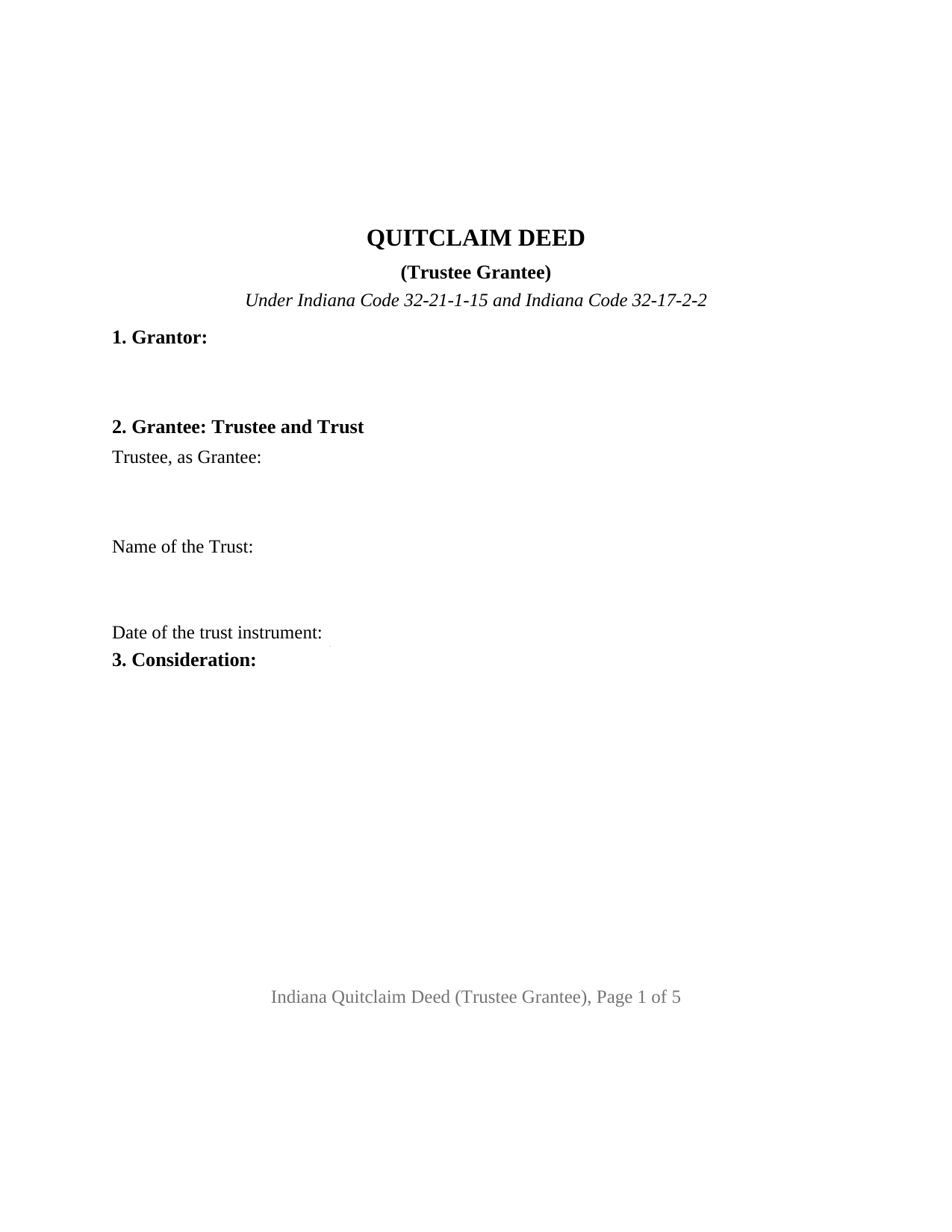
Randolph County Quitclaim Deed (Trustee Grantee) Form
Fill in the blank Quitclaim Deed (Trustee Grantee) form formatted to comply with all Indiana recording and content requirements.
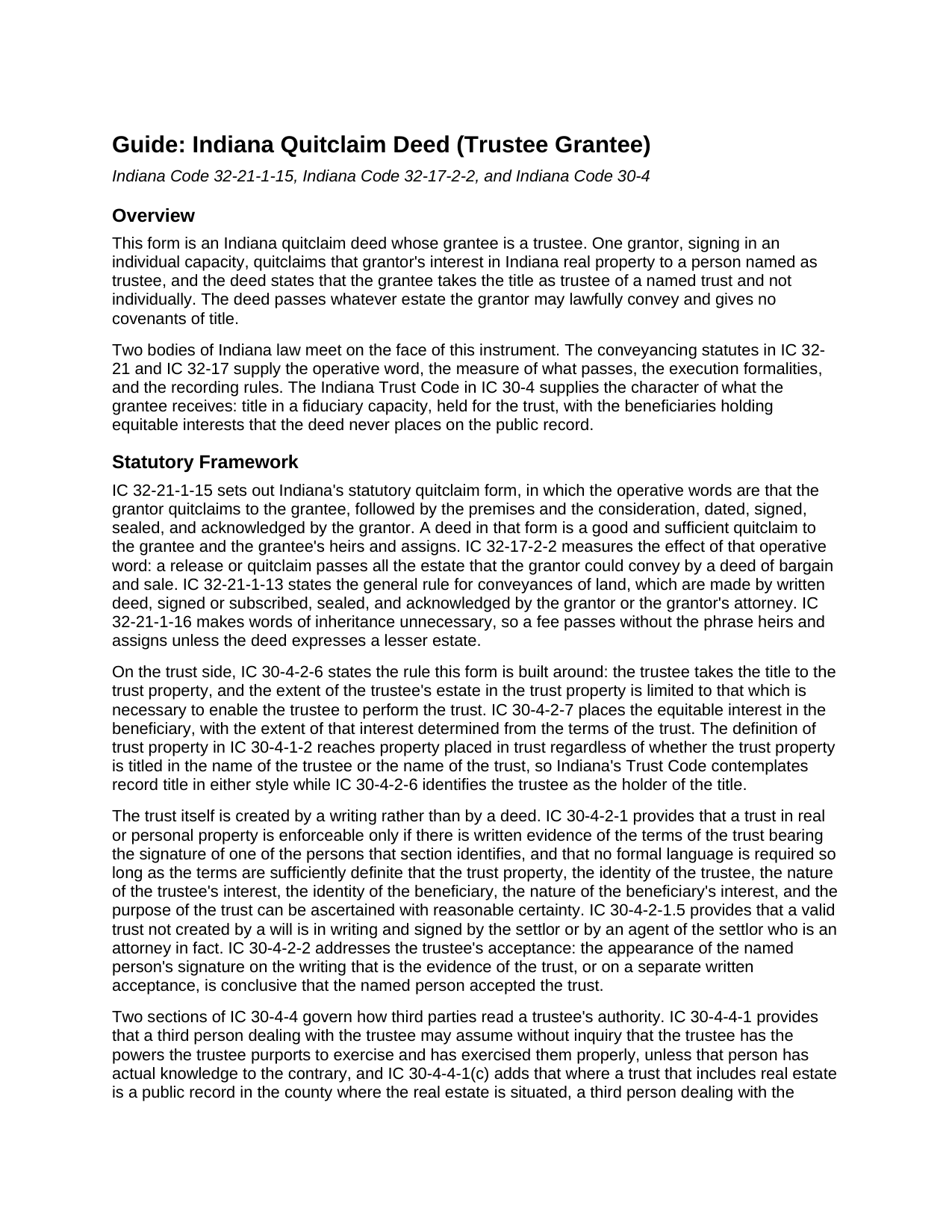
Randolph County Quitclaim Deed (Trustee Grantee) Guide
Line by line guide explaining every blank on the Quitclaim Deed (Trustee Grantee) form.
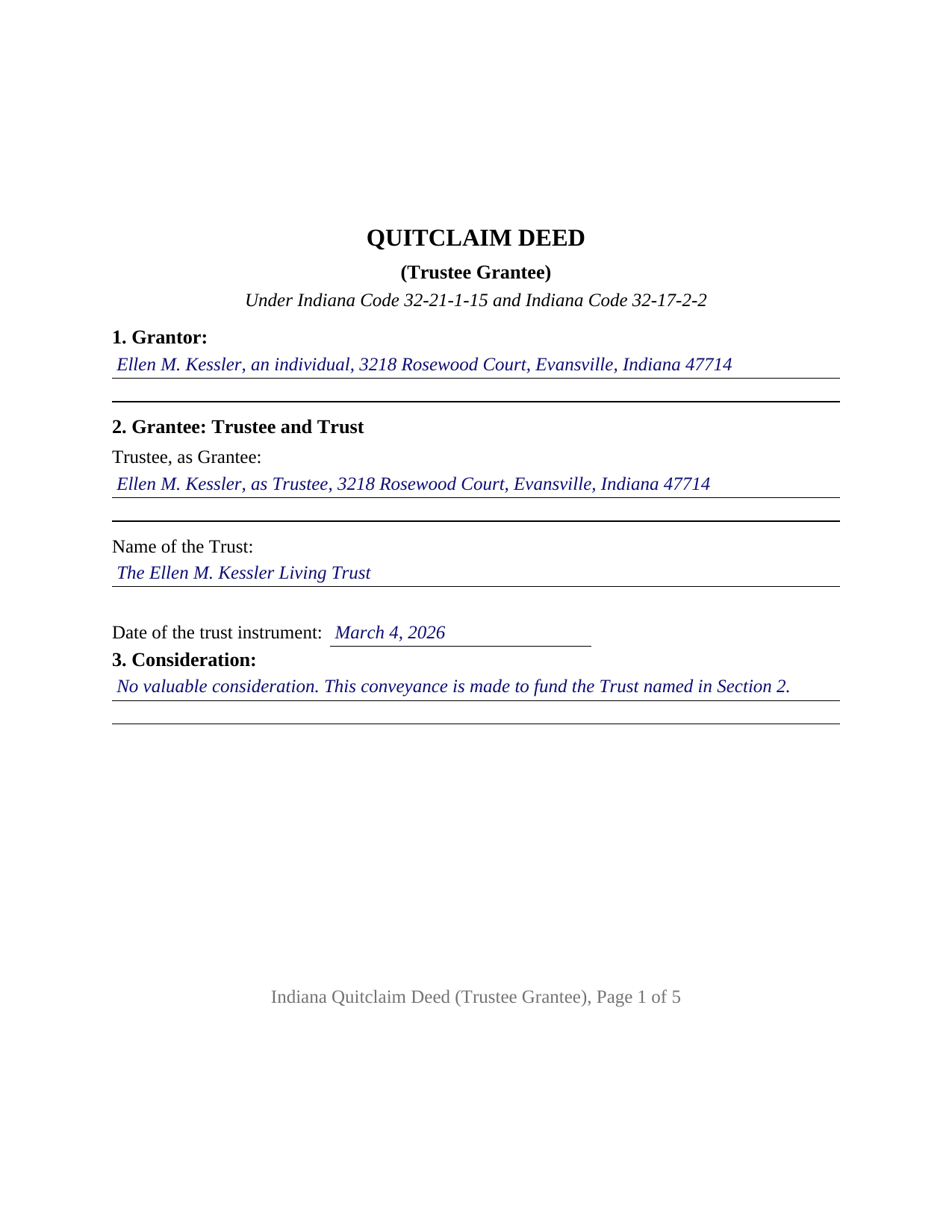
Randolph County Completed Example of the Quitclaim Deed (Trustee Grantee) Document
Example of a properly completed Indiana Quitclaim Deed (Trustee Grantee) document for reference.
All 3 documents above included • One-time purchase • No recurring fees
Immediate Download • Secure Checkout
Additional Indiana and Randolph County documents included at no extra charge:
Where to Record Your Documents
Randolph County Recorder
Winchester, Indiana 47394
Hours: 8:00 to 4:00 Monday through Friday
Phone: (765) 584-7300
Recording Tips for Randolph County:
- Bring your driver's license or state-issued photo ID
- Ensure all signatures are in blue or black ink
- White-out or correction fluid may cause rejection
- Ask about their eRecording option for future transactions
- Avoid the last business day of the month when possible
Cities and Jurisdictions in Randolph County
Properties in any of these areas use Randolph County forms:
- Farmland
- Losantville
- Lynn
- Modoc
- Parker City
- Ridgeville
- Saratoga
- Union City
- Winchester
Hours, fees, requirements, and more for Randolph County
How do I get my forms?
Forms are available for immediate download after payment. The Randolph County forms will be in your account ready to download to your computer. An account is created for you during checkout if you don't have one. Forms are NOT emailed.
Are these forms guaranteed to be recordable in Randolph County?
Yes. Our form blanks are guaranteed to meet or exceed the applicable formatting requirements used for recording in Randolph County, including margin requirements, font requirements, and other layout standards. This guarantee applies to formatting, not to the legal sufficiency of information entered by the user or the suitability of a form for a particular transaction.
Can I reuse these forms?
Yes. You can reuse the forms for your personal use. For example, if you have multiple properties in Randolph County you only need to order once.
What do I need to use these forms?
The forms are PDFs that you fill out on your computer. The free Adobe Acrobat Reader is recommended, and most PDF apps also work. You do NOT enter your property information online - you download the blank forms and complete them privately on your own computer.
Are there any recurring fees?
No. This is a one-time purchase. Nothing to cancel, no memberships, no recurring fees.
How much does it cost to record in Randolph County?
Recording fees in Randolph County vary. Contact the recorder's office at (765) 584-7300 for current fees.
Questions answered? Let's get started!
Indiana keeps trust title in a person's name: the trustee takes the title to the trust property (IC 30-4-2-6). This Indiana quitclaim deed is configured for that receiving side: one grantor signs, and the grantee entry names the trustee, the trust, and the date of the trust instrument, so the record shows who holds title and in what capacity. What passes carries no warranty.
Title in Trust Reads Through the Trustee
IC 30-4-2-6 puts the title in the trustee and limits that estate to what is necessary to perform the trust, while IC 30-4-2-7 leaves the beneficiaries an equitable interest that appears nowhere on the deed. Indiana's definition of trust property reaches property titled in the name of the trustee or in the name of the trust (IC 30-4-1-2), and county indexes carry both styles. This form names the trustee as grantee and identifies the trust by name and date, the two elements IC 30-4-4-5 treats as a trust's identity. A search for a quit claim deed into a living trust describes this instrument.
What the Trust Receives
The operative word is the statutory one: IC 32-21-1-15 builds Indiana's quitclaim form on the verb quitclaims, and IC 32-17-2-2 measures the result as all the estate the grantor could pass by a deed of bargain and sale. A trust funded this way takes the grantor's record interest as the record leaves it, with any mortgage, judgment lien, easement, or mineral reservation still attached and no covenant of title behind it. The conveyance section states that measure and the trustee capacity together.
The Trust Instrument Stays Off the Record
Indiana lets a trustee act without publishing the trust. Under IC 30-4-4-1 a third person dealing with a trustee may assume without inquiry that the trustee holds the powers the trustee purports to exercise, absent actual knowledge otherwise. Subsection (c) is why recording a trust is a considered decision: where a trust that includes real estate is a public record in the county where the land sits, a third person dealing with the trustee is deemed to have actual notice of its terms. IC 30-4-4-5 supplies the middle path, a certification of trust reciting the trust's existence and date, the settlor, the acting trustee, the trustee's powers, revocability, and the manner of taking title. That certification is a separate instrument, not included in this package.
One Signature, and a Grantee Who Does Not Sign
The form recites one grantor executing in an individual capacity, one signature block, and one acknowledgment certificate collecting the notary's county of commission, an item IC 33-42-9-12 places in the certificate. The trustee named as grantee signs nothing here: IC 30-4-2-2 ties acceptance of the trust to a signature on the writing that evidences the trust or on a separate written acceptance. Record patterns presenting this configuration include a sole owner moving a residence into a living trust signed earlier that year, an owner conveying a rental parcel to the trustee of a relative's family trust, and an owner finishing the funding of a trust whose asset schedule lists the land. The form is not set up for cotrustees taking title together, for co-owners of record signing as grantors, for a conveyance back out of a trust, or for an entity grantor or an attorney in fact.
The Line the County Auditor Reads
A deed to a trustee meets Indiana property tax law at IC 6-1.1-12-37, which counts as a homestead a residence owned by a trust and described in IC 6-1.1-12-17.9. That section conditions the trust's entitlement to the listed deductions on the auditor's determination that the occupying individual, upon verification in the body of the deed or otherwise, holds a beneficial interest in the trust or a rent free right of occupancy under a qualified personal residence trust. Because the statute looks at the deed itself, this form carries a conditional section for that statement. Filing follows: the auditor endorses the deed for taxation under IC 36-2-11-14, and the county recorder takes it on the twenty five dollar charge of IC 36-2-7-10, with no Indiana transfer tax.
What the Download Contains
The package holds the fillable Indiana quitclaim deed to a trustee, built to the state's recording format, a completed example in which a Vanderburgh County owner conveys her residence to herself as trustee of her living trust, and a guide covering each entry, the certificate, and the filing steps. These pages describe Indiana law in general terms; they are informational and are not legal advice.
Important: Your property must be located in Randolph County to use these forms. Documents should be recorded at the county recording office listed above.
This Quitclaim Deed (Trustee Grantee) meets all recording requirements specific to Randolph County.
Our Promise
The documents you receive here are guaranteed to meet or exceed the applicable Randolph County recording format requirements. If there is a rejection caused by our formatting, we will correct the issue or refund your payment. This guarantee applies to document formatting only and does not extend to information entered by the user, the selection of the form, or the legal effect of the completed document.
Save Time and Money
Get your Randolph County Quitclaim Deed (Trustee Grantee) form done right the first time with Deeds.com Uniform Conveyancing Blanks. At Deeds.com, we understand that your time and money are valuable resources, and we don't want you to face a penalty fee or rejection imposed by a county recorder for submitting nonstandard documents. We constantly review and update our forms to meet rapidly changing state and county recording requirements for roughly 3,500 counties and local jurisdictions.
4.8 out of 5 - ( 4,837 Reviews )
Deborah V. 5 out of 5 stars
Helpful and informative.
We appreciate your business and value your feedback. Thank you. Have a wonderful day!
Marc Z. 5 out of 5 stars
Thank you for having an easy to navigate website with updated documents! Had everything I needed, took care of business and on to the next transaction.- Aloha
Thank you Marc. Have a fantastic day!
RHONDA G. 4 out of 5 stars
Was driven to this site by the county website. It took a bit of work having to create an account, etc. The example was useful; however the example only showed both parties in the same county, nor did the instructions mention anything about differing counties. This caused an oversight on my part.
Your insights are invaluable to us and help us strive for better service. Thank you for taking the time to share your thoughts.
John L. 5 out of 5 stars
WOW, This site saved me from going to a lawyer. Not only do they give you great directions, they also include a sample that is extremely helpful.
We appreciate your business and value your feedback. Thank you. Have a wonderful day!
Richard L. 5 out of 5 stars
very useful
Thank you!
Anita W. 5 out of 5 stars
Love this site. It has been truly helpful and easy to navigate.
Thank you Anita, glad we could help.
Mayte S. 5 out of 5 stars
I am pleasantly suprised at the service. Fair rates and speedy process. No complaints! Happy to use this service again and recommend to anyone. Thank you very much for all your help!
Thank you!
Ryan K. 5 out of 5 stars
Excellent service! Quick and much easier than having to do everything through the mail. The agent was quick to answer questions and everything was processed and submitted from Deeds.com within a couple of hours. Will definitely use again if the need arises.
We appreciate your business and value your feedback. Thank you. Have a wonderful day!
Christine P. 5 out of 5 stars
Great service! Just what I needed and a bunch of informative extras too. Thanks!
We appreciate your business and value your feedback. Thank you. Have a wonderful day!
Janice W. 5 out of 5 stars
So easy to follow the directions and get what you need. Simple Quick and Easy.' I am very pleased with the outcome.
Thank you!
Anthony P. 5 out of 5 stars
Documents exactly as described, no complaints.
Thank you!
Veronica G. 5 out of 5 stars
Excellent service A+
Thank you!
Barbara E. 5 out of 5 stars
I'm not sure if KVH is the identity to the person who helped me. I hope it is so you know just how much she helped She was great and very patient with me and with Wayne County Register of Deeds. I'm am really glad I had her on my team in this long endeavor.
Thank you for the kinds words Barbara. We appreciate you.
Karen L. 4 out of 5 stars
Good service could give a little more detail on where to location some of the information needed. Overall fairly simply to use.
Thank you for your feedback. We really appreciate it. Have a great day!
Kim H. 5 out of 5 stars
Great site. quick turnaround and communication. I needed an exception that they told me I needed and where to get the info within hours. I returned warranty deed with exception and the deed was recorded the same day! Great turnaround!
Thank you for your feedback. We really appreciate it. Have a great day!