Van Buren County Quitclaim Deed (Married Grantor with Non-Owner Spouse Joinder) Form
Last validated November 12, 2026 by our Forms Development TeamFormatted for recording in Van Buren County, for property anywhere in the county: rural and unincorporated areas as well as Birmingham, Bonaparte, Cantril, Douds, Farmington, Keosauqua, Milton, Mount Sterling and 2 more.
- 3 documents included
- Immediate PDF download
- Formatting guarantee
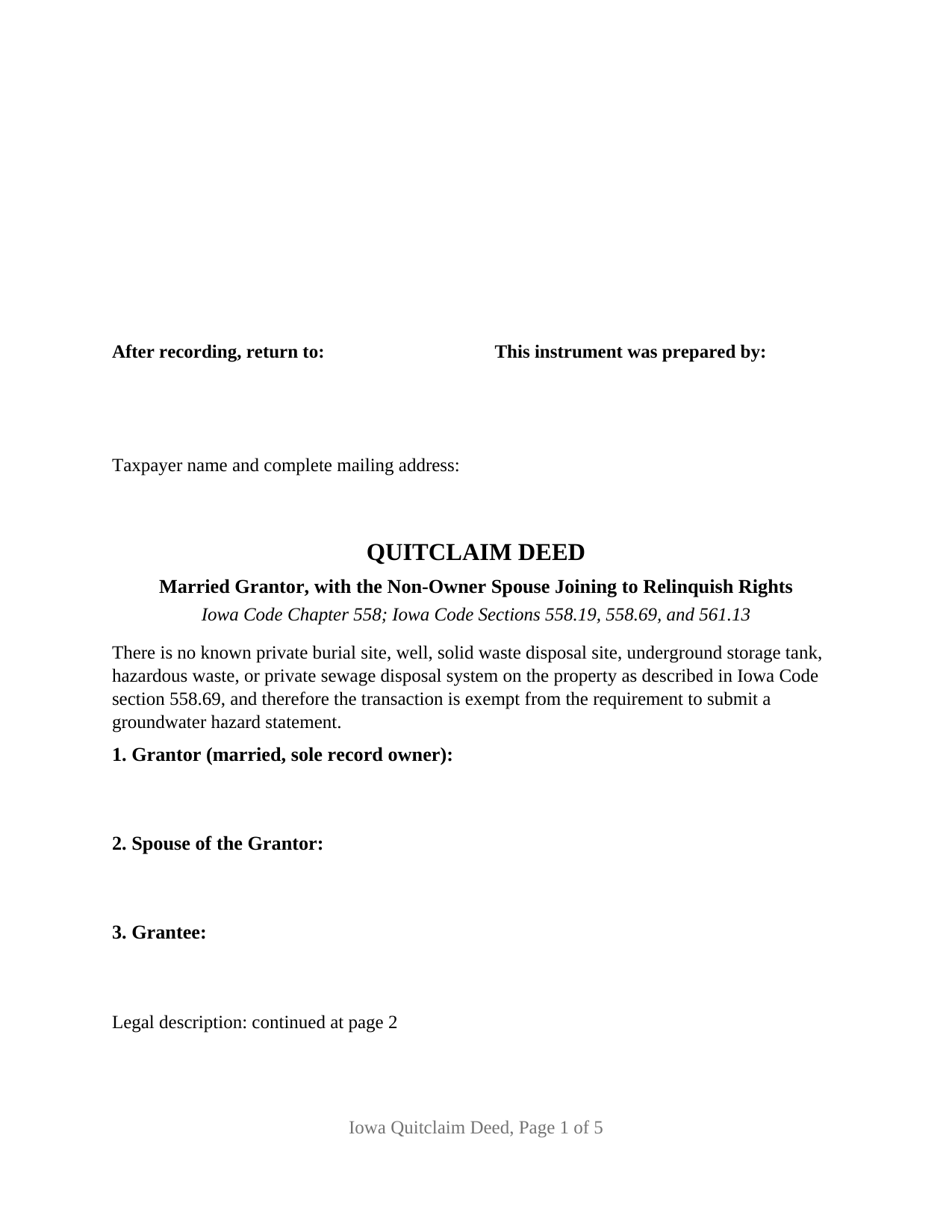
Van Buren County Quitclaim Deed (Married Grantor with Non-Owner Spouse Joinder) Form
Fill in the blank Quitclaim Deed (Married Grantor with Non-Owner Spouse Joinder) form formatted to comply with all Iowa recording and content requirements.
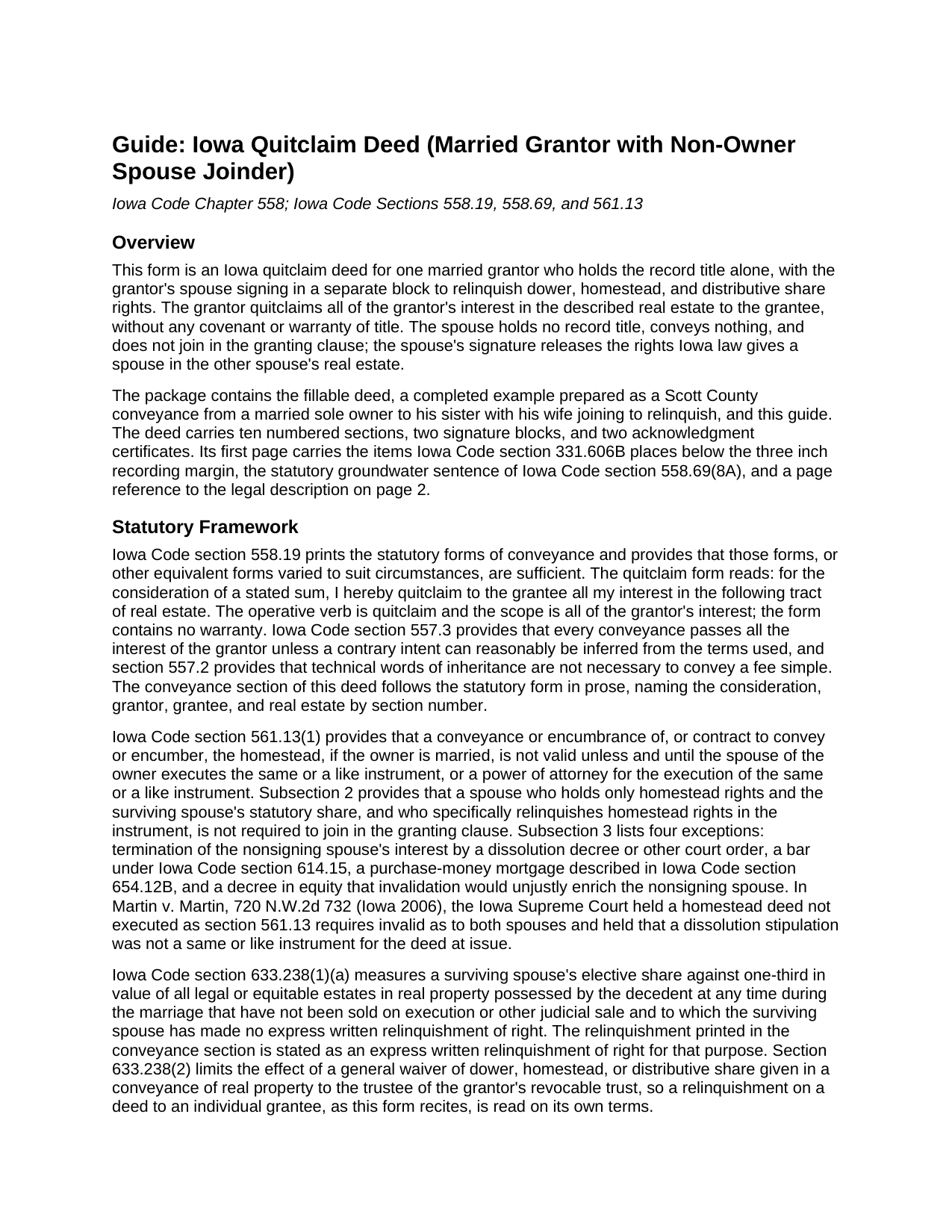
Van Buren County Quitclaim Deed (Married Grantor with Non-Owner Spouse Joinder) Guide
Line by line guide explaining every blank on the Quitclaim Deed (Married Grantor with Non-Owner Spouse Joinder) form.
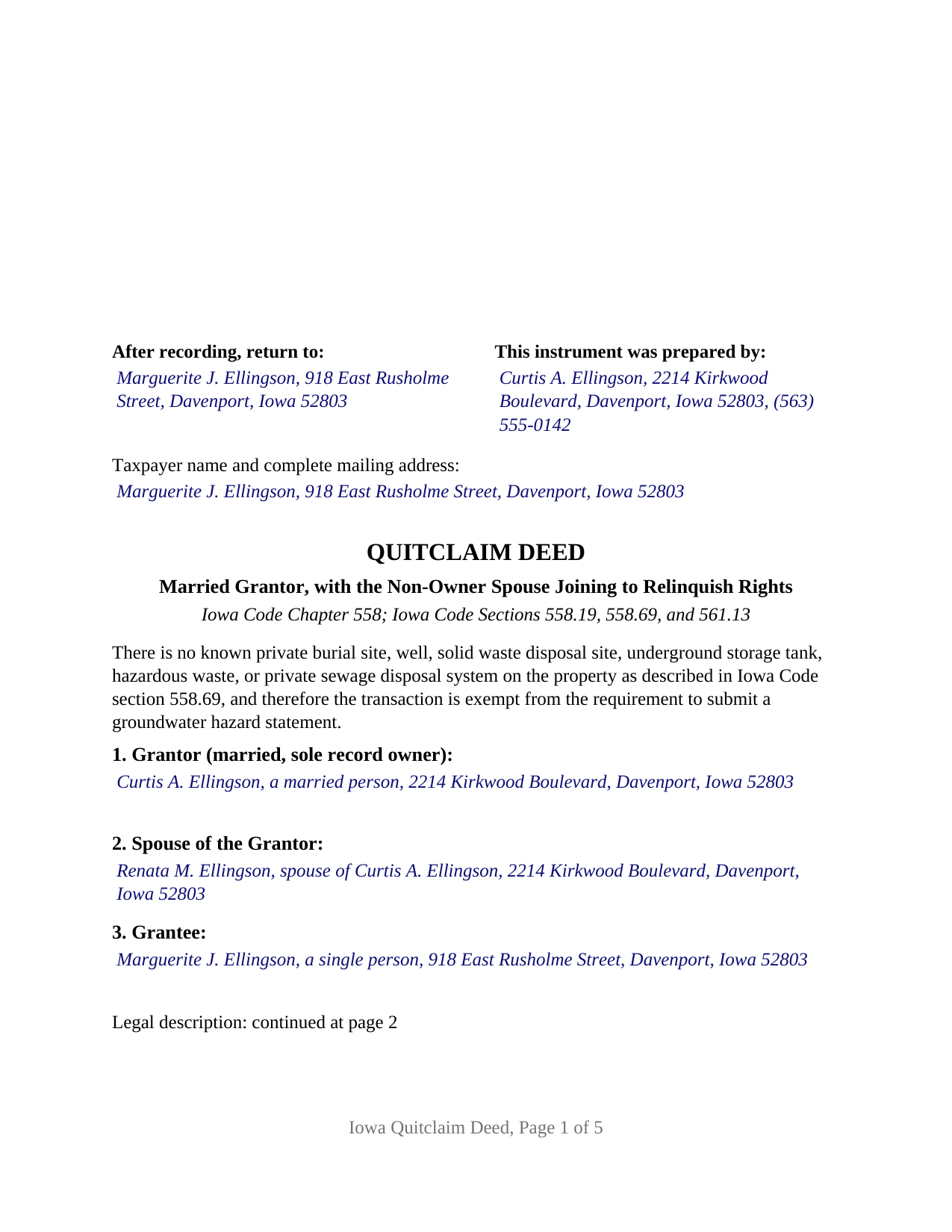
Van Buren County Completed Example of the Quitclaim Deed (Married Grantor with Non-Owner Spouse Joinder) Document
Example of a properly completed Iowa Quitclaim Deed (Married Grantor with Non-Owner Spouse Joinder) document for reference.
All 3 documents above included • One-time purchase • No recurring fees
Immediate Download • Secure Checkout
Additional Iowa and Van Buren County documents included at no extra charge:
Where to Record Your Documents
Van Buren County Recorder
Keosauqua, Iowa 52565
Hours: 8:00am to 4:30pm M-F
Phone: (319) 293-3240
Recording Tips for Van Buren County:
- Bring your driver's license or state-issued photo ID
- Ensure all signatures are in blue or black ink
- Leave recording info boxes blank - the office fills these
- Make copies of your documents before recording - keep originals safe
- Recorded documents become public record - avoid including SSNs
Cities and Jurisdictions in Van Buren County
Properties in any of these areas use Van Buren County forms:
- Birmingham
- Bonaparte
- Cantril
- Douds
- Farmington
- Keosauqua
- Milton
- Mount Sterling
- Selma
- Stockport
Hours, fees, requirements, and more for Van Buren County
How do I get my forms?
Forms are available for immediate download after payment. The Van Buren County forms will be in your account ready to download to your computer. An account is created for you during checkout if you don't have one. Forms are NOT emailed.
Are these forms guaranteed to be recordable in Van Buren County?
Yes. Our form blanks are guaranteed to meet or exceed the applicable formatting requirements used for recording in Van Buren County, including margin requirements, font requirements, and other layout standards. This guarantee applies to formatting, not to the legal sufficiency of information entered by the user or the suitability of a form for a particular transaction.
Can I reuse these forms?
Yes. You can reuse the forms for your personal use. For example, if you have multiple properties in Van Buren County you only need to order once.
What do I need to use these forms?
The forms are PDFs that you fill out on your computer. The free Adobe Acrobat Reader is recommended, and most PDF apps also work. You do NOT enter your property information online - you download the blank forms and complete them privately on your own computer.
Are there any recurring fees?
No. This is a one-time purchase. Nothing to cancel, no memberships, no recurring fees.
How much does it cost to record in Van Buren County?
Recording fees in Van Buren County vary. Contact the recorder's office at (319) 293-3240 for current fees.
Questions answered? Let's get started!
The second signature on this Iowa quitclaim deed comes from a person who owns no part of the property. A married grantor who holds the record title alone makes the conveyance, and the grantor's spouse signs beside it for one purpose: to let go of the homestead and statutory share rights Iowa gives a spouse in the other spouse's real estate.
Why a spouse with no title signs anyway
Iowa Code section 561.13(1) makes a homestead conveyance by a married owner invalid unless and until the owner's spouse executes the same or a like instrument, and Martin v. Martin, 720 N.W.2d 732 (Iowa 2006), applied that consequence against both spouses where the signature was missing. A second provision reaches past the homestead. Under Iowa Code section 633.238(1)(a), a surviving spouse's elective share is measured against real property possessed at any time during the marriage to which the surviving spouse made no express written relinquishment of right, so a release given now keeps that property out of the elective share base later.
One grantor conveying, one spouse relinquishing
The form recites exactly one grantor, described as married and as the sole record owner, and gives the spouse a section of the spouse's own. The operative section then does both jobs in printed prose. The grantor quitclaims all of the grantor's interest in the described real estate, following the statutory quitclaim words of Iowa Code section 558.19, and the spouse relinquishes all rights of dower, homestead, and distributive share as an express written relinquishment of right, without joining in the granting clause and without passing any title. Iowa Code section 561.13(2) keeps that division clean: a spouse who holds only homestead rights and the surviving spouse's statutory share, and who specifically relinquishes homestead rights in the instrument, is not required to join in the granting clause. Two signature blocks follow, the second labeled for the relinquishment alone so the record shows the character of that signature, and each signer has an acknowledgment certificate of its own in the short form of Iowa Code section 9B.16.
Deeds in this shape begin with how the grantor came to hold title alone: a house bought before the marriage, a parcel taken by devise from a parent's estate, or ground deeded by the owner's own parents to the owner alone. The form is not set up for spouses who both appear in the vesting deed, for an unmarried owner, or for a grantor signing as trustee, executor, attorney in fact, or officer of an entity.
What the deed moves and what stays with the land
A quitclaim, also searched as a quit claim deed, passes the interest the grantor actually holds and says nothing about its quality. Mortgages, judgment liens, easements, restrictive covenants, assessments, and unpaid taxes stay exactly where they were. The spousal release has its own limit: it reaches the rights it names in the property it describes, and Iowa Code section 633.238(2) confines the effect of a general waiver given in a conveyance to the trustee of the grantor's revocable trust unless the spouse states a specific written intent to reach the trust property.
Page one, the groundwater sentence, and the tax
Iowa Code section 331.606B holds the top three inches of the first page for the recorder and places the items it names under that band: the preparer, the taxpayer name and complete mailing address, the return address, the title, and the grantor, spouse, and grantee entries, with the page reference to the legal description on page 2 that subsection 3 provides for. The taxpayer address and a printed name beneath each original signature are outright rejection grounds for documents dated on or after July 1, 2009. The statutory no-condition sentence of Iowa Code section 558.69(8A) sits under the title, and the transfer tax section holds an exemption ground under Iowa Code section 428A.2 where one applies. The included example takes the taxable path: $61,500.00 of consideration produces $97.60 of tax at eighty cents per five hundred dollars above the first five hundred, paid with the declaration of value. The guide carries the computation, the refusal rules, the auditor's fee, and electronic submission.
The purchase delivers three files: the fillable blank deed, a completed example prepared as a Scott County conveyance from a married sole owner to his sister with his wife joining to relinquish, and a plain language guide to the sections, the signing, and the recording. The materials are informational and are not legal advice.
Important: Your property must be located in Van Buren County to use these forms. Documents should be recorded at the county recording office listed above.
This Quitclaim Deed (Married Grantor with Non-Owner Spouse Joinder) meets all recording requirements specific to Van Buren County.
Our Promise
The documents you receive here are guaranteed to meet or exceed the applicable Van Buren County recording format requirements. If there is a rejection caused by our formatting, we will correct the issue or refund your payment. This guarantee applies to document formatting only and does not extend to information entered by the user, the selection of the form, or the legal effect of the completed document.
Save Time and Money
Get your Van Buren County Quitclaim Deed (Married Grantor with Non-Owner Spouse Joinder) form done right the first time with Deeds.com Uniform Conveyancing Blanks. At Deeds.com, we understand that your time and money are valuable resources, and we don't want you to face a penalty fee or rejection imposed by a county recorder for submitting nonstandard documents. We constantly review and update our forms to meet rapidly changing state and county recording requirements for roughly 3,500 counties and local jurisdictions.
4.8 out of 5 - ( 4,867 Reviews )
Melody P. 5 out of 5 stars
Thanks for such great service!
Thank you for your feedback. We really appreciate it. Have a great day!
SHIRLEY R. 5 out of 5 stars
This was Awesome!
We appreciate your business and value your feedback. Thank you. Have a wonderful day!
Rebecca B. 5 out of 5 stars
I found the form I need and while they couldn't file it via the e-recording way I had a great experience. Fingers crossed all goes well when I go in to record. Thanks!
Thank you for your feedback. We really appreciate it. Have a great day!
Kathryn S. 5 out of 5 stars
So quick. So easy. Worth every penny!
Thank you for your feedback. We really appreciate it. Have a great day!
Frank B. 5 out of 5 stars
Great website, super easy to use, user friendly to navigate. Will definitely use for future needs, and will definitely refer to other customers. F. Betancourt Texas
Thank you!
Tressa P. 5 out of 5 stars
This online service was very easy to use. I highly recommend Deeds.com. The quick response from the representative upon submitting your document is quick. If something needed to be adjusted they will send you message and you can in turn respond right away with a message. The pricing of this service is very reasonable.
Thank you!
Kathryn L. 5 out of 5 stars
I went to the recorders office. Had no problem was finished in about 10 minutes .The forms was excellent . With the instructions it was easy for me to fill out. Thank you, Kathryn L
Thank you for your feedback. We really appreciate it. Have a great day!
Howard K. 5 out of 5 stars
Great products, quick downloads, the "guides" are extremely helpful. Overall 5 stars!
Thank you!
Paulette O. 5 out of 5 stars
I love this! I wish there was one for a simple personal will.
Thank you!
Robert D. 5 out of 5 stars
I was trying to register a financial statement (non real estate document). There was no link or statement on the home page to indicate that this could be done. All I had to do was to create an account, name and then upload the document. It took me over a day and several phone calls to the local deed recording office to try to figure this out. A simple link or statement to this effect would have saved me a lot of time
Thank you for your feedback. We really appreciate it. Have a great day!
leslie w. 5 out of 5 stars
Easy to use! Thanks for saving the time and expense of an attorney!
Thank you for your feedback. We really appreciate it. Have a great day!
Shonda S. 5 out of 5 stars
This is the best thing I have ever done with this being my first time doing a quick claim. This has save me and my family money instead of paying a lawyer. Thanks again.
We appreciate your business and value your feedback. Thank you. Have a wonderful day!
Janet R. 5 out of 5 stars
The site was easy to navigate...all the information needed to fill in the forms was included, which was very helpful and a pleasant surprise...form completed in short order...made taking care of business quick and easy...Thanks for the thoughtful and excellent help, I will share the link with others and I will use the site again...Thanks
We appreciate your business and value your feedback. Thank you. Have a wonderful day!
Cathern S. 5 out of 5 stars
Thanks much for your good help. Was a pleasure to use your help and was simple to use. Thanks much.
Thank you!
Frank E. 5 out of 5 stars
Download, entry of forms very straightforward. The example was of great help to make sure that I followed the requirements
Thanks, Frank. We're glad everything went smoothly for you. We appreciate you taking the time to leave a review.