Shelby County Discharge of Lien Form
Last validated October 27, 2026 by our Forms Development TeamFormatted for recording in Shelby County, for property anywhere in the county: rural and unincorporated areas as well as Bagdad, Finchville, Shelbyville, Simpsonville, Waddy.
- 3 documents included
- Immediate PDF download
- Formatting guarantee
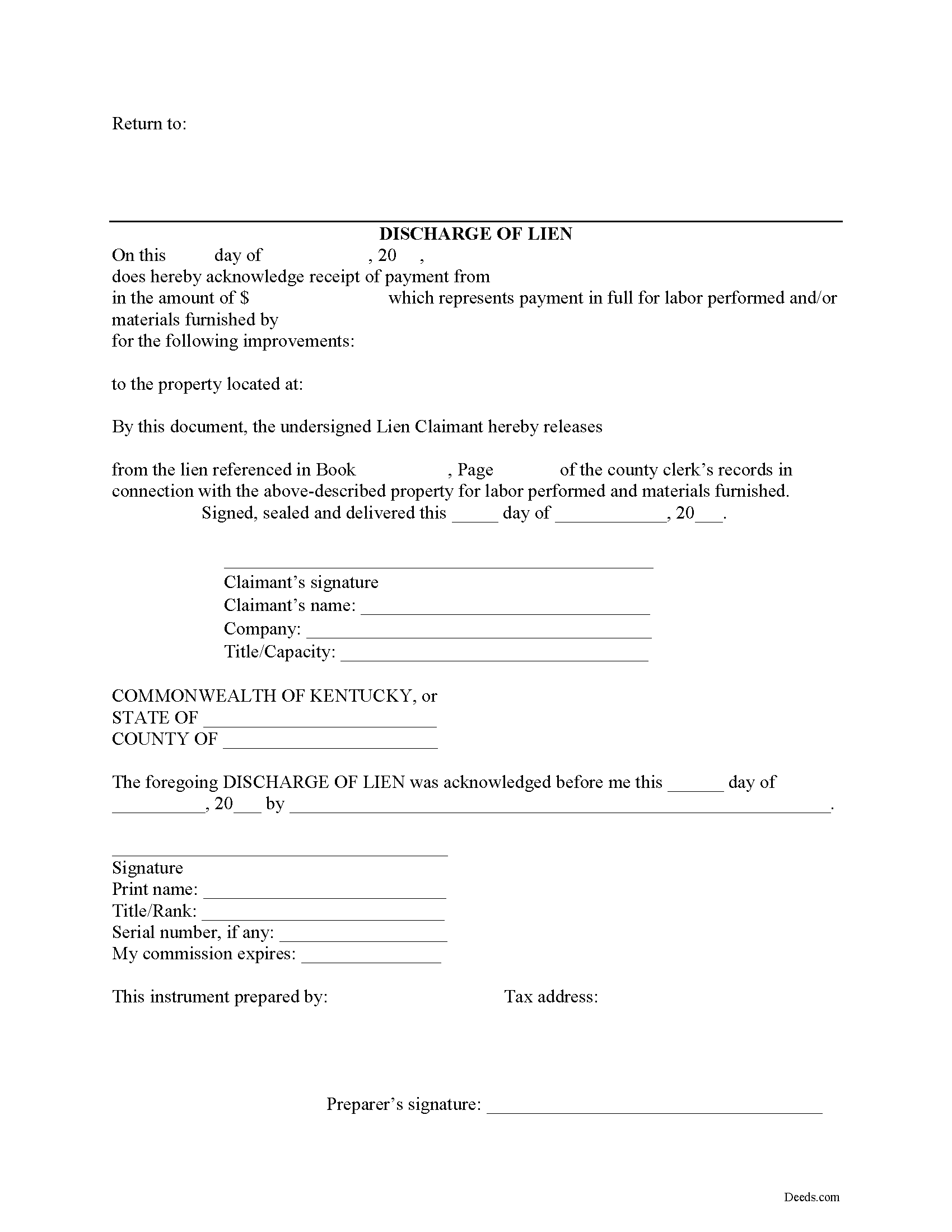
Shelby County Discharge of Lien Form
Fill in the blank Discharge of Lien form formatted to comply with all Kentucky recording and content requirements.
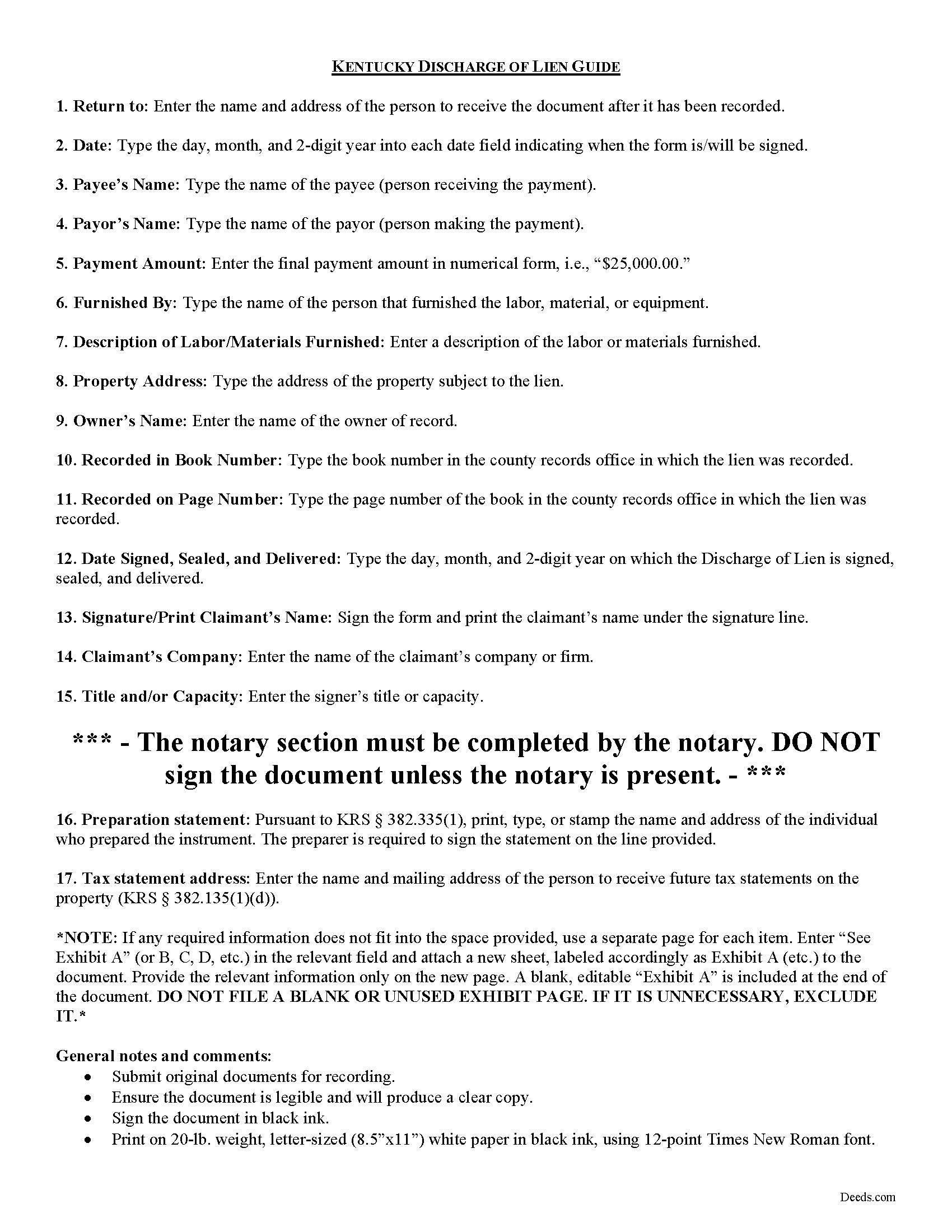
Shelby County Discharge of Lien Guide
Line by line guide explaining every blank on the form.
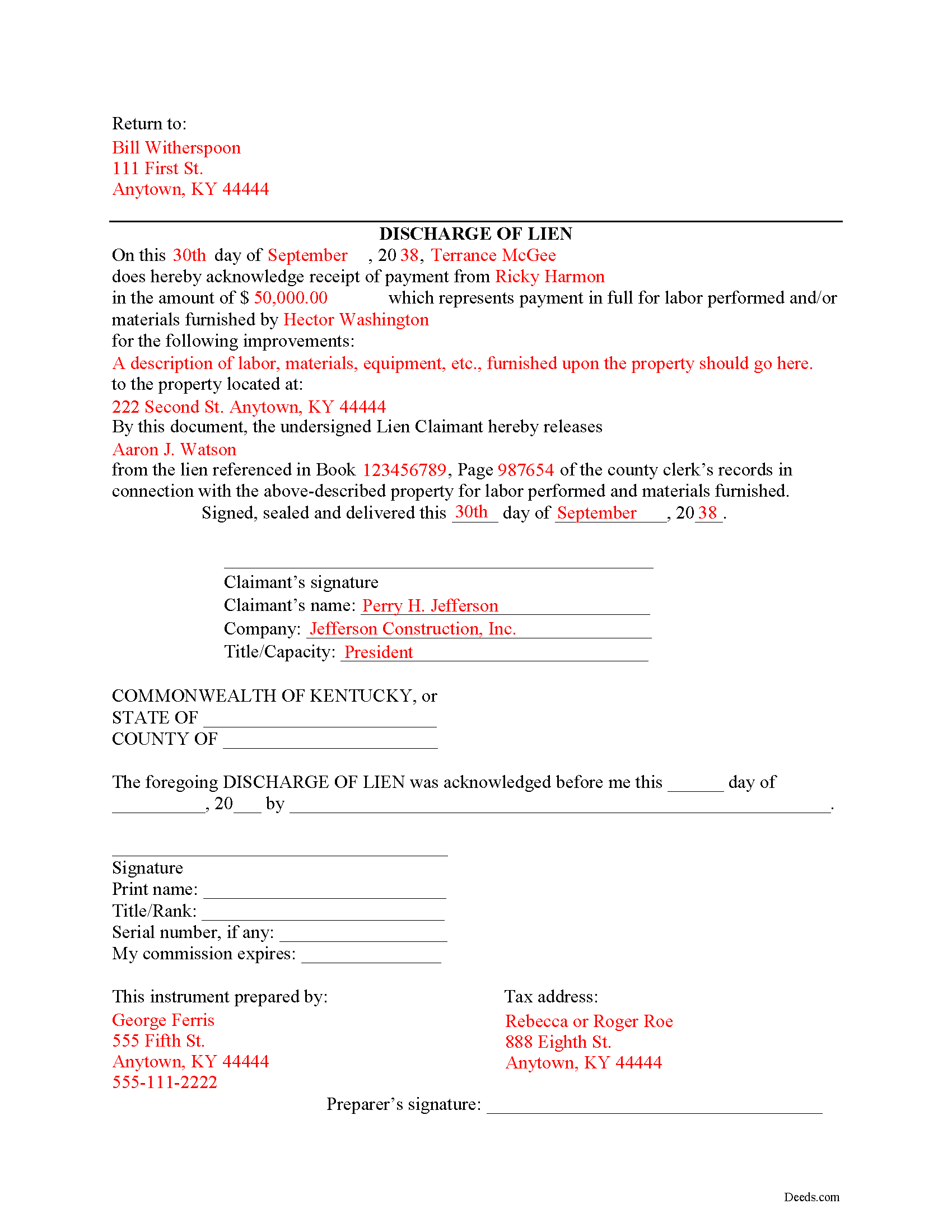
Shelby County Completed Example of the Discharge of Lien Document
Example of a properly completed form for reference.
All 3 documents above included • One-time purchase • No recurring fees
Immediate Download • Secure Checkout
Additional Kentucky and Shelby County documents included at no extra charge:
Where to Record Your Documents
Shelby County Clerk
Shelbyville, Kentucky 40066
Hours: Monday - Friday: 8:30 AM to 4:30 PM; Thursday: 8:30 AM to 6 PM
Phone: 502-633-4410
Recording Tips for Shelby County:
- Bring your driver's license or state-issued photo ID
- Ensure all signatures are in blue or black ink
- Recording fees may differ from what's posted online - verify current rates
- Request a receipt showing your recording numbers
- Ask about accepted payment methods when you call ahead
Cities and Jurisdictions in Shelby County
Properties in any of these areas use Shelby County forms:
- Bagdad
- Finchville
- Shelbyville
- Simpsonville
- Waddy
Hours, fees, requirements, and more for Shelby County
How do I get my forms?
Forms are available for immediate download after payment. The Shelby County forms will be in your account ready to download to your computer. An account is created for you during checkout if you don't have one. Forms are NOT emailed.
Are these forms guaranteed to be recordable in Shelby County?
Yes. Our form blanks are guaranteed to meet or exceed the applicable formatting requirements used for recording in Shelby County, including margin requirements, font requirements, and other layout standards. This guarantee applies to formatting, not to the legal sufficiency of information entered by the user or the suitability of a form for a particular transaction.
Can I reuse these forms?
Yes. You can reuse the forms for your personal use. For example, if you have multiple properties in Shelby County you only need to order once.
What do I need to use these forms?
The forms are PDFs that you fill out on your computer. The free Adobe Acrobat Reader is recommended, and most PDF apps also work. You do NOT enter your property information online - you download the blank forms and complete them privately on your own computer.
Are there any recurring fees?
No. This is a one-time purchase. Nothing to cancel, no memberships, no recurring fees.
How much does it cost to record in Shelby County?
Recording fees in Shelby County vary. Contact the recorder's office at 502-633-4410 for current fees.
Questions answered? Let's get started!
Discharging a Lien in Kentucky
When a lien has been paid off in full or is no longer necessary for any other reason, best practices direct the claimant to file a document discharging the lien. Kentucky does not provide for a specific mechanism of discharging a lien, as a lien already expires twelve months after its filing without any enforcement action. This document, however, reduces the amount of time a lien is in effect.
File the Discharge of Lien document in the county where the property is located (this should be the same location where the statement of lien was originally filed). The Discharge of Lien contains then following information: 1) name of the payor and payee; 2) payment amount; 3) name of person who originally furnished labor or materials; 4) description of items furnished; 5) address of the property; 5) the owner's name, and 6) the book and page number where the lien was recorded. Once the Discharge of Lien is filed and recorded, the lien will be struck from the record.
This article is provided for information purposes only and should not be relied on as a substitute for the advice from a legal professional. If you have questions about discharging a lien, or any other issues related to liens in Kentucky, please speak with a licensed attorney.
Important: Your property must be located in Shelby County to use these forms. Documents should be recorded at the county recording office listed above.
This Discharge of Lien meets all recording requirements specific to Shelby County.
Our Promise
The documents you receive here are guaranteed to meet or exceed the applicable Shelby County recording format requirements. If there is a rejection caused by our formatting, we will correct the issue or refund your payment. This guarantee applies to document formatting only and does not extend to information entered by the user, the selection of the form, or the legal effect of the completed document.
Save Time and Money
Get your Shelby County Discharge of Lien form done right the first time with Deeds.com Uniform Conveyancing Blanks. At Deeds.com, we understand that your time and money are valuable resources, and we don't want you to face a penalty fee or rejection imposed by a county recorder for submitting nonstandard documents. We constantly review and update our forms to meet rapidly changing state and county recording requirements for roughly 3,500 counties and local jurisdictions.
4.8 out of 5 - ( 4,845 Reviews )
Linda F. 5 out of 5 stars
I can't recommend working with Deeds.com enough. I had been given incorrect information from another document service. The helpful staff member at Deeds.com that assisted in the submission of the recording was exceptionally helpful in making sure what I was submitting included the necessary elements required by the county. I am very thankful I chose Deeds.com for my eRecording service. Thank you!!
Thank you, Linda! We’re so glad our team could assist in making sure your submission met the county’s requirements. It means a lot that you chose Deeds.com after a frustrating experience elsewhere. We appreciate your trust and kind words!
Tim P. 5 out of 5 stars
Super easy and they filed my paperwork the same day
Thank you for your feedback. We really appreciate it. Have a great day!
Charles F. 5 out of 5 stars
Hi Please do not take time to respond to my previous inquiry - - - I figured it out. Deeds.com is a great tool for those of us who have occasional need for your type of services. Thanks ! Chuck
Thank you!
Sharon M. 5 out of 5 stars
I will be going through title, so didn't order deed, but I think your website is wonderful. It's great to offer online services, such a great time saving for me with my work. Thank you, Sharon M.
Thank you for taking the time to leave your feedback Sharon, we really appreciate it. Have a fantastic day!
Jean W. 5 out of 5 stars
helpful if there was a space so one could type in the exemption # on the blank form before printing
Thank you for your feedback. We really appreciate it. Have a great day!
Cecilia G. 5 out of 5 stars
This site is so easy to use. It is so convenient to have access to forms for all states. I’d recommend this site to anyone who needs to create any real estate documents.
Thank you for your feedback. We really appreciate it. Have a great day!
Michelle M. 5 out of 5 stars
The website was easy to navigate and great communication on every step of the process.
Thank you for your feedback. We really appreciate it. Have a great day!
Nicole M. 5 out of 5 stars
Very helpful and happy with my service. Thanks much!
Thank you!
Stephen U. 5 out of 5 stars
This is another great deal that has come out of the quarantine for covid. Saved me hours and days of time. and provides a way to file deeds that really isn't done effectively anyway else. It was also very inexpensive that you would not expect. I didn't even have to leave home.
Thank you for your feedback. We really appreciate it. Have a great day!
Michael M. 5 out of 5 stars
The process was very easy and walked you through the entire process step by step. Also, outstanding that you get email updates when each step is completed.
Thank you for your feedback. We really appreciate it. Have a great day!
Peter E. 5 out of 5 stars
I think Deeds is a great site for learning. On recording a document, I had trouble. It was me, because I was new to the site.
Thank you!
John S. 5 out of 5 stars
The website is very user-friendly. Easily to download forms.
Thank you!
Kevin R. 5 out of 5 stars
So far so good. Had an issue and customer service responded very fast by email.
Thank you for your feedback. We really appreciate it. Have a great day!
diana c. 5 out of 5 stars
quick and easy, thankyou
Thank you!
Carlene J. 5 out of 5 stars
Great way to do business with Dc Government! I submitted my documents and received everything back and approved on the same day! No wait , no line! Lol
Thank you for your feedback. We really appreciate it. Have a great day!