Ballard County Notice to Owner Form
Last validated October 22, 2026 by our Forms Development TeamFormatted for recording in Ballard County, for property anywhere in the county: rural and unincorporated areas as well as Bandana, Barlow, La Center, Lovelaceville, Wickliffe.
- 3 documents included
- Immediate PDF download
- Formatting guarantee
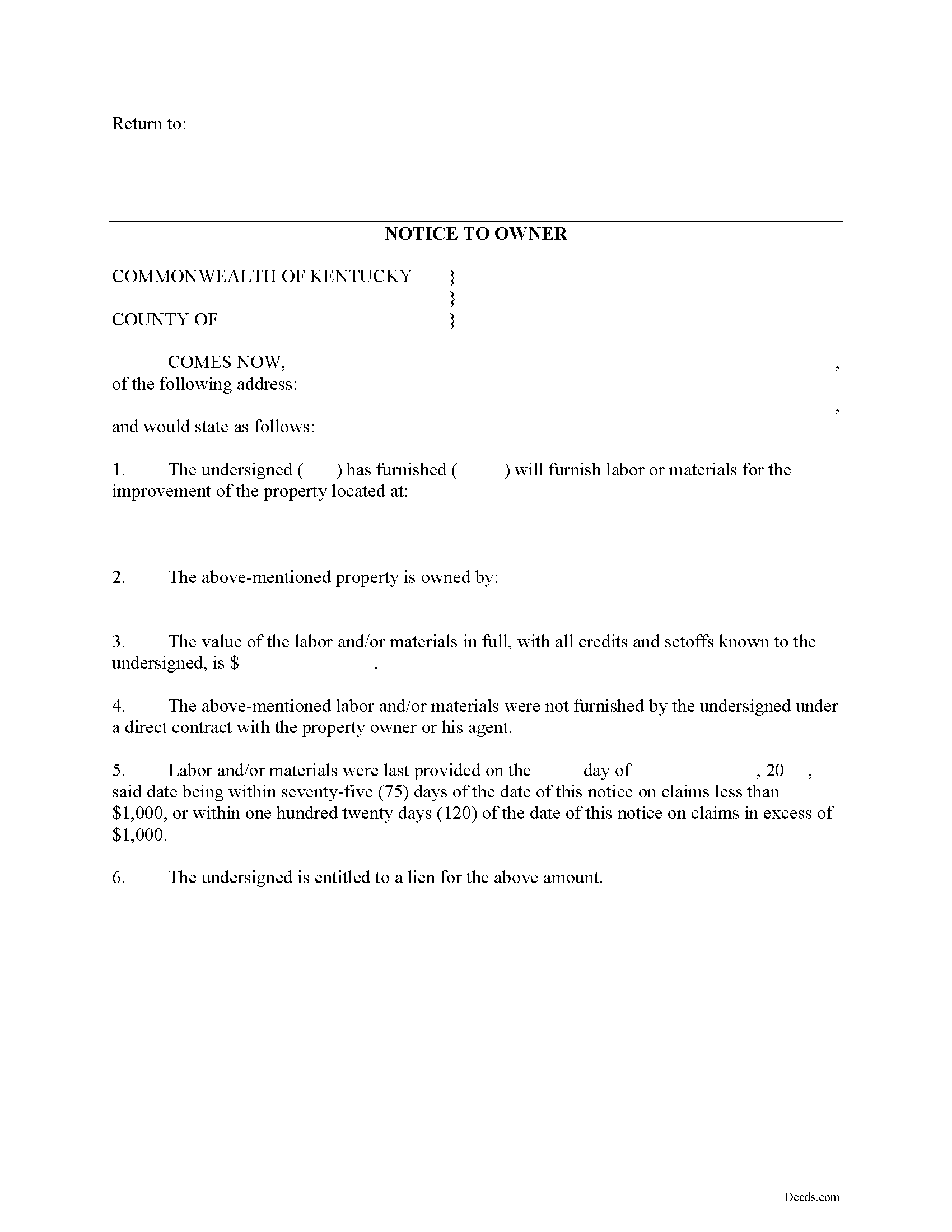
Ballard County Notice to Owner Form
Fill in the blank Notice to Owner form formatted to comply with all Kentucky recording and content requirements.
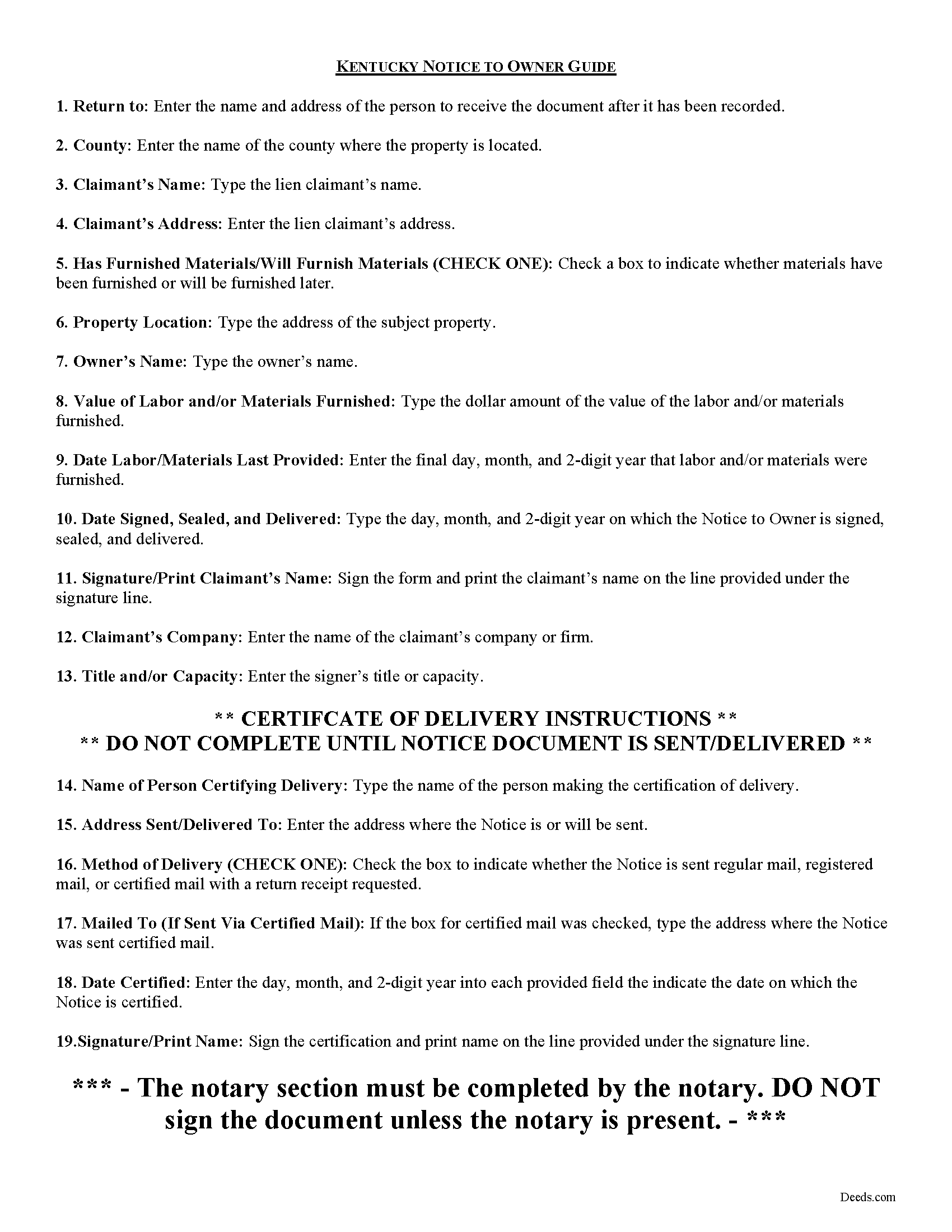
Ballard County Notice to Owner Guide
Line by line guide explaining every blank on the form.
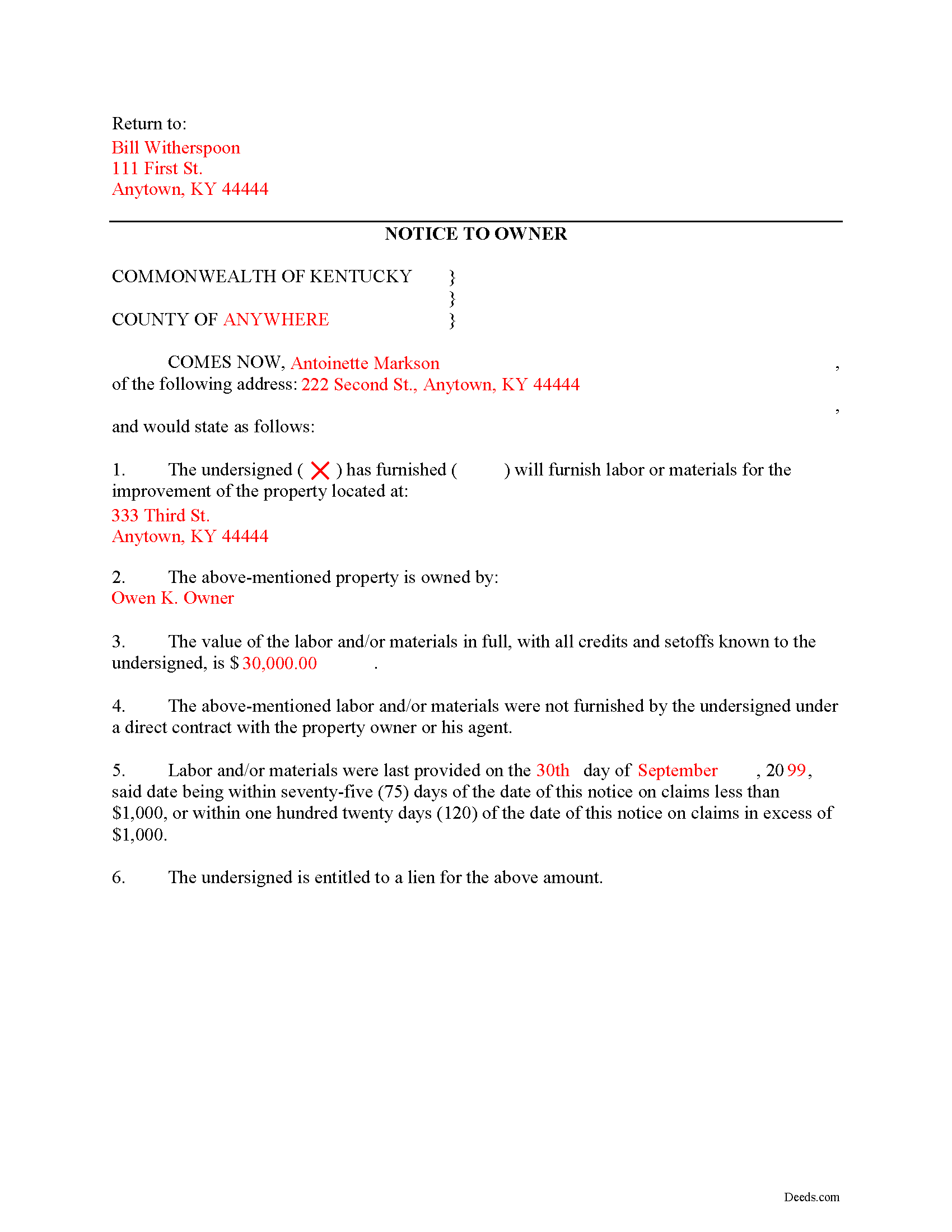
Ballard County Completed Example of the Notice to Owner Document
Example of a properly completed form for reference.
All 3 documents above included • One-time purchase • No recurring fees
Immediate Download • Secure Checkout
Additional Kentucky and Ballard County documents included at no extra charge:
Where to Record Your Documents
Ballard County Clerk
Wickliffe, Kentucky 42087
Hours: 8:00 to 4:00 M-F / last Friday of month until 5:00
Phone: (270) 335-5168
Recording Tips for Ballard County:
- Bring your driver's license or state-issued photo ID
- Ensure all signatures are in blue or black ink
- White-out or correction fluid may cause rejection
- Ask about their eRecording option for future transactions
- Avoid the last business day of the month when possible
Cities and Jurisdictions in Ballard County
Properties in any of these areas use Ballard County forms:
- Bandana
- Barlow
- La Center
- Lovelaceville
- Wickliffe
Hours, fees, requirements, and more for Ballard County
How do I get my forms?
Forms are available for immediate download after payment. The Ballard County forms will be in your account ready to download to your computer. An account is created for you during checkout if you don't have one. Forms are NOT emailed.
Are these forms guaranteed to be recordable in Ballard County?
Yes. Our form blanks are guaranteed to meet or exceed the applicable formatting requirements used for recording in Ballard County, including margin requirements, font requirements, and other layout standards. This guarantee applies to formatting, not to the legal sufficiency of information entered by the user or the suitability of a form for a particular transaction.
Can I reuse these forms?
Yes. You can reuse the forms for your personal use. For example, if you have multiple properties in Ballard County you only need to order once.
What do I need to use these forms?
The forms are PDFs that you fill out on your computer. The free Adobe Acrobat Reader is recommended, and most PDF apps also work. You do NOT enter your property information online - you download the blank forms and complete them privately on your own computer.
Are there any recurring fees?
No. This is a one-time purchase. Nothing to cancel, no memberships, no recurring fees.
How much does it cost to record in Ballard County?
Recording fees in Ballard County vary. Contact the recorder's office at (270) 335-5168 for current fees.
Questions answered? Let's get started!
Notice to Owner -- Preliminary Notice in Kentucky
Most states require lien claimants to serve a preliminary (pre-lien) notice on a property owner or other party to ensure all interested parties have notification of who is involved in a construction job and who may have a claim to a mechanic's lien. In Kentucky, the Notice to Owner document fulfills this purpose.
No person who has not contracted directly with the owner or his agent is eligible to acquire a lien unless he notifies the owner (or his authorized agent) of the property to be held liable, in writing, within seventy-five (75) days on claims amounting to less than $1,000 and one hundred twenty (120) days on claims in excess of $1,000 after the last item of material or labor is furnished, of his intention to hold the property liable and the amount for which he will claim a lien. K.R.S. 376.010(3).
It shall be sufficient to prove that the notice was mailed to the last known address of the owner of the property upon which the lien is claimed, or to his duly authorized agent within the county in which the property to be held liable is located. Id.
The Notice to Owner document contains the following information: 1) Name and address of the potential lien claimant; 2) Address of the subject property; 3) Name of the owner; 4) Value of materials or labor furnished; and 5) Date of last furnishing. The document also contains a Certificate of Delivery detailing the person serving the notice, the method of service, and date of service. The Certificate must be signed to affirm service was made in the described manner.
This article is provided for information purposes only and should not be relied on as a substitute for the advice from a legal professional. If you have questions about preliminary notice, or any other issues related to liens in Kentucky, please speak with a licensed attorney.
Important: Your property must be located in Ballard County to use these forms. Documents should be recorded at the county recording office listed above.
This Notice to Owner meets all recording requirements specific to Ballard County.
Our Promise
The documents you receive here are guaranteed to meet or exceed the applicable Ballard County recording format requirements. If there is a rejection caused by our formatting, we will correct the issue or refund your payment. This guarantee applies to document formatting only and does not extend to information entered by the user, the selection of the form, or the legal effect of the completed document.
Save Time and Money
Get your Ballard County Notice to Owner form done right the first time with Deeds.com Uniform Conveyancing Blanks. At Deeds.com, we understand that your time and money are valuable resources, and we don't want you to face a penalty fee or rejection imposed by a county recorder for submitting nonstandard documents. We constantly review and update our forms to meet rapidly changing state and county recording requirements for roughly 3,500 counties and local jurisdictions.
4.8 out of 5 - ( 4,829 Reviews )
Joseph R. 5 out of 5 stars
Deeds.com has saved me quite a bit in attorney fees by making legal forms available on line. Easy to use, just fill in the blanks.
Thank you for your feedback. We really appreciate it. Have a great day!
Niranjan C. 5 out of 5 stars
Whole process was very easy and quick. Forms were easy to fill, examples were quite appropriate. Recommended.
Thank you!
Barbara A. 5 out of 5 stars
Always helpful!
We are thankful for your continued support and feedback, which inspire us to continuously improve. Thank you..
Kimberly G. 3 out of 5 stars
It would be helpful if there were a specific example of putting a deed into a trust. Also, the limitation of characters on the description of the property was not enough.
Thank you for your feedback. We really appreciate it. Have a great day!
Jan K. 5 out of 5 stars
Very simple and easy, quick!
Thank you for your feedback. We really appreciate it. Have a great day!
Kari G. 5 out of 5 stars
The service was prompt and attentive to my questions. I would've just appreciated a heads up that I also needed to contact the county directly (and provide contact info) to receive a certified copy of the document (Notice of Commencement) in order to submit the certified copy to the Building Department. This was an extra step that I haven't had to complete before using another eRecording service. Even if this extra step is a result of the county's system. I would still have expected a head's up (since there wasn't any info regarding this on the county's site for eRecording).
Thank you for your feedback. We really appreciate it. Have a great day!
Daniel B. 5 out of 5 stars
The staff at Deeds.com was very patient and ensured the deed was in the correct format for recording. Had I tried to record it myself, it would have been rejected, as I did not have the home address for the 2 witnesses. I would definitely recommend deeds.com
Thanks for the kind words, Daniel. Witness address requirements catch a lot of people off guard. Glad we could get everything squared away before it hit the recorder's desk. We appreciate the recommendation.
Marc P. 5 out of 5 stars
Simple and fast!
Thank you for your feedback. We really appreciate it. Have a great day!
Michael F. 5 out of 5 stars
VERY EFFICIENT AND PLEASANT.
Thank you for your feedback. We really appreciate it. Have a great day!
Albo A. 5 out of 5 stars
Deeds.com was fast and easy to file documents
Thank you!
Ann E Grace S. 5 out of 5 stars
Forms and instructions are very easy to access. Thank you!
Thank you for your feedback. We really appreciate it. Have a great day!
Dawn L. 5 out of 5 stars
Not totally satisfied as unable to edit as needed on signature page of the deed. I want to be able to date the document and don't want the verbage "signed, sealed and delivered in the presence of" to appear and cannot remove it. The notary will make his or her own statement below as to the date executed.
Thank you for your feedback. We really appreciate it. Have a great day!
James C. 5 out of 5 stars
Deed was filed with county quickly. Great service!
Thank you!
Jason B. 5 out of 5 stars
Deeds.com did a great job in explaining exactly what I'd need to file a deed transfer (quitclaim deed). I didn't have to order the forms piecemeal, but was able to order the whole package at once for a reasonable price. Once downloaded, their fill-in-the-blank PDF was easy to use with detailed instructions for each line item. I'd definitely use them again.
Thank you for your feedback. We really appreciate it. Have a great day!
THOMAS C. 5 out of 5 stars
Very fast service
We appreciate your business and value your feedback. Thank you. Have a wonderful day!