Macomb County Assignment of Leases and Rents Form
Last validated October 22, 2026 by our Forms Development TeamFormatted for recording in Macomb County, for property anywhere in the county: rural and unincorporated areas as well as Armada, Center Line, Clinton Township, Eastpointe, Fraser, Harrison Township, Macomb, Mount Clemens and 11 more.
- 3 documents included
- Immediate PDF download
- Formatting guarantee
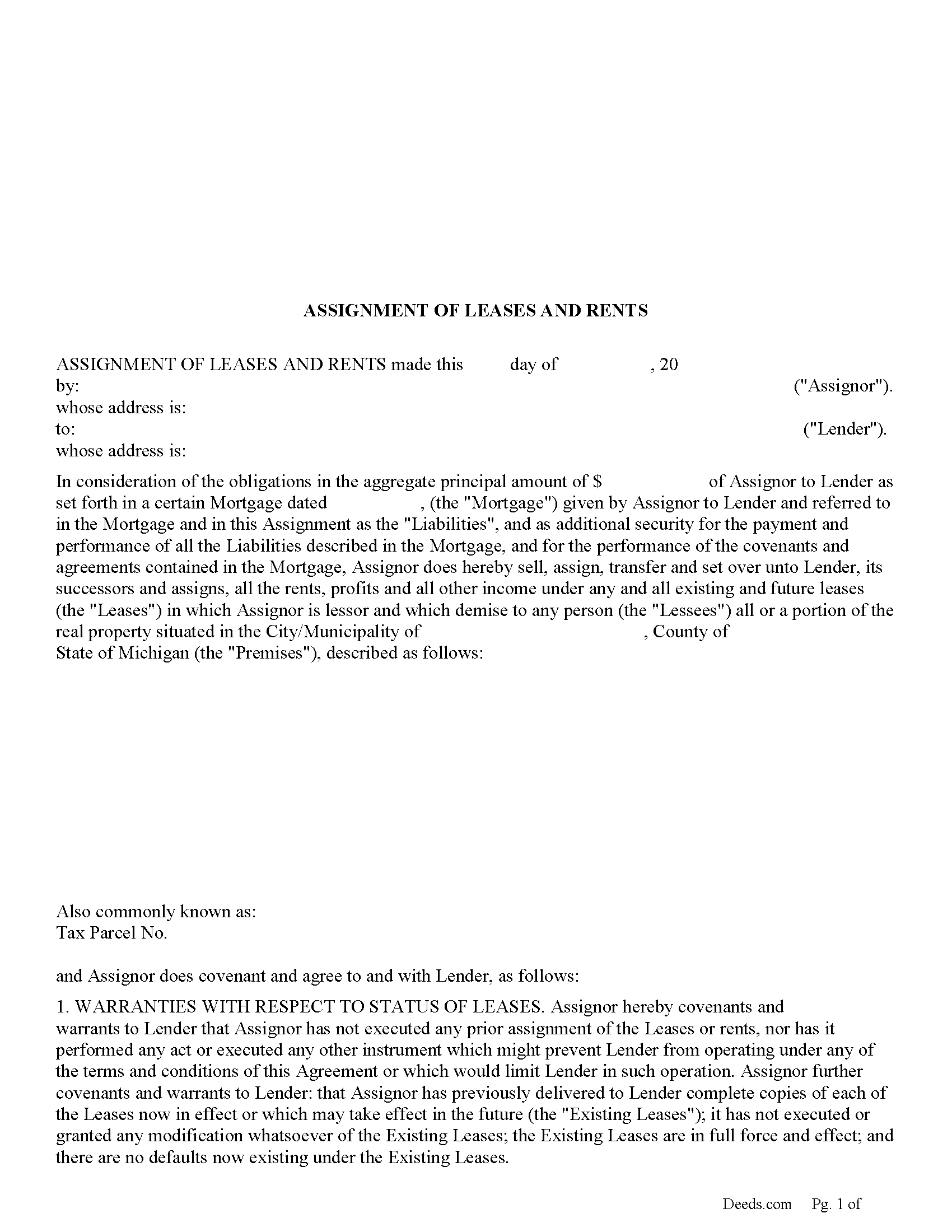
Macomb County Assignment of Leases and Rents Form
Fill in the blank form formatted to comply with all recording and content requirements.
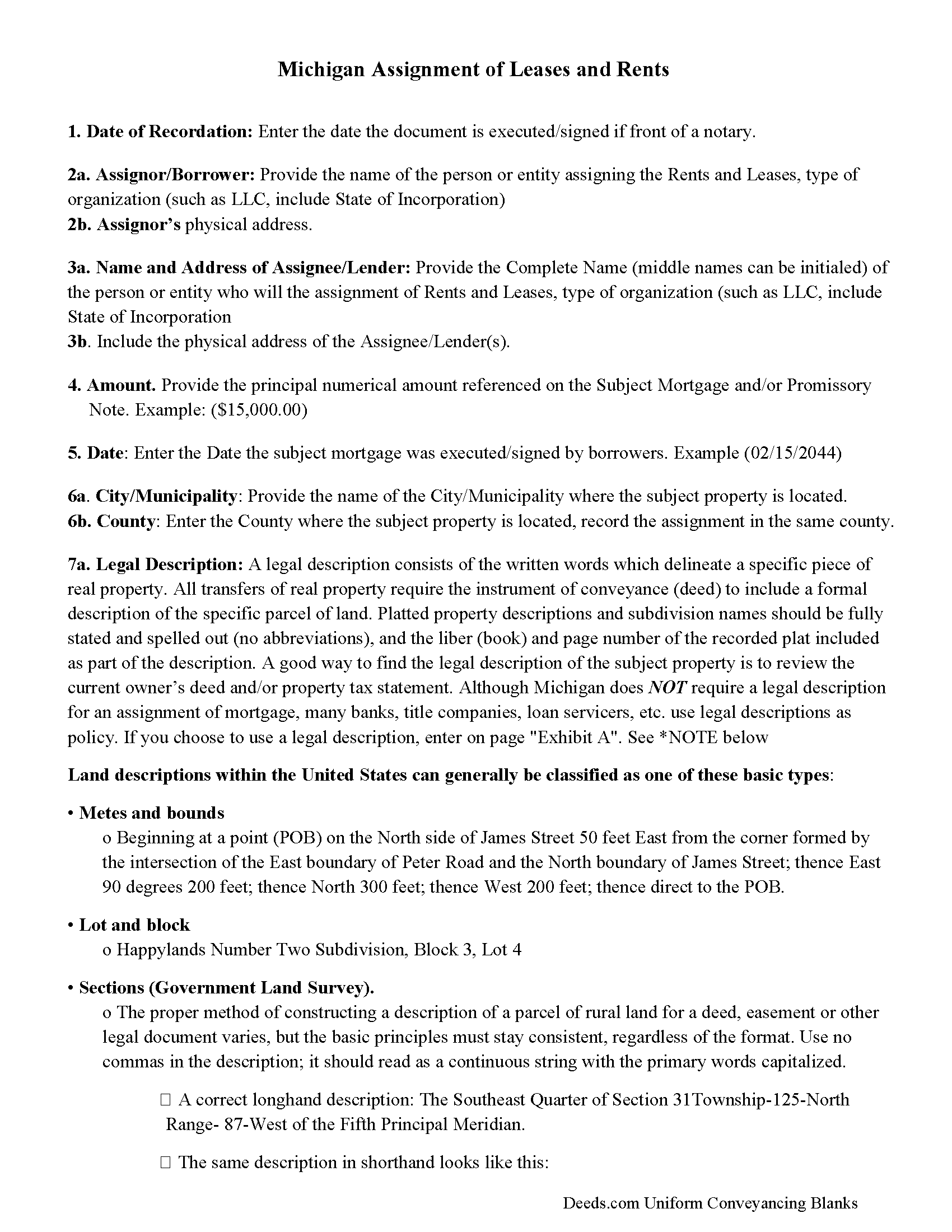
Macomb County Guidelines - Assignment of Leases and Rents
Line by line guide explaining every blank on the form.
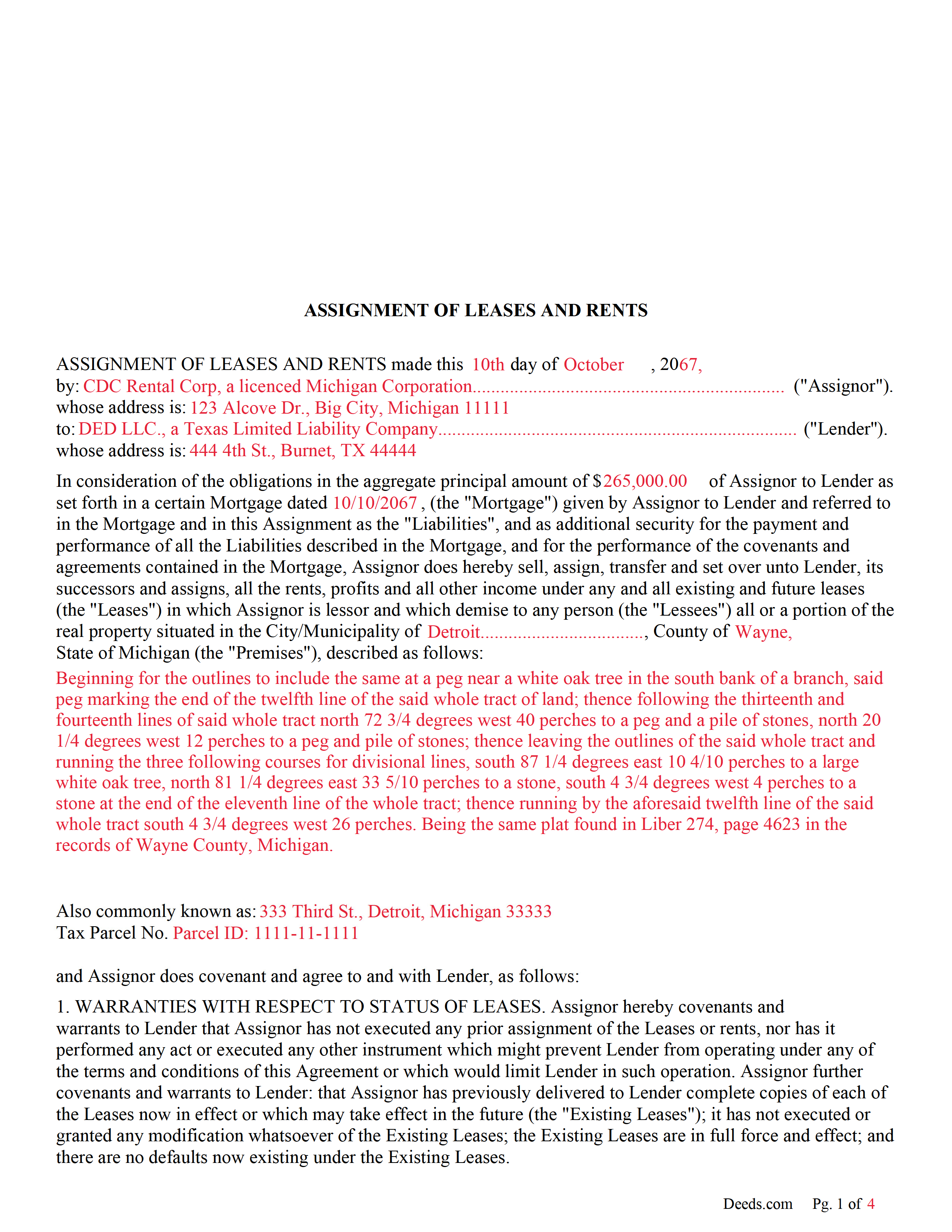
Macomb County Completed Example of the Assignment of Leases and Rents Document
Example of a properly completed form for reference.
All 3 documents above included • One-time purchase • No recurring fees
Immediate Download • Secure Checkout
Additional Michigan and Macomb County documents included at no extra charge:
Where to Record Your Documents
Macomb County Register of Deeds
Mt. Clemens, Michigan 48043
Hours: 8:00am - 4:15pm M-F
Phone: (586) 469-7953
Recording Tips for Macomb County:
- Bring your driver's license or state-issued photo ID
- Ensure all signatures are in blue or black ink
- Ask for certified copies if you need them for other transactions
- Ask if they accept credit cards - many offices are cash/check only
- Check that your notary's commission hasn't expired
Cities and Jurisdictions in Macomb County
Properties in any of these areas use Macomb County forms:
- Armada
- Center Line
- Clinton Township
- Eastpointe
- Fraser
- Harrison Township
- Macomb
- Mount Clemens
- New Baltimore
- New Haven
- Ray
- Richmond
- Romeo
- Roseville
- Saint Clair Shores
- Sterling Heights
- Utica
- Warren
- Washington
Hours, fees, requirements, and more for Macomb County
How do I get my forms?
Forms are available for immediate download after payment. The Macomb County forms will be in your account ready to download to your computer. An account is created for you during checkout if you don't have one. Forms are NOT emailed.
Are these forms guaranteed to be recordable in Macomb County?
Yes. Our form blanks are guaranteed to meet or exceed the applicable formatting requirements used for recording in Macomb County, including margin requirements, font requirements, and other layout standards. This guarantee applies to formatting, not to the legal sufficiency of information entered by the user or the suitability of a form for a particular transaction.
Can I reuse these forms?
Yes. You can reuse the forms for your personal use. For example, if you have multiple properties in Macomb County you only need to order once.
What do I need to use these forms?
The forms are PDFs that you fill out on your computer. The free Adobe Acrobat Reader is recommended, and most PDF apps also work. You do NOT enter your property information online - you download the blank forms and complete them privately on your own computer.
Are there any recurring fees?
No. This is a one-time purchase. Nothing to cancel, no memberships, no recurring fees.
How much does it cost to record in Macomb County?
Recording fees in Macomb County vary. Contact the recorder's office at (586) 469-7953 for current fees.
Questions answered? Let's get started!
Use this form to assign leases and rents to the lender as added security in the case of default.
554.231 Assignment of rents to accrue from leases as additional mortgage security.
Sec. 1.
Hereafter, in or in connection with any mortgage on commercial or industrial property other than an apartment building with less than 6 apartments or any family residence to secure notes, bonds or other fixed obligations, it shall be lawful to assign the rents, or any portion thereof, under any oral or written leases upon the mortgaged property to the mortgagee, as security in addition to the property described in such mortgage. Such assignment of rents shall be binding upon such assignor only in the event of default in the terms and conditions of said mortgage, and shall operate against and be binding upon the occupiers of the premises from the date of filing by the mortgagee in the office of the register of deeds for the county in which the property is located of a notice of default in the terms and conditions of the mortgage and service of a copy of such notice upon the occupiers of the mortgaged premises.
(Michigan AOR Package includes form, guidelines, and completed example)
Important: Your property must be located in Macomb County to use these forms. Documents should be recorded at the county recording office listed above.
This Assignment of Leases and Rents meets all recording requirements specific to Macomb County.
Our Promise
The documents you receive here are guaranteed to meet or exceed the applicable Macomb County recording format requirements. If there is a rejection caused by our formatting, we will correct the issue or refund your payment. This guarantee applies to document formatting only and does not extend to information entered by the user, the selection of the form, or the legal effect of the completed document.
Save Time and Money
Get your Macomb County Assignment of Leases and Rents form done right the first time with Deeds.com Uniform Conveyancing Blanks. At Deeds.com, we understand that your time and money are valuable resources, and we don't want you to face a penalty fee or rejection imposed by a county recorder for submitting nonstandard documents. We constantly review and update our forms to meet rapidly changing state and county recording requirements for roughly 3,500 counties and local jurisdictions.
4.8 out of 5 - ( 4,842 Reviews )
christopher c. 5 out of 5 stars
Everything was professionally, handled and the process was simple and easy. I appreciated the responsiveness and recommendations from the reviewer of my package and look forward to getting my other submissions done. Wish I knew about this process sooner, thanks
Thanks, Christopher! We're glad the process was smooth and our team could help. Looking forward to assisting with your future submissions!
Lew B. 3 out of 5 stars
The forms look great, but I received an Error message when downloading.
We are sincerely grateful for your feedback and are committed to providing the highest quality service. Thank you for your trust in us.
marc g. 5 out of 5 stars
Nice product and Fillable PDF's :) Thanks Deeds!!
Thank you for your feedback. We really appreciate it. Have a great day!
Benjamin A. 4 out of 5 stars
This method seems simple for me to complete. Wish me luck.
Thank you for your feedback. We really appreciate it. Have a great day!
Steve G. 5 out of 5 stars
The forms were very easy to use. However, the Mercer County cover page is an older version. You can find the recent version on the county website.
Thank you for your feedback. We really appreciate it. Have a great day!
Rosalinda R. 5 out of 5 stars
THESE FORMS ARE JUST WHAT I NEEDED, SHORT AND TO THE POINT. EXCELLENT QUESTIONS FOR MY NEED. THAK YOU!!!!
Thank you for your feedback. We really appreciate it. Have a great day!
Jane B. 5 out of 5 stars
Easy to use,thanks
Thank you!
Mylika M. 5 out of 5 stars
Deed.com has been an amazing resource for my solo practice. Very timely communication and quick results!
We truly value your business and appreciate your review.
Laurie D. 5 out of 5 stars
Comforting that you include an example of a completed TOD Deed form. Just downloaded all forms for my state & county and I'm SURE this will save a paying for a massive attorney fee!
We are grateful for your feedback and looking forward to serving you again. Thank you!
Sandrs T. 4 out of 5 stars
It would be good to be able to print several documents at 1 time by highlighting them in the list without having to do one document at a time.
Thank you for your feedback. We really appreciate it. Have a great day!
Diane S. 5 out of 5 stars
Money well spent. I used the example and filled out with no problem.
We appreciate your business and value your feedback. Thank you. Have a wonderful day!
William A. 5 out of 5 stars
great service and very accommodating generally, and especially during these times.
We appreciate your business and value your feedback. Thank you. Have a wonderful day!
Arthur H. 5 out of 5 stars
Deeds.com was informative, quick, and complete. Found everything I needed complete with instructions and examples. Easy to use and understand. And VERY reasonably priced.
We appreciate your business and value your feedback. Thank you. Have a wonderful day!
David S. 3 out of 5 stars
I downloaded the quit claim deed form and saved it on my computer. I opened it with Adobe and filled it out. The space for the legal description was too small (2 lines only) which did not allow enough room for the long property description that I had.
Thank you for your feedback. We really appreciate it. Have a great day!
Alan S. 5 out of 5 stars
Very easy. Worked well. Will be glad to use the service again.
We appreciate your business and value your feedback. Thank you. Have a wonderful day!