Wabasha County Affidavit of Identity and Survivorship for Transfer on Death Deeds Form
Last validated October 1, 2026 by our Forms Development TeamFormatted for recording in Wabasha County, for property anywhere in the county: rural and unincorporated areas as well as Elgin, Kellogg, Lake City, Mazeppa, Millville, Plainview, Reads Landing, Wabasha and 1 more.
- 3 documents included
- Immediate PDF download
- Formatting guarantee
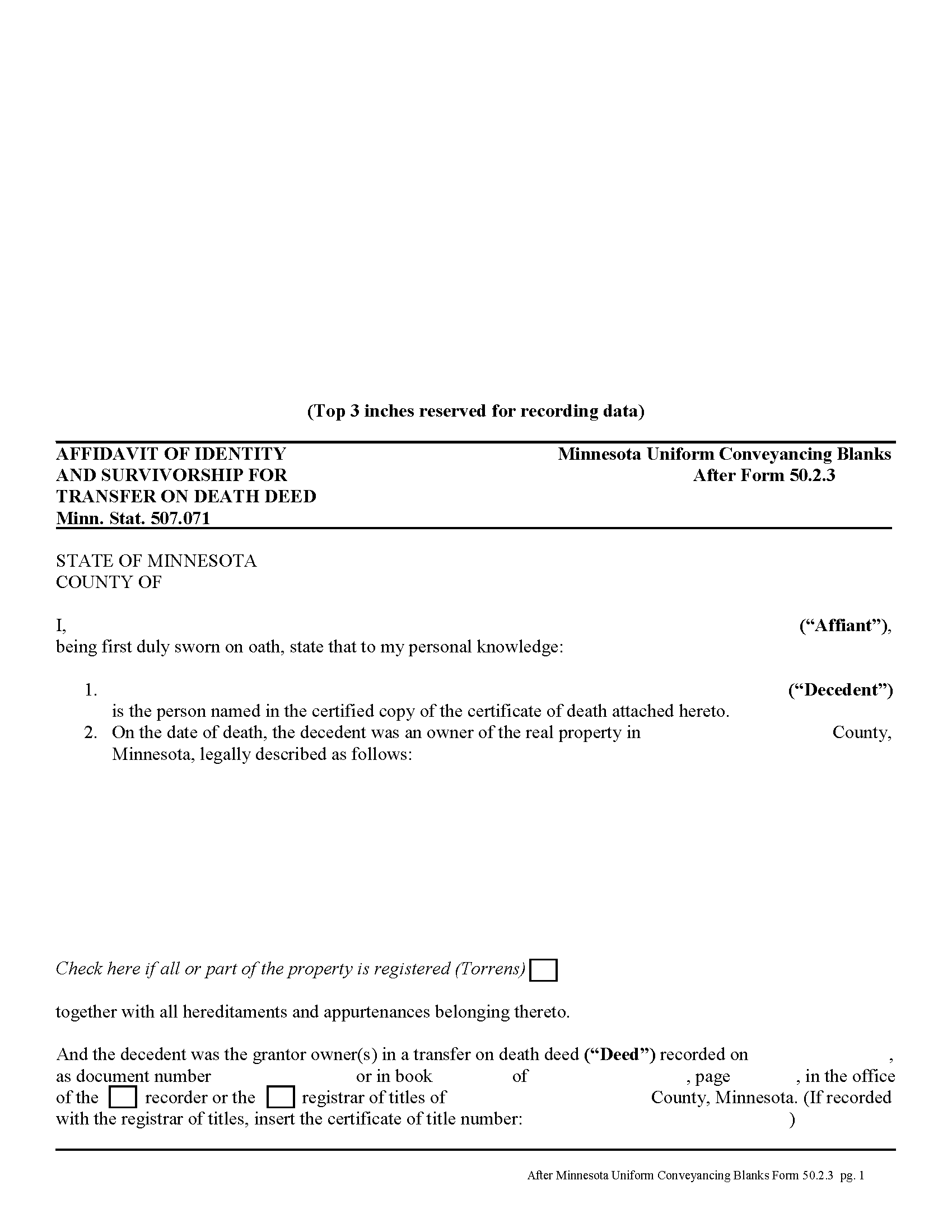
Wabasha County Affidavit of Identity and Survivorship for Transfer on Death Deeds Form
Fill in the blank form formatted to comply with all recording and content requirements.
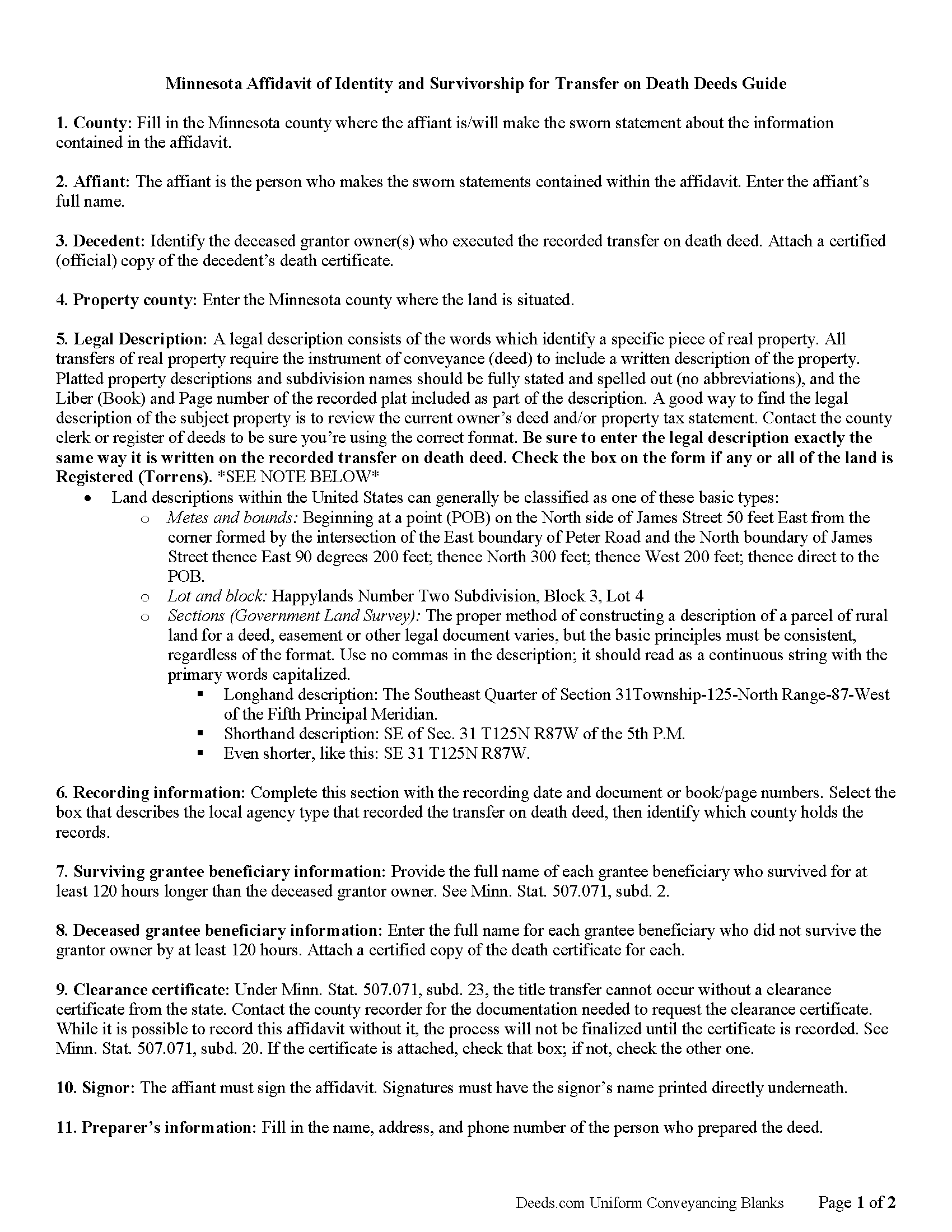
Wabasha County Affidavit of Indentity and Survivorship for Transfer on Death Deed Guide
Line by line guide explaining every blank on the form.
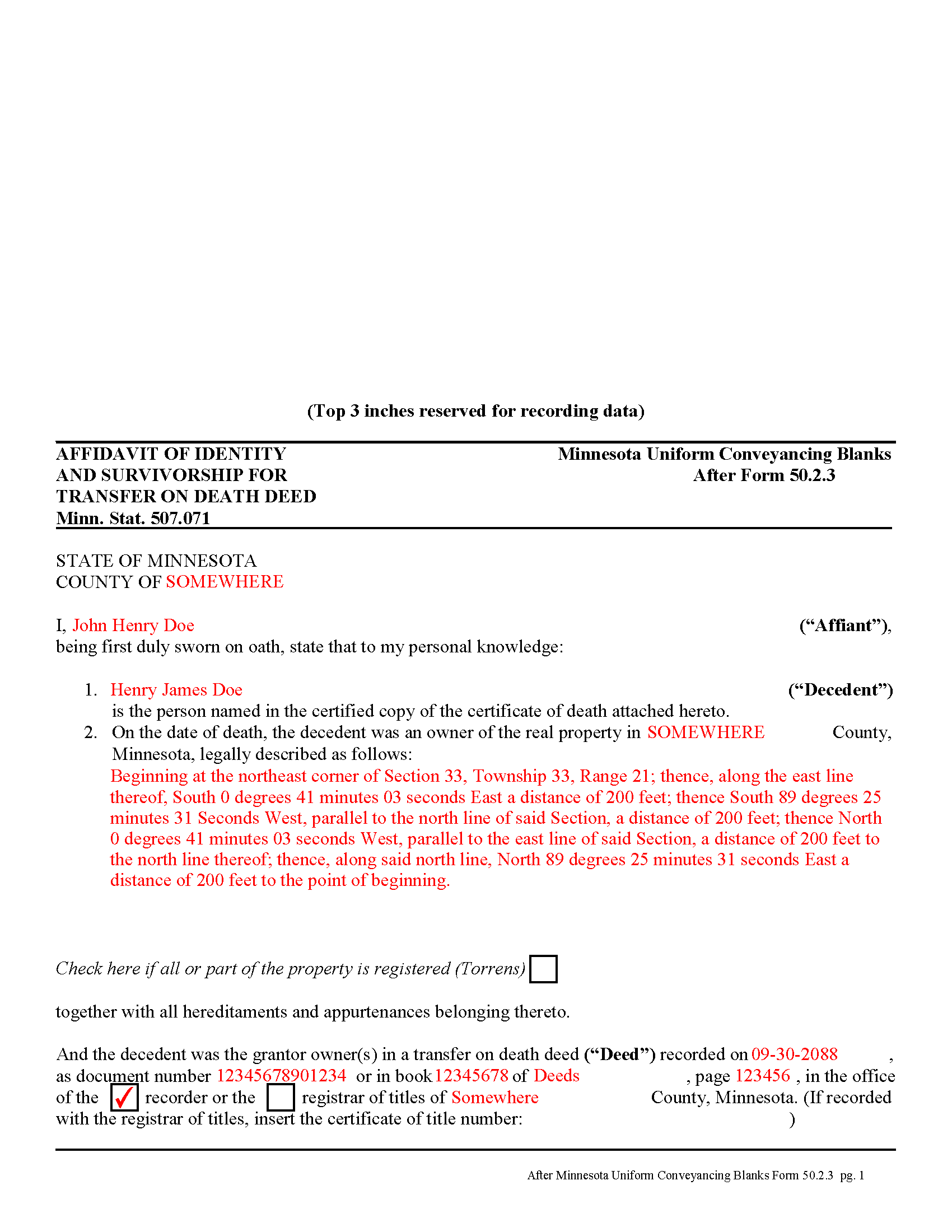
Wabasha County Completed Example of the Affidavit of Identity and Survivorship for TODD Document
Example of a properly completed form for reference.
All 3 documents above included • One-time purchase • No recurring fees
Immediate Download • Secure Checkout
Additional Minnesota and Wabasha County documents included at no extra charge:
Where to Record Your Documents
Wabasha County Recorder
Wabasha, Minnesota 55981
Hours: 8:00 to 4:00 Monday through Friday
Phone: (651) 565-3623
Recording Tips for Wabasha County:
- Bring your driver's license or state-issued photo ID
- Ensure all signatures are in blue or black ink
- Ask about their eRecording option for future transactions
- Avoid the last business day of the month when possible
- Both spouses typically need to sign if property is jointly owned
Cities and Jurisdictions in Wabasha County
Properties in any of these areas use Wabasha County forms:
- Elgin
- Kellogg
- Lake City
- Mazeppa
- Millville
- Plainview
- Reads Landing
- Wabasha
- Zumbro Falls
Hours, fees, requirements, and more for Wabasha County
How do I get my forms?
Forms are available for immediate download after payment. The Wabasha County forms will be in your account ready to download to your computer. An account is created for you during checkout if you don't have one. Forms are NOT emailed.
Are these forms guaranteed to be recordable in Wabasha County?
Yes. Our form blanks are guaranteed to meet or exceed the applicable formatting requirements used for recording in Wabasha County, including margin requirements, font requirements, and other layout standards. This guarantee applies to formatting, not to the legal sufficiency of information entered by the user or the suitability of a form for a particular transaction.
Can I reuse these forms?
Yes. You can reuse the forms for your personal use. For example, if you have multiple properties in Wabasha County you only need to order once.
What do I need to use these forms?
The forms are PDFs that you fill out on your computer. The free Adobe Acrobat Reader is recommended, and most PDF apps also work. You do NOT enter your property information online - you download the blank forms and complete them privately on your own computer.
Are there any recurring fees?
No. This is a one-time purchase. Nothing to cancel, no memberships, no recurring fees.
How much does it cost to record in Wabasha County?
Recording fees in Wabasha County vary. Contact the recorder's office at (651) 565-3623 for current fees.
Questions answered? Let's get started!
Affidavit of Identity and Survivorship for Transfer on Death Deeds -- Minnesota Form 50.2.3
Minnesota's transfer on death deeds are governed by Minn. Stat. 507.071.
To complete the transfer of property rights after the grantor owner's death, the beneficiary must file an affidavit of identity and survivorship in the county where the land is located (subd.20). The affidavit must contain details about the deceased grantor owner, all beneficiaries, surviving or deceased, a legal description of the real estate, recording information from the transfer on death deed, and the address of the individual or entity who should receive future tax statements.
In addition to the affidavit, include an official copy of the grantor owner's death certificate and a clearance certificate from the Minnesota Department of Human Services. All three forms are required, and may be filed as a unified document with references on the affidavit to the death certificate and clearance certificate, but each may also be recorded individually. Note that the transfer is not completed until all three forms are filed for record.
The beneficiary may complete an online request from the DHS website: https://edocs.dhs.state.mn.us/lfserver/Public/DHS-5893-ENG to obtain the clearance certificate.
Individual counties may require additional information -- check with the local agency responsible for maintaining land records with any questions.
(Minnesota AOS Package includes form, guidelines, and completed example)
Important: Your property must be located in Wabasha County to use these forms. Documents should be recorded at the county recording office listed above.
This Affidavit of Identity and Survivorship for Transfer on Death Deeds meets all recording requirements specific to Wabasha County.
Our Promise
The documents you receive here are guaranteed to meet or exceed the applicable Wabasha County recording format requirements. If there is a rejection caused by our formatting, we will correct the issue or refund your payment. This guarantee applies to document formatting only and does not extend to information entered by the user, the selection of the form, or the legal effect of the completed document.
Save Time and Money
Get your Wabasha County Affidavit of Identity and Survivorship for Transfer on Death Deeds form done right the first time with Deeds.com Uniform Conveyancing Blanks. At Deeds.com, we understand that your time and money are valuable resources, and we don't want you to face a penalty fee or rejection imposed by a county recorder for submitting nonstandard documents. We constantly review and update our forms to meet rapidly changing state and county recording requirements for roughly 3,500 counties and local jurisdictions.
4.8 out of 5 - ( 4,839 Reviews )
Tom D. 5 out of 5 stars
I have one suggestion and couple of question I would think that most TOD's would be from married couples. It would be real helpful to have a example of the I(we) block for married couples. Why would I check or not check the "property is registered (torrents)" Do I need a notarized signature of the Grantee
Thank you for your feedback. We really appreciate it. Have a great day!
Sue S. 5 out of 5 stars
Great site easy to use and the documents are great!
Thank you for your feedback. We really appreciate it. Have a great day!
Carmen R. 5 out of 5 stars
I was able to get the form I needed but it would not adjust properly on the page.
Thank you!
Richard S. 2 out of 5 stars
Not user friendly, and not an Adobe fan. The first page of Quitclaim Deed form cuts off the Parcel Identification line on the bottom. Also quite a few forms showed up to be downloaded , after I paid, so I was unsure if all the forms were part of the quitclaim package. I have adobe but was unable to locate the forms in adobe on my computer after I downloaded them. Just wanted to print out one quitclaim deed form, which would have taken less that 3 minutes. instead it took 97 minutes. Thank you, though, for having the form there.
Thank you for your feedback. We really appreciate it. Have a great day!
Richard M. 5 out of 5 stars
Needed some help at the beginning but once I was into the program it was smooth sailing.
Thank you!
Irwin C. 5 out of 5 stars
For starters, enrolling was as easy as could be. Then, it only took minutes before my entry was formatted and filed. Finally, when I asked a question, I got an answer within a few minutes. Couldn't be happier with service
We appreciate your business and value your feedback. Thank you. Have a wonderful day!
Madline J. 5 out of 5 stars
amazing job!!
Thank you!
Stephanie P. 5 out of 5 stars
It was a seamless process, inexpensive, and probably saved me thousands by having an attorney draw this same form us. Highly recommend!
Thank you!
Anna P. 5 out of 5 stars
Deeds.com was a life saver! I was able to have a document recorded the very same day of my request. Thank you for taking care of this! Top notch service.
Thank you!
Johnny A. 5 out of 5 stars
My complete name is Johnny Alicea Rodriguez And the DEED is on my half brother and mine name. Jimmy Dominguez and myself Thanks
Debra D. 5 out of 5 stars
Really good forms, easy to understand and use. The guide was a must have, made the process very simple.
Thank you!
Anthony F. 5 out of 5 stars
quick, easy and simple. Also thank you for having the e-submission area particularly with the Covid-19 /Shelter in place things happening.
Thank you for your feedback. We really appreciate it. Have a great day!
Michael S. 5 out of 5 stars
Great product and service. So convenient.
Your satisfaction with our services is of utmost importance to us. Thank you for letting us know how we did!
Heidi G. 5 out of 5 stars
Very happy with the service that you offer. My office will use you again.
Great to hear Heidi, glad we could help. Have an amazing day!
Beaugwynn Wigley S. 5 out of 5 stars
Thanks so much for all your help! That was painless.
Thank you!