Clay County Receipt and Waiver of Mechanic Lien Form
Last validated October 1, 2026 by our Forms Development TeamFormatted for recording in Clay County, for property anywhere in the county: rural and unincorporated areas as well as Barnesville, Comstock, Dilworth, Felton, Georgetown, Glyndon, Hawley, Hitterdal and 3 more.
- 3 documents included
- Immediate PDF download
- Formatting guarantee
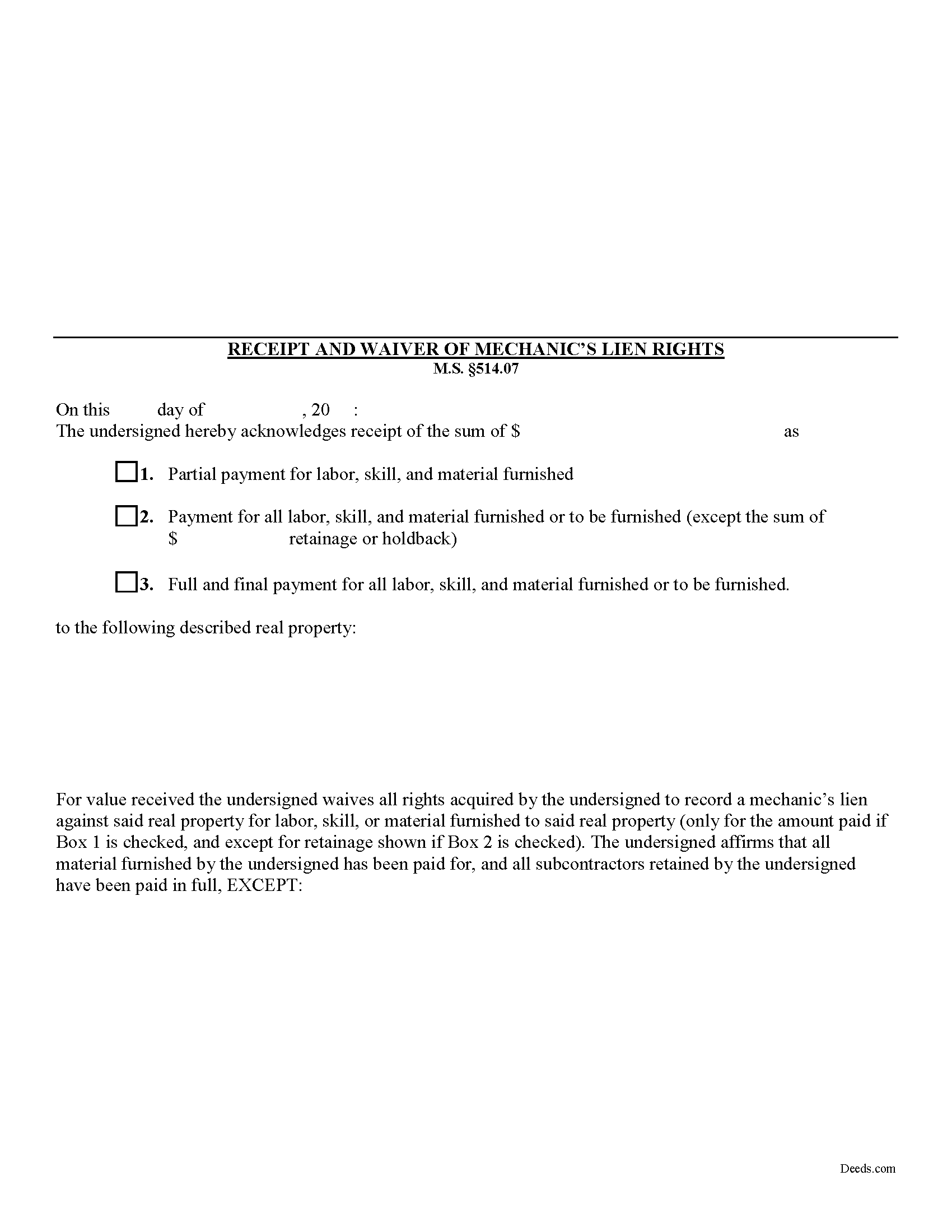
Clay County Receipt and Waiver of Mechanic Lien Form
Fill in the blank Receipt and Waiver of Mechanic Lien form formatted to comply with all Minnesota recording and content requirements.
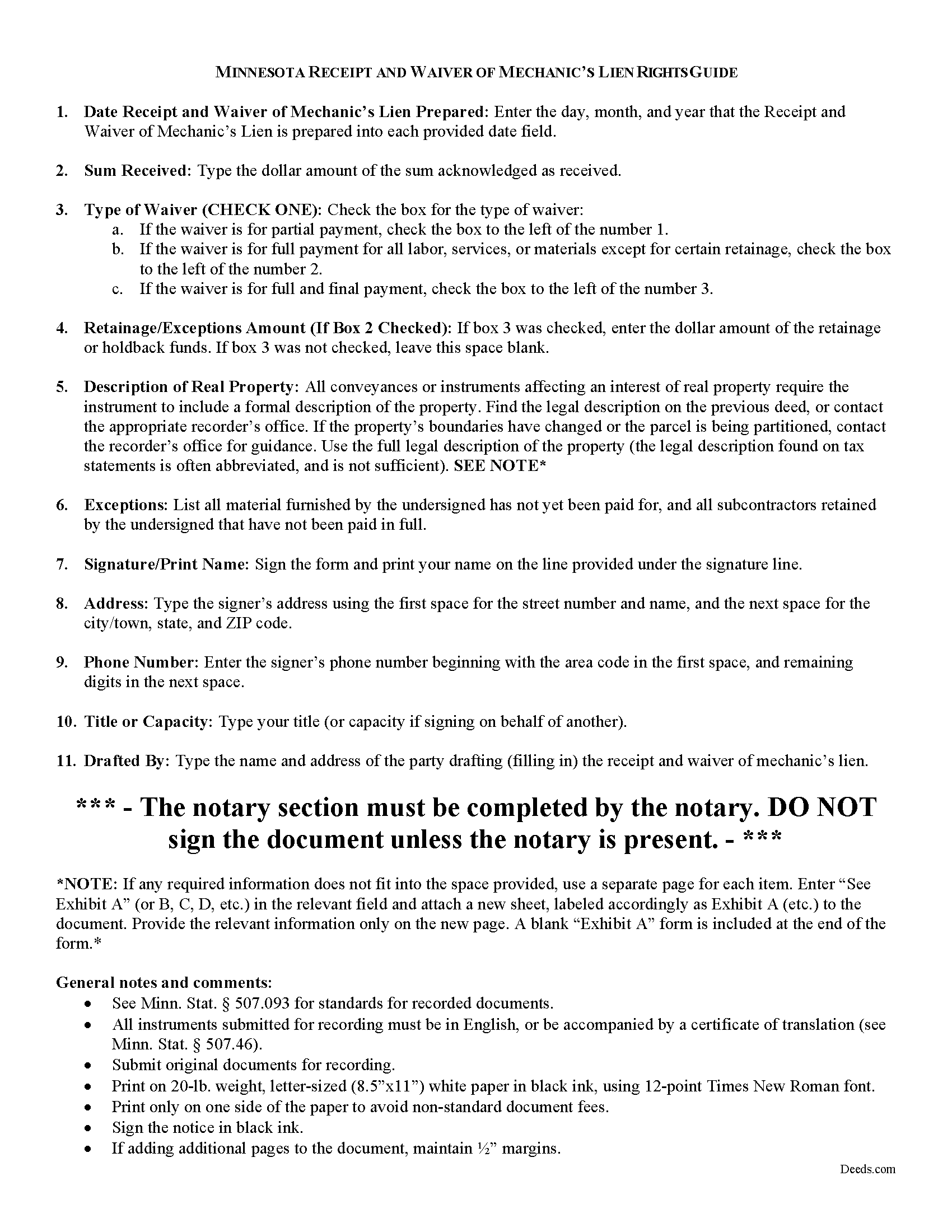
Clay County Receipt and Waiver of Mechanic Lien Guide
Line by line guide explaining every blank on the form.
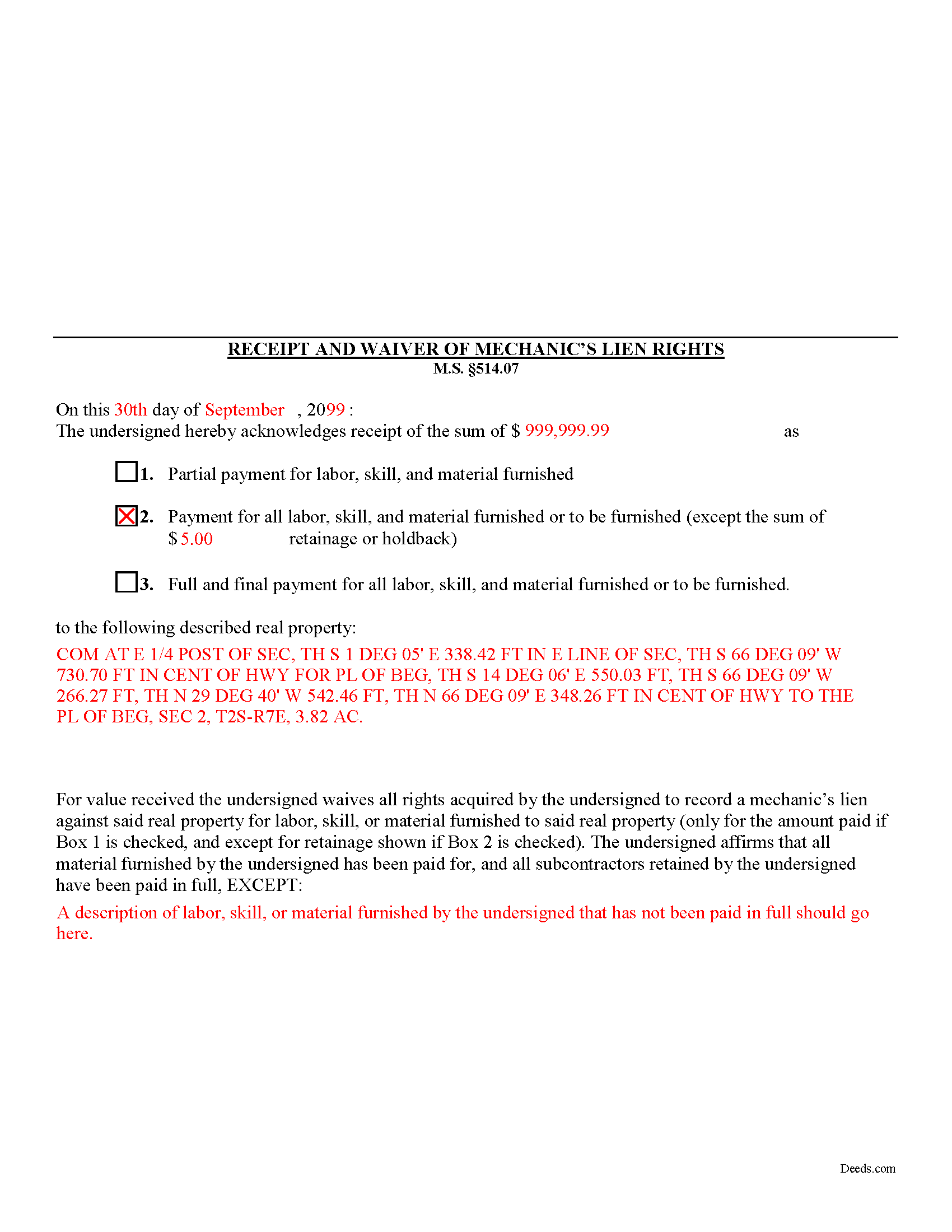
Clay County Completed Example of the Receipt and Waiver of Mechanic Lien Document
Example of a properly completed form for reference.
All 3 documents above included • One-time purchase • No recurring fees
Immediate Download • Secure Checkout
Additional Minnesota and Clay County documents included at no extra charge:
Where to Record Your Documents
Clay County Recorder/Registrar
Moorhead, Minnesota 56560
Hours: 8:00 to 4:30 M-F
Phone: (218) 299-5031
Recording Tips for Clay County:
- Bring your driver's license or state-issued photo ID
- Ensure all signatures are in blue or black ink
- Verify all names are spelled correctly before recording
- White-out or correction fluid may cause rejection
- Ask about their eRecording option for future transactions
Cities and Jurisdictions in Clay County
Properties in any of these areas use Clay County forms:
- Barnesville
- Comstock
- Dilworth
- Felton
- Georgetown
- Glyndon
- Hawley
- Hitterdal
- Moorhead
- Sabin
- Ulen
Hours, fees, requirements, and more for Clay County
How do I get my forms?
Forms are available for immediate download after payment. The Clay County forms will be in your account ready to download to your computer. An account is created for you during checkout if you don't have one. Forms are NOT emailed.
Are these forms guaranteed to be recordable in Clay County?
Yes. Our form blanks are guaranteed to meet or exceed the applicable formatting requirements used for recording in Clay County, including margin requirements, font requirements, and other layout standards. This guarantee applies to formatting, not to the legal sufficiency of information entered by the user or the suitability of a form for a particular transaction.
Can I reuse these forms?
Yes. You can reuse the forms for your personal use. For example, if you have multiple properties in Clay County you only need to order once.
What do I need to use these forms?
The forms are PDFs that you fill out on your computer. The free Adobe Acrobat Reader is recommended, and most PDF apps also work. You do NOT enter your property information online - you download the blank forms and complete them privately on your own computer.
Are there any recurring fees?
No. This is a one-time purchase. Nothing to cancel, no memberships, no recurring fees.
How much does it cost to record in Clay County?
Recording fees in Clay County vary. Contact the recorder's office at (218) 299-5031 for current fees.
Questions answered? Let's get started!
Receipt and Waiver of Mechanic's Liens Rights in Minnesota
During the construction process, the owner (or other parties) may make one or more progress or partial payments on the work or materials furnished to date. Additionally, the owner might pay the full amount or the full amount less any retainage or holdback amounts (used to pay subs and other worker's wages). When a full or partial payment is made, you can issue the owner a waiver for a lien on the amount paid. By issuing the waiver, you give up the right to claim a mechanic's lien for either the full or partial payment amount.
The receipt and waiver contains the following information: 1) date drafted; 2) amount received as full or partial payment; 3) a designation as partial payment for labor, skill, and material furnished; payment for all labor, skill, and material furnished or to be furnished; or full and final payment for all labor, skill, and material furnished or to be furnished; 4) if there are exceptions for amounts for retainage or holdback, the total amounts withheld; and 5) a property description; and 6) description of all materials not yet paid for or names of contractors not yet paid.
Finally, you should ensure that the proper box is checked for the waiver type. If a partial or progress payment was made, check Box #1. If a payment is made for all labor, materials or services furnished or to be furnished except for certain retainage or holdbacks, check Box #2. If a full and final payment was made without exceptions, check Box #3.
This article is provided for informational purposes only and should not be relied upon as a substitute for the advice of an attorney. Please contact a Minnesota attorney with any questions about lien waivers or other related issues.
Important: Your property must be located in Clay County to use these forms. Documents should be recorded at the county recording office listed above.
This Receipt and Waiver of Mechanic Lien meets all recording requirements specific to Clay County.
Our Promise
The documents you receive here are guaranteed to meet or exceed the applicable Clay County recording format requirements. If there is a rejection caused by our formatting, we will correct the issue or refund your payment. This guarantee applies to document formatting only and does not extend to information entered by the user, the selection of the form, or the legal effect of the completed document.
Save Time and Money
Get your Clay County Receipt and Waiver of Mechanic Lien form done right the first time with Deeds.com Uniform Conveyancing Blanks. At Deeds.com, we understand that your time and money are valuable resources, and we don't want you to face a penalty fee or rejection imposed by a county recorder for submitting nonstandard documents. We constantly review and update our forms to meet rapidly changing state and county recording requirements for roughly 3,500 counties and local jurisdictions.
4.8 out of 5 - ( 4,845 Reviews )
FE P. 5 out of 5 stars
Looked into a good number of DIY deeds on the internet. Very glad that I chose Deeds.com. They made it easy to make your own deed based on your state and the process based on the sample included was easy to follow. Also the cost was very reasonable. Great company.
We appreciate your business and value your feedback. Thank you. Have a wonderful day!
Christine B. 5 out of 5 stars
The site was easy to navigate.
Thank you!
Mark & Linda W. 4 out of 5 stars
Quite simple and easy. Only one critique: It would be easier if the names of the PDF would reflect the name of the deed/form such as 'Controlling tax return' rather than '1579101185SF56863.pdf'. However I love downloading forms rather than mail.
Thank you for your feedback. We really appreciate it. Have a great day!
Jo Ellen H. 5 out of 5 stars
So very easy to fill out, very satisfied.
Thank you, Jo Ellen! We’re glad the form was easy to complete and that you’re satisfied. We appreciate your business.
Michael L. 5 out of 5 stars
Quick and Easy. Much appreciated!
Thank you for your feedback. We really appreciate it. Have a great day!
Beaugwynn Wigley S. 5 out of 5 stars
Thanks so much for all your help! That was painless.
Thank you!
Joshua M. 5 out of 5 stars
Fast service, very responsive. Thank you!
We appreciate your business and value your feedback. Thank you. Have a wonderful day!
Michael K. 5 out of 5 stars
I haven't used them yet. So far so good.
Thank you!
Joan P. 5 out of 5 stars
Thank you for combining all necessary documents in one simple location.
Thank you!
Rebecca Q. 5 out of 5 stars
Very helpful! Unfortunately, they didn't have what I needed, but they got back to me quickly and didn't charge me anything. Easy to work with.
Thank you for your feedback. We really appreciate it. Have a great day!
Larry S. 5 out of 5 stars
I think it needs to be easier to enlarge print to fit an 8"x12" sheet of paper. Printing off samples is difficult to read as it is too small
Thank you for your feedback. We really appreciate it. Have a great day!
JUDITH-DIAN W. 5 out of 5 stars
I didn't have any problem downloading and filling out the form on my computer and printing it yesterday. I didn't know what to put for "Source of Title". I called the county recording office; they didn't know either and said to leave it blank. I got the form notarized at my bank and took it in to the recording office. They checked it, accepted it, I paid a fee, and it's done. So easy. My children will appreciate that I've done this. Added note: You do have one typo on your form--you left out 'at'. It should read: "You should carefully read all information at the end of this form."
Thank you for your feedback. We really appreciate it. Have a great day!
David C. 5 out of 5 stars
I found it pretty easy to navigate, all worked well. Need a better example of excise tax. Lastly, your link in the email to get to this page doesn't work :)
We appreciate your business and value your feedback. Thank you. Have a wonderful day!
Christopher B. 5 out of 5 stars
Process went smoothly and will use for my next recording. Only area for improvement would be to provide the ability for the user to delete and replace uploaded documents.
Thank you for your feedback. We really appreciate it. Have a great day!
Marilyn C. 5 out of 5 stars
My document got recorded right away. Thank you! Will use again in the future when needed.
We appreciate your business and value your feedback. Thank you. Have a wonderful day!