Callaway County Revocation of Beneficiary Deed Form
Last validated September 28, 2026 by our Forms Development TeamFormatted for recording in Callaway County, for property anywhere in the county or independent city: rural and unincorporated areas as well as Auxvasse, Fulton, Holts Summit, Kingdom City, Mokane, New Bloomfield, Portland, Steedman and 2 more.
- 3 documents included
- Immediate PDF download
- Formatting guarantee
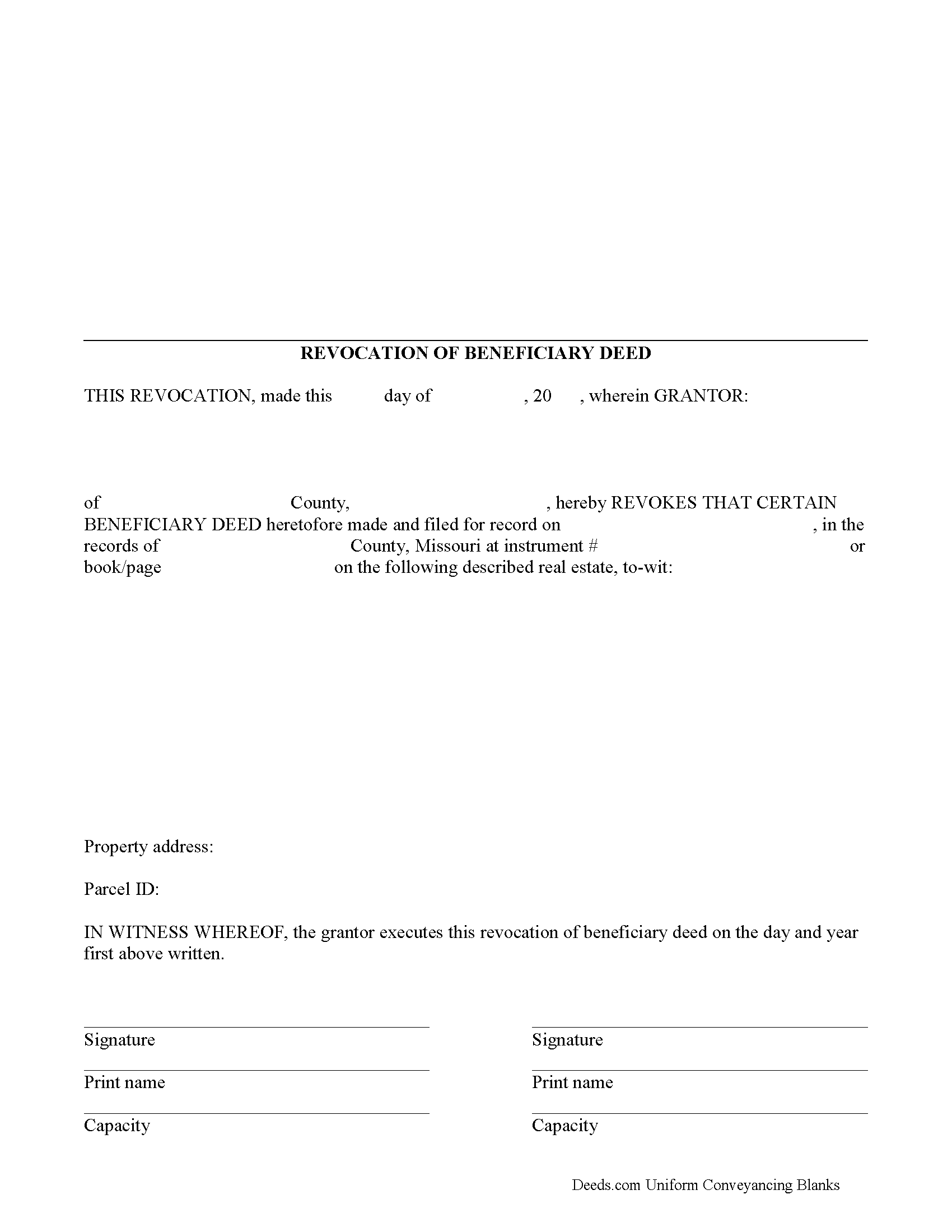
Callaway County Revocation of Beneficiary Deed Form
Fill in the blank form formatted to comply with all recording and content requirements.
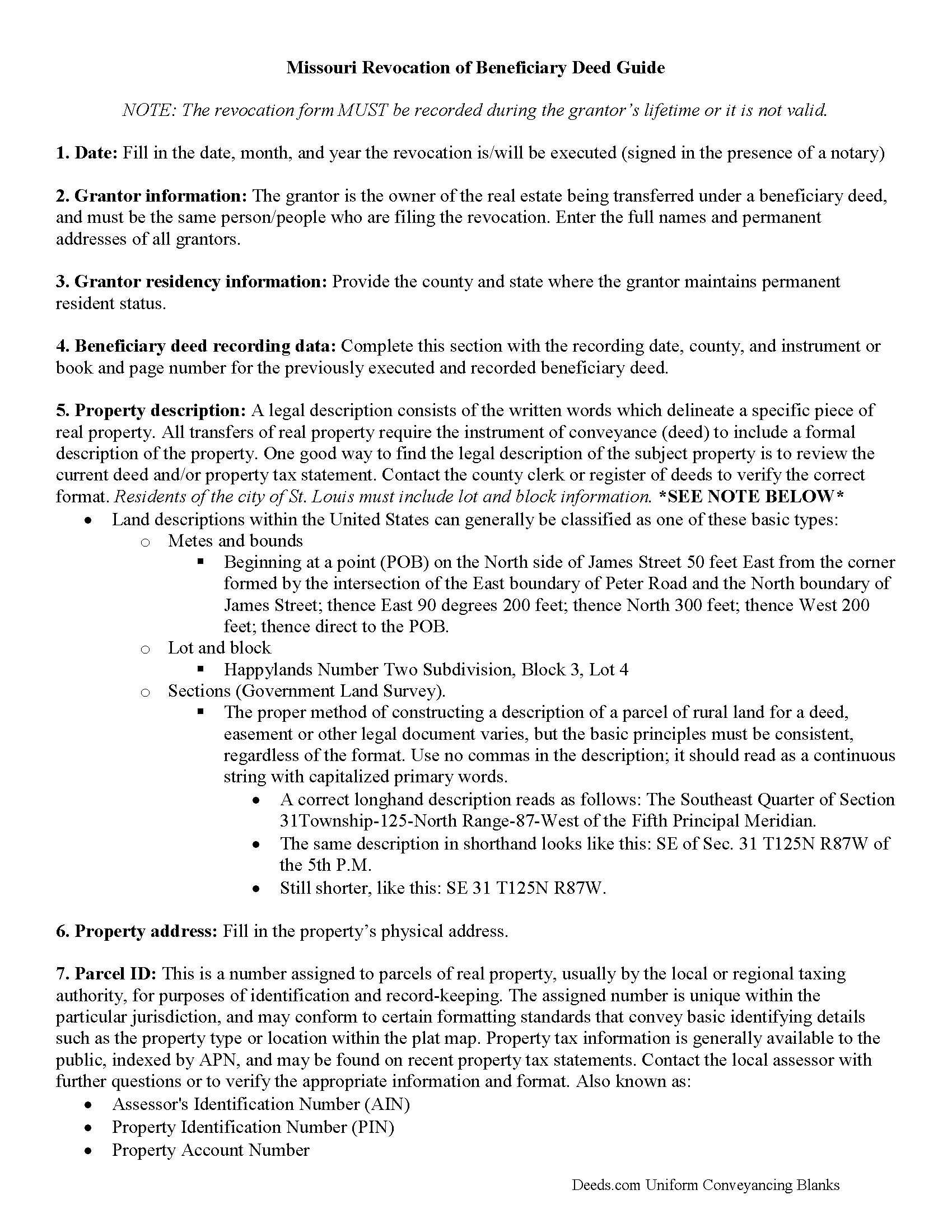
Callaway County Revocation of Beneficiary Deed Guide
Line by line guide explaining every blank on the form.
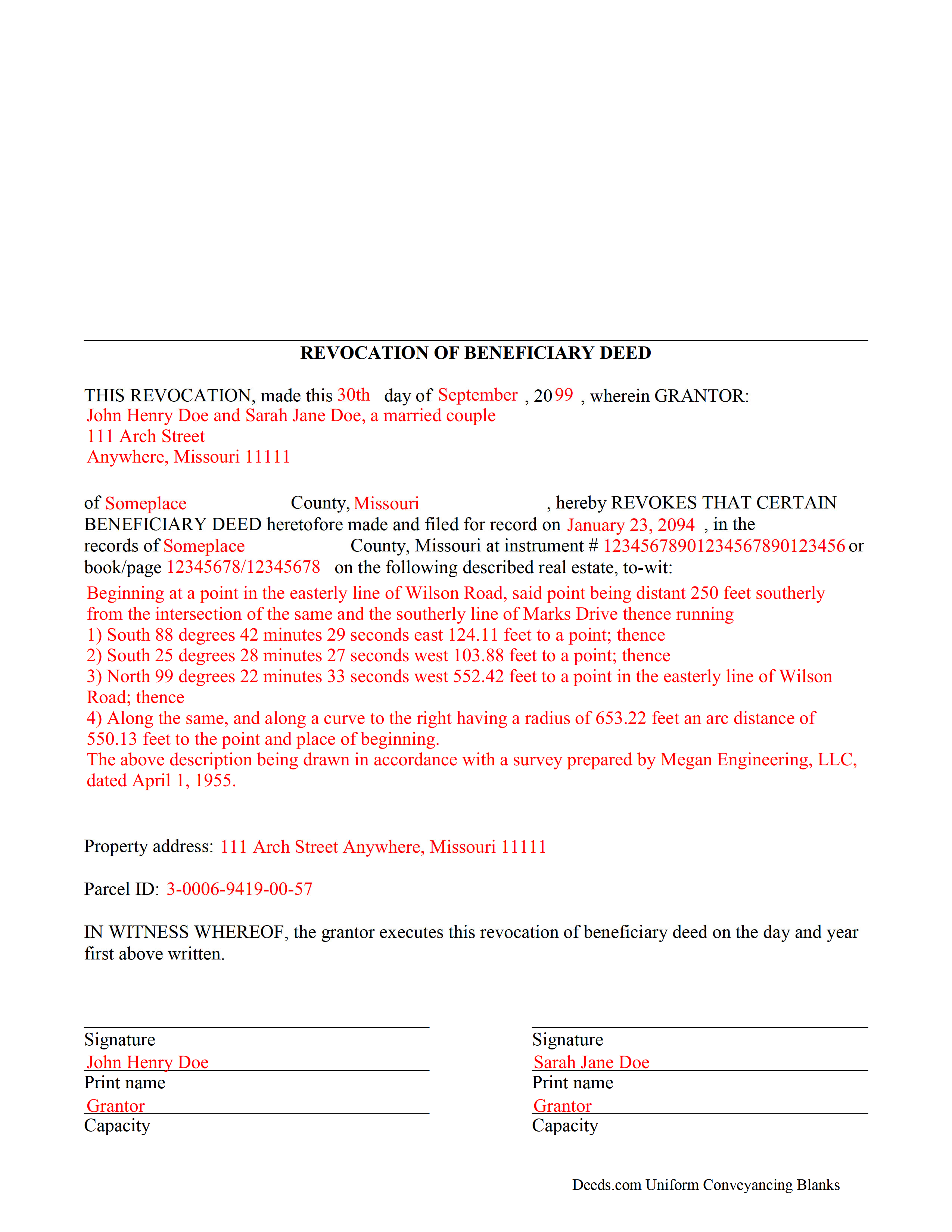
Callaway County Completed Example of the Revocation of Beneficiary Deed Document
Example of a properly completed form for reference.
All 3 documents above included • One-time purchase • No recurring fees
Immediate Download • Secure Checkout
Additional Missouri and Callaway County documents included at no extra charge:
Where to Record Your Documents
Callaway County Recorder
Fulton, Missouri 65251
Hours: 8:00 to 4:30 M-F / Register closes at 4:00
Phone: (573) 642-0787
Recording Tips for Callaway County:
- Bring your driver's license or state-issued photo ID
- Ensure all signatures are in blue or black ink
- Both spouses typically need to sign if property is jointly owned
- Bring extra funds - fees can vary by document type and page count
- Check margin requirements - usually 1-2 inches at top
Cities and Jurisdictions in Callaway County
Properties in any of these areas use Callaway County forms:
- Auxvasse
- Fulton
- Holts Summit
- Kingdom City
- Mokane
- New Bloomfield
- Portland
- Steedman
- Tebbetts
- Williamsburg
Hours, fees, requirements, and more for Callaway County
How do I get my forms?
Forms are available for immediate download after payment. The Callaway County forms will be in your account ready to download to your computer. An account is created for you during checkout if you don't have one. Forms are NOT emailed.
Are these forms guaranteed to be recordable in Callaway County?
Yes. Our form blanks are guaranteed to meet or exceed the applicable formatting requirements used for recording in Callaway County, including margin requirements, font requirements, and other layout standards. This guarantee applies to formatting, not to the legal sufficiency of information entered by the user or the suitability of a form for a particular transaction.
Can I reuse these forms?
Yes. You can reuse the forms for your personal use. For example, if you have multiple properties in Callaway County you only need to order once.
What do I need to use these forms?
The forms are PDFs that you fill out on your computer. The free Adobe Acrobat Reader is recommended, and most PDF apps also work. You do NOT enter your property information online - you download the blank forms and complete them privately on your own computer.
Are there any recurring fees?
No. This is a one-time purchase. Nothing to cancel, no memberships, no recurring fees.
How much does it cost to record in Callaway County?
Recording fees in Callaway County vary. Contact the recorder's office at (573) 642-0787 for current fees.
Questions answered? Let's get started!
One of the many useful aspects of the Nonprobate Transfers Law of Missouri (RSMo Sections 461.003 to 461.081) is the option to revoke a previously recorded beneficiary deed. Revocation is specifically addressed in RSMo 431.033. The option to revoke is possible for several reasons: the grantor is not required to notify the beneficiary of the potential future interest; there is no consideration given in exchange for property rights; and the transfer of ownership is not completed until the grantor or grantors have all died. As a result, the named beneficiary has no actual interest in the real estate.
A grantor on a beneficiary deed may change or revoke beneficiary designations at will, and with no obligation to the individuals named as beneficiaries on the deed. To accomplish this, the original grantor (or grantors) may record a signed, notarized notice of revocation with the same office that accepted the original beneficiary deed. While effective, real estate that is not re-conveyed under a new beneficiary deed reverts back to the grantor's estate at his/her death, and is then distributed via the probate process. Alternately, the grantor may execute a new beneficiary deed, designating someone else as the beneficiary. Recording the new deed removes the prior beneficiary's name and replaces it, identifying the current beneficiary's information.
Note that any change in beneficiary designation must be executed and submitted for recordation during the grantor's lifetime.
(Missouri Revocation of BD Package includes form, guidelines, and completed example)
Important: Your property must be located in Callaway County to use these forms. Documents should be recorded at the county or independent city recording office listed above.
This Revocation of Beneficiary Deed meets all recording requirements specific to Callaway County.
Our Promise
The documents you receive here are guaranteed to meet or exceed the applicable Callaway County recording format requirements. If there is a rejection caused by our formatting, we will correct the issue or refund your payment. This guarantee applies to document formatting only and does not extend to information entered by the user, the selection of the form, or the legal effect of the completed document.
Save Time and Money
Get your Callaway County Revocation of Beneficiary Deed form done right the first time with Deeds.com Uniform Conveyancing Blanks. At Deeds.com, we understand that your time and money are valuable resources, and we don't want you to face a penalty fee or rejection imposed by a county recorder for submitting nonstandard documents. We constantly review and update our forms to meet rapidly changing state and county recording requirements for roughly 3,500 counties and local jurisdictions.
4.8 out of 5 - ( 4,824 Reviews )
Cecilia G. 5 out of 5 stars
This site is so easy to use. It is so convenient to have access to forms for all states. I’d recommend this site to anyone who needs to create any real estate documents.
Thank you for your feedback. We really appreciate it. Have a great day!
Brenda M. 5 out of 5 stars
It was quick and easy to obtain the document I needed
Thanks so much for your feedback Brenda, we really appreciate it. Have a great day!
Carl T. 5 out of 5 stars
Great site with good information and pricing. Let me know when you are able to record documents in California.
Thank you for your feedback. We really appreciate it. Have a great day!
Amy S. 5 out of 5 stars
So convenient! I love this service. I highly recommend.
We appreciate your business and value your feedback. Thank you. Have a wonderful day!
Connie J L. 5 out of 5 stars
Fast and easy to use. Easy to print.
Thank you!
Evaristo R. 2 out of 5 stars
I was very excited to use the website but unfortunately they had a problem retrieving my Deed but thank you for the opportunity.
Thank you for your feedback. We really appreciate it. Have a great day!
Brenn C. 2 out of 5 stars
These products would be more useful if they final deed could be copied and pasted into a word document for proper formatting. Because most of the document is protected against selecting and copying, I did not find it useful. I would not purchase again.
Thank you for your feedback. We really appreciate it. Have a great day!
Judy W. 5 out of 5 stars
Very easy to fill out the form especially with the detailed guide and the sample. I will use deeds.com again if needed.
Thank you for your feedback. We really appreciate it. Have a great day!
ARACELI V. 5 out of 5 stars
AWESOME COMPANY RELIABLE FAST AND EASY, VERY ECONOMIC, LOVE TO WORK WITH THEM , GREAT CUSTOMER SERVICE , THEY REPLY TO YOU FAST
Thank you for your feedback. We really appreciate it. Have a great day!
Kathy L. 3 out of 5 stars
Review: There are 10 PDFs in this warranty deed package. I don't even know what to do with them all. I don't think the directions are clear enough on how to put it all together. I probably won't use it, and feel I have wasted my money.
Sorry to hear that the volume of documents required to complete your task was more than you anticipated. It is rare that we get complaints about providing everything needed. We certainly don't want you to be overwhelmed or feel like you have wasted your money. Your order and payment has been canceled and we do hope that you find something more suitable to your needs elsewhere. Have a wonderful day.
Dorothea H. 5 out of 5 stars
I am so glad I chose Deeds.com for my forms! The directions were clear and comprehensive, and the form allowed for customization far beyond the free forms I had looked at before. I highly recommend this site!
Thank you for your feedback. We really appreciate it. Have a great day!
Ida L. 5 out of 5 stars
The form was easy to complete and print. Best price found online.
Thank you!
Keith L. 5 out of 5 stars
Great to have a downloadable form, rather than a cloud solution that gives no guarantee of privacy. Appreciated the sample.......but all of that still left me with open issues about how to tweak the form to serve my particular needs......for example: how to ensure that survivor rights were properly characterized; how far back I should go with the "Source" section + how I should layer my own additions to the chain of ownership, etc. Nonetheless, an overall happy experience. Thank you for your help
Thank you for your feedback. We really appreciate it. Have a great day!
Constance R. 5 out of 5 stars
It was very easy to e-file. I liked it.
Thank you for your feedback. We really appreciate it. Have a great day!
MARTI M. 4 out of 5 stars
The transaction was fairly simple. thank you
Your feedback is greatly appreciated. Thank you for taking the time to share your experience!