Daviess County Specific Power of Attorney for the Sale of Property Form
Last validated October 12, 2026 by our Forms Development TeamFormatted for recording in Daviess County, for property anywhere in the county or independent city: rural and unincorporated areas as well as Altamont, Coffey, Gallatin, Jameson, Jamesport, Lock Springs, Pattonsburg, Winston.
- 3 documents included
- Immediate PDF download
- Formatting guarantee
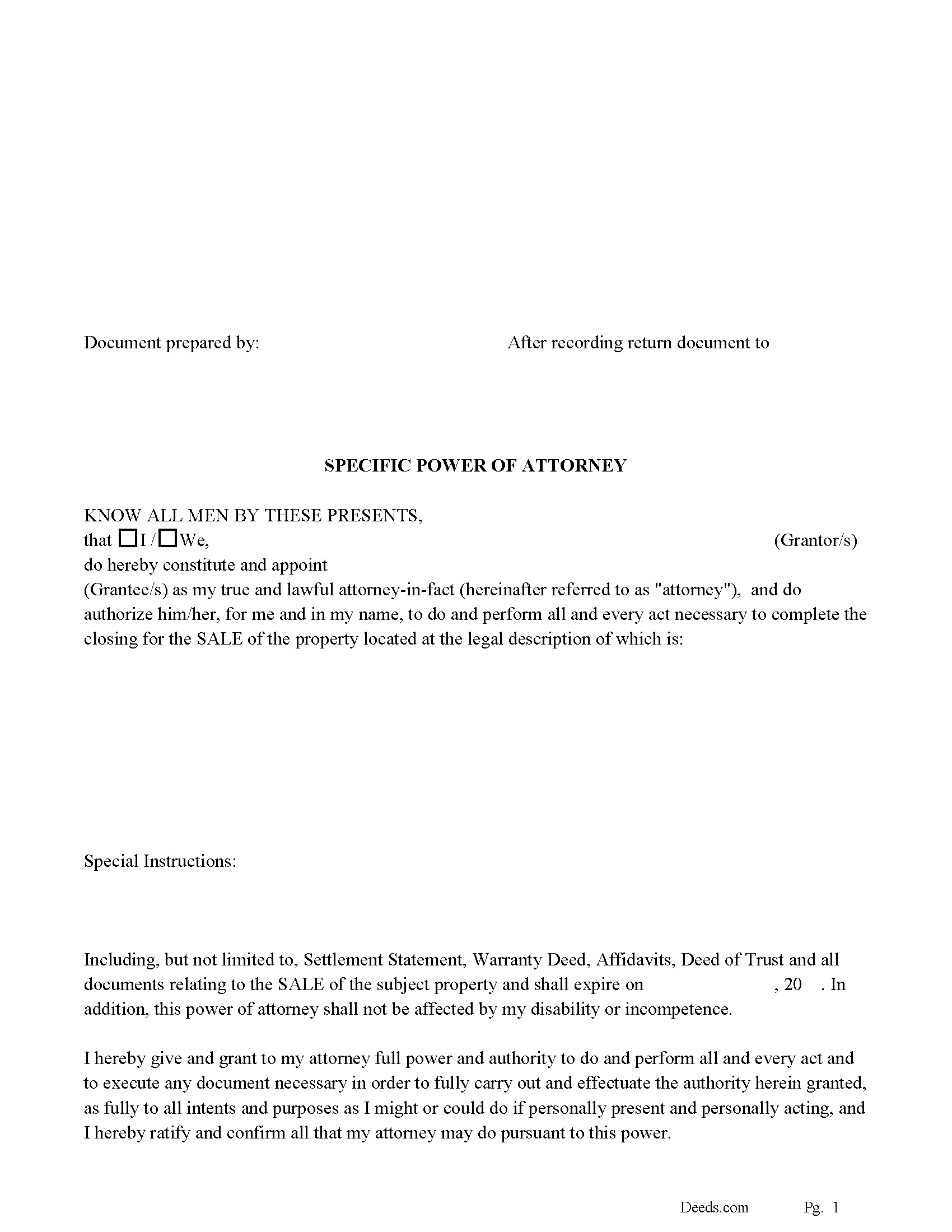
Daviess County Specific Power of Attorney for the Sale of Property
Fill in the blank form formatted to comply with all recording and content requirements.
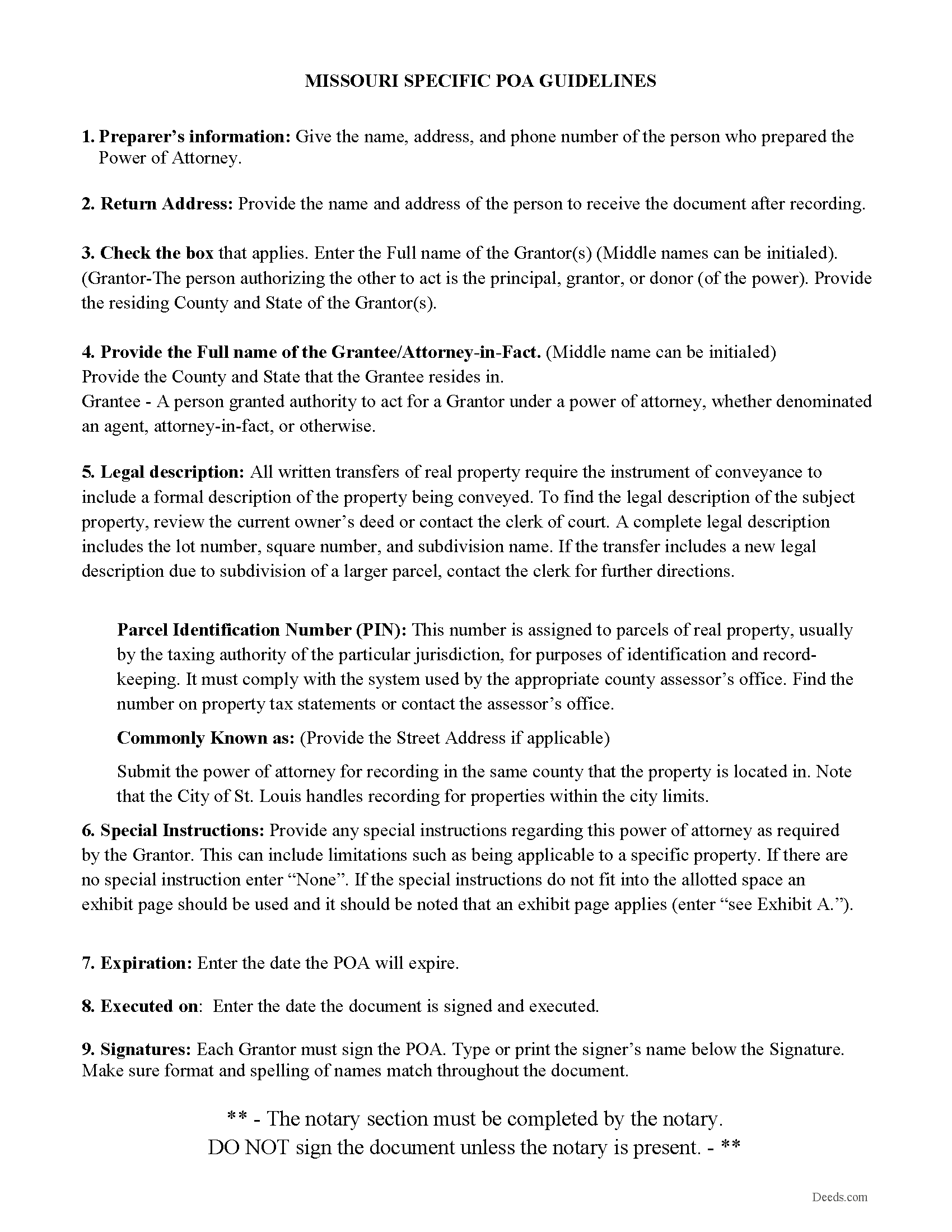
Daviess County Specific Power of Attorney Guidelines
Line by line guide explaining every blank on the form.
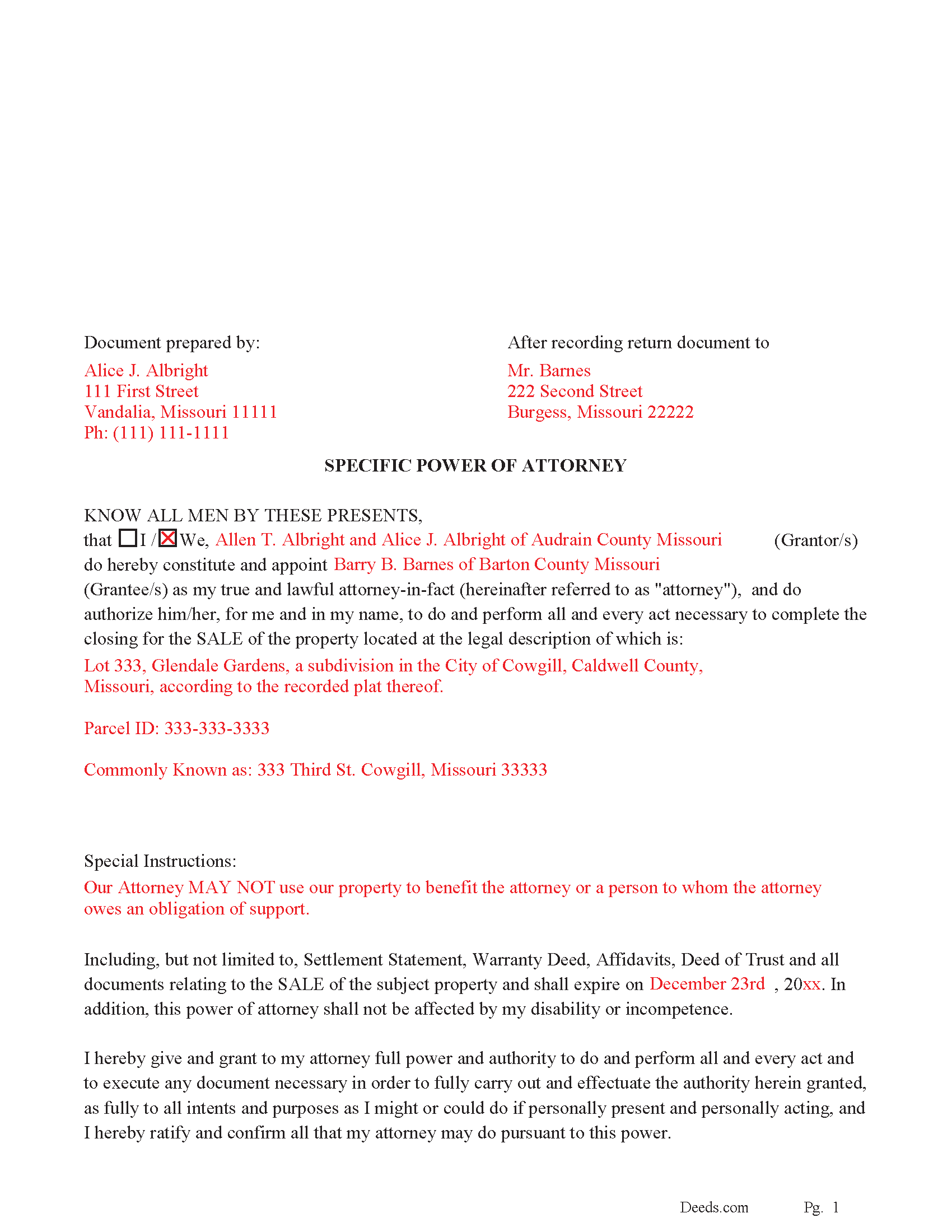
Daviess County Completed Example of the Specific POA
Example of a properly completed form for reference.
All 3 documents above included • One-time purchase • No recurring fees
Immediate Download • Secure Checkout
Additional Missouri and Daviess County documents included at no extra charge:
Where to Record Your Documents
Daviess County Recorder of Deeds
Gallatin, Missouri 64640
Hours: 8:30 to 4:30 M-F
Phone: (660) 663-3183
Recording Tips for Daviess County:
- Bring your driver's license or state-issued photo ID
- Ensure all signatures are in blue or black ink
- Ask about their eRecording option for future transactions
- Avoid the last business day of the month when possible
- Both spouses typically need to sign if property is jointly owned
Cities and Jurisdictions in Daviess County
Properties in any of these areas use Daviess County forms:
- Altamont
- Coffey
- Gallatin
- Jameson
- Jamesport
- Lock Springs
- Pattonsburg
- Winston
Hours, fees, requirements, and more for Daviess County
How do I get my forms?
Forms are available for immediate download after payment. The Daviess County forms will be in your account ready to download to your computer. An account is created for you during checkout if you don't have one. Forms are NOT emailed.
Are these forms guaranteed to be recordable in Daviess County?
Yes. Our form blanks are guaranteed to meet or exceed the applicable formatting requirements used for recording in Daviess County, including margin requirements, font requirements, and other layout standards. This guarantee applies to formatting, not to the legal sufficiency of information entered by the user or the suitability of a form for a particular transaction.
Can I reuse these forms?
Yes. You can reuse the forms for your personal use. For example, if you have multiple properties in Daviess County you only need to order once.
What do I need to use these forms?
The forms are PDFs that you fill out on your computer. The free Adobe Acrobat Reader is recommended, and most PDF apps also work. You do NOT enter your property information online - you download the blank forms and complete them privately on your own computer.
Are there any recurring fees?
No. This is a one-time purchase. Nothing to cancel, no memberships, no recurring fees.
How much does it cost to record in Daviess County?
Recording fees in Daviess County vary. Contact the recorder's office at (660) 663-3183 for current fees.
Questions answered? Let's get started!
Use this form to authorize an attorney-in-fact to do and perform all and every act necessary to complete the closing for the SALE of a specific property. This form expires on a date of your choice and includes a "Special Instructions" section in which you can further limit or define the powers granted by you to your attorney-in-fact.
This POA is durable and shall not be affected by your disability or incompetence.
For use when the subject property is located in Missouri.
(Missouri SPOA-Sale Package includes form, guidelines, and completed example)
Important: Your property must be located in Daviess County to use these forms. Documents should be recorded at the county or independent city recording office listed above.
This Specific Power of Attorney for the Sale of Property meets all recording requirements specific to Daviess County.
Our Promise
The documents you receive here are guaranteed to meet or exceed the applicable Daviess County recording format requirements. If there is a rejection caused by our formatting, we will correct the issue or refund your payment. This guarantee applies to document formatting only and does not extend to information entered by the user, the selection of the form, or the legal effect of the completed document.
Save Time and Money
Get your Daviess County Specific Power of Attorney for the Sale of Property form done right the first time with Deeds.com Uniform Conveyancing Blanks. At Deeds.com, we understand that your time and money are valuable resources, and we don't want you to face a penalty fee or rejection imposed by a county recorder for submitting nonstandard documents. We constantly review and update our forms to meet rapidly changing state and county recording requirements for roughly 3,500 counties and local jurisdictions.
4.8 out of 5 - ( 4,836 Reviews )
John v. 4 out of 5 stars
Process is well laid out, clear and concise. Check out is easy. Recommendations: * Assign names to the downloadable files that are meaningful, such as: WARRANTY DEED instead of the useless and cryptic 1420490866F11417.pdf. * Provide a ONE BUTTON DOWNLOAD for all forms ordered. It's aggravating to have to click on each of the 20 documents and download them individually.
Thank you for your feedback. We really appreciate it. Have a great day!
Kevin V. 5 out of 5 stars
This is an option for recording that worked flawlessly with my county government. Given Covid19 has closed county offices to the public as well as the personal kiosks options to record shrunk dramatically. I recommend Deeds.Com for your recording needs.
Thank you for your feedback. We really appreciate it. Have a great day!
Carolyn D. 5 out of 5 stars
The sight provided exactly what I needed and was easy to use. I was able to download the type of Deed I used and was completely satisfied with the website.
Thank you!
Martin P. 4 out of 5 stars
The DEEDs website is very easy to navigate and find the required documents. I have not yet had an opportunity to review the documents I purchased and downloaded. That is the reason I have assigned a rating of four stars. I fully hope that can raise my rating to five stars after I've used those documents.
We appreciate your business and value your feedback. Thank you. Have a wonderful day!
Mica M. 5 out of 5 stars
I love deeds.com - hands down, the quickest way to record a warranty deed. The process and communication is so quick - the recording transaction too. Worth the extra $20 to me for my time! I didn't spend over an hour driving around, talking to someone via a kiosk to record the deed, didn't have to spend the energy of loading kids into the car to come with me, etc. The efficiency and timely process is worth the cost! Love having this available! The whole process via deeds.com took less than 5 minutes to upload a document and less than 3 minutes to pay the invoice shortly thereafter. The final recording was in my inbox in less than an hour. Thank you!
Thank you for your feedback. We really appreciate it. Have a great day!
Paula S. 5 out of 5 stars
I highly recommend this website. It was quick and easy with very helpful guides and examples! I am so very thankful that I stumbled across the Deed website! Definitely worth every penny spent!
We appreciate your business and value your feedback. Thank you. Have a wonderful day!
Gerry V. 5 out of 5 stars
Easy to use, fast and reliable. love deeds.com
We appreciate your business and value your feedback. Thank you. Have a wonderful day!
James K. 5 out of 5 stars
Looks like a very professional site. I just don’t know what it would cost using this site.
Thanks for the kind words about the website James, sorry to hear that you could not find pricing information, we will try harder.
scott m. 5 out of 5 stars
thanks- easy as pie.
Thank you!
CEDRIC D. 3 out of 5 stars
need more instructions for each form
Thank you for your feedback. We really appreciate it. Have a great day!
Jonelle R. 5 out of 5 stars
Paperwork very easy to retrieve. Hope going to get it recorded will be this easy.
We appreciate your business and value your feedback. Thank you. Have a wonderful day!
Janet M. 5 out of 5 stars
This site is amazing! What a time saver from driving somewhere and standing around waiting.
Thank you!
Mark W. 5 out of 5 stars
Great form and easy to complete. Sending a sample and instructions was very helpful. Thank you!
We appreciate your business and value your feedback. Thank you. Have a wonderful day!
William L. 5 out of 5 stars
This is an initial review of Deeds.Com and the ordering process for their Quit Claim package for Virginia. The ordering process was very easy and the price seems reasonable for what you get. I have reviewed and downloaded all my forms, but have not used them yet. Thus far I am pleased with the product and the process. E-Recording service is also offered, but I have not used that yet either. At this writing, I can whole-heartedly recommend Deeds.Com.
Thank you for your feedback. We really appreciate it. Have a great day!
Henry J. 5 out of 5 stars
Worked out Great!
We appreciate your business and value your feedback. Thank you. Have a wonderful day!