Coos County Notice of Intention to File a Mechanics Lien Form
Last validated September 14, 2026 by our Forms Development TeamFormatted for recording in Coos County, for property anywhere in the county: rural and unincorporated areas as well as Berlin, Bretton Woods, Colebrook, Errol, Gorham, Groveton, Jefferson, Lancaster and 9 more.
- 3 documents included
- Immediate PDF download
- Formatting guarantee
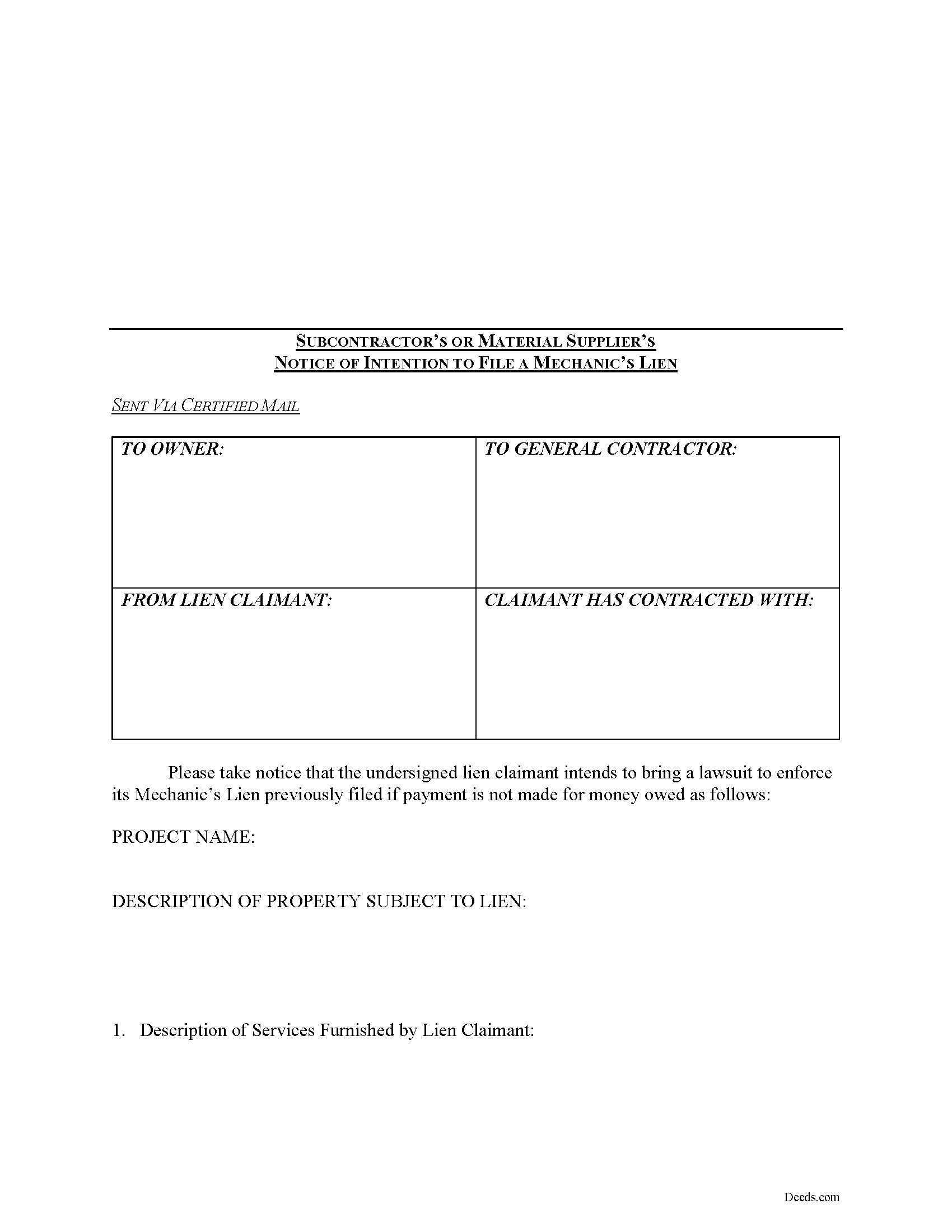
Coos County Notice of Intention to File a Mechanics Lien Form
Fill in the blank Notice of Intention to File a Mechanics Lien form formatted to comply with all New Hampshire recording and content requirements.
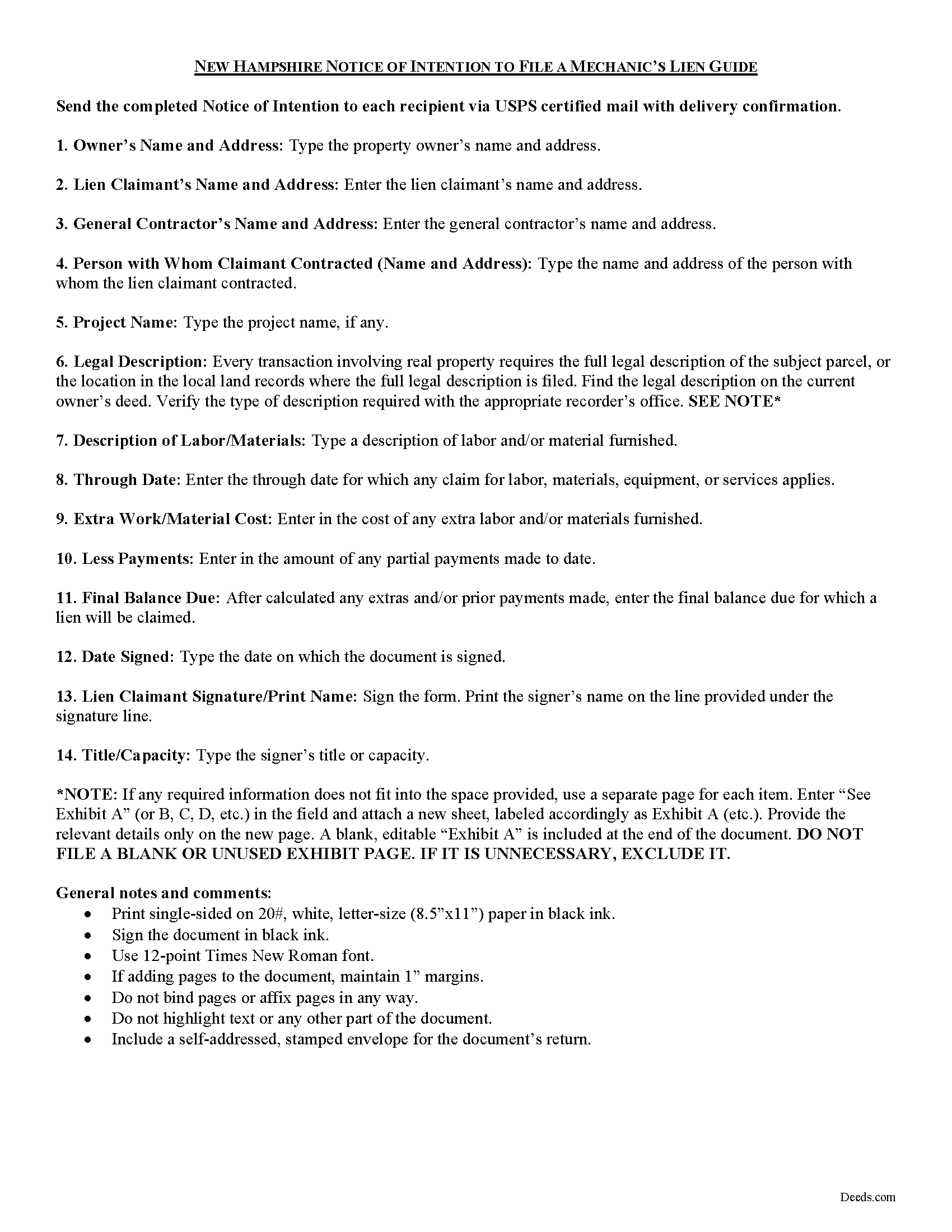
Coos County Notice of Intention Guide
Line by line guide explaining every blank on the form.

Coos County Completed Example of the Notice on Intention Document
Example of a properly completed form for reference.
All 3 documents above included • One-time purchase • No recurring fees
Immediate Download • Secure Checkout
Additional New Hampshire and Coos County documents included at no extra charge:
Where to Record Your Documents
Registry of Deeds
Lancaster, New Hampshire 03584
Hours: 8:00am and 4:00pm M-F / Stop recording at 3:30 pm
Phone: (603) 788-2392
Recording Tips for Coos County:
- Bring your driver's license or state-issued photo ID
- Ensure all signatures are in blue or black ink
- Both spouses typically need to sign if property is jointly owned
- Bring extra funds - fees can vary by document type and page count
- Check margin requirements - usually 1-2 inches at top
Cities and Jurisdictions in Coos County
Properties in any of these areas use Coos County forms:
- Berlin
- Bretton Woods
- Colebrook
- Errol
- Gorham
- Groveton
- Jefferson
- Lancaster
- Milan
- Mount Washington
- North Stratford
- Northumberland
- Pittsburg
- Randolph
- Twin Mountain
- West Stewartstown
- Whitefield
Hours, fees, requirements, and more for Coos County
How do I get my forms?
Forms are available for immediate download after payment. The Coos County forms will be in your account ready to download to your computer. An account is created for you during checkout if you don't have one. Forms are NOT emailed.
Are these forms guaranteed to be recordable in Coos County?
Yes. Our form blanks are guaranteed to meet or exceed the applicable formatting requirements used for recording in Coos County, including margin requirements, font requirements, and other layout standards. This guarantee applies to formatting, not to the legal sufficiency of information entered by the user or the suitability of a form for a particular transaction.
Can I reuse these forms?
Yes. You can reuse the forms for your personal use. For example, if you have multiple properties in Coos County you only need to order once.
What do I need to use these forms?
The forms are PDFs that you fill out on your computer. The free Adobe Acrobat Reader is recommended, and most PDF apps also work. You do NOT enter your property information online - you download the blank forms and complete them privately on your own computer.
Are there any recurring fees?
No. This is a one-time purchase. Nothing to cancel, no memberships, no recurring fees.
How much does it cost to record in Coos County?
Recording fees in Coos County vary. Contact the recorder's office at (603) 788-2392 for current fees.
Questions answered? Let's get started!
Mechanic's liens are governed under Chapter 447 of the New Hampshire Statutes.
The Notice of Intention to File a Mechanic's Lien shows a property owner or other party that the contractor is prepared to file for a lien if payment is not made on an outstanding balance for work completed.
The Notice should be directed to the property owner, lessor, guarantor, or other party responsible for any lien placed on the property. The document contains the name and contact information of the lien claimant, information about the subject property including a legal description, an itemized list of all materials delivered or labor furnished to date, and a breakdown of costs due. As an additional persuasive measure, include a draft copy of the petition for ex parte attachment to show the recipient the contractor is fully prepared to file the petition in court.
This article is offered for informational purposes only and is not legal advice. This information should not be relied upon as a substitute for speaking with an attorney. Please speak with an attorney familiar with lien laws for questions regarding the notice of intention to file a lien, or with any other issues related to mechanic's liens in New Hampshire.
Important: Your property must be located in Coos County to use these forms. Documents should be recorded at the county recording office listed above.
This Notice of Intention to File a Mechanics Lien meets all recording requirements specific to Coos County.
Our Promise
The documents you receive here are guaranteed to meet or exceed the applicable Coos County recording format requirements. If there is a rejection caused by our formatting, we will correct the issue or refund your payment. This guarantee applies to document formatting only and does not extend to information entered by the user, the selection of the form, or the legal effect of the completed document.
Save Time and Money
Get your Coos County Notice of Intention to File a Mechanics Lien form done right the first time with Deeds.com Uniform Conveyancing Blanks. At Deeds.com, we understand that your time and money are valuable resources, and we don't want you to face a penalty fee or rejection imposed by a county recorder for submitting nonstandard documents. We constantly review and update our forms to meet rapidly changing state and county recording requirements for roughly 3,500 counties and local jurisdictions.
4.8 out of 5 - ( 4,858 Reviews )
Thomas M. 5 out of 5 stars
The process of finding exactly what was needed was pretty painless.
We appreciate your business and value your feedback. Thank you. Have a wonderful day!
Heather A. 5 out of 5 stars
quick response to e-mail. the forms are easy to use, fully explained.
Thank you for your feedback Heather, glad we could help.
Lutz P. 5 out of 5 stars
Your forms are great but I couldn’t use them with my computer and acrobats reader didn’t work. And then my thermal printer would only print 1/3 size pages with no way to fix it. I ordered a new color printer and we’ll see what happens.
Thank you, Lutz. We're glad you like the forms, and we're sorry getting them working turned into such a hassle. That shrunken page is typical of thermal printers: most use narrow receipt or label paper, so a full page gets scaled down to fit, and no setting can change that. Thermal paper also fades over time, which you don't want on a document you're recording, so the new printer is the right call. When it arrives, print on plain white paper with “Actual size” selected in the print settings so the page comes out full size with its margins intact. If Acrobat Reader gives you trouble again, save the form to your computer first and open the saved file in Acrobat Reader rather than in your web browser. Still stuck? Contact our support team and we'll walk you through it.
Juan M. 5 out of 5 stars
Very happy
We appreciate your business and value your feedback. Thank you. Have a wonderful day!
Claudia S. 5 out of 5 stars
The site is very user friendly. Where can I get a copy of all the invoices that were paid? Thank you. Claudia
Thank you for your feedback. We really appreciate it. Have a great day!
Lester A. 5 out of 5 stars
Couldnt have been easier. Docs recorded the next day!
Thanks Lester, glad we could help.
Gary J. 5 out of 5 stars
Whomever "KCH" is, that person was of great help. It took me several tries due my inexperience with ADOBE SCAN, but that certainly is no fault of yours!! KVH was very patient with me, and in fact resolved the things I was doing wrong for me, without my even requesting the assistance.
Thank you!
Burr A. 5 out of 5 stars
So far so good. Prompt and responsive. Thank you.
Thank you!
Penny S. 5 out of 5 stars
Easy to access information needed.
We’re always here to help. Thank you for your feedback.
Wes C. 5 out of 5 stars
The forms are easy to use and the examples and guidance are easy to understand and follow.
Thank you for your feedback. We really appreciate it. Have a great day!
Kevin R. 5 out of 5 stars
I have been using Deeds.com for the last 2 years and find them very easy to use and expedient on all my recordings. Highly recommend.
Thank you for the kind words Kevin. We appreciate you.
Shabaz W. 5 out of 5 stars
Very convenient
Thank you!
Turto T. 5 out of 5 stars
The documents were accurate and event well packaged. They contained all the information that was needed to establish revocable trusts and transfer the property into the trusts. All of this with decent price.
Thank you for your feedback. We really appreciate it. Have a great day!
Cheryl M. 5 out of 5 stars
Easy.
Thank you!
JOE M. 5 out of 5 stars
The form I needed were easy to find. And very affordable. Great service.
Thank you for your feedback. We really appreciate it. Have a great day!