Cibola County Quitclaim Deed (Married Grantor with Non-Owner Spouse Joinder) Form
Last validated October 21, 2026 by our Forms Development TeamFormatted for recording in Cibola County, for property anywhere in the county: rural and unincorporated areas as well as Bluewater, Casa Blanca, Cubero, Fence Lake, Grants, Laguna, Milan, New Laguna and 4 more.
- 3 documents included
- Immediate PDF download
- Formatting guarantee
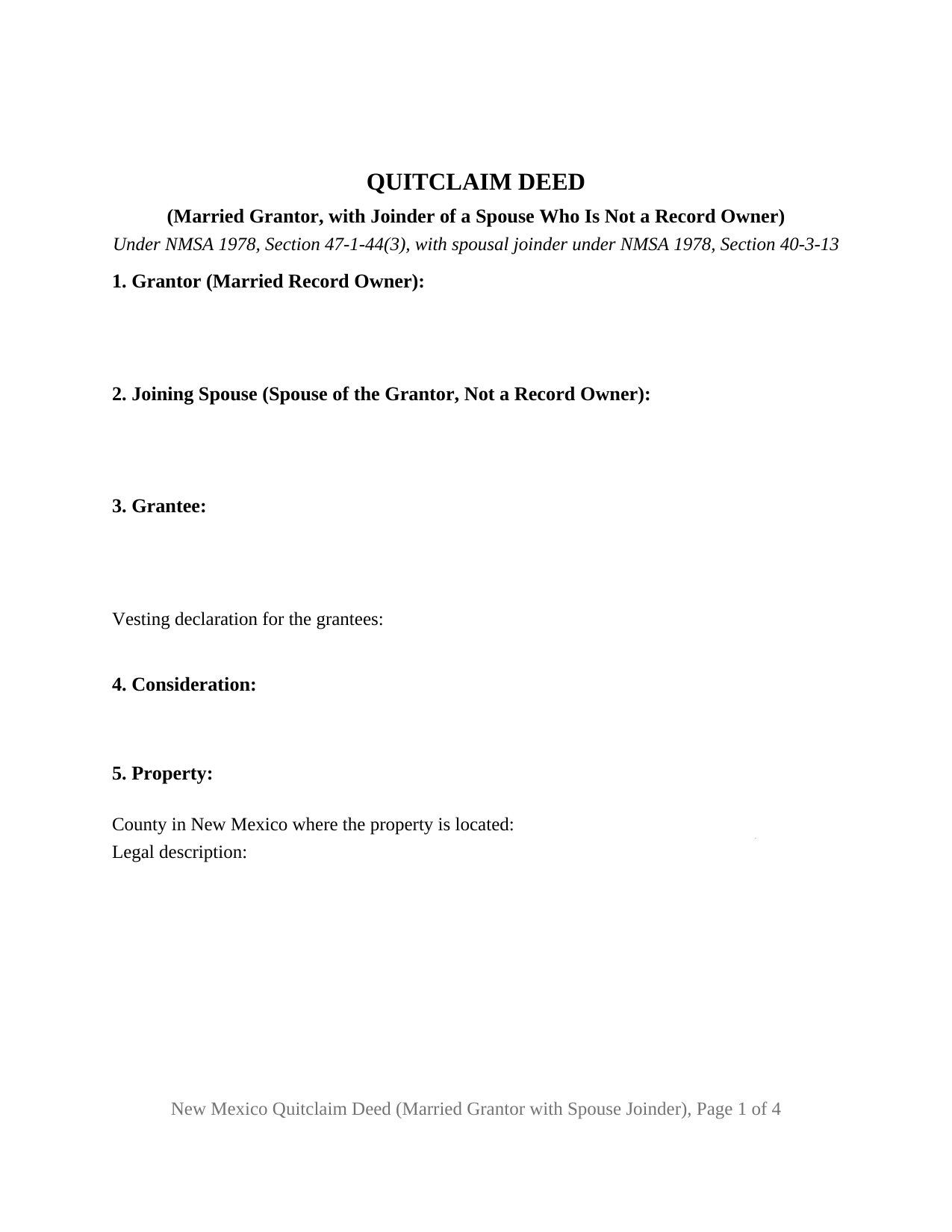
Cibola County Quitclaim Deed (Married Grantor with Non-Owner Spouse Joinder) Form
Fill in the blank Quitclaim Deed (Married Grantor with Non-Owner Spouse Joinder) form formatted to comply with all New Mexico recording and content requirements.
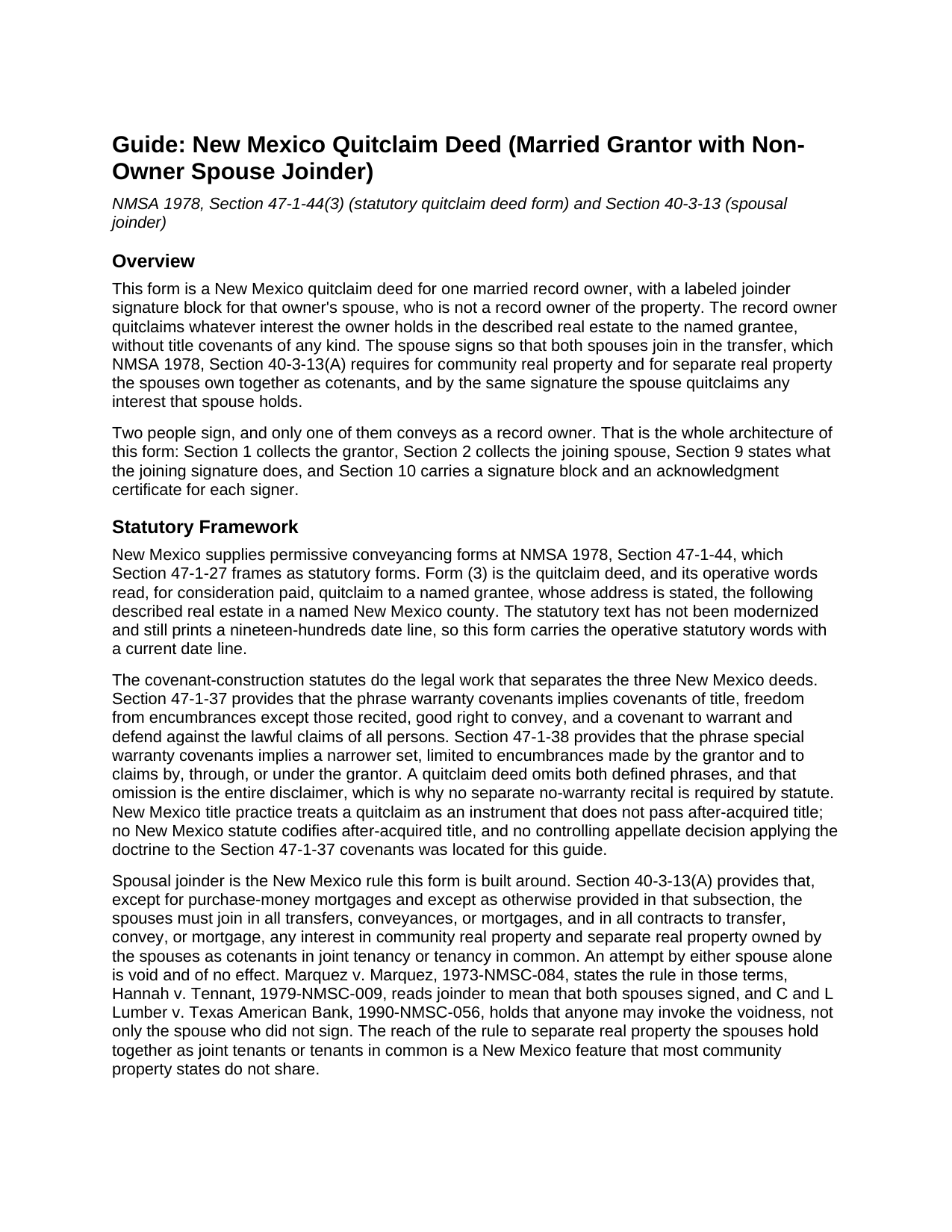
Cibola County Quitclaim Deed (Married Grantor with Non-Owner Spouse Joinder) Guide
Line by line guide explaining every blank on the Quitclaim Deed (Married Grantor with Non-Owner Spouse Joinder) form.
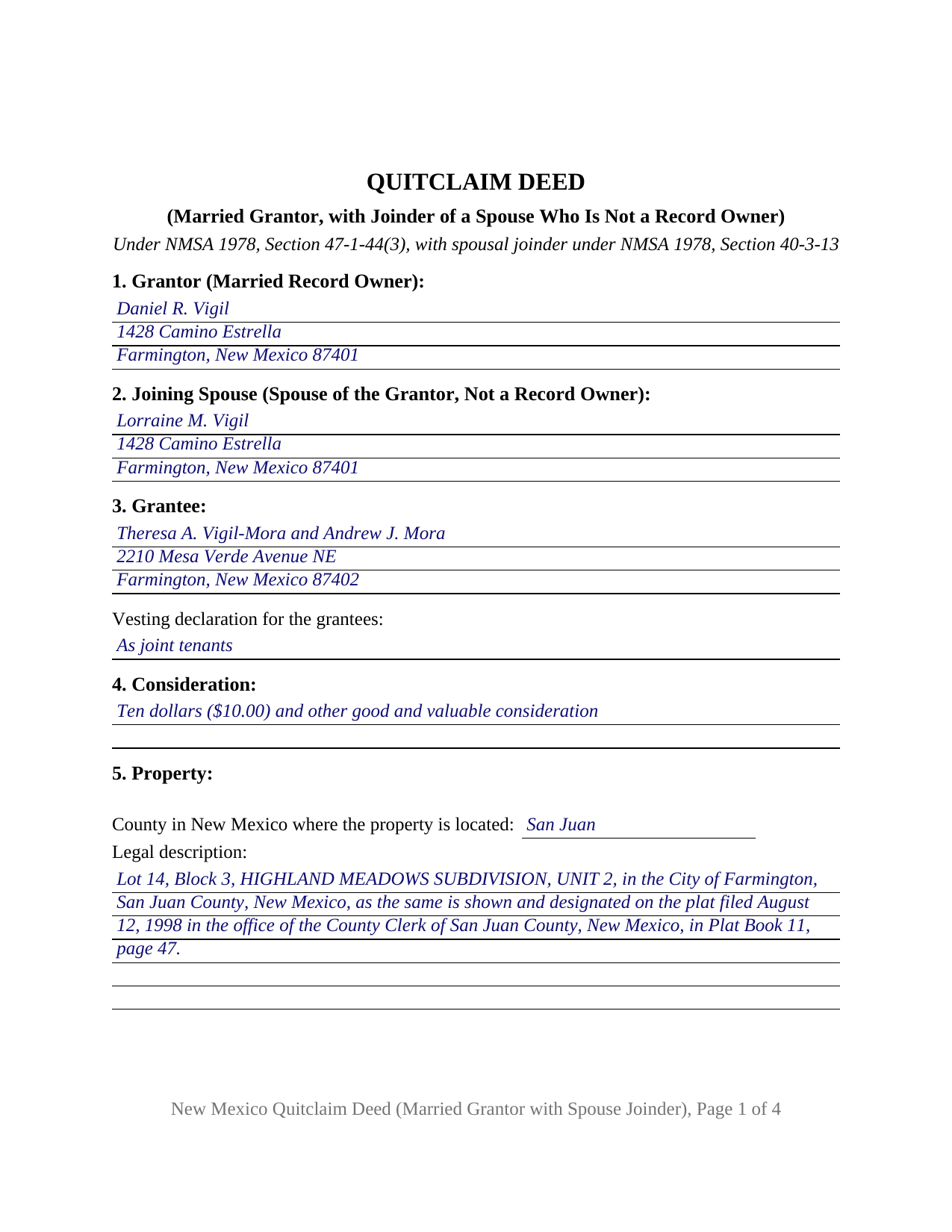
Cibola County Completed Example of the Quitclaim Deed (Married Grantor with Non-Owner Spouse Joinder) Document
Example of a properly completed New Mexico Quitclaim Deed (Married Grantor with Non-Owner Spouse Joinder) document for reference.
All 3 documents above included • One-time purchase • No recurring fees
Immediate Download • Secure Checkout
Additional New Mexico and Cibola County documents included at no extra charge:
Where to Record Your Documents
Cibola County Clerk
Grants, New Mexico 87020
Hours: 8:30 to 4:30 M-F
Phone: (505) 285-2535 or 2537
Recording Tips for Cibola County:
- Bring your driver's license or state-issued photo ID
- Ensure all signatures are in blue or black ink
- Request a receipt showing your recording numbers
- Ask about accepted payment methods when you call ahead
- Ask for certified copies if you need them for other transactions
Cities and Jurisdictions in Cibola County
Properties in any of these areas use Cibola County forms:
- Bluewater
- Casa Blanca
- Cubero
- Fence Lake
- Grants
- Laguna
- Milan
- New Laguna
- Paguate
- Pinehill
- San Fidel
- San Rafael
Hours, fees, requirements, and more for Cibola County
How do I get my forms?
Forms are available for immediate download after payment. The Cibola County forms will be in your account ready to download to your computer. An account is created for you during checkout if you don't have one. Forms are NOT emailed.
Are these forms guaranteed to be recordable in Cibola County?
Yes. Our form blanks are guaranteed to meet or exceed the applicable formatting requirements used for recording in Cibola County, including margin requirements, font requirements, and other layout standards. This guarantee applies to formatting, not to the legal sufficiency of information entered by the user or the suitability of a form for a particular transaction.
Can I reuse these forms?
Yes. You can reuse the forms for your personal use. For example, if you have multiple properties in Cibola County you only need to order once.
What do I need to use these forms?
The forms are PDFs that you fill out on your computer. The free Adobe Acrobat Reader is recommended, and most PDF apps also work. You do NOT enter your property information online - you download the blank forms and complete them privately on your own computer.
Are there any recurring fees?
No. This is a one-time purchase. Nothing to cancel, no memberships, no recurring fees.
How much does it cost to record in Cibola County?
Recording fees in Cibola County vary. Contact the recorder's office at (505) 285-2535 or 2537 for current fees.
Questions answered? Let's get started!
The second signature on this deed conveys no ownership: it answers a statute. This New Mexico quitclaim deed is configured for one married record owner who quitclaims the property, with a labeled joinder block for a spouse whose name appears nowhere in the chain of title. Two people sign it, one of them conveys as the owner of record, and the deed states which is which.
A signer who is not a grantor
NMSA 1978, Section 40-3-13(A) directs that the spouses join in any transfer or conveyance of community real property, and in any transfer of separate real property the spouses own together as cotenants in joint tenancy or tenancy in common; an attempt by one spouse alone is void and of no effect, and New Mexico courts read joinder to mean that both spouses signed. The joining signature on this form therefore carries statutory weight while the granting clause still names a single grantor. The spouse gets a numbered section of the deed, a statement that this signer holds no record title, a signature block, and an acknowledgment certificate.
Why a spouse signs when the record shows one owner
Nothing in a New Mexico title record settles whether a married owner's land is community property. Section 40-3-12(A) presumes that anything acquired during a marriage is community, and title standing in one spouse's name alone raises no more than a rebuttable presumption of separate property, so a deed that looks finished on its face can be void for a missing signature. Land bought before the wedding, and land that reached one spouse by gift or inheritance afterward, both sit of record in a single name while the marriage goes on around them. Recorded quitclaims answering a title examiner's question about a married owner who signed alone, and deeds by a sole-name owner who is married when the transfer happens, present the pattern this configuration recites.
What the joining signature does, and what it leaves alone
The deed devotes an operative section to the joinder: the spouse named above joins in the conveyance so that the spouses join in the transfer the statute describes, and by that same signature quitclaims whatever interest the spouse holds, community or otherwise. The joining spouse takes nothing under the instrument and receives none of the consideration recited in it. As a quitclaim, the deed generates no title covenants for anyone: Sections 47-1-37 and 47-1-38 attach implied covenants only to two defined phrases, warranty covenants and special warranty covenants, and this instrument carries neither, so the grantee receives the interest exactly as the record leaves it.
Two certificates, one clerk, one flat fee
Each signer acknowledges before a notarial officer, and the deed closes with one certificate per signer, worded to the statutory short form of Section 14-14A-15, so the owner and the spouse may appear on separate days or in separate states; appearance by communication technology is permanently authorized under Section 14-14A-5. Acknowledgment is the single statutory gate to the record, since an unacknowledged instrument cannot be placed of record, and the state calls for no witnesses and no seal on a deed. The clerk of the county holding the land charges twenty-five dollars for a document indexed in ten or fewer entries, and no transfer tax or documentary stamp exists in New Mexico. Residential property brings one companion filing, a statement of the transfer terms that the county assessor holds as a confidential record, due within thirty days after the deed reaches the register; the guide covers that filing and the statutory exemptions that reach gifts, estate distributions, and title-clearing conveyances.
What the download contains
The download prepares this joinder configuration as a fillable PDF, together with a completed example filled in for a San Juan County property standing in one spouse's name, and a plain-language guide that walks through each numbered section, the joinder statute and the recorded instruments New Mexico accepts in place of a joining signature, the forms in which the grantees may hold title, and the recording steps. Searches for this instrument arrive as a quit claim deed or quick claim deed with spousal joinder; New Mexico spells it quitclaim in the statutes. These materials are informational and are not legal advice; a New Mexico attorney can apply the joinder rules to a particular marriage and title.
Important: Your property must be located in Cibola County to use these forms. Documents should be recorded at the county recording office listed above.
This Quitclaim Deed (Married Grantor with Non-Owner Spouse Joinder) meets all recording requirements specific to Cibola County.
Our Promise
The documents you receive here are guaranteed to meet or exceed the applicable Cibola County recording format requirements. If there is a rejection caused by our formatting, we will correct the issue or refund your payment. This guarantee applies to document formatting only and does not extend to information entered by the user, the selection of the form, or the legal effect of the completed document.
Save Time and Money
Get your Cibola County Quitclaim Deed (Married Grantor with Non-Owner Spouse Joinder) form done right the first time with Deeds.com Uniform Conveyancing Blanks. At Deeds.com, we understand that your time and money are valuable resources, and we don't want you to face a penalty fee or rejection imposed by a county recorder for submitting nonstandard documents. We constantly review and update our forms to meet rapidly changing state and county recording requirements for roughly 3,500 counties and local jurisdictions.
4.8 out of 5 - ( 4,836 Reviews )
Michael M. 5 out of 5 stars
THE PROCESS WENT VERY SMOOTH AND EASY
Thank you for your feedback. We really appreciate it. Have a great day!
Kathy H. 5 out of 5 stars
Very accommodating and self explanatory.
It was a pleasure serving you. Thank you for the positive feedback!
Laverne C. 5 out of 5 stars
Great service. The issue I had was uploading the file of several pages. Once I learned, everything became clear and easier. The support group have been extremely prompt and helpful, I would surely use the service again and recommend the serivce.
Thank you!
Peter K. 5 out of 5 stars
Site was very easy to use. Lots of information provided...if the deed gets registered without a problem...you'll get a 10! and if it doesn't...I'll let you know!
We appreciate your business and value your feedback. Thank you. Have a wonderful day!
Tracey H. 5 out of 5 stars
The transaction was easy and the download was immediately, What a great service to provide for a reasonable price. I highly recommend this service.
We appreciate your business and value your feedback. Thank you. Have a wonderful day!
Robert R. 5 out of 5 stars
Big savings and easy to use. Thanks so much.
We appreciate your business and value your feedback. Thank you. Have a wonderful day!
Felincia L. 5 out of 5 stars
The process was fast and efficient. I did get a bit confused after entering info for my package but soon realized I had completed this part of the process and only needed to leave the page and wait for review of the document and then the invoice. It was pretty simple. After payment of the invoice I was notified that the document had been submitted. A few hours later I received notice that the document was recorded by the city. It was fast!
We are motivated by your feedback to continue delivering excellence. Thank you!
April L. 5 out of 5 stars
It was easy and I will use it again.
We appreciate your business and value your feedback. Thank you. Have a wonderful day!
Rajesh S. 5 out of 5 stars
It was a wonderful and less time-consuming experience. Got my job done in a timely manner.
Thank you, Rajesh. We appreciate you taking the time to share your experience. Glad everything came together quickly and got the job done.
BRIAN M. 5 out of 5 stars
Excellent Service, Fast and efficient. Thank You!
Thank you!
Dr Martin A. 5 out of 5 stars
Easy to use...great service
Thank you for the kind words, Dr. Martin! We're delighted you found our service easy to use. We appreciate you taking the time to share your experience!
John G. 5 out of 5 stars
Applied for my Notice of Commencement to be recorded and it went very smoothly and fast. Will use again if a need irises. Thank You
Thank you for your feedback John, glad we could help.
Mary K. 5 out of 5 stars
I love this site already! Even though I have not executed my downloads, the documents are so professionally written, and the extras are great. I am impressed with Deeds. Thank you! I will continue to use Deeds as a source for my business and personal needs.
Thank you for your positive words! We’re thrilled to hear about your experience.
Mary H. 5 out of 5 stars
Easy, convenient, and very reasonably priced. I really appreciate the comprehensive step-by-step instructions to complete the forms. I would recommend their services and will use them again if needed.
We’re glad you had a positive experience. Thank you.
Shantu S. 5 out of 5 stars
Easy to follow directions and complete the Deed.
Thank you!