Cayuga County Quitclaim Deed (Married Grantor with Non-Owner Spouse Joinder) Form
Last validated October 5, 2026 by our Forms Development TeamFormatted for recording in Cayuga County, for property anywhere in the county: rural and unincorporated areas as well as Auburn, Aurora, Cato, Cayuga, Fair Haven, Genoa, King Ferry, Locke and 10 more.
- 3 documents included
- Immediate PDF download
- Formatting guarantee

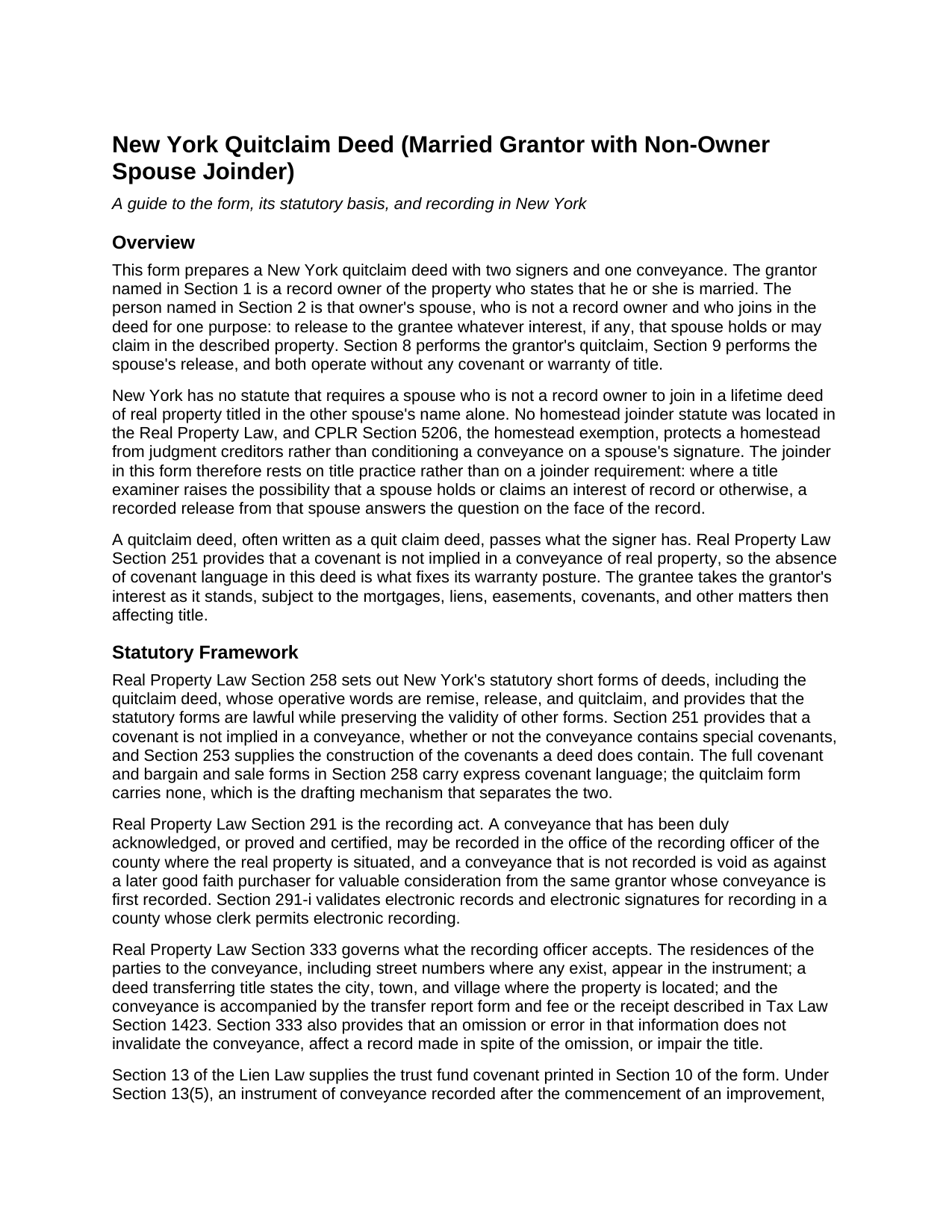
Cayuga County Quitclaim Deed (Married Grantor with Non-Owner Spouse Joinder) Form
Fill in the blank Quitclaim Deed (Married Grantor with Non-Owner Spouse Joinder) form formatted to comply with all New York recording and content requirements.
Cayuga County Quitclaim Deed (Married Grantor with Non-Owner Spouse Joinder) Guide
Line by line guide explaining every blank on the Quitclaim Deed (Married Grantor with Non-Owner Spouse Joinder) form.
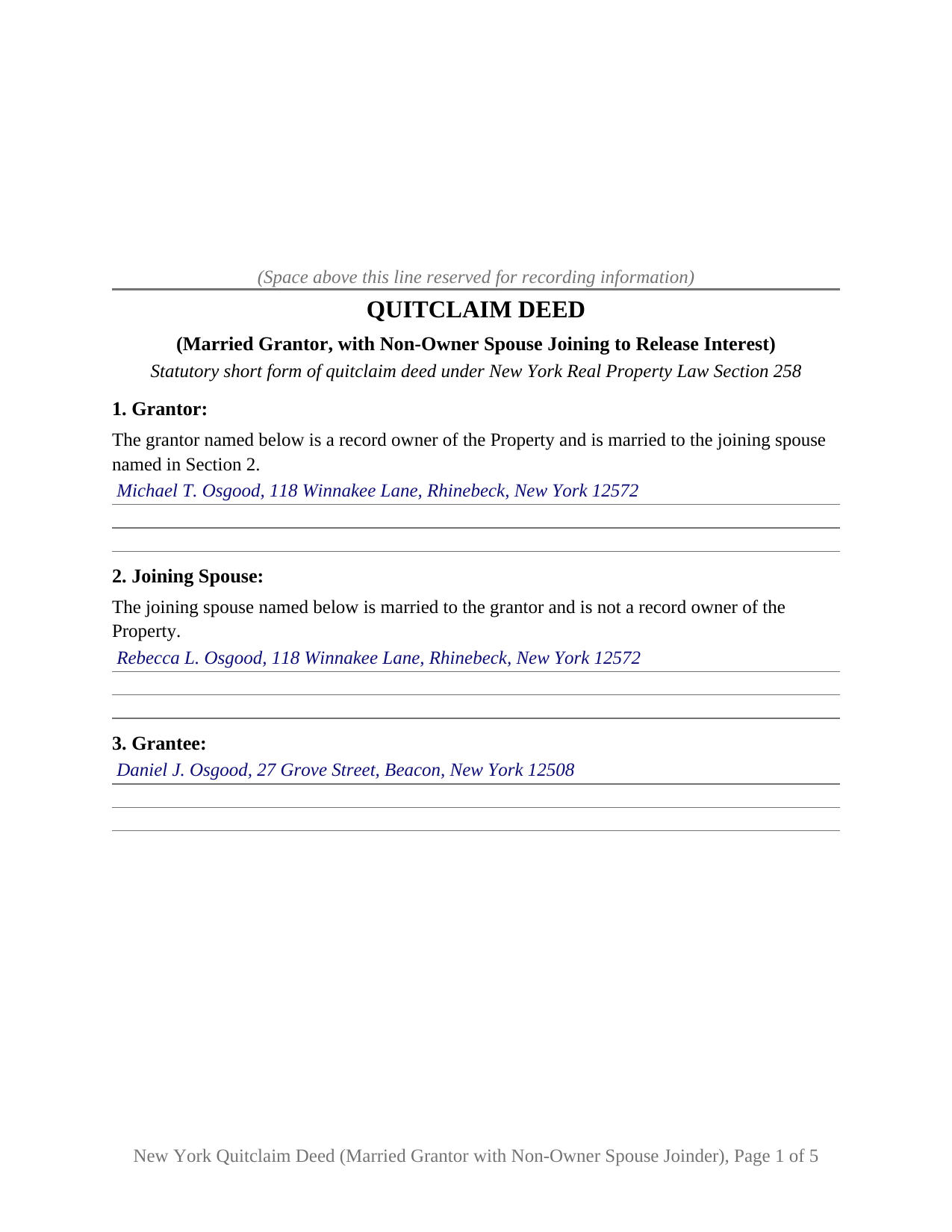
Cayuga County Completed Example of the Quitclaim Deed (Married Grantor with Non-Owner Spouse Joinder) Document
Example of a properly completed New York Quitclaim Deed (Married Grantor with Non-Owner Spouse Joinder) document for reference.
All 3 documents above included • One-time purchase • No recurring fees
Immediate Download • Secure Checkout
Additional New York and Cayuga County documents included at no extra charge:
Where to Record Your Documents
Cayuga County Clerk - County Office Building
Auburn , New York 13021
Hours: 9:00 to 5:00 M-F / Summer: 8:00 to 4:00 (July - August)
Phone: (315) 253-1271
Recording Tips for Cayuga County:
- Bring your driver's license or state-issued photo ID
- Ensure all signatures are in blue or black ink
- Recorded documents become public record - avoid including SSNs
- Recording fees may differ from what's posted online - verify current rates
- Request a receipt showing your recording numbers
Cities and Jurisdictions in Cayuga County
Properties in any of these areas use Cayuga County forms:
- Auburn
- Aurora
- Cato
- Cayuga
- Fair Haven
- Genoa
- King Ferry
- Locke
- Martville
- Meridian
- Montezuma
- Moravia
- Poplar Ridge
- Port Byron
- Scipio Center
- Sterling
- Union Springs
- Weedsport
Hours, fees, requirements, and more for Cayuga County
How do I get my forms?
Forms are available for immediate download after payment. The Cayuga County forms will be in your account ready to download to your computer. An account is created for you during checkout if you don't have one. Forms are NOT emailed.
Are these forms guaranteed to be recordable in Cayuga County?
Yes. Our form blanks are guaranteed to meet or exceed the applicable formatting requirements used for recording in Cayuga County, including margin requirements, font requirements, and other layout standards. This guarantee applies to formatting, not to the legal sufficiency of information entered by the user or the suitability of a form for a particular transaction.
Can I reuse these forms?
Yes. You can reuse the forms for your personal use. For example, if you have multiple properties in Cayuga County you only need to order once.
What do I need to use these forms?
The forms are PDFs that you fill out on your computer. The free Adobe Acrobat Reader is recommended, and most PDF apps also work. You do NOT enter your property information online - you download the blank forms and complete them privately on your own computer.
Are there any recurring fees?
No. This is a one-time purchase. Nothing to cancel, no memberships, no recurring fees.
How much does it cost to record in Cayuga County?
Recording fees in Cayuga County vary. Contact the recorder's office at (315) 253-1271 for current fees.
Questions answered? Let's get started!
Two people sign this New York quitclaim deed and only one of them owns the property. The grantor named in Section 1 holds title in his or her own name and states that he or she is married; the spouse named in Section 2 holds no record interest and signs to release rather than to convey. This form prepares that deed, sometimes typed as a quit claim deed, for a married record owner whose spouse is not on the title.
A signature that releases instead of conveying
The deed performs two acts in two numbered sections. Section 8 is the owner's quitclaim, in the operative words of the Real Property Law Section 258 statutory short form: the grantor remises, releases, and quitclaims all estate, right, title, interest, claim, and demand in the property. Section 9 is narrower by design. It states in print that the joining spouse is not a record owner and conveys no fee, then releases to the grantee whatever interest that spouse has or may claim, whether arising by reason of the marriage or otherwise, for that purpose only. Section 251 provides that no covenant is implied in a New York conveyance, so neither signature carries a warranty of title.
Why a spouse who is not on the title signs at all
New York asks for no such signature. No homestead joinder statute conditions a deed of property titled in one spouse's name alone on the other spouse's signature, and the old marital interests are gone from modern titles: Real Property Law Section 190 confines dower to marriages contracted before September 1, 1930, and Section 189 abolished curtesy for a wife dying after August 31, 1930. The joinder answers a title question rather than a statutory one. Where the chain leaves open whether a spouse holds or claims an interest, a release recorded with the deed puts the answer where the next examiner reads it.
The joinder configuration
Section 1 recites one grantor who is a record owner and married; Section 2 recites the spouse who is not. Each signer has a signature block with a printed name and date, and the notary pages carry one certificate per signer in the substance of the Real Property Law Section 309-a uniform form. Sole title in one spouse's name commonly arises where the property was acquired before the marriage, where it came to one spouse by gift or inheritance, or where the vesting deed named one spouse alone, and a title examiner's requisition for a spousal release presents the same pattern from the other side. The form recites exactly one record owner and one non-owner spouse; a deed in which the record shows both spouses as owners recites both of them as grantors of the fee, and a signer holding title in a fiduciary or entity capacity recites that capacity and its authority.
What the deed collects on its face
Real Property Law Section 333 shapes several blanks: residence addresses with street numbers for the parties, the city, town, or village where the land lies, and the county's tax map identifier. The property sections also carry the street address, the source of title, and the legal description carried forward from the grantor's vesting deed. Section 10 prints the trust fund covenant of Lien Law Section 13, the clause New York printed forms carry so that a conveyance recorded during a building improvement keeps its position against mechanics' liens filed afterward.
Notary, clerk, and the filings that ride along
Both signers acknowledge before a notarial officer. The Section 309-a form is written in plural inclusive terms, so one certificate can cover signers who appear together, and New York law does not require a certificate per signer; the two printed certificates let the owner and the spouse acknowledge on different days or before different officers. The completed example shows both before the same Dutchess County notary. The deed then goes to the clerk of the county where the land lies, or to the City Register in the four boroughs it serves, with the TP-584 transfer tax return and the RP-5217 transfer report prepared separately at filing.
The download holds the deed as a blank fillable PDF, a completed example prepared for a Dutchess County transfer, and a plain language guide covering the eleven numbered sections, both certificates, and the recording package. The materials are informational and are not legal advice. What interest a particular spouse holds, and what a release reaches, are questions for a New York attorney.
Important: Your property must be located in Cayuga County to use these forms. Documents should be recorded at the county recording office listed above.
This Quitclaim Deed (Married Grantor with Non-Owner Spouse Joinder) meets all recording requirements specific to Cayuga County.
Our Promise
The documents you receive here are guaranteed to meet or exceed the applicable Cayuga County recording format requirements. If there is a rejection caused by our formatting, we will correct the issue or refund your payment. This guarantee applies to document formatting only and does not extend to information entered by the user, the selection of the form, or the legal effect of the completed document.
Save Time and Money
Get your Cayuga County Quitclaim Deed (Married Grantor with Non-Owner Spouse Joinder) form done right the first time with Deeds.com Uniform Conveyancing Blanks. At Deeds.com, we understand that your time and money are valuable resources, and we don't want you to face a penalty fee or rejection imposed by a county recorder for submitting nonstandard documents. We constantly review and update our forms to meet rapidly changing state and county recording requirements for roughly 3,500 counties and local jurisdictions.
4.8 out of 5 - ( 4,831 Reviews )
Buster T. 5 out of 5 stars
Very comprehensive - lots of additional forms and instructions. Top-notch!
Thank you!
James T. 5 out of 5 stars
Very easy to use. Straightforward and informative
Thank you for your feedback. We really appreciate it. Have a great day!
Jessica B. 5 out of 5 stars
Amazing service. Immediate responses at all hours of the day and prevent late in the evening! Patient and friendly. I will say that Adobe scan did not work well for me. Notes app for IOS has a scan feature and that seemed to work best.
Thank you for your feedback. We really appreciate it. Have a great day!
David S. 5 out of 5 stars
The form was just what I needed for the Circuit Court and Land Records office. The additional information provided was very helpful as well.
We appreciate your business and value your feedback. Thank you. Have a wonderful day!
James D. 5 out of 5 stars
I had a satisfying experience very informative and easy to navigate.
Thank you!
Roy M. 5 out of 5 stars
Excellent service. Easy to use
We appreciate your business and value your feedback. Thank you. Have a wonderful day!
Patrick N. 5 out of 5 stars
I was very satisfied with your service. Prompt, and thorough. Price was reasonable. Will use your service again when needed.
Thank you for your feedback. We really appreciate it. Have a great day!
MARIZON M. 5 out of 5 stars
This site/service is amazing! The response is almost real-time and the fees are super reasonable. I will be using this again in the future should I need to file any other documents with the county and will also recommend it to others! Thank you!
Thank you for your feedback. We really appreciate it. Have a great day!
Connie B. 5 out of 5 stars
Needed to remove a deceased person from my mother's title. I live in another state. Deeds.com made it SO EASY to accomplish. I loved the example forms showing me how to fill out the forms that were provided. It went incredibly well at the County offices (all 3 departments!). Definitely will use Deeds.com again!
We appreciate your business and value your feedback. Thank you. Have a wonderful day!
Tierre J. 1 out of 5 stars
I put in two orders. I did not get any results from either order and I am still waiting for my refunds.
Thank you for your feedback. Sorry we were not able to pull the information you requested. We reviewed your account and the payment voids were processed as your were notified. Sometimes, depending on your financial institution, it can take a few days for the pending charges to fall off of your statement reporting.
Brian B. 5 out of 5 stars
Spot on, lets do that again now! Thanks.
Thank you for your feedback. We really appreciate it. Have a great day!
Kay G. 5 out of 5 stars
Found just the form I was looking for. It was an easy download process. Now just have to complete the forms!
Thank you for your feedback Kay, we really appreciate it.
Martha V. 5 out of 5 stars
Great service!
We appreciate your business and value your feedback. Thank you. Have a wonderful day!
Laurie S. 5 out of 5 stars
This was amazingly easy to access.
We appreciate your business and value your feedback. Thank you. Have a wonderful day!
Earnest K. 4 out of 5 stars
I used the "personal representative's deed." There were a few errors, after I went to record it at the county recorder's office. For #7, it should've stated "The estate of Joe Schmoe, hereby grants Mr. Personal Representative....." instead of, "I Mr. Personal Representative, as personal representative, hereby grant to personal representative...." The person at the recorder's office said you cannot state "you are granting property to yourself." Just fix that, and everything else is fine.
Your insights are invaluable to us and help us strive for better service. Thank you for taking the time to share your thoughts.