Nassau County Transfer on Death Deed Form
Last validated October 15, 2026 by our Forms Development TeamFormatted for recording in Nassau County, for property anywhere in the county: rural and unincorporated areas as well as Albertson, Atlantic Beach, Baldwin, Bayville, Bellmore, Bethpage, Carle Place, Cedarhurst and 55 more.
- 3 documents included
- Immediate PDF download
- Formatting guarantee
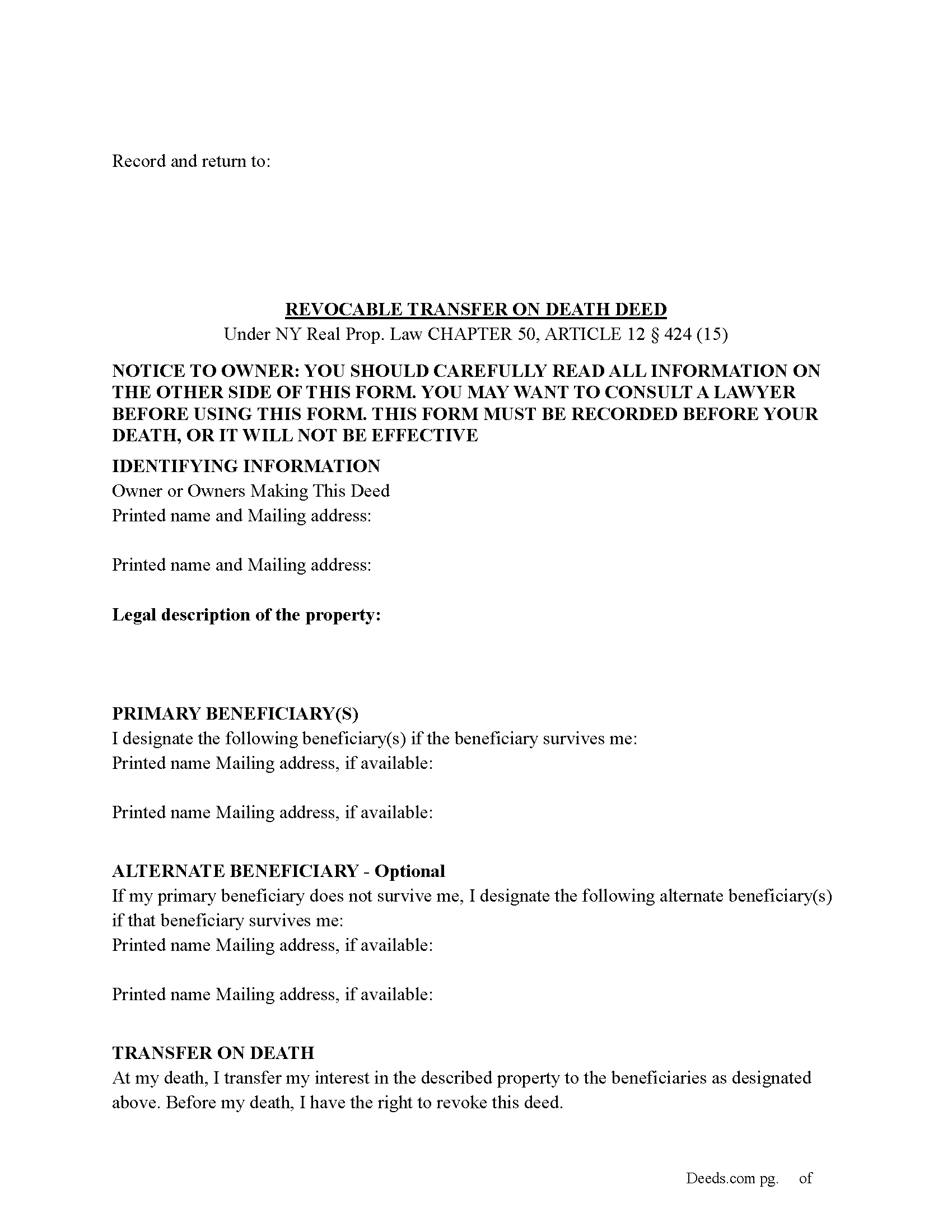
Nassau County Transfer on Death Deed Form
Fill in the blank Transfer on Death Deed form formatted to comply with all New York recording and content requirements.
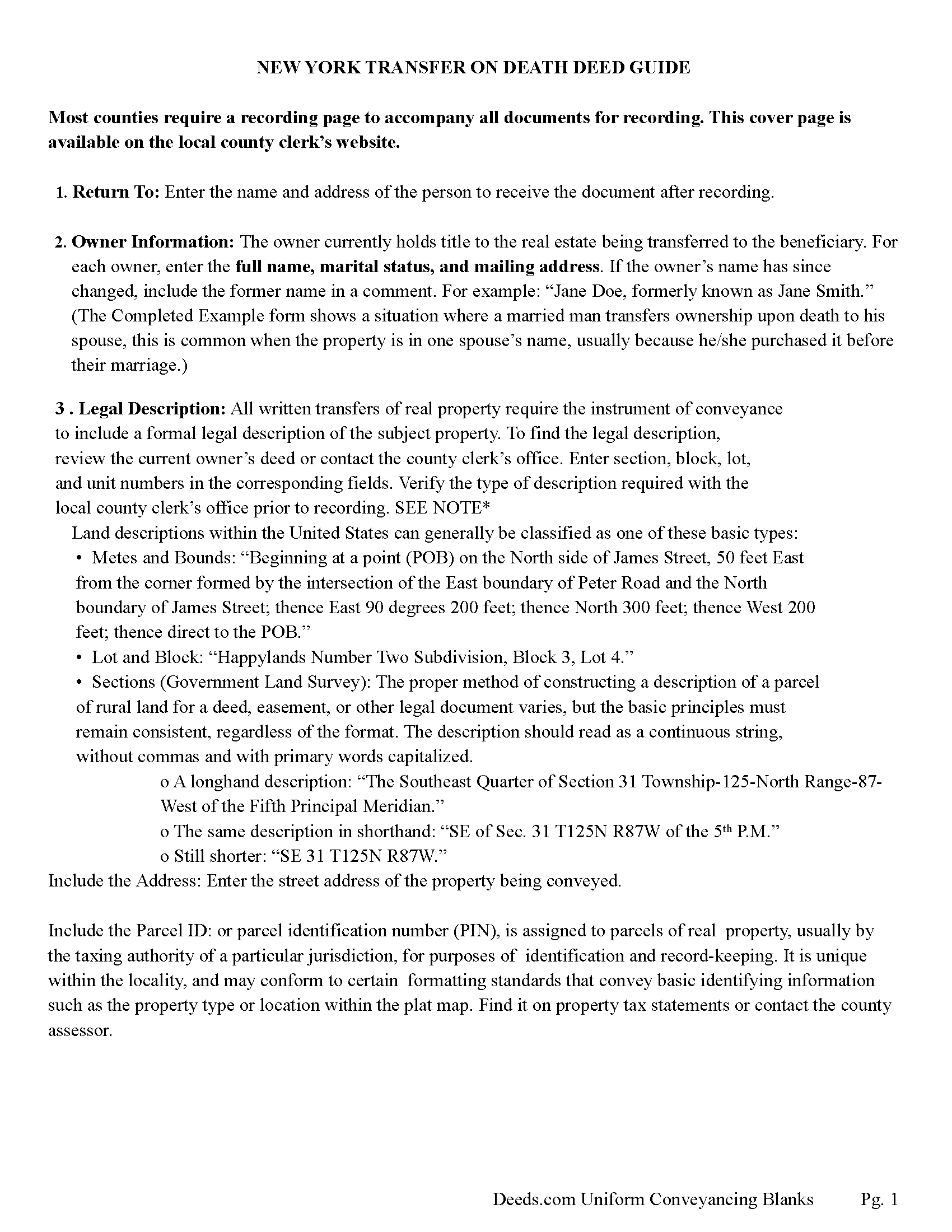
Nassau County Transfer on Death Deed Guide
Line by line guide explaining every blank on the Transfer on Death Deed form.
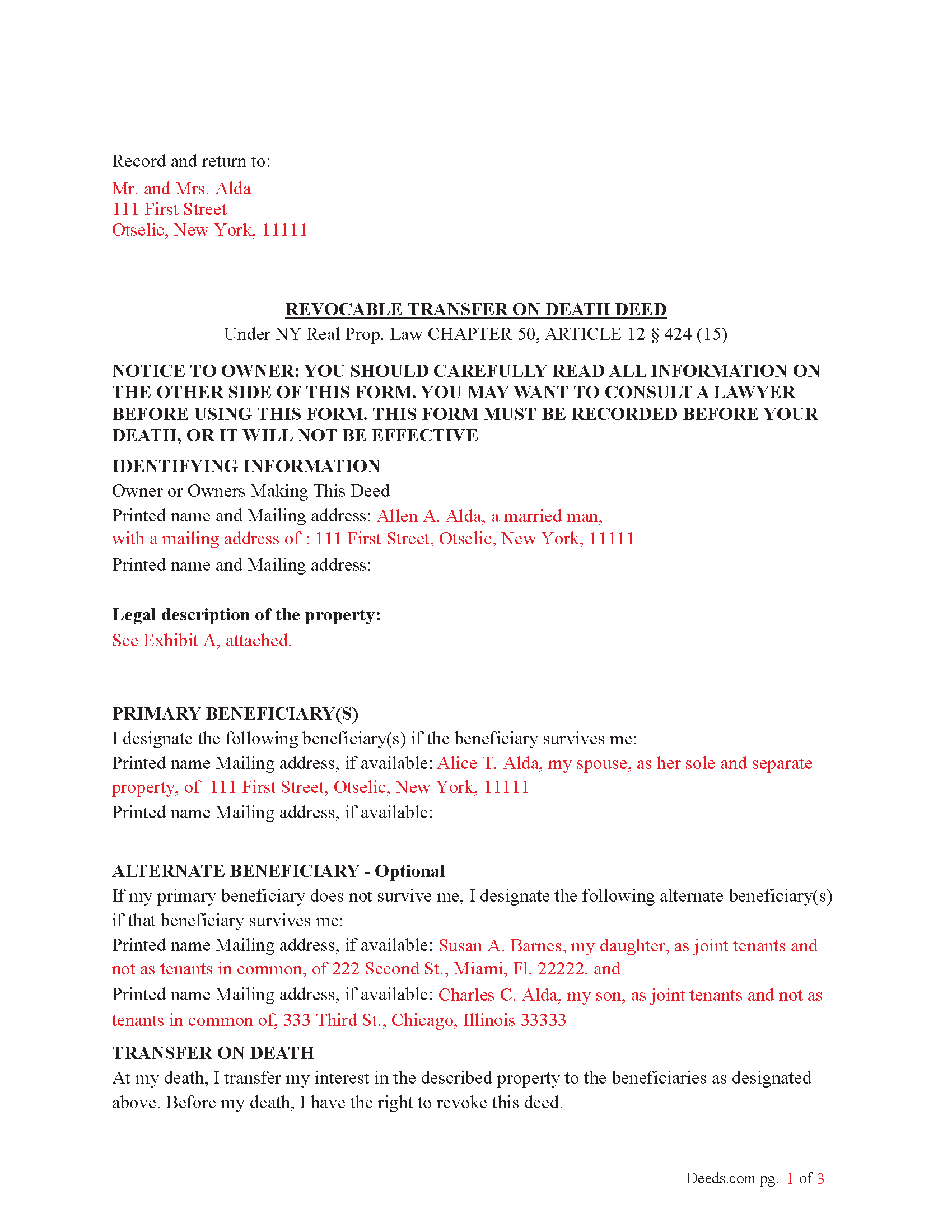
Nassau County Completed Example of the Transfer on Death Deed Document
Example of a properly completed New York Transfer on Death Deed document for reference.
All 3 documents above included • One-time purchase • No recurring fees
Immediate Download • Secure Checkout
Additional New York and Nassau County documents included at no extra charge:
Where to Record Your Documents
Nassau County Clerk
Mineola, New York 11501
Hours: Mon - Fri 9:00am to 5:00pm / Tue until 7:00pm
Phone: (516) 571-2660
Recording Tips for Nassau County:
- Bring your driver's license or state-issued photo ID
- Ensure all signatures are in blue or black ink
- Recording fees may differ from what's posted online - verify current rates
- Request a receipt showing your recording numbers
- Ask about accepted payment methods when you call ahead
Cities and Jurisdictions in Nassau County
Properties in any of these areas use Nassau County forms:
- Albertson
- Atlantic Beach
- Baldwin
- Bayville
- Bellmore
- Bethpage
- Carle Place
- Cedarhurst
- East Meadow
- East Norwich
- East Rockaway
- Elmont
- Farmingdale
- Floral Park
- Franklin Square
- Freeport
- Garden City
- Glen Cove
- Glen Head
- Glenwood Landing
- Great Neck
- Greenvale
- Hempstead
- Hewlett
- Hicksville
- Inwood
- Island Park
- Jericho
- Lawrence
- Levittown
- Locust Valley
- Long Beach
- Lynbrook
- Malverne
- Manhasset
- Massapequa
- Massapequa Park
- Merrick
- Mill Neck
- Mineola
- New Hyde Park
- Oceanside
- Old Bethpage
- Old Westbury
- Oyster Bay
- Plainview
- Point Lookout
- Port Washington
- Rockville Centre
- Roosevelt
- Roslyn
- Roslyn Heights
- Sea Cliff
- Seaford
- Syosset
- Uniondale
- Valley Stream
- Wantagh
- West Hempstead
- Westbury
- Williston Park
- Woodbury
- Woodmere
Hours, fees, requirements, and more for Nassau County
How do I get my forms?
Forms are available for immediate download after payment. The Nassau County forms will be in your account ready to download to your computer. An account is created for you during checkout if you don't have one. Forms are NOT emailed.
Are these forms guaranteed to be recordable in Nassau County?
Yes. Our form blanks are guaranteed to meet or exceed the applicable formatting requirements used for recording in Nassau County, including margin requirements, font requirements, and other layout standards. This guarantee applies to formatting, not to the legal sufficiency of information entered by the user or the suitability of a form for a particular transaction.
Can I reuse these forms?
Yes. You can reuse the forms for your personal use. For example, if you have multiple properties in Nassau County you only need to order once.
What do I need to use these forms?
The forms are PDFs that you fill out on your computer. The free Adobe Acrobat Reader is recommended, and most PDF apps also work. You do NOT enter your property information online - you download the blank forms and complete them privately on your own computer.
Are there any recurring fees?
No. This is a one-time purchase. Nothing to cancel, no memberships, no recurring fees.
How much does it cost to record in Nassau County?
Recording fees in Nassau County vary. Contact the recorder's office at (516) 571-2660 for current fees.
Questions answered? Let's get started!
To use the Transfer on Death (TOD) Deed under New York’s Real Property Law (RPP) CHAPTER 50, ARTICLE 12 § 424 (effective July 19, 2024), follow these steps:
1. Complete the TOD Deed
Designate a beneficiary: Clearly name the individual or entity (such as a charity or trust) who will inherit your property upon your death.
Include contingent beneficiaries if desired (NOT required). These are backup beneficiaries who would inherit the property if your primary beneficiary cannot (e.g., if they predecease you). Ensure the deed is filled out correctly, including the legal description of the property.
2. Execute the TOD Deed: The TOD deed must be signed by the property owner (the transferor) in the presence of two witnesses and a Notary Public. The witnesses should not be the beneficiaries themselves, as this could raise legal issues.
3. Record the TOD Deed: The completed deed must be recorded with the County Clerk's office where the property is located during your lifetime. Recording the deed is crucial because, without it, the transfer will not be valid upon your death.
4. Retain Ownership During Lifetime: After recording the TOD deed, you retain full control of the property during your lifetime. You can still sell, mortgage, or revoke the TOD deed at any time.
If you change your mind, you can revoke the TOD deed by filing a revocation form or executing a new TOD deed, which automatically invalidates the previous one.
5. Upon Your Death: Upon your death, the property automatically transfers to the designated beneficiary without going through probate.
Key points about when it takes effect:
Timing of Transfer: The deed only takes effect upon the death of the property owner. Until then, the owner retains full control over the property and can revoke or change the TOD deed at any time.
Recording Requirement: For the TOD deed to be valid, it must be recorded with the county clerk during the property owner's lifetime. If the deed is not recorded before death, it will not be effective.
Probate Avoidance: By using a TOD deed, the property passes directly to the named beneficiary without going through probate, simplifying the transfer process and reducing legal costs.
Important: Your property must be located in Nassau County to use these forms. Documents should be recorded at the county recording office listed above.
This Transfer on Death Deed meets all recording requirements specific to Nassau County.
Our Promise
The documents you receive here are guaranteed to meet or exceed the applicable Nassau County recording format requirements. If there is a rejection caused by our formatting, we will correct the issue or refund your payment. This guarantee applies to document formatting only and does not extend to information entered by the user, the selection of the form, or the legal effect of the completed document.
Save Time and Money
Get your Nassau County Transfer on Death Deed form done right the first time with Deeds.com Uniform Conveyancing Blanks. At Deeds.com, we understand that your time and money are valuable resources, and we don't want you to face a penalty fee or rejection imposed by a county recorder for submitting nonstandard documents. We constantly review and update our forms to meet rapidly changing state and county recording requirements for roughly 3,500 counties and local jurisdictions.
4.8 out of 5 - ( 4,828 Reviews )
Sharon B. 5 out of 5 stars
My questions were answered promptly. I was not able to locate the deed I was searching for because my county has not uploaded the documents to be accessed through this system. I am sure I could have found what I was looking for had the information been available through the system. Thank you for your assistance.
Thank you!
Daniel B. 5 out of 5 stars
easy to use and upload.
We are delighted to have been of service. Thank you for the positive review!
Peter E. 5 out of 5 stars
I think Deeds is a great site for learning. On recording a document, I had trouble. It was me, because I was new to the site.
Thank you!
Susan B. 4 out of 5 stars
I guess I got what I paid for. The site said I would be able to download blank PDF forms that I could fill out on my computer. I expected fillable forms, like I download for taxes. Instead the forms I got could only be completed by using Adobe Sign and Fill tools. These are much harder to use than fillable forms.
Thank you for your feedback. We really appreciate it. Have a great day!
Cheryl C. 5 out of 5 stars
Very pleased. I spent a fair amount of time chasing a blank form only to be told it couldn't be given to me - I had to go through my attorney. Going thru the deeds.com was a breeze; the blank form looked exactly like one I had filed before :-)
We appreciate your business and value your feedback. Thank you. Have a wonderful day!
Paul D. 5 out of 5 stars
First time I've used Deeds, it could not have gone better.
Thank you!
John Y. 5 out of 5 stars
Too much money for a form!
Thank you!
Shirley W. 5 out of 5 stars
I found the form easy to file out. But everything else was confusing with very little direction and help.
Thank you!
Eleanor W. 5 out of 5 stars
I haven't taken the forms to our county clerk for recording yet so not sure they contain all needed information in the order needed but forms were easy to read, easy to save and with well documented instructions available. Thank you
Thank you for your feedback. We really appreciate it. Have a great day!
Pauline G. 5 out of 5 stars
Found just what I needed!!! Instructions were easy to follow and I accomplished the task like a professional. Thank you Deeds.com!!!!
We appreciate your business and value your feedback. Thank you. Have a wonderful day!
Forrest D. 1 out of 5 stars
Requires you work in Adobe Acrobat. Too difficult to edit, add and erase for an attorney.
Sorry to hear of your struggle. We do hope that you find something more suitable to your needs elsewhere. Have a wonderful day.
Mary W. 5 out of 5 stars
Great service. Thank you
We appreciate your business and value your feedback. Thank you. Have a wonderful day!
Nora P. 2 out of 5 stars
I'm typing along and suddenly I can't fit anything more into the page and there's plenty of room. This is my 2nd time using this site. No problem the first time years ago. Now it's an issue, looks like I'll need a typewriter to finish the form. Where do I find a typewriter?!! I can't complete the legal description!
Thanks for your feedback Nora. If you are unable to find a typewriter you can always do as the guide suggests and use the included exhibit page.
Michael G M. 5 out of 5 stars
The download files should have the name of the form included. The present numeric soup is frustrating to navigate.
Thank you for your feedback. We really appreciate it. Have a great day!
Maura M. 5 out of 5 stars
Easy user friendly website
Thank you!