Nassau County Revocation of Transfer on Death Deed Form
Last validated October 6, 2026 by our Forms Development TeamFormatted for recording in Nassau County, for property anywhere in the county: rural and unincorporated areas as well as Albertson, Atlantic Beach, Baldwin, Bayville, Bellmore, Bethpage, Carle Place, Cedarhurst and 55 more.
- 3 documents included
- Immediate PDF download
- Formatting guarantee
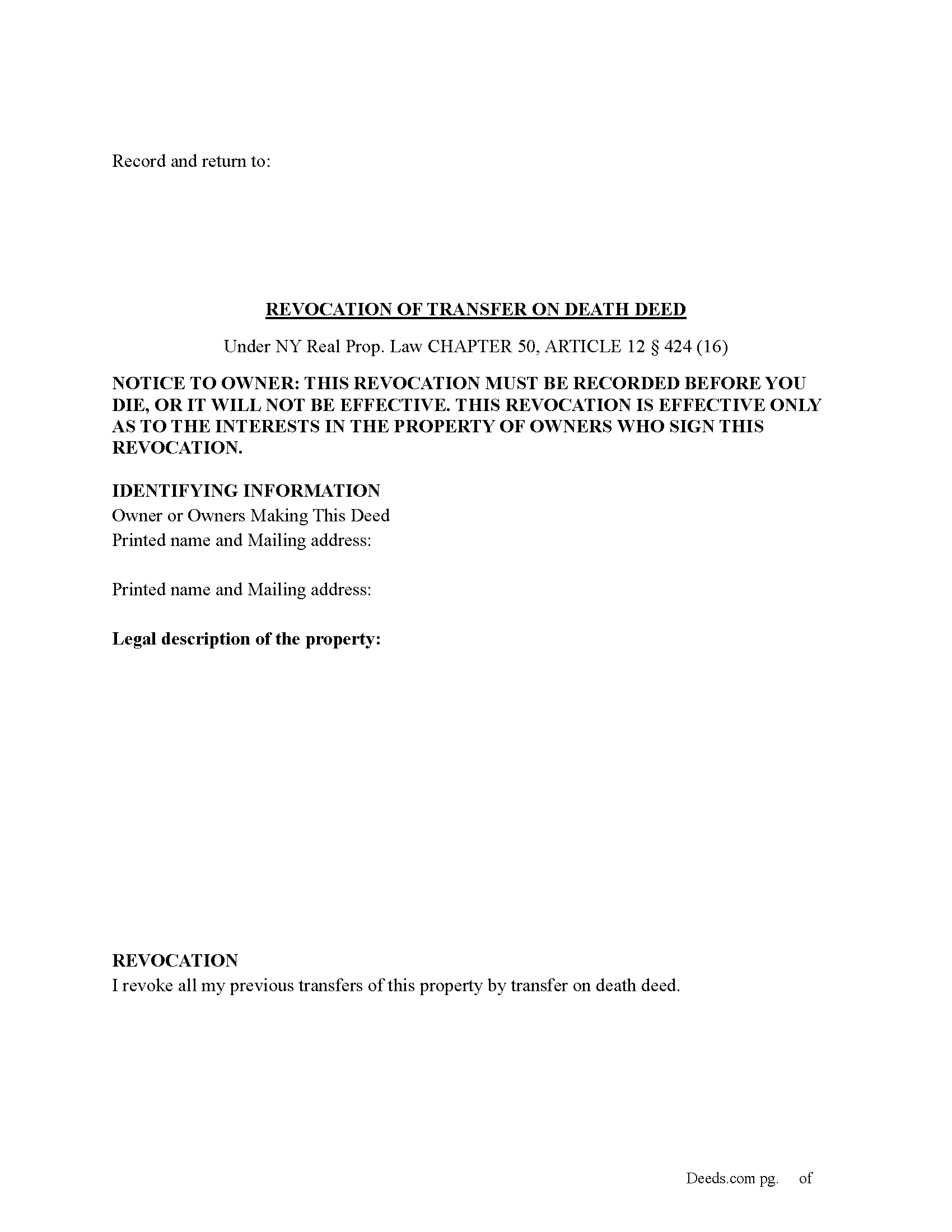
Nassau County Revocation of Transfer on Death Deed Form
Fill in the blank Revocation of Transfer on Death Deed form formatted to comply with all New York recording and content requirements.

Nassau County Revocation of Transfer on Death Deed Guide
Line by line guide explaining every blank on the Revocation of Transfer on Death Deed form.
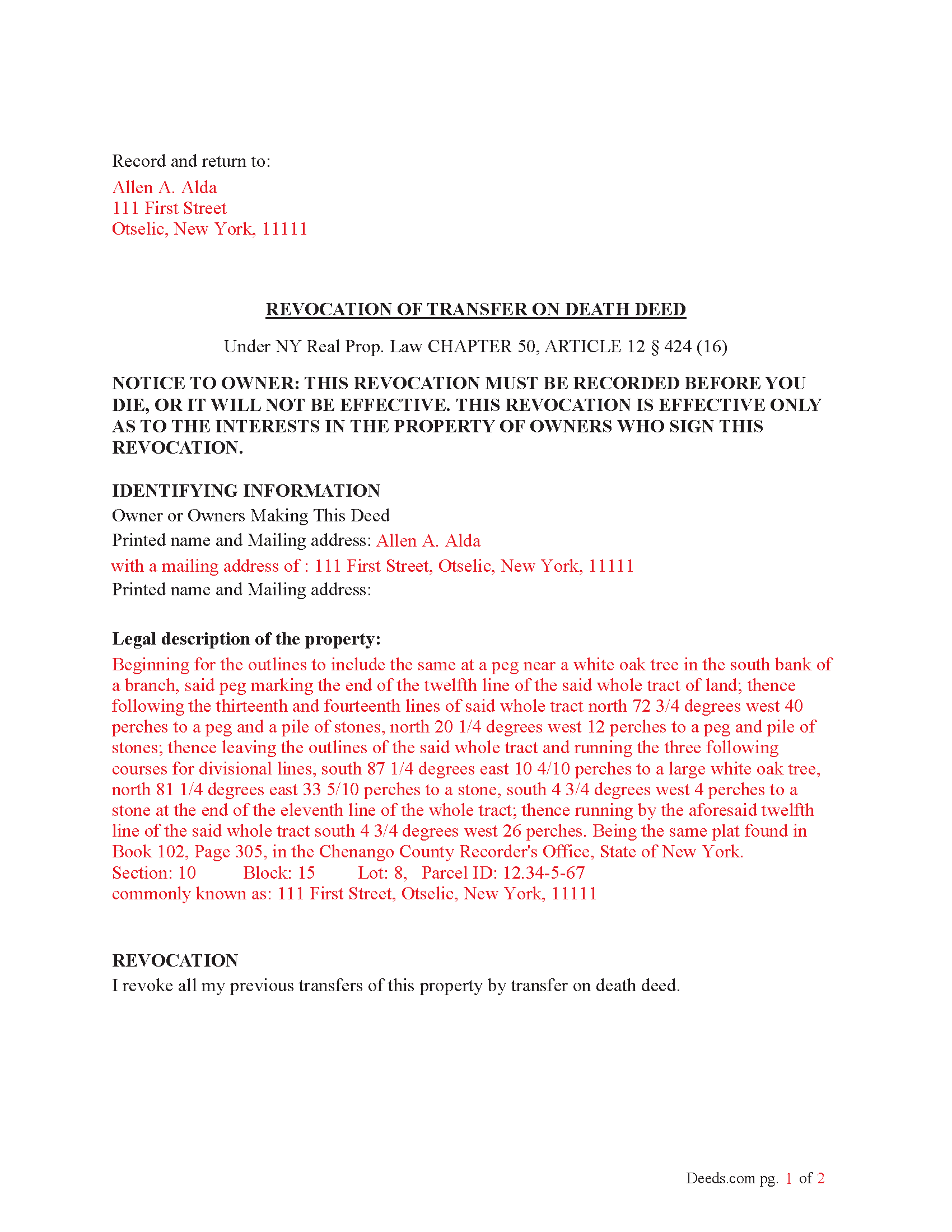
Nassau County Completed Example of the Revocation of Transfer on Death Deed Document
Example of a properly completed New York Revocation of Transfer on Death Deed document for reference.
All 3 documents above included • One-time purchase • No recurring fees
Immediate Download • Secure Checkout
Additional New York and Nassau County documents included at no extra charge:
Where to Record Your Documents
Nassau County Clerk
Mineola, New York 11501
Hours: Mon - Fri 9:00am to 5:00pm / Tue until 7:00pm
Phone: (516) 571-2660
Recording Tips for Nassau County:
- Bring your driver's license or state-issued photo ID
- Ensure all signatures are in blue or black ink
- Leave recording info boxes blank - the office fills these
- Make copies of your documents before recording - keep originals safe
- Recorded documents become public record - avoid including SSNs
Cities and Jurisdictions in Nassau County
Properties in any of these areas use Nassau County forms:
- Albertson
- Atlantic Beach
- Baldwin
- Bayville
- Bellmore
- Bethpage
- Carle Place
- Cedarhurst
- East Meadow
- East Norwich
- East Rockaway
- Elmont
- Farmingdale
- Floral Park
- Franklin Square
- Freeport
- Garden City
- Glen Cove
- Glen Head
- Glenwood Landing
- Great Neck
- Greenvale
- Hempstead
- Hewlett
- Hicksville
- Inwood
- Island Park
- Jericho
- Lawrence
- Levittown
- Locust Valley
- Long Beach
- Lynbrook
- Malverne
- Manhasset
- Massapequa
- Massapequa Park
- Merrick
- Mill Neck
- Mineola
- New Hyde Park
- Oceanside
- Old Bethpage
- Old Westbury
- Oyster Bay
- Plainview
- Point Lookout
- Port Washington
- Rockville Centre
- Roosevelt
- Roslyn
- Roslyn Heights
- Sea Cliff
- Seaford
- Syosset
- Uniondale
- Valley Stream
- Wantagh
- West Hempstead
- Westbury
- Williston Park
- Woodbury
- Woodmere
Hours, fees, requirements, and more for Nassau County
How do I get my forms?
Forms are available for immediate download after payment. The Nassau County forms will be in your account ready to download to your computer. An account is created for you during checkout if you don't have one. Forms are NOT emailed.
Are these forms guaranteed to be recordable in Nassau County?
Yes. Our form blanks are guaranteed to meet or exceed the applicable formatting requirements used for recording in Nassau County, including margin requirements, font requirements, and other layout standards. This guarantee applies to formatting, not to the legal sufficiency of information entered by the user or the suitability of a form for a particular transaction.
Can I reuse these forms?
Yes. You can reuse the forms for your personal use. For example, if you have multiple properties in Nassau County you only need to order once.
What do I need to use these forms?
The forms are PDFs that you fill out on your computer. The free Adobe Acrobat Reader is recommended, and most PDF apps also work. You do NOT enter your property information online - you download the blank forms and complete them privately on your own computer.
Are there any recurring fees?
No. This is a one-time purchase. Nothing to cancel, no memberships, no recurring fees.
How much does it cost to record in Nassau County?
Recording fees in Nassau County vary. Contact the recorder's office at (516) 571-2660 for current fees.
Questions answered? Let's get started!
(How do I revoke the TOD deed after it is recorded?
There are three ways to revoke a recorded TOD deed:
(1) Complete and acknowledge a revocation form and record it in each county where the property is located.
(2) Complete and acknowledge a new TOD deed that disposes of the same property and record it in each county where the property is located.
(3) Transfer the property to someone else during your lifetime by a recorded deed that expressly revokes the TOD deed. You may not revoke the TOD deed by will.) (Real Property (RPP) CHAPTER 50, ARTICLE 12 § 424(15))
Execution of Revocation: The revocation must be executed (signed) by the property owner in the presence of two witnesses and a Notary Public, similar to how the original TOD deed was executed.
Recording the Revocation: The revocation (whether via a new TOD deed or a revocation form) must be recorded in the County Clerk's office where the property is located, just like the original TOD deed. If the revocation is not recorded, it will not be valid.
Retain Control Until Revoked: The property owner retains full control over the property and can revoke the TOD deed at any time during their lifetime. However, after the owner's death, the TOD deed takes effect and cannot be revoked.
Important Considerations: Beneficiary Consent- The property owner does not need the consent of the beneficiary to revoke the TOD deed.
Automatic Revocation by Sale: If the property owner sells or transfers the property during their lifetime, this will also effectively revoke the TOD deed.
Important: Your property must be located in Nassau County to use these forms. Documents should be recorded at the county recording office listed above.
This Revocation of Transfer on Death Deed meets all recording requirements specific to Nassau County.
Our Promise
The documents you receive here are guaranteed to meet or exceed the applicable Nassau County recording format requirements. If there is a rejection caused by our formatting, we will correct the issue or refund your payment. This guarantee applies to document formatting only and does not extend to information entered by the user, the selection of the form, or the legal effect of the completed document.
Save Time and Money
Get your Nassau County Revocation of Transfer on Death Deed form done right the first time with Deeds.com Uniform Conveyancing Blanks. At Deeds.com, we understand that your time and money are valuable resources, and we don't want you to face a penalty fee or rejection imposed by a county recorder for submitting nonstandard documents. We constantly review and update our forms to meet rapidly changing state and county recording requirements for roughly 3,500 counties and local jurisdictions.
4.8 out of 5 - ( 4,820 Reviews )
Martha D. 5 out of 5 stars
Excellent website. I found exactly what I was looking for!
Thank you!
Kimberly H. 5 out of 5 stars
Excellent and Helpful as well as patient. Great Service.
Thank you!
Noelle V. 5 out of 5 stars
I requested a copy of some documents and within the hour, they were waiting for me in PDF form. It was easy and helped a great deal to have this service available.
Your feedback is valuable to us and helps us improve. Thank you for sharing your thoughts!
James D. 4 out of 5 stars
good product, but would prefer an editable document, such as word
Thanks for your feedback James.
Jay T. 5 out of 5 stars
I filled out the deed, had it notarized, and recorded. No problems. I put this off for so long. Once I had the form it was recorded in one day.
Thank you for your feedback. We really appreciate it. Have a great day!
Constance F. 5 out of 5 stars
Quick and easy download with instructions and a sample document to ensure conformity to the different jurisdictions.
Thank you!
Frances B. 5 out of 5 stars
Excellent product!!!! Accepted at my courthouse without a hitch. I recommend this company whole heartedly!!
We appreciate your business and value your feedback. Thank you. Have a wonderful day!
Michael L. G. 5 out of 5 stars
Thank you, Deed.com provided the needed forms to change county and state information after the passing of my father, saved me a trip to law office, especially after the lawyers would not return my calls, so I would recommend you check Deed.com for information, saved my family money for lawyer fees, would use Deed.com again. Mike
Thank you for your feedback. We really appreciate it. Have a great day!
Sue B. 5 out of 5 stars
Easy to download and complete. Thank you for this service!
Thank you for your feedback Sue, we really appreciate it!
Soledad T. 5 out of 5 stars
It's Great!!!
Thank you!
Virginia C. 5 out of 5 stars
I had a nice surprise seeing how fast the process was to download in a safe manner the documents. The example and guide to fill the original document are very valuable to facilitate the filling in. Thank you!!
Thank you for your feedback. We really appreciate it. Have a great day!
harriet l. 5 out of 5 stars
Worked very smoothly and got the job done
Thank you for your feedback. We really appreciate it. Have a great day!
Camesha Y. 5 out of 5 stars
Was working with a notary client that need to do a deed. We got on this site, ordered the blank forms, he filled them out and we printed them so he could sign. Really clean forms, easy to understand and complete in a hurry. I will be letting all my clients know about this site.
That's terrific Camesha, glad to hear. Have a great day!
Michael H. 4 out of 5 stars
Found documents I needed quickly and at a reasonable price. MH
Thank you for your feedback. We really appreciate it. Have a great day!
Kevin R. 5 out of 5 stars
So far so good. Had an issue and customer service responded very fast by email.
Thank you for your feedback. We really appreciate it. Have a great day!