Greene County Appointment of Substitute Trustee Form
Last validated October 7, 2026 by our Forms Development TeamFormatted for recording in Greene County, for property anywhere in the county: rural and unincorporated areas as well as Hookerton, Maury, Snow Hill, Walstonburg.
- 4 documents included
- Immediate PDF download
- Formatting guarantee
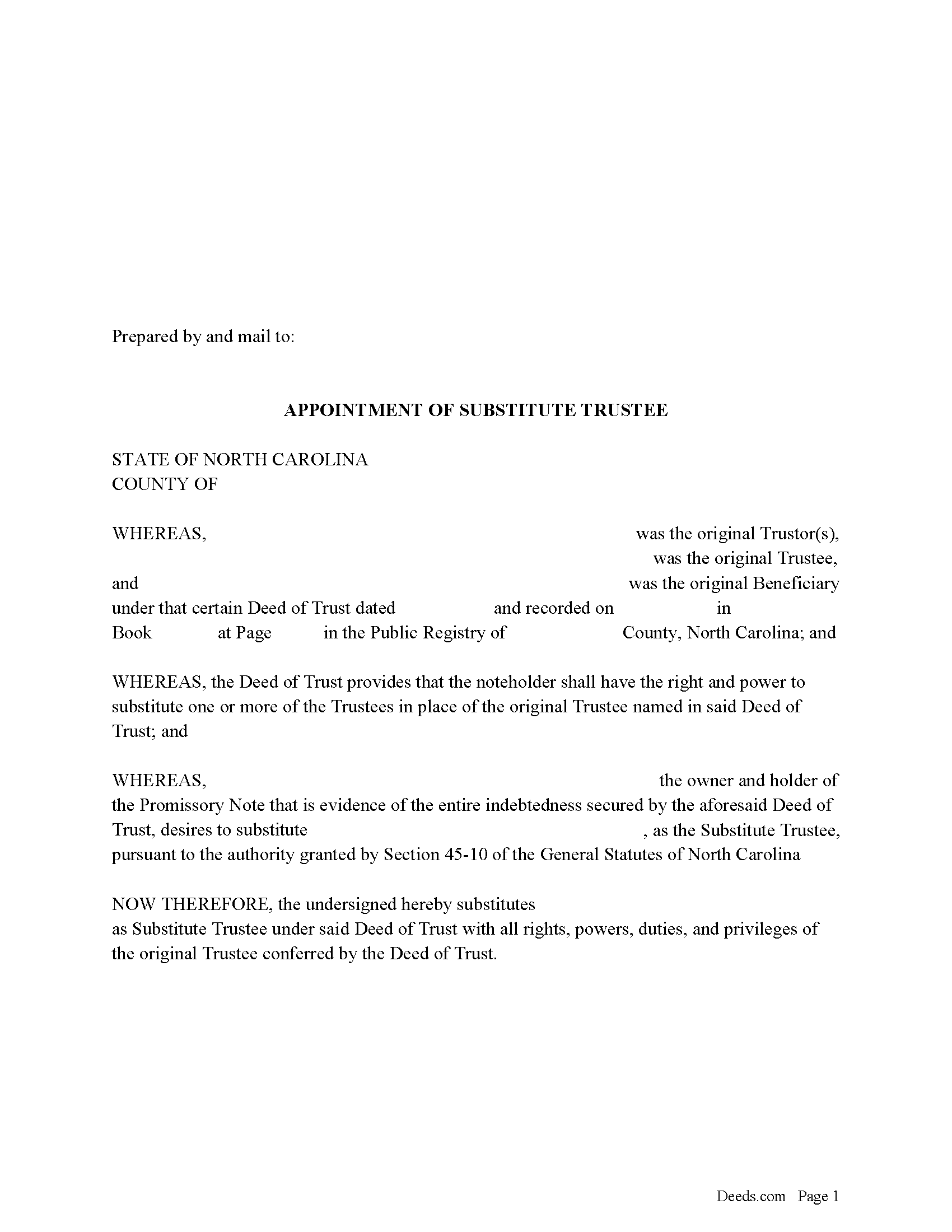
Greene County Appointment of Substitute Trustee Form
Fill in the blank form formatted to comply with all recording and content requirements.
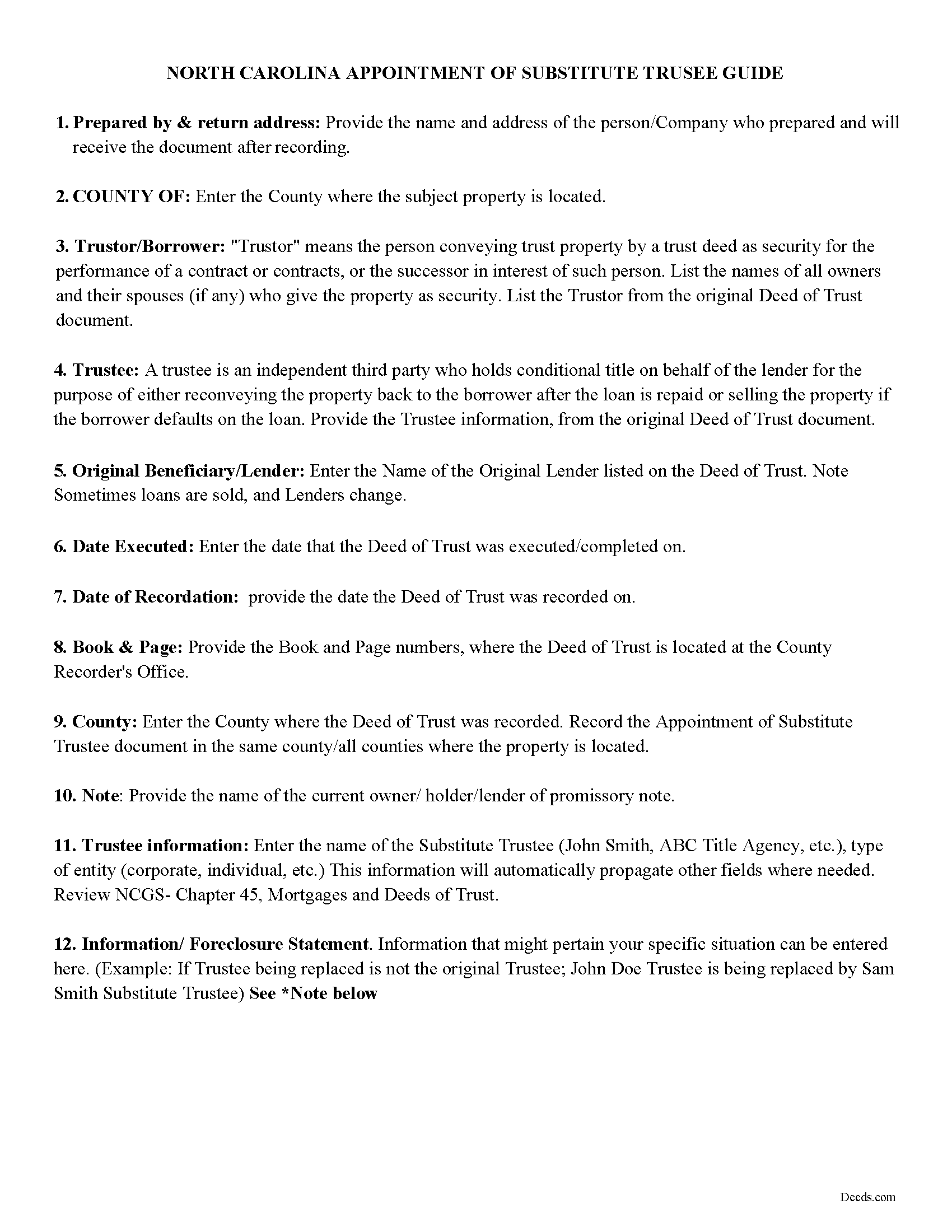
Greene County Appointment of Substitute Trustee Guidelines
Line by line guide explaining every blank on the form.
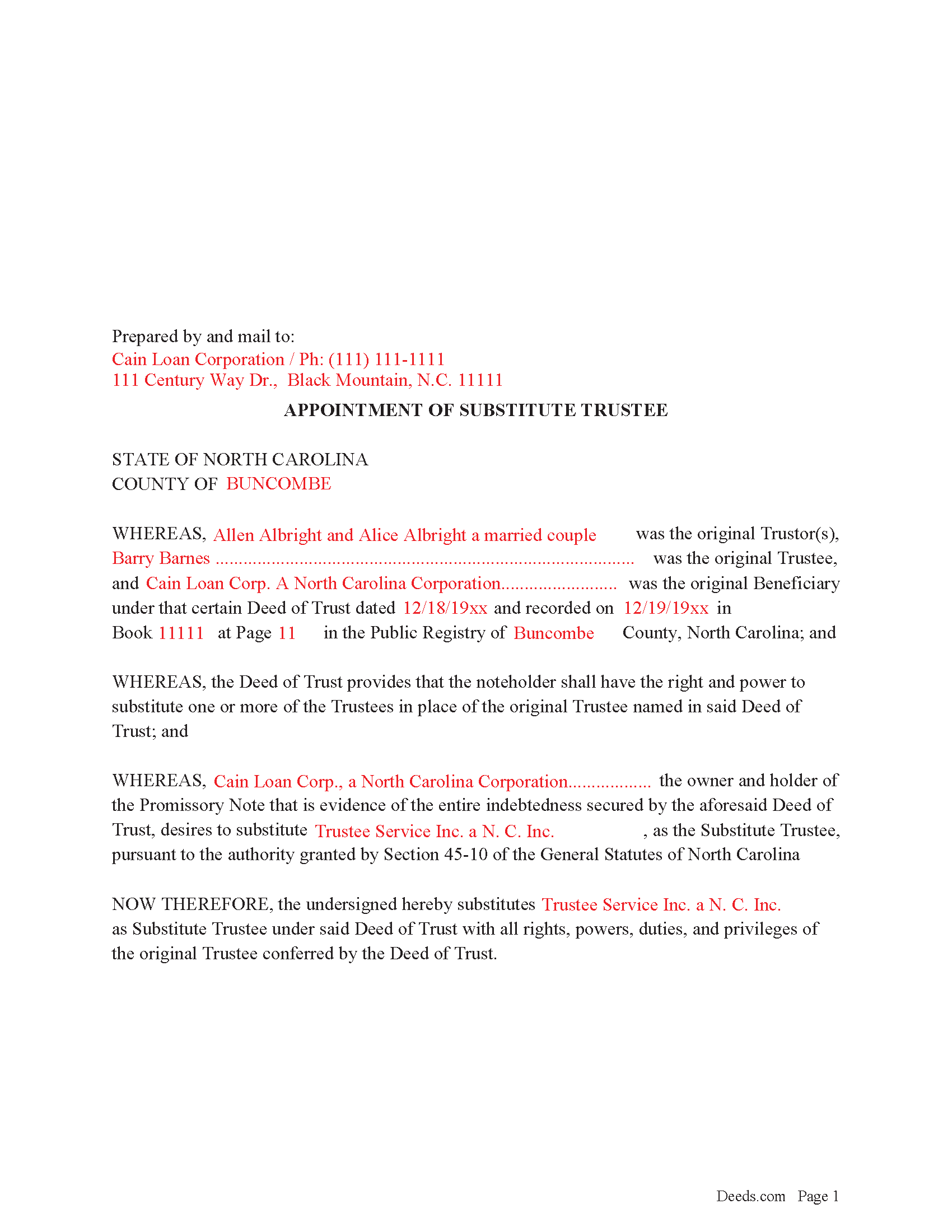
Greene County Completed Example of the Appointment of Substitute Trustee Form
Example of a properly completed form for reference.
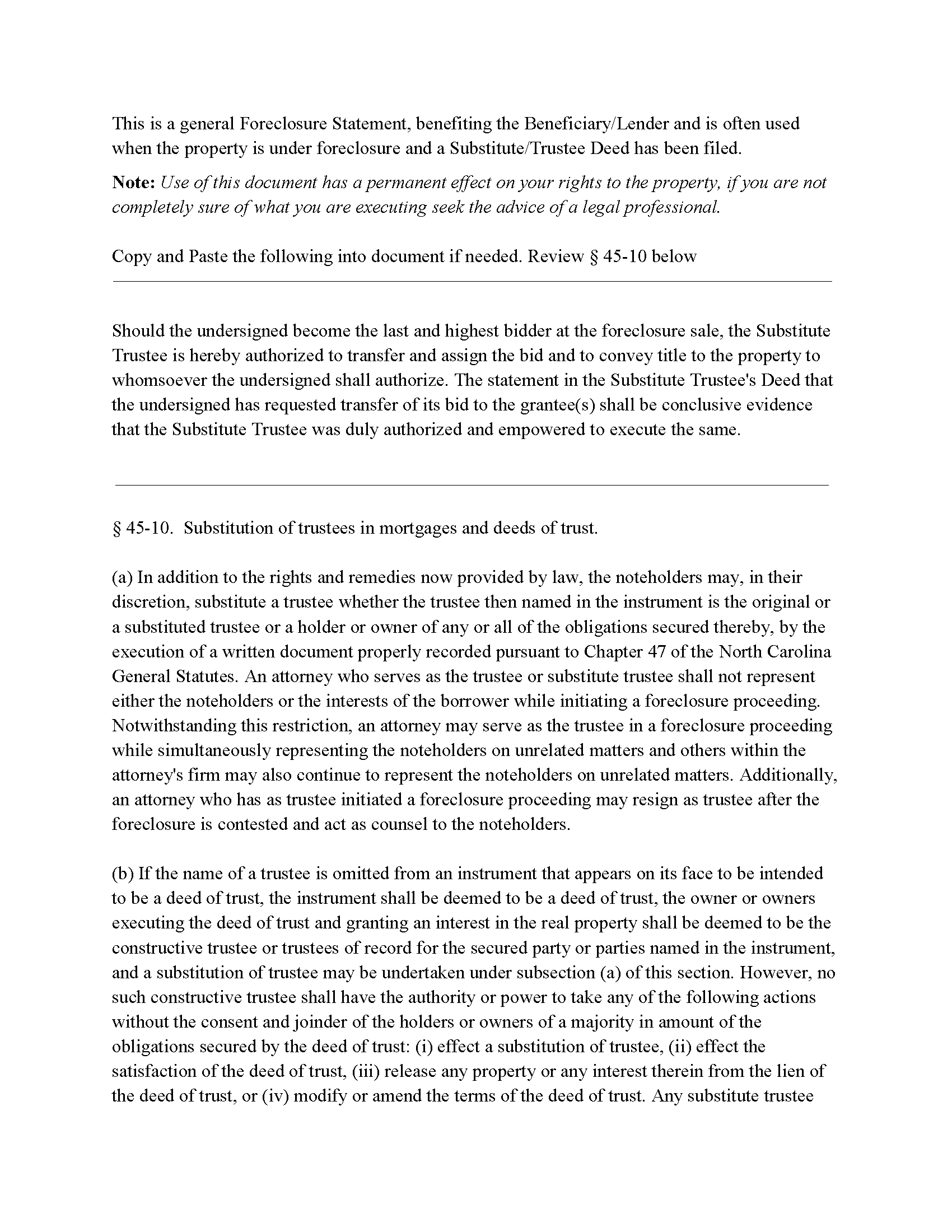
Greene County Foreclosure Clause
Clause that can be added to the form, if foreclosure is involved.
All 4 documents above included • One-time purchase • No recurring fees
Immediate Download • Secure Checkout
Additional North Carolina and Greene County documents included at no extra charge:
Where to Record Your Documents
Greene County Register of Deeds
Snow Hill, North Carolina 28580
Hours: 8:00 to 5:00 Monday through Friday
Phone: (252) 747-3620
Recording Tips for Greene County:
- Bring your driver's license or state-issued photo ID
- Ensure all signatures are in blue or black ink
- Check margin requirements - usually 1-2 inches at top
- Leave recording info boxes blank - the office fills these
- Make copies of your documents before recording - keep originals safe
Cities and Jurisdictions in Greene County
Properties in any of these areas use Greene County forms:
- Hookerton
- Maury
- Snow Hill
- Walstonburg
Hours, fees, requirements, and more for Greene County
How do I get my forms?
Forms are available for immediate download after payment. The Greene County forms will be in your account ready to download to your computer. An account is created for you during checkout if you don't have one. Forms are NOT emailed.
Are these forms guaranteed to be recordable in Greene County?
Yes. Our form blanks are guaranteed to meet or exceed the applicable formatting requirements used for recording in Greene County, including margin requirements, font requirements, and other layout standards. This guarantee applies to formatting, not to the legal sufficiency of information entered by the user or the suitability of a form for a particular transaction.
Can I reuse these forms?
Yes. You can reuse the forms for your personal use. For example, if you have multiple properties in Greene County you only need to order once.
What do I need to use these forms?
The forms are PDFs that you fill out on your computer. The free Adobe Acrobat Reader is recommended, and most PDF apps also work. You do NOT enter your property information online - you download the blank forms and complete them privately on your own computer.
Are there any recurring fees?
No. This is a one-time purchase. Nothing to cancel, no memberships, no recurring fees.
How much does it cost to record in Greene County?
Recording fees in Greene County vary. Contact the recorder's office at (252) 747-3620 for current fees.
Questions answered? Let's get started!
In a Deed of Trust, the trustee is an independent third party who holds conditional title on behalf of the lender for the purpose of either reconveying the property back to the borrower after the loan is repaid or selling the property if the borrower defaults on the loan. Trustee's can be replaced for many reasons, incapacity, incompetency, death, etc. Often a lender will substitute a trustee with a firm or corporation that will be conducting a foreclosure.
NCG 45-10. States:
In addition to the rights and remedies now provided by law, the noteholders may, in their discretion, substitute a trustee whether the trustee then named in the instrument is the original or a substituted trustee or a holder or owner of any or all of the obligations secured thereby, by the execution of a written document properly recorded pursuant to Chapter 47
This form is executed by the beneficiary/lender for the substitution of a trustee, it includes an optional foreclosure clause if needed for that purpose.
(North Carolina AOST Package includes form, guidelines, and completed example)
Important: Your property must be located in Greene County to use these forms. Documents should be recorded at the county recording office listed above.
This Appointment of Substitute Trustee meets all recording requirements specific to Greene County.
Our Promise
The documents you receive here are guaranteed to meet or exceed the applicable Greene County recording format requirements. If there is a rejection caused by our formatting, we will correct the issue or refund your payment. This guarantee applies to document formatting only and does not extend to information entered by the user, the selection of the form, or the legal effect of the completed document.
Save Time and Money
Get your Greene County Appointment of Substitute Trustee form done right the first time with Deeds.com Uniform Conveyancing Blanks. At Deeds.com, we understand that your time and money are valuable resources, and we don't want you to face a penalty fee or rejection imposed by a county recorder for submitting nonstandard documents. We constantly review and update our forms to meet rapidly changing state and county recording requirements for roughly 3,500 counties and local jurisdictions.
4.8 out of 5 - ( 4,825 Reviews )
Scott W. 5 out of 5 stars
Finding and downloading necessary forms, and especially the example forms, were tremendously easy and trouble free, and the fact the forms were updated recently was a big selling point. If other forms are needed, this is were I'm coming.
We appreciate your business and value your feedback. Thank you. Have a wonderful day!
Linda S. 5 out of 5 stars
I had no problem signing up to Deeds.com. It was easy and effective. I was able to retrieve my records.
Thank you!
Sheri L. 5 out of 5 stars
Very helpful even though what I'm looking for hasnt updated yet. I'll use you again.
Thank you!
Luis C. 5 out of 5 stars
Excellent forms but the instructions are not to clear.
Thank you for your feedback. We really appreciate it. Have a great day!
Victor L. 5 out of 5 stars
In a subject that is overbearing, this site made it simple and understandable, all was explained well. Thank you.
Thank you!
Lori A. 5 out of 5 stars
My county accessors office recommended this site. My Uncle passed away and did not leave a will and I needed to have his deed transferred into my name. I was able to do it using the sample Deeds.com provided. I used it as a guide to fill out the paperwork that I printed off of the Deeds.com site. I had no problem when I went to the county and turned in the paperwork and the clerk said everything looked great.
Thank you so much for taking the time to share your experience Lori. We are deeply sorry for your loss and understand how challenging managing affairs can be during such a difficult time. It's heartening to hear that our resources were helpful to you in transferring your uncle's deed into your name.
We strive to make complex processes more accessible and manageable, and your feedback affirms the value of our work. Knowing that the county assessor's office recommended us and that the clerk found everything in order with your paperwork is incredibly gratifying.
Cherie J K. 5 out of 5 stars
needed to prepare a corrective deed and found this great website to print the corrective deed and instructions and example of corrective deed
We appreciate your business and value your feedback. Thank you. Have a wonderful day!
ROBERT K. 5 out of 5 stars
It was so easy to obtain the necessary documents.
Thank you for your feedback. We really appreciate it. Have a great day!
Michelle D. 5 out of 5 stars
Very professional service, they were timely and proficient with answers and sending in the documents that I requested. Will work with them again in the future
We appreciate your business and value your feedback. Thank you. Have a wonderful day!
Keith R. 5 out of 5 stars
Great! Love the platform. Very helpful!!
Thank you!
Richard L. 5 out of 5 stars
Thanks for the complete and reasonably priced set of docs. I was specifically looking for and glad to find a current version of a TOD deed following the California extension.
Thank you for your feedback. We really appreciate it. Have a great day!
Ingrid K. 5 out of 5 stars
Prompt efficient service.
Thank you!
EILEEN K. 5 out of 5 stars
I received my product in great condition and it works ok. Thankyou!!!
Thank you!
victor h. 5 out of 5 stars
Easy to use and just what I was looking for
Thank you!
Jaimie F. 5 out of 5 stars
Very easy process and the customer service representatives are very friendly and helpful.
It was a pleasure serving you. Thank you for the positive feedback!