Polk County Assignment of Deed of Trust Form
Last validated November 16, 2026 by our Forms Development TeamFormatted for recording in Polk County, for property anywhere in the county: rural and unincorporated areas as well as Columbus, Lynn, Mill Spring, Saluda, Tryon.
- 6 documents included
- Immediate PDF download
- Formatting guarantee
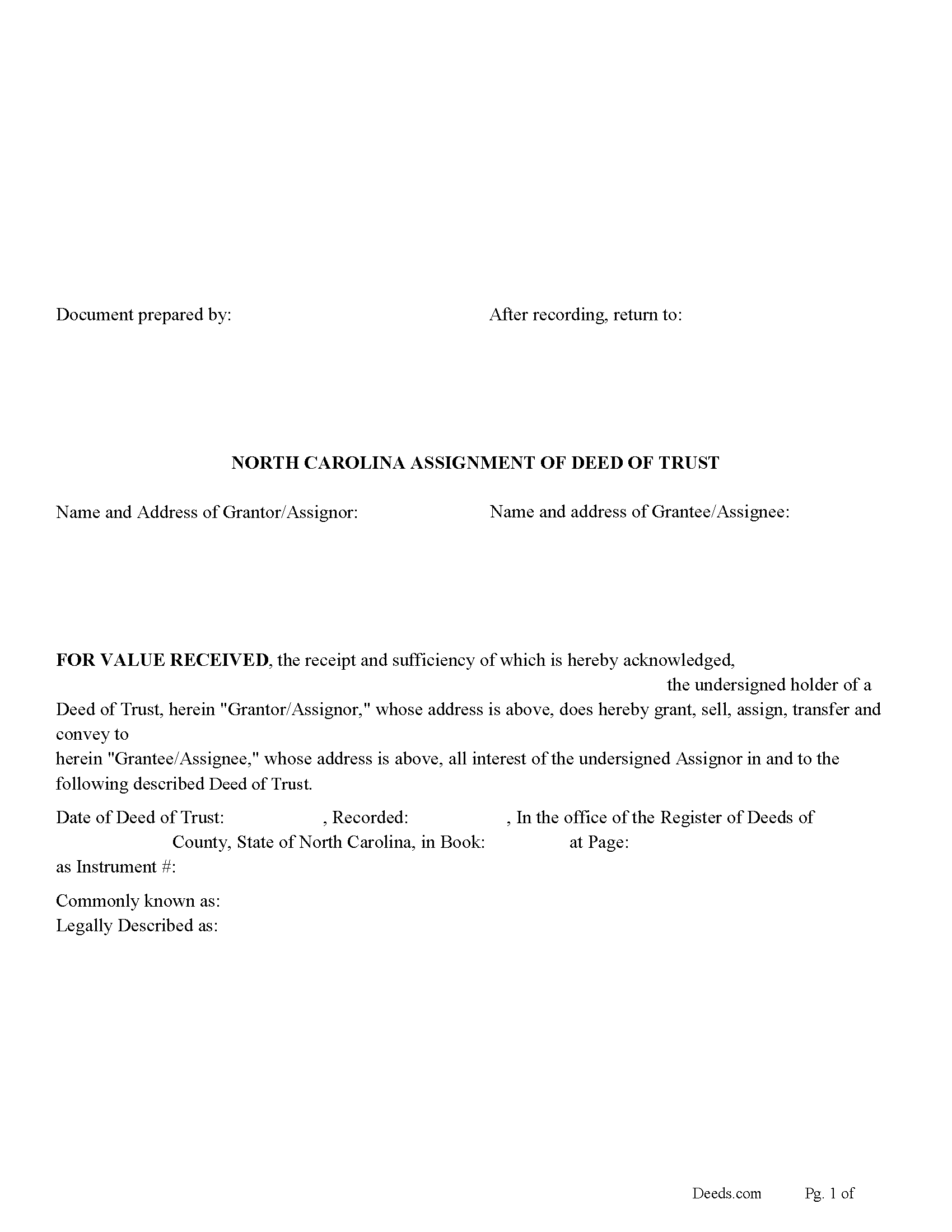
Polk County Assignment of Deed of Trust Form
Fill in the blank form formatted to comply with all recording and content requirements.
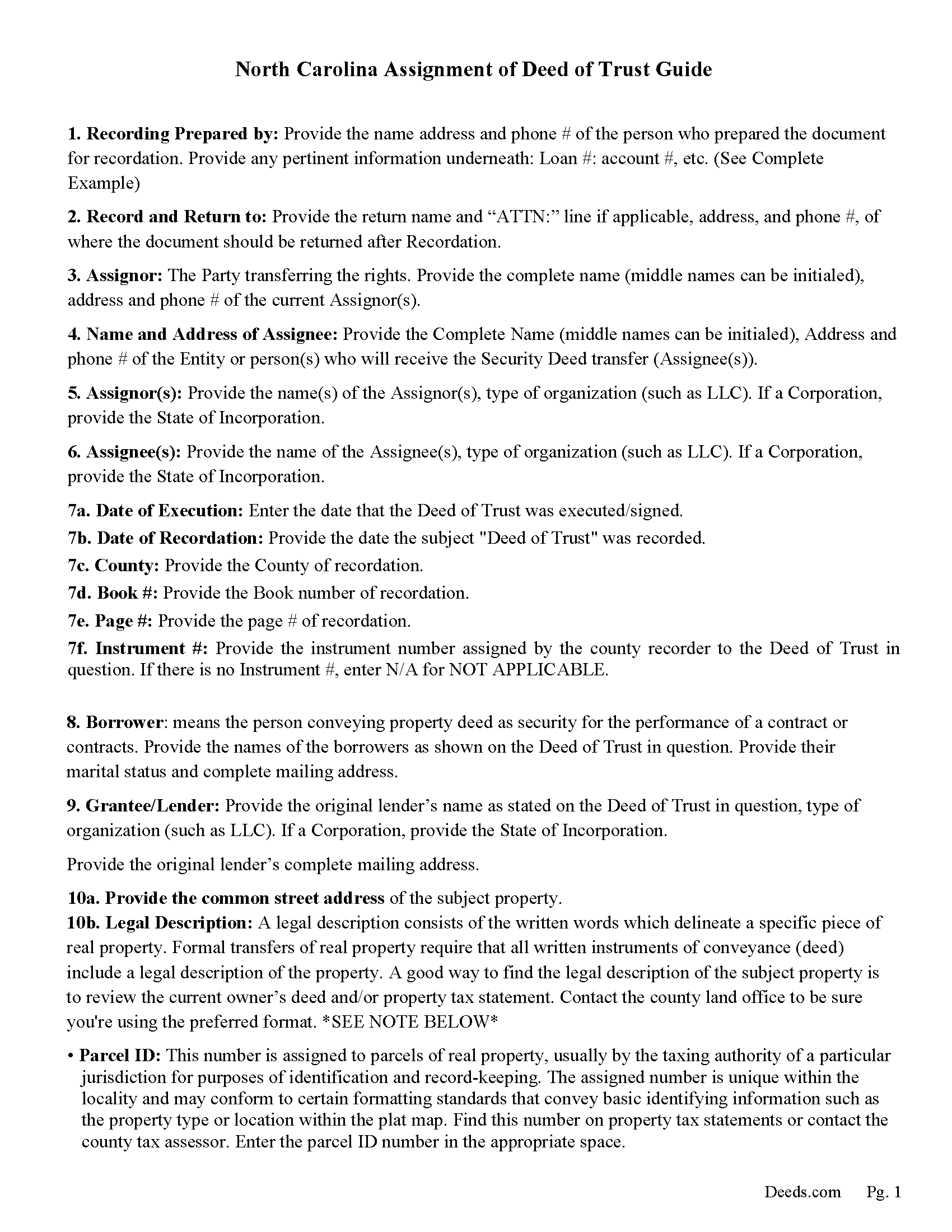
Polk County Guidelines for Assignment of Deed of Trust
Line by line guide explaining every blank on the form.
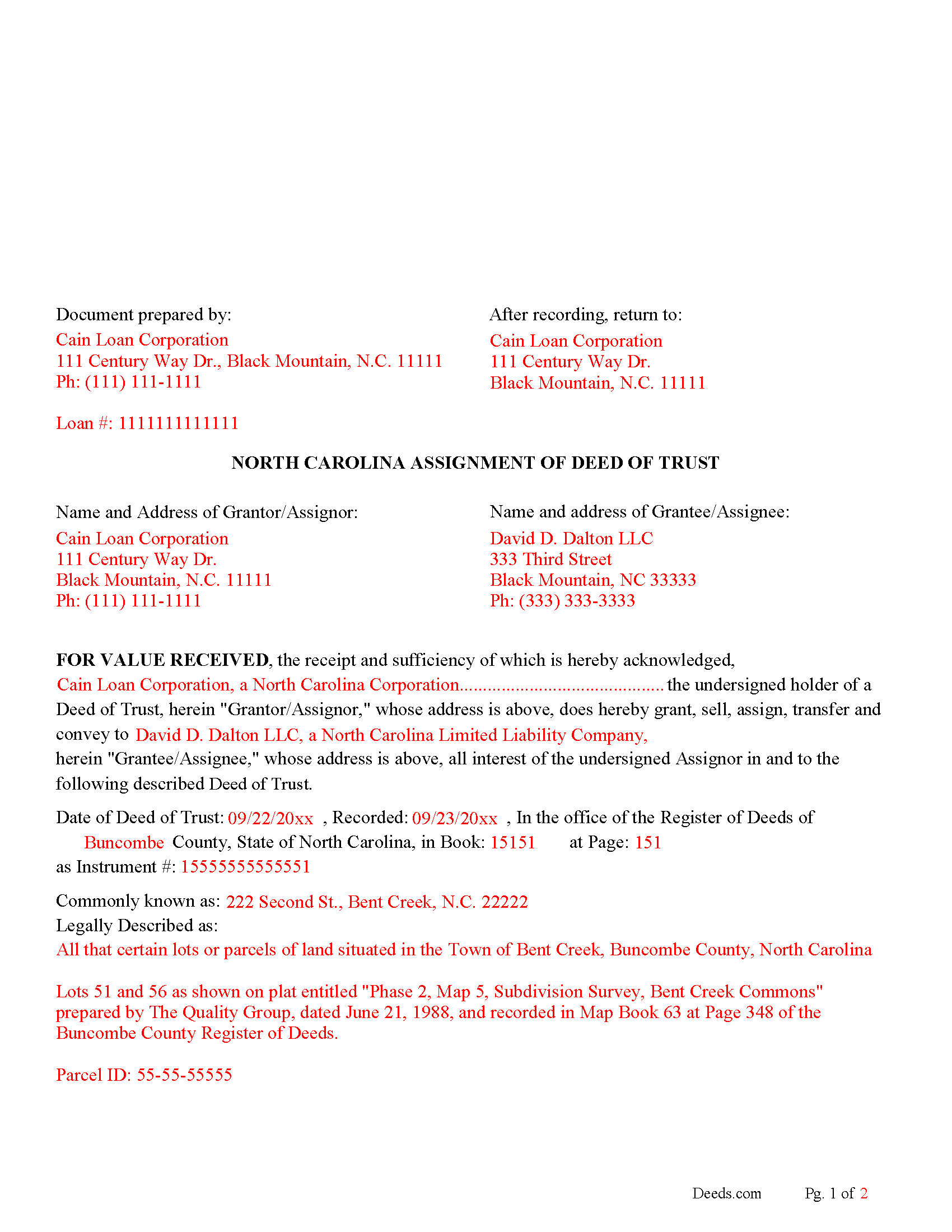
Polk County Completed Example of the Assignment of Deed of Trust Document
Example of a properly completed form for reference.
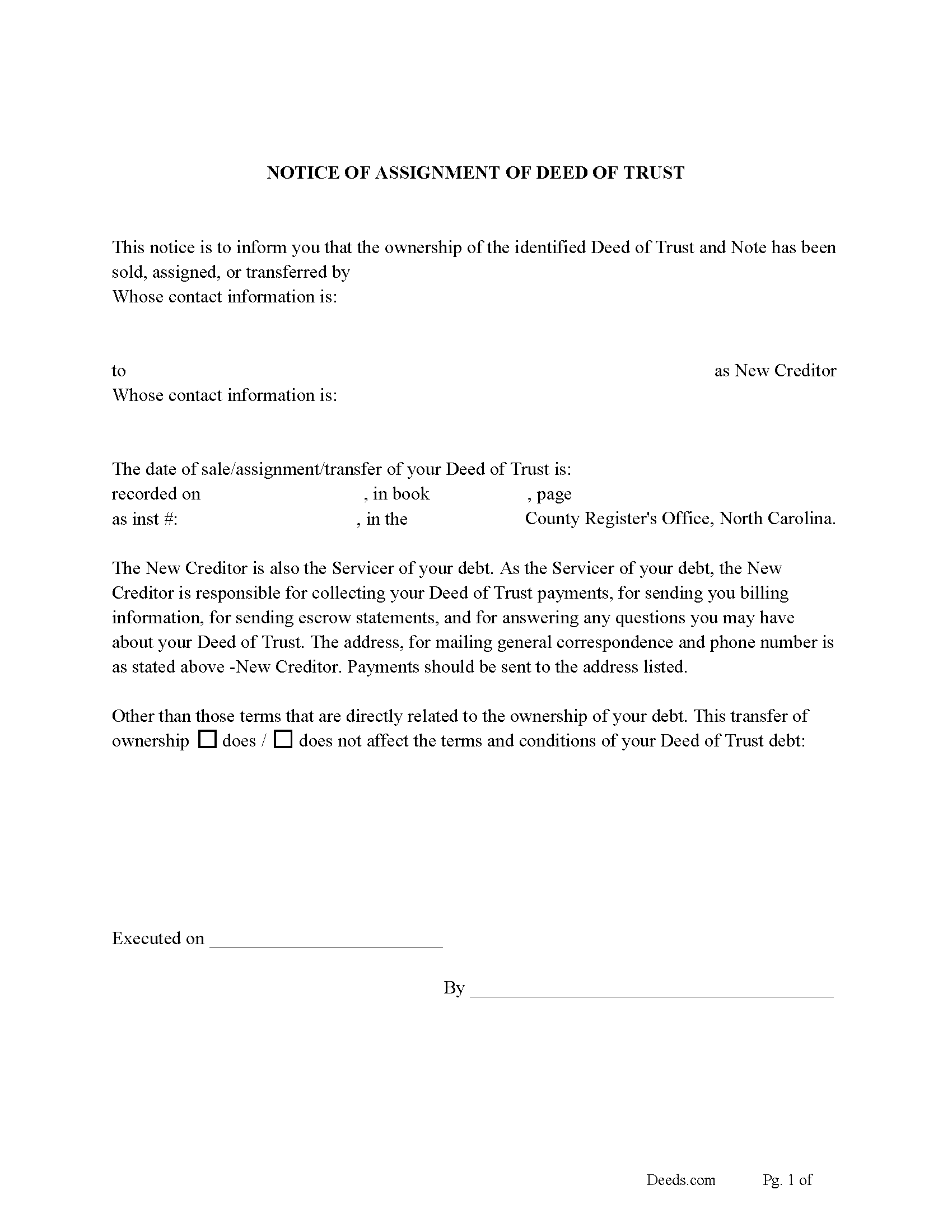
Polk County Notice of Assignment of Deed of Trust Form
Fill in the blank form formatted to comply with content requirements.
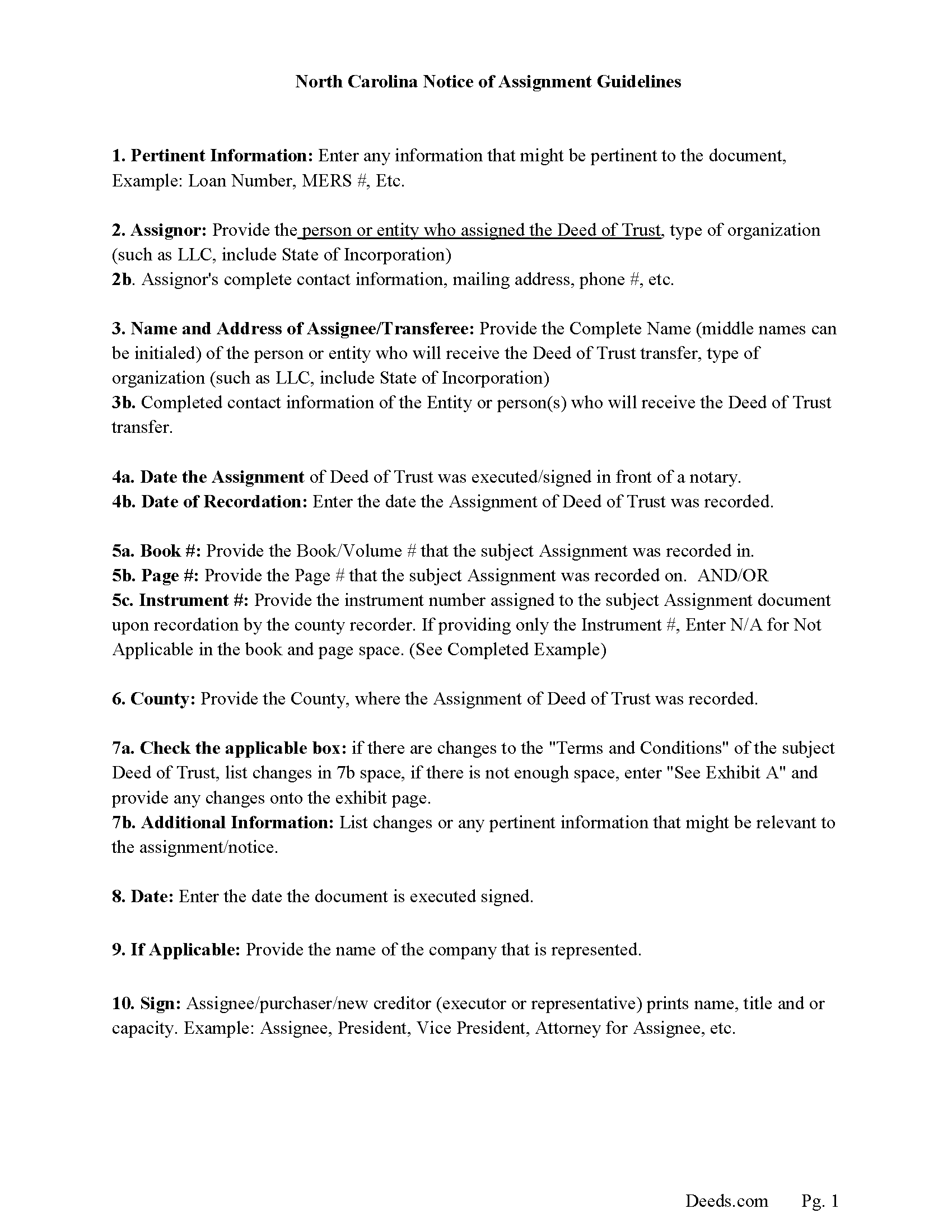
Polk County Notice of Assignment Guidelines
Line by line guide explaining every blank on the form.
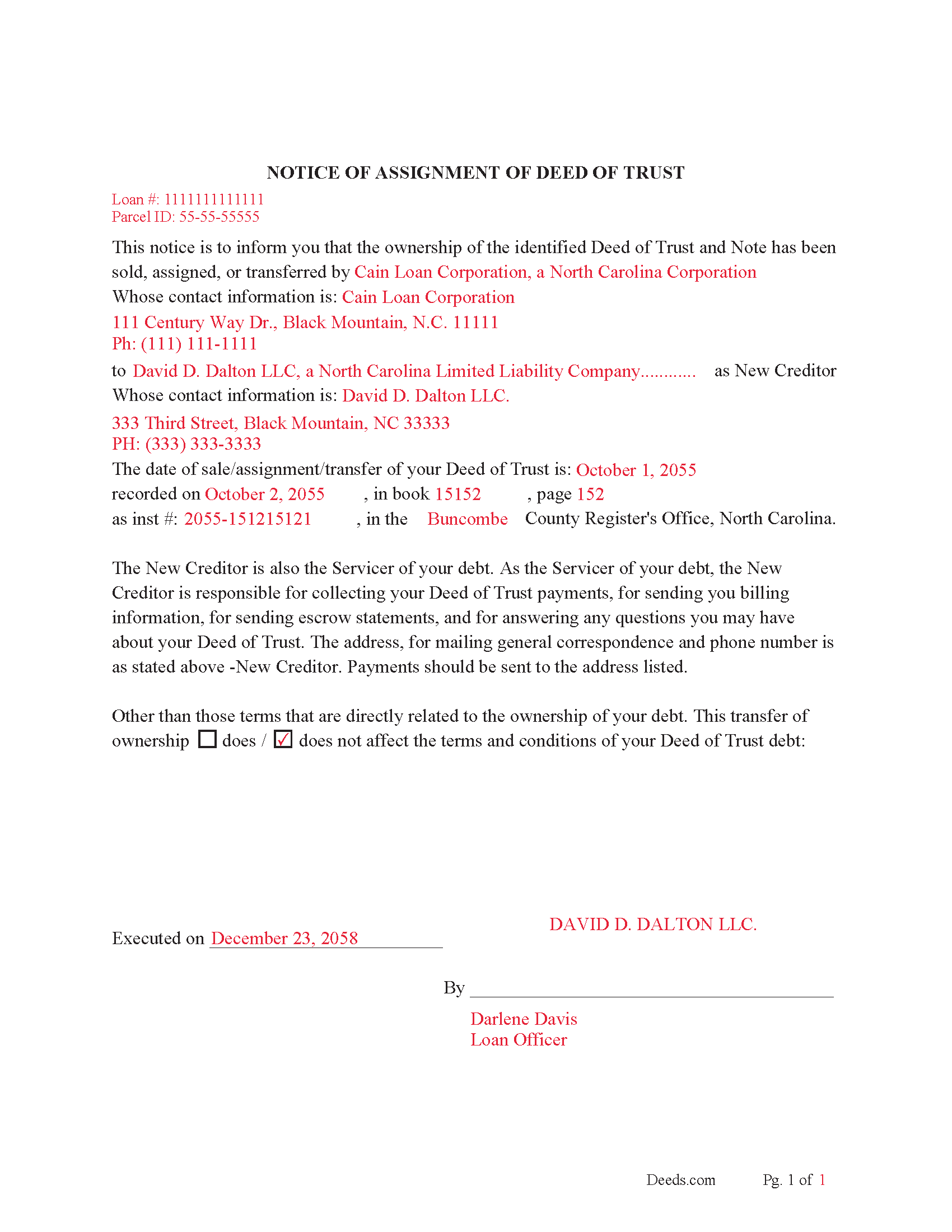
Polk County Completed Example of Notice of Assignment Document
Example of a properly completed form for reference.
All 6 documents above included • One-time purchase • No recurring fees
Immediate Download • Secure Checkout
Additional North Carolina and Polk County documents included at no extra charge:
Where to Record Your Documents
Polk County Registrar of Deeds
Columbus, North Carolina 28722
Hours: 8:30-5:00 Mon-Fri
Phone: (828) 894-8450
Recording Tips for Polk County:
- Bring your driver's license or state-issued photo ID
- Ensure all signatures are in blue or black ink
- Make copies of your documents before recording - keep originals safe
- Recorded documents become public record - avoid including SSNs
- Recording fees may differ from what's posted online - verify current rates
Cities and Jurisdictions in Polk County
Properties in any of these areas use Polk County forms:
- Columbus
- Lynn
- Mill Spring
- Saluda
- Tryon
Hours, fees, requirements, and more for Polk County
How do I get my forms?
Forms are available for immediate download after payment. The Polk County forms will be in your account ready to download to your computer. An account is created for you during checkout if you don't have one. Forms are NOT emailed.
Are these forms guaranteed to be recordable in Polk County?
Yes. Our form blanks are guaranteed to meet or exceed the applicable formatting requirements used for recording in Polk County, including margin requirements, font requirements, and other layout standards. This guarantee applies to formatting, not to the legal sufficiency of information entered by the user or the suitability of a form for a particular transaction.
Can I reuse these forms?
Yes. You can reuse the forms for your personal use. For example, if you have multiple properties in Polk County you only need to order once.
What do I need to use these forms?
The forms are PDFs that you fill out on your computer. The free Adobe Acrobat Reader is recommended, and most PDF apps also work. You do NOT enter your property information online - you download the blank forms and complete them privately on your own computer.
Are there any recurring fees?
No. This is a one-time purchase. Nothing to cancel, no memberships, no recurring fees.
How much does it cost to record in Polk County?
Recording fees in Polk County vary. Contact the recorder's office at (828) 894-8450 for current fees.
Questions answered? Let's get started!
This form is used by a beneficiary/lender who can be a corporation or individual to assign deed of trust and promissory note to another entity/corporation or individual. This is commonly done when a deed of trust has been sold. (The assignee of the note shall have the right to enforce all obligations contained in the promissory note or other agreement, and all the rights of the assignor in the deed of trust, mortgage, or other security instrument, including the right to substitute the trustee named in any deed of trust, and to exercise any power of sale contained in the instrument without restriction.) (47-17.2)
Current Borrowers must be notified of the assignment. Notification consists of contact information of the new creditor, recording dates, recording instrument numbers, changes in loan, etc. Included are "Notice of Assignment of Deed of Trust" forms.
The Truth and lending act requires that borrowers be notified when their Deed of Trust debt has been sold, transferred, or assigned to a new creditor. Generally, within 30 days to avoid up to $2,000.00 in statutory damages, plus reasonable attorney's fees. Systematic violations can reach up $500,000.00.
(North Carolina Assignment of DOT Package includes form, guidelines, and completed example) For use in North Carolina only.
Important: Your property must be located in Polk County to use these forms. Documents should be recorded at the county recording office listed above.
This Assignment of Deed of Trust meets all recording requirements specific to Polk County.
Our Promise
The documents you receive here are guaranteed to meet or exceed the applicable Polk County recording format requirements. If there is a rejection caused by our formatting, we will correct the issue or refund your payment. This guarantee applies to document formatting only and does not extend to information entered by the user, the selection of the form, or the legal effect of the completed document.
Save Time and Money
Get your Polk County Assignment of Deed of Trust form done right the first time with Deeds.com Uniform Conveyancing Blanks. At Deeds.com, we understand that your time and money are valuable resources, and we don't want you to face a penalty fee or rejection imposed by a county recorder for submitting nonstandard documents. We constantly review and update our forms to meet rapidly changing state and county recording requirements for roughly 3,500 counties and local jurisdictions.
4.8 out of 5 - ( 4,867 Reviews )
Billy R. 5 out of 5 stars
Thank you...........easy process........Billy C
Thank you!
Laura M. 5 out of 5 stars
Very easy and I appreciate that when you hover over the blank, directions pop up and tell you what to put in that blank. I also appreciated that when I lost the original password, I sent an email and Deeds.com cancelled my order, refunded my account, so that I could start over.
It was a pleasure serving you. Thank you for the positive feedback!
Delba O. 5 out of 5 stars
This was the easiest process ever. Thank you for making this so easy. No hassle, just upload your docs, pay the invoice and done. It didn't even take 2 business days to get my deed recorded. If I ever need to record anything I will definitely use your services again.
We appreciate your business and value your feedback. Thank you. Have a wonderful day!
Lynnellen S. 2 out of 5 stars
My rating is not a 5. Although it had good instructions, it would NOT print the whole document no matter how many times I inputted the names. I ended up writing it in to complete. I also recommend putting it on one page. I had to pay an additional fees per page and if I had to notarize it, why did I have to find 2 witnesses as well. I deserve a discount for the time I spent repeatedly putting the same data. I was trying to save money since Im on social security only. It didnt. Get it to work correctly
Thank you for your feedback Lynnellen. Sorry to hear of your struggle with our document. We've gone ahead and refunded your payment. Hope you have a wonderful day.
Frazer W. 5 out of 5 stars
Deeds.com does a great job getting our legal documents filed with the D.C. Recorder of Deeds. Frazer Walton, Jr. Law Office of Frazer Walton, Jr.
Your appreciative words mean the world to us. Thank you.
Zehira D. 5 out of 5 stars
Great service! fast, reliable, and very affordable. No contract, no subscription
We are sincerely grateful for your feedback and are committed to providing the highest quality service. Thank you for your trust in us.
Jaimie F. 5 out of 5 stars
Very easy process and the customer service representatives are very friendly and helpful.
It was a pleasure serving you. Thank you for the positive feedback!
RICHARD H. 5 out of 5 stars
Wonderful
Thank you!
Wesley R T. 5 out of 5 stars
Great service and easy use
We appreciate your business and value your feedback. Thank you. Have a wonderful day!
Angela J M. 5 out of 5 stars
Quick turnaround (about 24hrs) easy process.
Thank you for your feedback. We really appreciate it. Have a great day!
Larry A. 5 out of 5 stars
Provided exactly the form I was looking for at a reasonable price. Easy to do as well.
Thank you!
Robert W. 5 out of 5 stars
Easier than I thought. No problem Nice service
Thank you!
Angel T. 5 out of 5 stars
First the convenience to get forms without going or calling Recorder's office is outstanding. Suggest that Recorder's staff be able to guide or assist users in filling up the forms.
We appreciate your business and value your feedback. Thank you. Have a wonderful day!
Lutz P. 5 out of 5 stars
Your forms are great but I couldn’t use them with my computer and acrobats reader didn’t work. And then my thermal printer would only print 1/3 size pages with no way to fix it. I ordered a new color printer and we’ll see what happens.
Thank you, Lutz. We're glad you like the forms, and we're sorry getting them working turned into such a hassle. That shrunken page is typical of thermal printers: most use narrow receipt or label paper, so a full page gets scaled down to fit, and no setting can change that. Thermal paper also fades over time, which you don't want on a document you're recording, so the new printer is the right call. When it arrives, print on plain white paper with “Actual size” selected in the print settings so the page comes out full size with its margins intact. If Acrobat Reader gives you trouble again, save the form to your computer first and open the saved file in Acrobat Reader rather than in your web browser. Still stuck? Contact our support team and we'll walk you through it.
Caroline W. 5 out of 5 stars
They didn't have what I needed, but they were very quick in responding to let me know and where I needed to go to receive the desired information.
Thank you for your feedback Caroline.