Forsyth County Quitclaim Deed (Corporation Grantor) Form
Last validated September 30, 2026 by our Forms Development TeamFormatted for recording in Forsyth County, for property anywhere in the county: rural and unincorporated areas as well as Belews Creek, Bethania, Clemmons, Kernersville, Lewisville, Pfafftown, Rural Hall, Tobaccoville and 2 more.
- 3 documents included
- Immediate PDF download
- Formatting guarantee
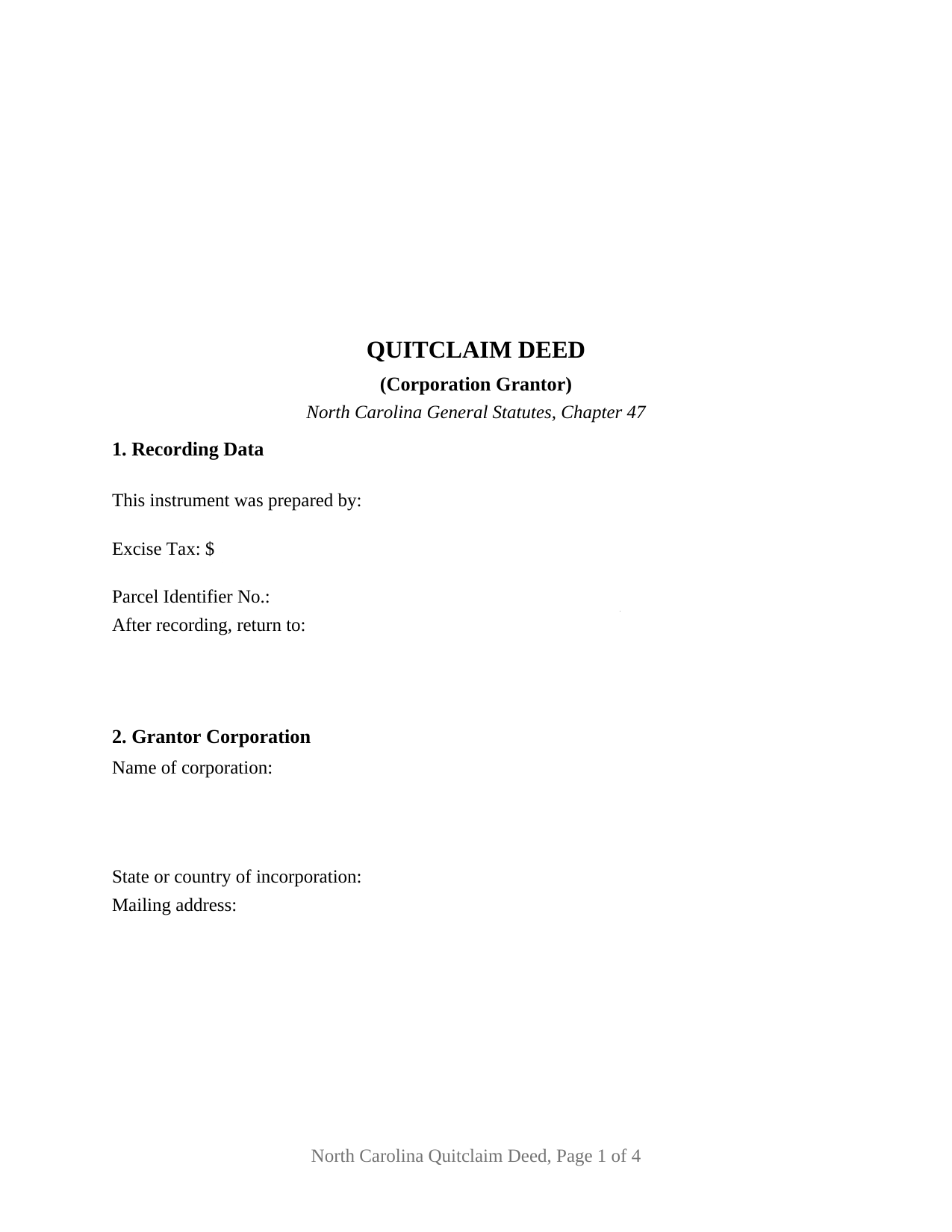
Forsyth County Quitclaim Deed (Corporation Grantor) Form
Fill in the blank Quitclaim Deed (Corporation Grantor) form formatted to comply with all North Carolina recording and content requirements.
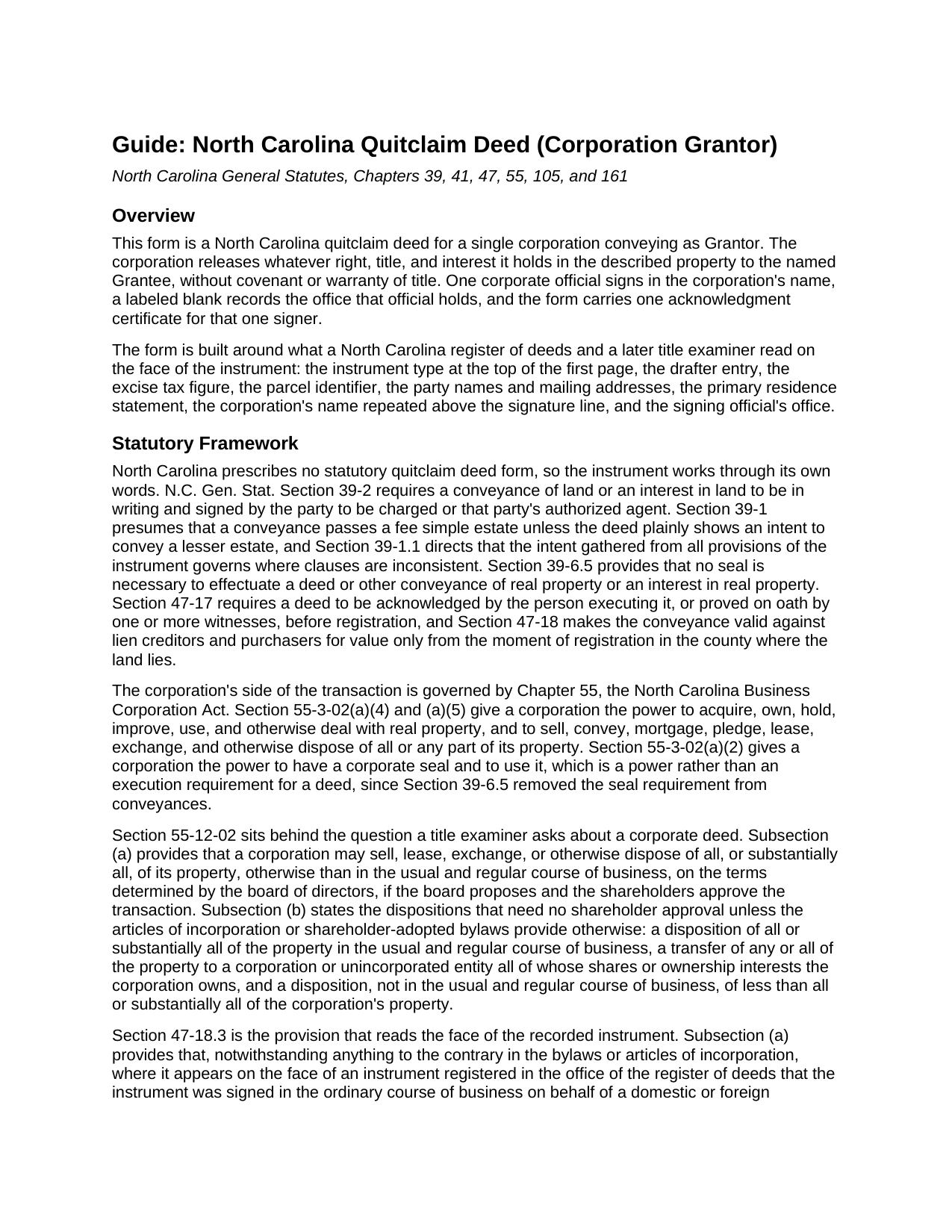
Forsyth County Quitclaim Deed (Corporation Grantor) Guide
Line by line guide explaining every blank on the Quitclaim Deed (Corporation Grantor) form.
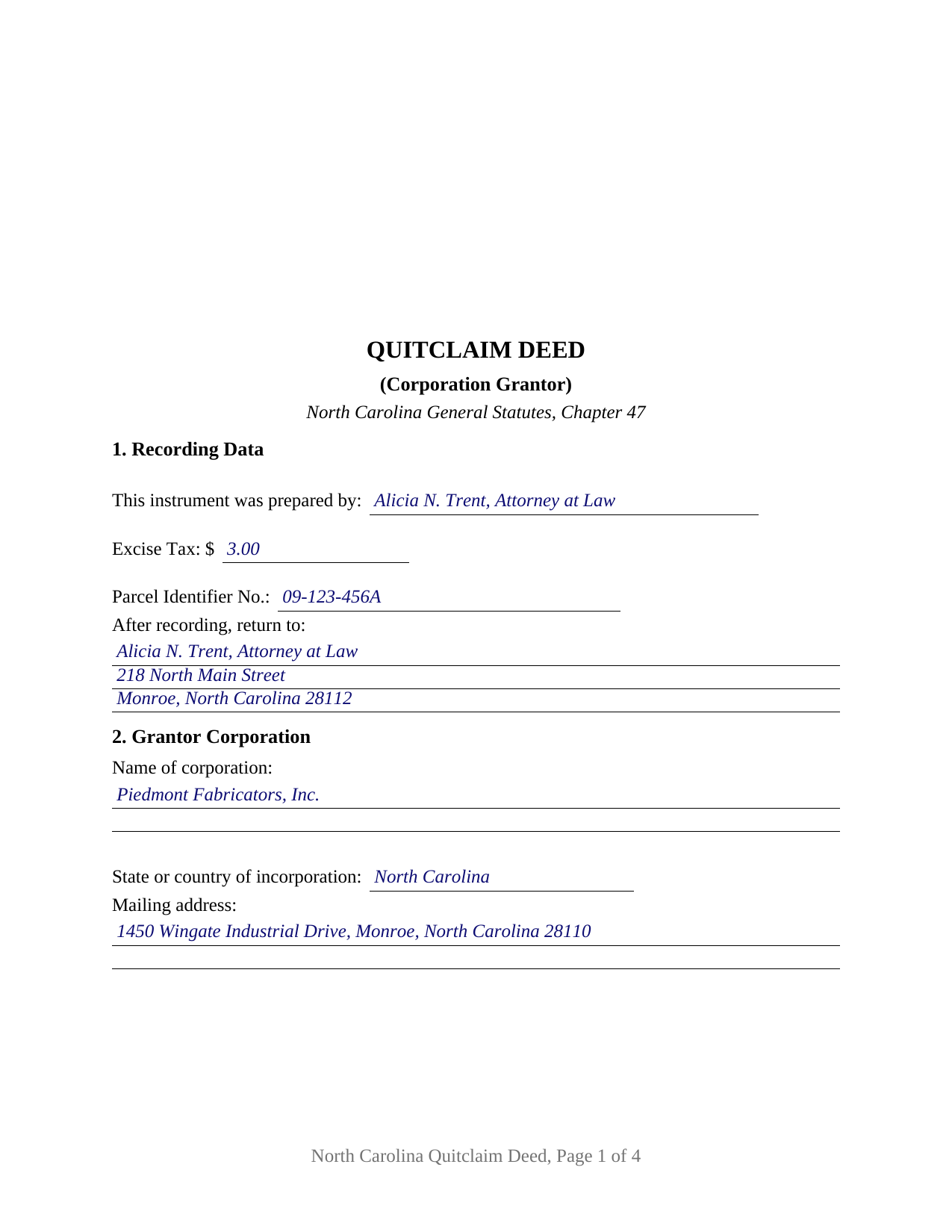
Forsyth County Completed Example of the Quitclaim Deed (Corporation Grantor) Document
Example of a properly completed North Carolina Quitclaim Deed (Corporation Grantor) document for reference.
All 3 documents above included • One-time purchase • No recurring fees
Immediate Download • Secure Checkout
Additional North Carolina and Forsyth County documents included at no extra charge:
Where to Record Your Documents
Forsyth County Register of Deeds
Winston-Salem, North Carolina 27101
Hours: 8:00am-5:00pm M-F
Phone: (336) 703-2700. For Recorded Information: (336) 703-270
Recording Tips for Forsyth County:
- Bring your driver's license or state-issued photo ID
- Ensure all signatures are in blue or black ink
- Both spouses typically need to sign if property is jointly owned
- Bring extra funds - fees can vary by document type and page count
- Check margin requirements - usually 1-2 inches at top
Cities and Jurisdictions in Forsyth County
Properties in any of these areas use Forsyth County forms:
- Belews Creek
- Bethania
- Clemmons
- Kernersville
- Lewisville
- Pfafftown
- Rural Hall
- Tobaccoville
- Walkertown
- Winston Salem
Hours, fees, requirements, and more for Forsyth County
How do I get my forms?
Forms are available for immediate download after payment. The Forsyth County forms will be in your account ready to download to your computer. An account is created for you during checkout if you don't have one. Forms are NOT emailed.
Are these forms guaranteed to be recordable in Forsyth County?
Yes. Our form blanks are guaranteed to meet or exceed the applicable formatting requirements used for recording in Forsyth County, including margin requirements, font requirements, and other layout standards. This guarantee applies to formatting, not to the legal sufficiency of information entered by the user or the suitability of a form for a particular transaction.
Can I reuse these forms?
Yes. You can reuse the forms for your personal use. For example, if you have multiple properties in Forsyth County you only need to order once.
What do I need to use these forms?
The forms are PDFs that you fill out on your computer. The free Adobe Acrobat Reader is recommended, and most PDF apps also work. You do NOT enter your property information online - you download the blank forms and complete them privately on your own computer.
Are there any recurring fees?
No. This is a one-time purchase. Nothing to cancel, no memberships, no recurring fees.
How much does it cost to record in Forsyth County?
Recording fees in Forsyth County vary. Contact the recorder's office at (336) 703-2700. For Recorded Information: (336) 703-270 for current fees.
Questions answered? Let's get started!
A deed out of a North Carolina corporation gets read twice: once for the signature, and once for the transaction behind it. This fillable North Carolina quitclaim deed is drawn for a single corporation as Grantor. One corporate official signs in the corporation's name, a labeled blank records the office that official holds, and the deed releases whatever right, title, and interest the corporation has, with no covenant or warranty of title.
Two questions behind one corporate signature
The first belongs to the signer. G.S. 47-18.3(a) looks at the registered page and nothing else: an instrument whose face shows ordinary-course signing on behalf of a domestic or foreign corporation, by one of the officials that subsection lists, is as good against innocent third parties as if the directors had voted it, and the protection lapses where the paper itself discloses a potential breach of fiduciary obligation. The second question belongs to the corporation itself. G.S. 55-12-02(a) conditions a disposition of all, or substantially all, of a corporation's property, otherwise than in the usual and regular course of business, on the board proposing it and the shareholders approving, while subsection (b) marks out what needs no shareholder vote. The deed answers the first on its face and leaves the second to the corporate record.
The resolution the statute does not ask for
G.S. 47-18.3(e) describes the older route, in which a corporation conveys through an officer, manager, or agent with a signed and attested board resolution attached or recorded separately where the land lies. The subsection then removes that step for an instrument duly executed by the corporation's chairman, president, chief executive officer, a vice-president, assistant vice-president, treasurer, or chief financial officer. That is why the small blank beside the printed name earns its place: the office written there is what a title examiner reads later.
A certificate written for corporate deeds
North Carolina writes acknowledgment forms for this instrument. G.S. 47-41.01(c) states one for an official signing the corporation's name in that official's capacity, without attestation or seal, and this certificate carries its substance: that the person named holds the office stated with the corporation named as Grantor and, being authorized, signed in the corporation's name. Subsection (b) states the alternative for a deed sealed and attested by a second corporate official, and subsection (b)(6) lets the seal phrase drop out where no seal was affixed. G.S. 39-6.5 took the seal requirement out of conveyances, so no impression belongs on the signature line and none is missing from it.
What the form recites
The form recites one Grantor corporation by legal name, state or country of incorporation, and mailing address; one grantee side with a blank for names and any tenancy designation; the consideration; the primary residence statement G.S. 105-317.2 asks of every deed; then the corporation's name above a single signature line, a printed-name line for the register's index, a date, and the office or title blank. Positions in the records presenting this shape include a corporation releasing an overlap or remnant strip to the adjoining owner after a survey, one selling surplus land to a buyer who takes the record as it stands, and one releasing a residual interest in subdivision land to an owners association. The form is not set up for two conveying entities, two officials signing together, an individual conveying individually, or an attestation line under a corporate seal.
What page one reports
Page one holds the three inch blank space G.S. 161-14(b) reserves and names the instrument type under it, then collects the entries the register reads: the drafter name, which G.S. 47-17.1 requires on a first page before a deed may be accepted, the excise figure, a parcel identifier blank under G.S. 161-30, and the return block. On a bargained corporate transfer the excise tax runs at one dollar per five hundred dollars, or fraction, of consideration or value under G.S. 105-228.30, collected by the register before recording under G.S. 105-228.32. Under G.S. 47-18 the conveyance becomes good against lien creditors and purchasers for value only from registration in that county.
Included: this deed as a fillable PDF, a completed example worked through a Union County boundary strip released by a manufacturer, and a plain language guide covering each section, the authority and acknowledgment statutes, the vesting menu, excise treatment, and recording steps. Searchers reach the instrument as a quit claim deed, a quitclaim, or a non-warranty deed; under any label, this material describes North Carolina law generally and is not legal advice.
Important: Your property must be located in Forsyth County to use these forms. Documents should be recorded at the county recording office listed above.
This Quitclaim Deed (Corporation Grantor) meets all recording requirements specific to Forsyth County.
Our Promise
The documents you receive here are guaranteed to meet or exceed the applicable Forsyth County recording format requirements. If there is a rejection caused by our formatting, we will correct the issue or refund your payment. This guarantee applies to document formatting only and does not extend to information entered by the user, the selection of the form, or the legal effect of the completed document.
Save Time and Money
Get your Forsyth County Quitclaim Deed (Corporation Grantor) form done right the first time with Deeds.com Uniform Conveyancing Blanks. At Deeds.com, we understand that your time and money are valuable resources, and we don't want you to face a penalty fee or rejection imposed by a county recorder for submitting nonstandard documents. We constantly review and update our forms to meet rapidly changing state and county recording requirements for roughly 3,500 counties and local jurisdictions.
4.8 out of 5 - ( 4,837 Reviews )
Joyce K. 5 out of 5 stars
I was very happy with this site. It included all the papers I needed, instructions, and even an example sheet to work from. The papers are now filed and done with ease. Thank you!
Thank you for your feedback. We really appreciate it. Have a great day!
Ronnie W T. 5 out of 5 stars
Very fast and efficient as soon as we paid for the document, it was downloaded to us immediately.
We appreciate your business and value your feedback. Thank you. Have a wonderful day!
Jennifer D. 5 out of 5 stars
I was skeptical; but, so thankful I went with them. They were beyond helpful through the entire process and very patient with me. I could not have done my quit deed form without them. Thank you for all of your help.
We appreciate your business and value your feedback. Thank you. Have a wonderful day!
Dawn Y. 1 out of 5 stars
Obtaining a copy of a deed is FAR too expensive.
Thank you for your feedback Dawn. Have a wonderful day.
Mary Ann G. 2 out of 5 stars
Couldn't find the deed form that I needed. Needs to have a short summary to determine the correct form.
Sorry to hear that Mary Ann, we appreciate your feedback.
Bobby W. 5 out of 5 stars
The site delivered just what it promised - I needed a specific deed formatted for a specific county/state, and they delivered it at a great price. One note for improvement - it is not intuitively obvious that I could go back and re-download if necessary and this caused me stress, but a follow up email alleviated this. Great service!
Thank you for the kind words Bobby, have a great day!
Lynn A. 5 out of 5 stars
Easy to follow example packet. I was able to access/download exhibit forms as needed (included with cost). Overall worth the cost to save me time! (Utilized mineral deeds forms.
Thank you for your kind words and for choosing us.
Wendling D. 4 out of 5 stars
Good
Thank you!
XIN Y. 5 out of 5 stars
Great e-Recording service. Fast and convenient! All done in the comfort of my home. Love it!!!
We appreciate your business and value your feedback. Thank you. Have a wonderful day!
dean s. 5 out of 5 stars
Excellent work. Berry happy!
Thank you!
Sol B. 5 out of 5 stars
Got me all the info I was looking for Thanks you deeds.com
Thank you!
Donald C. 5 out of 5 stars
No review provided.
Thank you!
Carol T. 2 out of 5 stars
It was very difficult to maneuver through your website the wording on certain things are very difficult to figure out. I can't seem to get through to one place that I want versus what I don't want. I think it needs to be a little more explanatory and I am a college graduate so it's not like I'm stupid or anything. Thank you
Thank you for your feedback. Very sorry to hear that we failed you with our navigation. We will certainly address it to see how we can approve. Have a wonderful day.
Melvin L. 5 out of 5 stars
So easy, very simple to use. I was very pleased with the service Deeds provided. Would definely use again.
We appreciate your business and value your feedback. Thank you. Have a wonderful day!
Larry T. 5 out of 5 stars
Excellent service!!!!! A 5STAR
Thanks Larry! We appreciate you.