Forsyth County Quitclaim Deed (Married Grantor with Non-Owner Spouse Joinder) Form
Last validated November 5, 2026 by our Forms Development TeamFormatted for recording in Forsyth County, for property anywhere in the county: rural and unincorporated areas as well as Belews Creek, Bethania, Clemmons, Kernersville, Lewisville, Pfafftown, Rural Hall, Tobaccoville and 2 more.
- 3 documents included
- Immediate PDF download
- Formatting guarantee
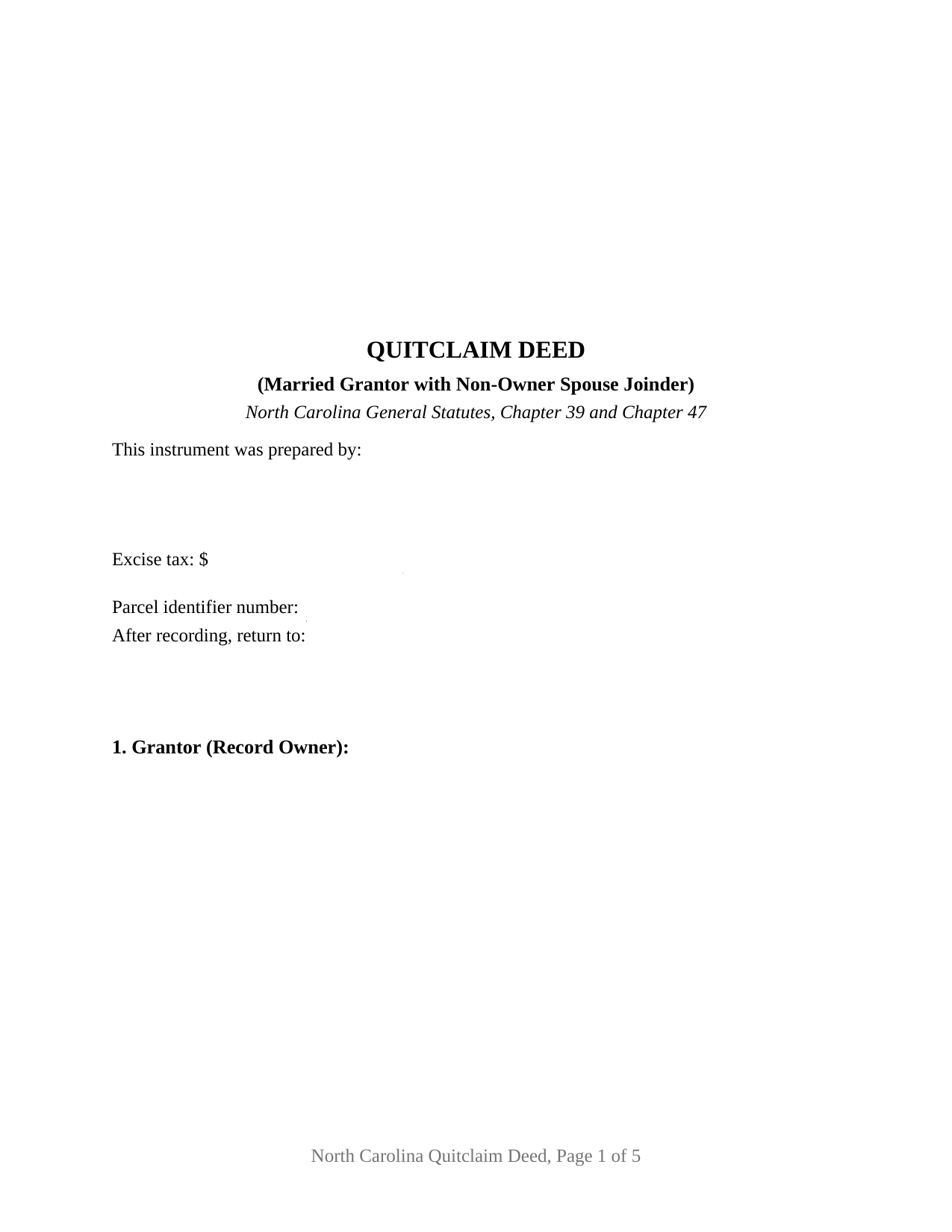
Forsyth County Quitclaim Deed (Married Grantor with Non-Owner Spouse Joinder) Form
Fill in the blank Quitclaim Deed (Married Grantor with Non-Owner Spouse Joinder) form formatted to comply with all North Carolina recording and content requirements.
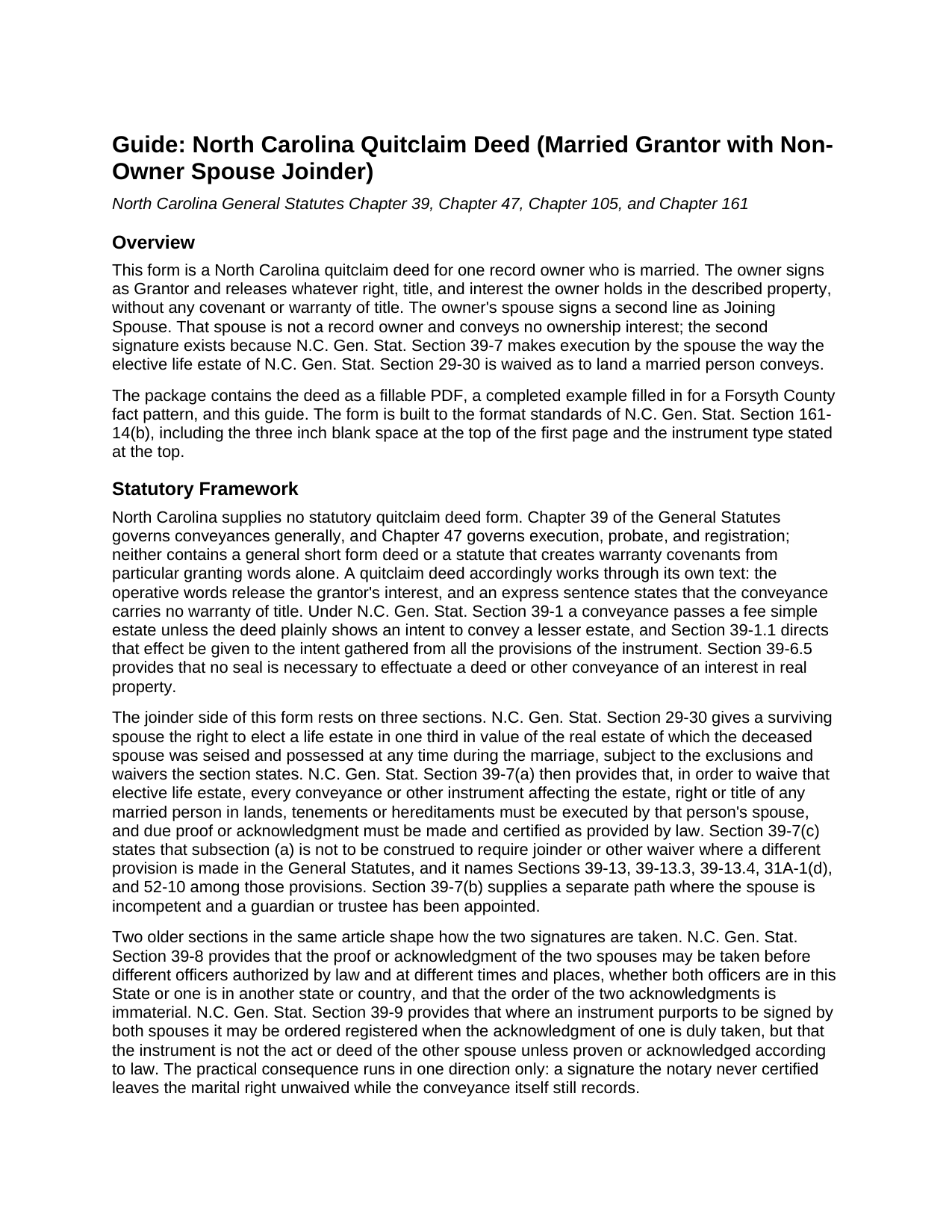
Forsyth County Quitclaim Deed (Married Grantor with Non-Owner Spouse Joinder) Guide
Line by line guide explaining every blank on the Quitclaim Deed (Married Grantor with Non-Owner Spouse Joinder) form.
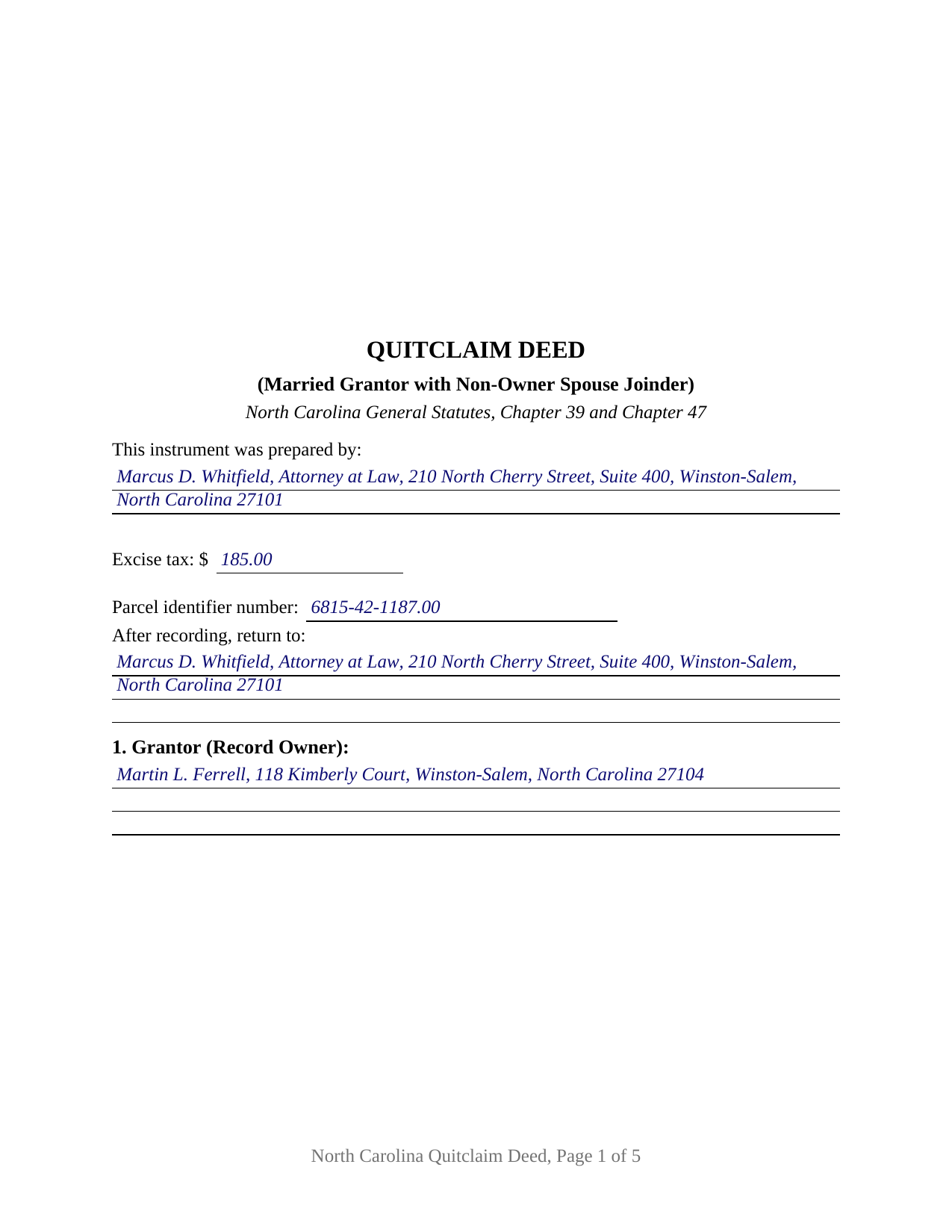
Forsyth County Completed Example of the Quitclaim Deed (Married Grantor with Non-Owner Spouse Joinder) Document
Example of a properly completed North Carolina Quitclaim Deed (Married Grantor with Non-Owner Spouse Joinder) document for reference.
All 3 documents above included • One-time purchase • No recurring fees
Immediate Download • Secure Checkout
Additional North Carolina and Forsyth County documents included at no extra charge:
Where to Record Your Documents
Forsyth County Register of Deeds
Winston-Salem, North Carolina 27101
Hours: 8:00am-5:00pm M-F
Phone: (336) 703-2700. For Recorded Information: (336) 703-270
Recording Tips for Forsyth County:
- Bring your driver's license or state-issued photo ID
- Ensure all signatures are in blue or black ink
- Documents must be on 8.5 x 11 inch white paper
- Double-check legal descriptions match your existing deed
- Verify all names are spelled correctly before recording
Cities and Jurisdictions in Forsyth County
Properties in any of these areas use Forsyth County forms:
- Belews Creek
- Bethania
- Clemmons
- Kernersville
- Lewisville
- Pfafftown
- Rural Hall
- Tobaccoville
- Walkertown
- Winston Salem
Hours, fees, requirements, and more for Forsyth County
How do I get my forms?
Forms are available for immediate download after payment. The Forsyth County forms will be in your account ready to download to your computer. An account is created for you during checkout if you don't have one. Forms are NOT emailed.
Are these forms guaranteed to be recordable in Forsyth County?
Yes. Our form blanks are guaranteed to meet or exceed the applicable formatting requirements used for recording in Forsyth County, including margin requirements, font requirements, and other layout standards. This guarantee applies to formatting, not to the legal sufficiency of information entered by the user or the suitability of a form for a particular transaction.
Can I reuse these forms?
Yes. You can reuse the forms for your personal use. For example, if you have multiple properties in Forsyth County you only need to order once.
What do I need to use these forms?
The forms are PDFs that you fill out on your computer. The free Adobe Acrobat Reader is recommended, and most PDF apps also work. You do NOT enter your property information online - you download the blank forms and complete them privately on your own computer.
Are there any recurring fees?
No. This is a one-time purchase. Nothing to cancel, no memberships, no recurring fees.
How much does it cost to record in Forsyth County?
Recording fees in Forsyth County vary. Contact the recorder's office at (336) 703-2700. For Recorded Information: (336) 703-270 for current fees.
Questions answered? Let's get started!
One name in the record, two signatures on the deed. This North Carolina quitclaim deed comes as a fillable PDF drawn for a married record owner who holds the property alone: the owner releases whatever interest the owner has, and the owner's husband or wife signs a second labeled line as a joining spouse, receiving nothing and conveying nothing, so that a marital right no title index carries stays behind.
The right the second signature reaches
Dower and curtesy left North Carolina law in 1959, abolished by G.S. 29-4, and for land the elective life estate of G.S. 29-30 took their place: a surviving spouse may elect a life estate in one third in value of the real estate the deceased spouse was seised and possessed of at any time during the marriage. The measure looks back across the whole marriage, so it can reach land sold years earlier. G.S. 39-7(a) supplies the release and frames it as execution, not wording: to waive the G.S. 29-30 elective life estate, every conveyance or other instrument affecting the estate, right or title of a married person in land must be executed by that person's spouse, with due proof or acknowledgment made and certified as provided by law. The signature is the waiver, and this deed gives it a labeled line and a certificate of its own.
One record owner, one joining spouse
The form recites exactly one record owner as Grantor and one non-owner spouse as Joining Spouse, and prints under the second block a sentence stating that the Joining Spouse holds no record title and signs solely for the purpose stated in the conveyance section. That section moves twice: the Grantor remises, releases, and forever quitclaims all right, title, and interest, if any, in the land, and the Joining Spouse joins to waive and release the G.S. 29-30 elective life estate as to it, conveying nothing and warranting nothing. Two signature blocks and two acknowledgment certificates follow, matching the way these deeds get signed, since G.S. 39-8 allows the two acknowledgments to be taken before different officers, at different times and places, one of them outside the state, in either order. Patterns presenting this shape in the records include land one spouse acquired before the marriage and deeds away during it, a parcel held in one spouse's name alone passing to a relative or to a company the owner forms, and a closing where the examining attorney wants the spouse's signature before the buyer's title is insured. The form is not built for land both spouses own, which is held by the entirety and moves under G.S. 41-58 only with both owners joining, nor for co-owners not married to each other.
A release, not a promise
No statute prescribes a North Carolina quitclaim deed, so the instrument, also searched as a quit claim deed or a non-warranty deed, carries its own operative words and its own disclaimer: it passes the interest the Grantor has, if any, without covenant or warranty of title, express or implied. The fee simple presumption of G.S. 39-1 delivers the whole of what the Grantor owns unless the deed plainly shows a smaller estate. How the receiving side holds what arrives is written into the grantee blank, and the guide walks that menu, from the tenancy in common default to the entirety estate the completed example illustrates.
What a missing certificate costs
Page one keeps the three inch space G.S. 161-14(b) reserves and gathers, below it, the drafter entry that G.S. 47-17.1 makes a condition of acceptance, the excise tax figure, the parcel number, and the return block. One consequence of that design earns its own sentence: under G.S. 47-14(d) registration is effective only as to parties whose execution is duly proved or acknowledged, and G.S. 39-9 provides that a deed purporting to be signed by both spouses may be ordered registered on one acknowledgment while never becoming the deed of the other. Taken to the counter with the owner's certificate alone, this deed still moves the owner's interest and leaves the marital right where it stood.
The download holds the deed as a fillable PDF, a completed example worked through a Forsyth County conveyance of land the grantor held separately, and a plain language guide covering each numbered section, the excise tax and county prerequisites, the acknowledgment rules, and how the grantees may hold title. The materials describe North Carolina law in general terms and are not legal advice.
Important: Your property must be located in Forsyth County to use these forms. Documents should be recorded at the county recording office listed above.
This Quitclaim Deed (Married Grantor with Non-Owner Spouse Joinder) meets all recording requirements specific to Forsyth County.
Our Promise
The documents you receive here are guaranteed to meet or exceed the applicable Forsyth County recording format requirements. If there is a rejection caused by our formatting, we will correct the issue or refund your payment. This guarantee applies to document formatting only and does not extend to information entered by the user, the selection of the form, or the legal effect of the completed document.
Save Time and Money
Get your Forsyth County Quitclaim Deed (Married Grantor with Non-Owner Spouse Joinder) form done right the first time with Deeds.com Uniform Conveyancing Blanks. At Deeds.com, we understand that your time and money are valuable resources, and we don't want you to face a penalty fee or rejection imposed by a county recorder for submitting nonstandard documents. We constantly review and update our forms to meet rapidly changing state and county recording requirements for roughly 3,500 counties and local jurisdictions.
4.8 out of 5 - ( 4,862 Reviews )
Will C. 5 out of 5 stars
I was very happy with my interaction. The county didn't supply the book and page which was what I needed. The tech refunded my money since I didn't get the info I needed. I will use Deeds.com again.
Thank you for your feedback. We really appreciate it. Have a great day!
Donna J. 5 out of 5 stars
what do you do with it once filled out. doesn't tell you
Generally, once the documents are completed and executed they are recorded with the recorder where the property is located.
Eleody L. 5 out of 5 stars
I mistakenly ordered the wrong package and within 3 minutes of asking for a replacement, I was given one by the company. I am extremely impressed with the prompt response and the forms! I will use this site again if I needed other deed forms!!!!
We appreciate your business and value your feedback. Thank you. Have a wonderful day!
Kay C. 5 out of 5 stars
that worked great I like to see what I'm filling out and the extra info is really helpful..
Thank you!
Edward S. 1 out of 5 stars
The spaces do not line up correctly with the text.
Thank you for your feedback. We really appreciate it. Have a great day!
Luwana C. 5 out of 5 stars
I think the Website takes out a lot of leg work, Makes it easier to take care of paperwork 10 times faster.
We appreciate your business and value your feedback. Thank you. Have a wonderful day!
George S. 5 out of 5 stars
Deeds.com made the recording of my timeshare Quit Claim Deed painless and extremely fast. I'm talking hours, not days. Thank You!
Your feedback is greatly appreciated. Thank you for taking the time to share your experience!
Colleen N. 5 out of 5 stars
The instruction were very clear and the sample was also very helpful.
Thank you!
David P. 5 out of 5 stars
Thank you. I was just looking but still think it is a great website. Used it a couple of years ago for a deed. Thank you.
Thank you for your feedback. We really appreciate it. Have a great day!
Nancy C. 3 out of 5 stars
Very disappointed that you had certain documents but did not have the accompanying documents needed to complete the transfer. I also had issues with the documents not allowing you to fill in the pages... example the document was prefilled in as so ... Page 1 of_____ but you could not fill in the blank... I tried reaching out to your customer service, but they had no solution for me. So, I had to write in the page, which didn't look professional. I think I could have gotten documents just as good for free if I'd research a little longer.
Thank you for your feedback, Nancy.
The Virginia Transfer on Death Deed and the Virginia Transfer on Death Beneficiary Affidavit are separate documents and are offered individually because many customers only need one, depending on their situation. In your case, the affidavit was later ordered separately.
Regarding the page numbering (“Page 1 of ___”), that field is intentionally left blank. The total number of pages is not known until the document is finalized, signed, notarized, and all attachments (such as exhibits or legal descriptions) are included. It is standard practice to complete that portion by hand at execution so the final page count accurately reflects the recorded document.
We are unable to locate a customer service inquiry associated with your order, but we are always glad to assist when contacted directly.
We appreciate your feedback and wish you the best with your transfer.
Martin M. 5 out of 5 stars
This site is great. Simple to use with excellent instructions. Will recommend to others.
Thank you!
Kelly W. 5 out of 5 stars
Great resource! Wish you could expand to more than just deeds, but then you would have to rename it. :) Thanks! Kelly
Thank you!
Lillian F. 5 out of 5 stars
I LOVE THE EASE OF GETTING THE INFORMATION I REQUESTED. YOUR SERVICE IS MORE THAN WHAT I EXPECTED.
We appreciate your business and value your feedback. Thank you. Have a wonderful day!
Miles B. 5 out of 5 stars
Fast, professional work at a great price.
We appreciate your business and value your feedback. Thank you. Have a wonderful day!
Marie B. 5 out of 5 stars
Easily found what I needed. Very helpful. Downloaded the documents, saved to my computer and printed what I needed.
We appreciate your business and value your feedback. Thank you. Have a wonderful day!