Randolph County Quitclaim Deed (Divorce) Form
Last validated October 8, 2026 by our Forms Development TeamFormatted for recording in Randolph County, for property anywhere in the county: rural and unincorporated areas as well as Asheboro, Cedar Falls, Franklinville, Liberty, Ramseur, Randleman, Seagrove, Sophia and 2 more.
- 3 documents included
- Immediate PDF download
- Formatting guarantee
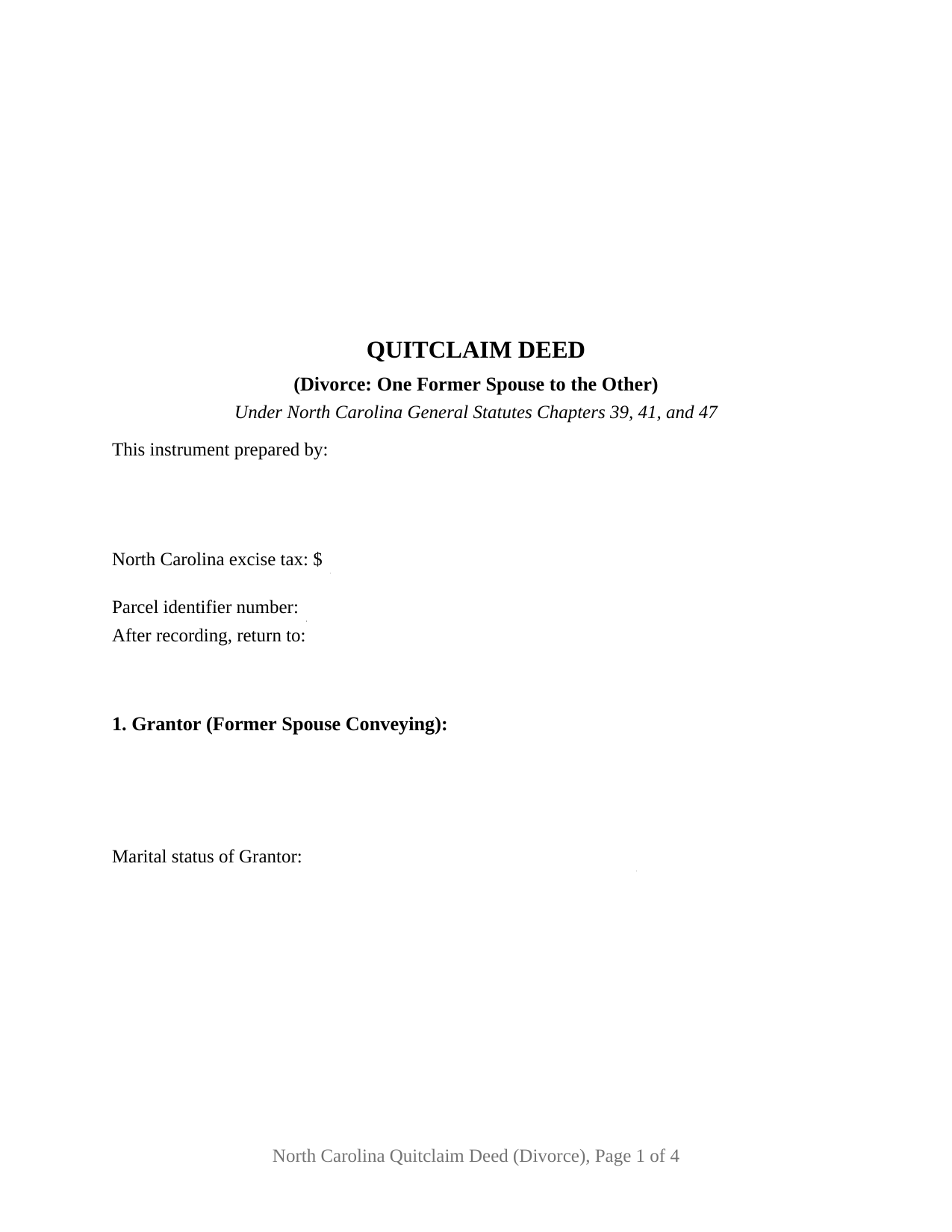
Randolph County Quitclaim Deed (Divorce) Form
Fill in the blank Quitclaim Deed (Divorce) form formatted to comply with all North Carolina recording and content requirements.
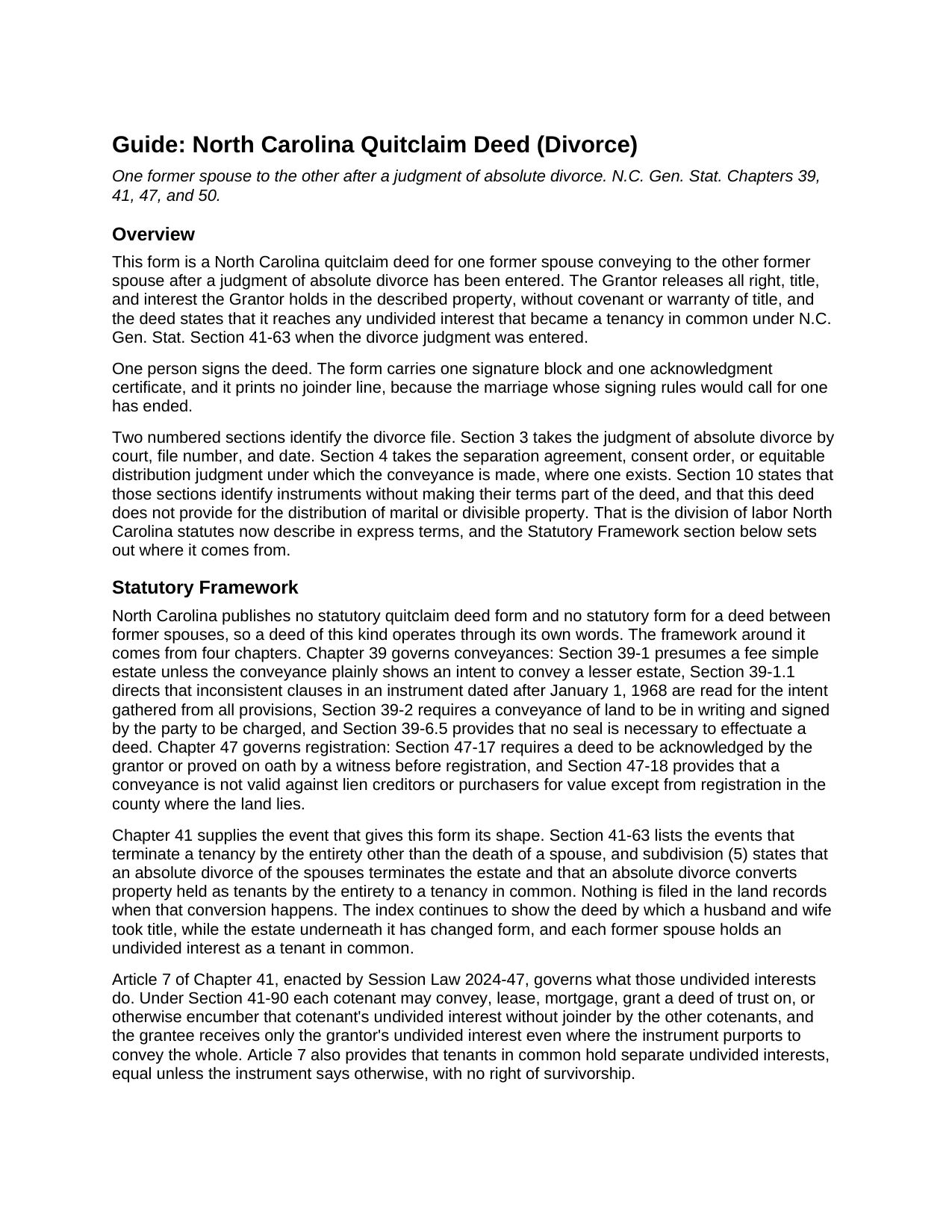
Randolph County Quitclaim Deed (Divorce) Guide
Line by line guide explaining every blank on the Quitclaim Deed (Divorce) form.
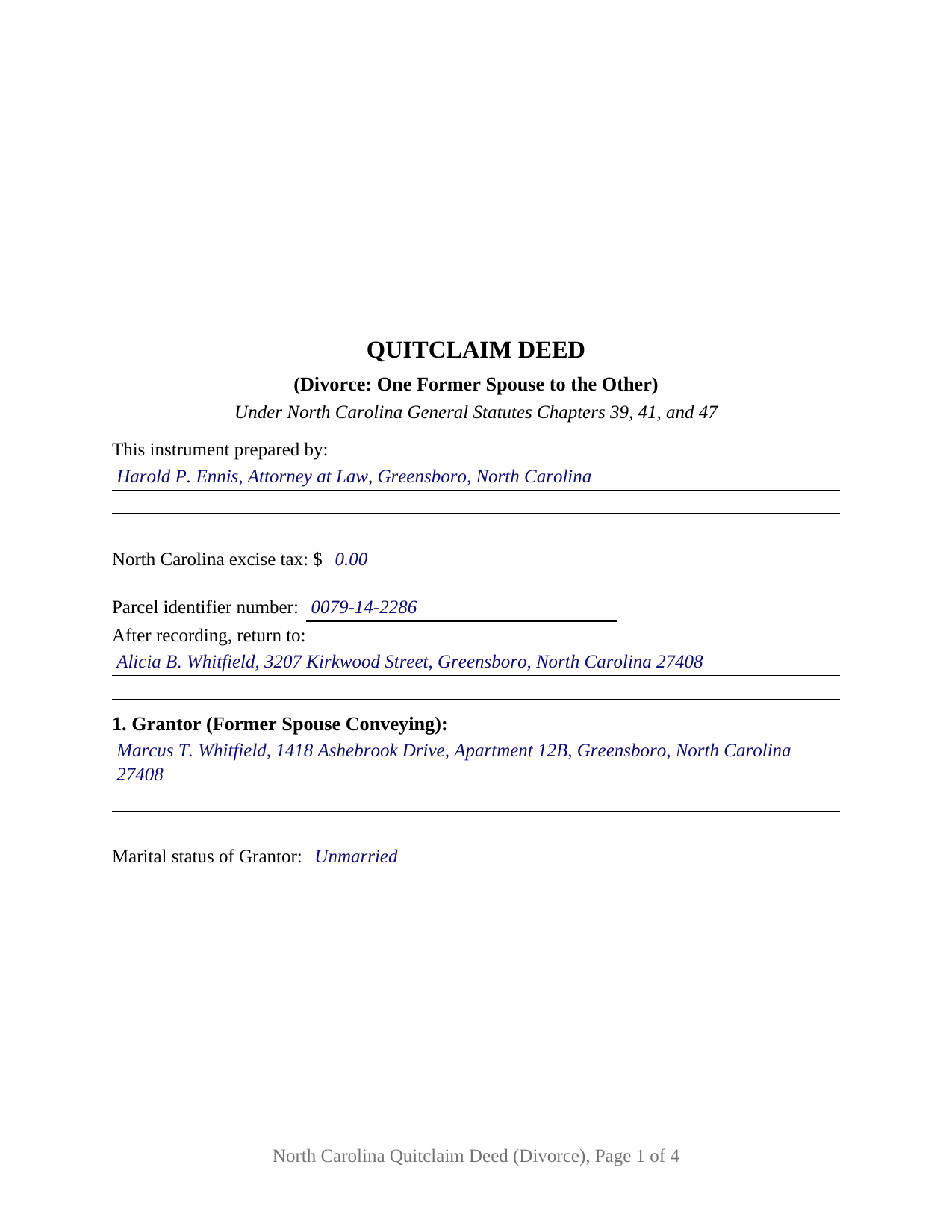
Randolph County Completed Example of the Quitclaim Deed (Divorce) Document
Example of a properly completed North Carolina Quitclaim Deed (Divorce) document for reference.
All 3 documents above included • One-time purchase • No recurring fees
Immediate Download • Secure Checkout
Additional North Carolina and Randolph County documents included at no extra charge:
Where to Record Your Documents
Randolph County Register of Deeds
Asheboro, North Carolina 27204
Hours: 8:00am-5:00pm M-F / Recording until 4:30pm
Phone: (336) 318-6960
Recording Tips for Randolph County:
- Bring your driver's license or state-issued photo ID
- Ensure all signatures are in blue or black ink
- White-out or correction fluid may cause rejection
- Ask about their eRecording option for future transactions
- Avoid the last business day of the month when possible
Cities and Jurisdictions in Randolph County
Properties in any of these areas use Randolph County forms:
- Asheboro
- Cedar Falls
- Franklinville
- Liberty
- Ramseur
- Randleman
- Seagrove
- Sophia
- Staley
- Trinity
Hours, fees, requirements, and more for Randolph County
How do I get my forms?
Forms are available for immediate download after payment. The Randolph County forms will be in your account ready to download to your computer. An account is created for you during checkout if you don't have one. Forms are NOT emailed.
Are these forms guaranteed to be recordable in Randolph County?
Yes. Our form blanks are guaranteed to meet or exceed the applicable formatting requirements used for recording in Randolph County, including margin requirements, font requirements, and other layout standards. This guarantee applies to formatting, not to the legal sufficiency of information entered by the user or the suitability of a form for a particular transaction.
Can I reuse these forms?
Yes. You can reuse the forms for your personal use. For example, if you have multiple properties in Randolph County you only need to order once.
What do I need to use these forms?
The forms are PDFs that you fill out on your computer. The free Adobe Acrobat Reader is recommended, and most PDF apps also work. You do NOT enter your property information online - you download the blank forms and complete them privately on your own computer.
Are there any recurring fees?
No. This is a one-time purchase. Nothing to cancel, no memberships, no recurring fees.
How much does it cost to record in Randolph County?
Recording fees in Randolph County vary. Contact the recorder's office at (336) 318-6960 for current fees.
Questions answered? Let's get started!
The judgment came first. By the time this deed is signed, a North Carolina absolute divorce has already changed the estate: G.S. 41-63(5) converts property held as tenants by the entirety into a tenancy in common, so two former spouses hold undivided shares of what used to be the marital residence. This fillable quitclaim deed moves one of those shares. One former spouse signs as Grantor, the other is named as Grantee, and the instrument releases the Grantor's interest with no covenant or warranty of title.
What the divorce already did to the title
Tenancy by the entirety depends on the marriage that created it. G.S. 41-63 lists the events that end it short of death, and subdivision (5) supplies the consequence: an absolute divorce of the spouses converts entireties property to a tenancy in common. Nothing reaches the registry when that happens. The index still shows a deed running to a husband and wife while the estate beneath it has changed form, and each former spouse holds an undivided interest that G.S. 41-90 lets that cotenant convey alone. Section 10 names the conversion expressly, so the page states what the release reaches.
The division belongs to the order, not to the deed
North Carolina draws that line in statutory text. G.S. 50-20(d) lets the parties provide for distribution of marital and divisible property by written agreement acknowledged under G.S. 52-10 and G.S. 52-10.1, then adds, citing G.S. 39-13.3(a)(2) and G.S. 41-63(4)b., that the parties shall not provide for this distribution in an instrument of conveyance of real property. Session Law 2025-25 rewrote G.S. 39-13.3(a)(2) to the same effect on October 1, 2025: a right or claim for equitable distribution shall not be waived or released in the instrument of conveyance. So this form carries identification blanks and no division terms. Section 3 takes the judgment by court, file number, and date; Section 4 takes the separation agreement, consent order, or equitable distribution judgment the conveyance carries out, each prepared separately and not part of this package.
One signature, and the joinder line that is absent
What is missing from this deed says as much as what it carries. G.S. 29-30 supplies the elective life estate that G.S. 39-7 asks a spouse to sign away, and G.S. 41-58 calls for written joinder of both spouses on entireties property; the judgment named in Section 3 ended the marriage both provisions run with. So the form recites one Grantor, one signature line, one printed name line for the register's index, and one certificate carrying the substance of G.S. 10B-41(a). A marital status line earns its place, because a Grantor who has remarried holds the land during a new marriage, which G.S. 39-7 reaches through the current spouse's execution. Positions appearing in the records here include a former spouse releasing the residence to the one keeping it under a consent order, a departing owner clearing the chain before a refinance, and an undivided half interest a title search surfaced years after a divorce. The form is not set up for two conveying owners, for spouses still married when they sign, for an entity or trustee Grantor, or for an agent's signature.
A release, and the figures page one reports
No North Carolina statute prescribes a quitclaim, so the operative words do the work: the deed passes what the Grantor has, if any, and G.S. 39-1 sends the whole of that estate unless the deed shows less. A deed of trust both former spouses signed rides through untouched, and so does the note behind it. Page one keeps the three inch band G.S. 161-14(b) requires, names the instrument type beneath it, then gathers what the counter reads: the drafter name G.S. 47-17.1 puts on a first page as a condition of acceptance, the excise figure G.S. 105-228.32 makes the presenter's report, a parcel identifier line under G.S. 161-30, and the return address. Where no consideration in property or money is due or paid by the transferee, G.S. 105-228.29 places the transfer outside the tax. Searchers find it as a quit claim deed, a quitclaim, a non-warranty deed, or a divorce deed; under every label, G.S. 47-18 measures priority from registration where the land lies.
The download holds this deed as a fillable PDF, a completed example worked through a Guilford County release following an absolute divorce, and a plain language guide covering each section, the divorce and vesting statutes, excise reporting, and recording. Nothing here is legal advice; it describes North Carolina law generally.
Important: Your property must be located in Randolph County to use these forms. Documents should be recorded at the county recording office listed above.
This Quitclaim Deed (Divorce) meets all recording requirements specific to Randolph County.
Our Promise
The documents you receive here are guaranteed to meet or exceed the applicable Randolph County recording format requirements. If there is a rejection caused by our formatting, we will correct the issue or refund your payment. This guarantee applies to document formatting only and does not extend to information entered by the user, the selection of the form, or the legal effect of the completed document.
Save Time and Money
Get your Randolph County Quitclaim Deed (Divorce) form done right the first time with Deeds.com Uniform Conveyancing Blanks. At Deeds.com, we understand that your time and money are valuable resources, and we don't want you to face a penalty fee or rejection imposed by a county recorder for submitting nonstandard documents. We constantly review and update our forms to meet rapidly changing state and county recording requirements for roughly 3,500 counties and local jurisdictions.
4.8 out of 5 - ( 4,837 Reviews )
Ken J. 5 out of 5 stars
I liked the software, it's very easy to use. Once it's saved as a .pdf document on your computer, the source document is lost when you log out. I wish it could be saved and then edited on their site later instead of having to create a new document from scratch each time.
Thank you for your feedback. We really appreciate it. Have a great day!
David O. 5 out of 5 stars
I had overwhelming emotions taking my deceased wife's name off my condo, so it took me a year to steel myself to submit the form. I filed in Multnomah county, OR which also requires a cover sheet documented here: https://www.multco.us/recording/recording-requirements But, I'm totally happy with the service and quality from Deeds.com getting me what I needed to get this done.
Your feedback is greatly appreciated. Thank you for taking the time to share your experience!
Eric G. 3 out of 5 stars
Need to offer option to download ALL forms as a single (bookmarked) PDF, rather than as separates... Quite inefficient as is.
Thank you for your feedback. We really appreciate it. Have a great day!
STANLEY K. 5 out of 5 stars
I AM DELIGHTED TO BE PARTY TO DEEDS.COM. THE PROCESS IS DOWN-TO-EARTH AND VERY USER FRIENDLY. I MUST SAY THAT JUST THE SAVINGS IN TRAVEL TIME AND MONEY IS IN ITSELF VERY REFRESHING. THIS ON LINE PROCESS IS SO CONVENIENT FOR MY OVERALL EFFORT AND OF COURSE FOR OUR CLIENTS AS WELL. I GOT BACKED UP IN RECORDING WHEN THE VIRUS BEGAN RAGING AND PERSONAL VISITS TO LAND RECORDS BECAME A THING OF THE PAST.I FOUND THE SITE WITH A SUGGESTION FROM DC LAND RECORDS' ASSISTANT BY PHONE. I ONLY WISH I'D KNOWN ABOUT THIS AWESOME SERVICE BEFORE 2020. HATS OFF TO DEEDS.COM!
Thank you for your feedback. We really appreciate it. Have a great day!
Martin B. 5 out of 5 stars
Excellent Detailed and clear Easy to use
We appreciate your business and value your feedback. Thank you. Have a wonderful day!
Gina I. 5 out of 5 stars
Found the forms I needed with no problem and easy to fill out thanks to the guide that is with it. Big help!
Thank you for your feedback. We really appreciate it. Have a great day!
Rene S. 5 out of 5 stars
Amazing forms and great value. That may sound like hyperbole talking about legal forms but it's not, you really are getting way more than you pay for here.
Thank you for your feedback. We really appreciate it. Have a great day!
William A. 5 out of 5 stars
great service and very accommodating generally, and especially during these times.
We appreciate your business and value your feedback. Thank you. Have a wonderful day!
Patsy B. 5 out of 5 stars
This website is very user friendly. I easily found the form I needed and was given an example for filling it out. Highly recommend this website!
We appreciate your business and value your feedback. Thank you. Have a wonderful day!
Joyce H. 5 out of 5 stars
I found the site very easy to use and upfront about the cost. I had tried two other sites both of which had hidden costs until after I filled out the forms.
Thank you for your feedback. We really appreciate it. Have a great day!
SHIRLEY H. 3 out of 5 stars
I like that they have all the forms, but I could not find it they would submit the forms to the recorders office
Thank you!
Sharla B. 5 out of 5 stars
Was very helpful it helped me find out everything I needed for the deed.
Thank you!
Kecia L. 5 out of 5 stars
Great place to find much needed documents. A huge thanks!
We appreciate your business and value your feedback. Thank you. Have a wonderful day!
Donna M. 5 out of 5 stars
Very easy to use, found the forms I needed right away. Downloaded and paid for within minutes! Excellent!
Thank you!
Robert W. 5 out of 5 stars
The forms were as I expected them to be. The guide was very helpful. Overall very good.
Thanks Robert. We appreciate your feedback.