Holmes County Affidavit of Confirmation Form
Last validated October 22, 2026 by our Forms Development TeamFormatted for recording in Holmes County, for property anywhere in the county: rural and unincorporated areas as well as Berlin, Big Prairie, Charm, Glenmont, Holmesville, Killbuck, Lakeville, Millersburg and 4 more.
- 3 documents included
- Immediate PDF download
- Formatting guarantee
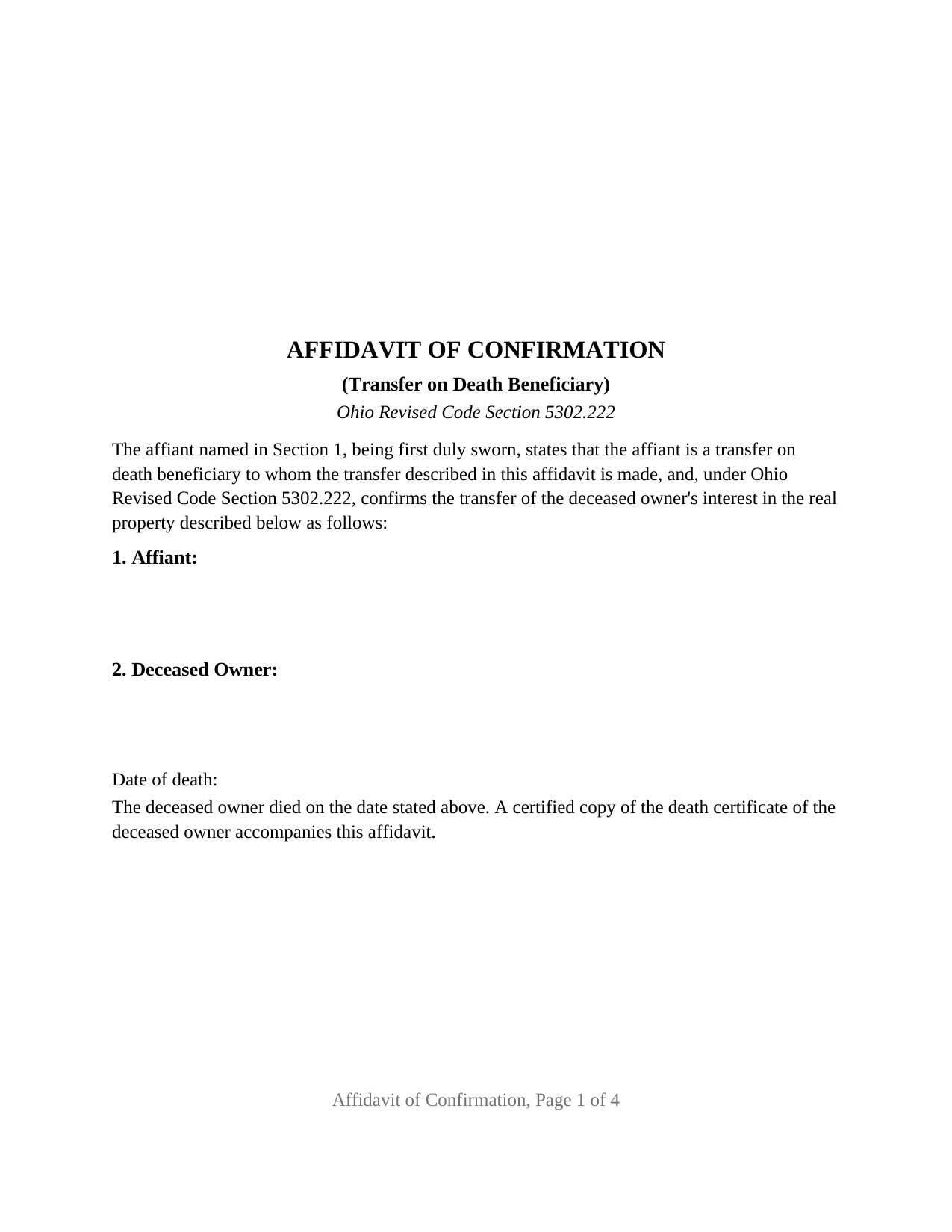
Holmes County Affidavit of Confirmation Form
Fill in the blank Affidavit of Confirmation form formatted to comply with all Ohio recording and content requirements.
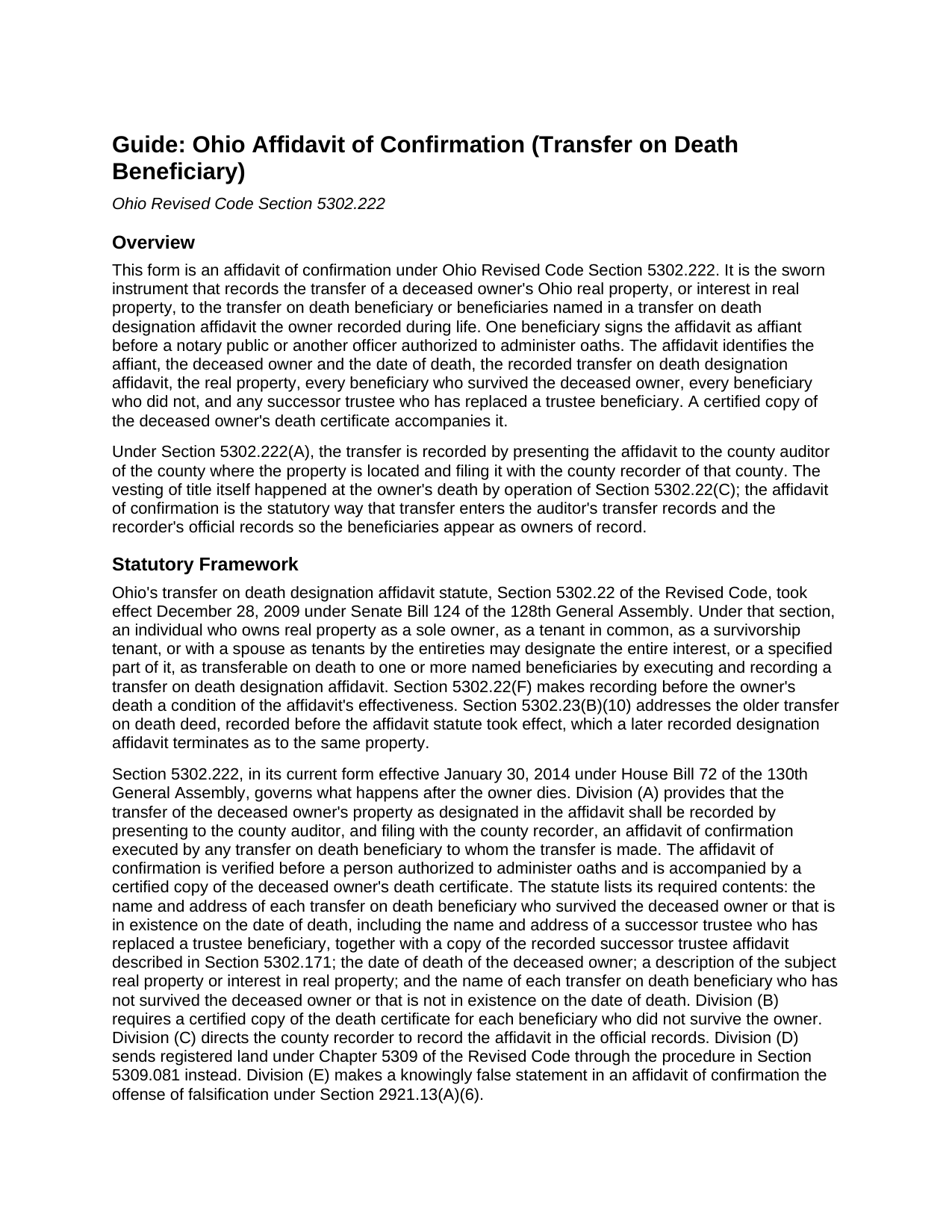
Holmes County Affidavit of Confirmation Guide
Line by line guide explaining every blank on the Affidavit of Confirmation form.
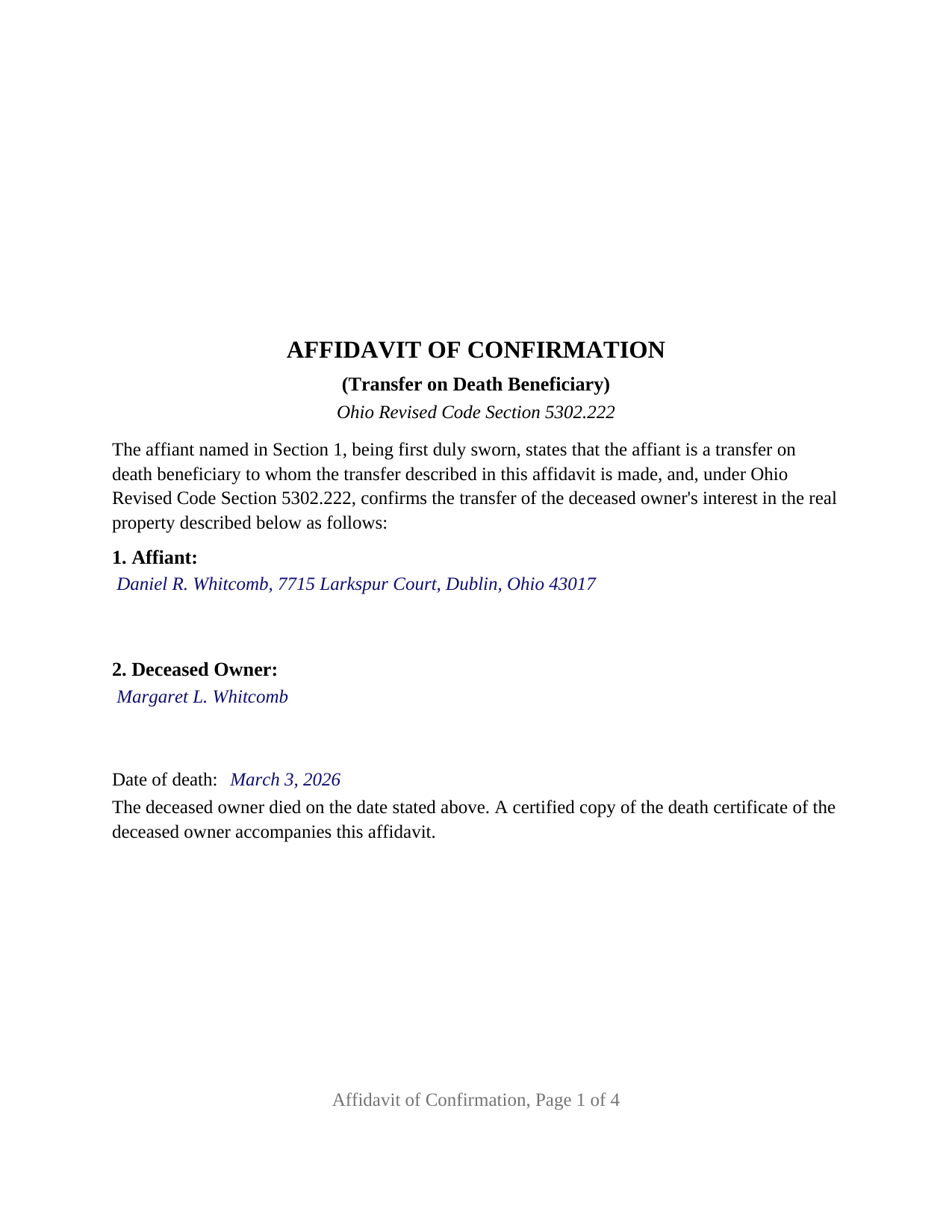
Holmes County Completed Example of the Affidavit of Confirmation Document
Example of a properly completed Ohio Affidavit of Confirmation document for reference.
All 3 documents above included • One-time purchase • No recurring fees
Immediate Download • Secure Checkout
Additional Ohio and Holmes County documents included at no extra charge:
Where to Record Your Documents
Holmes County Recorder
Millersburg, Ohio 44654
Hours: 8:00 a.m. - 4:30 p.m. Monday - Friday / Recording until 4:00
Phone: (330) 674-5916
Recording Tips for Holmes County:
- Bring your driver's license or state-issued photo ID
- Ensure all signatures are in blue or black ink
- Avoid the last business day of the month when possible
- Both spouses typically need to sign if property is jointly owned
- Bring extra funds - fees can vary by document type and page count
Cities and Jurisdictions in Holmes County
Properties in any of these areas use Holmes County forms:
- Berlin
- Big Prairie
- Charm
- Glenmont
- Holmesville
- Killbuck
- Lakeville
- Millersburg
- Mount Hope
- Nashville
- Walnut Creek
- Winesburg
Hours, fees, requirements, and more for Holmes County
How do I get my forms?
Forms are available for immediate download after payment. The Holmes County forms will be in your account ready to download to your computer. An account is created for you during checkout if you don't have one. Forms are NOT emailed.
Are these forms guaranteed to be recordable in Holmes County?
Yes. Our form blanks are guaranteed to meet or exceed the applicable formatting requirements used for recording in Holmes County, including margin requirements, font requirements, and other layout standards. This guarantee applies to formatting, not to the legal sufficiency of information entered by the user or the suitability of a form for a particular transaction.
Can I reuse these forms?
Yes. You can reuse the forms for your personal use. For example, if you have multiple properties in Holmes County you only need to order once.
What do I need to use these forms?
The forms are PDFs that you fill out on your computer. The free Adobe Acrobat Reader is recommended, and most PDF apps also work. You do NOT enter your property information online - you download the blank forms and complete them privately on your own computer.
Are there any recurring fees?
No. This is a one-time purchase. Nothing to cancel, no memberships, no recurring fees.
How much does it cost to record in Holmes County?
Recording fees in Holmes County vary. Contact the recorder's office at (330) 674-5916 for current fees.
Questions answered? Let's get started!
When an Ohio property owner who recorded a transfer on death designation affidavit dies, title passes to the named beneficiaries at that moment by operation of law. The paperwork does not follow on its own: the county auditor and county recorder still show the deceased owner until a beneficiary records an affidavit of confirmation under Ohio Revised Code Section 5302.222. This fillable form prepares that affidavit for Ohio real property.
The transfer happened at death; the affidavit puts it on record
Ohio's transfer on death designation affidavit, the instrument Section 5302.22 substituted for the older transfer on death deed in 2009, vests title in the designated beneficiaries when the owner dies, without probate. Section 5302.222 supplies the recording step: the transfer is recorded by presenting to the county auditor, and filing with the county recorder of the county where the property is located, an affidavit of confirmation executed by any transfer on death beneficiary to whom the transfer is made, verified before a person authorized to administer oaths and accompanied by a certified copy of the deceased owner's death certificate.
The affidavit of confirmation is therefore a sworn statement, not a deed. It confirms, for the public record, who died, when, under which recorded designation affidavit, what property is involved, and who takes it.
One beneficiary swears for every beneficiary
Section 5302.222 lets any beneficiary to whom the transfer is made execute the affidavit, so the form carries one affiant, one signature line, and one jurat. The affidavit still names everyone: the statute requires the name and address of each transfer on death beneficiary who survived the deceased owner or that is in existence on the date of death, and the name of each beneficiary who did not survive. The form gives each list its own section, and a third section for a successor trustee who has replaced a beneficiary named solely as trustee of a trust, whom Section 5302.22(G) treats as the beneficiary in existence at death.
Shares are not written into the affidavit. Under Section 5302.23(B)(1), two or more beneficiaries take in equal shares as tenants in common unless the designation affidavit stated other shares or a survivorship tenancy, and a contingent beneficiary takes the share of a named beneficiary who did not survive.
What the sworn statements cover
Beyond the four items the statute lists, the form's fixed statements recite the facts that make the transfer complete: that the designation affidavit was recorded before the owner's death, the condition Section 5302.22(F) places on its effectiveness; that the affiant knows of no later recorded designation affidavit revoking or changing the beneficiaries, the revocation method Section 5302.23(B)(5) provides; and that, where the owner held as a survivorship tenant or as a tenant by the entireties, the deceased owner was the last surviving tenant, since Section 5302.22(C) vests title in the beneficiaries only at that death. Section 5302.222(E) makes a knowingly false statement in the affidavit the offense of falsification.
Through the auditor, then the recorder
The sequence is fixed by the statute: auditor first, recorder second. At the auditor's counter the affidavit travels with a DTE 100EX statement of reason for exemption from the conveyance fee, or a DTE 100 where no exemption is claimed, and the certified death certificate; the auditor's conveyance standards under Section 319.203 govern the legal description and parcel number. The form carries the parcel number, the prior instrument reference Section 319.20 requires, and a mailing address for each beneficiary. The recorder then records the affidavit in the official records under Section 5302.222(C). The document is laid out to Ohio's standard format statute, Section 317.114, with the three inch blank first-page margin reserved for county endorsements, 12 point type over the 10 point minimum, and the preparer statement Section 317.111 requires.
A jurat, not an acknowledgment
Because the affidavit is sworn, the certificate below the signature is a jurat in the form Section 147.542 accepts, with the state and county venue, the date, the affiant's name, and the officer's signature, printed name, seal, and commission expiration. The guide covers an affidavit sworn outside Ohio under Section 147.51 and what an online notarization adds to the certificate.
The package includes the fillable affidavit of confirmation, a completed example filled in for a Franklin County fact pattern with two surviving beneficiaries, and the guide that walks through every numbered section and the auditor and recorder steps. The description and the guide describe the form and the governing Ohio statutes in general terms; they are not legal advice.
Important: Your property must be located in Holmes County to use these forms. Documents should be recorded at the county recording office listed above.
This Affidavit of Confirmation meets all recording requirements specific to Holmes County.
Our Promise
The documents you receive here are guaranteed to meet or exceed the applicable Holmes County recording format requirements. If there is a rejection caused by our formatting, we will correct the issue or refund your payment. This guarantee applies to document formatting only and does not extend to information entered by the user, the selection of the form, or the legal effect of the completed document.
Save Time and Money
Get your Holmes County Affidavit of Confirmation form done right the first time with Deeds.com Uniform Conveyancing Blanks. At Deeds.com, we understand that your time and money are valuable resources, and we don't want you to face a penalty fee or rejection imposed by a county recorder for submitting nonstandard documents. We constantly review and update our forms to meet rapidly changing state and county recording requirements for roughly 3,500 counties and local jurisdictions.
4.8 out of 5 - ( 4,833 Reviews )
Michael K. 5 out of 5 stars
The link for the note guidelines just shows the same directions as for the mortgage. Other than that, very helpful.
Thank you for your feedback. We really appreciate it. Have a great day!
Hanna M. 5 out of 5 stars
Very helpful information! Thank you for your service!
Thank you!
Rebecca C. 5 out of 5 stars
Great service ! Hawaii is not a "forms state" so unfortunately the public has no way to get templates on our local gov site but deeds.com to the rescue. The template was affordable and easy to use and successfully recorded. Great to use when you don't need to involve title or attorneys for simple deed changes, thank you
Thank you for your feedback. We really appreciate it. Have a great day!
Roger W. 5 out of 5 stars
worked very good or me
Thank you Roger, have a great day!
Gary G. 5 out of 5 stars
Ordered the forms I needed for my state and county and everything worked out perfectly. All the forms came with examples (filled in) and very detailed instructions for each block that required an entry. I was able to fill everything out on my computer and save the files for future use, if required. Deeds provides an excellent product. I highly recommend their products and will use their services again.
Thank you for your feedback. We really appreciate it. Have a great day!
James M. 5 out of 5 stars
Very good experience.
Thank you!
Josephine H. 5 out of 5 stars
Wonderful site. Pretty complete and super easy to use. Thank you.
Thank you for your feedback. We really appreciate it. Have a great day!
Rebecca K. 5 out of 5 stars
I was able to find EXACTLY what I was looking for in just a couple minutes, plus a helpful guide, all for less than $30. I was very impressed.
We appreciate your business and value your feedback. Thank you. Have a wonderful day!
F Michael C. 5 out of 5 stars
Very easy to use and no hidden costs. You get to download whatever you need and can save it and even reuse it. So it's like having your own library of form that you pay for once. They even give you more related forms than you ask for and it turned out we needed some if those forms as well. The forms meet what our county requires for margins in records and so on. So I will use deeds.com again when I need a different kind of legal form.
We appreciate your business and value your feedback. Thank you. Have a wonderful day!
Maria D. 5 out of 5 stars
Deeds.com has done a great job. I really recommend to everyone who needs this service, fast & reliable. Thank you
We appreciate your business and value your feedback. Thank you. Have a wonderful day!
William L. 5 out of 5 stars
This is an initial review of Deeds.Com and the ordering process for their Quit Claim package for Virginia. The ordering process was very easy and the price seems reasonable for what you get. I have reviewed and downloaded all my forms, but have not used them yet. Thus far I am pleased with the product and the process. E-Recording service is also offered, but I have not used that yet either. At this writing, I can whole-heartedly recommend Deeds.Com.
Thank you for your feedback. We really appreciate it. Have a great day!
Lance G. 1 out of 5 stars
You did not include the Notice of Intent to File a Lien Statement form which is necessary to properly file a mechanic's lien in Colorado. If you are going to charge people $20 to download the forms, you should include all of them not half of them.
Thank you for your feedback. We really appreciate it. Have a great day!
Georgana T. 3 out of 5 stars
Not clear information on ownership, which is what I wanted.
Sorry to hear that we were unable to find the information you need Georgana. Your account has been credited. Have a wonderful day.
Valerie W. 5 out of 5 stars
I haven't gotten around to filling out the forms yet, but they look fine to me on the surface. looking forward to getting to them as soon as I can!
Thank you, Valerie. When you’re ready, everything will be available in your account.
Curtis T. 5 out of 5 stars
Deeds support was awesome and constant. Thank you.
Thank you!