Williams County Affidavit of Survivorship Form
Last validated November 26, 2026 by our Forms Development TeamFormatted for recording in Williams County, for property anywhere in the county: rural and unincorporated areas as well as Alvordton, Blakeslee, Bryan, Edgerton, Edon, Kunkle, Montpelier, Pioneer and 2 more.
- 3 documents included
- Immediate PDF download
- Formatting guarantee
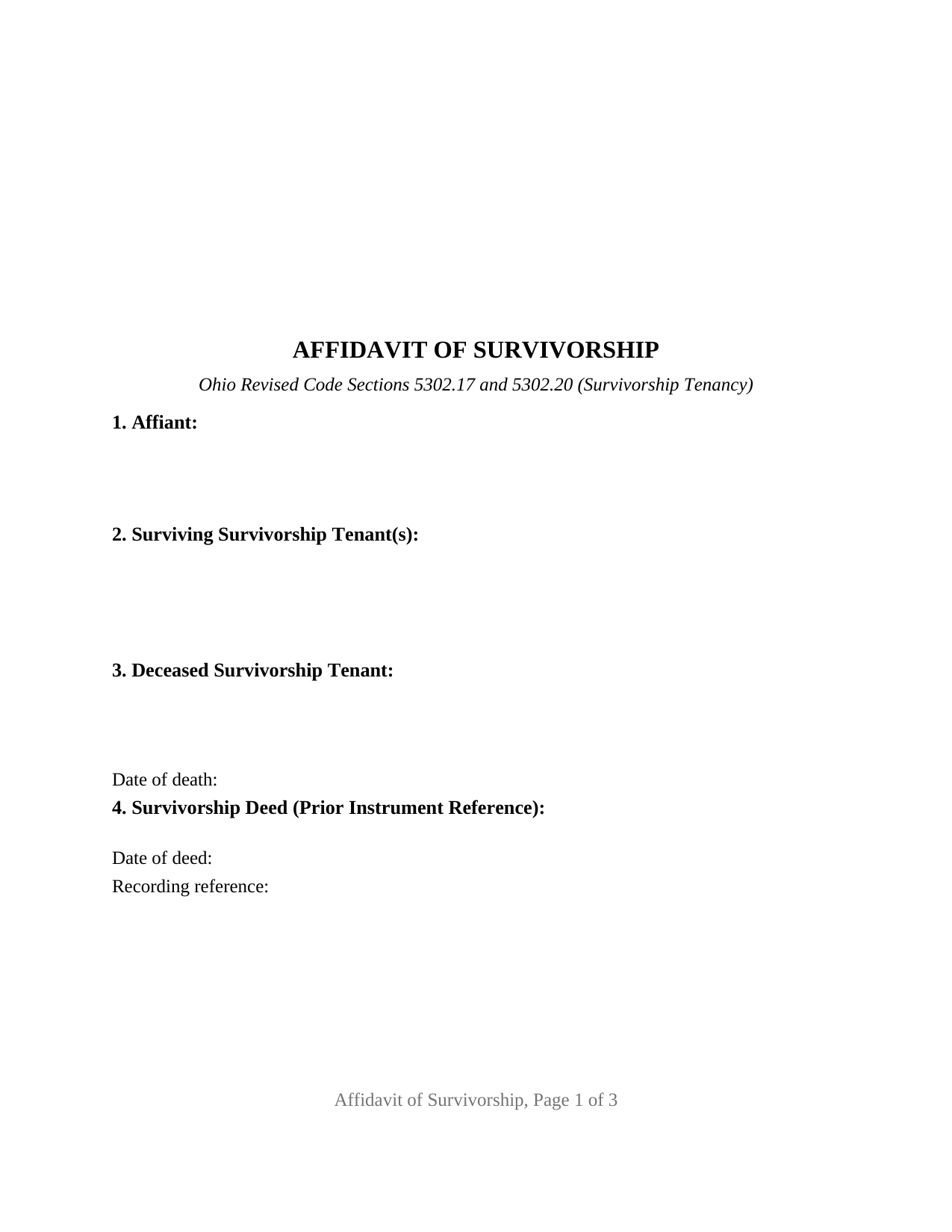
Williams County Affidavit of Survivorship Form
Fill in the blank Affidavit of Survivorship form formatted to comply with all Ohio recording and content requirements.
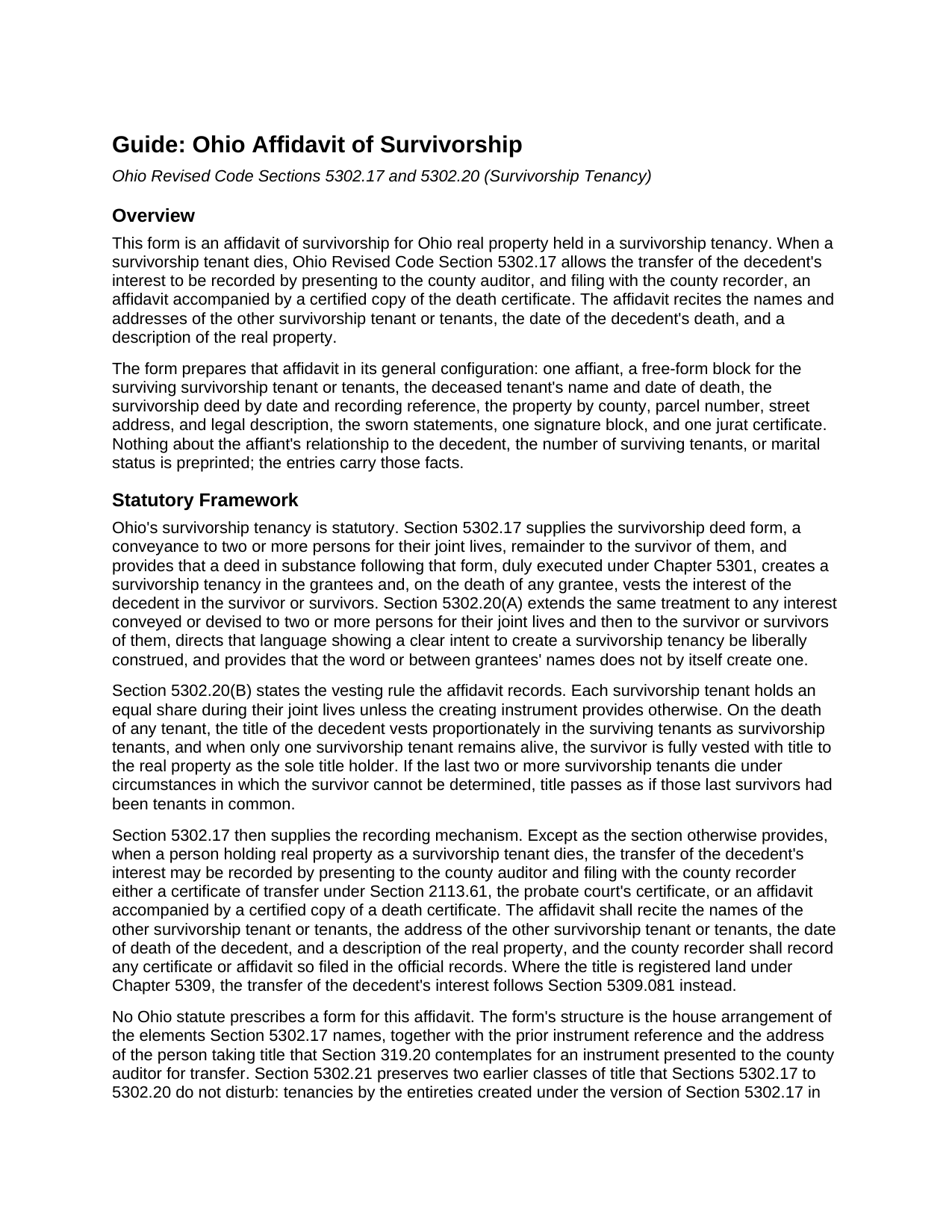
Williams County Affidavit of Survivorship Guide
Line by line guide explaining every blank on the Affidavit of Survivorship form.
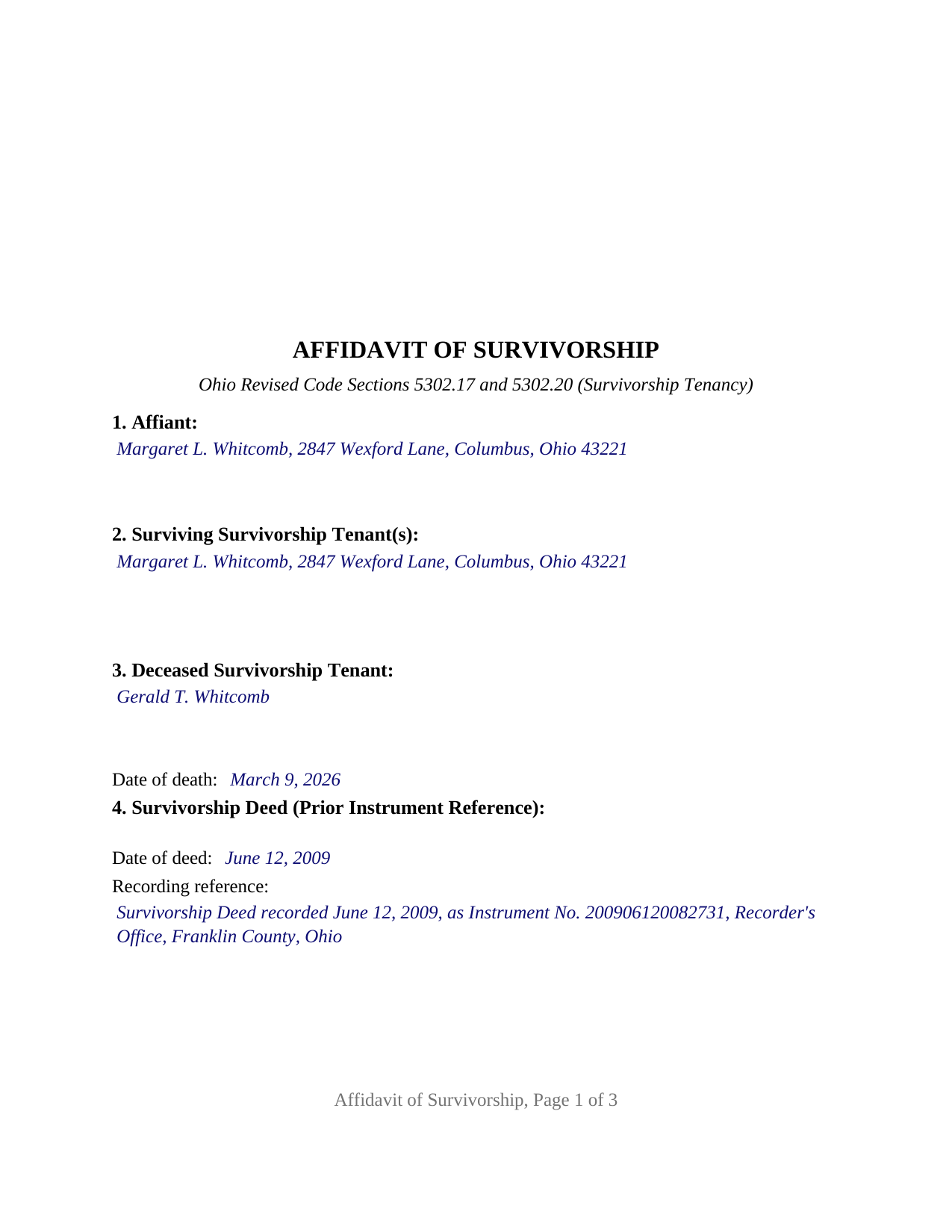
Williams County Completed Example of the Affidavit of Survivorship Document
Example of a properly completed Ohio Affidavit of Survivorship document for reference.
All 3 documents above included • One-time purchase • No recurring fees
Immediate Download • Secure Checkout
Additional Ohio and Williams County documents included at no extra charge:
Where to Record Your Documents
Williams County Recorder
Bryan, Ohio 43506
Hours: 8:30am to 4:30pm Monday through Friday / Recording until 4:15
Phone: 419-636-3259
Recording Tips for Williams County:
- Bring your driver's license or state-issued photo ID
- Ensure all signatures are in blue or black ink
- Request a receipt showing your recording numbers
- Ask about accepted payment methods when you call ahead
- Ask for certified copies if you need them for other transactions
Cities and Jurisdictions in Williams County
Properties in any of these areas use Williams County forms:
- Alvordton
- Blakeslee
- Bryan
- Edgerton
- Edon
- Kunkle
- Montpelier
- Pioneer
- Stryker
- West Unity
Hours, fees, requirements, and more for Williams County
How do I get my forms?
Forms are available for immediate download after payment. The Williams County forms will be in your account ready to download to your computer. An account is created for you during checkout if you don't have one. Forms are NOT emailed.
Are these forms guaranteed to be recordable in Williams County?
Yes. Our form blanks are guaranteed to meet or exceed the applicable formatting requirements used for recording in Williams County, including margin requirements, font requirements, and other layout standards. This guarantee applies to formatting, not to the legal sufficiency of information entered by the user or the suitability of a form for a particular transaction.
Can I reuse these forms?
Yes. You can reuse the forms for your personal use. For example, if you have multiple properties in Williams County you only need to order once.
What do I need to use these forms?
The forms are PDFs that you fill out on your computer. The free Adobe Acrobat Reader is recommended, and most PDF apps also work. You do NOT enter your property information online - you download the blank forms and complete them privately on your own computer.
Are there any recurring fees?
No. This is a one-time purchase. Nothing to cancel, no memberships, no recurring fees.
How much does it cost to record in Williams County?
Recording fees in Williams County vary. Contact the recorder's office at 419-636-3259 for current fees.
Questions answered? Let's get started!
When an Ohio survivorship tenant dies, the surviving tenant already owns the property. Ohio Revised Code Section 5302.20 vests the decedent's title in the survivor at the moment of death, so there is nothing left to convey; what remains is to put that fact into the county records. The Ohio Affidavit of Survivorship is the instrument Section 5302.17 provides for that step: a sworn statement, accompanied by a certified copy of the death certificate, that the county auditor transfers and the county recorder records.
Title that moved at the moment of death
A survivorship deed in Ohio conveys to two or more people for their joint lives, remainder to the survivor of them. Section 5302.20(B) states what happens next: on the death of any tenant, the decedent's title vests proportionately in the surviving tenants, and when one tenant remains, that survivor is fully vested as the sole title holder. No new deed is signed. The affidavit transfers nothing itself; it records a transfer the statute made, which is why its contents are recitals rather than words of conveyance.
What Section 5302.17 asks the affidavit to recite
The affidavit recites the names of the other survivorship tenant or tenants, their address, the date of the decedent's death, and a description of the real property, and it is accompanied by a certified copy of the death certificate. This form carries each of those elements in its own numbered section and adds the two items Section 319.20 contemplates for any instrument the auditor transfers: the address of the person taking title, which the auditor enters on the tax list, and the prior instrument reference, the survivorship deed itself by date, recording reference, and county. The parcel number and street address sit beside the legal description so the auditor can match the affidavit to the tax record.
Two offices, one certified death certificate
Ohio splits real property records between the county auditor, who keeps the tax list, and the county recorder, who keeps the official records. Section 5302.17 routes the affidavit through both: it is presented to the auditor and filed with the recorder of the county where the property is located, with the certified death certificate accompanying it. Once recorded, the surviving tenant's name and address stand in the public record and on the tax duplicate, and the chain of title shows how the decedent's interest ended.
A fee exemption the auditor's form already names
A transfer to a surviving survivorship tenant under Section 5302.17 is exempt from the state real property conveyance fee under Section 319.54(G)(3)(n), and Section 322.01 keeps an exempt instrument outside any county permissive transfer tax as well. The auditor still asks for the Department of Taxation's exemption statement, form DTE 100EX, whose line 5(n) covers a transfer to a surviving tenant, and collects the fifty-cent transfer fee of Section 319.54(G)(2). The guide walks through that statement, the recorder's fee under Sections 317.32 and 317.36, and the standard format rules of Section 317.114 the form is built to, including the three-inch blank top margin on the first page and the one-and-one-half-inch top margin on later pages.
One affiant, one jurat
The form is the general configuration of this instrument: one affiant block, one signature block, and one jurat certificate, with nothing preprinted about who the affiant is to the decedent, how many tenants survive, or anyone's marital status; those facts are entries. The surviving tenant block is free form and holds one or more surviving tenants with their addresses, so a surviving spouse recording the first death, two siblings who held with a third under a survivorship deed, and an unmarried co-owner present the same pattern this affidavit recites. The jurat, not an acknowledgment, is the certificate an affidavit takes under Section 147.542(D), and its venue lines record where the oath is actually administered. The form is not set up as a certificate of transfer for property that passed through an estate under Section 2113.61, as the affidavit Section 5302.222 provides for a transfer on death beneficiary, or as a transfer of registered land under Chapter 5309; each of those is prepared separately and is not included in this package.
The package includes the fillable affidavit of survivorship form, a completed example filled in for a realistic Franklin County fact pattern, and the guide that walks through every numbered section and the recording steps. This description and the guide describe the form and the governing Ohio statutes in general terms; they are not legal advice.
Important: Your property must be located in Williams County to use these forms. Documents should be recorded at the county recording office listed above.
This Affidavit of Survivorship meets all recording requirements specific to Williams County.
Our Promise
The documents you receive here are guaranteed to meet or exceed the applicable Williams County recording format requirements. If there is a rejection caused by our formatting, we will correct the issue or refund your payment. This guarantee applies to document formatting only and does not extend to information entered by the user, the selection of the form, or the legal effect of the completed document.
Save Time and Money
Get your Williams County Affidavit of Survivorship form done right the first time with Deeds.com Uniform Conveyancing Blanks. At Deeds.com, we understand that your time and money are valuable resources, and we don't want you to face a penalty fee or rejection imposed by a county recorder for submitting nonstandard documents. We constantly review and update our forms to meet rapidly changing state and county recording requirements for roughly 3,500 counties and local jurisdictions.
4.8 out of 5 - ( 4,867 Reviews )
John B. 5 out of 5 stars
I bought a Quitclaim Deed package for Fayette County, Kentucky, to transfer my house into a Living Trust that I had set up previously. Creating my Quitclaim Deed was pretty straightforward, using the form, the instructions, and the sample Quitclaim Deed. I signed my Quitclaim Deed at a nearby Notary Public, then took it to the Fayette County Clerk's office to be recorded. The clerk there asked me to make two small changes to the Quitclaim Deed, which she let me do in pen on the spot: * In the signature block for the receiver of the property, filled in "Capacity" as "Grantee as Trustee ______________________________ Living Trust". * In the notary's section, changed "were acknowledged before me" to "were acknowledged and sworn to before me".
Thank you for your feedback. We really appreciate it. Have a great day!
brian t. 5 out of 5 stars
The docs were precise and accurate for my specific needs. I greatly appreciated the accompanying forms and instructional guidance to help make the use of the forms direct and easy to complete. Equally important, I was not suckered in to get a great price for the docs I needed only to be led to expensive subscriptions or additional fees. Very impressive and professional site.
Thank you for your feedback. We really appreciate it. Have a great day!
John B. 4 out of 5 stars
I purchased the Notice of Completion form because the City of Chula Vista did not have a "fillable" version of this form on their website. The Deeds.com version of this form is somewhat different than the City's version (8 numbered paragraphs vs. 11 numbered paragraphs.) However, it contains the same information in a different format. This form provided more blank space to fill in important items- like a long ownership name- than the version on the City's website. The recorder's office was satisfied with this form as I hand-delivered it to the Recorder's Office and they approved it for recording. Overall, I found this form easy to use and found the extra blank space for writing on the form helpful. My one comment for possible improvement is: it would be even more helpful (particularly for attorney users) to have strike-out capability. I would have liked having the ability to strike-out inapplicable portions of long awkward sentences. Still, I would use this form again.
Your feedback means a lot to us. Thank you.
Michael C. 4 out of 5 stars
Overall positive experience; especially liked immediate access to downloaded documents and instructions. My only concern was lack of adequate space in portions of your beneficiary deed blank form which then required me to use 3 exhibits to complete all necessary documents for the county recorders office. Assuming they accept them I will call this a strong win. Thanks.
We appreciate your business and value your feedback. Thank you. Have a wonderful day!
Jacqui G. 5 out of 5 stars
Excellent system and serviced!
Thank you!
Melissa H. 5 out of 5 stars
Amazing forms! Order the quitclaim deed forms, got the form and lots of extra forms which is good because I needed a few of them and didn't even know it. Very happy, will be back if needed.
We appreciate your business and value your feedback. Thank you. Have a wonderful day!
Daniel C. 2 out of 5 stars
The fill-in pdf produced a messy document and several of the fields too small to accommodate the text. A tailorable MS Word document would have been far better. I would not recommend using this product.
Thank you for taking the time to share your feedback. We’re sorry to hear that the fill-in PDF did not meet your expectations, particularly with regard to formatting and field sizing.
Based on your comments, we will be reviewing the document to see where improvements can be made. Feedback like yours is genuinely helpful in identifying areas where our forms can be clearer and easier to use.
We’ve gone ahead and canceled your order and refunded your payment in full, so there’s no expectation that you use a product you wouldn’t feel comfortable recommending.
Barbara S. 5 out of 5 stars
I had an issue due to the fact that I had many beneficiaries. I was and still am not sure how to handle this. We do have Adobe Pro and can modify the form, if needed. But I would like to talk to your organization for more information.
While we are unable to assist you specifically with completing the document we can note that this is addressed in the guide. Information that does not fit in the available space should be included in an exhibit page.
Elizabeth J. 5 out of 5 stars
It is very good and I would use the site again.
We appreciate your business and value your feedback. Thank you. Have a wonderful day!
Amber H. 3 out of 5 stars
after typing in the information, the printing is not in alignment - looks disorganized on the page and hard to read
Thank you for your feedback. We will flag the document for review.
Earnest K. 4 out of 5 stars
I used the "personal representative's deed." There were a few errors, after I went to record it at the county recorder's office. For #7, it should've stated "The estate of Joe Schmoe, hereby grants Mr. Personal Representative....." instead of, "I Mr. Personal Representative, as personal representative, hereby grant to personal representative...." The person at the recorder's office said you cannot state "you are granting property to yourself." Just fix that, and everything else is fine.
Your insights are invaluable to us and help us strive for better service. Thank you for taking the time to share your thoughts.
Paul R. 5 out of 5 stars
Worked very quickly and smoothly. Helps if you know what documents you need. Thanks.
Thank you for your feedback. We really appreciate it. Have a great day!
Kevin C. 2 out of 5 stars
I like your service, but the error message I received yesterday was confusing. It said that Utah County does not record cover pages, so I should either remove the cover page or change the “order“ of the documents being submitted. This is ambiguous. I examined my package and it looked like the cover page was already being submitted separately, as a supporting document at the end, and there was no way to explicitly change the ordering of the submitted documents, that is up to your service. So I removed the cover page. But that makes me nervous, how will they know where to route it when it is done? So now I’m not sure if it was submitted correctly.
Thank you for the review, Kevin, and for laying out exactly what you saw.
The message you received ("Utah County does not accept cover pages for recording. Please remove or reorder to the back. Thank you.") came directly from the Utah County Recorder. We pass recorder rejection notes along as written, and we agree it was ambiguous. Rejection notes from recording offices often are, since they are written for people who file in that county every day.
Supporting documents always travel behind the main document they belong to, so there was nothing for you to reorder, and by your description the cover page was already at the back. With the cover page removed, the package matched what the recorder's note asked for.
On routing: nothing is mailed back with e-recording. The recorder records the document image, adds the recording information, and returns the recorded copy electronically through the e-recording system to us. It then appears on your package in your account and you get a message from us. A cover page plays no part in that, so leaving it out did not affect where your document goes.
Jonathon K. 5 out of 5 stars
Recording deeds from the comfort of my office has never been simpler thanks to Deeds.com. The service is affordable, fast, and extremely user friendly. I highly recommend anyone who needs a deed recorded in the state of Florida to look into this website, it has made my job much easier.
We appreciate your business and value your feedback. Thank you. Have a wonderful day!
John G. 5 out of 5 stars
Great on line help with the recording process!
We appreciate your business and value your feedback. Thank you. Have a wonderful day!