Cuyahoga County Assignment of Mortgage Form
Last validated October 28, 2026 by our Forms Development TeamFormatted for recording in Cuyahoga County, for property anywhere in the county: rural and unincorporated areas as well as Bay Village, Beachwood, Bedford, Berea, Brecksville, Broadview Heights, Brook Park, Chagrin Falls and 13 more.
- 3 documents included
- Immediate PDF download
- Formatting guarantee
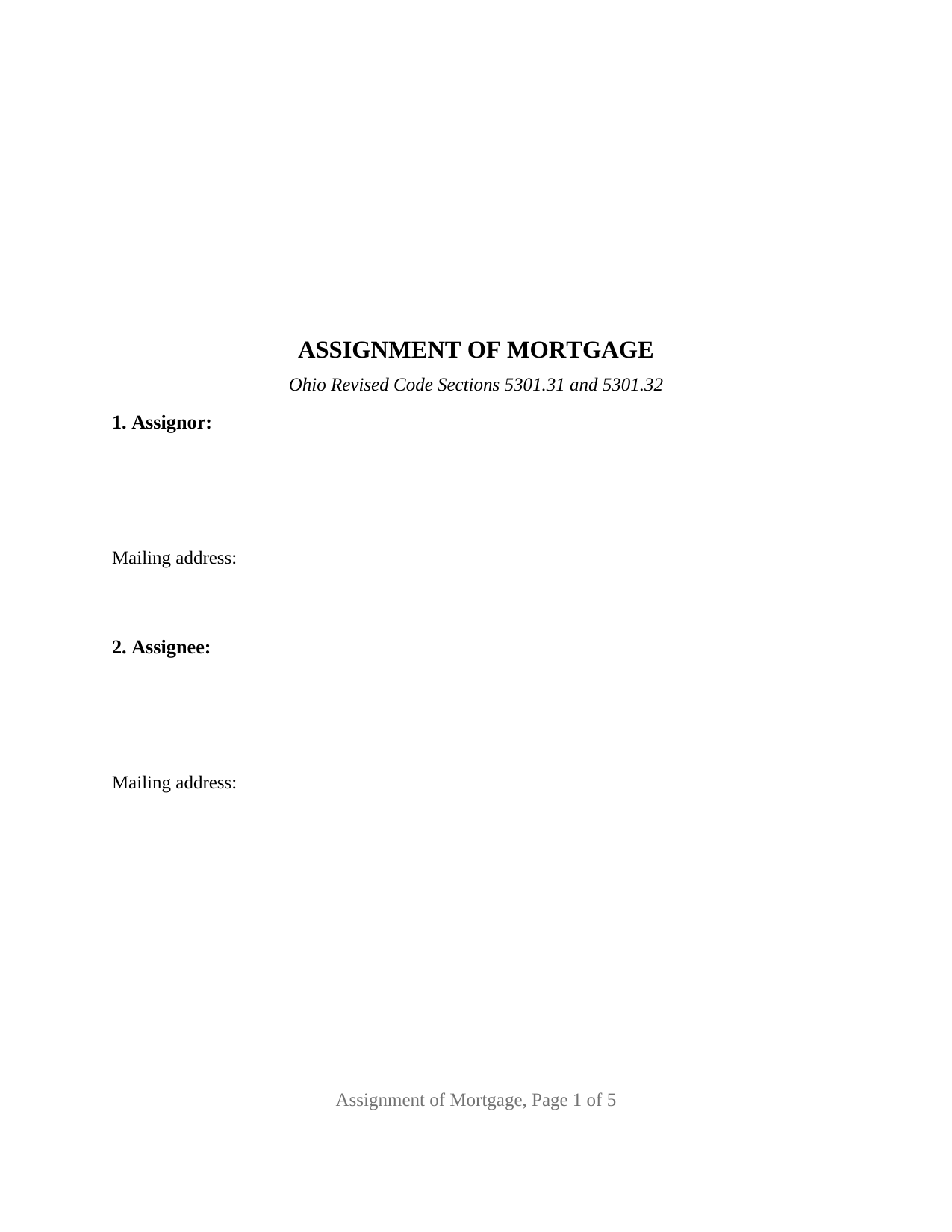
Cuyahoga County Assignment of Mortgage Form
Fill in the blank Assignment of Mortgage form formatted to comply with all Ohio recording and content requirements.
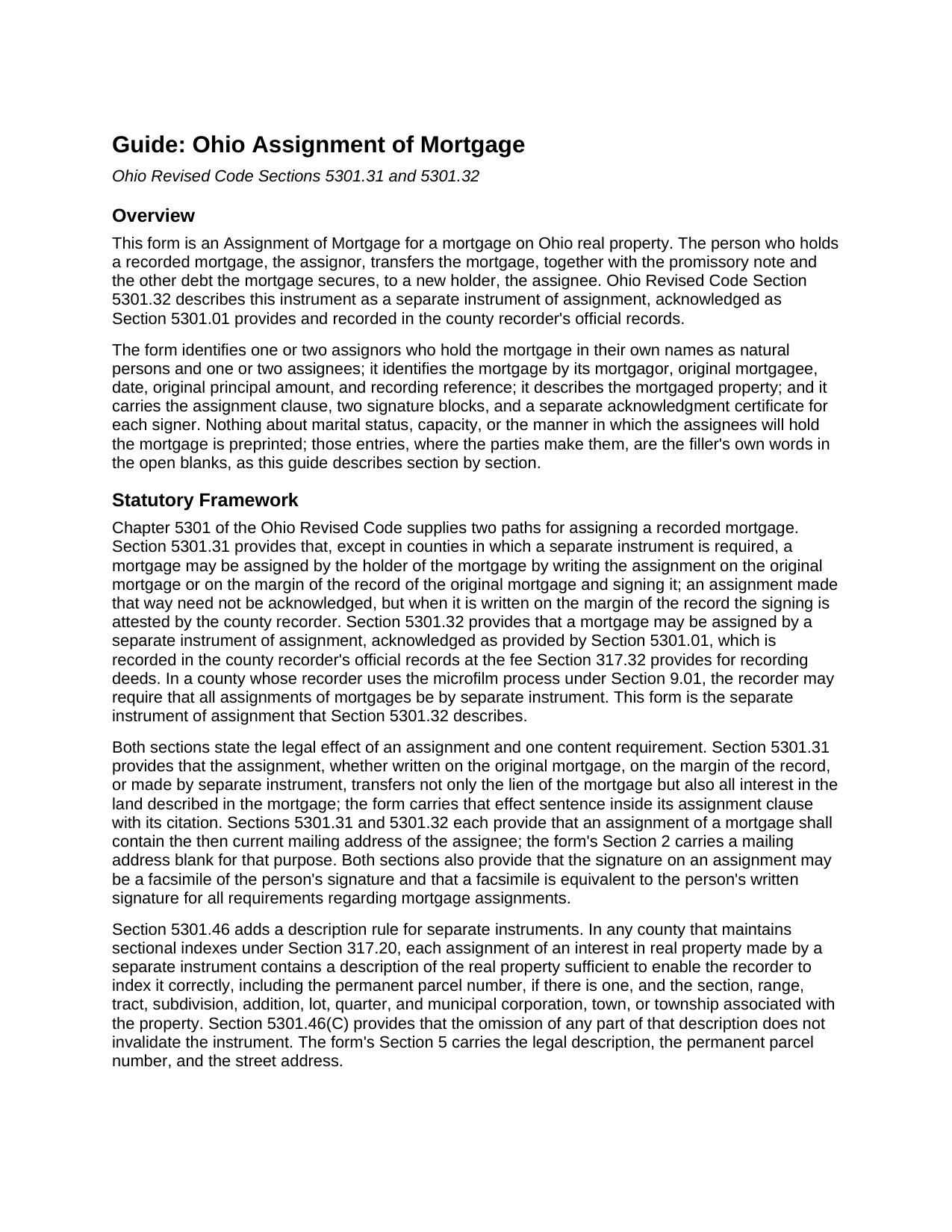
Cuyahoga County Assignment of Mortgage Guide
Line by line guide explaining every blank on the Assignment of Mortgage form.
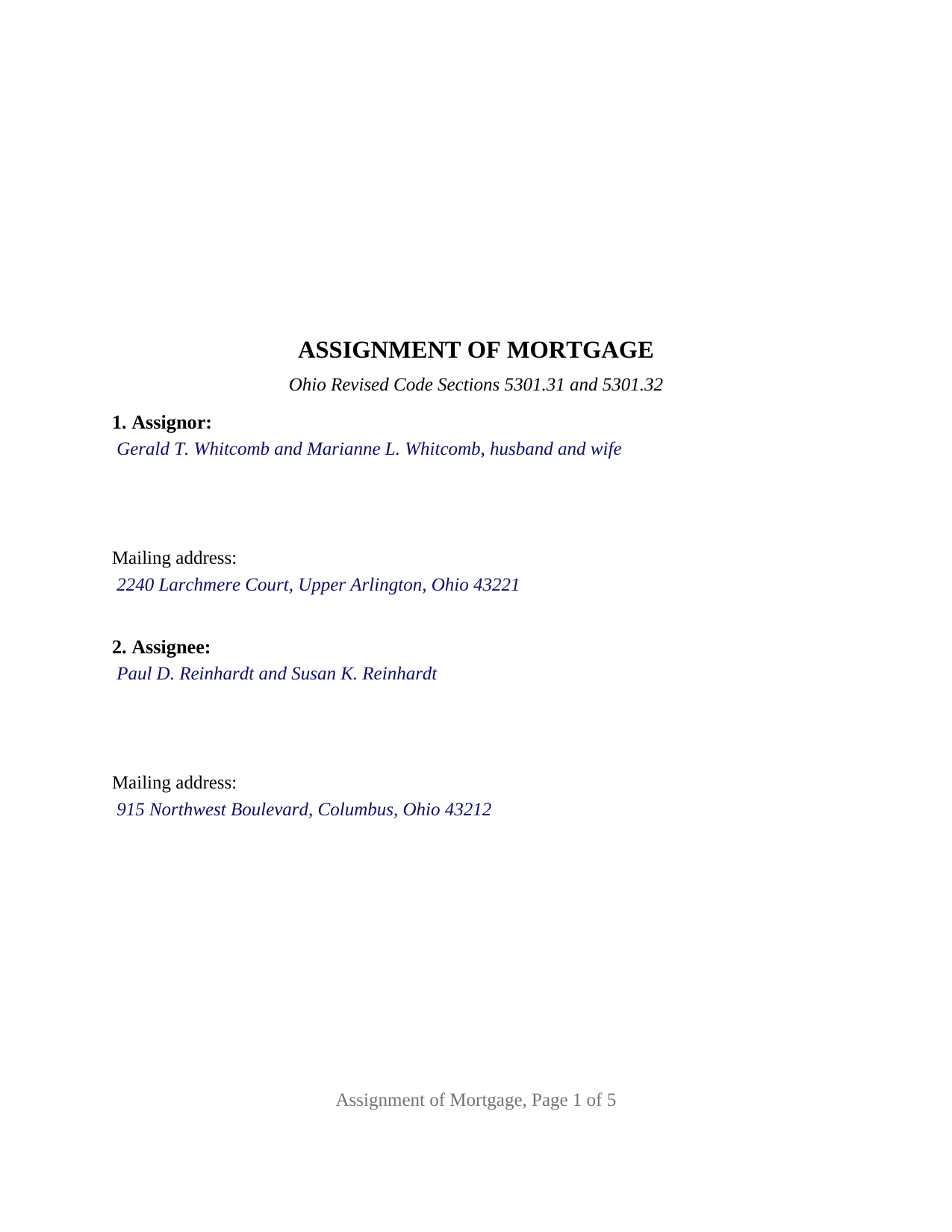
Cuyahoga County Completed Example of the Assignment of Mortgage Document
Example of a properly completed Ohio Assignment of Mortgage document for reference.
All 3 documents above included • One-time purchase • No recurring fees
Immediate Download • Secure Checkout
Additional Ohio and Cuyahoga County documents included at no extra charge:
Where to Record Your Documents
Cuyahoga County Fiscal Office: Transfer and Recording Department
Cleveland, Ohio 44115
Hours: 8:30 to 4:30 M-F
Phone: 216-443-7020
Recording Tips for Cuyahoga County:
- Bring your driver's license or state-issued photo ID
- Ensure all signatures are in blue or black ink
- Leave recording info boxes blank - the office fills these
- Make copies of your documents before recording - keep originals safe
- Recorded documents become public record - avoid including SSNs
Cities and Jurisdictions in Cuyahoga County
Properties in any of these areas use Cuyahoga County forms:
- Bay Village
- Beachwood
- Bedford
- Berea
- Brecksville
- Broadview Heights
- Brook Park
- Chagrin Falls
- Cleveland
- Euclid
- Gates Mills
- Independence
- Lakewood
- Maple Heights
- North Olmsted
- North Royalton
- Olmsted Falls
- Rocky River
- Solon
- Strongsville
- Westlake
Hours, fees, requirements, and more for Cuyahoga County
How do I get my forms?
Forms are available for immediate download after payment. The Cuyahoga County forms will be in your account ready to download to your computer. An account is created for you during checkout if you don't have one. Forms are NOT emailed.
Are these forms guaranteed to be recordable in Cuyahoga County?
Yes. Our form blanks are guaranteed to meet or exceed the applicable formatting requirements used for recording in Cuyahoga County, including margin requirements, font requirements, and other layout standards. This guarantee applies to formatting, not to the legal sufficiency of information entered by the user or the suitability of a form for a particular transaction.
Can I reuse these forms?
Yes. You can reuse the forms for your personal use. For example, if you have multiple properties in Cuyahoga County you only need to order once.
What do I need to use these forms?
The forms are PDFs that you fill out on your computer. The free Adobe Acrobat Reader is recommended, and most PDF apps also work. You do NOT enter your property information online - you download the blank forms and complete them privately on your own computer.
Are there any recurring fees?
No. This is a one-time purchase. Nothing to cancel, no memberships, no recurring fees.
How much does it cost to record in Cuyahoga County?
Recording fees in Cuyahoga County vary. Contact the recorder's office at 216-443-7020 for current fees.
Questions answered? Let's get started!
An Ohio Assignment of Mortgage moves a recorded mortgage, and the promissory note it secures, from the person who holds it to a new holder, and places that change on the county record. This form prepares the separate instrument of assignment that Ohio Revised Code Section 5301.32 describes, for one or two individual assignors signing in their own names.
Two ways Ohio assigns a mortgage
Ohio law offers two paths. Under Section 5301.31 the holder may write the assignment on the original mortgage or on the margin of the recorder's record and sign it. Under Section 5301.32 the holder signs a separate instrument of assignment, acknowledged as Section 5301.01 provides, which the recorder records in the official records at the fee charged for recording a deed. The separate instrument is the path this form takes. Ohio prescribes no statutory form for a mortgage assignment, so the instrument's words are the conventional words of an assignment, drawn around what the statutes require it to contain.
What the assignment carries with it
Section 5301.31 states the effect in one sentence: an assignment, whether on the mortgage, on the margin, or by separate instrument, transfers not only the lien of the mortgage but also all interest in the land described in the mortgage. The form carries that sentence inside its assignment clause, beside the operative words: the assignor assigns, transfers, and sets over to the assignee all of the assignor's right, title, and interest in the mortgage, together with the note and the other indebtedness it secures. In Fed. Home Loan Mtge. Corp. v. Schwartzwald, 2012-Ohio-5017, the Supreme Court of Ohio held that a foreclosing party with no established interest in the note or mortgage at filing had no standing, and that an assignment obtained afterward did not cure the defect; the recorded chain of assignments is where that interest is shown.
The assignee's address and the indexing description
Sections 5301.31 and 5301.32 each require an assignment of a mortgage to contain the then current mailing address of the assignee, and the form's assignee section carries a dedicated address blank for it. Section 5301.46 adds that, in a county with sectional indexes, a separate instrument of assignment carries a description of the land sufficient for indexing, including the permanent parcel number; the property section receives the legal description copied from the mortgage, the parcel number, and the street address. The mortgage itself is identified by mortgagor, original mortgagee, date, original principal amount, and recording reference, and a separate section identifies any earlier assignment of record under which the assignor holds.
One or two individual assignors
The form recites one or two assignors who are natural persons holding the mortgage in their own names, and one or two assignees. A seller who financed the buyer's purchase and later sells the loan, two spouses who took back a purchase-money mortgage on the home they sold, and an individual investor passing along a mortgage acquired by an earlier recorded assignment present the patterns this form recites. Nothing about marital status, capacity, or how two assignees will hold the mortgage is preprinted; those entries are the filler's own words in open blanks. The form is not set up as an assignment by a corporation, limited liability company, bank, trustee, executor, or attorney-in-fact, or by three or more assignors; its acknowledgment certificates carry the individual short form of Section 147.55(A).
Signing and recording
Each assignor signs before a notary public or another officer Section 5301.01 names, and the form carries a separate acknowledgment certificate for each signer, so two assignors may acknowledge on different dates or before different notaries. The instrument is formatted to Section 317.114, with a three inch blank top margin on the first page, one inch side and bottom margins, and twelve point type above the ten point minimum. It carries the preparer statement Section 317.111 requires and a return address block, and it records with the county recorder at the deed fee of Section 317.32: thirty-four dollars for the first two pages plus any county preservation surcharge, eight dollars for each further page, and four dollars for the marginal reference to the mortgage being assigned.
The package includes the fillable Assignment of Mortgage form, a completed example filled in for a Franklin County mortgage held by two spouses, and the guide that walks through each section, the acknowledgment requirements, and county recording. This description and the guide describe the form and the governing Ohio statutes in general terms; they are not legal advice.
Important: Your property must be located in Cuyahoga County to use these forms. Documents should be recorded at the county recording office listed above.
This Assignment of Mortgage meets all recording requirements specific to Cuyahoga County.
Our Promise
The documents you receive here are guaranteed to meet or exceed the applicable Cuyahoga County recording format requirements. If there is a rejection caused by our formatting, we will correct the issue or refund your payment. This guarantee applies to document formatting only and does not extend to information entered by the user, the selection of the form, or the legal effect of the completed document.
Save Time and Money
Get your Cuyahoga County Assignment of Mortgage form done right the first time with Deeds.com Uniform Conveyancing Blanks. At Deeds.com, we understand that your time and money are valuable resources, and we don't want you to face a penalty fee or rejection imposed by a county recorder for submitting nonstandard documents. We constantly review and update our forms to meet rapidly changing state and county recording requirements for roughly 3,500 counties and local jurisdictions.
4.8 out of 5 - ( 4,845 Reviews )
Amy L B. 5 out of 5 stars
easy to download forms and help is there if you need it!
Thank you, Amy! We appreciate your kind words and are glad you found the forms easy to download. Our team is always here if you ever need assistance. Thanks for choosing us!
Irma D. 5 out of 5 stars
Very impressed with the Service in Miami-Dade County. THank you
Thank you!
Dana G. 5 out of 5 stars
This service is WONDERUL. I spent 14 years trying to get a deed recorded properly. Deeds.com kept submitting and resubmitting after corrections until it was finally accepted. They did in one day what I couldn't get done in 14 years!
Thank you!
Keri C. 5 out of 5 stars
It was confusing at first, but the customer service was excellent and fast and I got everything taken care of right away. I'll use Deeds.com even after the recorder's office is open to the public.
Thank you for your feedback. We really appreciate it. Have a great day!
Ernest B. 5 out of 5 stars
Forms were perfect, recorded quickly with no issue.
Thank you!
LIDIA M. 5 out of 5 stars
excellent
Thank you!
Lenore H. 5 out of 5 stars
I was very pleased with the service I received yesterday at the recorders office. no complaints at all. Served promptly and efficiently.
Thank you!
Carol T. 2 out of 5 stars
It was very difficult to maneuver through your website the wording on certain things are very difficult to figure out. I can't seem to get through to one place that I want versus what I don't want. I think it needs to be a little more explanatory and I am a college graduate so it's not like I'm stupid or anything. Thank you
Thank you for your feedback. Very sorry to hear that we failed you with our navigation. We will certainly address it to see how we can approve. Have a wonderful day.
Robert J D. 5 out of 5 stars
I accidentally ordered 2 forms for the affidavit of death. I only need one.
Thanks for your feedback. Looking at your account we do not see any duplicate orders. Our system does stop duplicate orders before they are processed in many cases. Have a great day.
MICHAEL H. 5 out of 5 stars
Smooth and efficient. Great site for what you may need.
We’re always here to help. Thank you for your feedback.
Theresa M. 5 out of 5 stars
This company was very thorough in having all the forms that I needed.
Thank you!
Craig H. 5 out of 5 stars
Awesome service! It was so quick and easy.
Thank you for your feedback. We really appreciate it. Have a great day!
David C. 5 out of 5 stars
I was very impressed. Your program makes it very user friendly which is a must for most of the public . I have recommended this site to various clients for estate planning documents with simple estates.
Thank you!
Jose F. 5 out of 5 stars
When I found this website, I was confused and hesitant to use this website to submit paperwork that needed to be submitted to the Clerks of Courts in Miami. I am glad I decided to go through with it. It was the easiest process I have encountered even with working with the City. Highly recommend as it is super easy to use and received that everything was approved and recorded in two working days. Thank you so much for bringing my stress level lower as many uncertainties of how to process my paperwork. Will use it again to finish my project as the City continues to not accept walk ins. Thank you so much.
So glad we were able help Jose, have a amazing day!
Ricky N. 5 out of 5 stars
Great service and instructions are excellent.
Thank you for your feedback. We really appreciate it. Have a great day!