Richland County Correction Deed (Entity Grantor) Form
Last validated October 30, 2026 by our Forms Development TeamFormatted for recording in Richland County, for property anywhere in the county: rural and unincorporated areas as well as Bellville, Butler, Lucas, Mansfield, Ontario, Shelby, Shiloh.
- 3 documents included
- Immediate PDF download
- Formatting guarantee
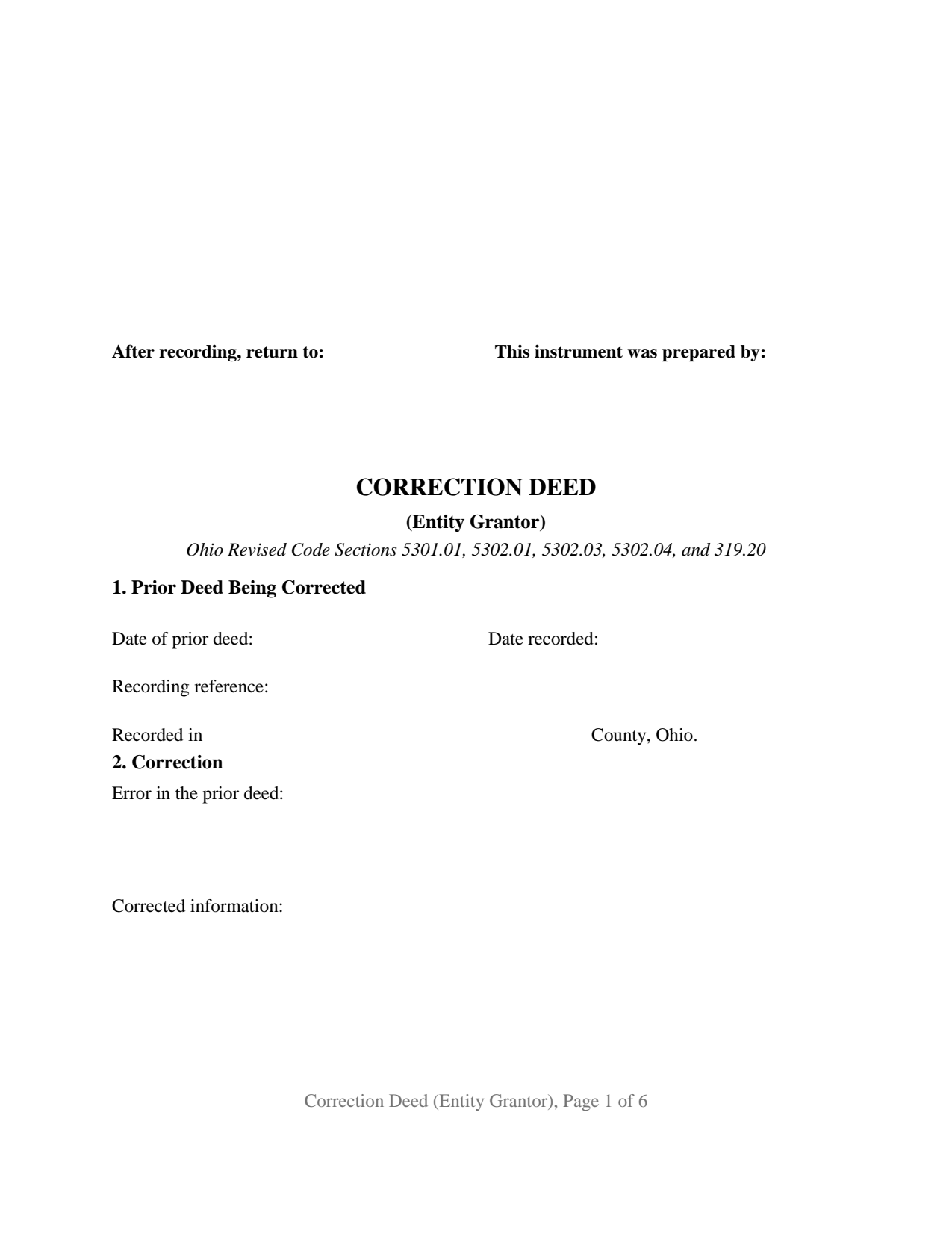
Richland County Correction Deed (Entity Grantor) Form
Fill in the blank Correction Deed (Entity Grantor) form formatted to comply with all Ohio recording and content requirements.
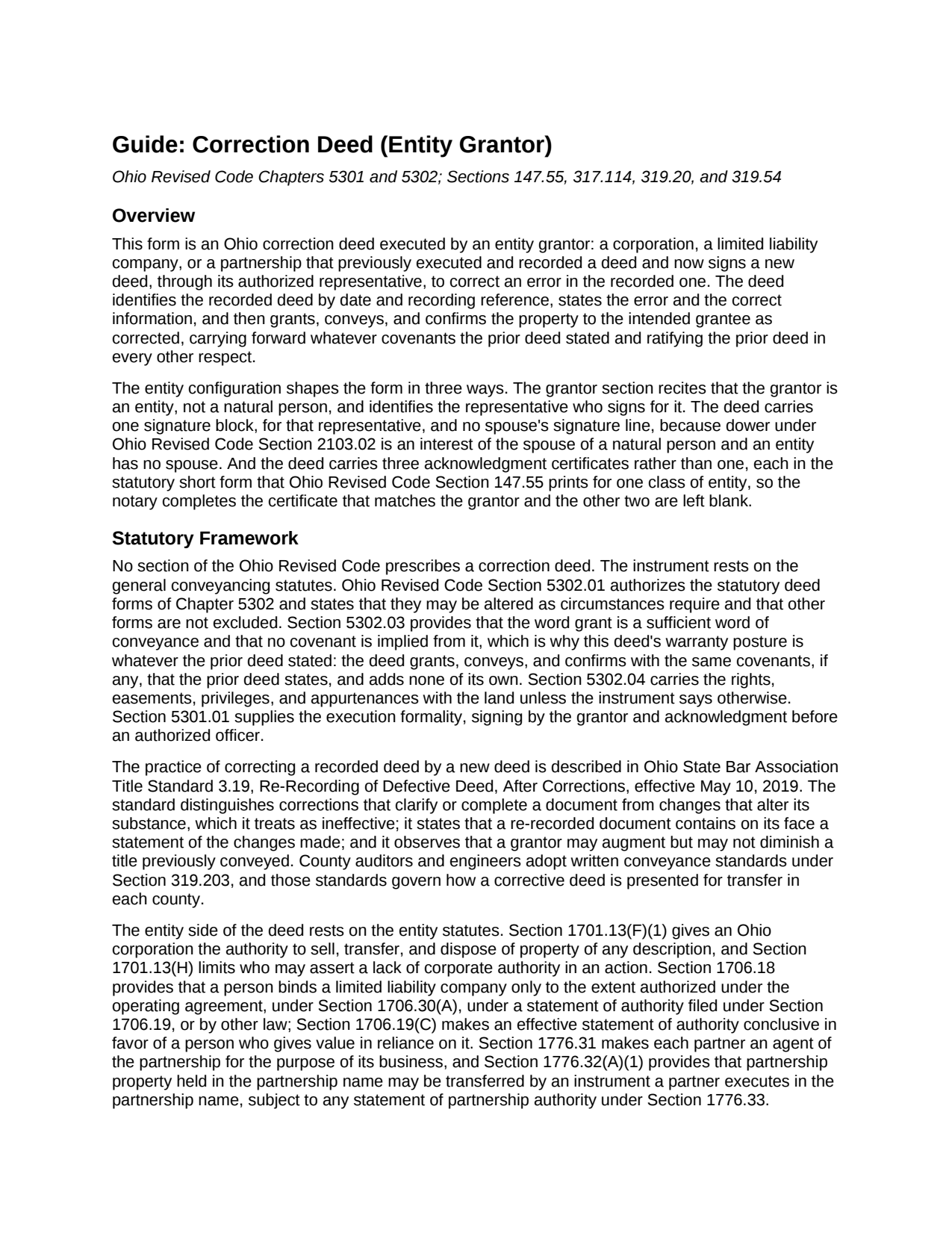
Richland County Correction Deed (Entity Grantor) Guide
Line by line guide explaining every blank on the Correction Deed (Entity Grantor) form.
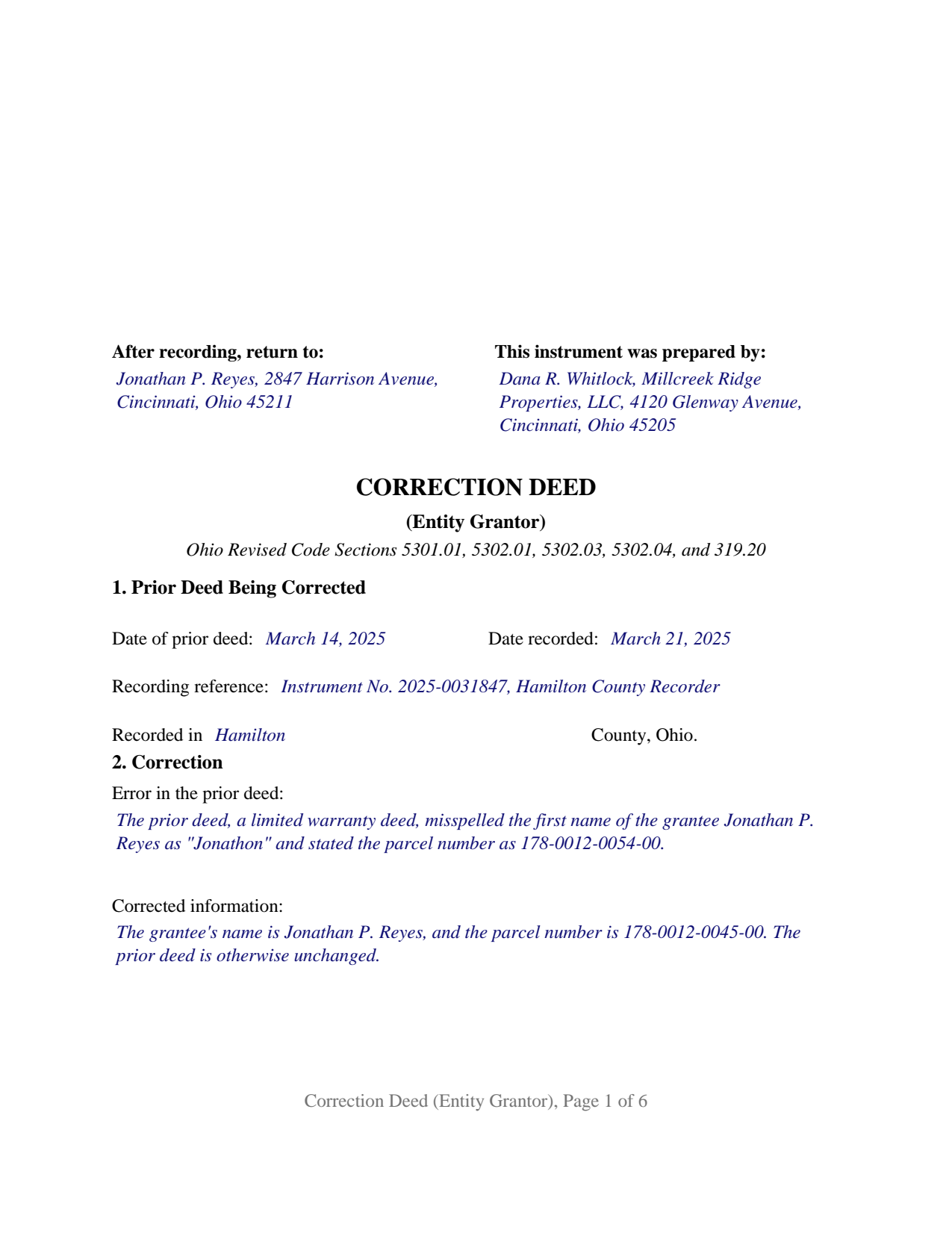
Richland County Completed Example of the Correction Deed (Entity Grantor) Document
Example of a properly completed Ohio Correction Deed (Entity Grantor) document for reference.
All 3 documents above included • One-time purchase • No recurring fees
Immediate Download • Secure Checkout
Additional Ohio and Richland County documents included at no extra charge:
Where to Record Your Documents
Richland County Recorder
Mansfield, Ohio 44902
Hours: 8:00 to 4:00 M-F
Phone: 419-774-5602 or 5601
Recording Tips for Richland County:
- Bring your driver's license or state-issued photo ID
- Ensure all signatures are in blue or black ink
- White-out or correction fluid may cause rejection
- Ask about their eRecording option for future transactions
- Avoid the last business day of the month when possible
Cities and Jurisdictions in Richland County
Properties in any of these areas use Richland County forms:
- Bellville
- Butler
- Lucas
- Mansfield
- Ontario
- Shelby
- Shiloh
Hours, fees, requirements, and more for Richland County
How do I get my forms?
Forms are available for immediate download after payment. The Richland County forms will be in your account ready to download to your computer. An account is created for you during checkout if you don't have one. Forms are NOT emailed.
Are these forms guaranteed to be recordable in Richland County?
Yes. Our form blanks are guaranteed to meet or exceed the applicable formatting requirements used for recording in Richland County, including margin requirements, font requirements, and other layout standards. This guarantee applies to formatting, not to the legal sufficiency of information entered by the user or the suitability of a form for a particular transaction.
Can I reuse these forms?
Yes. You can reuse the forms for your personal use. For example, if you have multiple properties in Richland County you only need to order once.
What do I need to use these forms?
The forms are PDFs that you fill out on your computer. The free Adobe Acrobat Reader is recommended, and most PDF apps also work. You do NOT enter your property information online - you download the blank forms and complete them privately on your own computer.
Are there any recurring fees?
No. This is a one-time purchase. Nothing to cancel, no memberships, no recurring fees.
How much does it cost to record in Richland County?
Recording fees in Richland County vary. Contact the recorder's office at 419-774-5602 or 5601 for current fees.
Questions answered? Let's get started!
When the grantor on a recorded Ohio deed is a company rather than a person, the deed that fixes a mistake in it is signed by one person acting for the company, and the notary's certificate has to say so in the words Ohio prints for that kind of entity. This Ohio Correction Deed (Entity Grantor) is built for that signer: a corporation, limited liability company, or partnership that executed a deed now of record and corrects it through its authorized representative.
One signature, and no spouse
The deed carries a single signature block, headed GRANTOR, BY ITS AUTHORIZED REPRESENTATIVE, where the officer, member, manager, or partner signs and prints his or her name and title. There is no dower release and no marital-status line, because dower under Ohio Revised Code Section 2103.02 belongs to the spouse of a natural person who owned the land during the marriage, and an entity has no spouse. The grantor section states that plainly: the grantor is the entity named there, not a natural person, and it acts through the representative named there.
Three notary forms, one of them completed
Ohio Revised Code Section 147.55 prints a different statutory short form of acknowledgment for each class of signer: division (B) for a corporation, by its officer or agent on behalf of the corporation; division (C) for a limited liability company, by its member or managing member on behalf of the company; and division (D) for a partnership, by a partner or agent on behalf of the partnership. This form prints all three, verbatim, after the signature block. The notary completes the certificate that matches the grantor's type of entity, and the other two are left blank and recorded with the deed. The deed runs six recorded pages as a result.
Authority comes from the entity, not the deed
The deed recites that the representative is authorized to sign; the source of that authority sits in the entity's own records. For a corporation, Section 1701.13(F)(1) supplies the power to sell, transfer, and dispose of property. For a limited liability company, Section 1706.18 binds the company only through a person authorized under the operating agreement, under Section 1706.30(A), or under a statement of authority filed with the Secretary of State under Section 1706.19. For a partnership, Section 1776.32(A)(1) allows property held in the partnership name to be transferred by an instrument a partner executes in that name, subject to any filed statement of partnership authority. The auditor's DTE 100EX instructions list board resolutions and articles of incorporation among the documents an auditor may ask to see.
What the correction reaches
The deed identifies the recorded deed by date, recording date, recording reference, and county, states the error and the correct information in two open entries, and then grants, conveys, and confirms the property to the grantee as corrected, carrying the same covenants, if any, that the prior deed stated and ratifying it in every other respect. A corporation whose deed carried an incomplete legal description, a limited liability company whose deed stated the wrong parcel number, and a partnership whose deed named it under a misspelled company name present the pattern this deed recites. A natural person correcting his or her own deed, a trustee, an attorney-in-fact, two separate entities as co-grantors, and a change that would add or drop a grantee or move the conveyance to different land are configurations this form is not set up as. The grantee side stays open, with whatever vesting words the prior deed was meant to carry.
The auditor stamps before the recorder records
A corrective transfer is exempt from the real property conveyance fee under Section 319.54(G)(3)(c), claimed on form DTE 100EX at exemption 5(c) and filed with the county auditor under Section 319.202. Section 317.22 keeps the recorder from accepting the deed until the auditor's stamp and transfer endorsement appear on its face. The form reserves the three inch first-page top margin that Section 317.114 sets aside for those endorsements and carries the preparer's name Section 317.111 requires.
The package contains the fillable correction deed form, a completed example filled in for a Hamilton County limited liability company, and the guide that walks through each numbered section, the three certificates, the auditor's exemption step, and recording. Both this description and the guide explain the form and the Ohio law that governs it in general terms only; neither is legal advice.
Important: Your property must be located in Richland County to use these forms. Documents should be recorded at the county recording office listed above.
This Correction Deed (Entity Grantor) meets all recording requirements specific to Richland County.
Our Promise
The documents you receive here are guaranteed to meet or exceed the applicable Richland County recording format requirements. If there is a rejection caused by our formatting, we will correct the issue or refund your payment. This guarantee applies to document formatting only and does not extend to information entered by the user, the selection of the form, or the legal effect of the completed document.
Save Time and Money
Get your Richland County Correction Deed (Entity Grantor) form done right the first time with Deeds.com Uniform Conveyancing Blanks. At Deeds.com, we understand that your time and money are valuable resources, and we don't want you to face a penalty fee or rejection imposed by a county recorder for submitting nonstandard documents. We constantly review and update our forms to meet rapidly changing state and county recording requirements for roughly 3,500 counties and local jurisdictions.
4.8 out of 5 - ( 4,837 Reviews )
GAYNELL G. 5 out of 5 stars
THANKS
Thank you!
Tamara H. 5 out of 5 stars
Absolutely awesome! Quick, easy and efficient. I will definitely be using again!
Thank you Tamara. We really appreciate you taking the time to leave your comments. Have an amazing day!
Tracy M. 3 out of 5 stars
The form is easy to use. However, the quit claim deed form seems to be for parcel of land, because the word "real property" is not in the form.
Thank you for your feedback. We really appreciate it. Have a great day!
janitza g. 5 out of 5 stars
It was easy!!! The example for completing a quickclaim deed form was very helpful!!
Thank you!
Cynthia E. 5 out of 5 stars
good source
Thank you!
Lucille F. 5 out of 5 stars
Instructions very detailed and clear.
We appreciate your business and value your feedback. Thank you. Have a wonderful day!
Jim W. 5 out of 5 stars
ALL I CAN SAY IS WOW. I AM SO GLAD THAT SOMEONE THOUGHT OF THIS OPROCESS FOR NON-TITLE COMPANIES, SMALL COMPANIES, ETC. I REALLY APPRECIATED THE SERVICE WHEN I RECORDED MY FIRST SET OF DOCS HERE. THEY WERE A MESS AND I HAD A LOT OF QUESTIONS. AGAIN THANK YOU!
Thank you for your feedback. We really appreciate it. Have a great day!
Tonya B. 5 out of 5 stars
Easy process. Thanks for making this resource available.
We appreciate your business and value your feedback. Thank you. Have a wonderful day!
William V. 5 out of 5 stars
I finally got it. Thanks, William Vickery
Thank you!
Missie R. 5 out of 5 stars
Very fast and professionally handled.
Thank you!
spencer d. 5 out of 5 stars
Great and quick service!
Thank you!
srikanth n. 1 out of 5 stars
why not word format??
Good question. There are many reasons, we'll touch on a few. For the end user (you) Adobe Reader is free, Word is not. PDF is the portable document standard, Word is a decent word processor. A portable document format (PDF) maintains document formatting such as margins and font size which is very important to legal documents, Word does not. Have a wonderful day.
Santo W. 5 out of 5 stars
Quality platform! Five Stars for sure and easy to navigate!
We appreciate your comments and your trust in us. Thank you.
Patricia W. 5 out of 5 stars
I am working with the document to complete it. It's taking me some time but I'll get it.
Thank you for your feedback. We really appreciate it. Have a great day!
Elango R. 5 out of 5 stars
It was so easy to use the site and got recording done in a day. Very happy with experience.
Thank you!