Ross County Disclaimer of Interest Form
Last validated October 22, 2026 by our Forms Development TeamFormatted for recording in Ross County, for property anywhere in the county: rural and unincorporated areas as well as Adelphi, Bainbridge, Bourneville, Chillicothe, Clarksburg, Frankfort, Hallsville, Kingston and 3 more.
- 3 documents included
- Immediate PDF download
- Formatting guarantee
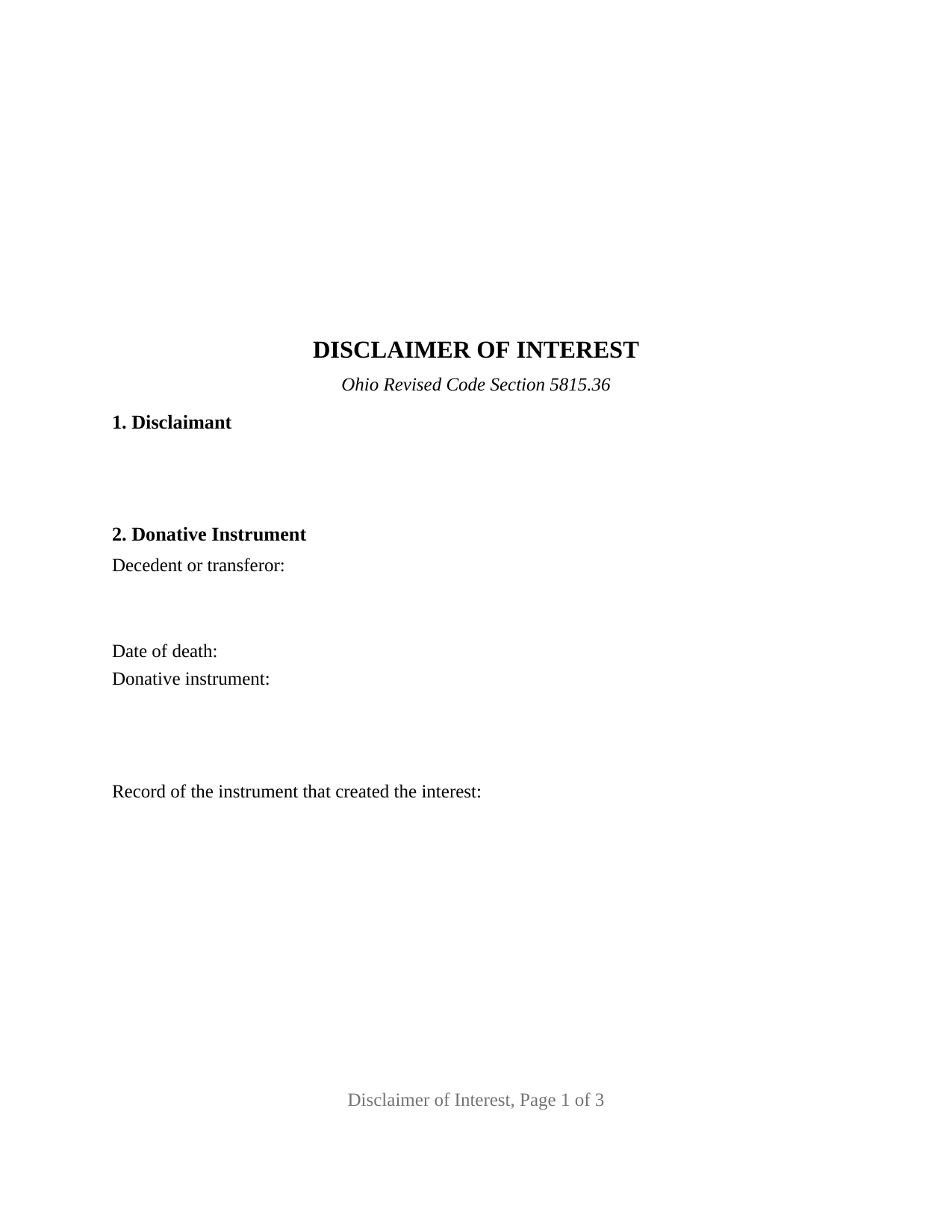
Ross County Disclaimer of Interest Form
Fill in the blank Disclaimer of Interest form formatted to comply with all Ohio recording and content requirements.
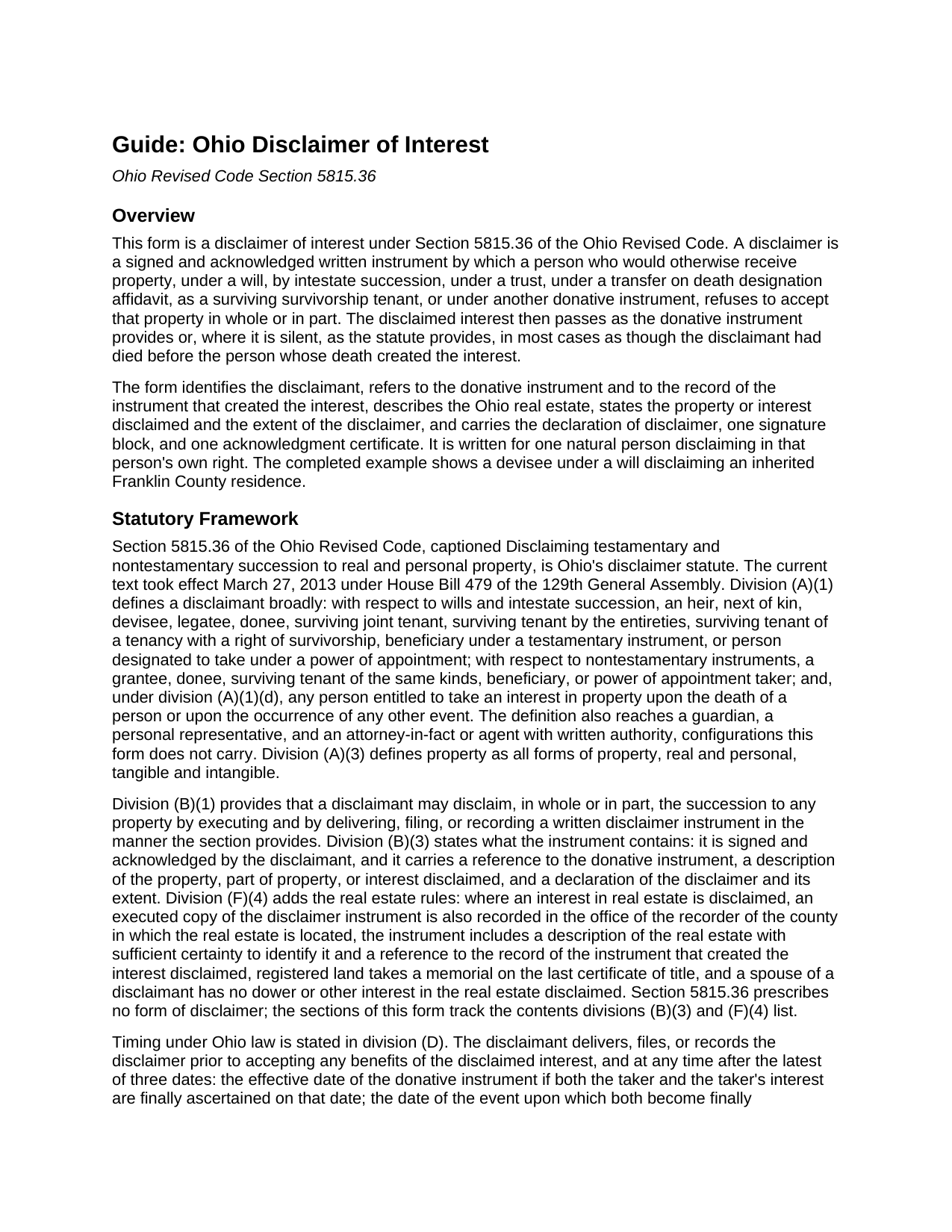
Ross County Disclaimer of Interest Guide
Line by line guide explaining every blank on the Disclaimer of Interest form.
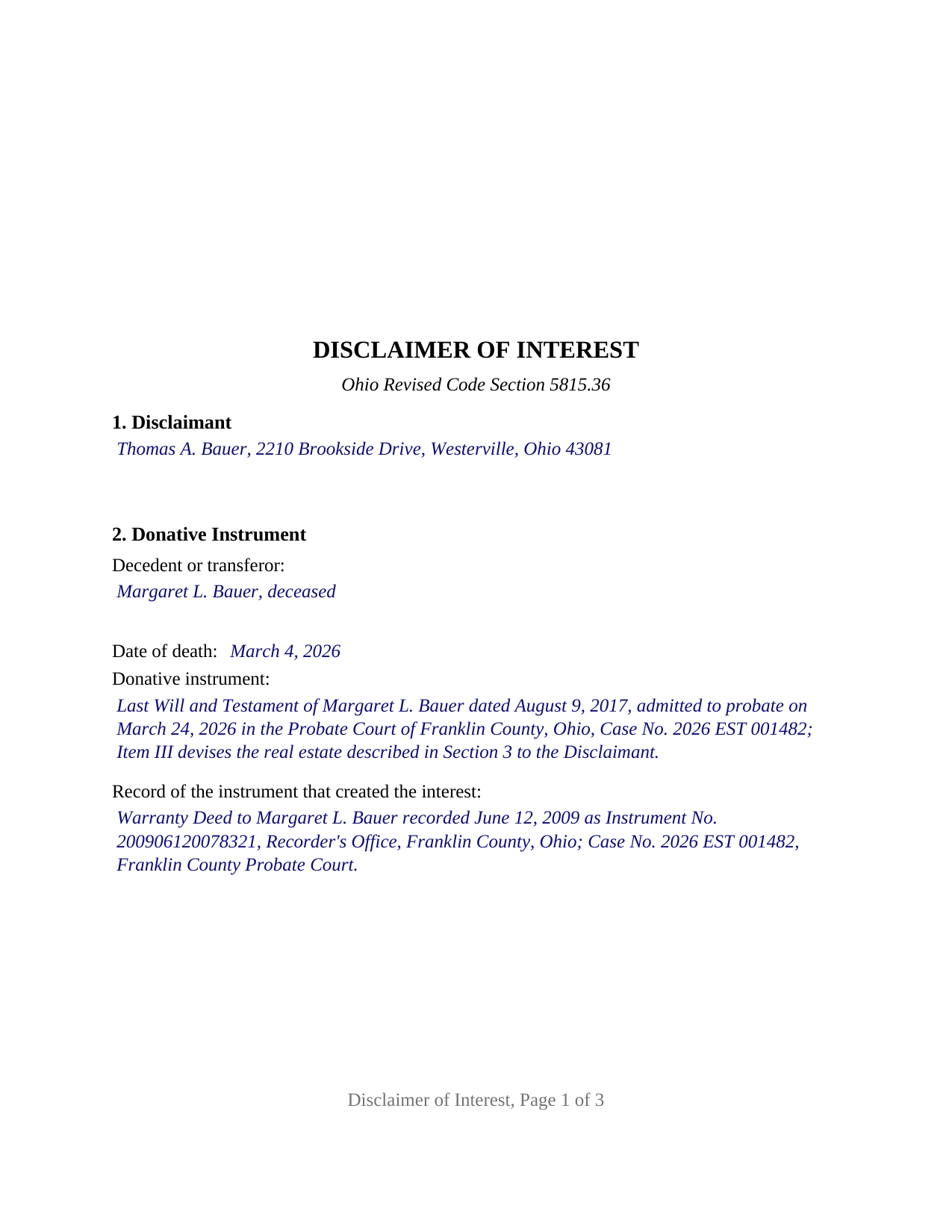
Ross County Completed Example of the Disclaimer of Interest Document
Example of a properly completed Ohio Disclaimer of Interest document for reference.
All 3 documents above included • One-time purchase • No recurring fees
Immediate Download • Secure Checkout
Additional Ohio and Ross County documents included at no extra charge:
Where to Record Your Documents
Ross County Recorder
Chillicothe, Ohio 45601
Hours: 8:30am to 4:30pm Monday through Friday
Phone: 740-702-3000
Recording Tips for Ross County:
- Bring your driver's license or state-issued photo ID
- Ensure all signatures are in blue or black ink
- Bring extra funds - fees can vary by document type and page count
- Check margin requirements - usually 1-2 inches at top
- Leave recording info boxes blank - the office fills these
Cities and Jurisdictions in Ross County
Properties in any of these areas use Ross County forms:
- Adelphi
- Bainbridge
- Bourneville
- Chillicothe
- Clarksburg
- Frankfort
- Hallsville
- Kingston
- Londonderry
- Richmond Dale
- South Salem
Hours, fees, requirements, and more for Ross County
How do I get my forms?
Forms are available for immediate download after payment. The Ross County forms will be in your account ready to download to your computer. An account is created for you during checkout if you don't have one. Forms are NOT emailed.
Are these forms guaranteed to be recordable in Ross County?
Yes. Our form blanks are guaranteed to meet or exceed the applicable formatting requirements used for recording in Ross County, including margin requirements, font requirements, and other layout standards. This guarantee applies to formatting, not to the legal sufficiency of information entered by the user or the suitability of a form for a particular transaction.
Can I reuse these forms?
Yes. You can reuse the forms for your personal use. For example, if you have multiple properties in Ross County you only need to order once.
What do I need to use these forms?
The forms are PDFs that you fill out on your computer. The free Adobe Acrobat Reader is recommended, and most PDF apps also work. You do NOT enter your property information online - you download the blank forms and complete them privately on your own computer.
Are there any recurring fees?
No. This is a one-time purchase. Nothing to cancel, no memberships, no recurring fees.
How much does it cost to record in Ross County?
Recording fees in Ross County vary. Contact the recorder's office at 740-702-3000 for current fees.
Questions answered? Let's get started!
An Ohio disclaimer of interest is the written refusal by which an heir, devisee, trust beneficiary, transfer on death beneficiary, or surviving survivorship tenant declines property that would otherwise pass to that person. Section 5815.36 of the Ohio Revised Code treats the refusal as if it came before the interest ever arrived: the disclaimed share passes as the will, trust, or affidavit directs or, where the instrument is silent, as though the disclaimant had died before the decedent. This form prepares that instrument for an interest in Ohio real estate, signed and acknowledged by one disclaimant.
A refusal that relates back
The statute does not treat a disclaimer as a gift from the person refusing. Division (N)(2) of Section 5815.36 states that a disclaimer is not a transfer or conveyance by the disclaimant and that no creditor of the disclaimant may avoid it, and division (H) relates it back to the date the taker and the interest were finally ascertained. Once executed and delivered, filed, or recorded as required, it is final and binding under division (M). Under division (E) the instrument gives the disclaimant no power to revoke, and under division (J) the right is lost once the disclaimant accepts the property, transfers or encumbers it, waives the right in writing, or lets it go at a judicial sale.
Where the disclaimed share goes
The disclaimant does not choose the taker. Division (G) follows any express provision of the donative instrument and otherwise treats the disclaimant as having predeceased the decedent or as having died before a nontestamentary instrument took effect. For a transfer on death designation affidavit, that rule meets Section 5302.23: the share goes to any contingent beneficiary the affidavit names and otherwise into the owner's probate estate. The form's declaration states that the disclaimant makes no direction as to disposition, the no-direction element the federal qualified disclaimer rule in 26 U.S.C. Section 2518 also uses.
Two destinations for the paper
An interest under a will or by intestate succession is disclaimed by filing in the probate division of the county where the estate is or could be administered, with an executed copy delivered to the personal representative. An interest under a trust, deed, or other nontestamentary instrument is disclaimed by delivery to the trustee or title holder, and a transfer on death interest is also filed with the county recorder. Whenever real estate is involved, division (F)(4) adds that an executed copy is recorded with the recorder of the county where the land lies and that the instrument describes the real estate with certainty and refers to the record of the instrument that created the interest. The form carries each of those contents, and the recorded copy meets the Section 317.114 standard: a three inch blank top margin on page one and one inch side and bottom margins.
One disclaimant, one signature, no spouse
The form recites exactly one disclaimant, a natural person refusing in that person's own right, with one signature block and one acknowledgment certificate carrying the Section 147.55(A) short form. Section 4 is a free-form description of the interest and its extent, so a disclaimer of the whole interest and a disclaimer of a described part are written in the same space rather than through a preprinted choice. Division (F)(4) provides that a spouse of a disclaimant has no dower or other interest in the real estate disclaimed, so a married disclaimant signs alone. A child declining a devised house so that it passes to the grandchildren the will names next presents the pattern this form recites. A guardian or personal representative disclaiming under a probate court order, an attorney-in-fact acting under written authority, and two disclaimants on one instrument follow different patterns.
Ohio timing and the federal nine months
Section 5815.36 sets no month count; division (D) requires delivery, filing, or recording before the disclaimant accepts any benefit of the interest. The federal estate and gift tax treatment is a separate test: a qualified disclaimer under 26 U.S.C. Section 2518 is received within nine months of the transfer that created the interest. The guide describes both clocks.
The package includes the fillable disclaimer of interest form, a completed example filled in for a realistic Franklin County fact pattern, and the guide that walks through every numbered section, the delivery and filing paths, and the recording steps. This description and the guide describe the form and the governing Ohio statutes in general terms; they are not legal advice.
Important: Your property must be located in Ross County to use these forms. Documents should be recorded at the county recording office listed above.
This Disclaimer of Interest meets all recording requirements specific to Ross County.
Our Promise
The documents you receive here are guaranteed to meet or exceed the applicable Ross County recording format requirements. If there is a rejection caused by our formatting, we will correct the issue or refund your payment. This guarantee applies to document formatting only and does not extend to information entered by the user, the selection of the form, or the legal effect of the completed document.
Save Time and Money
Get your Ross County Disclaimer of Interest form done right the first time with Deeds.com Uniform Conveyancing Blanks. At Deeds.com, we understand that your time and money are valuable resources, and we don't want you to face a penalty fee or rejection imposed by a county recorder for submitting nonstandard documents. We constantly review and update our forms to meet rapidly changing state and county recording requirements for roughly 3,500 counties and local jurisdictions.
4.8 out of 5 - ( 4,832 Reviews )
Cynthia B. 5 out of 5 stars
So simple to e-record my two documents. The communication was fast and very helpful. Thank you so much!
Thank you for your feedback. We really appreciate it. Have a great day!
Gene L S. 5 out of 5 stars
Exactly what I needed, at a reasonable cost.
Thank you Gene.
Jeri M. 5 out of 5 stars
Very happy with the site and the deed document I received.
We appreciate your business and value your feedback. Thank you. Have a wonderful day!
Miguel R. 5 out of 5 stars
Easy to create an account! Awesome!
Thank you!
Michael F. 1 out of 5 stars
This service wasn't helpful at all.
We're sorry the records you were looking for were not available Michael. We understand how frustrating that can be. Thank you for taking the time to share your thoughts. We're continually working to expand our database and hope to better serve your needs in the future.
Lorie S. 5 out of 5 stars
It was available to download immediately
Thank you!
Faye C. 5 out of 5 stars
Product was ok; except in divorce cases there are usually two grantors - your form had only one signature and notary line for a grantor on the Quitclaim deed.
Thank you for your feedback. We really appreciate it. Have a great day!
Fallon G. 5 out of 5 stars
Very easy to use, thank you!
Knowing our customers are happy is our top priority. Thank you for the wonderful feedback!
Catherine M. 5 out of 5 stars
Easy to use, loved the format, will use again
Thank you, Catherine! We’re so glad you found the process easy and liked the format. We appreciate your support and look forward to helping you again soon!
Deborah B. 5 out of 5 stars
I was skeptical after experiencing other websites. However not only did we get the form we needed for a fraction of the cost vs going to an attorney, the additional resources (guides and samples) made the completion of the Enhanced Life Quitclaim deed quite simple, quick, and painless. We were having difficulty getting my mom to agree to meeting with an attorney or even considering a Lady Bird deed. Deeds.com gave us the ability to move forward with necessary actions with family members walking my mom through the steps, explaining the process and giving her plenty of time to find the needed information. She became part of the process which made it easy for her at a time when decision making was hard. We did everything in the comfort of her own home. I can't think of a better experience or service and I would consider Deeds.com for future needs.
Thank you for the kinds words Deborah. We appreciate you taking the time to share your experience.
Christine P. 5 out of 5 stars
I was hoping to find information of a property belonging to my grandparents. Your site says it can go back 10-20 years I will just have to go to the courthouse and research. But very good site if your looking for recent information.
Thank you for your feedback. We really appreciate it. Have a great day!
Cheryl C. 5 out of 5 stars
So far this looks like exactly what I need and at a reasonable price. Glad it was so easy to find online. Thank you.
Thank you for your feedback. We really appreciate it. Have a great day!
Dana R. 5 out of 5 stars
This site is Awesome! So easy to use and they really work fast. I will use this for all my Maricopa County Recorder items or deeds, etc. Love this site.
Thank you for your feedback. We really appreciate it. Have a great day!
Johanna R. 5 out of 5 stars
As soon as payment was received the forms were downloaded, printed and were useable. The guide was helpful and I was able to get my forms filled out and filed with no problem here in Linn County Oregon. I would recommend the site to anyone.
Thank you for your feedback. We really appreciate it. Have a great day!
Linda E. 5 out of 5 stars
Forms were perfect, guide was very helpful. Passed recording official's scrutiny with flying colors. Will be back should the need arise.
Thank you!