Washington County Disclaimer of Interest Form
Last validated October 22, 2026 by our Forms Development TeamFormatted for recording in Washington County, for property anywhere in the county: rural and unincorporated areas as well as Barlow, Bartlett, Belpre, Beverly, Coal Run, Cutler, Fleming, Graysville and 13 more.
- 3 documents included
- Immediate PDF download
- Formatting guarantee
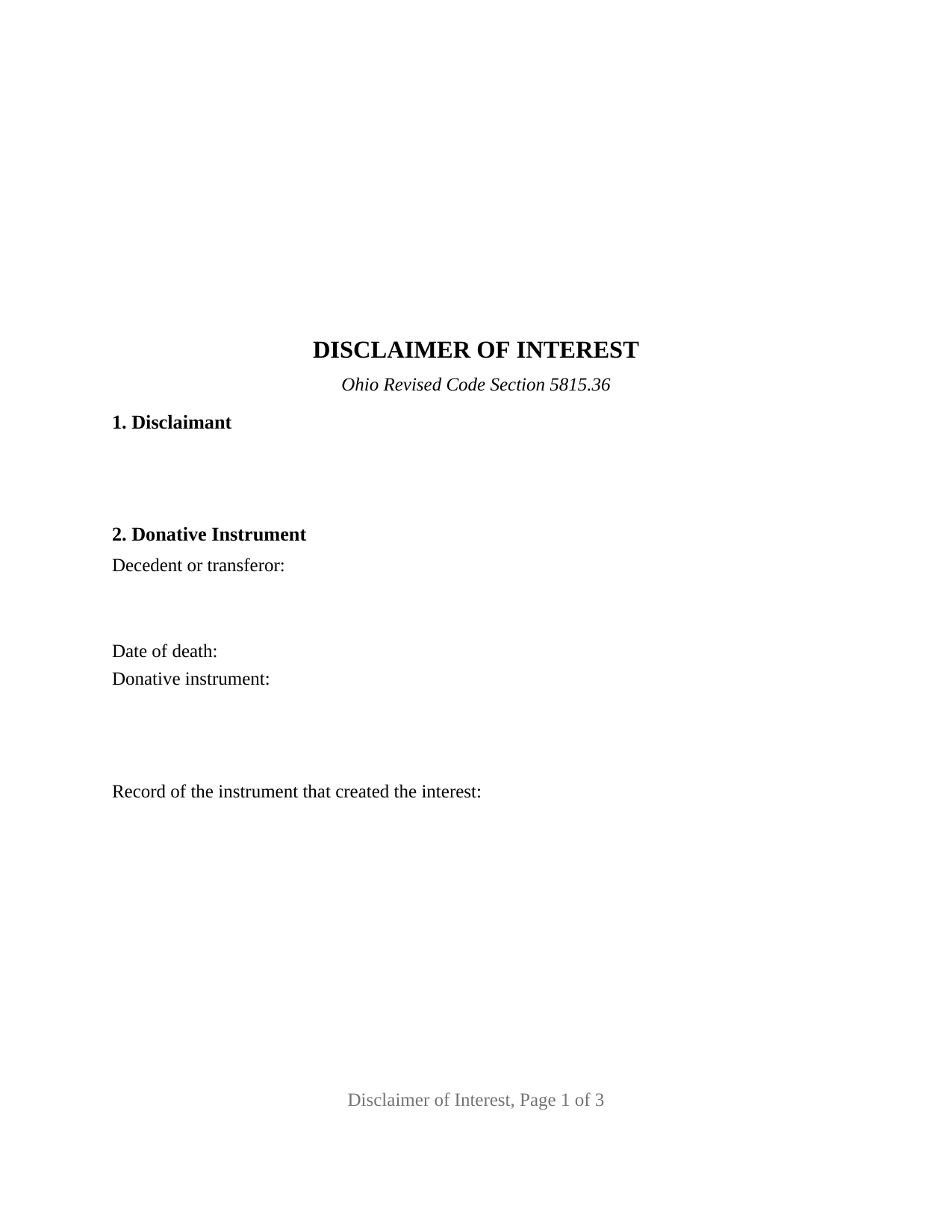
Washington County Disclaimer of Interest Form
Fill in the blank Disclaimer of Interest form formatted to comply with all Ohio recording and content requirements.
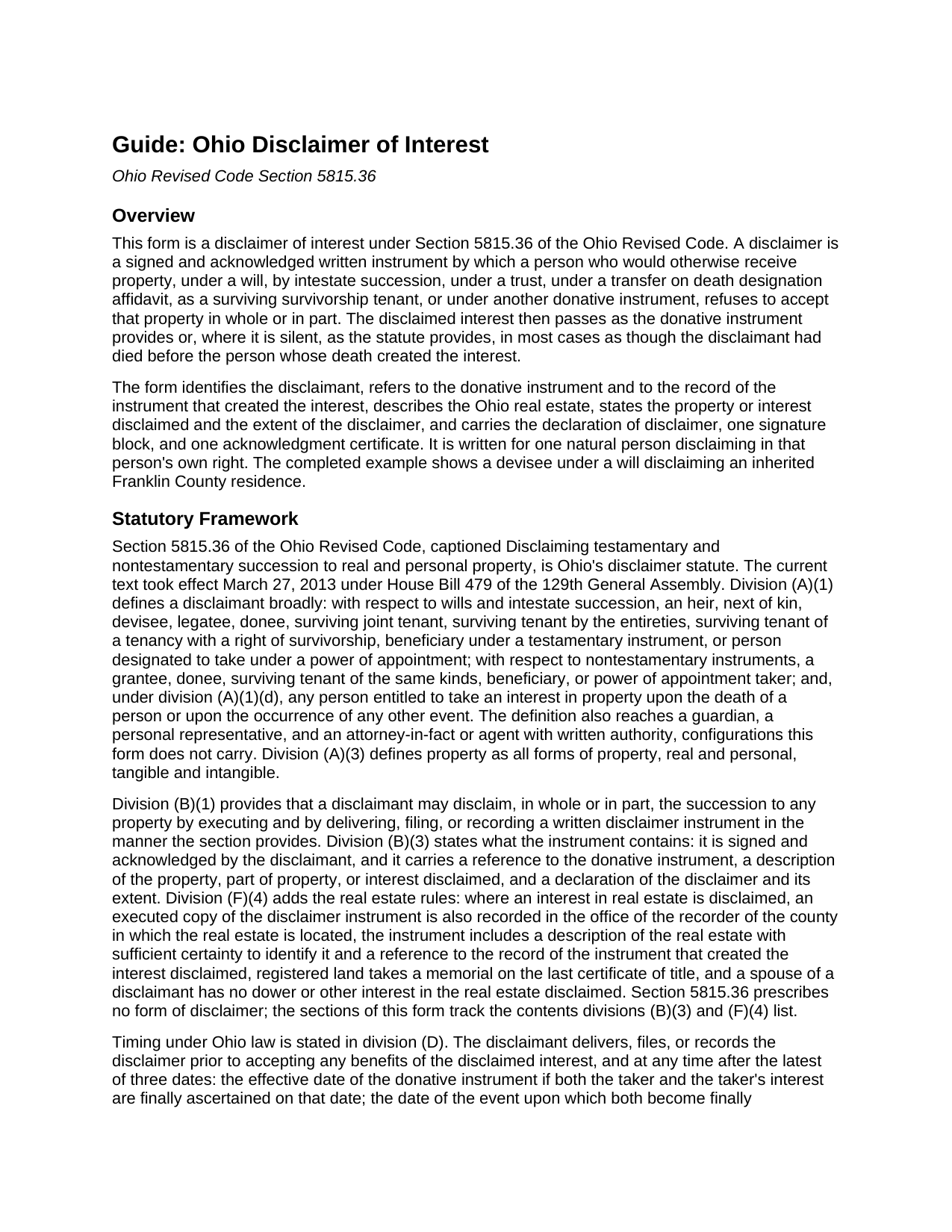
Washington County Disclaimer of Interest Guide
Line by line guide explaining every blank on the Disclaimer of Interest form.
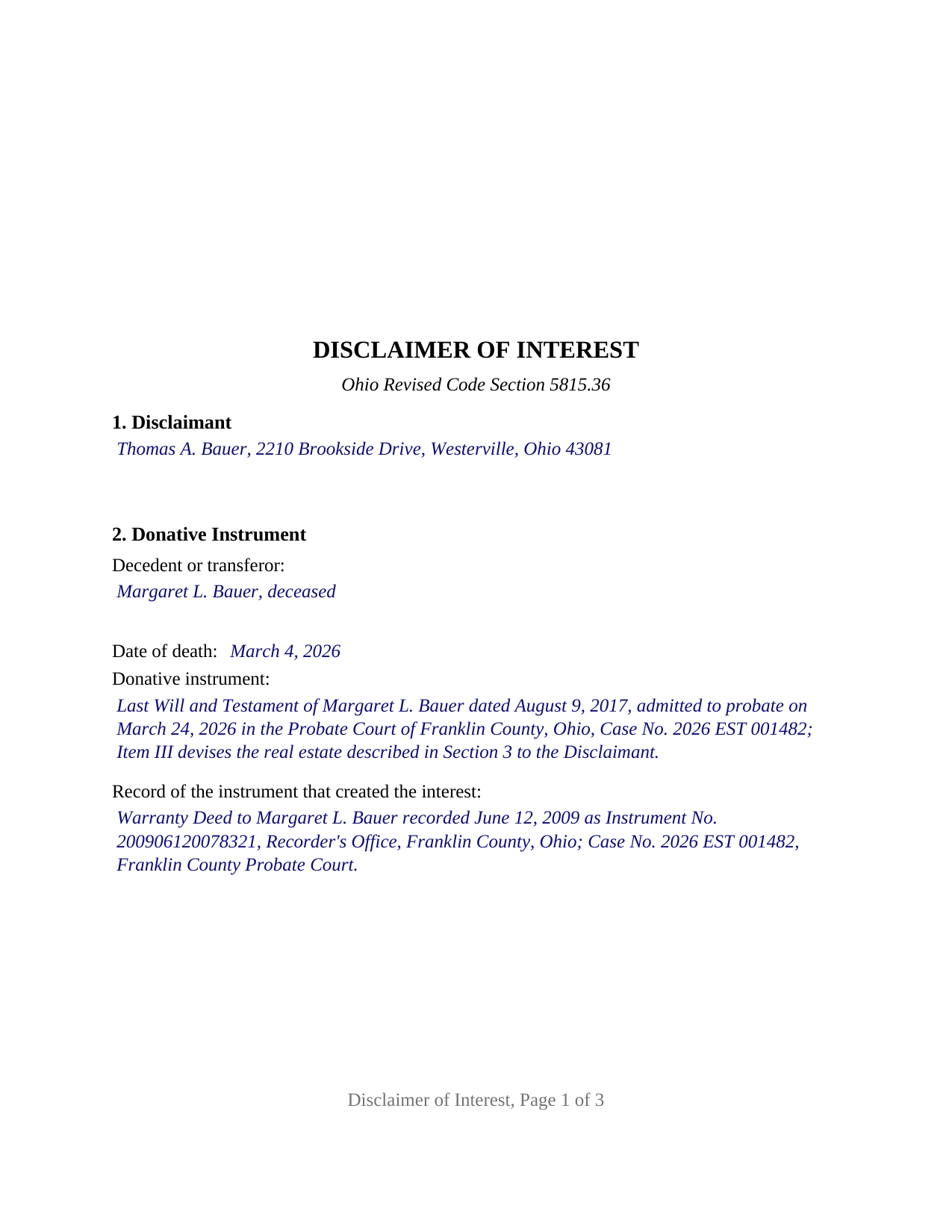
Washington County Completed Example of the Disclaimer of Interest Document
Example of a properly completed Ohio Disclaimer of Interest document for reference.
All 3 documents above included • One-time purchase • No recurring fees
Immediate Download • Secure Checkout
Additional Ohio and Washington County documents included at no extra charge:
Where to Record Your Documents
Washington County Recorder
Marietta, Ohio 45750
Hours: 8:00am to 5:00pm Monday through Friday / Recording until 4:15pm
Phone: 740-373-6623 Ext 235 or 236
Recording Tips for Washington County:
- Bring your driver's license or state-issued photo ID
- Ensure all signatures are in blue or black ink
- Check margin requirements - usually 1-2 inches at top
- Leave recording info boxes blank - the office fills these
- Make copies of your documents before recording - keep originals safe
Cities and Jurisdictions in Washington County
Properties in any of these areas use Washington County forms:
- Barlow
- Bartlett
- Belpre
- Beverly
- Coal Run
- Cutler
- Fleming
- Graysville
- Little Hocking
- Lowell
- Lower Salem
- Macksburg
- Marietta
- New Matamoras
- Newport
- Reno
- Vincent
- Waterford
- Watertown
- Whipple
- Wingett Run
Hours, fees, requirements, and more for Washington County
How do I get my forms?
Forms are available for immediate download after payment. The Washington County forms will be in your account ready to download to your computer. An account is created for you during checkout if you don't have one. Forms are NOT emailed.
Are these forms guaranteed to be recordable in Washington County?
Yes. Our form blanks are guaranteed to meet or exceed the applicable formatting requirements used for recording in Washington County, including margin requirements, font requirements, and other layout standards. This guarantee applies to formatting, not to the legal sufficiency of information entered by the user or the suitability of a form for a particular transaction.
Can I reuse these forms?
Yes. You can reuse the forms for your personal use. For example, if you have multiple properties in Washington County you only need to order once.
What do I need to use these forms?
The forms are PDFs that you fill out on your computer. The free Adobe Acrobat Reader is recommended, and most PDF apps also work. You do NOT enter your property information online - you download the blank forms and complete them privately on your own computer.
Are there any recurring fees?
No. This is a one-time purchase. Nothing to cancel, no memberships, no recurring fees.
How much does it cost to record in Washington County?
Recording fees in Washington County vary. Contact the recorder's office at 740-373-6623 Ext 235 or 236 for current fees.
Questions answered? Let's get started!
An Ohio disclaimer of interest is the written refusal by which an heir, devisee, trust beneficiary, transfer on death beneficiary, or surviving survivorship tenant declines property that would otherwise pass to that person. Section 5815.36 of the Ohio Revised Code treats the refusal as if it came before the interest ever arrived: the disclaimed share passes as the will, trust, or affidavit directs or, where the instrument is silent, as though the disclaimant had died before the decedent. This form prepares that instrument for an interest in Ohio real estate, signed and acknowledged by one disclaimant.
A refusal that relates back
The statute does not treat a disclaimer as a gift from the person refusing. Division (N)(2) of Section 5815.36 states that a disclaimer is not a transfer or conveyance by the disclaimant and that no creditor of the disclaimant may avoid it, and division (H) relates it back to the date the taker and the interest were finally ascertained. Once executed and delivered, filed, or recorded as required, it is final and binding under division (M). Under division (E) the instrument gives the disclaimant no power to revoke, and under division (J) the right is lost once the disclaimant accepts the property, transfers or encumbers it, waives the right in writing, or lets it go at a judicial sale.
Where the disclaimed share goes
The disclaimant does not choose the taker. Division (G) follows any express provision of the donative instrument and otherwise treats the disclaimant as having predeceased the decedent or as having died before a nontestamentary instrument took effect. For a transfer on death designation affidavit, that rule meets Section 5302.23: the share goes to any contingent beneficiary the affidavit names and otherwise into the owner's probate estate. The form's declaration states that the disclaimant makes no direction as to disposition, the no-direction element the federal qualified disclaimer rule in 26 U.S.C. Section 2518 also uses.
Two destinations for the paper
An interest under a will or by intestate succession is disclaimed by filing in the probate division of the county where the estate is or could be administered, with an executed copy delivered to the personal representative. An interest under a trust, deed, or other nontestamentary instrument is disclaimed by delivery to the trustee or title holder, and a transfer on death interest is also filed with the county recorder. Whenever real estate is involved, division (F)(4) adds that an executed copy is recorded with the recorder of the county where the land lies and that the instrument describes the real estate with certainty and refers to the record of the instrument that created the interest. The form carries each of those contents, and the recorded copy meets the Section 317.114 standard: a three inch blank top margin on page one and one inch side and bottom margins.
One disclaimant, one signature, no spouse
The form recites exactly one disclaimant, a natural person refusing in that person's own right, with one signature block and one acknowledgment certificate carrying the Section 147.55(A) short form. Section 4 is a free-form description of the interest and its extent, so a disclaimer of the whole interest and a disclaimer of a described part are written in the same space rather than through a preprinted choice. Division (F)(4) provides that a spouse of a disclaimant has no dower or other interest in the real estate disclaimed, so a married disclaimant signs alone. A child declining a devised house so that it passes to the grandchildren the will names next presents the pattern this form recites. A guardian or personal representative disclaiming under a probate court order, an attorney-in-fact acting under written authority, and two disclaimants on one instrument follow different patterns.
Ohio timing and the federal nine months
Section 5815.36 sets no month count; division (D) requires delivery, filing, or recording before the disclaimant accepts any benefit of the interest. The federal estate and gift tax treatment is a separate test: a qualified disclaimer under 26 U.S.C. Section 2518 is received within nine months of the transfer that created the interest. The guide describes both clocks.
The package includes the fillable disclaimer of interest form, a completed example filled in for a realistic Franklin County fact pattern, and the guide that walks through every numbered section, the delivery and filing paths, and the recording steps. This description and the guide describe the form and the governing Ohio statutes in general terms; they are not legal advice.
Important: Your property must be located in Washington County to use these forms. Documents should be recorded at the county recording office listed above.
This Disclaimer of Interest meets all recording requirements specific to Washington County.
Our Promise
The documents you receive here are guaranteed to meet or exceed the applicable Washington County recording format requirements. If there is a rejection caused by our formatting, we will correct the issue or refund your payment. This guarantee applies to document formatting only and does not extend to information entered by the user, the selection of the form, or the legal effect of the completed document.
Save Time and Money
Get your Washington County Disclaimer of Interest form done right the first time with Deeds.com Uniform Conveyancing Blanks. At Deeds.com, we understand that your time and money are valuable resources, and we don't want you to face a penalty fee or rejection imposed by a county recorder for submitting nonstandard documents. We constantly review and update our forms to meet rapidly changing state and county recording requirements for roughly 3,500 counties and local jurisdictions.
4.8 out of 5 - ( 4,830 Reviews )
Judith D. 5 out of 5 stars
If my availability does not coincide with your business hours it should not prevent me from uploading my documents and making payment. You should allow people to upload their documents at any time with the understanding that you will process them on your next business day.
Thank you!
Dr Martin A. 5 out of 5 stars
Easy to use...great service
Thank you for the kind words, Dr. Martin! We're delighted you found our service easy to use. We appreciate you taking the time to share your experience!
James W. 5 out of 5 stars
Thank-you for your excellent services
Thank you!
Rosemary W. 5 out of 5 stars
considering the current epidemic your fees save me time and parking fees. with help from DC recorder of deeds I was directed to the correct link to process my deed
Thank you for your feedback. We really appreciate it. Have a great day!
victoria r. 5 out of 5 stars
Easiest and most efficient process awesome online communication
Thank you!
Donna S. 5 out of 5 stars
Very easy forms to fill out and convenient since my county does not carry these forms , great service .
Thank you for your feedback. We really appreciate it. Have a great day!
Karen H. 5 out of 5 stars
Saves a trip to the Recorders Office!
It was a pleasure serving you. Thank you for the positive feedback!
Robert W. 5 out of 5 stars
With the guide everything went great
Thank you!
Eva L. 5 out of 5 stars
So far so good! I haven't had an opportunity to populate the forms but they seem to be very easy to do. The sample deed serves very well. Ordering the forms were very easy, I was impressed with the ease of doing so.
Thank you!
Chris M. 5 out of 5 stars
simple, Clean, and easy, to retrieve the forms i needed, while on this site. and the Fee for the Fill-in forms is Remarkably inexpensive, to say the least!
Thank you!
George A. 5 out of 5 stars
Excellent Service.
Thank you for your feedback. We really appreciate it. Have a great day!
DAVID K. 5 out of 5 stars
You are definitely the place to go for forms and other things which I need to solve my problems. Thanks for your help.
Thank you!
Maria B. 5 out of 5 stars
Deeds.com has excellent customer service and great processing times! I highly recommend their services.
We appreciate your business and value your feedback. Thank you. Have a wonderful day!
GARY S. 5 out of 5 stars
sweet & easy
Thank you!
Darrell C. 5 out of 5 stars
Excellent Service
Thank you!