Wood County Limited Warranty Deed (Individual Grantor by Attorney-in-Fact) Form
Last validated October 21, 2026 by our Forms Development TeamFormatted for recording in Wood County, for property anywhere in the county: rural and unincorporated areas as well as Bloomdale, Bowling Green, Bradner, Custar, Cygnet, Dunbridge, Grand Rapids, Haskins and 21 more.
- 3 documents included
- Immediate PDF download
- Formatting guarantee
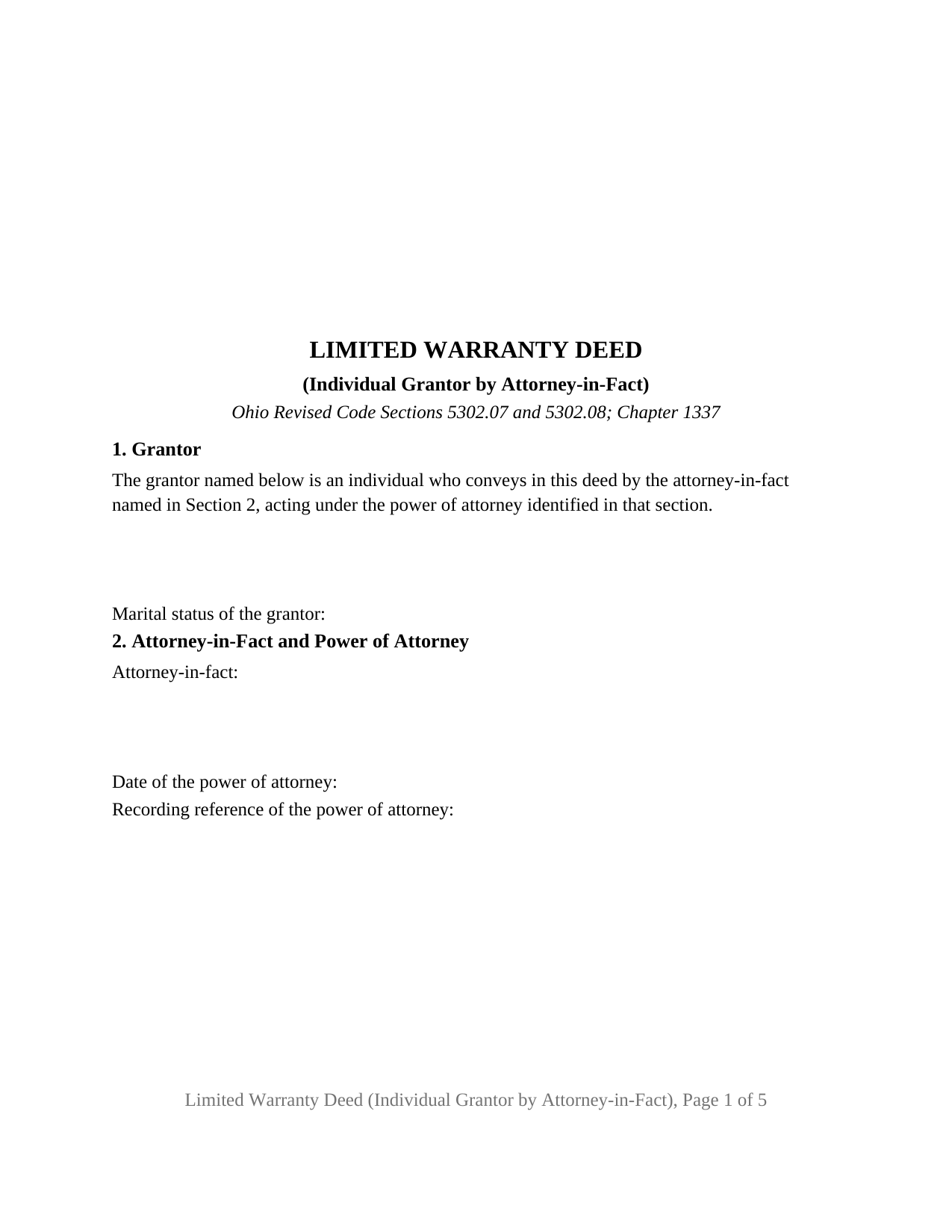
Wood County Limited Warranty Deed (Individual Grantor by Attorney-in-Fact) Form
Fill in the blank Limited Warranty Deed (Individual Grantor by Attorney-in-Fact) form formatted to comply with all Ohio recording and content requirements.
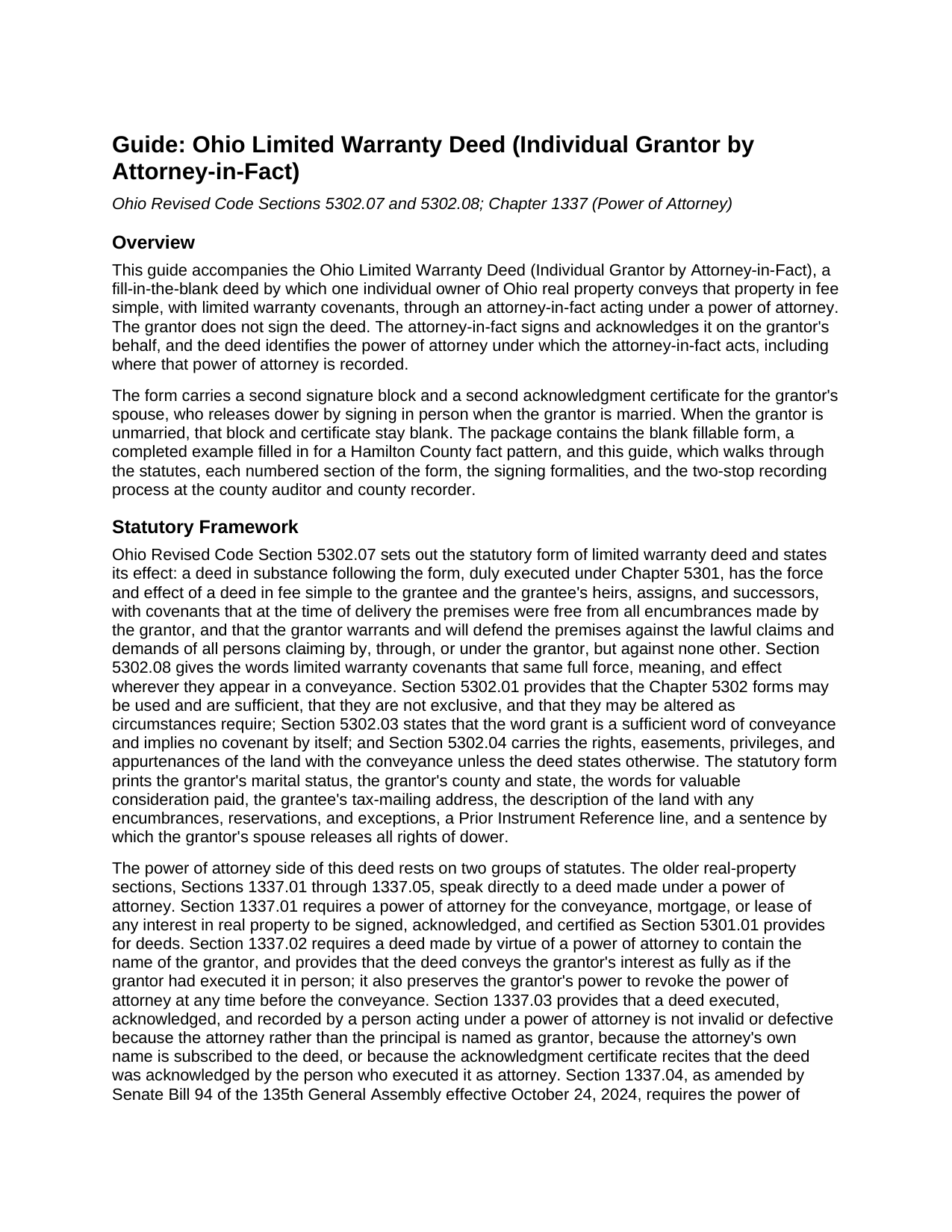
Wood County Limited Warranty Deed (Individual Grantor by Attorney-in-Fact) Guide
Line by line guide explaining every blank on the Limited Warranty Deed (Individual Grantor by Attorney-in-Fact) form.
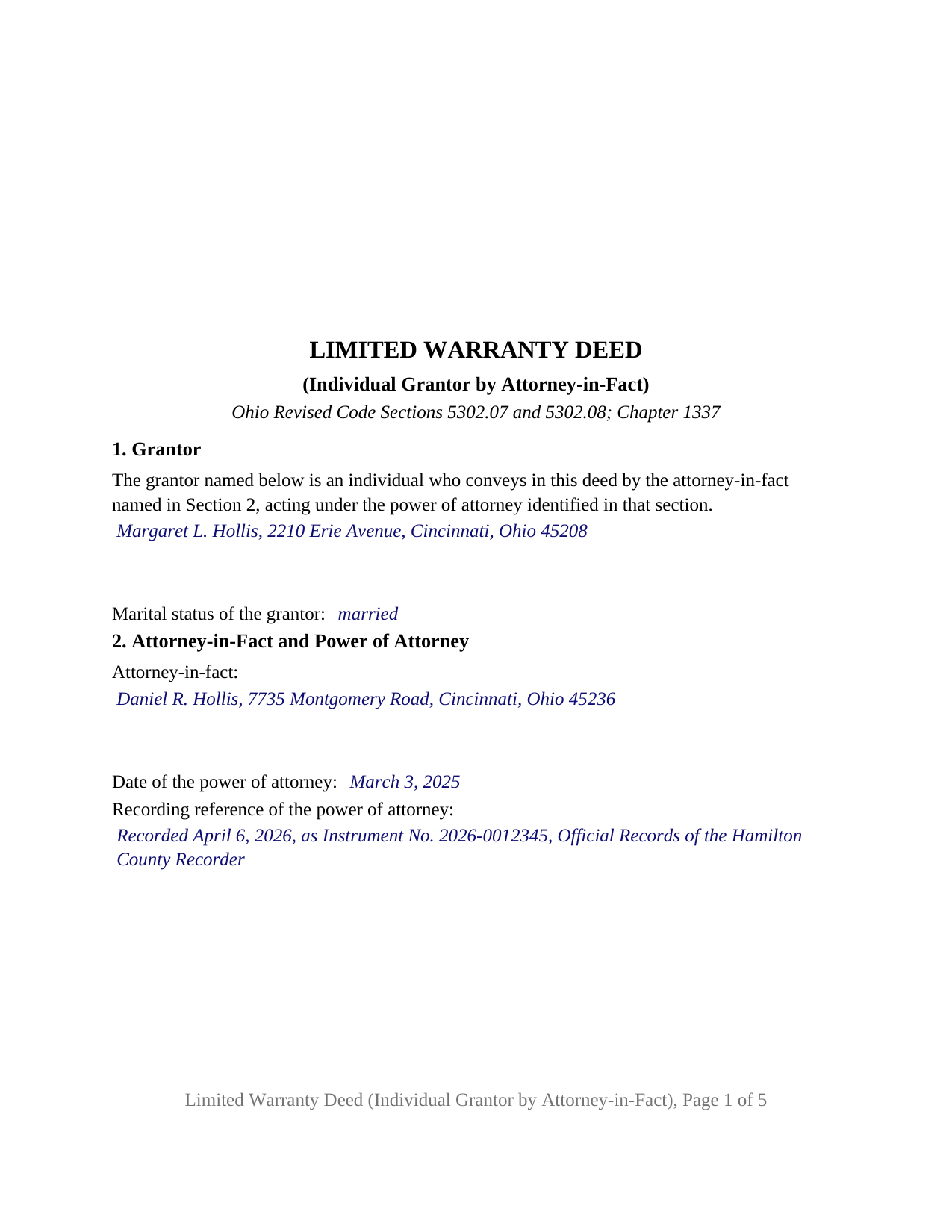
Wood County Completed Example of the Limited Warranty Deed (Individual Grantor by Attorney-in-Fact) Document
Example of a properly completed Ohio Limited Warranty Deed (Individual Grantor by Attorney-in-Fact) document for reference.
All 3 documents above included • One-time purchase • No recurring fees
Immediate Download • Secure Checkout
Additional Ohio and Wood County documents included at no extra charge:
Where to Record Your Documents
Wood County Recorder
Bowling Green, Ohio 43402
Hours: 8:30 to 4:30 M-F
Phone: (419) 354-9140
Recording Tips for Wood County:
- Bring your driver's license or state-issued photo ID
- Ensure all signatures are in blue or black ink
- Verify all names are spelled correctly before recording
- White-out or correction fluid may cause rejection
- Ask about their eRecording option for future transactions
Cities and Jurisdictions in Wood County
Properties in any of these areas use Wood County forms:
- Bloomdale
- Bowling Green
- Bradner
- Custar
- Cygnet
- Dunbridge
- Grand Rapids
- Haskins
- Hoytville
- Jerry City
- Lemoyne
- Luckey
- Millbury
- Milton Center
- North Baltimore
- Northwood
- Pemberville
- Perrysburg
- Portage
- Risingsun
- Rossford
- Rudolph
- Stony Ridge
- Toledo
- Tontogany
- Walbridge
- Wayne
- West Millgrove
- Weston
Hours, fees, requirements, and more for Wood County
How do I get my forms?
Forms are available for immediate download after payment. The Wood County forms will be in your account ready to download to your computer. An account is created for you during checkout if you don't have one. Forms are NOT emailed.
Are these forms guaranteed to be recordable in Wood County?
Yes. Our form blanks are guaranteed to meet or exceed the applicable formatting requirements used for recording in Wood County, including margin requirements, font requirements, and other layout standards. This guarantee applies to formatting, not to the legal sufficiency of information entered by the user or the suitability of a form for a particular transaction.
Can I reuse these forms?
Yes. You can reuse the forms for your personal use. For example, if you have multiple properties in Wood County you only need to order once.
What do I need to use these forms?
The forms are PDFs that you fill out on your computer. The free Adobe Acrobat Reader is recommended, and most PDF apps also work. You do NOT enter your property information online - you download the blank forms and complete them privately on your own computer.
Are there any recurring fees?
No. This is a one-time purchase. Nothing to cancel, no memberships, no recurring fees.
How much does it cost to record in Wood County?
Recording fees in Wood County vary. Contact the recorder's office at (419) 354-9140 for current fees.
Questions answered? Let's get started!
An Ohio limited warranty deed signed by an attorney-in-fact puts the grantor's name on the deed and another person's hand on the signature line. This fillable form prepares that deed for one individual grantor whose agent, acting under a recorded power of attorney, conveys Ohio real property with limited warranty covenants under Ohio Revised Code Sections 5302.07 and 5302.08. The grantor is named in Section 1 and does not sign; the attorney-in-fact is named in Section 2, signs the deed, and acknowledges it in a certificate written for that act.
A deed the grantor never signs
Section 1337.02 requires a deed made by virtue of a power of attorney to contain the name of the grantor, and provides that it conveys the grantor's interest as fully as if the grantor had signed in person. The form's Section 1 identifies the grantor as an individual who conveys through the attorney-in-fact named in Section 2, and its operative paragraph has the grantor, acting by and through that attorney-in-fact, grant with limited warranty covenants in the words of the statutory form. The Section 5302.08 definition of those covenants prints beneath it, so the limit of the promise reads on the face of the deed.
The power of attorney goes on record first
Section 1337.04, rewritten by Senate Bill 94 effective October 24, 2024, sets two sequence rules: the power of attorney is executed and acknowledged by the principal before the deed is, and it is recorded with the county recorder of the county where the land lies before the deed is recorded, a power of attorney recorded the same day but after the deed counting as recorded first. Section 2 of the form therefore collects the date and recording reference of the power of attorney beside the attorney-in-fact's name, so the deed points to the instrument that authorizes it. Where a power of attorney was never recorded ahead of the deed, the amended statute supplies an affidavit path for placing it of record later.
A certificate written for an agent
Section 147.55(E) publishes the statutory short form of acknowledgment for an individual acting as principal by an attorney in fact, and the first certificate on this form prints it, with blanks for the attorney-in-fact and for the grantor as principal, so the notary records the capacity in which the signer appeared. Section 5301.071(D) stands behind it: a recorded conveyance is not defective because an attorney in fact signed or acknowledged individually instead of in a representative capacity.
Dower stays with the spouse in person
Under Section 2103.02 the spouse of an Ohio property owner holds a dower interest in real property the owner held during the marriage until that interest is released or barred. The form fixes no marital status; a line in Section 1 records it. A second signature block, SPOUSE OF GRANTOR (if applicable), with its own Section 147.55(A) certificate for an individual acting in the individual's own right, receives the spouse's signature in person, and the sentence in Section 7 releases dower to the grantee when the spouse signs. An unmarried grantor leaves that block blank; a spouse who is also the attorney-in-fact signs twice and acknowledges in each capacity.
What this configuration recites
The form recites one grantor, a natural person, conveying through one attorney-in-fact under one power of attorney, and carries two acknowledgment certificates. An owner in a care facility whose adult child holds a durable power of attorney and sells the family home, an owner abroad or on military deployment whose agent closes the sale, and a seller who cannot attend a closing present the pattern this deed recites. The form is not set up as a conveyance by two or more grantors, by a grantor signing personally, or by an entity, trustee, or court-appointed fiduciary.
Auditor first, then recorder
The deed carries the grantee's tax-mailing address and a prior instrument reference, the two items Section 319.20 puts in front of the county auditor's transfer, and Section 317.22 keeps the recorder from accepting it until the auditor's endorsement appears. The pages keep the Section 317.114 margins, so the deed records at the base fee.
The package includes the fillable deed form, a completed example filled in for a Hamilton County fact pattern, and a guide that walks through the power of attorney statutes, every section of the form, the dower release, and the recording sequence. This description and the guide describe the form and the governing Ohio statutes in general terms; they are not legal advice.
Important: Your property must be located in Wood County to use these forms. Documents should be recorded at the county recording office listed above.
This Limited Warranty Deed (Individual Grantor by Attorney-in-Fact) meets all recording requirements specific to Wood County.
Our Promise
The documents you receive here are guaranteed to meet or exceed the applicable Wood County recording format requirements. If there is a rejection caused by our formatting, we will correct the issue or refund your payment. This guarantee applies to document formatting only and does not extend to information entered by the user, the selection of the form, or the legal effect of the completed document.
Save Time and Money
Get your Wood County Limited Warranty Deed (Individual Grantor by Attorney-in-Fact) form done right the first time with Deeds.com Uniform Conveyancing Blanks. At Deeds.com, we understand that your time and money are valuable resources, and we don't want you to face a penalty fee or rejection imposed by a county recorder for submitting nonstandard documents. We constantly review and update our forms to meet rapidly changing state and county recording requirements for roughly 3,500 counties and local jurisdictions.
4.8 out of 5 - ( 4,829 Reviews )
Robert B. 5 out of 5 stars
Found this sight on the internet looking for information to add my fiance' to the house deed. Looks like the right place to be. Looking forward to getting the forms I need.
Thank you!
Sheila G. 5 out of 5 stars
I was very pleased with the responses and quick access to info.
We appreciate your business and value your feedback. Thank you. Have a wonderful day!
Edward M. 5 out of 5 stars
Thank you very much Very satisfied
Thank you for your feedback. We really appreciate it. Have a great day!
John T. 5 out of 5 stars
I bought a quitclaim deed package, and it was very easy to use. Prints nicely. Two thumbs up!
We appreciate your business and value your feedback. Thank you. Have a wonderful day!
Pamela J. 5 out of 5 stars
Thank you the service was prompt and efficient.
Thank you!
Christopher B. 5 out of 5 stars
Record retrieval by staff is very prompt!!! Great customer service for sure!
Thank you for your feedback. We really appreciate it. Have a great day!
Kevin V. 5 out of 5 stars
This is an option for recording that worked flawlessly with my county government. Given Covid19 has closed county offices to the public as well as the personal kiosks options to record shrunk dramatically. I recommend Deeds.Com for your recording needs.
Thank you for your feedback. We really appreciate it. Have a great day!
Ida L. 5 out of 5 stars
The form was easy to complete and print. Best price found online.
Thank you!
Noelle V. 5 out of 5 stars
I requested a copy of some documents and within the hour, they were waiting for me in PDF form. It was easy and helped a great deal to have this service available.
Your feedback is valuable to us and helps us improve. Thank you for sharing your thoughts!
Alexis B. 5 out of 5 stars
Highly Pleased- Strongly Recommend Deeds.com Long review... sorry:-) Originally I was very skeptical due to the enormous amount of the scams going on now days and the number of online sources that "claim" to provide you with deed forms for free or for a few. Nothing that you need and want done is free. There is always a cost. So luckily I came across deeds.com. This was the only site that appeared to be simple, to the point, and made no crazy promises. So before selecting this site, I did a little more checking around/price checking to ensure I am getting the best price for the product I needed. I even checked Staples and Amazon to find that they do indeed sell these forms but I do not think the products they provide are specific for my state and county. They claim their forms provided are for all states but my state is specific and I prefer to have forms provided by Deeds.com that is based on Indiana statute that Deed.com clearly identifies on each form. Deeds.com price of $20 seemed a little high at first but when I saw the products provided, the $20 cost is more than reasonable and fair. You not only get the deed form specific for my state and my specific "county" but also the other various/supplemental forms that may be required. Being familiar with my state and knowing how tedious and anal my state is on everything, I was pleasantly please to see the info and extra supplemental forms provided. For example, a person new to the State who recently had property deeded to them, would not necessarily know about the Homestead tax exemption provided if property is your primary residents, over 65 exemption etc. I would highly recommend this site for anyone needing these documents because Deeds.com has you covered on any and all forms/info you could ever need! A bonus is that there is one flat fee and not monthly cost that you have to worry about canceling later unless you superficially select a monthly package. I love the fact that Deeds.com is nothing fancy. There is not a bunch of elaborate graphics etc. They only provide what you need and what they provide is very accurate. Deeds.com has a customer for life.
Thank you so much Alexis. We appreciate you, have a fantastic day.
Beatrice V. 5 out of 5 stars
I was in despair as I needed to file two (2) very important documents with the County. Due to Covid the office was closed and my only recourse was to E-Fie with a service provider. I was fortunate enough to hear about Deeds.com. They were specific, courteous, patient and most of all productive. My documents will take awhile for the final filing but that is because the County happens to have a slow turn around time. Otherwise, I am now relieved that this part is over. Thank you Deeds.com. You are awesome.
Thank you for the kinds words Beatrice.
Thomas D. 2 out of 5 stars
The documents themselves are fine and the information provided with them is helpful. I find the actual processing of the documents, however, to be difficult particularly once the document has been saved. First, I note that the box for the date only allows entry of the last 2 digits of the year. Unfortunately, my download only allows me to enter one of the 2 digits required. When I delete it repeatedly, it eventually allows both digits to be entered but puts them in extremely small text and in superscrypt. I have not found a solution to this problem and am not sure the deed can even be recorded with this problem. Another problem is that if you try to revise the document after you have saved it the curser goes to the end of the line after each key entry. This means that there basically is no way to efficiently save the document for reworking later since you will have to delete everything you have entered in the text box unless you only need to make a single keystroke change or are willing to replace the curser after each entry. Try that with a long property description! Please note that I am using a Mac to prepare my documents and perhaps this is part of an "incompatibility problem". However, I didn't see a disclaimer regarding Mac use and so would expect the documents to perform correctly. Overall, I give the program a "2 star" rating because I am experiencing significant difficulties in entering dates in the documents even before saving them and because saving your work for later revision appears to be basically unworkable.
Thank you for your feedback Thomas, we appreciate you being specific about the issues you encountered. Adobe and Mac have a fairly long history of issues working together.
Angela W. 5 out of 5 stars
All went well.
Thank you for your feedback. We really appreciate it. Have a great day!
Kimberley H. 5 out of 5 stars
This was crazy easy to do...such a fantastic service! Thank you!
We appreciate your business and value your feedback. Thank you. Have a wonderful day!
Karen U. 5 out of 5 stars
Very quick and easy!! Thanks!
Thank you for taking a moment to share your thoughts.