Darke County Memorandum of Trust (Individual Trustee) Form
Last validated November 16, 2026 by our Forms Development TeamFormatted for recording in Darke County, for property anywhere in the county: rural and unincorporated areas as well as Ansonia, Arcanum, Gettysburg, Greenville, Hollansburg, New Madison, New Weston, North Star and 7 more.
- 3 documents included
- Immediate PDF download
- Formatting guarantee
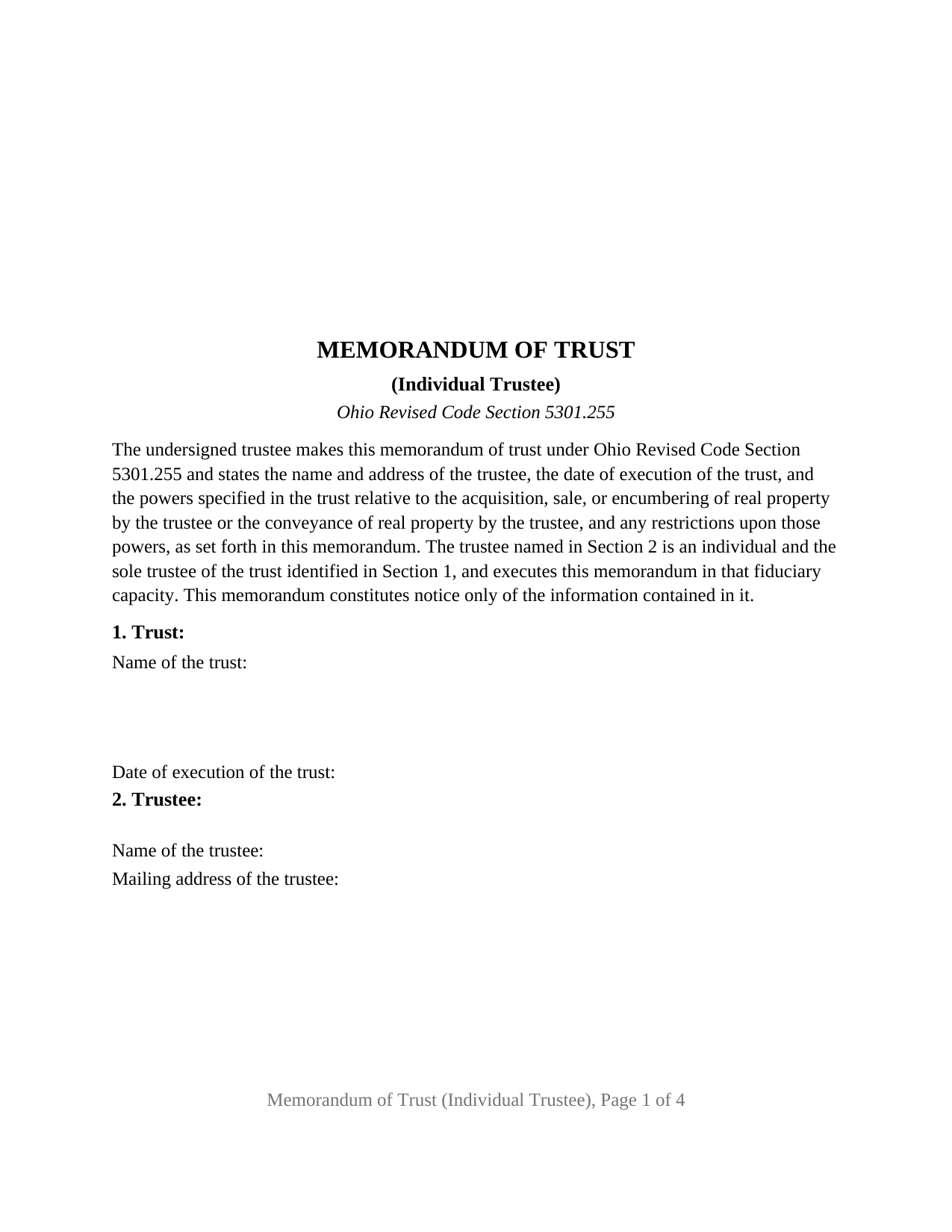
Darke County Memorandum of Trust (Individual Trustee) Form
Fill in the blank Memorandum of Trust (Individual Trustee) form formatted to comply with all Ohio recording and content requirements.
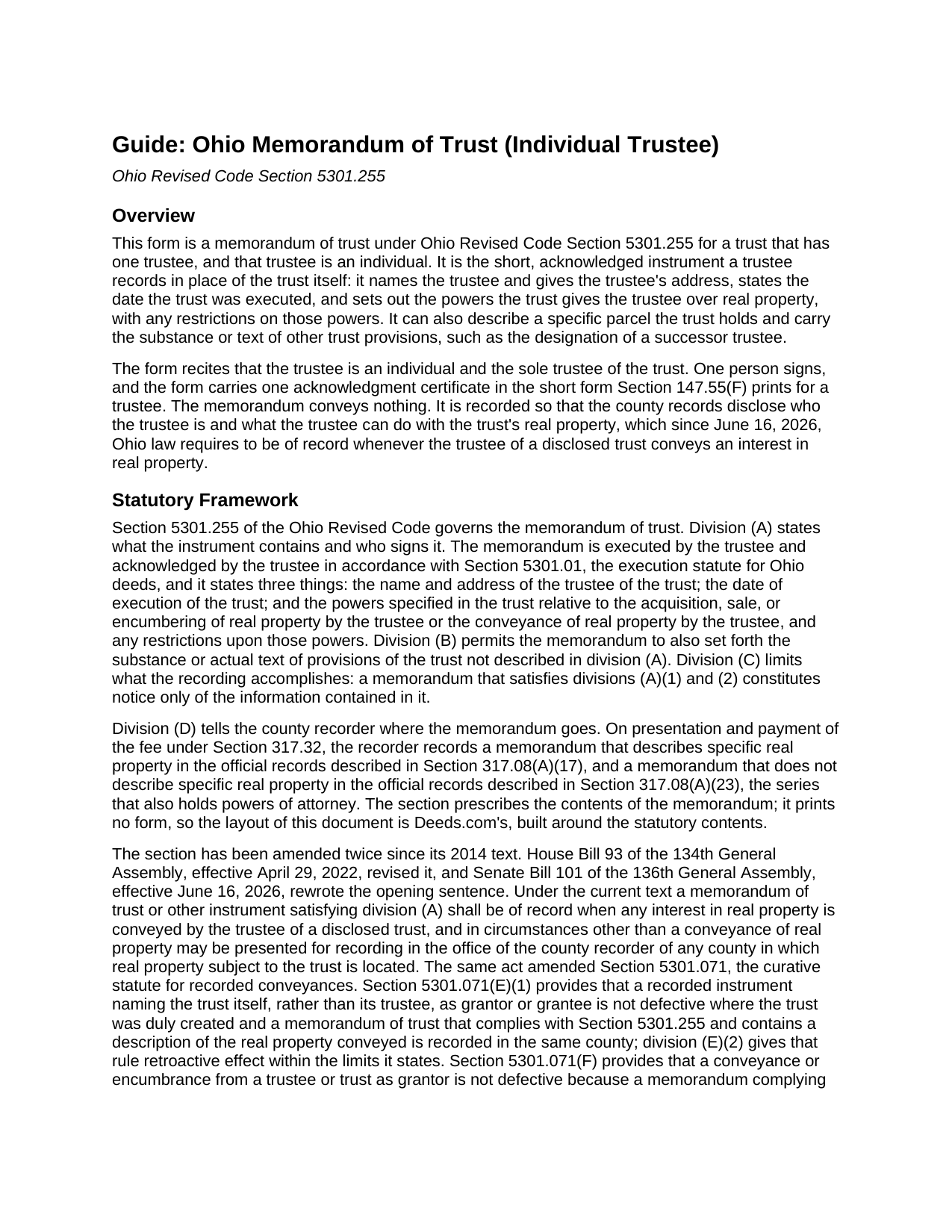
Darke County Memorandum of Trust (Individual Trustee) Guide
Line by line guide explaining every blank on the Memorandum of Trust (Individual Trustee) form.
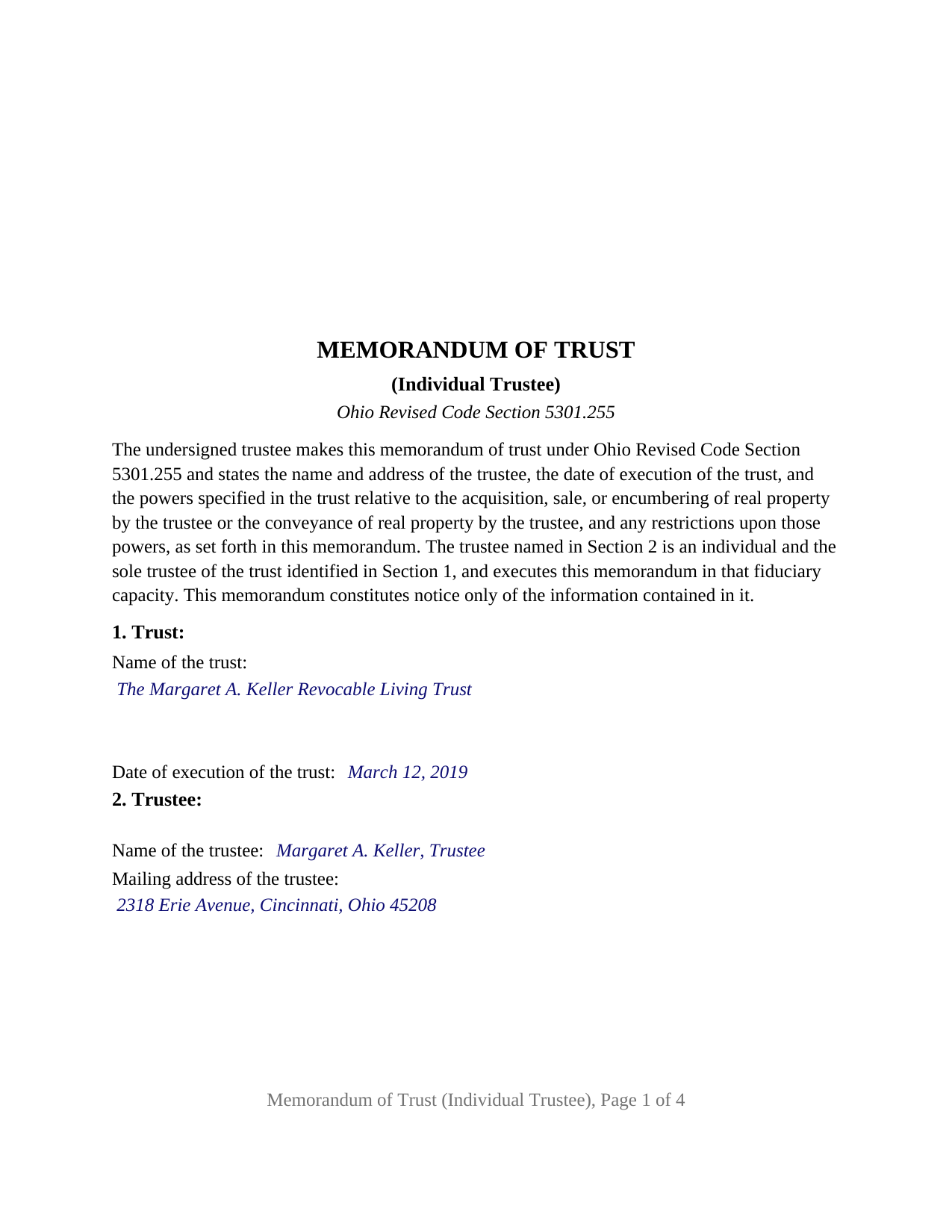
Darke County Completed Example of the Memorandum of Trust (Individual Trustee) Document
Example of a properly completed Ohio Memorandum of Trust (Individual Trustee) document for reference.
All 3 documents above included • One-time purchase • No recurring fees
Immediate Download • Secure Checkout
Additional Ohio and Darke County documents included at no extra charge:
Where to Record Your Documents
Darke County Recorder
Greenville, Ohio 45331
Hours: 8:30 to 4:30 Monday through Friday
Phone: 937-547-7390
Recording Tips for Darke County:
- Bring your driver's license or state-issued photo ID
- Ensure all signatures are in blue or black ink
- White-out or correction fluid may cause rejection
- Ask about their eRecording option for future transactions
- Avoid the last business day of the month when possible
Cities and Jurisdictions in Darke County
Properties in any of these areas use Darke County forms:
- Ansonia
- Arcanum
- Gettysburg
- Greenville
- Hollansburg
- New Madison
- New Weston
- North Star
- Osgood
- Palestine
- Pitsburg
- Rossburg
- Union City
- Versailles
- Yorkshire
Hours, fees, requirements, and more for Darke County
How do I get my forms?
Forms are available for immediate download after payment. The Darke County forms will be in your account ready to download to your computer. An account is created for you during checkout if you don't have one. Forms are NOT emailed.
Are these forms guaranteed to be recordable in Darke County?
Yes. Our form blanks are guaranteed to meet or exceed the applicable formatting requirements used for recording in Darke County, including margin requirements, font requirements, and other layout standards. This guarantee applies to formatting, not to the legal sufficiency of information entered by the user or the suitability of a form for a particular transaction.
Can I reuse these forms?
Yes. You can reuse the forms for your personal use. For example, if you have multiple properties in Darke County you only need to order once.
What do I need to use these forms?
The forms are PDFs that you fill out on your computer. The free Adobe Acrobat Reader is recommended, and most PDF apps also work. You do NOT enter your property information online - you download the blank forms and complete them privately on your own computer.
Are there any recurring fees?
No. This is a one-time purchase. Nothing to cancel, no memberships, no recurring fees.
How much does it cost to record in Darke County?
Recording fees in Darke County vary. Contact the recorder's office at 937-547-7390 for current fees.
Questions answered? Let's get started!
One trustee, one signature, one certificate. This form prepares an Ohio memorandum of trust under Ohio Revised Code Section 5301.255 for a trust administered by a single individual trustee: the instrument recites that the person signing is an individual and the sole trustee of the named trust, and it puts the trustee's name and address, the date the trust was executed, and the trustee's real property powers into the county records without recording the trust itself.
A sole trustee's memorandum, start to finish
The form fixes its configuration as instrument text rather than leaving it to a blank. Section 2 opens with the statement that the trustee named there is an individual and the sole trustee of the trust identified in Section 1 and executes the memorandum in that fiduciary capacity; the name and mailing address follow. The signature area carries a single TRUSTEE block, and one acknowledgment certificate follows it, worded in the Section 147.55(F) short form for a trustee. Nothing on the instrument contemplates a second signer.
The pattern that presents this configuration most often in Ohio records is the settlor of a revocable living trust serving as its own trustee, with the residence deeded into the trust and the memorandum recorded ahead of any later deed from the trustee. A successor trustee who has taken office alone after the original trustee's death or resignation presents the same pattern and completes the form as the current trustee. What the form is not set up as: a trust with cotrustees, whose memorandum carries every cotrustee's signature and certificate; a bank or trust company trustee, which executes through an officer under the corporate acknowledgment form; or an attorney in fact signing for the trustee.
What the record learns, and what it does not
Section 5301.255(A) fixes the required contents, and the form's first three sections carry them: the trust and its execution date, the trustee and the trustee's address, and the powers the trust gives the trustee to acquire, sell, encumber, and convey real property, with any restrictions on those powers copied from the trust instrument. Section 4 is optional and carries what division (B) permits, the substance or text of further trust provisions, most often the successor trustee designation. Division (C) draws the line on the other side: the memorandum constitutes notice only of the information contained in it, so a power or restriction left out of the memorandum is not disclosed by the recording.
Section 5 is optional as well, and completing it decides the recorder's filing. A memorandum that describes a specific parcel, with the legal description, parcel number, and prior deed reference copied from the deed into the trustee, is recorded in the series Section 317.08(A)(17) names and indexed against that parcel; a memorandum with no parcel description goes into the Section 317.08(A)(23) series with the powers of attorney.
Of record before the trustee's deed
Since June 16, 2026, under Senate Bill 101 of the 136th General Assembly, a memorandum satisfying division (A) shall be of record when a trustee of a disclosed trust conveys any interest in Ohio real property. Section 5301.071(F) adds a four-year cure for a trustee's deed recorded without one; a memorandum recorded while the trustee holds the parcel keeps that question from arising. The instrument is sometimes called an abstract of trust or a trust memorandum; the certification of trust under Section 5810.13, furnished privately to a lender or buyer, is a different document.
Signing and recording in Ohio
The trustee signs and acknowledges the memorandum under Section 5301.01, the execution rule for an Ohio deed, before a notary public or another officer that section names; no subscribing witnesses are involved. Because the memorandum conveys, mortgages, and leases nothing, Ohio's dower statute does not reach it, and no spouse signs. The county recorder takes it on the Section 317.32 fee, $34 for the first two pages and $8 for each page after that before any county preservation surcharge, with no auditor transfer stamp and no conveyance fee statement, since it is not a deed. The form is laid out to the Section 317.114 standard format, so the $20 nonstandard format charge does not apply.
The package includes the fillable memorandum of trust form, a completed example built on a Hamilton County fact pattern with one individual trustee, and the guide covering each numbered section, execution, and recording. The description and the guide explain the form and the Ohio statutes behind it in general terms and are not legal advice.
Important: Your property must be located in Darke County to use these forms. Documents should be recorded at the county recording office listed above.
This Memorandum of Trust (Individual Trustee) meets all recording requirements specific to Darke County.
Our Promise
The documents you receive here are guaranteed to meet or exceed the applicable Darke County recording format requirements. If there is a rejection caused by our formatting, we will correct the issue or refund your payment. This guarantee applies to document formatting only and does not extend to information entered by the user, the selection of the form, or the legal effect of the completed document.
Save Time and Money
Get your Darke County Memorandum of Trust (Individual Trustee) form done right the first time with Deeds.com Uniform Conveyancing Blanks. At Deeds.com, we understand that your time and money are valuable resources, and we don't want you to face a penalty fee or rejection imposed by a county recorder for submitting nonstandard documents. We constantly review and update our forms to meet rapidly changing state and county recording requirements for roughly 3,500 counties and local jurisdictions.
4.8 out of 5 - ( 4,864 Reviews )
Tom L. 5 out of 5 stars
Excellent same day service. Will use for future ones in several states!
Happy we could assist. Thank you for sharing your experience.
Victoria L. 5 out of 5 stars
This is a fantastic website and financial savings to many. Being able to download and complete the document I needed vs having my attorney complete saved me $800. I would highly recommend this website.
Thank you for the kind words Victoria. Have a great day!
Allen M. 5 out of 5 stars
Fast,quick and easy to work with. Not confusing.
We appreciate your business and value your feedback. Thank you. Have a wonderful day!
Mary S. 5 out of 5 stars
Very helpful and an easy site to use so far.
Thank you for your feedback. We really appreciate it. Have a great day!
Lisa D. 5 out of 5 stars
Had the correct forms I needed with guides and examples to follow on filling them out. Very easy to use. Thanks!
We appreciate your business and value your feedback. Thank you. Have a wonderful day!
Gerry A. 5 out of 5 stars
It was easy, affordable and I appreciate this service.
Thank you!
Robert M. 5 out of 5 stars
Got the documents needed.. simple to use!!!
Thank you Robert, we appreciate your feedback. Have a great day.
Randy H. 5 out of 5 stars
Love this has all forms you need
We appreciate your business and value your feedback. Thank you. Have a wonderful day!
Tina C. 5 out of 5 stars
Quick and easy ordering and download. Appreciated that I could get the form that is used in my county. Would have like to be able to add paragraphs to form.
We appreciate your business and value your feedback. Thank you. Have a wonderful day!
Carla H. 4 out of 5 stars
This is a very useful site for downloading legal forms - just be sure you're getting the form you need before buying. Unfortunately I selected the wrong form initially and had to buy a 2nd form to correct my error. I saw no way of communicating my error at that point - i.e., loss of one star.
Thank you for your feedback. We really appreciate it. Have a great day!
Billie M. 4 out of 5 stars
My overall experience was positive. Little trouble uploading documents but resolved. I had two mineral deeds to file in Arkansas, two different counties, exactly the same form, only difference being property description; one was completed, one was canceled. I emailed to inquire why and the reply was in an automatic email indicating that email address was not monitored and if further action would be taken on Deeds.com part, I would be notified. Other than that, I would recommend their services to avoid using snail mail.
We appreciate your business and value your feedback. Thank you. Have a wonderful day!
David L. 4 out of 5 stars
It was a very easy to use application. I can only give it four stars because I have yet to receive confirmation from the county that my application was acceptable, ie., format, font, etc. I believe it will be fine.
Thank you for your feedback. We really appreciate it. Have a great day!
John G. 5 out of 5 stars
Applied for my Notice of Commencement to be recorded and it went very smoothly and fast. Will use again if a need irises. Thank You
Thank you for your feedback John, glad we could help.
Jane R. 5 out of 5 stars
Forms were easy to complete and print.
We appreciate your business and value your feedback. Thank you. Have a wonderful day!
Richard H. 5 out of 5 stars
Excellent service--couldn't be more complete and useful !
We appreciate your business and value your feedback. Thank you. Have a wonderful day!