Darke County Memorandum of Trust (Two Individual Cotrustees) Form
Last validated October 23, 2026 by our Forms Development TeamFormatted for recording in Darke County, for property anywhere in the county: rural and unincorporated areas as well as Ansonia, Arcanum, Gettysburg, Greenville, Hollansburg, New Madison, New Weston, North Star and 7 more.
- 3 documents included
- Immediate PDF download
- Formatting guarantee
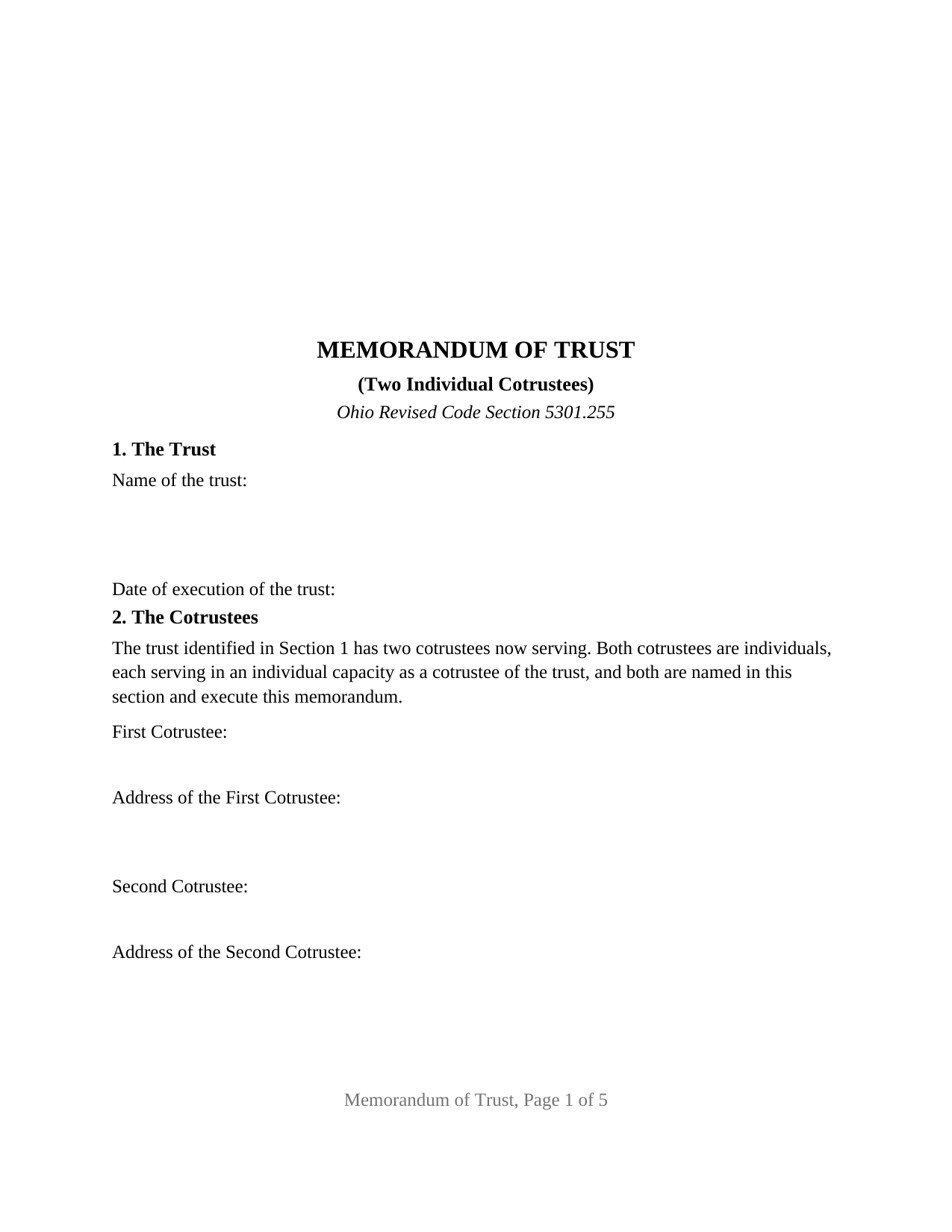
Darke County Memorandum of Trust (Two Individual Cotrustees) Form
Fill in the blank Memorandum of Trust (Two Individual Cotrustees) form formatted to comply with all Ohio recording and content requirements.
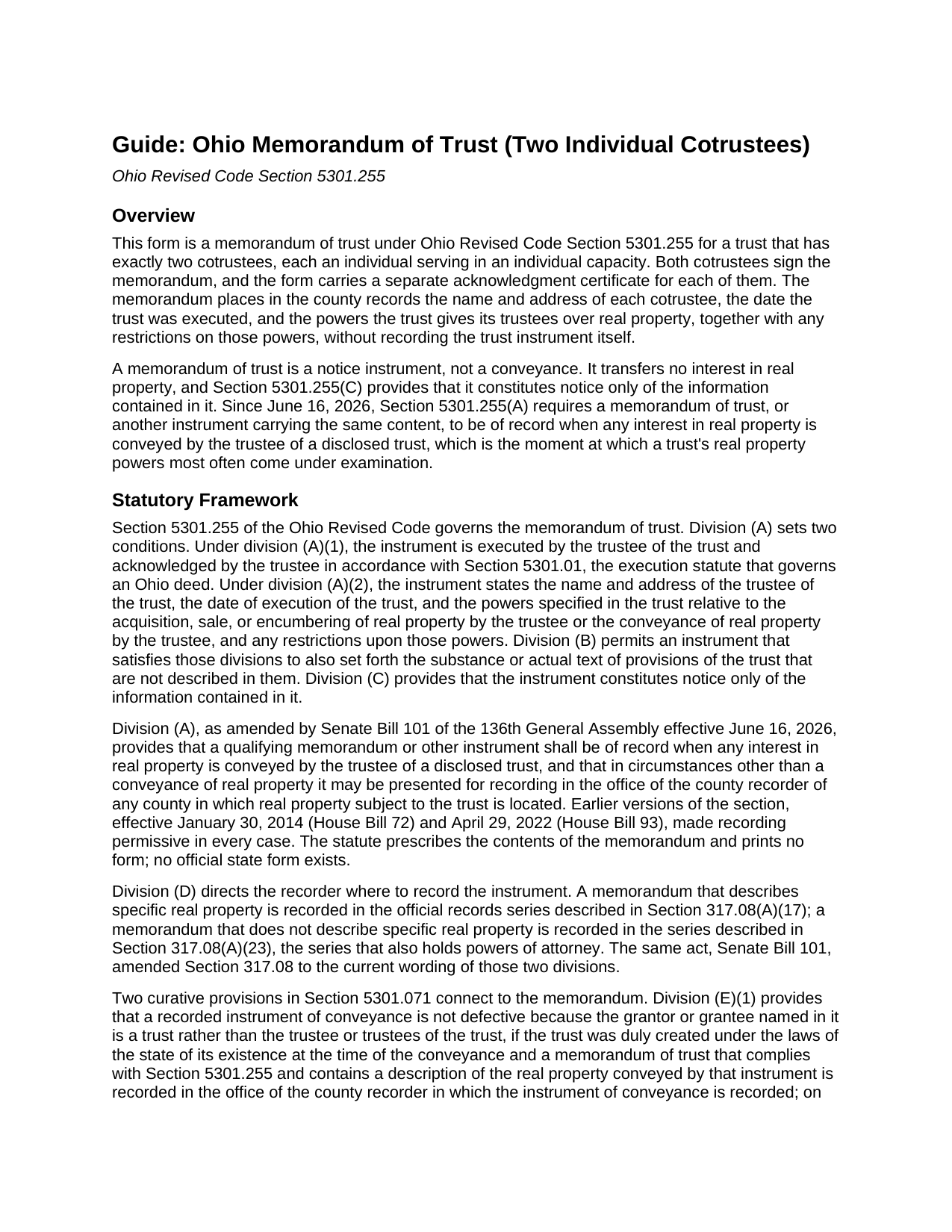
Darke County Memorandum of Trust (Two Individual Cotrustees) Guide
Line by line guide explaining every blank on the Memorandum of Trust (Two Individual Cotrustees) form.
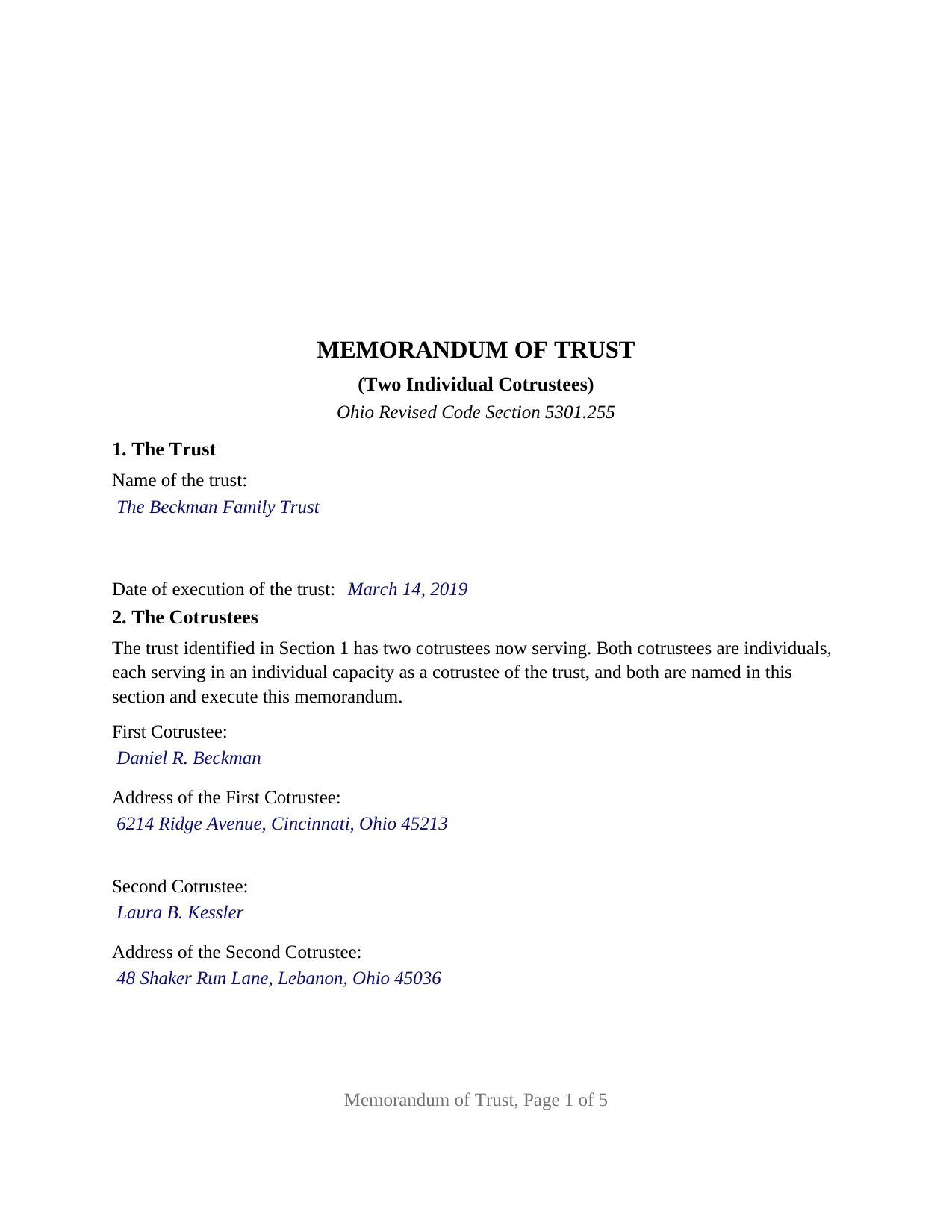
Darke County Completed Example of the Memorandum of Trust (Two Individual Cotrustees) Document
Example of a properly completed Ohio Memorandum of Trust (Two Individual Cotrustees) document for reference.
All 3 documents above included • One-time purchase • No recurring fees
Immediate Download • Secure Checkout
Additional Ohio and Darke County documents included at no extra charge:
Where to Record Your Documents
Darke County Recorder
Greenville, Ohio 45331
Hours: 8:30 to 4:30 Monday through Friday
Phone: 937-547-7390
Recording Tips for Darke County:
- Bring your driver's license or state-issued photo ID
- Ensure all signatures are in blue or black ink
- Bring extra funds - fees can vary by document type and page count
- Check margin requirements - usually 1-2 inches at top
- Leave recording info boxes blank - the office fills these
Cities and Jurisdictions in Darke County
Properties in any of these areas use Darke County forms:
- Ansonia
- Arcanum
- Gettysburg
- Greenville
- Hollansburg
- New Madison
- New Weston
- North Star
- Osgood
- Palestine
- Pitsburg
- Rossburg
- Union City
- Versailles
- Yorkshire
Hours, fees, requirements, and more for Darke County
How do I get my forms?
Forms are available for immediate download after payment. The Darke County forms will be in your account ready to download to your computer. An account is created for you during checkout if you don't have one. Forms are NOT emailed.
Are these forms guaranteed to be recordable in Darke County?
Yes. Our form blanks are guaranteed to meet or exceed the applicable formatting requirements used for recording in Darke County, including margin requirements, font requirements, and other layout standards. This guarantee applies to formatting, not to the legal sufficiency of information entered by the user or the suitability of a form for a particular transaction.
Can I reuse these forms?
Yes. You can reuse the forms for your personal use. For example, if you have multiple properties in Darke County you only need to order once.
What do I need to use these forms?
The forms are PDFs that you fill out on your computer. The free Adobe Acrobat Reader is recommended, and most PDF apps also work. You do NOT enter your property information online - you download the blank forms and complete them privately on your own computer.
Are there any recurring fees?
No. This is a one-time purchase. Nothing to cancel, no memberships, no recurring fees.
How much does it cost to record in Darke County?
Recording fees in Darke County vary. Contact the recorder's office at 937-547-7390 for current fees.
Questions answered? Let's get started!
This form prepares an Ohio memorandum of trust for a trust that has exactly two cotrustees, both of them individuals. The memorandum names both cotrustees, both sign it, and each acknowledges on a certificate of that cotrustee's own, so the record shows every person who holds the office of trustee and that each of them executed it. It is the Ohio Revised Code Section 5301.255 instrument built around a two-person trusteeship.
Two cotrustees, and no majority between them
Ohio's trust code treats a pair of cotrustees differently from a larger group. Section 5807.03(A) lets cotrustees act by majority decision only when three or more are serving. With two there is no majority to reach, and division (C) applies instead: a cotrustee must participate in the performance of a trustee's function unless unavailable for the reasons the division lists or unless the function has been properly delegated. The trust's own terms override those defaults under Section 5801.04, so the question a title examiner asks of a two-cotrustee trust is whether the trust requires both signatures on a deed, and this memorandum is where the answer goes of record.
Where the trust's rule on acting together goes
Section 5301.255 requires the memorandum to state the trust's real property powers together with any restrictions upon them, and a requirement that both cotrustees consent to a sale is exactly such a restriction. Section 3 of the form carries it, drawn from the trust instrument by article and section. Division (B) then lets the memorandum set forth further trust provisions, and Section 4 is built for the two a two-cotrustee trust most often needs of record: the clause naming the pair as successor cotrustees and the clause saying how they act. The completed example sets forth a trust article under which two siblings serve as successor cotrustees after both settlors have died and act jointly.
The configuration the form recites
The form recites, as fixed text in Section 2, that the trust has two cotrustees now serving, that both are individuals serving in an individual capacity, and that both are named there and execute the memorandum; the only entries in that section are two names and two mailing addresses. Section 6 repeats that the undersigned are the two cotrustees and all of the trustees now serving. The signature area carries a FIRST COTRUSTEE block and a SECOND COTRUSTEE block, neither optional, and two acknowledgment certificates on the Section 147.55(F) trustee short form, each by-line holding a name followed by Cotrustee of the named trust. The two certificates are the form's architecture rather than a rule of Ohio law, and they let the cotrustees acknowledge in different counties on different days, as the example's Hamilton County and Warren County certificates show.
A settlor's two adult children serving as successor cotrustees, two relatives named as original cotrustees of an irrevocable trust, and a settlor serving beside one other individual present the two-cotrustee pattern this memorandum recites. The form is not set up as a sole trustee's memorandum, an instrument for three or more cotrustees, a bank or trust company's execution through an officer, or a signing through an attorney in fact; each carries a different recital, and the last two a different statutory certificate. A memorandum signed by only one of two serving cotrustees is likewise a different instrument.
A notice instrument that conveys nothing
The memorandum constitutes notice only of the information contained in it, under Section 5301.255(C), and the form says on its face that it is not a conveyance and transfers no interest in real property. That keeps the county auditor's transfer stamps and conveyance fee statement off the filing: those attach to deeds. What the recorder needs is each cotrustee's acknowledgment under Section 5301.01, the Section 317.114 standard format with its three-inch blank first-page top margin, and the recording fee, fifty-eight dollars for a five-page memorandum before any county preservation surcharge. Sometimes searched as a trust certificate or certificate of trust, the recorded memorandum is a different instrument from the certification of trust a trustee hands to a bank under Section 5810.13; that one is furnished, this one is recorded.
Three items make up the package: the fillable memorandum of trust form, a completed example worked through for a Hamilton County trust with two sibling cotrustees, and a guide covering each numbered section, signing, and recording. The description here and the guide treat the form and the Ohio statutes behind it in general terms only and are not legal advice.
Important: Your property must be located in Darke County to use these forms. Documents should be recorded at the county recording office listed above.
This Memorandum of Trust (Two Individual Cotrustees) meets all recording requirements specific to Darke County.
Our Promise
The documents you receive here are guaranteed to meet or exceed the applicable Darke County recording format requirements. If there is a rejection caused by our formatting, we will correct the issue or refund your payment. This guarantee applies to document formatting only and does not extend to information entered by the user, the selection of the form, or the legal effect of the completed document.
Save Time and Money
Get your Darke County Memorandum of Trust (Two Individual Cotrustees) form done right the first time with Deeds.com Uniform Conveyancing Blanks. At Deeds.com, we understand that your time and money are valuable resources, and we don't want you to face a penalty fee or rejection imposed by a county recorder for submitting nonstandard documents. We constantly review and update our forms to meet rapidly changing state and county recording requirements for roughly 3,500 counties and local jurisdictions.
4.8 out of 5 - ( 4,831 Reviews )
Glenda C. 4 out of 5 stars
It was easy to find what I was looking for. The instructions were easy to follow. The example given was most beneficial in completing form.
We appreciate your business and value your feedback. Thank you. Have a wonderful day!
Nick J. 4 out of 5 stars
We aimed to handle a survivorship affidavit (deed change) without a lawyer following my dad's death. After some searching, deeds.com seemed to have the most comprehensive and "correct looking" form we could find for our locale, so we went with it, and it was accepted by our recorder's office. I'm not sure why our local government office doesn't offer a standard form, but they don't, and deeds.com came through for us in a pinch.
We appreciate your business and value your feedback. Thank you. Have a wonderful day!
Maria Lucy A. 4 out of 5 stars
Very good service. Directions were easy to follow to obtain the document I needed.
Thank you!
Stephen U. 5 out of 5 stars
This is another great deal that has come out of the quarantine for covid. Saved me hours and days of time. and provides a way to file deeds that really isn't done effectively anyway else. It was also very inexpensive that you would not expect. I didn't even have to leave home.
Thank you for your feedback. We really appreciate it. Have a great day!
MARK K. 5 out of 5 stars
This is a great service. I submitted the information and the next day my deed had been recorded. Online recording during these times is the most sensible way to record deeds.
We appreciate your business and value your feedback. Thank you. Have a wonderful day!
Stanley S. 5 out of 5 stars
Extremely convenient and easy to execute the document. Instructions and example are very helpful. I have bookmarked the site and will surely use again. 5 stars!!
Thank you!
Chris K. 2 out of 5 stars
Wasn't able to get the deed from you. Had to wade through the county offices myself.
Sorry we were not able to help you find what you needed.
Marilyn W. 5 out of 5 stars
The Mineral Deed transfer form was pretty good. Could have used more info in the guide about where to find legal property descriptions and source of title. Also more space on the pdf for entering return addresses - there was room for only one; I needed three. I will be sending the form to the County Courthouse soon. I hope it works.
Thank you for your feedback. We really appreciate it. Have a great day!
Kevin H. 5 out of 5 stars
Quick and easy to find the forms I needed. And the download was easy.
Thank you for your feedback. We really appreciate it. Have a great day!
DONALD S. 5 out of 5 stars
Using the Administrators Deed, pay attention to "Exhibit A". The blank will allow you to type a full legal description BUT it will not save it. Use "Exhibit A" to type the legal description. The form was great and I filed it this morning with no problems.
Thank you for your feedback. We really appreciate it. Have a great day!
Ginger C. 5 out of 5 stars
So far so good. Thank you for your prompt responses. Much appreciated.
Thank you!
Kelly S. 5 out of 5 stars
Fast, easy, responsive.
Thank you!
Thomas D. 2 out of 5 stars
The documents themselves are fine and the information provided with them is helpful. I find the actual processing of the documents, however, to be difficult particularly once the document has been saved. First, I note that the box for the date only allows entry of the last 2 digits of the year. Unfortunately, my download only allows me to enter one of the 2 digits required. When I delete it repeatedly, it eventually allows both digits to be entered but puts them in extremely small text and in superscrypt. I have not found a solution to this problem and am not sure the deed can even be recorded with this problem. Another problem is that if you try to revise the document after you have saved it the curser goes to the end of the line after each key entry. This means that there basically is no way to efficiently save the document for reworking later since you will have to delete everything you have entered in the text box unless you only need to make a single keystroke change or are willing to replace the curser after each entry. Try that with a long property description! Please note that I am using a Mac to prepare my documents and perhaps this is part of an "incompatibility problem". However, I didn't see a disclaimer regarding Mac use and so would expect the documents to perform correctly. Overall, I give the program a "2 star" rating because I am experiencing significant difficulties in entering dates in the documents even before saving them and because saving your work for later revision appears to be basically unworkable.
Thank you for your feedback Thomas, we appreciate you being specific about the issues you encountered. Adobe and Mac have a fairly long history of issues working together.
Santos V. 5 out of 5 stars
Great and easy to understand.
We appreciate your business and value your feedback. Thank you. Have a wonderful day!
Christopher B. 4 out of 5 stars
The service was simple and easy enough but the UI isn't the easiest on the eyes and the process is a tad strange.
Thank you for your feedback. We really appreciate it. Have a great day!