Lawrence County Memorandum of Trust Form
Last validated October 13, 2026 by our Forms Development TeamFormatted for recording in Lawrence County, for property anywhere in the county: rural and unincorporated areas as well as Chesapeake, Ironton, Kitts Hill, Pedro, Proctorville, Rock Camp, Scottown, South Point and 2 more.
- 2 documents included
- Immediate PDF download
- Formatting guarantee
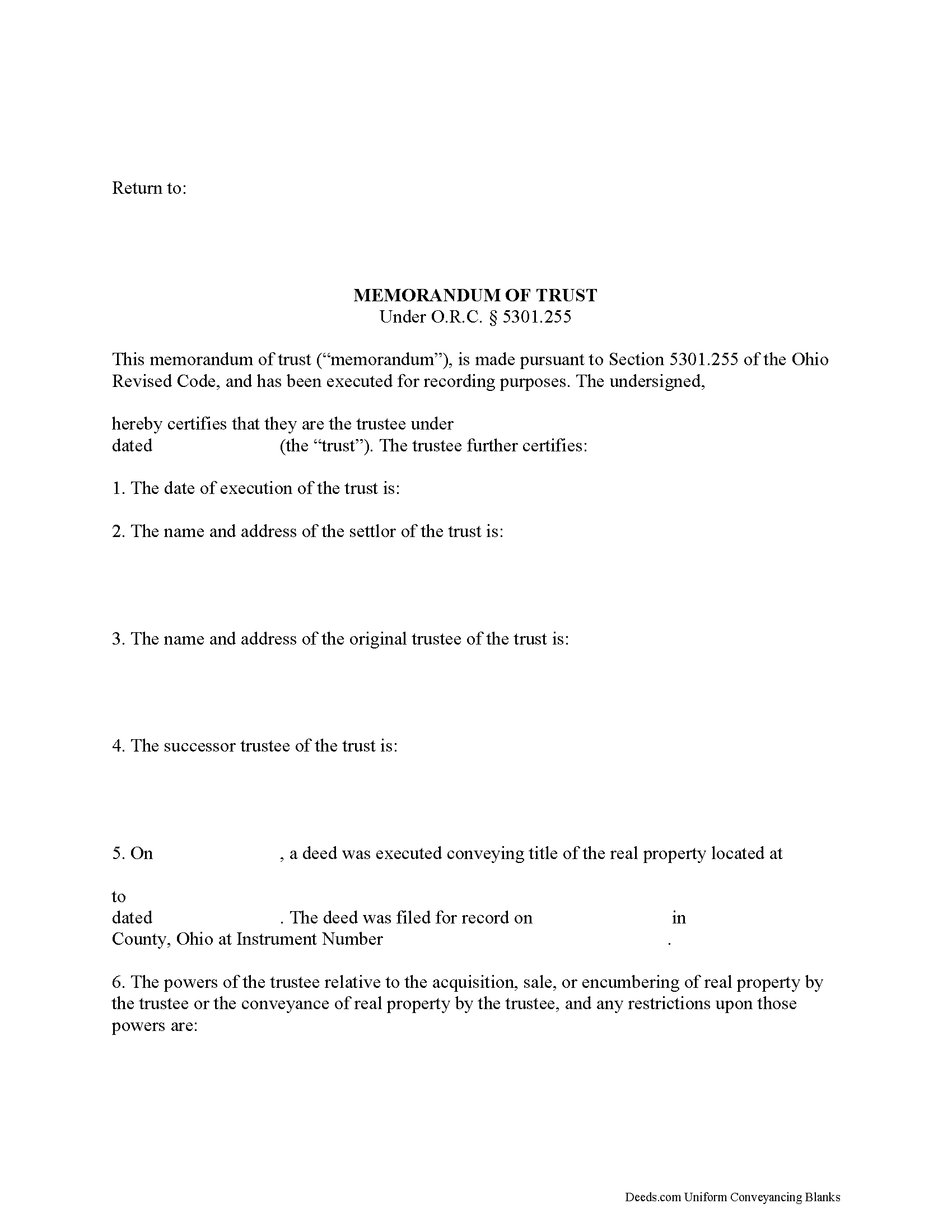
Lawrence County Memorandum of Trust Form
Fill in the blank form formatted to comply with all recording and content requirements.
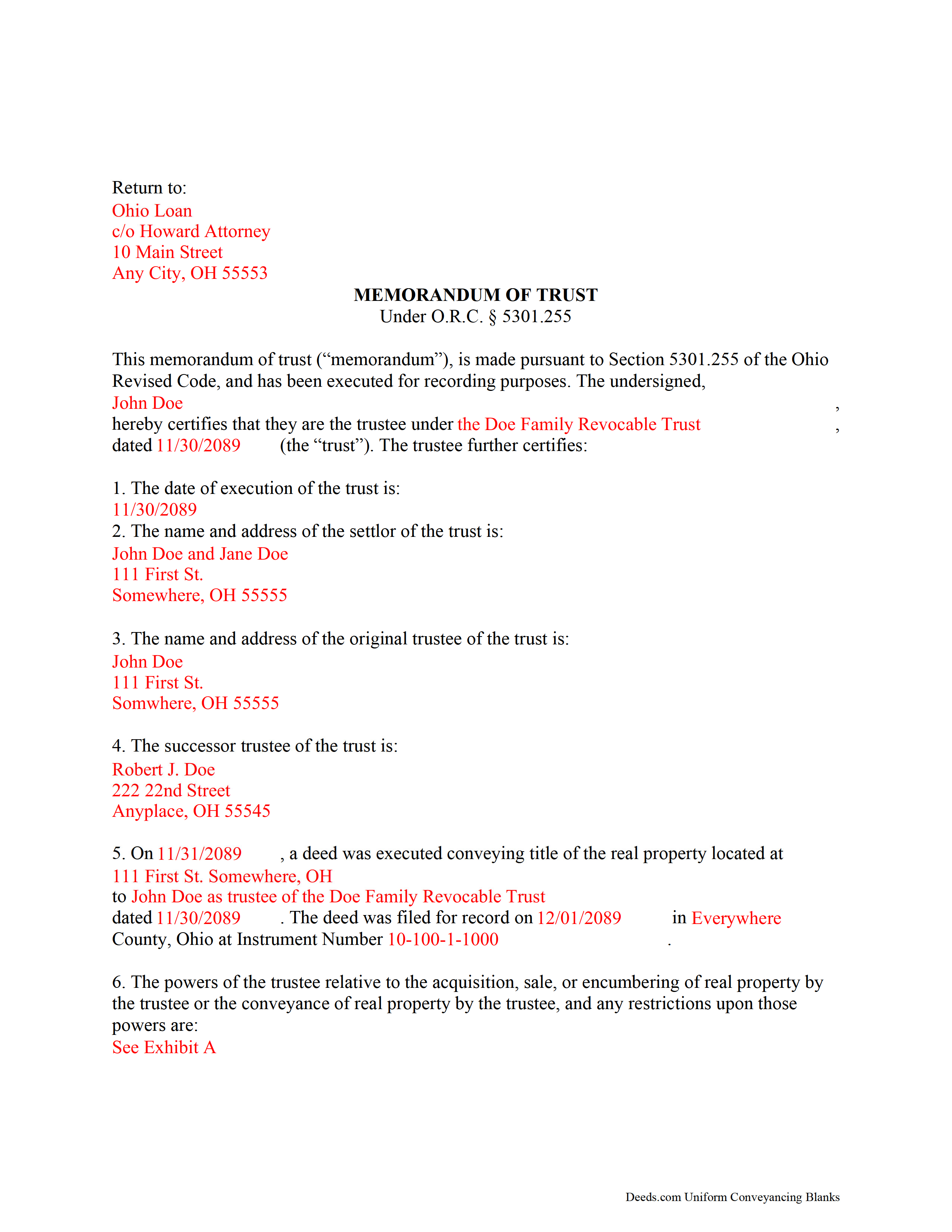
Lawrence County Completed Example of the Memorandum of Trust
Example of a properly completed form for reference.
All 2 documents above included • One-time purchase • No recurring fees
Immediate Download • Secure Checkout
Additional Ohio and Lawrence County documents included at no extra charge:
Where to Record Your Documents
Lawrence County Recorder
Ironton, Ohio 45638
Hours: 8:00 a.m. - 4:00 p.m. Monday - Friday
Phone: (740) 533-4314
Recording Tips for Lawrence County:
- Bring your driver's license or state-issued photo ID
- Ensure all signatures are in blue or black ink
- Ask about their eRecording option for future transactions
- Avoid the last business day of the month when possible
- Both spouses typically need to sign if property is jointly owned
Cities and Jurisdictions in Lawrence County
Properties in any of these areas use Lawrence County forms:
- Chesapeake
- Ironton
- Kitts Hill
- Pedro
- Proctorville
- Rock Camp
- Scottown
- South Point
- Waterloo
- Willow Wood
Hours, fees, requirements, and more for Lawrence County
How do I get my forms?
Forms are available for immediate download after payment. The Lawrence County forms will be in your account ready to download to your computer. An account is created for you during checkout if you don't have one. Forms are NOT emailed.
Are these forms guaranteed to be recordable in Lawrence County?
Yes. Our form blanks are guaranteed to meet or exceed the applicable formatting requirements used for recording in Lawrence County, including margin requirements, font requirements, and other layout standards. This guarantee applies to formatting, not to the legal sufficiency of information entered by the user or the suitability of a form for a particular transaction.
Can I reuse these forms?
Yes. You can reuse the forms for your personal use. For example, if you have multiple properties in Lawrence County you only need to order once.
What do I need to use these forms?
The forms are PDFs that you fill out on your computer. The free Adobe Acrobat Reader is recommended, and most PDF apps also work. You do NOT enter your property information online - you download the blank forms and complete them privately on your own computer.
Are there any recurring fees?
No. This is a one-time purchase. Nothing to cancel, no memberships, no recurring fees.
How much does it cost to record in Lawrence County?
Recording fees in Lawrence County vary. Contact the recorder's office at (740) 533-4314 for current fees.
Questions answered? Let's get started!
Ohio Memorandum of Trust
Under O.R.C. 5301.255, the memorandum of trust is a document that certifies a trustee has the authority to act on behalf of an existing trust. The trustee is the person or entity who holds title to a trust's assets on behalf of a settlor. A trustee might furnish a memorandum of trust upon the request of a lending institution or other third party in lieu of the trust document.
The memorandum is an abstract of the trust document, containing only relevant information about the trust, such as the identity and powers or restriction of powers of the trustee relative to real property, the name of the trust's settlor, and the name and date of the trust. The identity of any party having a beneficial interest in the trust is not disclosed. The memorandum might also quote relevant sections of the trust document directly.
Like all recorded documents concerning real property, the memorandum must also contain a legal description of the real property subject to the trust, the property's parcel identification number, and information about the prior deed granting title to the trustee. The document is executed and acknowledged by the trustee in front of a notary before it is recorded in the county wherein the real property subject to the trust is located. In special cases, such as with a disclosed but unrecorded trust in the State of Ohio, the memorandum is executed by the settlor and the trustee together, attested by witnesses, and acknowledged by the settlor and trustee.
(Ohio Memorandum of Trust Package includes form, guidelines, and completed example)
Important: Your property must be located in Lawrence County to use these forms. Documents should be recorded at the county recording office listed above.
This Memorandum of Trust meets all recording requirements specific to Lawrence County.
Our Promise
The documents you receive here are guaranteed to meet or exceed the applicable Lawrence County recording format requirements. If there is a rejection caused by our formatting, we will correct the issue or refund your payment. This guarantee applies to document formatting only and does not extend to information entered by the user, the selection of the form, or the legal effect of the completed document.
Save Time and Money
Get your Lawrence County Memorandum of Trust form done right the first time with Deeds.com Uniform Conveyancing Blanks. At Deeds.com, we understand that your time and money are valuable resources, and we don't want you to face a penalty fee or rejection imposed by a county recorder for submitting nonstandard documents. We constantly review and update our forms to meet rapidly changing state and county recording requirements for roughly 3,500 counties and local jurisdictions.
4.8 out of 5 - ( 4,828 Reviews )
Nancy A. 5 out of 5 stars
This is an excellent resource. I was surprised because the price is so low I thought the products might be inferior. Not only were were the requested documents high quality, additional unrequested documents were added to my order that I didn't realize I would need until I read them. I especially appreciate that all the documents were specific to my county. I highly recommend using deeds.com.
Your satisfaction with our services is of utmost importance to us. Thank you for letting us know how we did!
Johnnye G. 5 out of 5 stars
I appreciate being able to find the forms needed for my Gift Deed. It was simple to understand and complete. Now, if Utah will accept this form, I will be thrilled. Mailing today. It remains to be seen if it will be accepted.
We appreciate your business and value your feedback. Thank you. Have a wonderful day!
Michael S. 5 out of 5 stars
So easy.
Happy we could assist. Thank you for sharing your experience.
E. Louise S. M. 5 out of 5 stars
Your site is simple, easy to use, and an outstanding service.
Thank you for your feedback. We really appreciate it. Have a great day!
Karen K. 5 out of 5 stars
Deeds was very easy to use. I thought it might take weeks to complete, but the whole process was completed in just a few hours. I am very satisfied with my experience and would use them again
Thank you for your feedback. We really appreciate it. Have a great day!
David O. 5 out of 5 stars
I had overwhelming emotions taking my deceased wife's name off my condo, so it took me a year to steel myself to submit the form. I filed in Multnomah county, OR which also requires a cover sheet documented here: https://www.multco.us/recording/recording-requirements But, I'm totally happy with the service and quality from Deeds.com getting me what I needed to get this done.
Your feedback is greatly appreciated. Thank you for taking the time to share your experience!
Michael L. 5 out of 5 stars
Thumbs up. Very pleased with service. Easy process.
Thank you!
Cathy F. 5 out of 5 stars
Glad I found you. After much searching, you had the right form that I needed. Quick and easy. Cathy
We appreciate your business and value your feedback. Thank you. Have a wonderful day!
Patricia N. 5 out of 5 stars
Wonderful fast service, quick thoughtful responses on chat! Files download easily too, great pruces
We are delighted to have been of service. Thank you for the positive review!
Barbara G. 5 out of 5 stars
Thank you everything was as expected very good service
Thank you Barbara, we really appreciate you.
Mary G. 5 out of 5 stars
Deeds.com was a fast and easy site to use the staff answered my questions online efficiently
Thank you!
JD S. 5 out of 5 stars
I used Deeds.com recently. They were quick and got the job done quickly. Their online portal was extremely easy to use. I will definitely use them again.
Thank you!
Paula S. 5 out of 5 stars
The document form was easily retrieved and the sample provided was extremely helpful and no problems were encountered when presenting the completed document to the county. I am grateful for this website and the help and confidence it gave me to complete this task
We appreciate your comments and your trust in us. Thank you.
Jane C. 5 out of 5 stars
I wasn't sure what I was looking for initially so I printed out the wrong thing. Had to pay again to get the right one but much less expensive than getting it from a lawyer. Our military lawyers will make the forms official but they don't have the forms. Hope this makes things easier for our children when we pass. Thank you for offering this service.
Thank you for taking the time to leave your feedback. We have canceled and refunded the payment for your first order. We don't want you to pay for something you're not going to use. Have an amazing day.
Elizabth T. 5 out of 5 stars
Deed instructions were easy to follow & understand. Deed was exactly what I needed at a fair price.
Great to hear — thank you for taking the time to write a review.