Trumbull County Mineral Deed (Quitclaim) (Entity to Individual) Form
Last validated October 27, 2026 by our Forms Development TeamFormatted for recording in Trumbull County, for property anywhere in the county: rural and unincorporated areas as well as Bristolville, Brookfield, Burghill, Cortland, Farmdale, Fowler, Girard, Hartford and 15 more.
- 3 documents included
- Immediate PDF download
- Formatting guarantee
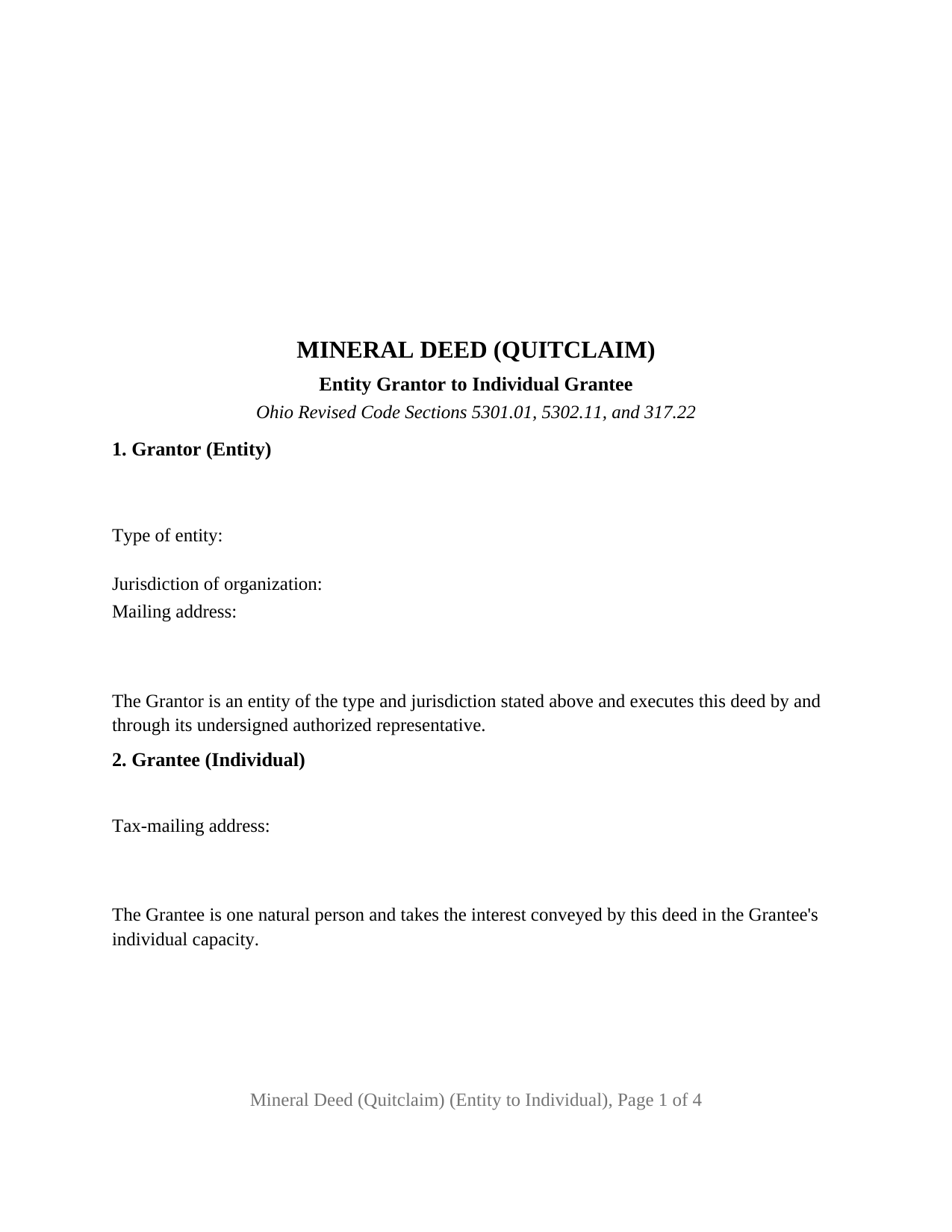
Trumbull County Mineral Deed (Quitclaim) (Entity to Individual) Form
Fill in the blank Mineral Deed (Quitclaim) (Entity to Individual) form formatted to comply with all Ohio recording and content requirements.
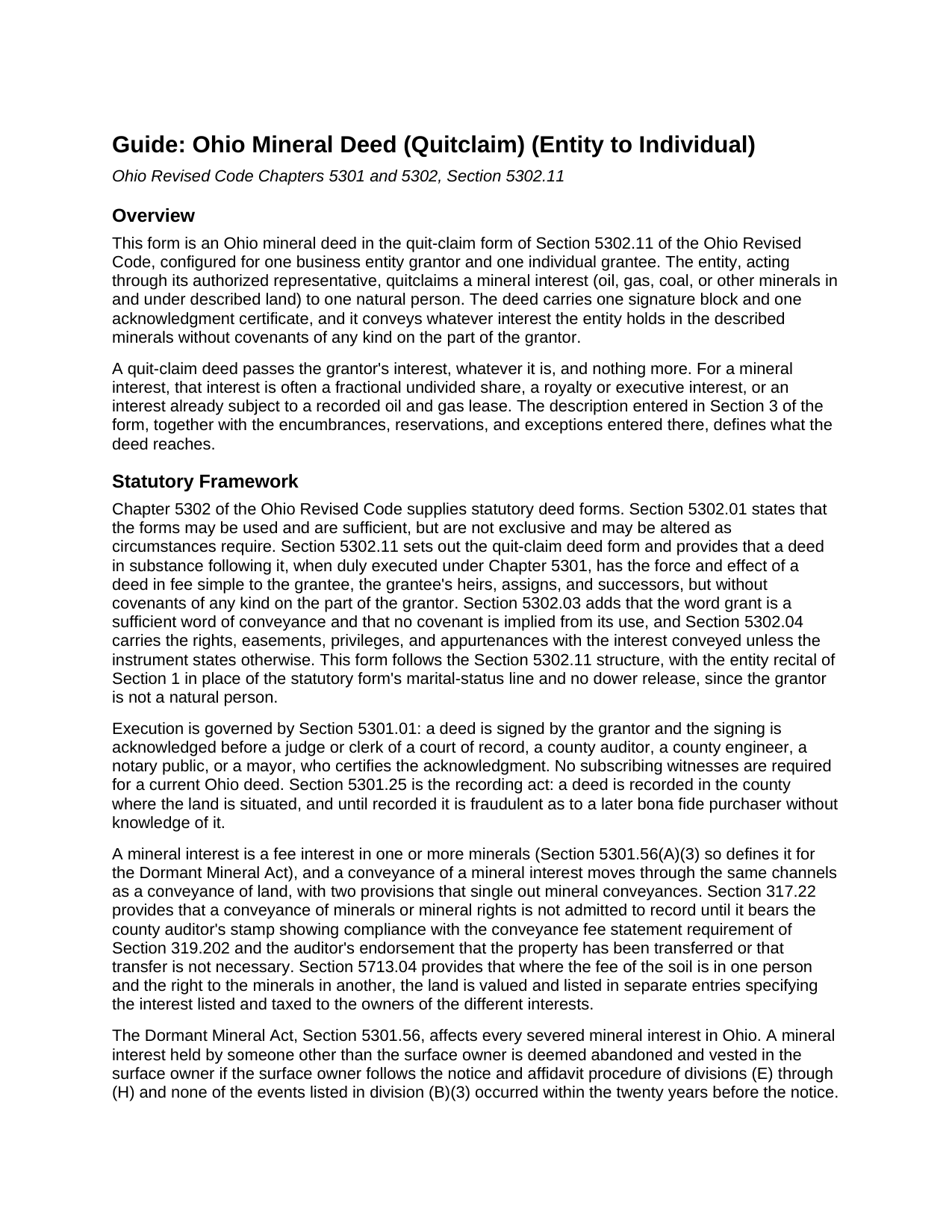
Trumbull County Mineral Deed (Quitclaim) (Entity to Individual) Guide
Line by line guide explaining every blank on the Mineral Deed (Quitclaim) (Entity to Individual) form.
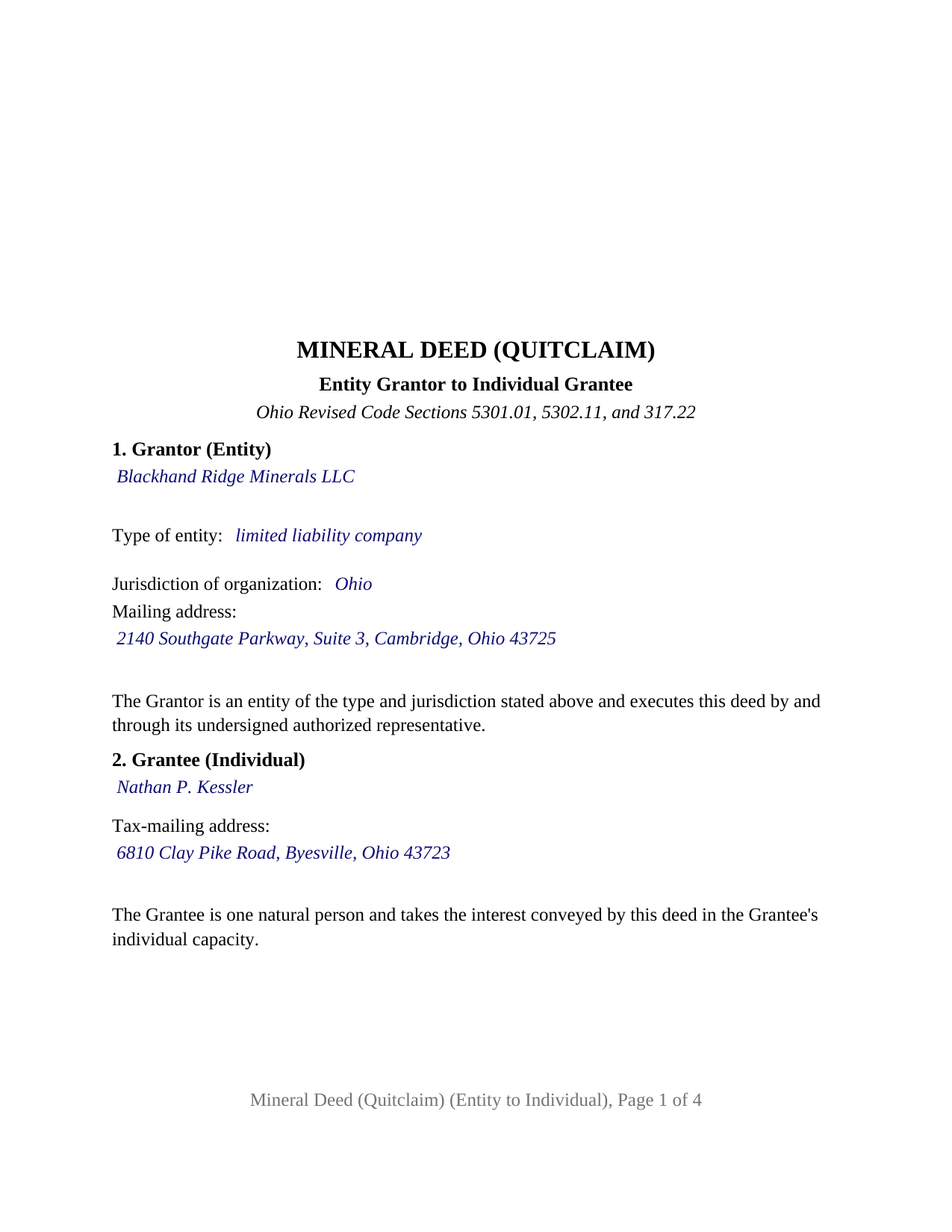
Trumbull County Completed Example of the Mineral Deed (Quitclaim) (Entity to Individual) Document
Example of a properly completed Ohio Mineral Deed (Quitclaim) (Entity to Individual) document for reference.
All 3 documents above included • One-time purchase • No recurring fees
Immediate Download • Secure Checkout
Additional Ohio and Trumbull County documents included at no extra charge:
Where to Record Your Documents
Trumbull County Recorder
Warren, Ohio 44481
Hours: 8:30 to 4:30 M-F
Phone: 330-675-2401
Recording Tips for Trumbull County:
- Bring your driver's license or state-issued photo ID
- Ensure all signatures are in blue or black ink
- Request a receipt showing your recording numbers
- Ask about accepted payment methods when you call ahead
- Ask for certified copies if you need them for other transactions
Cities and Jurisdictions in Trumbull County
Properties in any of these areas use Trumbull County forms:
- Bristolville
- Brookfield
- Burghill
- Cortland
- Farmdale
- Fowler
- Girard
- Hartford
- Hubbard
- Kinsman
- Leavittsburg
- Masury
- Mc Donald
- Mesopotamia
- Mineral Ridge
- Newton Falls
- Niles
- North Bloomfield
- Orangeville
- Southington
- Vienna
- Warren
- West Farmington
Hours, fees, requirements, and more for Trumbull County
How do I get my forms?
Forms are available for immediate download after payment. The Trumbull County forms will be in your account ready to download to your computer. An account is created for you during checkout if you don't have one. Forms are NOT emailed.
Are these forms guaranteed to be recordable in Trumbull County?
Yes. Our form blanks are guaranteed to meet or exceed the applicable formatting requirements used for recording in Trumbull County, including margin requirements, font requirements, and other layout standards. This guarantee applies to formatting, not to the legal sufficiency of information entered by the user or the suitability of a form for a particular transaction.
Can I reuse these forms?
Yes. You can reuse the forms for your personal use. For example, if you have multiple properties in Trumbull County you only need to order once.
What do I need to use these forms?
The forms are PDFs that you fill out on your computer. The free Adobe Acrobat Reader is recommended, and most PDF apps also work. You do NOT enter your property information online - you download the blank forms and complete them privately on your own computer.
Are there any recurring fees?
No. This is a one-time purchase. Nothing to cancel, no memberships, no recurring fees.
How much does it cost to record in Trumbull County?
Recording fees in Trumbull County vary. Contact the recorder's office at 330-675-2401 for current fees.
Questions answered? Let's get started!
When a company holds Ohio oil, gas, or other mineral rights and moves them to one person, a representative signs the deed in the company's name, and the acknowledgment certificate says so. This Ohio Mineral Deed (Quitclaim) is built for that configuration: a business entity as grantor, acting through its authorized representative, quitclaiming a mineral interest to one individual grantee under Section 5302.11 of the Ohio Revised Code.
A deed signed in the company's name
The grantor section identifies the entity by its legal name, its type (corporation, limited liability company, partnership, or another organized form), its jurisdiction of organization, and its mailing address, and recites that the entity executes the deed by and through its undersigned authorized representative. The signature block is headed for that representative, with the printed name, date, and title under the signature. The entity's authority comes from its own records: an operating agreement, articles and regulations, or a statement of authority filed under Section 1706.19 for a limited liability company or Section 1776.33 for a partnership.
Because the grantor is an entity, two lines of the Section 5302.11 statutory form are absent: the marital status blank and the dower release, since dower under Section 2103.02 is a spouse's right in the other spouse's real property and a company has no spouse.
One certificate, in the entity's own form
Section 147.55 prints separate short forms of acknowledgment for a corporation, a limited liability company, and a partnership, each opening with the same words and then naming the officer, member, or partner who acknowledges on the entity's behalf. The single certificate on this deed prints those opening words and leaves the person acknowledging to a two-line entry, so the completed certificate reads as the statutory form matching the entity type; the example shows the limited liability company form.
What a quitclaim mineral deed conveys
The conveyance section carries the Section 5302.11 grant, for valuable consideration paid, of the mineral interest described in the deed, in and under the described land, with its appurtenant rights and subject to the stated encumbrances, reservations, and exceptions. The deed conveys the grantor's interest in fee simple without covenants of any kind on the part of the grantor; Section 5302.03 adds that the word grant implies no covenant. The mineral interest has its own entry, whether all of the minerals or an undivided fraction, and an existing oil and gas lease of record is listed among the encumbrances.
Why recording a mineral deed matters twice
Recording gives notice under Section 5301.25, as for any Ohio deed, and for a severed mineral interest it does one more thing. Ohio's Dormant Mineral Act, Section 5301.56, lets a surface owner have a mineral interest deemed abandoned if none of the statute's listed events occurred in the twenty years before notice, and the first listed event is a recorded title transaction of which the mineral interest was the subject; Section 5301.47(F) names a quit claim deed among title transactions.
Before the recorder accepts the deed, the county auditor stamps it. Section 317.22 provides that a conveyance of minerals or mineral rights is not admitted to record until it carries the auditor's conveyance fee stamp and transfer endorsement, so the deed goes to the auditor with the DTE 100 conveyance fee statement or the DTE 100EX exemption statement, and the grantor pays the state fee of ten cents per hundred dollars of value plus any county transfer tax. Where surface and minerals are owned by different persons, Section 5713.04 has the auditor list and tax the two interests separately.
The configuration this deed recites
The form recites exactly one grantor, an entity signing through one authorized representative, and exactly one grantee, an individual, with one signature block and one acknowledgment certificate. A holding company distributing an undivided interest to a member, a family company passing a royalty interest to one relative, and a company selling a mineral interest to an individual buyer present the pattern this deed recites. A deed from a natural person or a trustee, a deed to two grantees, and a deed of the land itself follow patterns this form is not set up as.
The package includes the fillable mineral deed, a completed example filled in for a realistic Guernsey County fact pattern, and the guide that walks through each section, the entity acknowledgment forms, and the auditor and recorder steps. This description and the guide describe the form and the governing Ohio statutes in general terms; they are not legal advice.
Important: Your property must be located in Trumbull County to use these forms. Documents should be recorded at the county recording office listed above.
This Mineral Deed (Quitclaim) (Entity to Individual) meets all recording requirements specific to Trumbull County.
Our Promise
The documents you receive here are guaranteed to meet or exceed the applicable Trumbull County recording format requirements. If there is a rejection caused by our formatting, we will correct the issue or refund your payment. This guarantee applies to document formatting only and does not extend to information entered by the user, the selection of the form, or the legal effect of the completed document.
Save Time and Money
Get your Trumbull County Mineral Deed (Quitclaim) (Entity to Individual) form done right the first time with Deeds.com Uniform Conveyancing Blanks. At Deeds.com, we understand that your time and money are valuable resources, and we don't want you to face a penalty fee or rejection imposed by a county recorder for submitting nonstandard documents. We constantly review and update our forms to meet rapidly changing state and county recording requirements for roughly 3,500 counties and local jurisdictions.
4.8 out of 5 - ( 4,836 Reviews )
ronald s. 5 out of 5 stars
easy to use site, directions well laid out
Thank you for your feedback. We really appreciate it. Have a great day!
Daniel A. 5 out of 5 stars
First time using Deeds.com. Downloaded the PDF forms for creating an Illinois Mortgage and Promissory Note. Filled them out, saved them, and printed them out. Going to send them to my Title Company for closing on a property. Save a bunch of money on not have to pay lawyer fees for creating the same legal documents that Deeds.com provided.
We appreciate your business and value your feedback. Thank you. Have a wonderful day!
Leonard N. 5 out of 5 stars
Nice and clear. Can't wait to process the completed documents at the Recorder's Office
Thank you!
John G. 5 out of 5 stars
Applied for my Notice of Commencement to be recorded and it went very smoothly and fast. Will use again if a need irises. Thank You
Thank you for your feedback John, glad we could help.
Margie H. 5 out of 5 stars
Great
Thank you!
david t. 5 out of 5 stars
No review provided.
Thank you!
Dianna B. 5 out of 5 stars
Amazingly easy! I absolutely love it because it is so efficient and I only have to pay for when I use it. I use to have to drive to the recorders office or to a Kiosk station. The turn-around time was really quick as well.
Thank you!
Margaret G. 5 out of 5 stars
Easy to navigate.
Thank you!
victoria r. 5 out of 5 stars
Easiest and most efficient process awesome online communication
Thank you!
David L. 4 out of 5 stars
It was a very easy to use application. I can only give it four stars because I have yet to receive confirmation from the county that my application was acceptable, ie., format, font, etc. I believe it will be fine.
Thank you for your feedback. We really appreciate it. Have a great day!
Johnnie R. 5 out of 5 stars
quick and easy to use
We appreciate your business and value your feedback. Thank you. Have a wonderful day!
Pamela L. 5 out of 5 stars
Fast efficient informative. Thank you.
Thank you for your feedback. We really appreciate it. Have a great day!
Roy T. 5 out of 5 stars
Thank you for an easy to use system. I was able to find all the information I needed.
We appreciate your business and value your feedback. Thank you. Have a wonderful day!
Home For Life S. 5 out of 5 stars
Covers everything; very pleased.
Thank you!
Wendy C. 3 out of 5 stars
I purchased a Warranty Deed "package" on Friday and found that the Main download was a working document, but the secondary document (which is required) was not. In other words, I was able to use the fill-in feature on the main document, but not on the second document. I used the portal on the website to report my issue the same day. That was Friday. This is Wednesday. I have not heard a word from them and I have to use my documents in 2 days. I will probably have to resort to pen and ink for that document, but I have already tried filling it out twice and have to keep reprinting and starting over. You can't white out or cross out. I would really prefer to have the complete service that I paid for.
Thank you for your feedback. As is noted on the site, supplemental forms are provided as a courtesy with your order. They are not our forms, we did not create them. They are created and provided by the jurisdiction/agency that requires them. Have a wonderful day.