Brown County Mortgage Instrument and Promissory Note Form
Last validated October 14, 2026 by our Forms Development TeamFormatted for recording in Brown County, for property anywhere in the county: rural and unincorporated areas as well as Aberdeen, Decatur, Fayetteville, Feesburg, Georgetown, Hamersville, Higginsport, Mount Orab and 3 more.
- 7 documents included
- Immediate PDF download
- Formatting guarantee
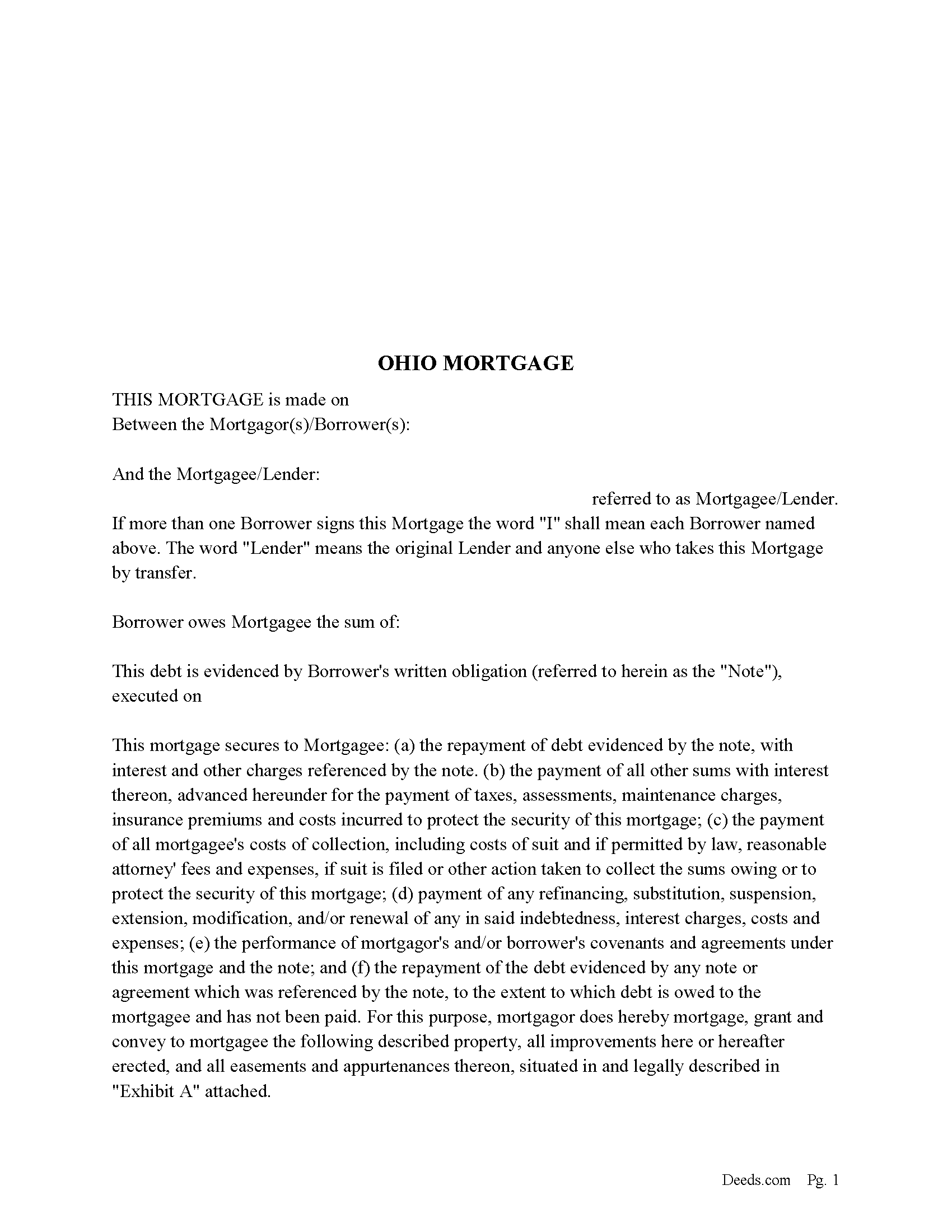
Brown County Mortgage Form
Fill in the blank form formatted to comply with all recording and content requirements.
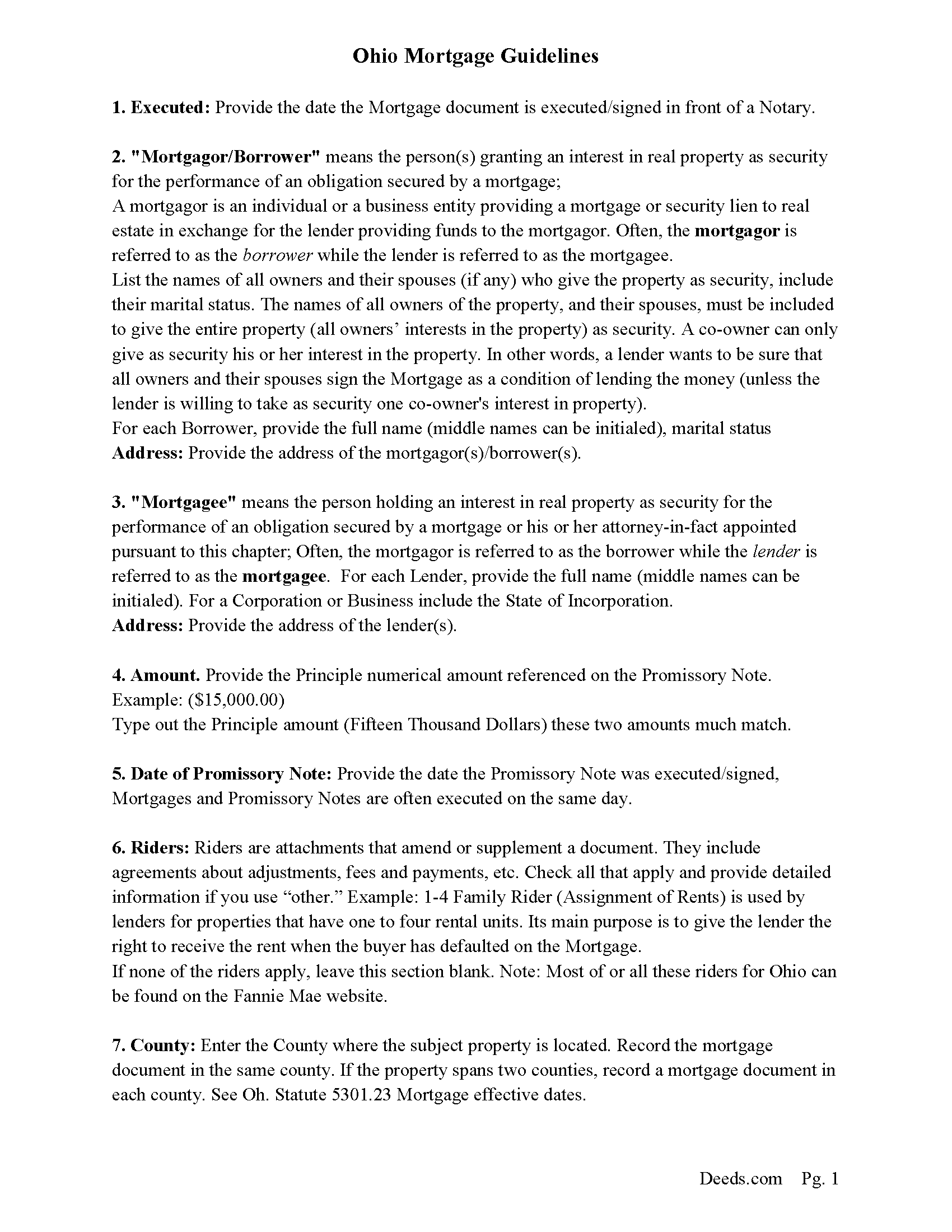
Brown County Mortgage Guidelines
Line by line guide explaining every blank on the form.
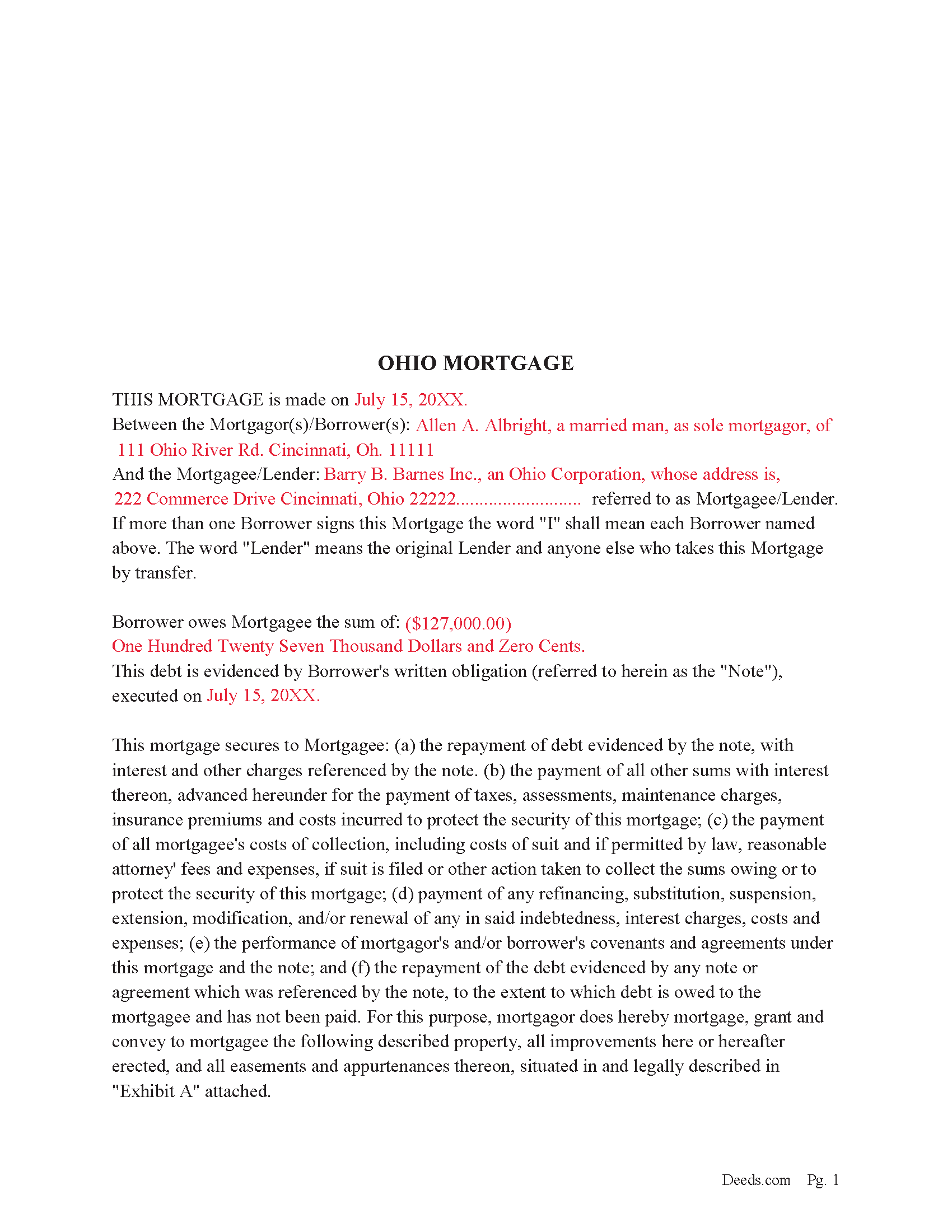
Brown County Completed Example of the Mortgage Document
Example of a properly completed form for reference.
Brown County Promissory Note Form
Promissory Note secured by Mortgage Agreement.
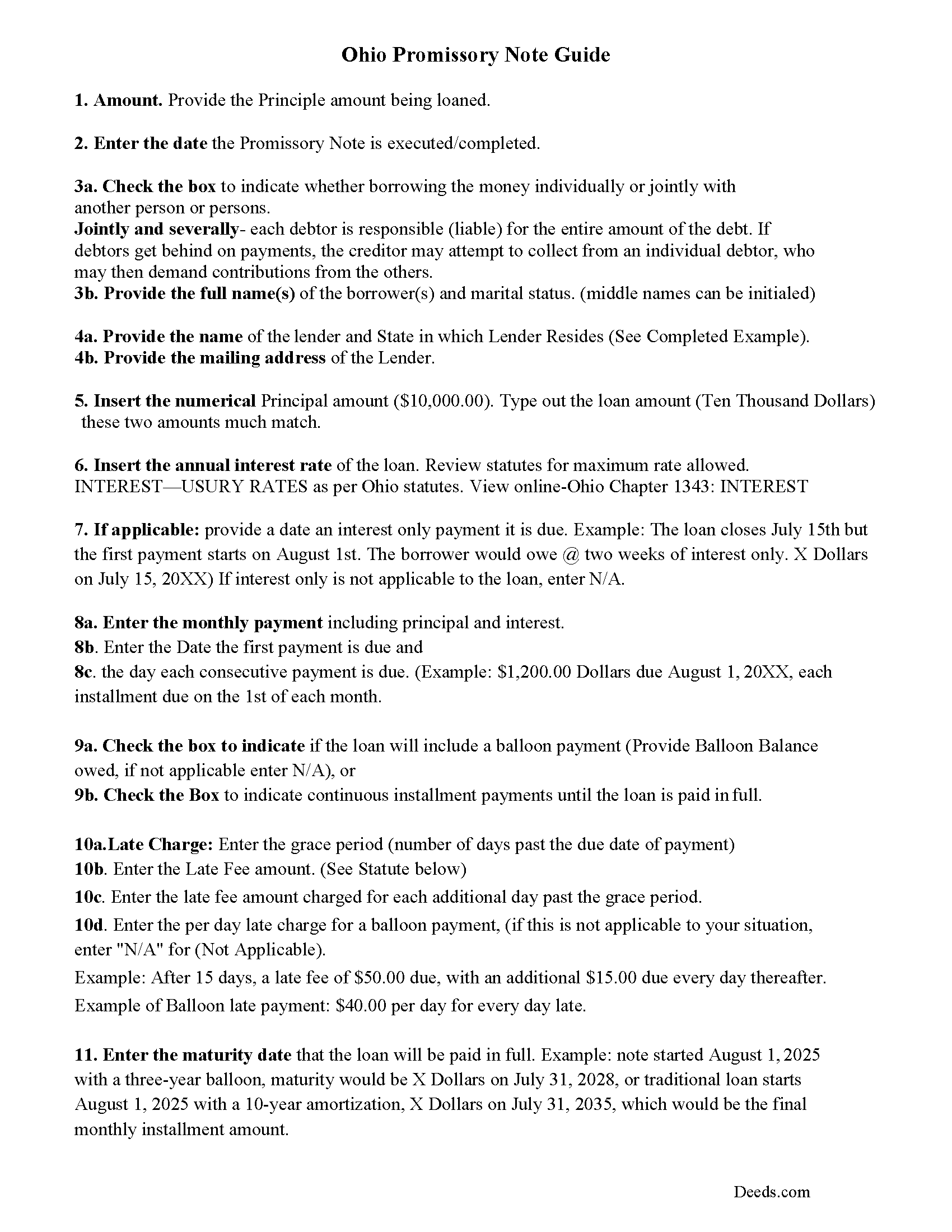
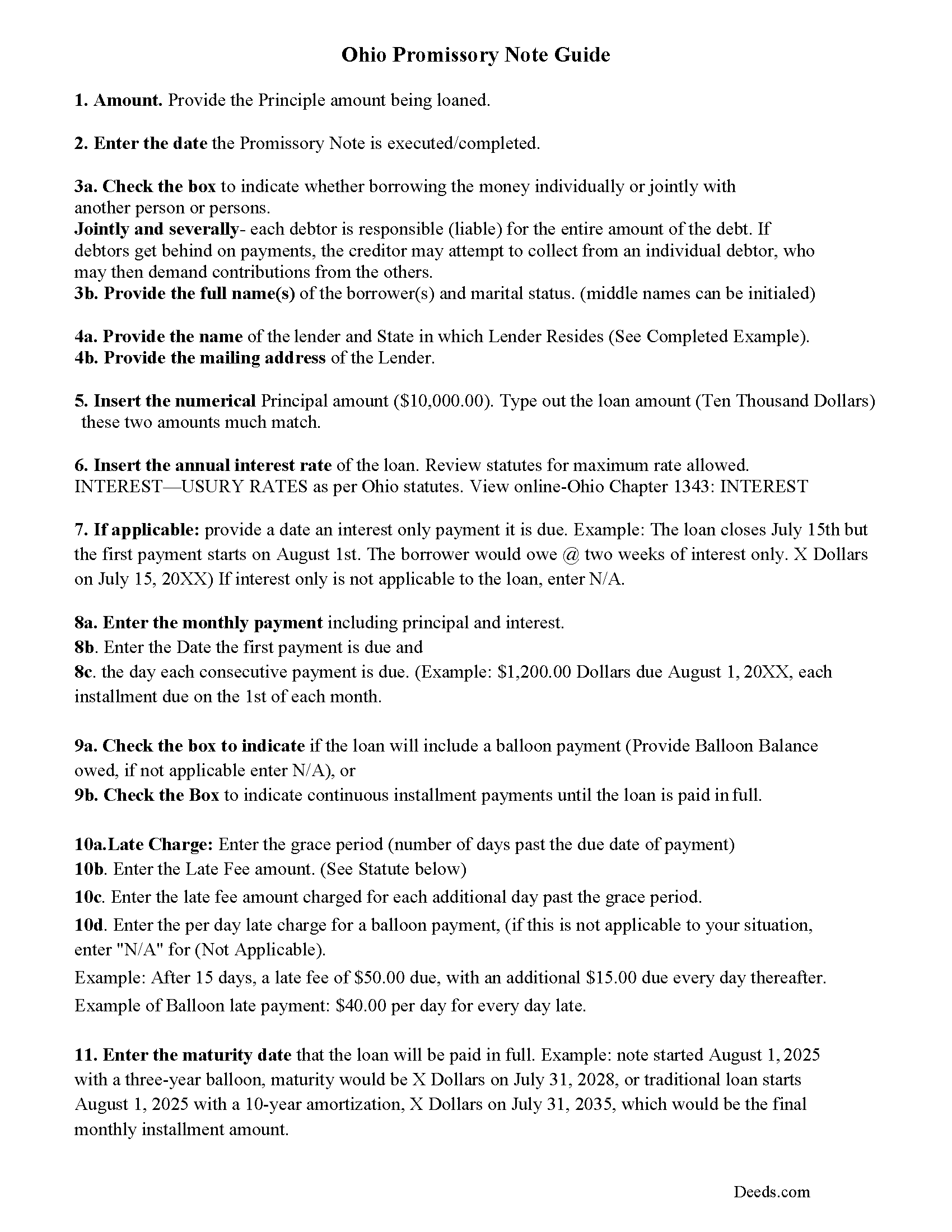
Brown County Promissory Note Guidelines
Line by line guide explaining every blank on the form.
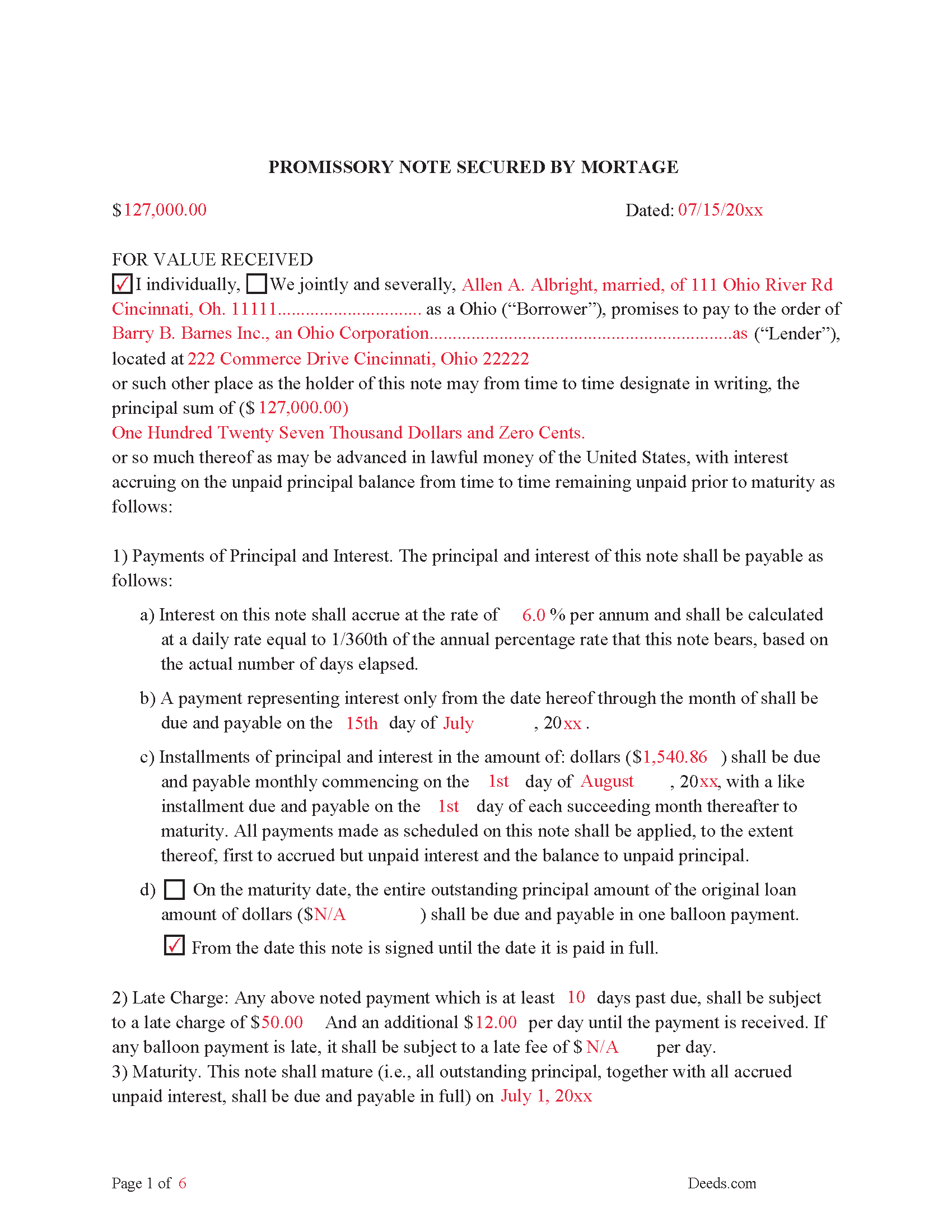
Brown County Completed Example of the Promissory Note Document
This Promissory Note is filled in and highlighted, showing how the guideline information, can be interpreted into the document.
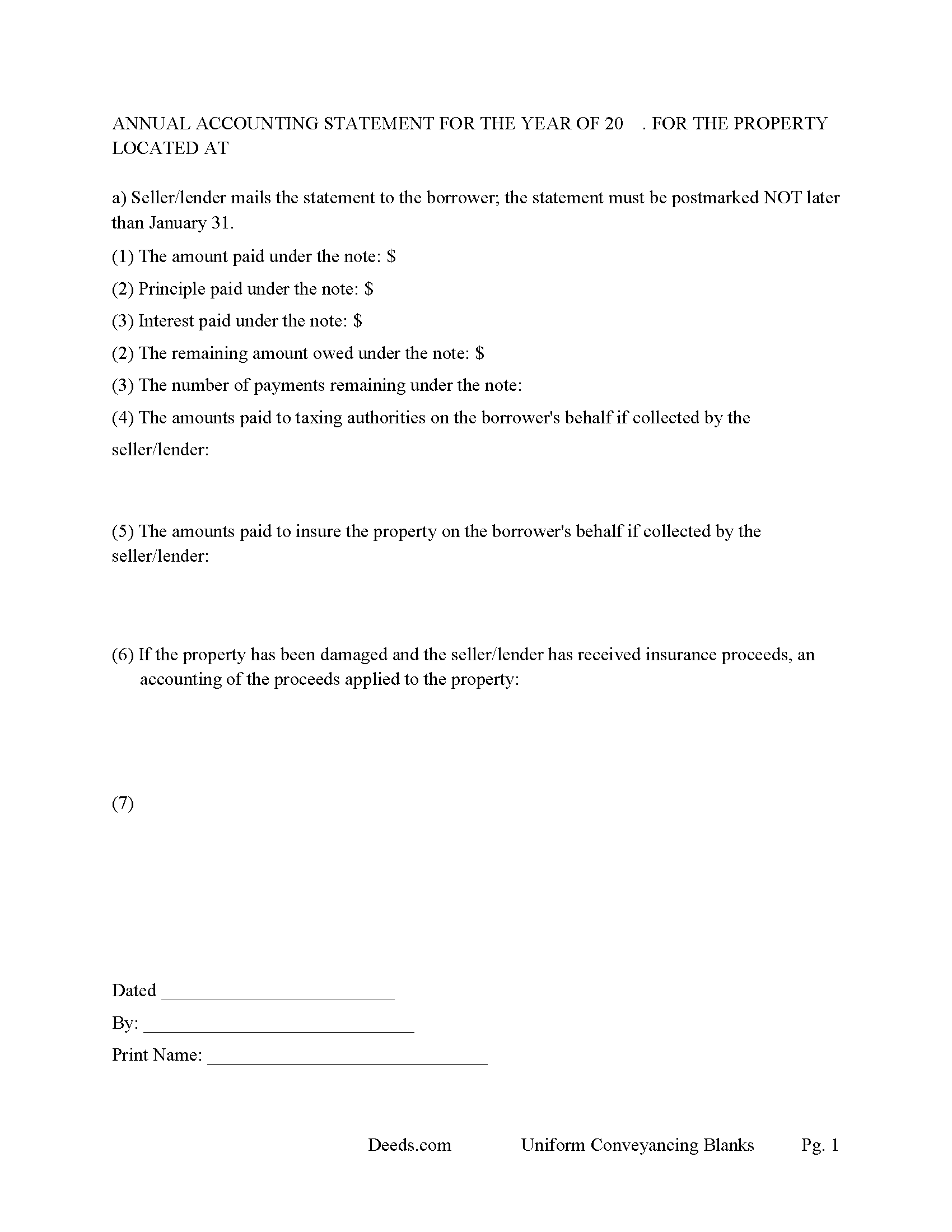
Brown County Annual Accounting Statement Form
Mail to borrower for fiscal year reporting.
All 7 documents above included • One-time purchase • No recurring fees
Immediate Download • Secure Checkout
Additional Ohio and Brown County documents included at no extra charge:
Where to Record Your Documents
Brown County Recorder
Georgetown, Ohio 45121
Hours: 8:00 to 4:00 Monday-Friday
Phone: (937) 378-6478
Recording Tips for Brown County:
- Bring your driver's license or state-issued photo ID
- Ensure all signatures are in blue or black ink
- Bring extra funds - fees can vary by document type and page count
- Check margin requirements - usually 1-2 inches at top
- Leave recording info boxes blank - the office fills these
Cities and Jurisdictions in Brown County
Properties in any of these areas use Brown County forms:
- Aberdeen
- Decatur
- Fayetteville
- Feesburg
- Georgetown
- Hamersville
- Higginsport
- Mount Orab
- Ripley
- Russellville
- Sardinia
Hours, fees, requirements, and more for Brown County
How do I get my forms?
Forms are available for immediate download after payment. The Brown County forms will be in your account ready to download to your computer. An account is created for you during checkout if you don't have one. Forms are NOT emailed.
Are these forms guaranteed to be recordable in Brown County?
Yes. Our form blanks are guaranteed to meet or exceed the applicable formatting requirements used for recording in Brown County, including margin requirements, font requirements, and other layout standards. This guarantee applies to formatting, not to the legal sufficiency of information entered by the user or the suitability of a form for a particular transaction.
Can I reuse these forms?
Yes. You can reuse the forms for your personal use. For example, if you have multiple properties in Brown County you only need to order once.
What do I need to use these forms?
The forms are PDFs that you fill out on your computer. The free Adobe Acrobat Reader is recommended, and most PDF apps also work. You do NOT enter your property information online - you download the blank forms and complete them privately on your own computer.
Are there any recurring fees?
No. This is a one-time purchase. Nothing to cancel, no memberships, no recurring fees.
How much does it cost to record in Brown County?
Recording fees in Brown County vary. Contact the recorder's office at (937) 378-6478 for current fees.
Questions answered? Let's get started!
These forms are used for financing residential property, condominiums, rental units, small commercial, vacant land, and planned unit developments. They include special provisions and exhibit pages making them adaptable and flexible for unique situations. Ohio recognizes dower rights, which means that if a married man or woman owns an interest in real property, his or her spouse holds a 1/3 interest in the property, Review Oh. statute 2103.02. Dower rights can become problematic when it comes to mortgages. Oftentimes, banks require a release of dower if only one spouse is on the promissory note. Otherwise, if the paying spouse defaults, a spouse may be able to enforce their dower rights if the spouse is not on the deed. This mortgage can release rights of dower if applicable to the situation. These forms have stringent default terms, typical uses - lender who is financing investment property, owner financing, etc.
(Ohio Mortgage Package includes forms, guidelines, and completed examples) For use in Ohio only.
Important: Your property must be located in Brown County to use these forms. Documents should be recorded at the county recording office listed above.
This Mortgage Instrument and Promissory Note meets all recording requirements specific to Brown County.
Our Promise
The documents you receive here are guaranteed to meet or exceed the applicable Brown County recording format requirements. If there is a rejection caused by our formatting, we will correct the issue or refund your payment. This guarantee applies to document formatting only and does not extend to information entered by the user, the selection of the form, or the legal effect of the completed document.
Save Time and Money
Get your Brown County Mortgage Instrument and Promissory Note form done right the first time with Deeds.com Uniform Conveyancing Blanks. At Deeds.com, we understand that your time and money are valuable resources, and we don't want you to face a penalty fee or rejection imposed by a county recorder for submitting nonstandard documents. We constantly review and update our forms to meet rapidly changing state and county recording requirements for roughly 3,500 counties and local jurisdictions.
4.8 out of 5 - ( 4,828 Reviews )
Soledad T. 5 out of 5 stars
It's Great!!!
Thank you!
Alfred D. 5 out of 5 stars
The material was very usable and site was easy to navigate. Well worth the money. If I have similar needs, I'll ber back.
Thank you for your feedback. We really appreciate it. Have a great day!
Patricia R. 5 out of 5 stars
Very helpful. Worth the cost. Hopefully we will be able to proceed without expense of an attorney.
We are thankful for your continued support and feedback, which inspire us to continuously improve. Thank you..
William P. 5 out of 5 stars
I was very pleased with the end results regarding Quitclaim deeds.
Thank you!
Crystal W. 5 out of 5 stars
This is the easiest process.
Thank you for your feedback. We really appreciate it. Have a great day!
Lowell R. 5 out of 5 stars
Awesome. Quick informative and very easy. I made a mistake the first time, emailed you and was able to get it fixed quickly and got it done.
Thank you for your feedback. We really appreciate it. Have a great day!
Jennifer C. 5 out of 5 stars
Fast turnaround. Very much appreciated!
Thank you!
Linda B. 5 out of 5 stars
the forms are easy to understand. How do I go about getting the deed recorded and is there a charge.
Thank you for your feedback. We really appreciate it. Have a great day!
Scott W. 5 out of 5 stars
Wow! That was easy! I was expecting a more difficult process. Upload your docs and wait for a response. Which was minutes later. I would give it 6 stars.
Thank you for your kind words Scott, glad we could help.
Sherry C. 5 out of 5 stars
The experience was great. It was so easy to get my document recorded and it was done the same day!
Thank you!
MARY P. 5 out of 5 stars
Quick easy and reliable. Thank you
Happy we could assist. Thank you for sharing your experience.
Jared D. 5 out of 5 stars
Yes it was awsome experience,thank you
Thank you!
Sheryl L. 5 out of 5 stars
EZ to use program....was able to print all forms ordered. I expect to go back to to use recording ability. Instructions are easily followed...would be nice to have confirmation included but they are available to purchase. Hope for successful recording of TOD affidavit. Pretty good value...attorney quoted well over the price I paid for package.
We appreciate your business and value your feedback. Thank you. Have a wonderful day!
Abdel M. 5 out of 5 stars
Easy to use and they are very responsive.
We appreciate your business and value your feedback. Thank you. Have a wonderful day!
Sara R. 5 out of 5 stars
The deed is presently at the auditors office and will be recorded after approval from zoning board. As far as I know, everything is going along well. A self addressed envelope was left at recorder's office for return after recording is complete.
Thank you!