Geauga County Partial Release of Mortgage (Husband and Wife) Form
Last validated October 28, 2026 by our Forms Development TeamFormatted for recording in Geauga County, for property anywhere in the county: rural and unincorporated areas as well as Burton, Chagrin Falls, Chardon, Chesterland, East Claridon, Huntsburg, Middlefield, Montville and 4 more.
- 3 documents included
- Immediate PDF download
- Formatting guarantee
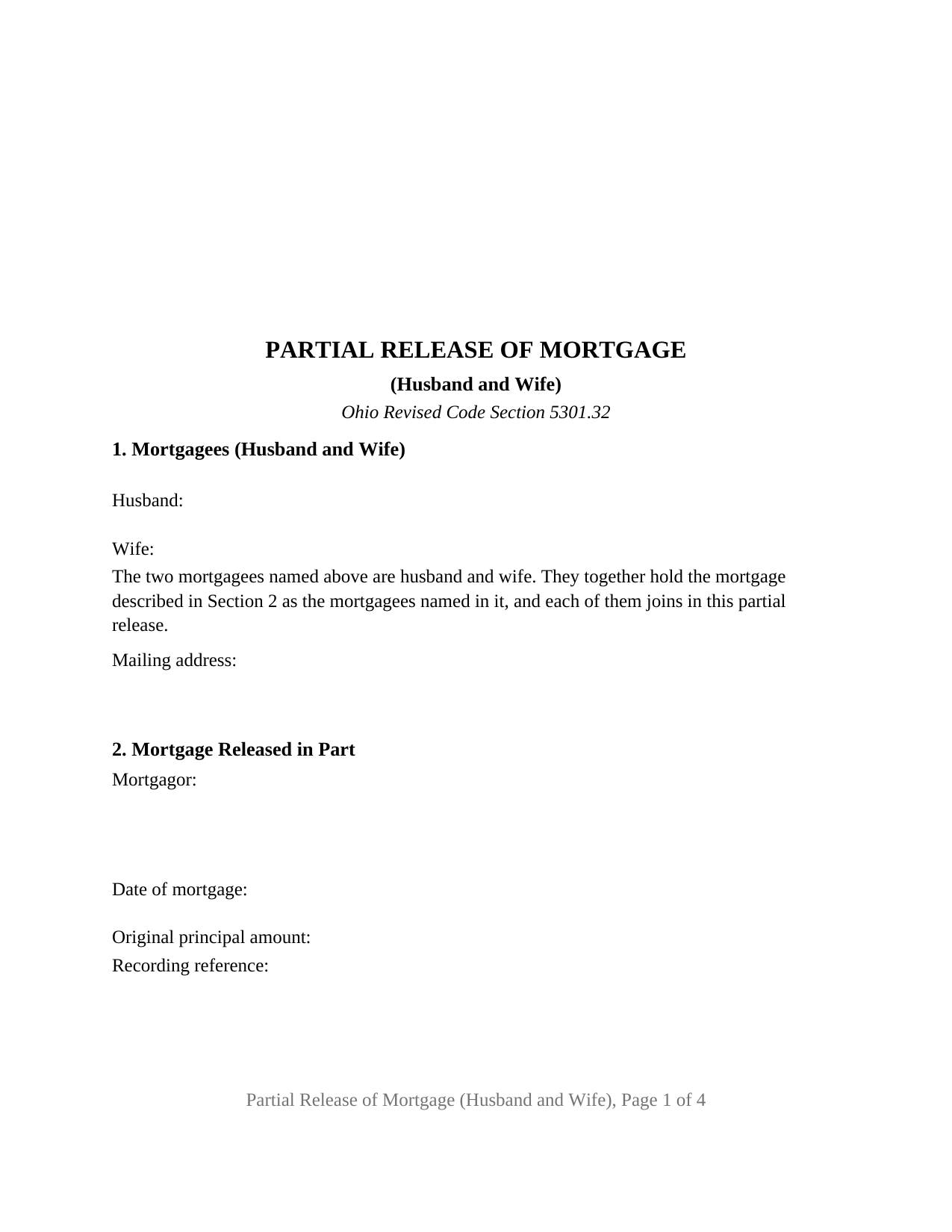
Geauga County Partial Release of Mortgage (Husband and Wife) Form
Fill in the blank Partial Release of Mortgage (Husband and Wife) form formatted to comply with all Ohio recording and content requirements.
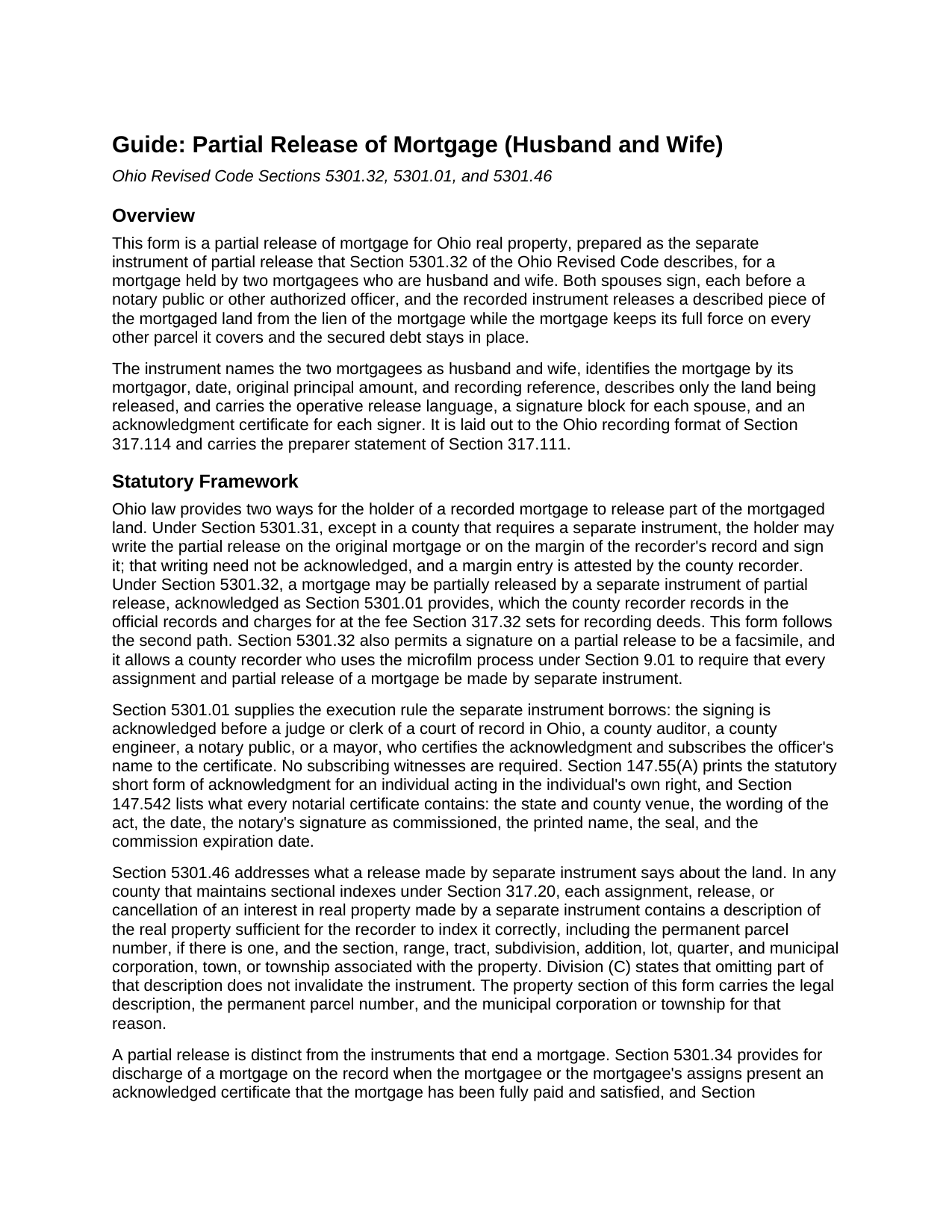
Geauga County Partial Release of Mortgage (Husband and Wife) Guide
Line by line guide explaining every blank on the Partial Release of Mortgage (Husband and Wife) form.
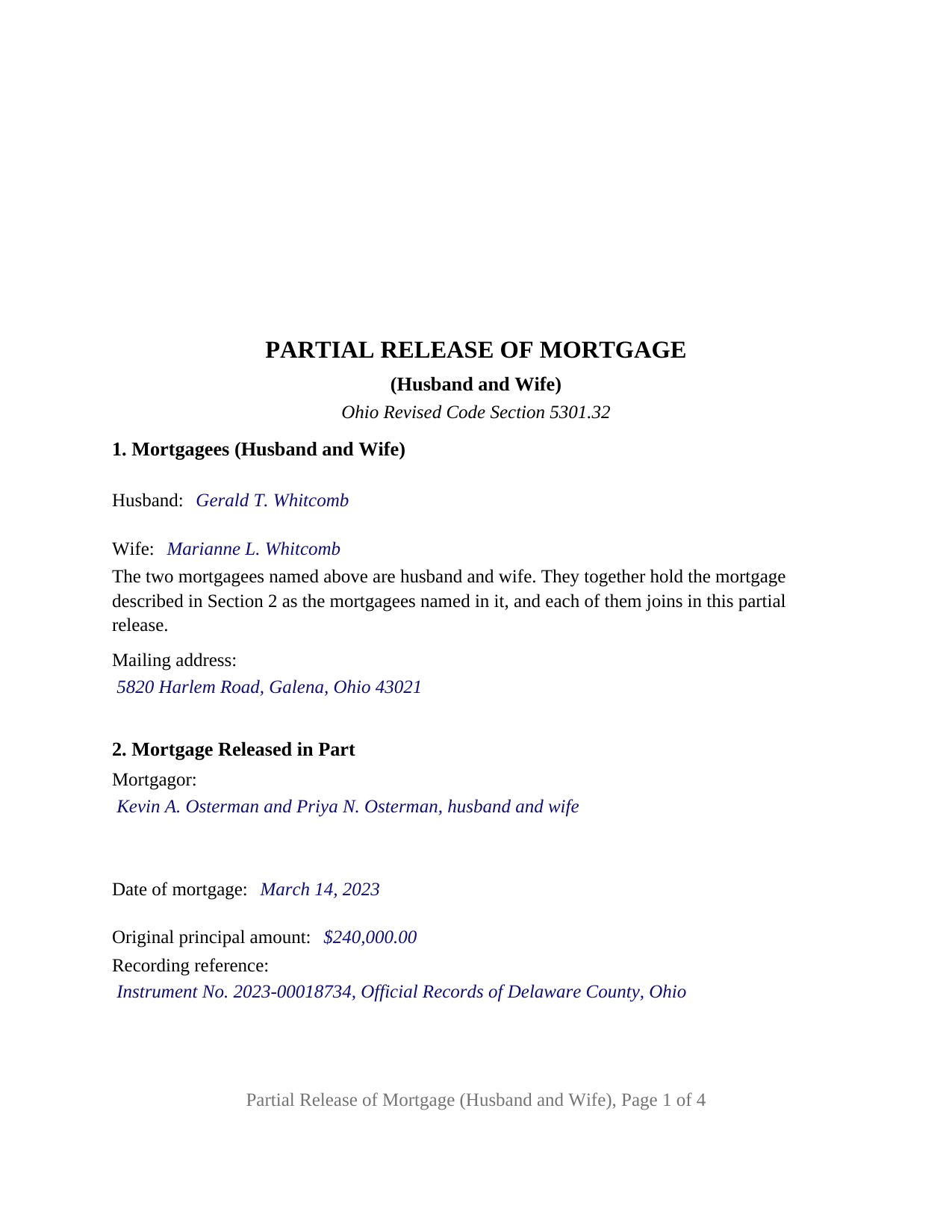
Geauga County Completed Example of the Partial Release of Mortgage (Husband and Wife) Document
Example of a properly completed Ohio Partial Release of Mortgage (Husband and Wife) document for reference.
All 3 documents above included • One-time purchase • No recurring fees
Immediate Download • Secure Checkout
Additional Ohio and Geauga County documents included at no extra charge:
Where to Record Your Documents
Geauga County Recorder
Chardon, Ohio 44024
Hours: 8:00 a.m. - 4:30 p.m. Monday - Friday / Recording until 4:15 pm
Phone: 440-285-2222 ext 2020 or 279-2020 (direct line)
Recording Tips for Geauga County:
- Bring your driver's license or state-issued photo ID
- Ensure all signatures are in blue or black ink
- Recording fees may differ from what's posted online - verify current rates
- Request a receipt showing your recording numbers
- Ask about accepted payment methods when you call ahead
Cities and Jurisdictions in Geauga County
Properties in any of these areas use Geauga County forms:
- Burton
- Chagrin Falls
- Chardon
- Chesterland
- East Claridon
- Huntsburg
- Middlefield
- Montville
- Newbury
- Novelty
- Parkman
- Thompson
Hours, fees, requirements, and more for Geauga County
How do I get my forms?
Forms are available for immediate download after payment. The Geauga County forms will be in your account ready to download to your computer. An account is created for you during checkout if you don't have one. Forms are NOT emailed.
Are these forms guaranteed to be recordable in Geauga County?
Yes. Our form blanks are guaranteed to meet or exceed the applicable formatting requirements used for recording in Geauga County, including margin requirements, font requirements, and other layout standards. This guarantee applies to formatting, not to the legal sufficiency of information entered by the user or the suitability of a form for a particular transaction.
Can I reuse these forms?
Yes. You can reuse the forms for your personal use. For example, if you have multiple properties in Geauga County you only need to order once.
What do I need to use these forms?
The forms are PDFs that you fill out on your computer. The free Adobe Acrobat Reader is recommended, and most PDF apps also work. You do NOT enter your property information online - you download the blank forms and complete them privately on your own computer.
Are there any recurring fees?
No. This is a one-time purchase. Nothing to cancel, no memberships, no recurring fees.
How much does it cost to record in Geauga County?
Recording fees in Geauga County vary. Contact the recorder's office at 440-285-2222 ext 2020 or 279-2020 (direct line) for current fees.
Questions answered? Let's get started!
When a recorded Ohio mortgage names two spouses as its mortgagees, the words after their names, husband and wife, are part of how the record identifies the lender. This partial release of mortgage carries the same two names and the same designation into the instrument that lets one parcel go, so the chain from mortgage to release reads as one continuous holder: a married couple holding a mortgage together, both signing, releasing a described piece of the mortgaged land while the rest of the lien and all of the debt stay where they were.
The same two names the mortgage carries
Section 1 takes the husband's name and the wife's name in two labeled blanks and then recites, as fixed text, that the two mortgagees are husband and wife, that they together hold the mortgage as the mortgagees named in it, and that each joins in the partial release. Nothing about status or ownership of the mortgage is left to a checkbox or an open blank. The recital states what the signers assert; the recorded mortgage, with any recorded assignment the third section identifies, is what shows who holds the lien.
Two signatures, two certificates, one release
Each spouse has a signature block, headed MORTGAGEE (HUSBAND) and MORTGAGEE (WIFE), followed by its own acknowledgment certificate in the short form Section 147.55(A) of the Ohio Revised Code prints for an individual acting in the individual's own right. The two certificates let the spouses appear before a notary on different days or in different places; in the completed example the husband acknowledges on one date and the wife on the next. Ohio notarial law does not demand two certificates; the layout is the form's own design. Because both holders of the lien sign, the release carries the act of each.
A separate instrument, acknowledged and recorded
Section 5301.32 lets a mortgage be partially released by a separate instrument acknowledged as Section 5301.01 provides and recorded in the county recorder's official records, as an alternative to the unacknowledged margin entry of Section 5301.31. This form is that separate instrument; Section 5301.01 requires no subscribing witnesses, and Section 5301.32 allows a facsimile signature. The operative paragraph releases and discharges from the lien and operation of the identified mortgage only the land the property section describes, keeps the mortgage in full force on everything else, and leaves the secured indebtedness untouched. The property section carries the permanent parcel number and municipal corporation or township that Section 5301.46 names for indexing a release made by separate instrument.
The husband and wife configuration
The form recites exactly two mortgagees who are married to each other and hold the mortgage in their own names. The pattern appears wherever a married couple took a mortgage back together: parents who lent to an adult child against several lots, and a couple who carried paper on acreage sold off their own farm, present the two-spouse mortgagee designation this instrument carries. The form is not set up as a release by a single mortgagee, by two holders not married to each other, by a surviving spouse alone, by a bank, company, trust, or personal representative, or through an attorney in fact; each is a different signing pattern with a different certificate, and a mortgage held by three or more people is outside its two-signer architecture.
Ready for the recorder
The document follows the standard format of Section 317.114, with the three inch blank top margin on the first page and twelve point body type over the ten point floor. A prepared-by block carries the preparer name Section 317.111 requires on an instrument disposing of a lien, and a printed name line sits under each signature for Section 317.11. Since a partial release conveys no title, the auditor's transfer stamp and conveyance fee statement that precede a deed are not part of its route to the record; the recorder's fee under Section 317.32, with the marginal-reference charge for referencing the recorded mortgage, is.
The package includes the fillable partial release of mortgage form, a completed example filled in for a married couple releasing one platted lot in Delaware County, and the guide that explains each section, the two acknowledgments, and the recording steps. The description and the guide treat this form and the Ohio statutes behind it in general terms only, and neither is legal advice.
Important: Your property must be located in Geauga County to use these forms. Documents should be recorded at the county recording office listed above.
This Partial Release of Mortgage (Husband and Wife) meets all recording requirements specific to Geauga County.
Our Promise
The documents you receive here are guaranteed to meet or exceed the applicable Geauga County recording format requirements. If there is a rejection caused by our formatting, we will correct the issue or refund your payment. This guarantee applies to document formatting only and does not extend to information entered by the user, the selection of the form, or the legal effect of the completed document.
Save Time and Money
Get your Geauga County Partial Release of Mortgage (Husband and Wife) form done right the first time with Deeds.com Uniform Conveyancing Blanks. At Deeds.com, we understand that your time and money are valuable resources, and we don't want you to face a penalty fee or rejection imposed by a county recorder for submitting nonstandard documents. We constantly review and update our forms to meet rapidly changing state and county recording requirements for roughly 3,500 counties and local jurisdictions.
4.8 out of 5 - ( 4,858 Reviews )
Zina J. 5 out of 5 stars
Deeds.com supplied exactly what I needed to complete a quitclaim. Deeds.com saved me $180, supplied the necessary forms, and a sample page to use as a guide. I recommend Deeds.com.
Thank you!
Jessica P. 5 out of 5 stars
Quick and easy to use and with the provided instructions and example it took a lot of the guess work out.
Thank you for your feedback. We really appreciate it. Have a great day!
Patricia W. 5 out of 5 stars
I am working with the document to complete it. It's taking me some time but I'll get it.
Thank you for your feedback. We really appreciate it. Have a great day!
Jesse H. 5 out of 5 stars
Good & friendly software, complete & clear instructions & guidance, generates proper forms that were readily accepted @ Clerk & Recorder Office, all of this @ reasonable cost. Five Stars!
Thank you for your feedback. We really appreciate it. Have a great day!
DEBORAH G. 3 out of 5 stars
This product is good but the text boxes are not large enough to contain the information required for the form. Even dates do not display with the entry you make.
Thank you for your feedback. We really appreciate it. Have a great day!
Audrey A. 5 out of 5 stars
Great!
Thank you!
Dorien C. 5 out of 5 stars
Easy to use, thank you.
Thank you!
Holly M. 5 out of 5 stars
This was the simplest method of filing a document that I've ever encountered. I've already recommended it my colleagues, and would highly encourage anyone to use it. Fast, easy, simple.
We appreciate your business and value your feedback. Thank you. Have a wonderful day!
RUSSELL E. 5 out of 5 stars
The process sure was easy and fast. Not sure why a rep would question why I am requesting an exhibit page on the Deed when that's a common practice here in AZ. They recorded it the way I sent it so all good.
Thank you!
Edward M. 5 out of 5 stars
Great Forms, Detailed explanation on how to fill them out properly. No Issues at all. Very e-z to use site and forms. Thanks
We appreciate your business and value your feedback. Thank you. Have a wonderful day!
Constance F. 5 out of 5 stars
Quick and easy download with instructions and a sample document to ensure conformity to the different jurisdictions.
Thank you!
Philip C. 5 out of 5 stars
The product I purchased looks great and I added Adobe to be able to copy it, but for some reason I can't,so I will delete Adobe and then try again to copy what i paid for. I have all the PDFS' and my computer and printer are fairly new (windows 10),I should have tried to copy it first, I'll get it! Thanks
Thank you for your feedback. We really appreciate it. Have a great day!
Tamara B. 5 out of 5 stars
Simple and easy to use
Your feedback means a lot to us. Thank you.
ANTHONY W. 5 out of 5 stars
It's been extremely easy to communicate across this platform.
Thank you!
Nicole T. 5 out of 5 stars
Absolutely Amazing Service! I learned about Deeds.com, created my Account, uploaded my documents into my Recording Package, paid my Invoice and received my Three Recorded Deeds all in less than two hours! Awesome!
We appreciate your business and value your feedback. Thank you. Have a wonderful day!