Fayette County Quitclaim Deed (Married Grantor with Non-Owner Spouse Joinder) Form
Last validated October 9, 2026 by our Forms Development TeamFormatted for recording in Fayette County, for property anywhere in the county: rural and unincorporated areas as well as Bloomingburg, Jeffersonville, Milledgeville, Washington Court House.
- 3 documents included
- Immediate PDF download
- Formatting guarantee
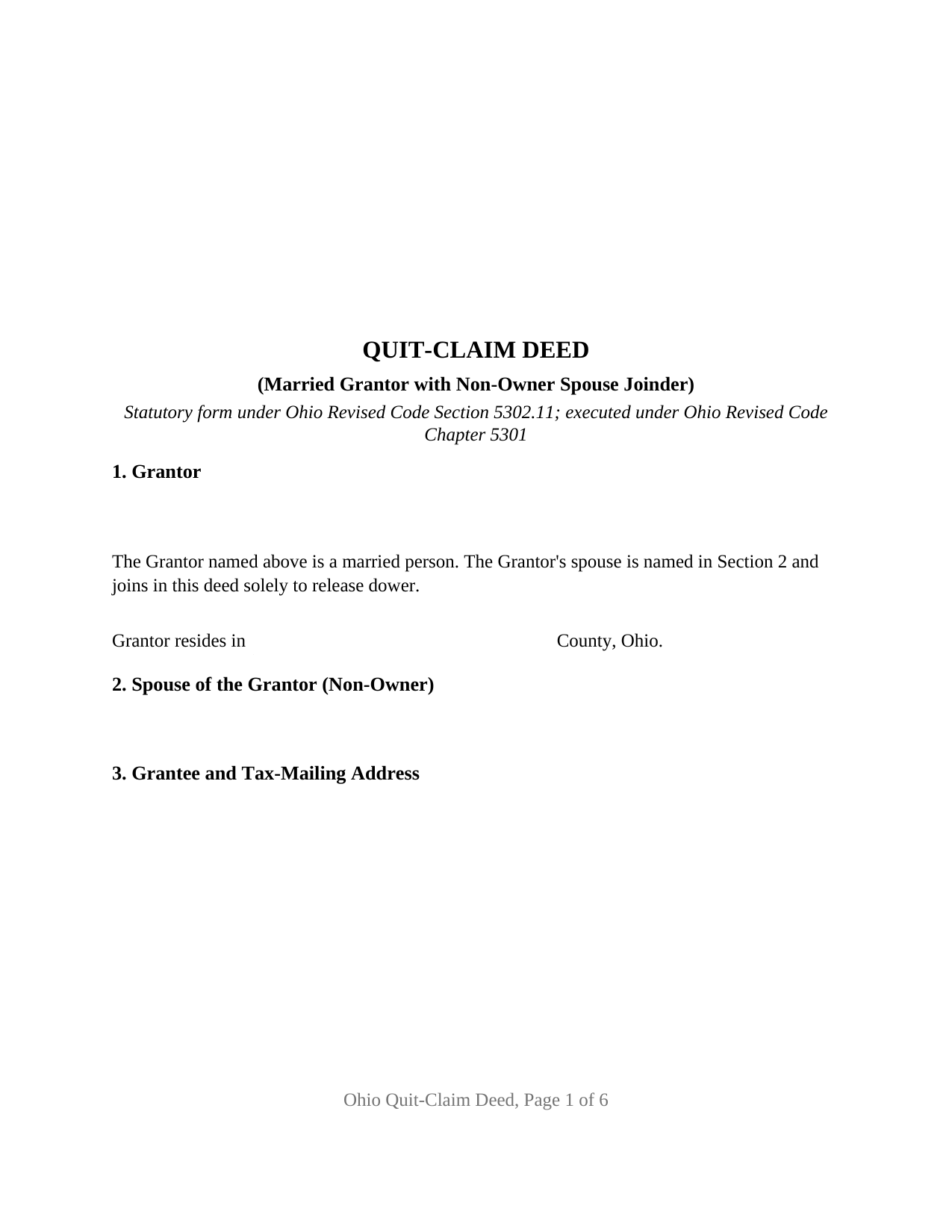
Fayette County Quitclaim Deed (Married Grantor with Non-Owner Spouse Joinder) Form
Fill in the blank Quitclaim Deed (Married Grantor with Non-Owner Spouse Joinder) form formatted to comply with all Ohio recording and content requirements.
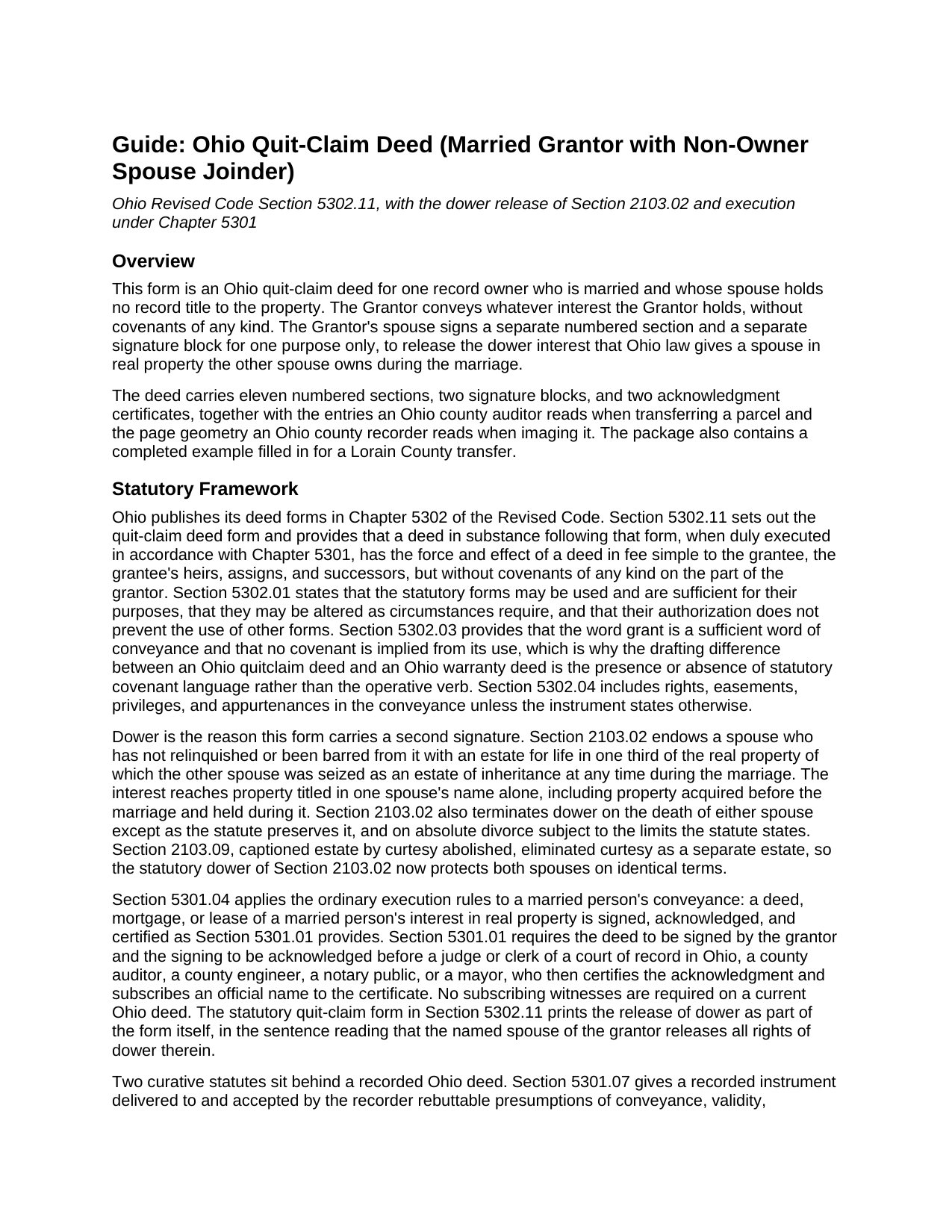
Fayette County Quitclaim Deed (Married Grantor with Non-Owner Spouse Joinder) Guide
Line by line guide explaining every blank on the Quitclaim Deed (Married Grantor with Non-Owner Spouse Joinder) form.
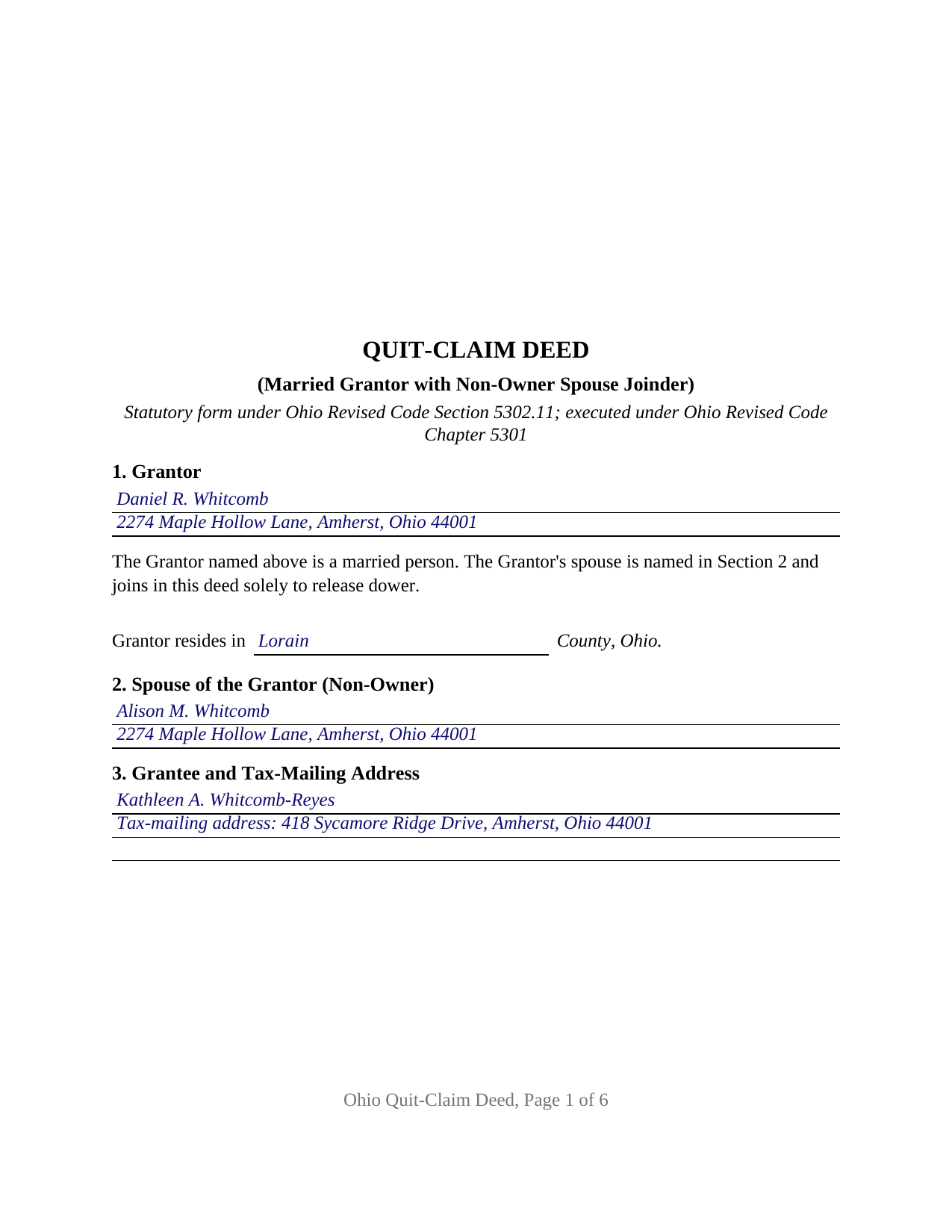
Fayette County Completed Example of the Quitclaim Deed (Married Grantor with Non-Owner Spouse Joinder) Document
Example of a properly completed Ohio Quitclaim Deed (Married Grantor with Non-Owner Spouse Joinder) document for reference.
All 3 documents above included • One-time purchase • No recurring fees
Immediate Download • Secure Checkout
Additional Ohio and Fayette County documents included at no extra charge:
Where to Record Your Documents
Fayette County Recorder
Washington Court House, Ohio 43160
Hours: 8:00 to 4:00 Monday through Friday
Phone: 740-335-1770
Recording Tips for Fayette County:
- Bring your driver's license or state-issued photo ID
- Ensure all signatures are in blue or black ink
- White-out or correction fluid may cause rejection
- Ask about their eRecording option for future transactions
- Avoid the last business day of the month when possible
Cities and Jurisdictions in Fayette County
Properties in any of these areas use Fayette County forms:
- Bloomingburg
- Jeffersonville
- Milledgeville
- Washington Court House
Hours, fees, requirements, and more for Fayette County
How do I get my forms?
Forms are available for immediate download after payment. The Fayette County forms will be in your account ready to download to your computer. An account is created for you during checkout if you don't have one. Forms are NOT emailed.
Are these forms guaranteed to be recordable in Fayette County?
Yes. Our form blanks are guaranteed to meet or exceed the applicable formatting requirements used for recording in Fayette County, including margin requirements, font requirements, and other layout standards. This guarantee applies to formatting, not to the legal sufficiency of information entered by the user or the suitability of a form for a particular transaction.
Can I reuse these forms?
Yes. You can reuse the forms for your personal use. For example, if you have multiple properties in Fayette County you only need to order once.
What do I need to use these forms?
The forms are PDFs that you fill out on your computer. The free Adobe Acrobat Reader is recommended, and most PDF apps also work. You do NOT enter your property information online - you download the blank forms and complete them privately on your own computer.
Are there any recurring fees?
No. This is a one-time purchase. Nothing to cancel, no memberships, no recurring fees.
How much does it cost to record in Fayette County?
Recording fees in Fayette County vary. Contact the recorder's office at 740-335-1770 for current fees.
Questions answered? Let's get started!
A married Ohio owner whose spouse appears nowhere in the chain of title still has a second signature to gather. This quitclaim deed form is arranged for that record: one grantor, married, conveying Ohio real property under Ohio Revised Code Section 5302.11, with a numbered joinder section where the non-owner spouse signs for one purpose only, releasing dower, and takes on none of a grantor's obligations.
The signature that transfers nothing
Dower is why Ohio deeds ask about marriage. Section 2103.02 of the Revised Code endows a spouse who has not relinquished or been barred from it with a life estate in one third of the real property of which the other spouse was seized as an estate of inheritance during the marriage. The interest attaches to a parcel titled in one name alone, including one bought years before the wedding, and no index carries it under the spouse's name. Section 5301.04 puts a married person's conveyance under the signing and acknowledgment rules of Section 5301.01, and the statutory quit-claim form answers dower in one sentence: the named spouse of the grantor releases all rights of dower therein. Here that sentence occupies its own numbered section, backed by a signature block and certificate, and the deed adds that the spouse holds no record title, conveys no ownership interest, and signs solely to release dower.
One married grantor, and what the deed passes
The operative words stay statutory: for valuable consideration paid, the grantor grants to the grantee, whose tax-mailing address follows the name. Section 5302.03 confirms that no covenant is implied from the word grant, and Section 5302.11 gives a deed following the statutory form the force of a fee simple conveyance without covenants of any kind, so the grantee takes the grantor's interest as it stands. An owner who took title before the marriage deeding a parcel to an adult child, an owner passing land received through a certificate of transfer to a sibling, and an owner moving a separately titled rental into an entity all present the married sole owner record this deed recites; searches for a quit claim deed, the hyphenated quit-claim spelling Ohio's code uses, or a spousal dower release land on the same instrument. The form recites exactly one record owner; a deed signed by two or more owners carries a different arrangement.
Where a joinder shows up at the counter
Ohio deeds clear two county offices, and a joinder matters at the first. Montgomery County's document preparation checklist, for one, asks after the grantor's marital status and the spouse's dower release on the face of a deed. The auditor takes the conveyance fee statement, DTE 100, or the exemption statement, DTE 100EX, under Section 319.202, collects the state conveyance fee and any county transfer tax levied under Chapter 322, and endorses the transfer using the grantee tax-mailing address and prior instrument reference Section 319.20 requires. Only then may the recorder take it: Section 317.22 holds a deed of absolute conveyance out of the record until the auditor's stamp and endorsement appear on it, legibly.
Two signers, two schedules
Each signature is acknowledged before a notary public or another officer named in Section 5301.01, and no subscribing witnesses appear on an Ohio deed. Because a grantor and a joining spouse do not always sign in the same room, each gets a certificate carrying the venue, date, notary printed name, and commission expiration that Section 147.542 lists as certificate content. Ohio law does not require separate certificates; one certificate naming everyone who appeared before the officer satisfies the statute, so the per-signer layout is this form's own accommodation. Sections 147.60 through 147.66 reach this deed through online notarization.
Page geometry, and what the download holds
The layout follows the standard document format of Section 317.114: three blank inches atop page one for recording endorsements, an inch at the sides and bottom, an inch and a half atop later pages, and type above the statutory 10 point floor, keeping the twenty dollar nonstandard format charge out of the arithmetic. The purchase delivers the fillable Ohio quitclaim deed for a married grantor with a non-owner spouse joinder, a completed example worked through a Lorain County transfer whose two acknowledgments fall three days apart, and a plain language guide covering the numbered sections, the dower and execution statutes, the ownership forms an Ohio grantee may take, and the auditor and recorder steps. The materials describe Ohio law and this form in general terms; they are not legal advice.
Important: Your property must be located in Fayette County to use these forms. Documents should be recorded at the county recording office listed above.
This Quitclaim Deed (Married Grantor with Non-Owner Spouse Joinder) meets all recording requirements specific to Fayette County.
Our Promise
The documents you receive here are guaranteed to meet or exceed the applicable Fayette County recording format requirements. If there is a rejection caused by our formatting, we will correct the issue or refund your payment. This guarantee applies to document formatting only and does not extend to information entered by the user, the selection of the form, or the legal effect of the completed document.
Save Time and Money
Get your Fayette County Quitclaim Deed (Married Grantor with Non-Owner Spouse Joinder) form done right the first time with Deeds.com Uniform Conveyancing Blanks. At Deeds.com, we understand that your time and money are valuable resources, and we don't want you to face a penalty fee or rejection imposed by a county recorder for submitting nonstandard documents. We constantly review and update our forms to meet rapidly changing state and county recording requirements for roughly 3,500 counties and local jurisdictions.
4.8 out of 5 - ( 4,829 Reviews )
James A. 5 out of 5 stars
As advertised.
Thank you!
Nancy C. 5 out of 5 stars
So easy and documents downloaded in a flash. Highly recommended. Just gotta fill out and submit done. Thank You
Thank you!
Janice U. 5 out of 5 stars
So far everything is going really well. Thank you!
Thank you!
Patricia R. 5 out of 5 stars
Great Transaction. Easy to follow instructions!
We appreciate your business and value your feedback. Thank you. Have a wonderful day!
Lori G. 5 out of 5 stars
I needed to add my husband to my deed. an attorney would charge me $275.00. I decided to file myself. This makes it easy. Not done w/the process yet. But so far so good! :)
Thank you for your feedback. We really appreciate it. Have a great day!
Lillian F. 5 out of 5 stars
Very well satisfy with my results. I could not ask for better service d
Thank you for your feedback. We really appreciate it. Have a great day!
Dale K. 5 out of 5 stars
A very user friendly website!
Thank you!
Jubal T. 5 out of 5 stars
This is the most comprehensive, helpful real estate tool I have seen. I was at first worried because the 330# didn’t have live operators but I received messages in my account as quickly as a conversation had by text and was able to download a deed and record it the same day in a county 1,300 miles away. Highly recommended!
We are sincerely grateful for your feedback and are committed to providing the highest quality service. Thank you for your trust in us.
Larry H. 5 out of 5 stars
Wow! So easy and such a cost savings. Thanks
Thanks Larry, we appreciate your feedback.
Giuseppina M. 5 out of 5 stars
Love to work with your company
It was a pleasure serving you. Thank you for the positive feedback!
Jolene K. 5 out of 5 stars
The forms were easy to download and use. I'm satisfied with it. The sample and the instructions were very helpful.
Thank you!
Karla L. 5 out of 5 stars
Perfect! Recorded my completed deed today with no problems.
Thank you!
Thomas T. 5 out of 5 stars
Amazing site, been using it since 2018 for forms and never an issue.
Thank you for your feedback. We really appreciate it. Have a great day!
Thomas R. 5 out of 5 stars
First time user. Was pleased with the easy of use and the step-by-step directions provided by the website.
We are motivated by your feedback to continue delivering excellence. Thank you!
Walton A. 5 out of 5 stars
Thanks ..this was very helpful and easy!
Thank you!