Fayette County Quitclaim Deed (Trustee Grantee) Form
Last validated October 8, 2026 by our Forms Development TeamFormatted for recording in Fayette County, for property anywhere in the county: rural and unincorporated areas as well as Bloomingburg, Jeffersonville, Milledgeville, Washington Court House.
- 3 documents included
- Immediate PDF download
- Formatting guarantee
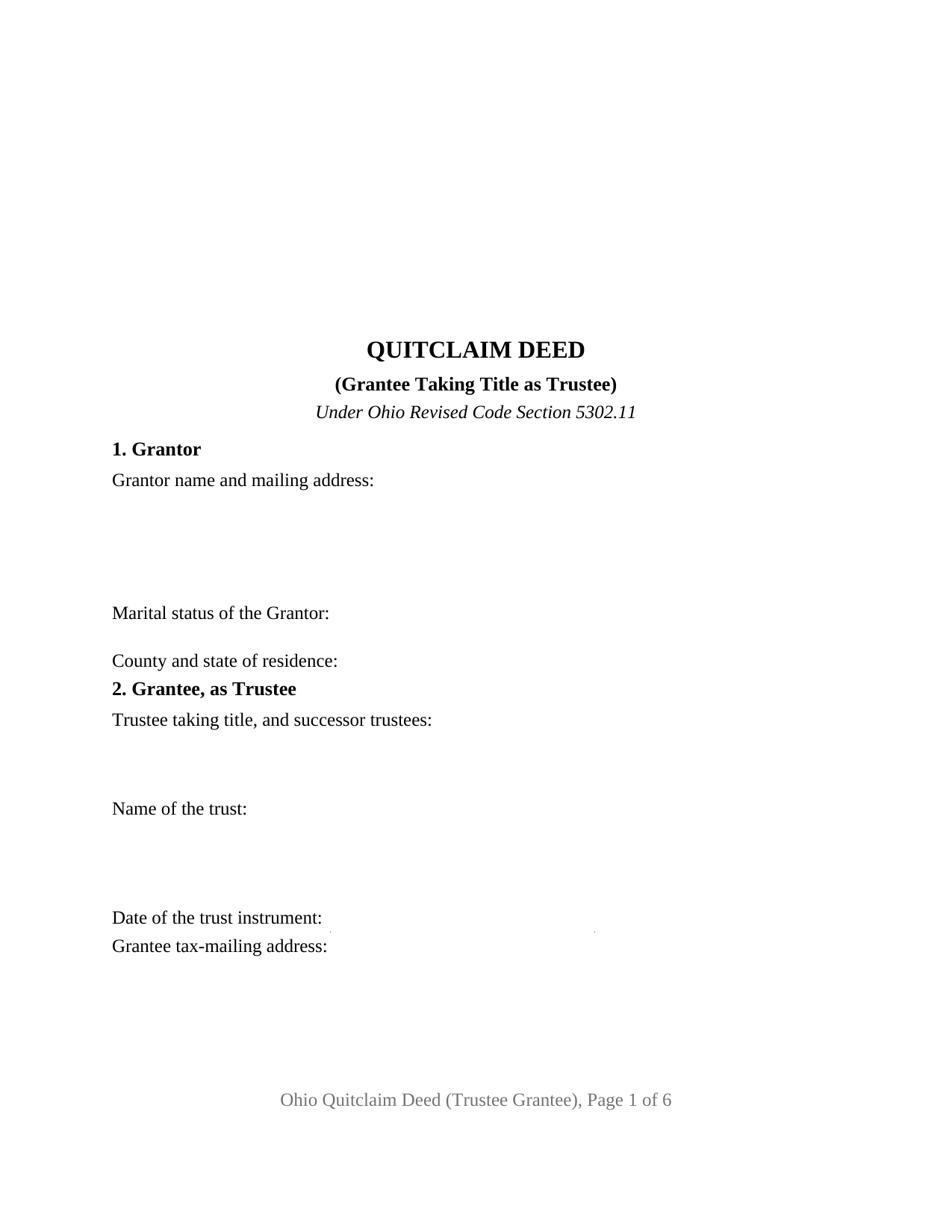
Fayette County Quitclaim Deed (Trustee Grantee) Form
Fill in the blank Quitclaim Deed (Trustee Grantee) form formatted to comply with all Ohio recording and content requirements.
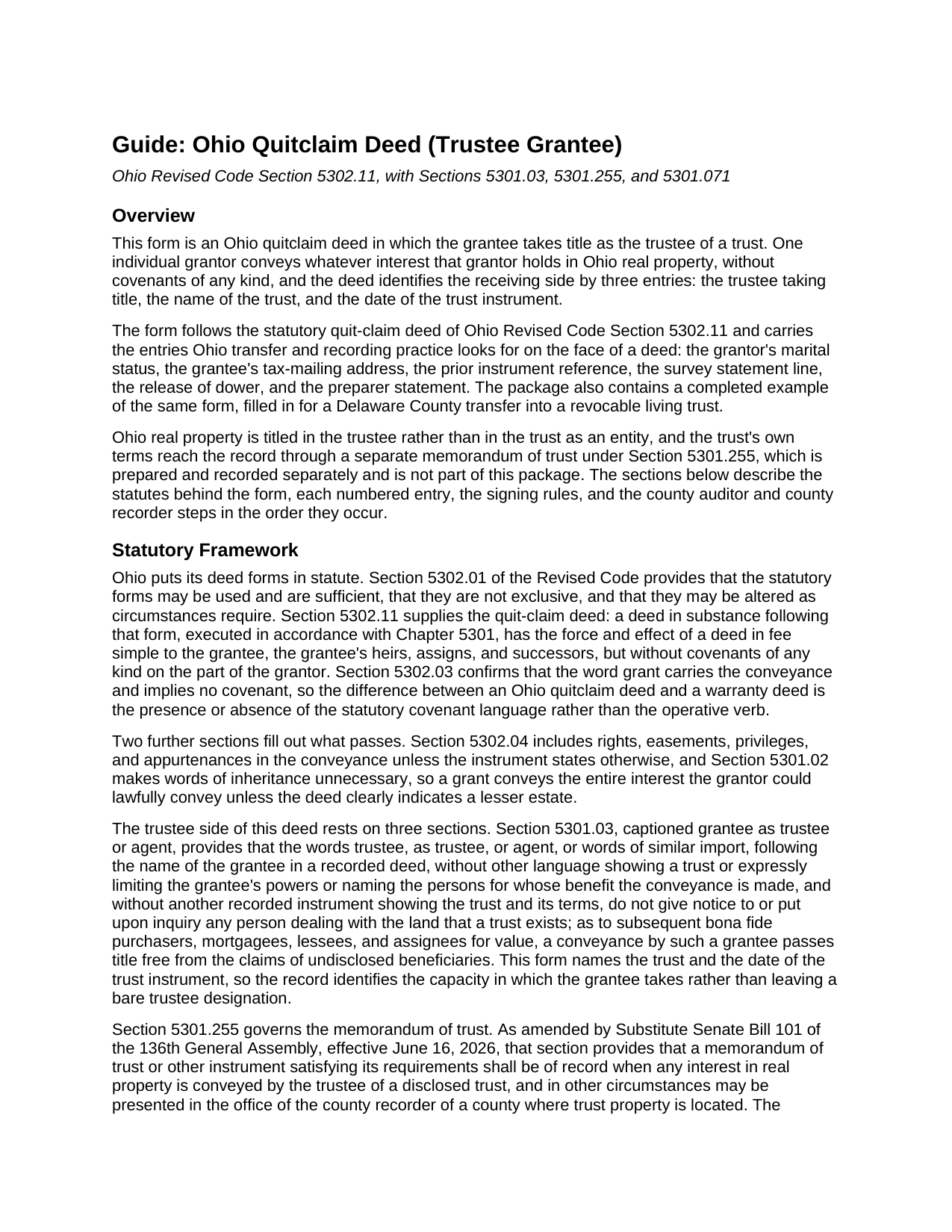
Fayette County Quitclaim Deed (Trustee Grantee) Guide
Line by line guide explaining every blank on the Quitclaim Deed (Trustee Grantee) form.
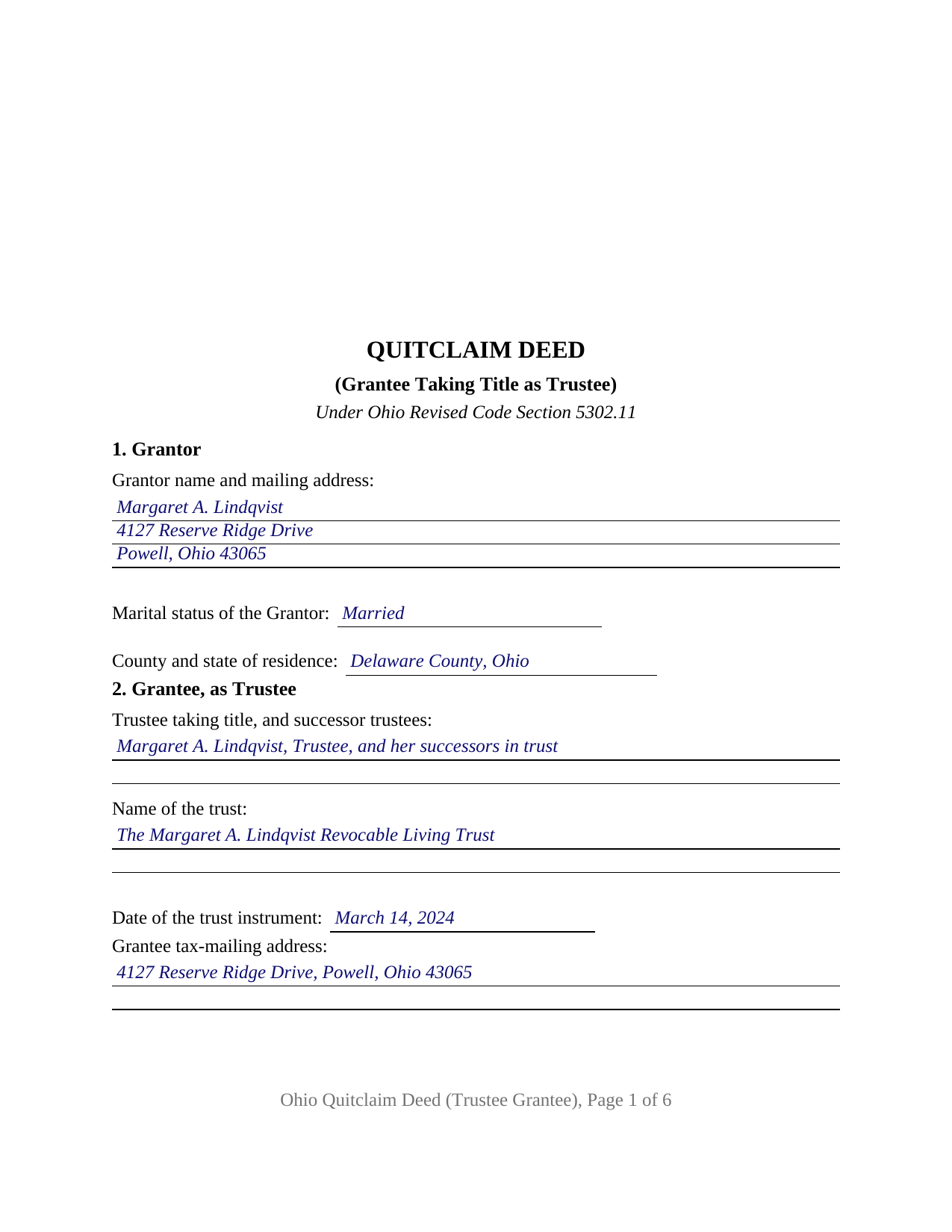
Fayette County Completed Example of the Quitclaim Deed (Trustee Grantee) Document
Example of a properly completed Ohio Quitclaim Deed (Trustee Grantee) document for reference.
All 3 documents above included • One-time purchase • No recurring fees
Immediate Download • Secure Checkout
Additional Ohio and Fayette County documents included at no extra charge:
Where to Record Your Documents
Fayette County Recorder
Washington Court House, Ohio 43160
Hours: 8:00 to 4:00 Monday through Friday
Phone: 740-335-1770
Recording Tips for Fayette County:
- Bring your driver's license or state-issued photo ID
- Ensure all signatures are in blue or black ink
- Check that your notary's commission hasn't expired
- Documents must be on 8.5 x 11 inch white paper
- Double-check legal descriptions match your existing deed
Cities and Jurisdictions in Fayette County
Properties in any of these areas use Fayette County forms:
- Bloomingburg
- Jeffersonville
- Milledgeville
- Washington Court House
Hours, fees, requirements, and more for Fayette County
How do I get my forms?
Forms are available for immediate download after payment. The Fayette County forms will be in your account ready to download to your computer. An account is created for you during checkout if you don't have one. Forms are NOT emailed.
Are these forms guaranteed to be recordable in Fayette County?
Yes. Our form blanks are guaranteed to meet or exceed the applicable formatting requirements used for recording in Fayette County, including margin requirements, font requirements, and other layout standards. This guarantee applies to formatting, not to the legal sufficiency of information entered by the user or the suitability of a form for a particular transaction.
Can I reuse these forms?
Yes. You can reuse the forms for your personal use. For example, if you have multiple properties in Fayette County you only need to order once.
What do I need to use these forms?
The forms are PDFs that you fill out on your computer. The free Adobe Acrobat Reader is recommended, and most PDF apps also work. You do NOT enter your property information online - you download the blank forms and complete them privately on your own computer.
Are there any recurring fees?
No. This is a one-time purchase. Nothing to cancel, no memberships, no recurring fees.
How much does it cost to record in Fayette County?
Recording fees in Fayette County vary. Contact the recorder's office at 740-335-1770 for current fees.
Questions answered? Let's get started!
Ohio real property is not titled in a trust. It is titled in the trustee of one, and a deed saying so on its face saves the next title examiner a phone call. This quitclaim deed form is arranged around that point: one grantor signs, the parcel moves under Ohio Revised Code Section 5302.11 to a grantee taking as trustee, and the grantee section asks for three entries, the trustee taking title, the name of the trust, and the date of the trust instrument.
Where the trustee designation lands in the record
Section 5301.03 of the Revised Code, captioned grantee as trustee or agent, is why those three entries matter. The words trustee, as trustee, or agent after a grantee's name, standing alone with no other language showing a trust and no recorded instrument showing its terms, give no notice to anyone dealing with the land that a trust exists or that limits sit on the grantee's power to convey. Naming the trust and its date turns a bare designation into a disclosed one. Section 5301.071(E) answers the opposite drafting habit: a deed naming the trust itself rather than its trustee is treated as a conveyance to the trustee, provided the trust was duly created and a memorandum of trust complying with Section 5301.255 and describing the property is recorded in the same county.
A deed the statute strips of promises
The operative language stays statutory. Under Section 5302.11 a deed in substance following Ohio's quit-claim form takes effect in fee simple but without covenants of any kind, and Section 5302.03 confirms that the word grant implies none. Whatever the grantor holds is what arrives: moving a parcel to a trustee changes the name on the tax duplicate, not the mortgage lien or the easement under it. Searches for a quit claim deed, the hyphenated quit-claim spelling the Revised Code prints, or a deed transferring a house into a living trust reach this instrument.
One grantor, one trustee, and the dower line underneath
The form recites exactly one individual grantor, with a marital status entry and a numbered release of dower carrying its own signature block and certificate: Section 2103.02 still gives a spouse a one third life estate in property the other spouse was seized of during the marriage, and a transfer into a trustee's name is an ordinary lifetime conveyance for that purpose. An owner who set up a revocable living trust years after buying the house and now moves the parcel into the trustee's name, and an owner making a completed gift to the trustee of an irrevocable trust, present the record this deed recites. Its edges follow from its entries. A deed signed by two or more record owners takes a different signature arrangement, and a deed made by a trustee rather than to one is a fiduciary conveyance under Section 5302.09, the point at which Section 5301.255 requires a memorandum of trust to be of record. That memorandum is executed and acknowledged by the trustee, recorded on its own, and not part of this package.
The trust line on the auditor's exemption list
Every Ohio deed clears the county auditor before the recorder sees it, and trust transfers have their own entry in the fee schedule. Section 319.54(G)(3)(t) exempts a conveyance to a trustee of a trust when the grantor of the trust reserved an unlimited power to revoke it, and form DTE 100EX carries that language as item (t); a transfer to the trustee of an irrevocable trust sits outside it and answers to the ten cents per hundred dollars fee, plus any county transfer tax under Chapter 322. Those auditor filings are prepared separately from the deed. Section 317.22 then holds the instrument out of the record until the auditor's stamp and transfer endorsement appear.
What the download holds
The page layout answers Section 317.114, keeping the endorsement space clear atop page one, while Section 319.20 accounts for the grantee tax-mailing address and the prior instrument reference, and Section 317.111 for the preparer statement. The purchase delivers three files: the Ohio quitclaim deed to a trustee grantee as a fillable PDF, a completed example worked through a Delaware County transfer into a revocable living trust, and a plain language guide covering each numbered section, the trustee and memorandum of trust statutes, the ways an Ohio grantee may hold title, and the auditor and recorder steps. The materials describe Ohio law and this form in general terms; they are not legal advice.
Important: Your property must be located in Fayette County to use these forms. Documents should be recorded at the county recording office listed above.
This Quitclaim Deed (Trustee Grantee) meets all recording requirements specific to Fayette County.
Our Promise
The documents you receive here are guaranteed to meet or exceed the applicable Fayette County recording format requirements. If there is a rejection caused by our formatting, we will correct the issue or refund your payment. This guarantee applies to document formatting only and does not extend to information entered by the user, the selection of the form, or the legal effect of the completed document.
Save Time and Money
Get your Fayette County Quitclaim Deed (Trustee Grantee) form done right the first time with Deeds.com Uniform Conveyancing Blanks. At Deeds.com, we understand that your time and money are valuable resources, and we don't want you to face a penalty fee or rejection imposed by a county recorder for submitting nonstandard documents. We constantly review and update our forms to meet rapidly changing state and county recording requirements for roughly 3,500 counties and local jurisdictions.
4.8 out of 5 - ( 4,830 Reviews )
christopher c. 5 out of 5 stars
Everything was professionally, handled and the process was simple and easy. I appreciated the responsiveness and recommendations from the reviewer of my package and look forward to getting my other submissions done. Wish I knew about this process sooner, thanks
Thanks, Christopher! We're glad the process was smooth and our team could help. Looking forward to assisting with your future submissions!
Duncan M. 2 out of 5 stars
Forms are fine, but the inability to download a completed form is not. Nor is the ability to convert to another format. Everytime I went to download, the form erased. I didn't have a printer available, so everything I did was to waste.
Thank you for your feedback Duncan. The blank forms should be downloaded first and then completed on your computer.
Rebecca Q. 5 out of 5 stars
Very helpful! Unfortunately, they didn't have what I needed, but they got back to me quickly and didn't charge me anything. Easy to work with.
Thank you for your feedback. We really appreciate it. Have a great day!
Melody P. 5 out of 5 stars
Thanks for such great service!
Thank you for your feedback. We really appreciate it. Have a great day!
Michael L. 5 out of 5 stars
Very helpful and efficient
Thank you!
Dan P. 5 out of 5 stars
Great service and well done forms thank you
Thank you!
William B. 4 out of 5 stars
The forms, and other information, are all excellent. I would be giving a 5-star review if it were not for the fact that downloading a "bundle" about quitclaim deeds required I download every single file independently (15 files). I would far prefer a zip file, or one click to download the whole pile of independent files.
Your feedback is valuable to us and helps us improve. Thank you for sharing your thoughts!
Henry J. 5 out of 5 stars
Worked out Great!
We appreciate your business and value your feedback. Thank you. Have a wonderful day!
Christine K. 5 out of 5 stars
This site was fast and easy to use. I would highly recommend using them. Thank you Deeds.com!!!!
We appreciate your business and value your feedback. Thank you. Have a wonderful day!
Kevin P. 5 out of 5 stars
Just what my parents and I have been looking for to do a Quit Deed to transfer property into my name.
Thank you!
Elizabeth M. 5 out of 5 stars
Thanks for making the Quitclaim Mineral Deed easy to understand, and the process so affordable.
Thank you, Elizabeth. We're glad the Quitclaim Mineral Deed package made the process clear and accessible. Mineral rights conveyances can feel intimidating without the right tools, and we appreciate you taking the time to share your experience.
Ricky P. 1 out of 5 stars
Very hard to navigate and understand. Couldn't find what I was looking for.
Sorry to hear that we failed you with our navigation Ricky. We do hope that you were able to find what you were looking for elsewhere. Have a wonderful day.
DELORES D. 5 out of 5 stars
SO EASY. love that there is an example to follow and instructions.
Thank you!
Paul F. 5 out of 5 stars
Excellent - no reservations. I used them on a Sunday and had my info on Monday. Not only did they execute the order flawlessly, the fixed my screw up* immediately. *I hit refresh before the "secured" page transmitted, so I created (2) two orders of the same item.
Thanks for the review Paul, glad you were happy with the service and staff. Our staff is pretty good at catching the few duplicate orders that get through.
Kathy C. 5 out of 5 stars
Lee County, FL did accept the "Satisfaction of Mortgage" form. It was easy to fill out except for a couple of areas. Your fill in areas need to accommodate for whatever space needed for the pertinent information we as customers have to fill out. As individuals, banks have their own. Example when there are more than 1 party and information needed. Example of Document #; I was 1 number short (using Exhibit A was ridiculous.) So I had to write in the # after printing. Very unprofessional looking on a legal document. Just saying. Also, in Lee County, FL your document # is called "Instrument #, not said in your instructions. Hope this information helps for updates on your forms.
Thank you for your feedback. We really appreciate it. Have a great day!