Montgomery County Release and Satisfaction of Mortgage (Entity) Form
Last validated October 28, 2026 by our Forms Development TeamFormatted for recording in Montgomery County, for property anywhere in the county: rural and unincorporated areas as well as Brookville, Clayton, Dayton, Englewood, Farmersville, Germantown, Miamisburg, New Lebanon and 2 more.
- 3 documents included
- Immediate PDF download
- Formatting guarantee
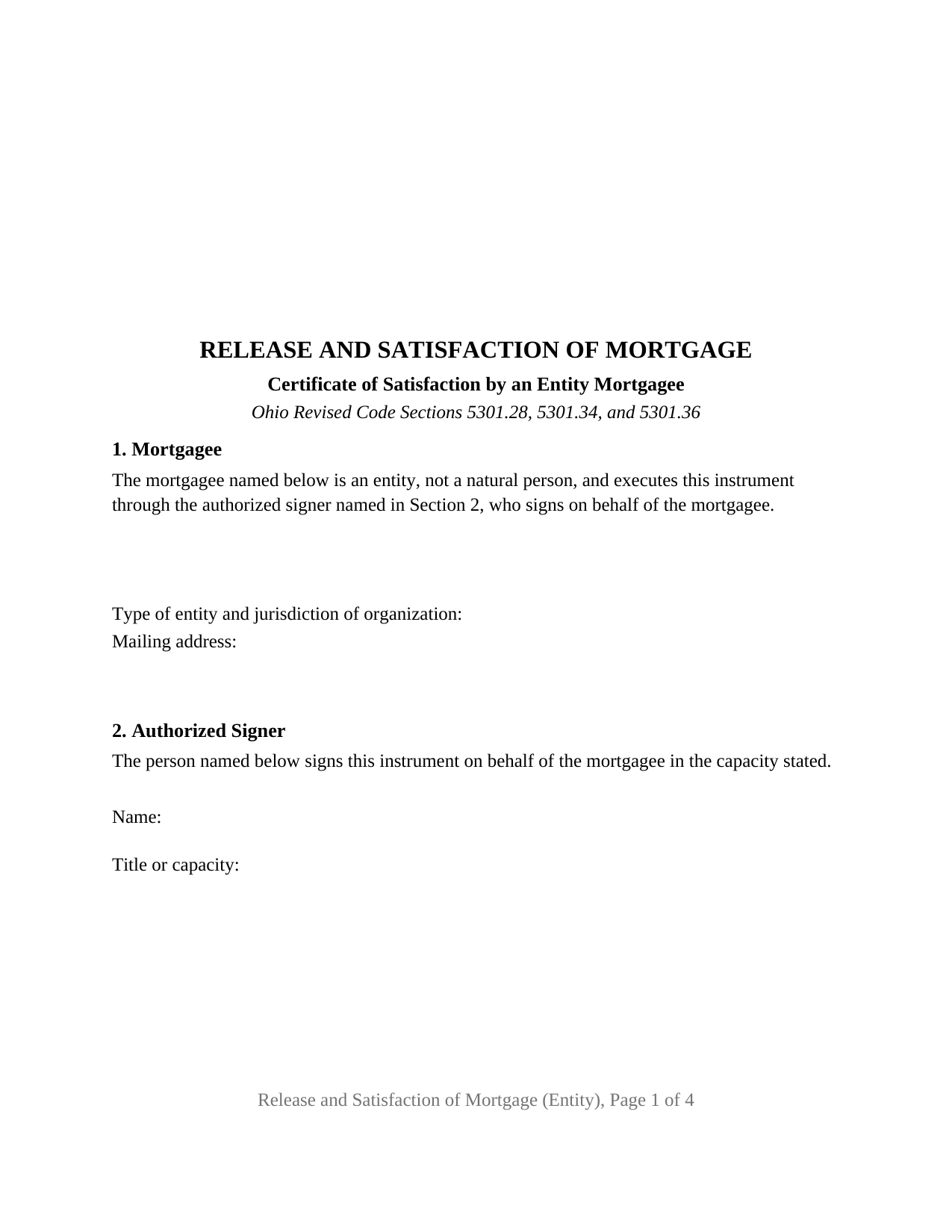
Montgomery County Release and Satisfaction of Mortgage (Entity) Form
Fill in the blank Release and Satisfaction of Mortgage (Entity) form formatted to comply with all Ohio recording and content requirements.
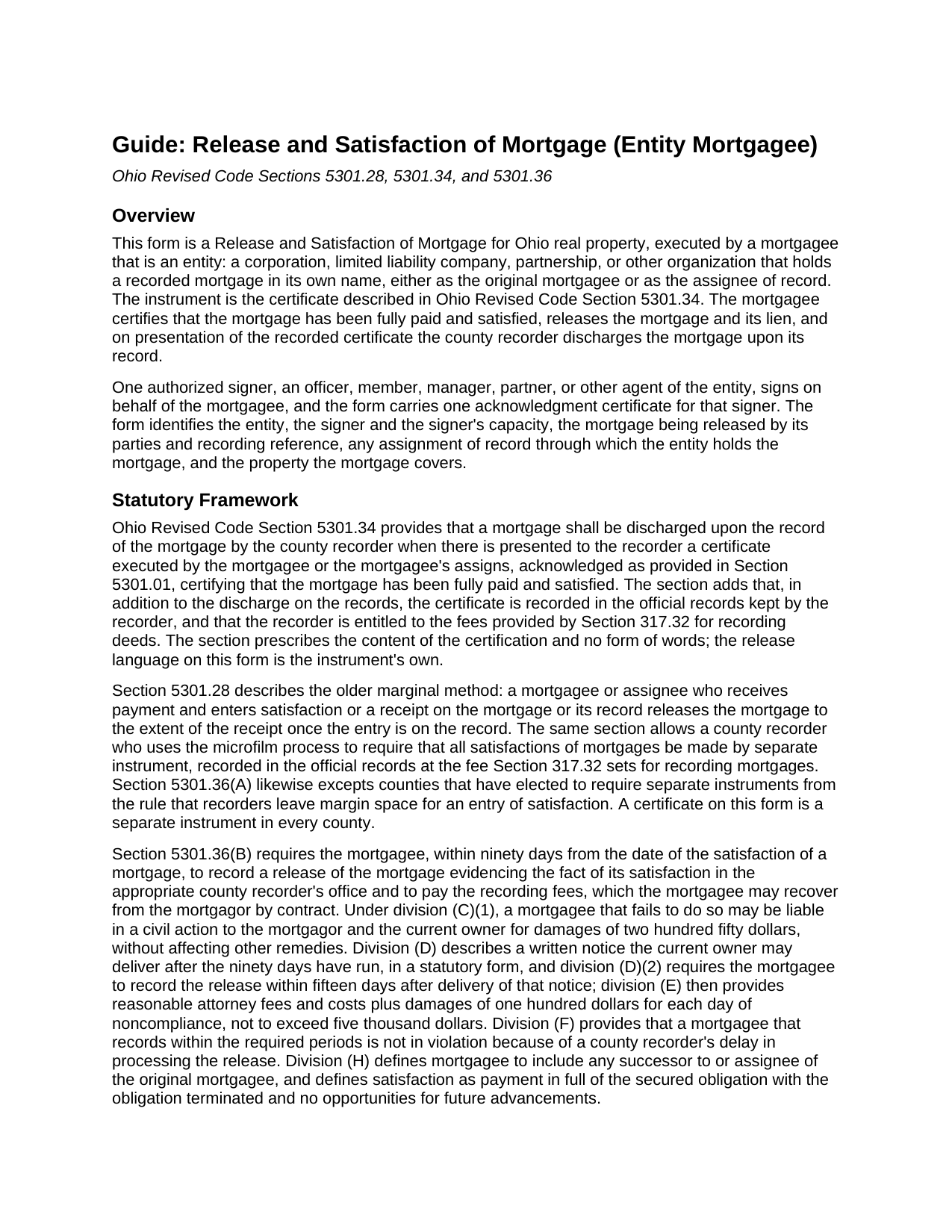
Montgomery County Release and Satisfaction of Mortgage (Entity) Guide
Line by line guide explaining every blank on the Release and Satisfaction of Mortgage (Entity) form.
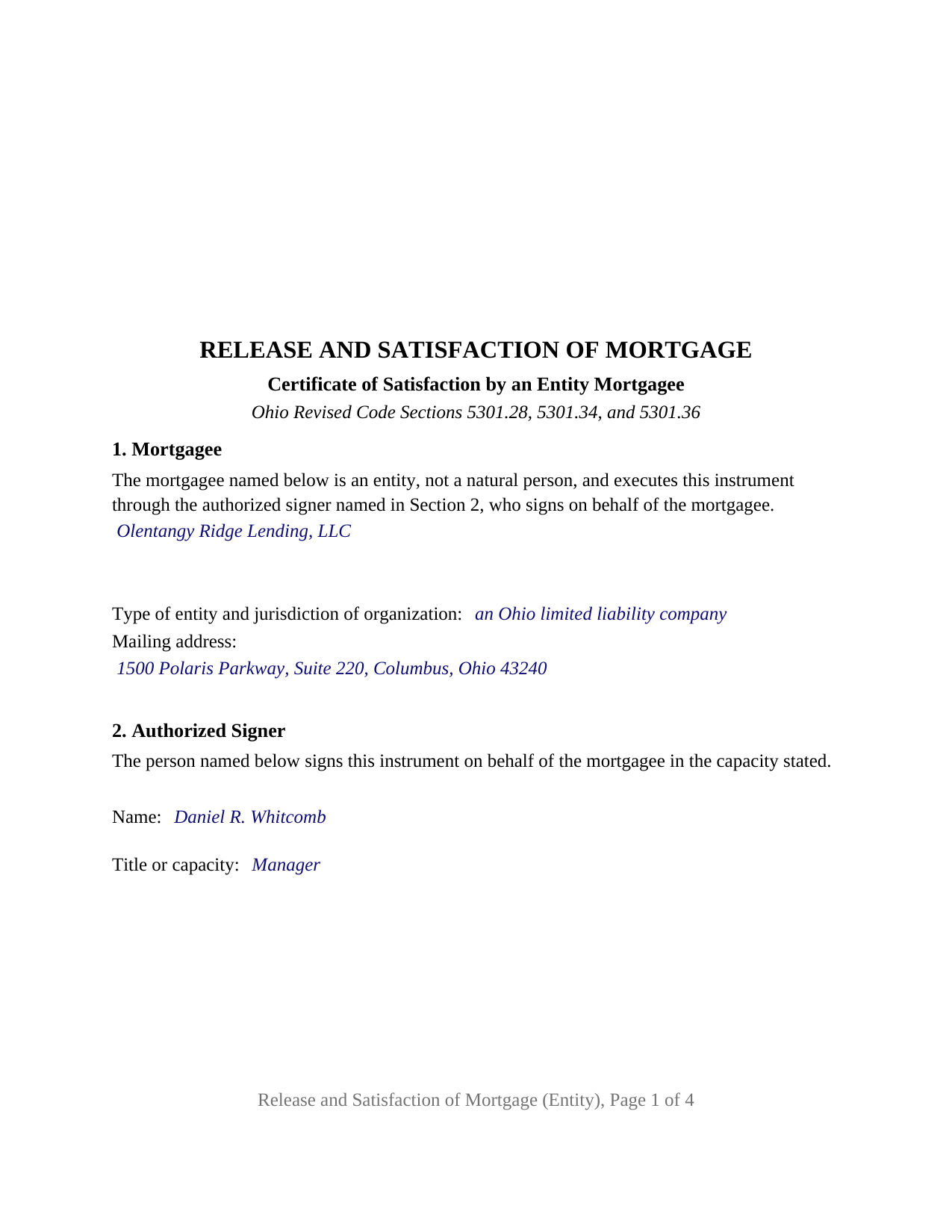
Montgomery County Completed Example of the Release and Satisfaction of Mortgage (Entity) Document
Example of a properly completed Ohio Release and Satisfaction of Mortgage (Entity) document for reference.
All 3 documents above included • One-time purchase • No recurring fees
Immediate Download • Secure Checkout
Additional Ohio and Montgomery County documents included at no extra charge:
Where to Record Your Documents
Montgomery County Recorder
Dayton, Ohio 45422-1387
Hours: 8:00 a.m. - 5:00 p.m. Monday - Friday / Documents recorded 8:00 – 4:00
Phone: (937) 225-4275
Recording Tips for Montgomery County:
- Bring your driver's license or state-issued photo ID
- Ensure all signatures are in blue or black ink
- Check that your notary's commission hasn't expired
- Documents must be on 8.5 x 11 inch white paper
- Double-check legal descriptions match your existing deed
Cities and Jurisdictions in Montgomery County
Properties in any of these areas use Montgomery County forms:
- Brookville
- Clayton
- Dayton
- Englewood
- Farmersville
- Germantown
- Miamisburg
- New Lebanon
- Phillipsburg
- Vandalia
Hours, fees, requirements, and more for Montgomery County
How do I get my forms?
Forms are available for immediate download after payment. The Montgomery County forms will be in your account ready to download to your computer. An account is created for you during checkout if you don't have one. Forms are NOT emailed.
Are these forms guaranteed to be recordable in Montgomery County?
Yes. Our form blanks are guaranteed to meet or exceed the applicable formatting requirements used for recording in Montgomery County, including margin requirements, font requirements, and other layout standards. This guarantee applies to formatting, not to the legal sufficiency of information entered by the user or the suitability of a form for a particular transaction.
Can I reuse these forms?
Yes. You can reuse the forms for your personal use. For example, if you have multiple properties in Montgomery County you only need to order once.
What do I need to use these forms?
The forms are PDFs that you fill out on your computer. The free Adobe Acrobat Reader is recommended, and most PDF apps also work. You do NOT enter your property information online - you download the blank forms and complete them privately on your own computer.
Are there any recurring fees?
No. This is a one-time purchase. Nothing to cancel, no memberships, no recurring fees.
How much does it cost to record in Montgomery County?
Recording fees in Montgomery County vary. Contact the recorder's office at (937) 225-4275 for current fees.
Questions answered? Let's get started!
When a corporation, limited liability company, partnership, or other entity holds a mortgage on Ohio real estate and the loan is paid in full, the entity's own name goes on the release and one authorized officer, member, manager, or partner signs beneath it. This Ohio Release and Satisfaction of Mortgage prepares that certificate of satisfaction under Ohio Revised Code Section 5301.34 for a mortgagee that is an entity rather than an individual, with one signature block and one acknowledgment certificate shaped for a representative signer.
A certificate the recorder acts on
Section 5301.34 describes the instrument in one sentence: a mortgage is discharged upon its record when the county recorder is presented with a certificate, executed by the mortgagee or the mortgagee's assigns and acknowledged as Section 5301.01 provides, certifying that the mortgage has been fully paid and satisfied. The form carries that certification as operative text and follows it with the words that release, satisfy, and discharge the mortgage and its lien; Ohio prescribes no form of words for the release itself.
Signed in the name of the entity
The form recites in its first section that the mortgagee is an entity and not a natural person, acting through the authorized signer named in the second section. The entity's name, type, jurisdiction, and mailing address fill the first section; the signer's name and title fill the second. The signature block carries the entity's name on its own line, with the signer's signature, printed name, date, and title beneath it, because Section 5301.29(D) treats a corporate release executed by officers without the corporation's name as a defect of record that the statute cures only after twenty-one years. A lender releasing its own loan, a company that acquired the loan by recorded assignment, and a family limited liability company that financed a sale all present the single-entity pattern this form recites. The form is not set up as a release by an individual mortgagee, by co-mortgagees signing separately, by a trustee, or by an attorney-in-fact.
One certificate, three statutory short forms
Section 147.55 prints separate short forms of acknowledgment for a corporation, a limited liability company, and a partnership, and each opens with the same sentence: the foregoing instrument was acknowledged before me this date by. The acknowledgment on this form prints that common sentence and leaves the words after it to the notary, who enters the signer's name and title, the entity's name and type, and the words on behalf of the corporation, the limited liability company, or the partnership. The completed example shows the limited liability company version.
Ninety days, then damages
Section 5301.36(B) gives the mortgagee ninety days from the date of satisfaction to record a release in the appropriate county recorder's office, and defines mortgagee to include any successor or assignee of the original lender. A mortgagee that misses the deadline may owe two hundred fifty dollars in a civil action, and after the statutory written notice and fifteen more days, attorney fees plus one hundred dollars a day, capped at five thousand dollars. The form's fourth section identifies any recorded assignment through which the entity holds the mortgage.
Recording in the county where the mortgage is recorded
The certificate goes to the county recorder of the county where the property lies. Section 317.32 sets thirty-four dollars in statutory fees for the first two pages, eight dollars for each additional page, four dollars for the marginal reference to the released mortgage, and a county surcharge of up to five dollars. The form is built to the Section 317.114 page format, with the three inch blank margin at the top of the first page for the recorder's endorsement, and its property section collects the parcel number and municipality that Section 5301.46 names for a release by separate instrument.
The package includes the fillable form, a completed example filled in for an Ohio limited liability company releasing a Franklin County mortgage it acquired by assignment, and the guide that walks through every numbered section and the recording process. This description and the guide describe the form and the governing statutes in general terms; they are not legal advice.
Important: Your property must be located in Montgomery County to use these forms. Documents should be recorded at the county recording office listed above.
This Release and Satisfaction of Mortgage (Entity) meets all recording requirements specific to Montgomery County.
Our Promise
The documents you receive here are guaranteed to meet or exceed the applicable Montgomery County recording format requirements. If there is a rejection caused by our formatting, we will correct the issue or refund your payment. This guarantee applies to document formatting only and does not extend to information entered by the user, the selection of the form, or the legal effect of the completed document.
Save Time and Money
Get your Montgomery County Release and Satisfaction of Mortgage (Entity) form done right the first time with Deeds.com Uniform Conveyancing Blanks. At Deeds.com, we understand that your time and money are valuable resources, and we don't want you to face a penalty fee or rejection imposed by a county recorder for submitting nonstandard documents. We constantly review and update our forms to meet rapidly changing state and county recording requirements for roughly 3,500 counties and local jurisdictions.
4.8 out of 5 - ( 4,837 Reviews )
JAMES WILLIAM H. 5 out of 5 stars
The DOCUMENT AND INFORMATION WAS JUST WHAT I WANTED AND NEEDED. HOWEVER, NAVIGATING THE ON LINE PROCESS WAS A PROBLEM.. AT ONE POINT IT LOOKED LIKE I HAD PAID FOR THE PRODUCT AND LOST CONTACT WITH THE SYSTEM. I FINALLY GOT TO PRINT WHAT I PURCHASED. FOR SUCH I WOULD ONLY GIVE A FOUR STAR RATING.
Thank you, James. We're glad the documents and information met your needs, and we appreciate you pointing out the navigation issue. Feedback like this helps us improve the ordering experience. Thank you for your review and your business.
Ryan K. 5 out of 5 stars
Excellent service! Quick and much easier than having to do everything through the mail. The agent was quick to answer questions and everything was processed and submitted from Deeds.com within a couple of hours. Will definitely use again if the need arises.
We appreciate your business and value your feedback. Thank you. Have a wonderful day!
Robert F. 5 out of 5 stars
Great, quick and easy to use
Thank you for your feedback. We really appreciate it. Have a great day!
Judy A S. 5 out of 5 stars
Great do it yourself forms (I used the Quitclaim deed). If you think you're going to need a lot of hand holding you might consider hiring an attorney. The guide and general information provided by deeds.com will help if you have some idea of what you are doing and you are willing to research a little. Your mileage may vary but for me, this was a very efficient and economical way to get my quitclaim deed done.
Thank you for your feedback. We really appreciate it. Have a great day!
Benjamin A. 4 out of 5 stars
This method seems simple for me to complete. Wish me luck.
Thank you for your feedback. We really appreciate it. Have a great day!
Jeannine G. 5 out of 5 stars
Very helpful and just what I needed for the job I was doing.
Thank you!
Carole M. 5 out of 5 stars
So far it seems easy and hopefully be acceptable to Hillsborough Co
We appreciate your business and value your feedback. Thank you. Have a wonderful day!
Lisa D. 5 out of 5 stars
Great service, would be nice if it provided an address to send this to once completed!
Thank you for your feedback. We really appreciate it. Have a great day!
JOSEPH W. 5 out of 5 stars
Easy peezy!
Thank you!
Kathy P. 5 out of 5 stars
I like that the quit claim form was fill in the blank on my computer instead of online, made it so much easier than having to do everything at once, at the mercy of the internet connection. Will refer others here.
We appreciate your business and value your feedback. Thank you. Have a wonderful day!
Colleen P. 3 out of 5 stars
It was frustrating to get the scans done but that might have been due to a learning curve. After 4 tries they were accepted. I couldn't figure out how to delete or close the failed attempts. Waiting to see if Recorder office has changed the title.
Thank you for your feedback. We really appreciate it. Have a great day!
Charlotte K. 5 out of 5 stars
Really a simple, quick, professional experience!
Thank you!
Richard W. 5 out of 5 stars
Very happy I tried your service/product. The quit deed forms were excepted by the register of deeds with no issue. Thank You
We appreciate your business and value your feedback. Thank you. Have a wonderful day!
CHARMAINE G. 5 out of 5 stars
Would have paid double for these forms. Thankfully there are professionals making these things, I would have surely messed it up if I tried to do it myself based on my incorrect preconceived ideas.
Thank you!
Maria M. 5 out of 5 stars
EASY, PAINLESS, LOVED THE USER FRIENDLY INSTRUCTIONS
Thank you for your feedback. We really appreciate it. Have a great day!