Shelby County Release and Satisfaction of Mortgage Form
Last validated October 21, 2026 by our Forms Development TeamFormatted for recording in Shelby County, for property anywhere in the county: rural and unincorporated areas as well as Anna, Botkins, Fort Loramie, Houston, Jackson Center, Kettlersville, Maplewood, Pemberton and 3 more.
- 3 documents included
- Immediate PDF download
- Formatting guarantee
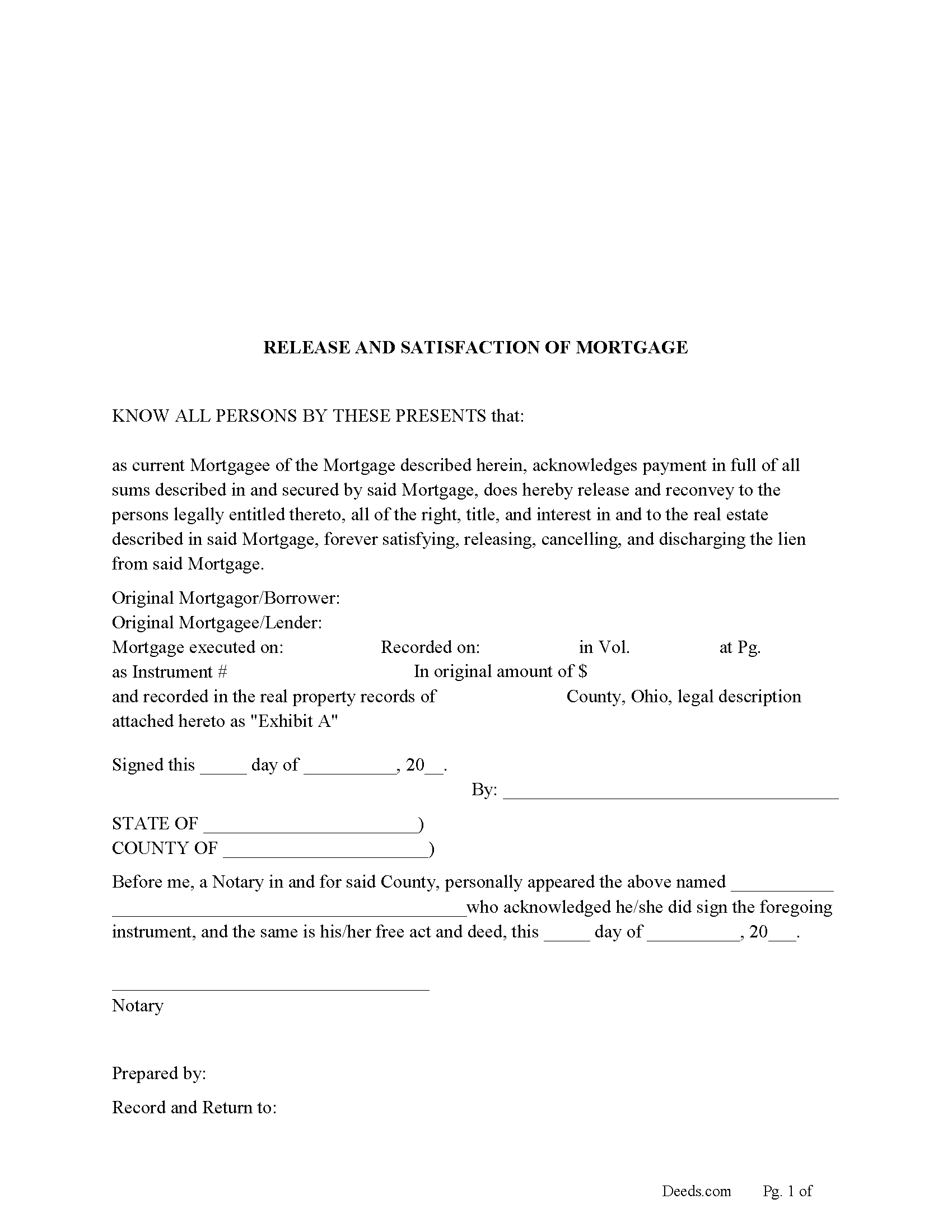
Shelby County Release and Satisfaction of Mortgage Form
Fill in the blank form formatted to comply with all recording and content requirements.
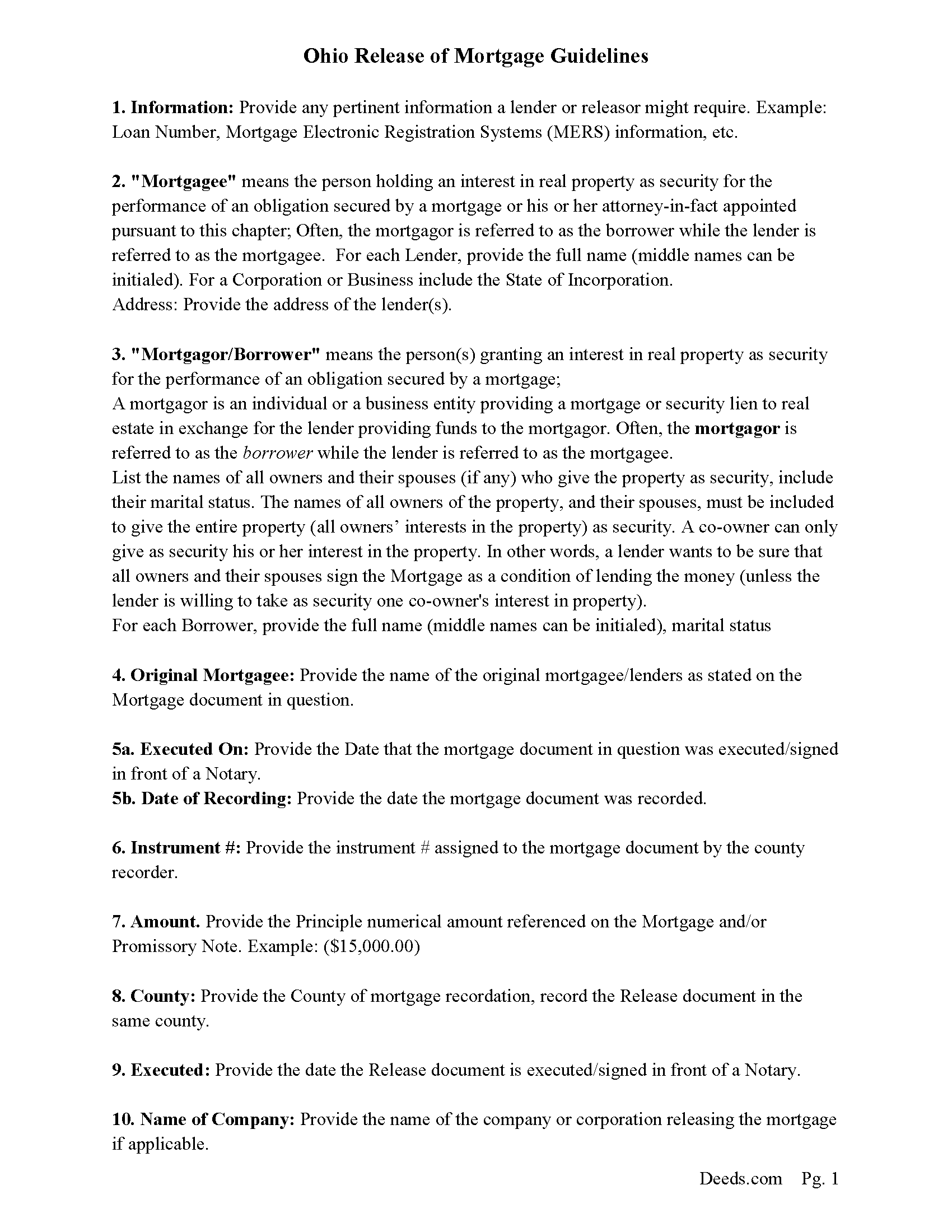
Shelby County Release and Satisfaction Guidelines
Line by line guide explaining every blank on the form.
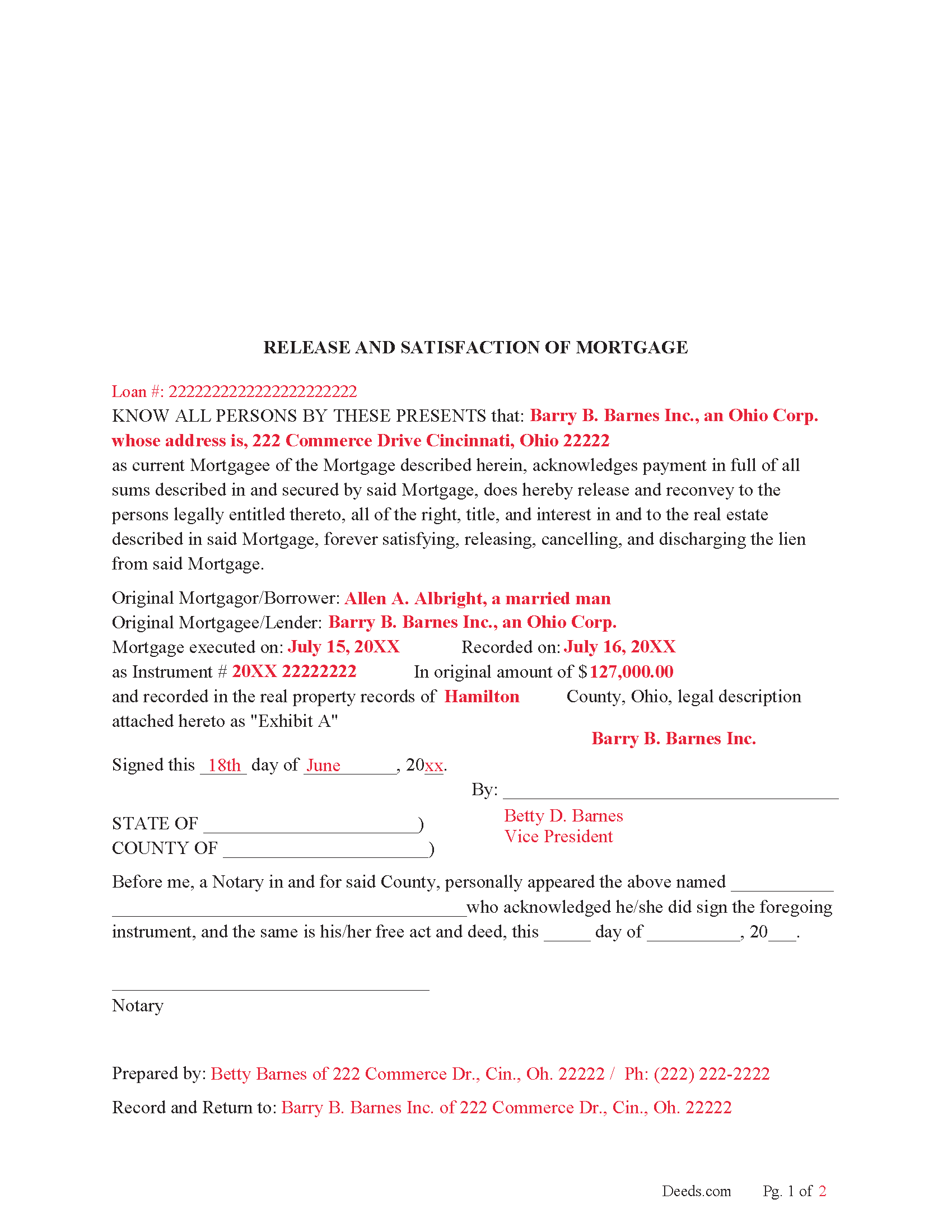
Shelby County Completed Example of the Release and Satisfaction document
Example of a properly completed form for reference.
All 3 documents above included • One-time purchase • No recurring fees
Immediate Download • Secure Checkout
Additional Ohio and Shelby County documents included at no extra charge:
Where to Record Your Documents
Shelby County Recorder
Sidney, Ohio 45365
Hours: 8:30 to 4:30 Monday through Thursday; 8:30 to 12:00 Friday
Phone: 937-498-7270
Recording Tips for Shelby County:
- Bring your driver's license or state-issued photo ID
- Ensure all signatures are in blue or black ink
- Double-check legal descriptions match your existing deed
- Verify all names are spelled correctly before recording
- White-out or correction fluid may cause rejection
Cities and Jurisdictions in Shelby County
Properties in any of these areas use Shelby County forms:
- Anna
- Botkins
- Fort Loramie
- Houston
- Jackson Center
- Kettlersville
- Maplewood
- Pemberton
- Port Jefferson
- Russia
- Sidney
Hours, fees, requirements, and more for Shelby County
How do I get my forms?
Forms are available for immediate download after payment. The Shelby County forms will be in your account ready to download to your computer. An account is created for you during checkout if you don't have one. Forms are NOT emailed.
Are these forms guaranteed to be recordable in Shelby County?
Yes. Our form blanks are guaranteed to meet or exceed the applicable formatting requirements used for recording in Shelby County, including margin requirements, font requirements, and other layout standards. This guarantee applies to formatting, not to the legal sufficiency of information entered by the user or the suitability of a form for a particular transaction.
Can I reuse these forms?
Yes. You can reuse the forms for your personal use. For example, if you have multiple properties in Shelby County you only need to order once.
What do I need to use these forms?
The forms are PDFs that you fill out on your computer. The free Adobe Acrobat Reader is recommended, and most PDF apps also work. You do NOT enter your property information online - you download the blank forms and complete them privately on your own computer.
Are there any recurring fees?
No. This is a one-time purchase. Nothing to cancel, no memberships, no recurring fees.
How much does it cost to record in Shelby County?
Recording fees in Shelby County vary. Contact the recorder's office at 937-498-7270 for current fees.
Questions answered? Let's get started!
Use this form to release a mortgage when it has been fully satisfied/paid in full. Ohio also allows marginal notations on the existing mortgage which also serves as a release. Some counties only allow the recording of separate instruments, such as a "release of mortgage" form or an original mortgage instrument bearing the proper endorsement. This form is considered a release by (separate instrument).
(5301.28 Release of mortgage - assignment.)
(When the mortgagee of property within this state, or the party to whom the mortgage has been assigned, either by a separate instrument, or in writing on that mortgage, or on the margin of the record of the mortgage, which assignment, if in writing on the mortgage or on the margin of the record of the mortgage, need not be acknowledged, receives payment of any part of the money due the holder of the mortgage, and secured by the mortgage, and enters satisfaction or a receipt for the payment, either on the mortgage or its record, that satisfaction or receipt, when entered on the record, or copied on the record from the original mortgage by the county recorder, will release the mortgage to the extent of the receipt. In all cases when a mortgage has been assigned in writing on that mortgage, the recorder shall copy the assignment from the original mortgage upon the margin of the record of the mortgage before the satisfaction or receipt is entered upon the record of the mortgage.)
(In a county in which the county recorder has determined to use the microfilm process as provided by section 9.01 of the Revised Code, the county recorder may require that all satisfactions of mortgages be made by separate instrument. The original instrument bearing the proper endorsement may be used as such a separate instrument. That separate instrument shall be recorded in the county recorder's official records. The county recorder shall charge the fee for the recording as provided by section 317.32 of the Revised Code for recording mortgages.)
Example: releasing a mortgage in Geauga County, Ohio.
- Mortgage Release (By separate instrument)
Must have Mortgage Volume and Page number.
Notary and Prepared By.
Legal description is NOT required.
Fee: $38.00 for the first 2 pages (includes one marginal notation) + $8.00 each additional page.
$4.00 for each additional marginal notation.
- Mortgage Release (On original Mortgage)
Must be signed and dated by Lender.
Fee: $38.00.
A marginal satisfaction may require the mortgagee/lender going to the County Recorder's Office in person.
NOTE- review county specific recording fees, most counties charge $34.00 for the first two pages + $8.00 each additional page.
In general, the mortgagee has 90 days in which to record a release to avoid damages up to $5,000.00.
A mortgage may also be release by certificate.
(A mortgage shall be discharged upon the record of the mortgage by the county recorder when there is presented to the county recorder a certificate executed by the mortgagee or the mortgagee's assigns, acknowledged as provided in section 5301.01 of the Revised Code, or when there is presented to the recorder a deed of release executed by the governor as provided in section 5301.19 of the Revised Code, certifying that the mortgage has been fully paid and satisfied. In addition to the discharge on the records by the county recorder, such certificate shall be recorded in the official records kept by the county recorder. The county recorder is entitled to the fees for such recording as provided by section 317.32 of the Revised Code for recording deeds.) (5301.34 Release of mortgage on certificate of mortgagee or assignee.)
(Ohio Release of Mortgage Package includes form, guidelines, and completed example)
Important: Your property must be located in Shelby County to use these forms. Documents should be recorded at the county recording office listed above.
This Release and Satisfaction of Mortgage meets all recording requirements specific to Shelby County.
Our Promise
The documents you receive here are guaranteed to meet or exceed the applicable Shelby County recording format requirements. If there is a rejection caused by our formatting, we will correct the issue or refund your payment. This guarantee applies to document formatting only and does not extend to information entered by the user, the selection of the form, or the legal effect of the completed document.
Save Time and Money
Get your Shelby County Release and Satisfaction of Mortgage form done right the first time with Deeds.com Uniform Conveyancing Blanks. At Deeds.com, we understand that your time and money are valuable resources, and we don't want you to face a penalty fee or rejection imposed by a county recorder for submitting nonstandard documents. We constantly review and update our forms to meet rapidly changing state and county recording requirements for roughly 3,500 counties and local jurisdictions.
4.8 out of 5 - ( 4,836 Reviews )
Janis H. 5 out of 5 stars
Amazing! Great forms - created the quitclaim fairly easy, recorded with no issues. Thanks!
Thank you for your feedback. We really appreciate it. Have a great day!
Jennifer O. 5 out of 5 stars
Quick, easy, affordable, eliminated the need for a lawyer.
Thank you for your feedback. We really appreciate it. Have a great day!
Renu A. 5 out of 5 stars
The service was very reliable and they even helped with filling out the paperwork properly. Very quick turn around and efficient!
Thank you!
Jason J. 5 out of 5 stars
My first submission was super quick and easy. I had trouble with the second submission, as I was not aware of what the county would require, but the team at Deeds.com walked me through every step of the process. Will definitely use again and refer business partners to Deeds.com!
Thank you, Jason! We’re glad your first submission went smoothly and appreciate your patience with the second. County requirements can vary, and we’re always here to help make the process as simple as possible. We look forward to assisting you — and your business partners — again soon!
ROBERT K. 5 out of 5 stars
It was so easy to obtain the necessary documents.
Thank you for your feedback. We really appreciate it. Have a great day!
Laura L. 5 out of 5 stars
The website looks good and probably like it is easy to use, but I needed a deed in lieu and couldn't fine one.
Thank you for your feedback. We really appreciate it. Have a great day!
Brian S. 3 out of 5 stars
PDF fields change font sizes leading to an unprofessional-appearing printed page. The examples for "Convey to" section don't include how to specify just one person instead of a married couple. Maybe that is simple but it would help to spell it out in an example. Haven't submitted to County Recorder yet, so will find out if it is acceptable.
Thank you for the feedback Brian.
The font issue is caused by using a PDF viewer other than Adobe Acrobat Reader. Our form fields are set to a uniform 12-point font, but non-Adobe viewers often render form fields inconsistently. Opening and printing the form with the free Adobe Acrobat Reader will resolve that.
Regarding the examples, that's a fair point, we'll look at expanding them.
Michael W. 5 out of 5 stars
Easy to use and fast
Thank you!
Chelsie F. 5 out of 5 stars
Super customer service and communication! Fast service and more informative than expected! Can't say thanks enough.
Thank you!
Janice U. 5 out of 5 stars
So far everything is going really well. Thank you!
Thank you!
george k. 5 out of 5 stars
Thank u the site helped me get the quick deed forms I needed for TN.i will use it in the furture.
Thank you for your feedback. We really appreciate it. Have a great day!
John F. 5 out of 5 stars
Excellent service, very reliable.
Thank you for your feedback. We really appreciate it. Have a great day!
JAN F. 5 out of 5 stars
One day start to finish and so easy to complete.
Happy we could assist. Thank you for sharing your experience.
Thomas W. 5 out of 5 stars
easy to use, no problems except in beneficiary box. Need to make the box bigger because I have 4 beneficiaries to list. how do I enlarge the box.
Thanks for reaching out. All available space on the document is being used. As is noted in the guide, if you have information that does not fit in the available space the included exhibit page should be used.
Leslie S. 5 out of 5 stars
After over a month of turmoil and feeling like "you can't get there from here",you solved my problem in a little over an hour. Thank you!!
Thank you for your feedback. We really appreciate it. Have a great day!