Tulsa County Transfer on Death Revocation Form
Last validated September 2, 2026 by our Forms Development TeamFormatted for recording in Tulsa County, for property anywhere in the county: rural and unincorporated areas as well as Bixby, Broken Arrow, Collinsville, Glenpool, Jenks, Leonard, Oakhurst, Owasso and 4 more.
- 3 documents included
- Immediate PDF download
- Formatting guarantee
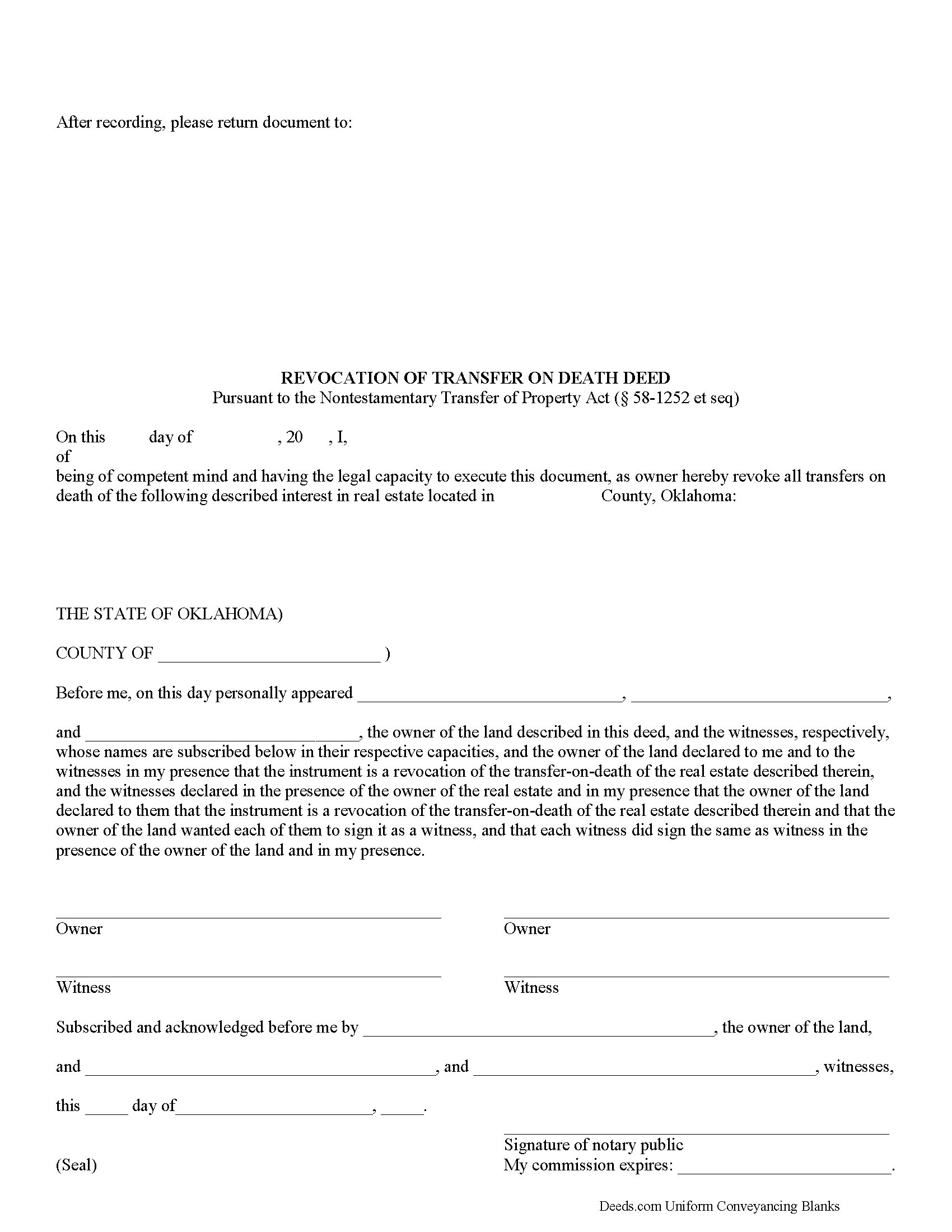
Tulsa County Transfer on Death Revocation Form
Fill in the blank form formatted to comply with all recording and content requirements.
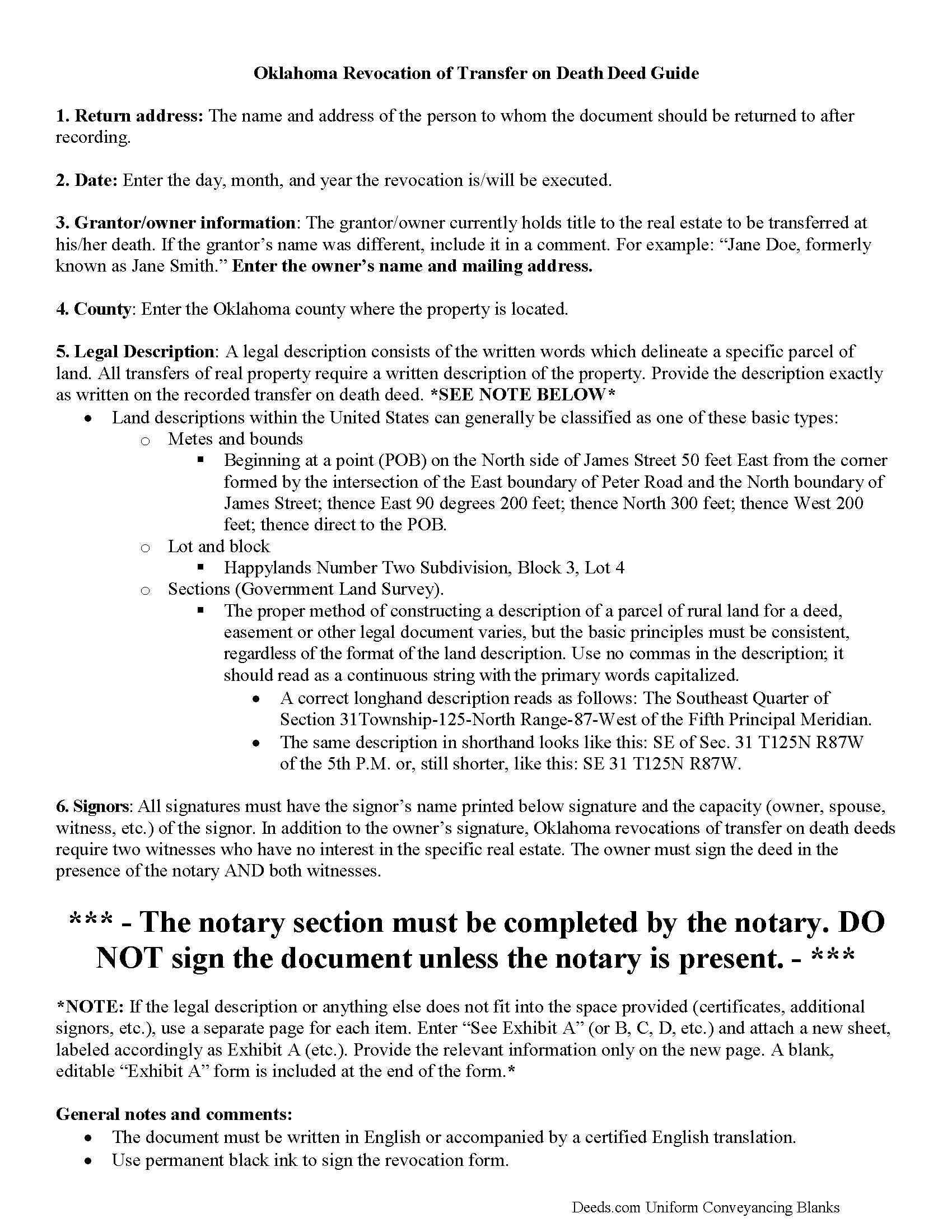
Tulsa County Transfer on Death Revocation Guide
Line by line guide explaining every blank on the form.
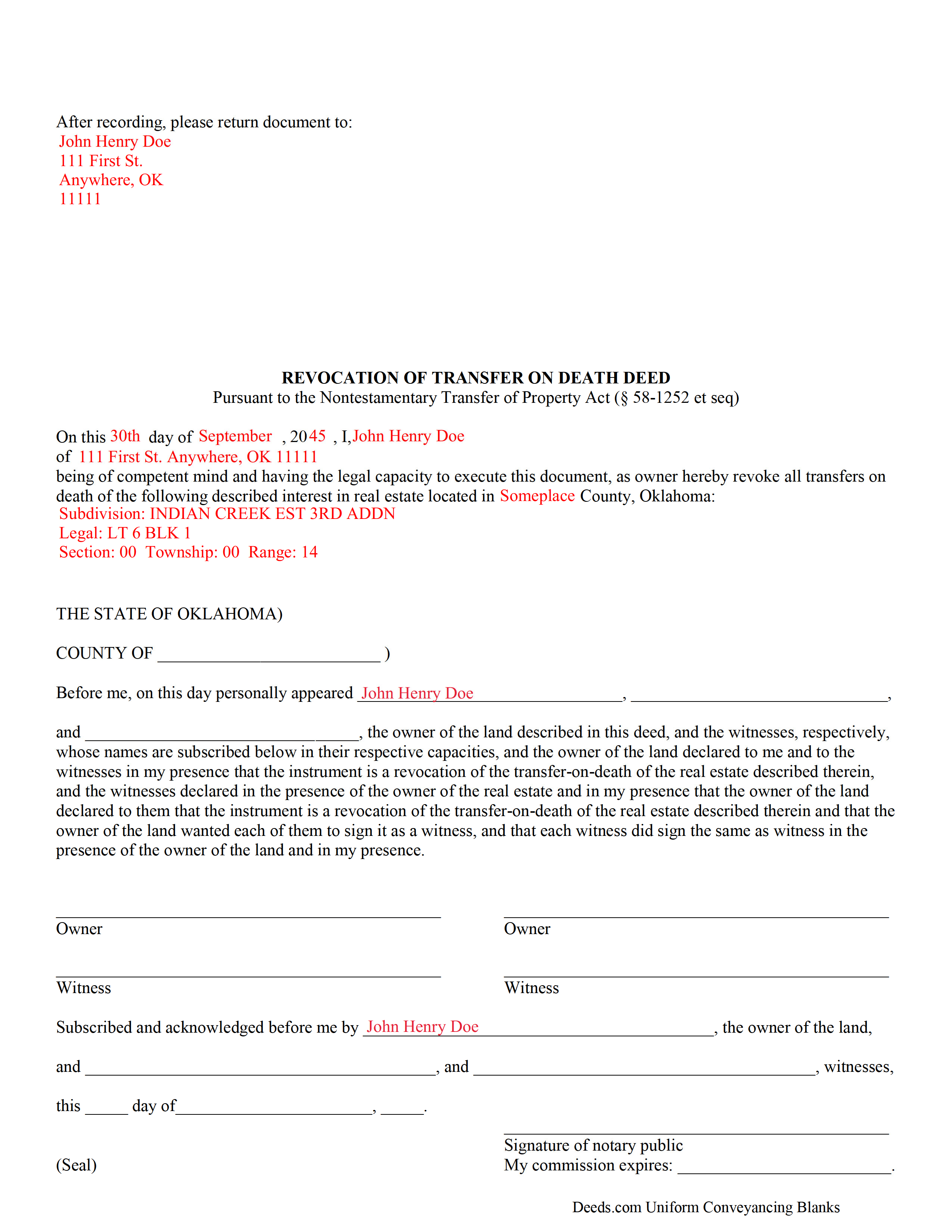
Tulsa County Completed Example of the Transfer on Death Revocation Document
Example of a properly completed form for reference.
All 3 documents above included • One-time purchase • No recurring fees
Immediate Download • Secure Checkout
Additional Oklahoma and Tulsa County documents included at no extra charge:
Where to Record Your Documents
Tulsa County Clerk
Tulsa, Oklahoma 74103-3832
Hours: Monday through Friday 8:30am to 5:00pm / Recording until 4:30pm
Phone: (918) 596-5801
Recording Tips for Tulsa County:
- Bring your driver's license or state-issued photo ID
- Ensure all signatures are in blue or black ink
- Verify all names are spelled correctly before recording
- White-out or correction fluid may cause rejection
- Ask about their eRecording option for future transactions
Cities and Jurisdictions in Tulsa County
Properties in any of these areas use Tulsa County forms:
- Bixby
- Broken Arrow
- Collinsville
- Glenpool
- Jenks
- Leonard
- Oakhurst
- Owasso
- Sand Springs
- Skiatook
- Sperry
- Tulsa
Hours, fees, requirements, and more for Tulsa County
How do I get my forms?
Forms are available for immediate download after payment. The Tulsa County forms will be in your account ready to download to your computer. An account is created for you during checkout if you don't have one. Forms are NOT emailed.
Are these forms guaranteed to be recordable in Tulsa County?
Yes. Our form blanks are guaranteed to meet or exceed the applicable formatting requirements used for recording in Tulsa County, including margin requirements, font requirements, and other layout standards. This guarantee applies to formatting, not to the legal sufficiency of information entered by the user or the suitability of a form for a particular transaction.
Can I reuse these forms?
Yes. You can reuse the forms for your personal use. For example, if you have multiple properties in Tulsa County you only need to order once.
What do I need to use these forms?
The forms are PDFs that you fill out on your computer. The free Adobe Acrobat Reader is recommended, and most PDF apps also work. You do NOT enter your property information online - you download the blank forms and complete them privately on your own computer.
Are there any recurring fees?
No. This is a one-time purchase. Nothing to cancel, no memberships, no recurring fees.
How much does it cost to record in Tulsa County?
Recording fees in Tulsa County vary. Contact the recorder's office at (918) 596-5801 for current fees.
Questions answered? Let's get started!
Transfer on death deeds (TODDs) in Oklahoma are governed by the Nontestamentary Transfer of Property Act (Title 58 O.S. 1251-1258), enacted in 2008.
Unlike standard deeds, which convey an irrevocable interest in real property, transfer on death deeds may be changed or cancelled, provided that any modifications to the recorded TODD are filed, during the owner's life, for recording with the same office that accepted the TODD. The Oklahoma Statutes do not provide a specific form for this purpose, but they define the requirements for lawful revocation at 58-1254.
Basically, there are two ways to revoke a transfer on death deed in Oklahoma. The owner can execute and record a new TODD, conveying the potential future interest to someone else, effectively cancelling the earlier transfer (58-1254(B)). The other method involves executing and recording an instrument of revocation (58-1254(A)). Just as with TODDs, this instrument must be recorded during the owner's life. Revocation instruments are useful because they serve as a clear statement of the transferor's intent. TODDs may not be revoked by a will (58-1254(C)).
(Oklahoma TOD Revocation Package includes form, guidelines, and completed example)
Important: Your property must be located in Tulsa County to use these forms. Documents should be recorded at the county recording office listed above.
This Transfer on Death Revocation meets all recording requirements specific to Tulsa County.
Our Promise
The documents you receive here are guaranteed to meet or exceed the applicable Tulsa County recording format requirements. If there is a rejection caused by our formatting, we will correct the issue or refund your payment. This guarantee applies to document formatting only and does not extend to information entered by the user, the selection of the form, or the legal effect of the completed document.
Save Time and Money
Get your Tulsa County Transfer on Death Revocation form done right the first time with Deeds.com Uniform Conveyancing Blanks. At Deeds.com, we understand that your time and money are valuable resources, and we don't want you to face a penalty fee or rejection imposed by a county recorder for submitting nonstandard documents. We constantly review and update our forms to meet rapidly changing state and county recording requirements for roughly 3,500 counties and local jurisdictions.
4.8 out of 5 - ( 4,828 Reviews )
Marvin G. 5 out of 5 stars
I found exactly the perfect forms that I needed with Deeds, and much more. I definitely will be using Deeds com from this day going forward.
We appreciate your comments and your trust in us. Thank you.
William C. 4 out of 5 stars
Good service, great price, the website is a bit hard to maneuver in places.
Thank you for your feedback. We really appreciate it. Have a great day!
CLIVE R. 4 out of 5 stars
The instructions were really clear and the site user friendly
We appreciate your comments and your trust in us. Thank you.
Tyler F. 5 out of 5 stars
worked great!!!
Awesome, great to hear. Thank you.
Toni C. 4 out of 5 stars
The system was simple to use. The rep that answered my questions could have been a little more forthcoming, but that being said I would use the service again.
Thank you!
Bobby J. 5 out of 5 stars
Good document as expected
We’re glad to hear things went well. Thank you for the review.
Barry B. 5 out of 5 stars
I was very impressed on how simple the process was to record the documents I needed recorded. Thank you for all of your help.
Thank you!
Michelle R. 5 out of 5 stars
Fairly easy to use. Need to be able to find platts easy.
Thank you!
WALTER L. 5 out of 5 stars
GREAT SITE, HAD ALL THE FORMS I NEEDED AND INSTRUCTIONS WITH ILLUSTRATIONS.
Thank you!
Darlo M. 5 out of 5 stars
The process for getting the forms I needed was easy through Deeds.com I would use them again!
We appreciate your business and value your feedback. Thank you. Have a wonderful day!
Steve V. 5 out of 5 stars
This service is an amazing time saver. No more trips to the recorder's office. Well worth the service fee.
We are delighted to have been of service. Thank you for the positive review!
Michael J. 5 out of 5 stars
Great site, very easy to use. Thanks
Thank you for your feedback. We really appreciate it. Have a great day!
Bruce L. 5 out of 5 stars
Fantastic. The forms were easy to read and complete. Came with a guide and examples of how it looked completed Thanks!
We appreciate your business and value your feedback. Thank you. Have a wonderful day!
Samuel J M. 5 out of 5 stars
I needed to prepare a Correction Warranty Deed and have not done so in years. I ordered your form and modified it to fit my situation. Saved me a lot of time. Thanks.
Thank you for your feedback. We really appreciate it. Have a great day!
Donna R. 5 out of 5 stars
Hi! Is there a setting that I can click on that will make sure I'm notified via email when an update is made to my requests? Thank you!
Thanks for your feedback, we'll have someone look into it.